ECC RAM Explained: What Error Correction Does and Who Needs It
ECC RAM is memory that stores extra check bits so it can correct single-bit errors on the fly and detect double-bit errors. According to Synopsys, DDR4 ECC modules are 72 bits wide instead of 64. ECC only works when both CPU and motherboard support it, for example an AMD Ryzen 9000 on a supporting board or an Intel Core CPU on the W680 chipset.
ECC stands for error correction code. Servers, workstations and many NAS boxes use ECC memory because a silent bit flip there can corrupt data or crash a service. This guide explains how ECC works, why the on-die ECC built into DDR5 is something different, who actually needs ECC and how to check whether your PC uses it. The facts come from JEDEC, Micron, Synopsys, AMD, Intel, Microsoft and a large field study from Google. Live memory prices from amazon.com follow below (as of Oct 28, 2026 at 5:17 AM UTC).
What is ECC RAM?
ECC RAM stores additional check bits alongside each block of data. With them, the memory controller spots errors when data is read and fixes single wrong bits immediately. Ordinary memory without ECC is called non-ECC and stores only the data itself.
DRAM holds data as tiny electrical charges. Every so often a bit flips from 0 to 1 or back. Without ECC, nobody notices: the program keeps calculating with the wrong value, a file gets saved corrupted, or the system crashes. With ECC the error is caught at read time, and a single flipped bit is corrected on the spot.
You can tell ECC modules by the word "ECC" in the product name and, in the spec sheet, by the wider bus: 72 bits instead of 64 on DDR4. Ordinary modules are often labeled "Non-ECC" explicitly. In the ratioDB list for amazon.com, 29 of 137 RAM offers currently carry "Non-ECC" in their title.
How does ECC memory work?
Most ECC memory uses SECDED: single-bit error correction, double-bit error detection. Synopsys explains that for 64 bits of data, 8 extra bits are stored for ECC, which is why DDR4 ECC DIMMs are 72 bits wide. A 1-bit error is corrected, a 2-bit error is detected and reported.
The mechanics are simple. On every write, the memory controller computes an 8-bit check code from the 64 data bits and stores both together. On every read it recomputes the code and compares. If everything matches, the data passes through untouched. If one bit differs, the code pinpoints exactly which one and the controller flips it back. With 2 wrong bits, the information is only enough to detect the problem.
What SECDED ECC does
| Error | Without ECC | With ECC (SECDED) |
|---|---|---|
| 1 bit wrong | unnoticed, data corrupted | detected and corrected |
| 2 bits wrong | unnoticed | detected and reported, not corrected |
| More than 2 bits | unnoticed | detected or not, depending on the code |
| Error log | none | operating system and test tools can count errors |
The 8 extra bits per 64 data bits mean 12.5% more storage on the module that you never see. A 16 GB ECC module stores 16 GB of data plus the check bits. For DDR5 on-die ECC, Micron gives a ratio of 8 check bits per 128 data bits, or 6.25%.
Reporting matters as much as correcting. A module that keeps logging correctable errors shows up in the log, and you can replace it. PassMark states that MemTest86 reports ECC errors in both its free and Pro editions. How to run a memory test is covered in How to test RAM.
How common are memory errors?
More common than most people assume. In a 2009 field study from Google, 32.2% of servers saw at least one correctable memory error per year, as did 8.2% of memory modules. 1.3% of servers per year hit an error that ECC could no longer correct.
For "DRAM Errors in the Wild", Bianca Schroeder, Eduardo Pinheiro and Wolf-Dietrich Weber analyzed Google's server fleet. Their key findings:
- Error rate: 25,000 to 70,000 errors per billion device hours per Mbit, much higher than earlier estimates.
- Servers affected: about a third of all machines saw at least one memory error per year (32.2%).
- Modules affected: 8.2% of DIMMs per year with at least one correctable error, 0.22% with an uncorrectable one.
- Cause: errors were dominated by hard errors (hardware faults), while soft errors (random events) played a smaller role.
- Temperature: had a surprisingly small effect, according to the study.
Every module in the study had ECC, otherwise the errors could not have been counted. The authors call error correcting codes "crucial" for reducing the large number of memory errors to a manageable level. Keep in mind that these figures come from data centers under constant load. They do not translate one to one to a home PC that runs a few hours a day.
Doesn't DDR5 already have ECC?
DDR5 has on-die ECC, which is not full ECC. Micron describes on-die ECC as protecting each 128 data bits with 8 parity bits inside the memory chip. Synopsys stresses that on-die ECC offers no protection for errors on the channel to the CPU and is used together with side-band ECC.
JEDEC, the body that writes memory standards, published the DDR5 standard JESD79-5 on 14.07.2020. According to JEDEC, on-die ECC and other scaling features enable manufacturing on advanced process nodes. Micron describes it as single error correction applied inside the chip when data is read.
On-die ECC vs traditional ECC
| Feature | On-die ECC (every DDR5 module) | Traditional ECC (ECC modules) |
|---|---|---|
| Where | inside each memory chip | between module and memory controller |
| Protection per vendor docs | 128 data bits plus 8 parity bits, corrects 1 bit | 64 data bits plus 8 check bits (DDR4), SECDED |
| Protects the path to the CPU | no | yes |
| Needs a supporting CPU and motherboard | no | yes |
Micron also describes ECS (error check and scrub): the chip reads its own data, corrects errors and writes the fixed data back, completing a full scrub within the recommended 24-hour window in automatic mode. Double-bit errors within a codeword are beyond on-die ECC, according to Micron, and appear as a double-bit fail to the system-level error correction.
The takeaway: a regular DDR5 stick is not an ECC module, even though it has on-die ECC. If you want real ECC, buy modules labeled ECC and a platform that supports them.
What types of ECC are there?
Synopsys, a supplier of memory controller technology, distinguishes 4 schemes: side-band ECC on extra lines next to the data, inline ECC within the same channel, on-die ECC inside the memory chip and link ECC for LPDDR5 transfers. Traditional ECC modules for PCs and servers use side-band ECC.
ECC schemes according to Synopsys
| Scheme | Where the check bits live | Typical use |
|---|---|---|
| Side-band ECC | 8 extra bits per 64 data bits, separate lines | ECC modules (72-bit DDR4) in servers and workstations |
| Inline ECC | in the same channel as the data, channel width unchanged | LPDDR memory |
| On-die ECC | inside each memory chip | every DDR5 module |
| Link ECC | on the transfer link | LPDDR5, protects the link only |
Synopsys notes that link ECC only protects the link and does nothing for errors in the memory array, while on-die ECC protects the array but not the link. Only a combination covers both. As a buyer, one question decides: does the module say ECC, and does your platform support it? Only then do you get error correction along the whole path from memory to CPU.
ECC vs non-ECC RAM: what is the difference?
ECC RAM stores extra check bits and needs a memory controller that evaluates them. Non-ECC RAM stores only the data. ECC detects and corrects errors, non-ECC lets them pass unnoticed. Non-ECC is fine for gaming and office work, ECC pays off for servers and NAS boxes holding important data.
ECC vs non-ECC at a glance
| Feature | ECC RAM | Non-ECC RAM |
|---|---|---|
| Width per channel (DDR4) | 72 bits (64 data, 8 ECC) | 64 bits |
| Error correction | 1 bit corrected, 2 bits detected | none |
| Platform | needs CPU and motherboard support | runs in any matching slot |
| Typical use | server, workstation, NAS | gaming PC, office, laptop |
Price is the other difference: ECC modules store more bits and need more memory to do it. The ratioDB list for amazon.com currently has no ECC module, so we cannot show the price premium with live data.
Do you need ECC RAM?
You need ECC RAM when an unnoticed memory error would be costly: on servers, on workstations running simulations or handling financial data, and in NAS systems that keep important data for years. A gaming or office PC does not need ECC.
Where you fit:
| Use | ECC worth it? | Why |
|---|---|---|
| Servers and virtual machines | yes | always on, many users, downtime is expensive |
| NAS with family photos or business files | yes, if the platform supports it | data sits for years, errors surface late |
| Workstation for calculations | yes | wrong results otherwise go unnoticed |
| Gaming PC | no | a crash is annoying but rarely consequential |
| Office and browsing | no | light load, little long-term data |
A rule of thumb: the longer a machine runs without a break and the longer data sits on it unchanged, the more ECC is worth. A home server juggling photos, documents and virtual machines around the clock racks up far more hours in a year than a gaming PC that runs 3 hours an evening. The Google study counted errors per device hour, so more hours means more chances for an error.
ECC is no substitute for a backup. It protects data while it sits in memory, not against a failing drive, accidental deletion or ransomware. The basic backup rule is explained in the 3-2-1 backup rule.
Does your PC support ECC RAM?
ECC support depends on CPU and motherboard. AMD lists ECC support for the Ryzen 9 9950X with the note "Requires mobo support". Intel lists ECC memory support for 12th Gen Core processors paired with its W680 workstation chipset.
Check in this order:
- CPU: The manufacturer's product page states whether the processor supports ECC.
- Motherboard: The manual or product page states whether ECC modules work and whether error correction is active.
- Module type: Desktop boards take unbuffered modules (UDIMM), servers usually registered modules (RDIMM). The manual says which one your board needs.
On Windows, 2 PowerShell commands show what is actually running:
- (Get-CimInstance Win32_PhysicalMemoryArray).MemoryErrorCorrection returns the type of error correction. Per Microsoft, 3 means "None", 5 "Single-bit ECC" and 6 "Multi-bit ECC".
- (Get-CimInstance Win32_PhysicalMemory).TotalWidth and (Get-CimInstance Win32_PhysicalMemory).DataWidth return the module width. Microsoft explains that TotalWidth includes error correction bits. Without ECC both values match, with ECC TotalWidth is larger, for example 72 versus 64.
These values come from the motherboard's SMBIOS data. If the BIOS reports them wrongly, Windows shows them wrongly too. When in doubt, the motherboard maker's documentation wins.
Can you use ECC RAM in a normal PC?
It depends on CPU and motherboard. AMD lists ECC support for Ryzen with the note that the motherboard must support it, and Intel lists ECC for 12th Gen Core with the W680 chipset. If your motherboard manual does not mention ECC, do not count on error correction.
For an ordinary desktop, that means ECC only makes sense when the motherboard manual explicitly lists it. An ECC module in a board without ECC support gives you no protection but still costs the premium. Registered server modules (RDIMM) are a separate design, and the manual tells you whether your board accepts them.
The same goes for a NAS: some models work with ECC memory, others do not, and the spec sheet says which memory fits. Which drives belong in a NAS is covered in Best NAS hard drive.
How do you spot ECC RAM when buying?
ECC RAM carries "ECC" in its name, often together with "Unbuffered" (for workstations) or "Registered" (for servers). "Non-ECC" in the name means ordinary memory. In the spec sheet, a 72-bit width on DDR4 gives an ECC module away.
The ratioDB list for amazon.com currently contains no ECC module. So far we only track ordinary desktop and laptop memory, which is why the boxes in this guide show non-ECC memory as a price reference. When you shop for ECC elsewhere, check the exact label and your motherboard's qualified memory list.
What does memory cost right now?
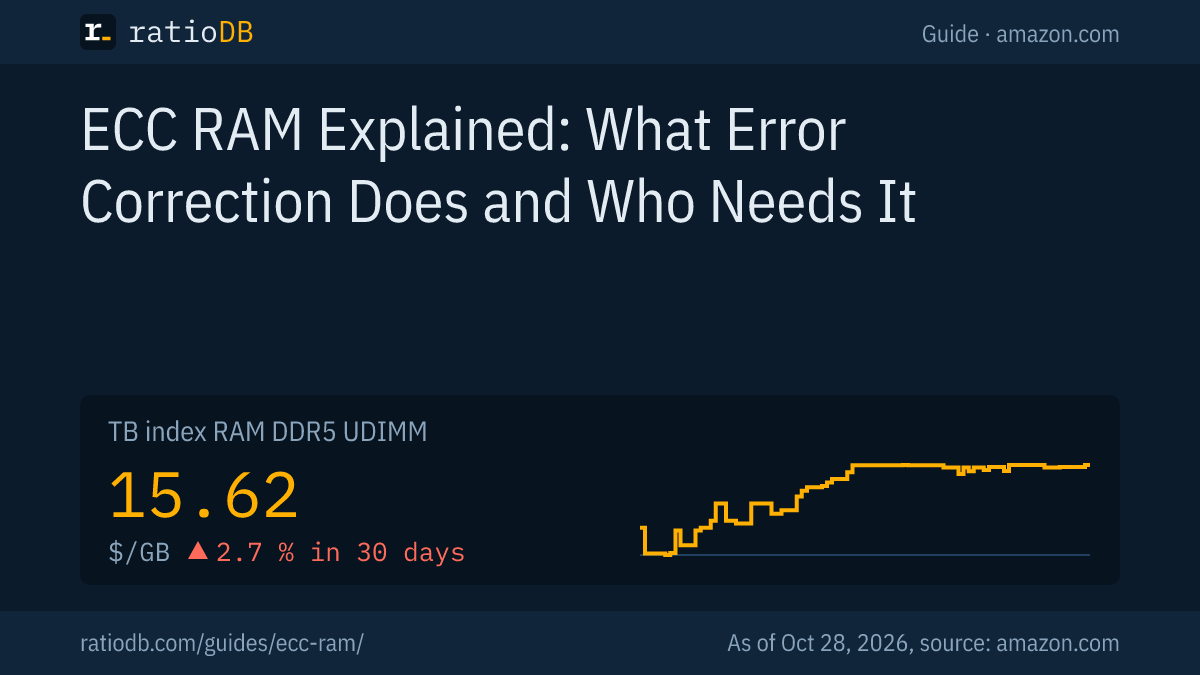
On amazon.com, non-ECC DDR5 desktop memory costs $15.62 per GB according to the ratioDB index, +2.7% over 30 days. DDR4 desktop memory sits at $6.51 per GB. The index is the median of the 10 cheapest new offers per RAM type.
Index per GB by RAM type on amazon.com, as of Oct 28, 2026 at 5:17 AM UTC
| RAM type (non-ECC) | Index per GB | 30 days |
|---|---|---|
| DDR5 desktop (UDIMM) | $15.62 | ▲ 2.7 % |
| DDR5 laptop (SODIMM) | $16.52 | ▲ 5.1 % |
| DDR4 desktop (UDIMM) | $6.51 | ▲ 3.7 % |
| DDR4 laptop (SODIMM) | $6.05 | ▲ 4.8 % |
The cheapest new DDR5 kit with 2 × 16 GB is Crucial Pro 2 × 16 GB at $459.99. For DDR4, the cheapest 2 × 16 GB kit costs $193.99 (Timetec 2 × 16 GB). These prices are the baseline that ECC modules add their premium to. The long-term chart is on the US RAM price history page. What to look for in DDR5 is covered in Best DDR5 RAM. The generations are compared in DDR5 vs DDR4.
How does ratioDB compare memory prices?
ratioDB pulls the amazon.com prices of every listed RAM offer at regular intervals and converts them to price per GB. Kits are divided by the combined capacity of all modules. The index is the median of the 10 cheapest new offers per RAM type.
Every offer appears with condition, price, capacity and timestamp. New, refurbished and used offers are never mixed in one calculation. The technical details in this guide come from the linked JEDEC, Micron, Synopsys, AMD, Intel, Microsoft and PassMark documents and the Google study, as of 26.10.2026. All rules are on the methodology page, and every offer is under RAM.
ECC RAM FAQ
What does ECC RAM mean?
ECC stands for error correction code. ECC RAM stores extra check bits with each block of data, corrects single flipped bits automatically and detects double-bit errors. CPU and motherboard both have to support ECC for it to work.
Does DDR5 have ECC built in?
Every DDR5 module has on-die ECC inside the memory chip, but that is not full ECC. Synopsys notes that on-die ECC offers no protection against errors on the channel to the CPU. Real ECC requires an ECC module and a supporting platform.
Which is better, ECC or non-ECC RAM?
ECC is better wherever data integrity matters, such as servers, workstations and NAS systems. Non-ECC is cheaper and perfectly fine for gaming and office PCs, where a rare crash costs little.
Is ECC RAM slower?
The check bits are evaluated in the memory controller, which adds some work. None of the vendor documents we checked give a general performance figure, and ratioDB does not run benchmarks. Compare the module's rated speed, such as DDR5-5600, with what your motherboard supports.
Can you mix ECC and non-ECC RAM?
It is best avoided. Whether a board boots with mixed modules and whether ECC stays active is something only the manual can tell you. Use modules of the same type and size.
Is ECC RAM still a thing?
Yes. Servers and workstations still rely on ECC modules, and the DDR5 standard adds on-die ECC inside every chip. On-die ECC does not replace traditional ECC, though. Synopsys describes the two as used together to protect the full data path.
How do I check if ECC is enabled?
On Windows, run (Get-CimInstance Win32_PhysicalMemoryArray).MemoryErrorCorrection in PowerShell: 3 means no error correction, 5 single-bit ECC, 6 multi-bit ECC. If TotalWidth is larger than DataWidth, the modules carry check bits, according to Microsoft.
Sources
- JEDEC: JEDEC Publishes New DDR5 Standard JESD79-5 (14.07.2020)
- Micron: DDR5 New Features white paper
- Synopsys: Error Correction Code (ECC) in DDR Memories
- Google Research: DRAM Errors in the Wild: A Large-Scale Field Study (SIGMETRICS 2009)
- AMD: Ryzen 9 9950X specifications; Intel: W680 chipset
- Microsoft: Win32_PhysicalMemory, Win32_PhysicalMemoryArray
- PassMark: MemTest86 editions
- ratioDB: amazon.com prices, methodology