How to Wipe a Hard Drive or SSD Before Selling It
To wipe a hard drive (HDD), overwrite all of it, for example with a full format or the format /p command on Windows. To wipe an SSD, use the manufacturer's Secure Erase tool such as Samsung Magician or Kingston SSD Manager, because Kingston warns that overwriting an SSD can leave fragments behind. On a Mac with Apple silicon or a T2 chip, use Erase All Content and Settings.
Deleting files and quick formatting do not remove your data. It stays on the drive and may be recoverable with recovery tools. This guide matches the right method to each type of drive, based on Microsoft, Apple, Dell, Samsung, Kingston and the NIST SP 800-88 media sanitization guidelines. ratioDB compares prices and spec sheets. If you need a new drive afterwards, the tables below show what SSDs cost per TB on amazon.com right now (as of Oct 28, 2026 at 9:17 AM UTC).
This is permanent: Every method in this guide makes the data unrecoverable. Back up anything you want to keep, and double-check that you picked the right drive.
Why isn't deleting or formatting enough?
When you delete a file, the operating system only frees up the space and the data stays where it was. Dell states that deleting files does not remove them, and neither does emptying the Recycle Bin or Shift plus Delete. After a quick format, Dell says the data may still be recoverable with data recovery tools.
A file system works like a table of contents. Delete a file and Windows strikes the entry and marks the space as free. The actual data remains until a new file happens to land in the same spot. A quick format builds a new, empty table of contents and leaves the data in place too. Microsoft describes it the same way: a quick format creates a new file table but does not fully erase the volume.
That is convenient day to day and risky when you sell a drive. Anyone who buys a used hard drive can run freely available recovery tools and look for old files. Photos, tax records, passwords saved in a browser: anything that was never overwritten can come back.
Which wiping method fits which drive?
For hard drives, a full overwrite is enough. For SSDs, the manufacturer's Secure Erase or Sanitize function is the right tool. On a Mac with Apple silicon or a T2 chip you erase from System Settings. A drive that was encrypted from day one is fastest to wipe: destroy the key.
Wiping methods by drive type (manufacturer guidance)
| Drive | Secure method | Tool |
|---|---|---|
| Hard drive (HDD), data drive | overwrite everything | full format, format /p |
| HDD or SSD with Windows on it | reset with drive cleaning | Reset this PC, Remove everything, clean data |
| SATA SSD | ATA Secure Erase | SSD maker's tool |
| NVMe SSD | NVMe Format or Sanitize | SSD maker's tool |
| Encrypted drive | cryptographic erase | delete the key, then set up again |
| Mac with Apple silicon or T2 | Erase All Content and Settings | System Settings |
| Dead drive | physical destruction | specialist service |
So the first question is whether your device holds a hard drive or an SSD. On Windows, Disk Management or the label on the drive tells you. On a Mac, Disk Utility shows the drive type.
How do I securely wipe a hard drive on Windows?
Wipe a Windows data drive with a full format, with the quick format box unchecked. Microsoft states that since Windows Vista a full format writes zeros to the whole disk. The format /p switch additionally overwrites every sector with random numbers.
For a secondary drive such as D: or an external hard drive:
- Back up: Copy everything you want to keep.
- Open Disk Management: Right-click Start and select Disk Management.
- Format: Right-click the volume, choose Format and uncheck "Perform a quick format".
- Wait: A full format of a large hard drive takes several hours.
From an administrator command prompt, use the format command. Microsoft says /P zeros every sector and then overwrites the volume the number of times you specify, with a different random number each time. Example: format E: /FS:NTFS /P:1 zeros drive E and then overwrites it 1 time with random data. Note that /Q overrides /P, according to Microsoft.
Dell describes the same approach for external drives: format in File Explorer or Disk Management with the quick format box cleared, so that each sector is checked and overwritten. Every formatting step is covered in How to format a hard drive.
Many guides mention cipher /w. According to Microsoft, it only overwrites data that is no longer allocated to files or folders, meaning already deleted data. Existing files are left alone. cipher /w:C overwrites the free space on drive C. That helps if you keep the PC and want to clear old leftovers. It is not enough to wipe a whole drive before selling it.
How do I reset Windows 11 and clean the drive?
Go to Settings > System > Recovery > Reset PC, choose Remove everything and turn on the option to clean the data. Microsoft recommends this before you donate, recycle or sell a PC, but notes that the feature is aimed at consumers and does not meet government or industry data erasure standards.
The steps from Microsoft:
- Back up: Copy anything important to an external drive or the cloud.
- Open Settings: System > Recovery > Reset PC.
- Choose Remove everything: Windows is reinstalled and all personal files, apps and settings are deleted.
- Turn on clean data: This removes files and cleans the drive. Microsoft says it takes longer but makes it harder to recover the removed files.
- Start and wait: Microsoft warns that the screen may stay black for up to 15 minutes. Do not restart the PC manually during that time, or the reset may fail.
If the drive is BitLocker encrypted and you start the reset from the Windows Recovery Environment, Microsoft says you will need your BitLocker recovery key. Dell lists the same route for Windows 11, 10 and 8.1, with the option "Remove files and clean the drive".
For a private sale, a reset with drive cleaning is a good route because Windows is ready to use again right away. For drives that held particularly sensitive data, add the SSD maker's erase function.
Why is wiping an SSD different?
SSDs spread writes across all their cells to wear them evenly. Kingston explains that because of this wear leveling, data is not always stored in the same physical cells, so multiple overwrites can leave fragments behind. Apple's Disk Utility offers no secure erase options for SSDs at all.
Wear leveling means that when you overwrite a file, the new data does not necessarily land in the same cells as the old data. A tool that fills the SSD with zeros from the outside therefore cannot be sure of reaching every cell, according to Kingston. Kingston also points out that overwriting creates unnecessary write cycles that shorten the SSD's lifespan.
The fix is built into the SSD. SATA SSDs support the ATA Secure Erase command, which Kingston says instructs the drive to internally wipe all user-accessible data areas. NVMe SSDs have their own commands, NVMe Format and NVMe Sanitize, according to Kingston. You trigger them through the SSD maker's software or, on some computers, from the BIOS. How many writes an SSD can take is covered in SSD lifespan.
How do I securely erase an SSD?
Use the SSD manufacturer's tool. Samsung Magician creates a bootable USB drive for Secure Erase, and Kingston says its SSD Manager takes you through a secure erase in a few clicks. Many Dell computers offer Dell Data Wipe directly in the BIOS.
Samsung's Secure Erase steps in Samsung Magician:
- Open Magician: Install Samsung Magician and go to the Secure Erase tab.
- Create the USB drive: Plug in a USB drive, choose its path and click Start. Samsung says this takes about 5 to 10 minutes.
- Set up the BIOS: Restart, enable AHCI in the BIOS and set the USB drive as the boot device.
- Boot from USB: Select the SSD and confirm the erase with Y.
- Wait: The erase runs, and the SSD returns to its factory state.
Samsung flags 2 snags. Secure Erase is unavailable while RAPID mode is enabled. If an information window appears, Samsung suggests unplugging the SSD's power cable (not the SATA cable) for 5 to 6 seconds and plugging it back in. Only do that if you are comfortable working inside an open PC.
On Dell computers, Dell Data Wipe starts from the BIOS: press F2 at startup and select Wipe on Next Boot under Security > Data Wipe. Dell says it wipes all internal drives, with no option to pick individual ones, and uses Secure Erase on SATA drives. Check your own computer's manual for a similar feature.
What is cryptographic erase?
Cryptographic erase makes data unreadable by destroying the key it was encrypted with. NIST, the US standards agency, names it in SP 800-88 Revision 2, announced on 26.09.2025, as the technique commonly used across encrypted media.
Self-encrypting drives (SEDs) encrypt all stored data automatically, according to Kingston. Once the key is deleted or replaced, the data becomes unreadable instantly. Kingston adds a caveat: this only works as intended if the encryption was properly implemented.
You get the same principle with BitLocker on Windows or FileVault on a Mac. Apple explicitly recommends FileVault for SSDs, because Disk Utility cannot securely erase them. A drive encrypted from day one has an advantage at wipe time: without the key, even fragments a wipe misses stay unreadable.
According to the NIST announcement of 26.09.2025, Revision 2 largely replaces the detailed technique descriptions with recommendations to follow IEEE 2883, NSA specifications or an organizationally approved standard. For home users, that means the built-in erase functions of the drive and the operating system are the right path, ideally combined with encryption from the start.
How do I wipe a Mac before selling it?
On a Mac with Apple silicon or the Apple T2 Security Chip running macOS Monterey 12 or later, go to System Settings > General > Transfer or Reset > Erase All Content and Settings. Apple says this erases all your data, settings and apps while keeping the installed macOS.
Apple's steps:
- Open the Apple menu and choose System Settings.
- Click General in the sidebar, then Transfer or Reset.
- Click Erase All Content and Settings.
- Enter your Mac login password and your Apple Account password.
- Confirm with Erase All Content & Settings.
For older Macs without Apple silicon or T2, Apple points to its guide for selling, giving away, trading in or recycling a Mac. External drives are erased in Disk Utility. For some drives Apple offers Security Options that write over the data several times, but Apple states those options are not available for SSDs.
How do I wipe an external hard drive or USB flash drive?
Wipe an external hard drive like an internal data drive: a full format without quick format, or format /p. For external SSDs, use the manufacturer's tool if one exists. If the drive cannot be formatted, Dell describes using Initialize in Disk Management, which wipes the drive.
An external SSD is technically an SSD with a USB connector, so the same rule applies as for internal SSDs: overwriting from the outside cannot be sure of reaching every cell. Check the manufacturer's manual to see whether its software offers an erase function for that model. If it does not, encryption enabled from day one with BitLocker or FileVault is the most reliable protection.
If a USB flash drive or memory card only held harmless files, a full format is enough. If it held sensitive data, physically destroying such cheap media is often the simplest answer.
When should I destroy a drive instead of wiping it?
Destroy a drive when it is dead and can no longer be written to. No wiping method works then, yet the data may still sit on the platters or memory chips. For very sensitive data on cheap media, destroying it is also easier than wiping.
A drive that is no longer detected cannot be formatted or secure erased. Throw it away and the data goes with it. Data destruction services handle this for a fee. At home you can physically damage a hard drive's platters. On an SSD, the memory chips themselves have to be destroyed. Wear safety glasses and gloves, and take the remains to an electronics recycling point.
Before you destroy a drive that seems dead, take one last look: sometimes the fault is the cable, the port or the enclosure. The troubleshooting order is in External hard drive not showing up.
Is it worth selling a wiped drive?
Yes, properly wiped drives have a market. In the ratioDB list for amazon.com, 81 of 260 hard drive offers and 48 of 276 SSD offers are currently used or refurbished. Buyers look at condition, power-on hours and a credible wipe.
Documenting the wipe helps when you sell: note the date, method and tool, for example "Samsung Magician Secure Erase" or "Windows reset with clean data". A screenshot of the SMART values (the drive's self-monitoring data) shows buyers the power-on hours and health. What buyers of used drives check is covered in Refurbished hard drives.
What does a replacement SSD cost right now?
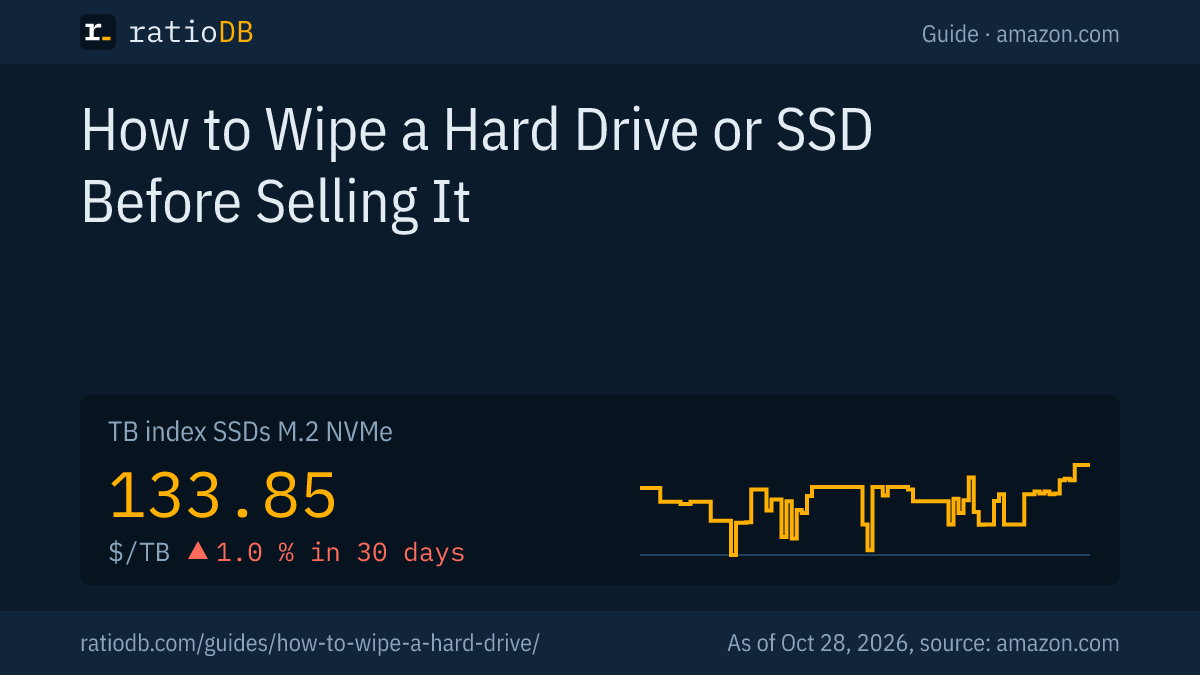
On amazon.com, M.2 NVMe SSDs cost $133.85 per TB according to the ratioDB TB index, +1.0% over 30 days. 2.5-inch SATA SSDs sit at $122.93 per TB and internal 3.5-inch hard drives at $36.25. The TB index is the median of the 10 cheapest new offers.
Cheapest new SSDs from known brands by size on amazon.com, as of Oct 28, 2026 at 9:17 AM UTC
| Capacity | Cheapest M.2 NVMe SSD | Cheapest 2.5" SATA SSD |
|---|---|---|
| 500 GB | TeamGroup NV5000 500 GB: $89.99 ($179.98 per TB) | SanDisk Plus 500 GB: $109.00 ($218.00 per TB) |
| 1 TB | Adata Legend 710 1 TB: $146.99 ($146.99 per TB) | SP Silicon Power A55 Boost 1 TB: $119.67 ($119.67 per TB) |
| 2 TB | Crucial E100 2 TB: $249.00 ($124.50 per TB) | SP Silicon Power A55 Boost 7mm 2 TB: $229.97 ($114.99 per TB) |
| 4 TB | Crucial P3 Plus 4 TB: $669.77 ($167.44 per TB) | Samsung 870 EVO 4 TB: $1,249.90 ($312.48 per TB) |
An NVMe SSD fits an M.2 slot that supports NVMe, while a 2.5-inch SATA SSD replaces the hard drive in older laptops and desktops. Browse M.2 NVMe SSDs, 2.5" SATA SSDs and internal 3.5" hard drives, or follow the trend on the US SSD price history. Popular sizes: 1TB NVMe SSD, 2TB NVMe SSD. Before you wipe anything, back up with the 3-2-1 backup rule.
How does ratioDB compare drives?
ratioDB pulls amazon.com prices for every listed drive at regular intervals and converts them to price per TB, with 1 TB equal to 1,000,000,000,000 bytes. The TB index is the median of the 10 cheapest new offers per product type.
Every offer shows condition, price, capacity and timestamp. New, refurbished and used offers are never mixed in one calculation. The procedures in this guide come from the linked Microsoft, Apple, Dell, Samsung, Kingston and NIST pages, as of 26.10.2026. All rules are on the methodology page.
Drive wiping FAQ
How do I wipe a hard drive on Windows 11?
For the Windows drive: Settings > System > Recovery > Reset PC, choose Remove everything and turn on clean data. For a data drive: format it in Disk Management with quick format unchecked, or use the format command with the /P switch.
Does formatting a hard drive wipe it?
A quick format does not, and Dell notes the data may still be recoverable. A full format writes zeros across the whole disk, according to Microsoft, which is enough for a hard drive. For an SSD, use the manufacturer's Secure Erase instead.
How do I securely erase an SSD?
Use the SSD maker's tool, such as Samsung Magician or Kingston SSD Manager. These trigger ATA Secure Erase on SATA SSDs or NVMe Format and Sanitize on NVMe SSDs. Kingston warns that overwriting from the outside can leave fragments because of wear leveling.
How many passes does it take to wipe a hard drive?
Microsoft describes a full format as writing zeros to the whole disk, and Dell says that permanently deletes the data. The format /p switch lets you add more passes with random numbers if you want them.
Is "clean the drive" in Windows reset secure?
Microsoft says the option makes it harder to recover removed files and recommends it before selling, donating or recycling a PC. It also states that the feature is aimed at consumers and does not meet government or industry data erasure standards.
How do I wipe my Mac completely?
On a Mac with Apple silicon or T2 running macOS Monterey 12 or later, use System Settings > General > Transfer or Reset > Erase All Content and Settings. Apple says this removes all data, settings and apps and keeps macOS installed.
What does cipher /w do?
According to Microsoft, cipher /w overwrites only data that is no longer allocated to files or folders, meaning already deleted data. Existing files remain. It is not enough to wipe an entire drive before selling it.
Sources
- Microsoft: Reset your PC, format command, Change in the behavior of the format command since Windows Vista, Use Cipher.exe to overwrite deleted data, Disk Management in Windows
- Apple: Erase your Mac and reset it to factory settings, Erase and reformat a storage device in Disk Utility
- Dell: How to Clear and Wipe a Hard Drive, Dell Data Wipe
- Samsung: How to format a Samsung SSD with Secure Erase; Kingston: How to securely erase an SSD
- NIST: SP 800-88 Revision 2, Guidelines for Media Sanitization (26.09.2025)
- ratioDB: amazon.com prices, methodology