Dual Channel RAM: How to Use Both Memory Channels
Dual channel is a memory mode in which 2 RAM sticks work with the CPU over 2 separate memory channels at the same time, which doubles the theoretical bandwidth. AMD lists 2 memory channels for desktop CPUs such as the Ryzen 7 9800X3D and Ryzen 7 5800X3D, and both channels are only used with at least 2 sticks. With a single stick, the PC runs in single channel mode and leaves half of the possible memory bandwidth unused.
This guide explains how dual channel works, how much faster it is on paper, which slots the sticks go in, and whether a 2-stick kit costs more than 1 bigger stick. Prices come live from the ratioDB database. ratioDB does not run its own hardware tests. We combine specs from AMD, Micron and memory makers with real Amazon.com prices.
What is dual channel RAM?
Dual channel RAM means 2 matching memory sticks installed in 2 different memory channels, so they transfer data in parallel. The memory controller inside the CPU then reaches both sticks at once. Silicon Power's example compares 2 × 8 GB with 1 × 16 GB.
A memory channel is a separate data path between the CPU's memory controller and the slots. Common desktop CPUs have 2 of them: AMD lists 2 memory channels for both the Ryzen 7 5800X3D (DDR4) and the Ryzen 7 9800X3D (DDR5) (AMD 5800X3D, AMD 9800X3D).
Silicon Power describes dual channel as a transfer mode of the motherboard: with 2 sticks of the same spec and capacity, the system moves data over 2 channels at once and the bandwidth doubles (Silicon Power, Jun 9, 2025). Lenovo lists 2 requirements: a motherboard that supports dual channel and a matching pair of modules (Lenovo).
| Mode | Sticks (16 GB example) | Channels used | Theoretical bandwidth |
|---|---|---|---|
| Single channel | 1 × 16 GB | 1 of 2 | 1x |
| Dual channel | 2 × 8 GB | 2 of 2 | 2x |
| Dual channel with 4 sticks | 4 × 4 GB | 2 of 2, 2 sticks each | 2x, often at a lower speed |
How much faster is dual channel RAM?
Dual channel doubles the theoretical memory bandwidth: DDR4-3200 goes from 25.6 to 51.2 GB/s and DDR5-6000 from 48 to 96 GB/s. How much of that shows up in daily use depends on the app. Silicon Power claims 10% to 30% more performance as a manufacturer figure.
Bandwidth follows from speed and bus width. Micron explains that DDR4 moves a 64-byte cache line with a burst length of 8, while DDR5 uses a burst length of 16 and splits every module into 2 sub-channels (Micron). That works out to 8 bytes (64 bits) per transfer on a DDR4 channel and 2 × 4 bytes on a DDR5 module.
| Memory | Single channel | Dual channel | Math per channel |
|---|---|---|---|
| DDR4-2666 | 21.3 GB/s | 42.7 GB/s | 2666 MT/s × 8 bytes |
| DDR4-3200 | 25.6 GB/s | 51.2 GB/s | 3200 MT/s × 8 bytes |
| DDR5-5600 | 44.8 GB/s | 89.6 GB/s | 5600 MT/s × 8 bytes |
| DDR5-6000 | 48.0 GB/s | 96.0 GB/s | 6000 MT/s × 8 bytes |
These are peak numbers that no PC fully reaches in practice. Silicon Power claims roughly 10% to 30% more performance for 2 × 8 GB versus 1 × 16 GB depending on the app, and names gaming, video editing and heavy multitasking as the main beneficiaries (Silicon Power). That is a manufacturer claim, and ratioDB does not measure it. Lenovo notes that the gains are less noticeable in everyday tasks than in memory-heavy work (Lenovo).
Rule of thumb: software that pushes a lot of data through memory gains the most, while browsing and word processing barely notice. More capacity helps whenever you run out of memory. To size your upgrade, see How much RAM do I need.
Which slots do 2 RAM sticks go in?
2 RAM sticks go into 1 slot of channel A and 1 slot of channel B, usually A2 and B2, on some boards A1 and B1. Silicon Power mentions both layouts. Your motherboard manual shows the right pair, and many boards print the labels next to the slots.
Boards with 4 slots have 2 slots per channel, labeled for example A1, A2, B1 and B2. Dual channel needs at least 1 stick in each channel. If both sticks sit in channel A, the memory runs in single channel even though 2 sticks are installed. Silicon Power stresses that the sticks must go into the correct dual-channel slots, usually A1 and B1 or A2 and B2 (Silicon Power).
Here is the order of work:
- Open the manual: Find the memory section of your motherboard manual. It has a table showing which slots to fill with 2 sticks.
- Power down and unplug: Only add or remove sticks with the PC off and disconnected from power.
- Install the sticks in the listed slots: Follow the installation steps in your motherboard manual.
- Boot and check: Lenovo says the BIOS detects and configures dual channel automatically in most cases (Lenovo).
On boards with only 2 slots, the manual also tells you whether both slots belong to different channels. The manual always has the final word.
Does RAM run in dual channel with 4 sticks?
Yes, 4 sticks run in dual channel on desktop PCs, with 2 sticks per channel. You do not gain extra channels. AMD lists lower official speeds for 4 sticks: DDR4-2933 or DDR4-2667 on the Ryzen 7 5800X3D and DDR5-3600 on the Ryzen 7 9800X3D.
AMD lists DDR4-3200 for the Ryzen 7 5800X3D with 2 sticks, DDR4-2933 with 4 single-rank sticks and DDR4-2667 with 4 dual-rank sticks. For the Ryzen 7 9800X3D, it is DDR5-5600 with 2 sticks and DDR5-3600 with 4 (AMD 5800X3D, AMD 9800X3D).
On paper, filling all 4 DDR5 slots costs a lot of bandwidth: DDR5-3600 in dual channel reaches 57.6 GB/s, DDR5-5600 reaches 89.6 GB/s. For 64 GB, 2 × 32 GB is the better buy than 4 × 16 GB. Picking the right DDR5 kit is covered in Best DDR5 RAM, and older PCs in Best DDR4 RAM.
Can you mix different RAM sticks in dual channel?
Different RAM sticks often work together, but Lenovo says the system then runs at the speed of the slower stick. For dual channel, Silicon Power and Lenovo recommend 2 sticks with the same capacity, speed and timings, ideally sold as one kit.
Lenovo writes that dual channel needs no special modules, but a matched pair with the same capacity, speed and timings performs best. Mismatched sticks often work, yet run at the speed of the slower one (Lenovo). Silicon Power recommends pre-matched kits such as 2 × 8 GB or 2 × 16 GB for compatibility and stability (Silicon Power).
| Situation | What happens | Advice |
|---|---|---|
| Same model bought again | usually runs in dual channel | compare speed and timings in the title |
| Different speed, same size | dual channel at the slower speed | fine if that speed is enough |
| Different sizes (8 and 16 GB) | not a matched pair | use sticks of the same size |
| DDR4 and DDR5 | does not fit together | 1 memory type per board |
Buy for your final capacity from the start. A 2-stick kit in the size you want is almost always the most stable setup.
What matters more: dual channel or faster RAM?
Dual channel matters more than a faster kit. A 2nd channel doubles bandwidth, while stepping up from DDR5-5600 to DDR5-6400 adds only about 14% on paper. Even DDR4-3200 in dual channel delivers 51.2 GB/s, more than a single DDR5-6000 stick at 48 GB/s.
The math comes from bus width: every channel moves 8 bytes per transfer, and the speed sets how many transfers happen per second. Moving from DDR5-5600 to DDR5-6000 gains about 7% bandwidth. Moving from 1 stick to 2 gains 100%.
| Setup | Channels | Theoretical bandwidth |
|---|---|---|
| 1 × DDR5-6000 | 1 | 48.0 GB/s |
| 2 × DDR4-3200 | 2 | 51.2 GB/s |
| 2 × DDR5-5600 | 2 | 89.6 GB/s |
| 2 × DDR5-6000 | 2 | 96.0 GB/s |
That sets the buying order: 2 sticks first, then the right capacity, then speed. An expensive fast single stick is almost always worse than a cheaper 2-stick kit. Latency also depends on timings, which our guide DDR5 timings, EXPO and XMP explains.
Is a single DDR5 stick already dual channel?
No. Micron describes 2 sub-channels per DDR5 module, which raises parallelism inside the stick. The CPU still has 2 memory channels, and 1 DDR5 stick fills only one of them. For full bandwidth, DDR5 also needs at least 2 sticks.
Micron explains that DDR5's longer burst length enables a dual sub-channel design per module, which increases channel concurrency and flexibility at the module level (Micron). Each sub-channel is half as wide as a DDR4 channel, so 1 DDR5 stick provides the same total bus width as 1 DDR4 stick.
AMD still lists 2 memory channels for the DDR5-based Ryzen 7 9800X3D. A single DDR5 stick is therefore single channel in the classic sense. More differences between the generations are in DDR5 vs DDR4.
How do I check if my RAM is running in dual channel?
Start with the slots: if 2 sticks sit in 2 different channels according to the manual, Lenovo says the BIOS usually configures dual channel on its own. A system tool such as CPU-Z from CPUID then reads out memory type, size, timings and module details.
Work through it in this order:
- Count the sticks: 1 stick is always single channel.
- Check the slots: Compare the filled slots with the table in your motherboard manual.
- Run a system tool: According to CPUID, CPU-Z reads memory type, size, timings and module data from the SPD chip (Serial Presence Detect, the module's built-in spec sheet) (CPUID).
- Compare the values: If size and speed match your kit, the sticks are seated and running as expected.
If both sticks sit in the same channel, shut the PC down, unplug it and move 1 stick to the slot your manual lists for 2 sticks.
Is a 2-stick kit more expensive than 1 big stick?
A 2-stick kit is not automatically more expensive than 1 stick of the same total size. In our database, the kit is cheaper or the same price in 2 of 5 comparisons right now. Most desktop memory is sold as kits anyway.
Cheapest new offer with 1 stick versus 2 sticks at the same total capacity on Amazon.com, as of Oct 28, 2026 at 3:17 PM UTC
| RAM type | Capacity | 1 module (single channel) | 2 modules (dual channel) | Kit premium |
|---|---|---|---|---|
| DDR5 desktop | 16 GB | SP Silicon Power Value 16 GB: $279.97 | Patriot Viper Venom 2 × 8 GB: $249.99 | kit -$29.98 |
| DDR4 desktop | 16 GB | Timetec 16 GB: $103.99 | PNY 2 × 8 GB: $104.99 | kit +$1.00 |
| DDR5 laptop | 16 GB | Timetec Single Rank 262Pin Laptop 16 GB: $259.99 | TeamGroup Elite 2 × 8 GB: $516.99 | kit +$257.00 |
| DDR4 laptop | 16 GB | Timetec 16 GB: $95.00 | Timetec Premium 2 × 8 GB: $103.99 | kit +$8.99 |
| DDR4 laptop | 32 GB | SP Silicon Power 32 GB: $374.56 | Samsung 2 × 16 GB: $193.00 | kit -$181.56 |
The table only covers sizes with both a single stick and a 2-stick kit from a known brand on sale right now. Speed and timings may differ, the table compares price only. For DDR5 desktop at 16 GB, 1 stick costs $279.97 right now (SP Silicon Power Value 16 GB), and the 2 × 8 GB kit costs $249.99 (Patriot Viper Venom 2 × 8 GB). The kit is $29.98 cheaper.
Of the 26 new DDR5 desktop offers from known brands in our database, 23 are 2-stick kits and 3 are single sticks. The cheapest 32 GB (2 × 16 GB) kit is Crucial Pro 2 × 16 GB at $459.99. Prices per size are under DDR5 desktop and on 32GB DDR5 RAM, and the long-term US trend is on our RAM price history page.
Do laptops need dual channel too?
Yes, the same principle applies to laptops: Lenovo lists dual-channel support and a matching pair of modules as the requirements. Before upgrading, check your laptop manual for the number of slots and whether part of the memory is soldered, because that decides whether dual channel is possible.
If your laptop has 1 stick and a free slot, a 2nd stick with the same size and speed is usually the best upgrade. With only 1 slot, a bigger stick is the only way to add memory. The cheapest laptop sticks are under DDR5 laptop and DDR4 laptop. Other laptop upgrade pitfalls are covered in Laptop RAM upgrade.
How does ratioDB compare RAM kits?
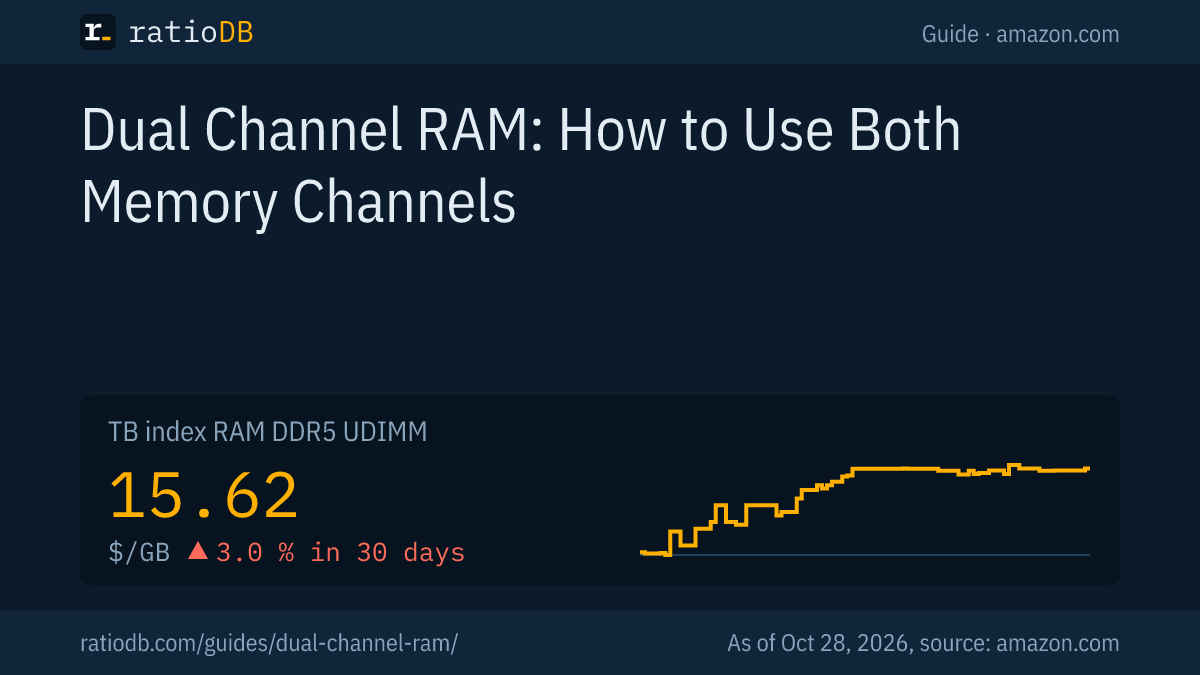
ratioDB pulls Amazon.com prices for every listed RAM offer at regular intervals and converts them into price per GB, using the total capacity of all sticks in a kit. The index is the median of the 10 cheapest new offers per RAM type and sits at $15.62 per GB for DDR5 desktop RAM right now.
The number of sticks comes from the offer data. Single-stick offers whose title names a kit are left out of the 1 versus 2 stick comparison, because the stick count is unclear. The bandwidth examples are theoretical peaks from speed and bus width. All rules are on our methodology page. The full list is under RAM, DDR5 desktop and DDR4 desktop.
Dual channel RAM FAQ
Is dual channel RAM really faster?
Yes. Dual channel doubles theoretical bandwidth, from 25.6 to 51.2 GB/s with DDR4-3200. Silicon Power claims 10% to 30% more performance depending on the app. Browsing and office work barely notice.
Is 2 × 8 GB better than 1 × 16 GB?
For speed, yes, because 2 sticks use both memory channels. Silicon Power uses exactly this comparison as its dual channel example. At the same capacity, a 2-stick kit is almost always the better buy.
Do 3 RAM sticks work in dual channel?
With 3 sticks, one channel carries more memory than the other. AMD only lists official speeds for 2 and 4 sticks on the Ryzen 7 5800X3D and Ryzen 7 9800X3D. Stick with 2 or 4 identical modules.
Can I use 8 GB and 16 GB together?
Often yes, and the PC usually boots normally. Silicon Power recommends sticks of the same size for dual channel, and Lenovo says the system runs at the speed of the slower stick. Matching sizes are the safe choice.
Do I have to enable dual channel in the BIOS?
Usually not. Lenovo says the BIOS detects and configures dual channel automatically in most cases. What matters is that the sticks sit in the slots your manual lists for 2 sticks.
Is one DDR5 stick already dual channel?
No. Micron describes 2 sub-channels per DDR5 module, but the CPU still has 2 memory channels. For full bandwidth, you need at least 2 sticks with DDR5 too.