USB Drive Not Showing Up? How to Fix It on Windows and Mac
When a USB flash drive does not show up, the cause almost always sits in one of 4 places: the connection (port, hub, adapter), a missing drive letter, a stuck driver in Device Manager or a file system your computer cannot read. One of Microsoft's first fixes is to plug the drive straight into a different USB port on the computer, without a hub. Only when it does not appear anywhere on a 2nd computer either is the drive itself likely dead.
This guide sorts the fixes by symptom, from checking the port to Disk Management and Disk Utility on a Mac. Every step comes from support pages by Microsoft, Crucial, Apple and Seagate that we read for this guide. ratioDB does not run its own hardware tests. We compare prices and spec sheets. If the drive really is dead, the live amazon.com prices further down (as of Oct 31, 2026 at 11:17 AM UTC) show what a new one costs.
Why is my USB drive not showing up?
A USB drive does not show up when the port gives it too little power or no data connection, Windows does not assign a drive letter, the driver in Device Manager is stuck, the file system is unreadable for the computer or the drive is faulty. The symptom tells you which one it is.
On its Disk Management troubleshooting page, Microsoft writes that USB drives sometimes do not get enough power from some ports or have other issues with particular ports, and that this is especially common with USB hubs. Use this table to sort your symptom:
| Symptom | Likely cause | Continue in section |
|---|---|---|
| No sound, no message, nothing happens | port, hub, adapter or dead drive | Port |
| Drive in Disk Management but not in File Explorer | no drive letter | Drive letter |
| Yellow warning sign in Device Manager | stuck driver | Device Manager |
| Windows asks to format the drive | file system unreadable or damaged (RAW) | Formatting |
| Mac shows the drive but cannot write to it | NTFS, which macOS can only read | File system |
| Not visible anywhere, not even on a 2nd computer | drive likely dead | Faulty drive |
External hard drives have their own guide: External hard drive not showing up. Many steps are the same. This guide covers what is specific to small USB flash drives.
What should I check first at the USB port?
Plug the USB drive straight into a different USB port on the computer, without a hub, extension cable or adapter. Microsoft gives this fix because USB drives sometimes do not get enough power from some ports. Crucial also recommends restarting the computer and testing the drive on a 2nd computer.
These checks cost nothing and change no data. Work through them in this order:
- Different port: Microsoft writes that ports on the same computer can behave differently and suggests trying several. Use a port directly on the motherboard, which on a desktop PC means the back panel.
- No hub or adapter: Microsoft names hubs as a common cause. The same goes for USB-C adapters and docks. Leave them out for the test.
- Restart: Crucial recommends restarting the computer if Windows does not report the drive and then checking again.
- Unplug other USB devices: Crucial suggests unplugging every USB device except mouse and keyboard and restarting with the USB drive as the only other device attached.
- 2nd computer: Microsoft writes that if the drive does not work on another PC either, that is a good sign the problem is the drive and not your PC.
If the drive appears right away on another port, the first port was the culprit. If it appears on the 2nd computer, the problem sits with the first computer, and you continue in Disk Management or Device Manager.
How do I find the USB drive in Disk Management?
Disk Management shows every connected disk, including those without a drive letter. Microsoft's advice: unplug the drive, plug it back in and choose Action > Rescan Disks. You recognize the USB drive by its size.
Open Disk Management by right-clicking the Start button or with Windows plus R and the command diskmgmt.msc. The lower half of the window lists every disk with its number, size and status. A 64 GB drive shows up as just under 60 GB because Windows counts in gibibytes. That is not a fault. The guide TB vs TiB explains the math.
What the status messages mean according to Microsoft and what you can safely do:
| Status | Meaning per Microsoft | What you can do |
|---|---|---|
| Offline | Windows has taken the disk offline | right-click, choose "Online" |
| No drive letter | partition exists but is not mounted | assign a letter, see next section |
| Unallocated | space without a partition | empty: new simple volume; with data: create nothing |
| RAW | partition without a recognized file system | empty: format; with data: do not format |
| Not Initialized | no valid disk signature | empty: initialize; with data: recover first |
For Unallocated and RAW, Microsoft explicitly warns: do not do this step if you are trying to recover files from the disk. Formatting erases all data. If the drive does not appear in Disk Management at all, it is not reaching the operating system. Device Manager is the next stop.
How do I assign a drive letter to the USB drive?
You assign a drive letter in Disk Management by right-clicking the drive's partition and choosing Change Drive Letter and Paths. Crucial gives this as the fix when the drive shows up in Disk Management but is missing in File Explorer. A drive letter does not change any data.
Here is how:
- Open Disk Management and find the partition on the USB drive.
- Right-click it and choose "Change Drive Letter and Paths".
- Choose "Add" if there is no letter yet, or "Change" to pick a different one.
- Pick a free letter, for example one further down the alphabet, and confirm with OK.
The drive then appears in File Explorer. A common case: a network drive or card reader already holds the letter Windows wants to give the USB drive. A letter further down the alphabet avoids the clash. If every new disk is missing its letter, automatic mounting may be turned off. According to Microsoft, the diskpart command automount enable turns it back on.
Does Device Manager help if the drive does not appear at all?
Yes, when the drive shows up neither in File Explorer nor in Disk Management. Microsoft and Crucial recommend looking for entries with a yellow warning sign in Device Manager, uninstalling them and then scanning for hardware changes or restarting.
Open Device Manager by right-clicking the Start button. Crucial points to the Universal Serial Bus controllers section. Look there and under Disk drives for a yellow question mark or exclamation point. Then:
- Read the status: Microsoft suggests selecting the device with the warning sign and reading its status.
- Uninstall the device: right-click the entry and choose "Uninstall device".
- Detect it again: Microsoft then describes Action > "Scan for hardware changes". Alternatively, Crucial says to restart the computer with the drive still plugged in.
Windows then sets up the driver again. If no entry appears at all even though the drive works on other computers, test this computer's ports with another USB device. If that fails too, the fault sits with the port or the computer's USB controller.
What should I do if Windows wants to format the drive?
If Windows asks to format the USB drive, it cannot read the file system. Disk Management usually shows RAW. If the drive holds data without a backup, cancel and do not format. Microsoft warns that formatting erases all data.
The prompt shows up in 2 cases. Case 1: the drive was set up on a Mac, a Linux computer or another device with a file system Windows does not know. Then the data is intact, and you read it on the device that set up the drive. Case 2: the file system is damaged, for example because the drive was pulled out while writing. Then the data may still be there, Windows just cannot find it.
How to decide:
- Data unimportant or backed up? Then format. How to do it with FAT32 or exFAT is in the guide Format USB to FAT32.
- Data important and irreplaceable? Then format nothing and write nothing to the drive. For deleted and lost files, Microsoft offers the Windows File Recovery app. For FAT and exFAT drives such as small USB flash drives, Microsoft recommends extensive mode (/extensive). Microsoft states that the source and destination drives must be different, so recovered files go to another drive.
- Drive gets hot or keeps disappearing? Then the electronics are likely damaged. With important data, asking a recovery service makes more sense than further attempts.
How to get data back from hard drives, flash drives and cards step by step is covered in the guide Hard drive data recovery.
What should I do if my Mac does not recognize the USB drive?
On a Mac, open Disk Utility and choose View > Show All Devices. If the drive appears there, check it with First Aid. If it does not appear, Apple recommends shutting down the Mac, unplugging all nonessential devices and trying again.
Apple describes the check like this:
- Make sure you have a backup: Apple advises having a current backup before repairs, in case First Aid finds errors it cannot fix.
- Show all devices: in Disk Utility choose View > Show All Devices. The sidebar then lists every device, starting with the startup disk.
- Check from the bottom up: select the last volume on the USB drive, click First Aid and choose Run. Then check the next item up, all the way to the device itself.
- If the drive is missing: shut down the Mac, unplug nonessential devices, check the cable, port and adapter and try again. If that does not help, Apple says your Mac or the device might need service.
If the drive is only missing from the desktop or the Finder sidebar, it may be hidden. Under Finder > Settings, the General tab sets what appears on the desktop and the Sidebar tab sets what appears in the sidebar. On Macs with only USB-C ports, every classic USB drive hangs off an adapter. For the test, try another adapter or a drive with a USB-C plug.
Can the wrong file system be the problem?
Yes. The file system is the way data is organized on the drive. According to Seagate, a Mac can only read NTFS, Windows cannot read APFS or Mac OS Extended without extra software, and exFAT works on both. Apple recommends FAT32 for Windows disks up to 32 GB and exFAT above that.
| File system | Windows | macOS | Typical use |
|---|---|---|---|
| FAT32 (MS-DOS FAT) | read and write | read and write | small drives, older devices, files up to 4 GB |
| exFAT | read and write | read and write | drives over 32 GB, sharing between Windows and Mac |
| NTFS | read and write | read only | drives that only connect to Windows |
| APFS, Mac OS Extended | not usable without extra software | read and write | drives that only connect to a Mac |
TVs, car stereos, game consoles and printers often read only certain file systems. Which ones is in the device manual. If the TV does not recognize your drive but the computer does, this is usually the reason. Which file system to pick for what is explained in the guide exFAT vs NTFS.
Important: formatting erases all data. If the Mac set up the drive with APFS, first copy the files on the Mac to another drive and then format with exFAT. Only then can Windows and the Mac both read it.
How can I tell if the USB drive is dead?
A USB drive is likely dead when it shows up neither in Disk Management nor in Device Manager on several ports and on a 2nd computer. Microsoft writes that a disk that does not work on another PC is a good sign the problem is the disk.
Other signs of a fault:
- No size or 0 bytes: the drive shows up with 0 bytes or no size, on a 2nd computer too. That points to a fault inside the drive.
- Read only: the drive can be read, but nothing can be saved or formatted, on any computer. Copy the data off right away while it is still readable.
- Keeps disappearing: the drive shows up and vanishes after a few seconds. That points to a loose contact in the plug or a damaged board.
- Less space than advertised: if data goes missing once the drive is half full, the advertised capacity may be fake. How to spot fakes is in the guide Best microSD card. The check works the same for flash drives.
Once the data is safe, further repairs are not worth it. A new USB drive usually costs less than the time for more attempts.
How much does a new USB drive cost right now?
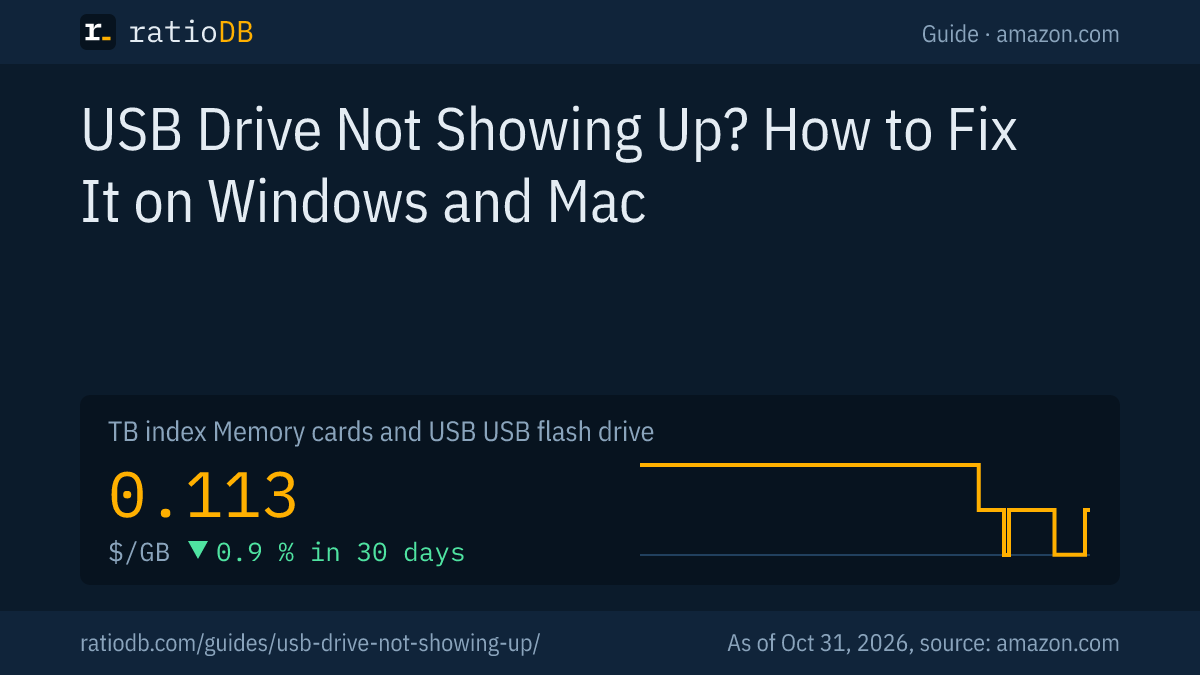
A USB flash drive costs $0.113 per GB on amazon.com according to the ratioDB GB index, which is about $113 per TB (as of Oct 31, 2026 at 11:17 AM UTC). The cheapest per GB right now is PNY Attaché Gen 1 256 GB at $0.117 per GB (256 GB).
Cheapest new USB flash drive per capacity on amazon.com, known brands, as of Oct 31, 2026 at 11:17 AM UTC
| Capacity | Cheapest USB flash drive | Price | Price per GB | File system for Windows and Mac |
|---|---|---|---|---|
| 32 GB | SanDisk Cruzer Blade Drive 32 GB | $9.70 | $0.303 | FAT32 (MS-DOS FAT) |
| 64 GB | SanDisk Ultra Dual Go 64 GB | $18.50 | $0.289 | exFAT |
| 128 GB | Lexar JumpDrive Dual D400 128 GB | $23.74 | $0.185 | exFAT |
| 256 GB | PNY Attaché Gen 1 256 GB | $29.99 | $0.117 | exFAT |
| 512 GB | SanDisk Ultra 512 GB | $89.00 | $0.174 | exFAT |
Prices come live from the ratioDB database and cover new single units from known brands, based on 18 USB flash drives. The file system column follows Apple's recommendation for disks that should work on Windows and a Mac. A 128 GB drive currently starts at $23.74 (Lexar JumpDrive Dual D400 128 GB).
A look beyond flash drives: external SSDs cost $127.49 per TB on amazon.com according to the TB index. For large amounts of data they are the alternative to a flash drive. A 1 TB model starts at $129.99 (SanDisk 1 TB). Which drive fits which job is in the guide Best USB flash drive.
All offers are on USB flash drives, external SSDs on External SSD and memory cards on Memory cards and USB drives.
Which mistakes most often keep a USB drive from showing up?
The most common mistakes are a USB hub or adapter that supplies too little power, a missing drive letter, a stuck driver in Device Manager, a file system the device cannot read, and formatting too early while data is still on the drive.
| Mistake | Result | Fix per source |
|---|---|---|
| Drive on a hub or adapter | drive stays invisible | Microsoft: use a port directly on the PC |
| No drive letter | missing in File Explorer | Crucial: assign a letter in Disk Management |
| Stuck driver | yellow warning sign | Microsoft: uninstall device, scan for hardware changes |
| Automatic mounting off | no new disk appears | Microsoft: automount enable in diskpart |
| NTFS on a Mac | Mac cannot write | Seagate: exFAT for Windows and Mac |
| Formatting despite important data | data gone | Microsoft: do not format RAW if you want to recover files |
| Pulling the drive while writing | damaged file system | eject the drive safely first |
One habit prevents the last mistake: always eject the drive before pulling it, on Windows through the icon in the taskbar, on a Mac with the eject button in Finder. Apple notes that ejecting can fail if another app is still using files on the device.
How do I protect the data on my USB drive?
Do not keep anything important only on a USB drive. Flash drives get lost, snap off or fail. A 2nd copy on your computer, an external hard drive or in the cloud makes any failure harmless.
The proven rule is 3-2-1: 3 copies of your data on 2 different types of storage, 1 of them off site. A USB drive works well for carrying files and as an extra copy. As the only place for your data, it is not enough. How to set up the rule with little effort is in the guide 3-2-1 backup rule.
How does ratioDB compare USB flash drives?
ratioDB pulls amazon.com prices for every listed USB flash drive on a regular schedule and converts them to price per GB. The GB index is the median of the 10 cheapest new offers per product type.
USB flash drives, SD cards and microSD cards sit in separate lists with their own index. Used and renewed offers are labeled and never count toward the index. ratioDB does not test drives itself. The steps in this guide come from the linked support pages. All rules are on the Methodology page.
Frequently asked questions when a USB drive is not showing up
Why is my USB drive suddenly not recognized anymore?
Usually it is the port, a missing drive letter or a stuck driver. Plug the drive straight into another port without a hub, then check Disk Management and Device Manager.
The USB drive shows in Disk Management but not in File Explorer. What now?
The drive letter is most likely missing. Right-click the partition, choose "Change Drive Letter and Paths", then "Add" and a free letter. This does not change any data.
Can I format the drive when Windows asks me to?
Only if there is no important data on it or you have a backup. According to Microsoft, formatting erases all data. If the data matters, recover it first, for example with Windows File Recovery to another drive.
Why can my Mac not write to the USB drive?
The drive is most likely formatted with NTFS. According to Seagate, macOS can only read NTFS. For Windows and Mac use exFAT. Apple also recommends FAT32 for disks up to 32 GB.
Why does my TV not recognize the USB drive?
TVs, car stereos and game consoles often read only certain file systems such as FAT32 or exFAT. The device manual says which one it needs. If the computer sees the drive, the file system is usually the reason.
Is my USB drive broken if it is not recognized?
Not necessarily. Only when it shows up neither in Disk Management nor in Device Manager on several ports and on a 2nd computer is it likely dead.
How much does a new USB drive cost right now?
On amazon.com the GB index for USB flash drives is $0.113 per GB (as of Oct 31, 2026 at 11:17 AM UTC). The table above shows the cheapest drive per capacity.
Sources
- Microsoft: Troubleshoot Disk Management, automount in diskpart, The FAT file system, Windows File Recovery
- Crucial: USB storage drive not detected in Windows
- Apple: Repair a storage device with Disk Utility, Show devices in Finder, Connect and eject storage devices, Format a disk for Windows
- Seagate: File systems for Windows and macOS
- ratioDB: amazon.com prices, Methodology