TB vs TiB: Why Your 4 TB Drive Shows 3.63 TB
A terabyte (TB) is 1,000,000,000,000 bytes (10^12), while a tebibyte (TiB) is 1,099,511,627,776 bytes (2^40), about 10.0% more. Drive makers count in TB, Windows counts in TiB but labels the result "TB". That is why a 4 TB drive shows up in Windows as 3.63 TB. No storage is missing; only the unit has changed.
This guide explains the difference between decimal and binary units, walks through the math, and shows what Windows, macOS and Linux display. It also includes live examples from the ratioDB database: what a drive costs per TB and what the same storage costs per TiB (as of Oct 29, 2026 at 1:17 AM UTC, prices from amazon.com).
What is the difference between TB and TiB?
TB is a decimal unit based on 1,000, TiB a binary unit based on 1,024. The International Electrotechnical Commission (IEC) introduced the binary prefixes kibi, mebi, gibi and tebi in December 1998 so that 1,000 and 1,024 could be told apart.
The "i" in TiB, GiB or KiB stands for binary. The prefixes kilo, mega, giga and tera belong to the International System of Units (SI) and always mean powers of 10. According to NIST (the US National Institute of Standards and Technology), the binary prefixes are not part of the SI. The bigger the unit, the bigger the gap:
Decimal and binary units compared
| Decimal (SI) | Bytes | Binary (IEC) | Bytes | Difference |
|---|---|---|---|---|
| 1 kB | 1,000 | 1 KiB | 1,024 | 2.4% |
| 1 MB | 1,000,000 | 1 MiB | 1,048,576 | 4.9% |
| 1 GB | 1,000,000,000 | 1 GiB | 1,073,741,824 | 7.4% |
| 1 TB | 1,000,000,000,000 | 1 TiB | 1,099,511,627,776 | 10.0% |
| 1 PB | 1,000,000,000,000,000 | 1 PiB | 1,125,899,906,842,624 | 12.6% |
Definitions from NIST, Prefixes for binary multiples. At the kilobyte level the gap is only 2.4%, at the terabyte level it is about 10%. With today's 20 TB drives, that difference adds up to almost 2 TB on screen.
Why does a 4 TB drive show 3.63 TB?
A 4 TB drive holds 4,000,000,000,000 bytes. Windows divides that by 1,099,511,627,776 (1 TiB) and gets 3.638. Seagate lists the Windows display as 3.63 TB. The full capacity is there; Windows just shows it in TiB with the abbreviation TB.
The math, step by step:
- Bytes on the box: 4 TB times 1,000,000,000,000 equals 4,000,000,000,000 bytes.
- Convert to TiB: 4,000,000,000,000 divided by 1,099,511,627,776 equals 3.638 TiB.
- Display: Windows shows "3.63 TB". Seagate's table cuts values off after 2 decimals, so it lists 3.63 where rounding would give 3.64.
TB vs TiB conversion table: what the box says and what Windows shows
| On the box | Bytes | In TiB (rounded) | Shown in Windows | Difference |
|---|---|---|---|---|
| 1 TB | 1,000,000,000,000 | 0.909 TiB | 931 "GB" | -9.1% |
| 2 TB | 2,000,000,000,000 | 1.819 TiB | 1.81 "TB" | -9.1% |
| 4 TB | 4,000,000,000,000 | 3.638 TiB | 3.63 "TB" | -9.1% |
| 8 TB | 8,000,000,000,000 | 7.276 TiB | 7.27 "TB" | -9.1% |
| 12 TB | 12,000,000,000,000 | 10.914 TiB | 10.91 "TB" | -9.1% |
| 16 TB | 16,000,000,000,000 | 14.552 TiB | 14.55 "TB" | -9.1% |
| 20 TB | 20,000,000,000,000 | 18.190 TiB | 18.18 "TB" | -9.1% |
| 24 TB | 24,000,000,000,000 | 21.828 TiB | 21.82 "TB" | -9.1% |
The Windows column follows the table in Seagate's support article, which lists 931 GB for 1 TB, 1.81 TB for 2 TB and 3.63 TB for 4 TB (Seagate). Below 1 TiB Windows switches to GB, which is why a 1 TB drive appears as 931 GB. The 9.1% gap is the same for every size in terabytes.
What are gibibytes and tebibytes?
1 gibibyte (GiB) is 2^30 bytes, or 1,073,741,824 bytes. 1 tebibyte (TiB) is 2^40 bytes, or 1,099,511,627,776 bytes. A gibibyte is about 7.4% larger than a gigabyte, a tebibyte about 10% larger than a terabyte.
NIST lists the binary prefixes in a table, each a factor of 1,024 above the previous one:
| Prefix | Symbol | Factor | Bytes |
|---|---|---|---|
| kibi | Ki | 2^10 | 1,024 |
| mebi | Mi | 2^20 | 1,048,576 |
| gibi | Gi | 2^30 | 1,073,741,824 |
| tebi | Ti | 2^40 | 1,099,511,627,776 |
| pebi | Pi | 2^50 | 1,125,899,906,842,624 |
| exbi | Ei | 2^60 | 1,152,921,504,606,846,976 |
The IEC first adopted the names as Amendment 2 to IEC 60027-2, and the second edition of that standard was published in November 2000. In everyday use the names have only partly caught on. GNU tools on Linux understand both spellings, while Windows still uses KB, MB, GB and TB for binary values.
How do Windows, macOS and Linux report drive size?
Windows shows binary values with decimal labels, so a 4 TB drive appears as 3.63 TB. macOS shows decimal values since OS X 10.6, so 4 TB appears as 4 TB. The Linux df command shows binary values with -h and decimal values with -H.
| System | Counts in | A 4 TB drive shows as | Source |
|---|---|---|---|
| Windows (File Explorer) | 1,024 | 3.63 TB | Seagate, Microsoft |
| macOS from OS X 10.6 | 1,000 | 4 TB | Apple, Seagate |
| OS X 10.5 and earlier, iOS 10 and earlier | 1,024 | binary, like Windows | Apple |
| Linux df -h | 1,024 | binary, symbol T | GNU |
| Linux df -H | 1,000 | decimal, symbol T | GNU |
Sources: Seagate, Apple, 02/26/2025, Microsoft, Raymond Chen, 06/11/2009, GNU df. Apple says iOS 10 and earlier and OS X Leopard (10.5) and earlier report capacity in binary. df prints the symbol T either way; the option decides the math.
Why does Windows stick with KB and GB? Microsoft developer Raymond Chen explained in 2009 that Explorer simply follows existing practice, since nearly everyone calls 1,024 bytes a kilobyte. On Linux, the GNU documentation spells out the rule: a bare size letter or one followed by "iB" means powers of 1,024, one followed by "B" means powers of 1,000. So "1M" and "1MiB" equal 1,048,576 bytes, while "1MB" equals 1,000,000 bytes (GNU Coreutils).
Why do drive makers use TB?
Manufacturers use decimal SI units as they are defined internationally. Seagate and Western Digital state in every data sheet that 1 TB equals 1 trillion bytes, and Samsung cites the industry group IDEMA definition of 1 GB as 1,000,000,000 bytes for its SSDs.
Seagate's data sheets even address the issue directly: your computer's operating system may use a different standard of measurement and report a lower capacity (IronWolf Pro data sheet). Western Digital's WD Red Plus data sheet says 1 MB equals 1 million bytes, 1 GB 1 billion bytes and 1 TB 1 trillion bytes (WD Red Plus data sheet).
So the number on the box is correct. Seagate's support article uses a neat comparison: 1 kilometer and 0.621 miles are the same distance, measured differently. In the same way, 4 TB and 3.638 TiB are the same storage.
Why is even more space missing after formatting?
After formatting, a little more space is gone because the file system stores its own management data. Apple says actual formatted capacity is less than the labeled capacity, and Seagate says part of the listed capacity is used for formatting and other functions.
Most of the "missing" capacity is still the unit. For a 4 TB drive that is 9.1%, roughly 362 GB that disappear purely through the conversion to TiB. How much the file system adds on top depends on the file system and its settings. For SSDs, Samsung's data sheet notes that part of the capacity may be used for system files and maintenance, so usable capacity can differ from the label.
To see the true size, look at the capacity in bytes. Seagate's support article shows a 16 TB drive in Windows listed with 16,000,000,000,000 bytes next to its binary display.
Does the difference apply to transfer speeds too?
Yes. Makers quote speeds in decimal units as well: Western Digital's data sheet says 1 MB/s equals 1 million bytes per second. Seagate lists both for the 32 TB Exos, 285 MB/s and 272 MiB/s. Tools that measure in MiB/s therefore show about 5% less.
The gap at the mega level is 4.9%, because 1 MiB is 1,048,576 bytes. If Windows shows 272 "MB/s" while copying a large file, that matches the 285 MB/s on the data sheet. The maker did not exaggerate; the display just counts in binary.
| Data sheet value | In MiB/s | Source |
|---|---|---|
| Seagate Exos 32 TB: 285 MB/s | 272 MiB/s | Seagate (data sheet value) |
| Seagate Exos 24 TB (ST24000NM001K): 240 MB/s | 229 MiB/s | Seagate (data sheet value) |
| WD Red Pro 26 TB: 287 MB/s | about 274 MiB/s | Western Digital, converted |
Values from the Exos data sheet (12/2025) and the WD Red Pro data sheet (01/2025). We converted the WD Red Pro value by multiplying by 1,000,000 and dividing by 1,048,576.
What does TB vs TiB mean when planning a NAS?
Plan a NAS in TiB if your system shows capacity in binary. 4 drives of 12 TB give you 36 TB usable in RAID 5, which the NAS shows as about 32.74 TiB before file system overhead. Allow roughly 9% when you pick a size.
| Drives | Usable in RAID 5 | In TiB | Usable in RAID 6 | In TiB |
|---|---|---|---|---|
| 4 × 8 TB | 24 TB | 21.83 TiB | 16 TB | 14.55 TiB |
| 4 × 12 TB | 36 TB | 32.74 TiB | 24 TB | 21.83 TiB |
| 4 × 16 TB | 48 TB | 43.66 TiB | 32 TB | 29.10 TiB |
| 4 × 24 TB | 72 TB | 65.48 TiB | 48 TB | 43.66 TiB |
RAID 5 uses the capacity of 3 out of 4 drives, RAID 6 of 2. TiB values are calculated with the factor 1.0995 and rounded to 2 decimals. What such a NAS costs per usable TB with live prices is worked out in our guide to the best NAS hard drive.
How does ratioDB calculate price per TB?
ratioDB uses 1 TB equal to 10^12 bytes, exactly as printed on the box. Price per TB is the total price divided by capacity in TB, and for multipacks by total capacity. In our lists you can switch the unit to TiB or GB.
That way price per TB matches the listing and the data sheet. If you prefer TiB because your NAS or Linux shows it, switch the unit in the lists under "Filters and view". A price per TiB is always about 10.0% higher than the same price per TB, because 1 TiB holds more bytes. All rules are on our methodology page.
How much does a TiB cost compared to a TB right now?
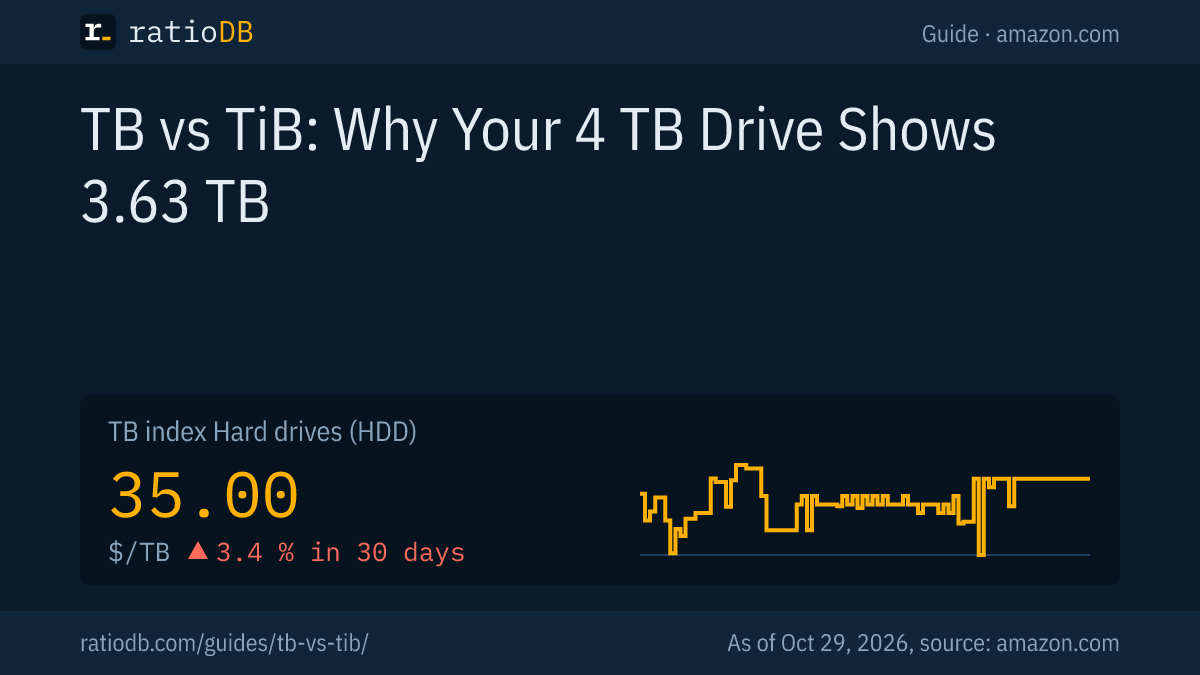
The TB index for internal 3.5-inch hard drives is $36.25 per TB on amazon.com right now. Converted, that is $39.86 per TiB. It is the same storage in a bigger unit.
TB index per TB and per TiB on amazon.com, as of Oct 29, 2026 at 1:17 AM UTC
| Product type | TB index per TB | Same value per TiB |
|---|---|---|
| Internal 3.5" HDD | $36.25 | $39.86 |
| External 2.5" HDD | $47.50 | $52.22 |
| M.2 NVMe SSD | $133.85 | $147.17 |
| External SSD | $125.50 | $137.99 |
The TB index is the median of the 10 cheapest new offers per product type. For the TiB column we multiply by 1.0995.
A concrete example: the cheapest new internal 3.5-inch drive with 4 TB is WD Blue 4 TB for $179.99. That is $45.00 per TB or $49.48 per TiB, and Windows will show it as 3.63 TB. The cheapest internal 3.5-inch drive per TB with a matching data sheet is Seagate BarraCuda 8 TB at $33.63 per TB, or $36.97 per TiB. Every offer is listed under internal 3.5-inch hard drives.
How do you convert TB to TiB?
Divide TB by 1.0995 to get TiB. Multiply TiB by 1.0995 to get TB. For GB and GiB the factor is 1.0737.
- TB to TiB: TB divided by 1.0995 (precisely: times 10^12 divided by 2^40). Example: 8 TB is 7.276 TiB.
- TiB to TB: TiB times 1.0995. Example: 10 TiB is 10.995 TB.
- GB to GiB: GB divided by 1.0737. Example: 500 GB is 465.7 GiB, which Windows shows as 465 GB according to Seagate.
- Price per TB to price per TiB: price per TB times 1.0995.
- Rule of thumb: in TiB, every drive looks about 9% smaller than in TB.
For capacity planning the rule of thumb is enough: if you need 10 "TB" free in Windows, buy at least 11 TB, more if you want room for the file system and growth.
TB vs TiB FAQ
Is 1 TB equal to 1,024 GB?
No. 1 TB is 1,000 GB, or 10^12 bytes. 1,024 GiB make 1 TiB. Windows counts in 1,024 but labels values GB and TB, which is why many people think 1 TB has 1,024 GB.
Why does Windows show less storage than the drive label?
Windows counts in binary (1,024) but uses decimal labels. A 4 TB drive therefore appears as 3.63 TB, according to Seagate. The full capacity is there.
How much storage does a 2 TB drive really have?
A 2 TB drive has 2,000,000,000,000 bytes. That is 1.819 TiB, and Windows shows 1.81 TB according to Seagate. A little less is left for files after formatting.
Which is bigger, TB or TiB?
1 TiB is bigger: 1,099,511,627,776 bytes versus 1,000,000,000,000 bytes for 1 TB. The difference is about 10%.
How many GB is 1 gibibyte?
1 gibibyte is 1,073,741,824 bytes, or about 1.074 GB. In reverse, 1 GB is about 0.931 GiB. File sizes in Windows File Explorer labeled GB are actually GiB.
Why does a 1 TB SSD show only 931 GB?
The SSD has 1,000,000,000,000 bytes. Windows divides by 1,073,741,824 and shows 931 GB, which Seagate documents for hard drives in the same way. SSDs also set aside some space for system files and maintenance.
Does macOS use TB or TiB?
macOS counts in decimal according to Apple and Seagate, so a 4 TB drive shows as 4 TB. Apple notes that OS X Leopard and earlier still counted in binary.
Why does ratioDB use TB instead of TiB?
Because manufacturers and stores list capacity in TB, so price per TB matches the box. You can switch the unit to TiB in our lists, and prices are then converted with the factor 1.0995.
Sources
- NIST: Prefixes for binary multiples (IEC 60027-2, binary prefixes since 12/1998)
- Seagate: Why does my hard drive report less capacity than indicated on the drive's label?
- Apple: How storage capacity is measured on Apple devices (02/26/2025)
- Microsoft, The Old New Thing: Why does Explorer use the term KB instead of KiB? (06/11/2009)
- GNU: Coreutils, Block size, df(1)
- Data sheets: Seagate IronWolf Pro (10/2025), Seagate Exos (12/2025), WD Red Plus (09/2025), WD Red Pro (01/2025), Samsung 870 QVO
- ratioDB: amazon.com prices, methodology