WD Red vs IronWolf: Red Plus, Red Pro and IronWolf Pro Compared
WD Red Pro and Seagate IronWolf Pro carry the same headline ratings on their data sheets: CMR recording, no limit on drive bays, 550 TB of workload per year and a 5-year warranty. A class down, WD Red Plus and IronWolf match each other too, at up to 8 bays, 180 TB per year and 3 years of warranty. What separates them is spindle speed, cache, power draw, noise, Seagate's bundled data recovery and the price per TB, which shifts from one capacity to the next.
This guide puts all 5 lines side by side: WD Red, WD Red Plus, WD Red Pro, IronWolf and IronWolf Pro. ratioDB does not benchmark drives. We read the manufacturers' data sheets and pair them with current amazon.com prices (as of Oct 29, 2026 at 1:17 AM UTC). For the wider question of which NAS drive to buy, see our guide to the best NAS hard drive. This page is only about the 2 big brands.
What is the difference between WD Red and Seagate IronWolf?
WD Red is Western Digital's NAS family and IronWolf is Seagate's. Both come in a home and small office class (WD Red Plus, IronWolf) and a pro class for large systems (WD Red Pro, IronWolf Pro). Within each class, both makers quote the same workload, MTBF and warranty.
The real differences are in the details:
- Capacity: WD Red Plus spans 2 to 12 TB, IronWolf goes up to 16 TB. In the pro class, WD Red Pro tops out at 26 TB and IronWolf Pro at 32 TB.
- Spindle speed: Smaller WD Red Plus models spin at 5,400 or 5,640 rpm, 10 TB and up at 7,200 rpm. IronWolf uses 5,400 or 5,900 rpm up to 8 TB, while the ST8000VN004 and every larger model run at 7,200 rpm.
- Extras: Seagate bundles 3 years of Rescue Data Recovery Services with IronWolf and IronWolf Pro and offers IronWolf Health Management for drive monitoring. Western Digital relies on NASware, firmware tuned for NAS workloads.
- Plain WD Red: The WD Red without a suffix now only covers 2 to 6 TB, and its current models WD20EFAX to WD60EFAX use SMR according to Western Digital.
Workload is the amount of data a drive is rated to read and write per year. MTBF (mean time between failures) is a statistical figure from the maker's testing and says nothing about a single drive.
Which WD Red and IronWolf lines are there?
There are 5 lines: WD Red (SMR, up to 6 TB), WD Red Plus and IronWolf for up to 8 bays, and WD Red Pro and IronWolf Pro with no bay limit. Apart from the plain WD Red, every line uses CMR according to the manufacturer.
The 5 lines according to the manufacturers' data sheets
| Line | Recording | Bays | Workload per year | MTBF | Warranty | Capacities |
|---|---|---|---|---|---|---|
| WD Red | SMR | up to 8 | 180 TB | 1 million hours | 3 years | 2 to 6 TB |
| WD Red Plus | CMR | up to 8 | 180 TB | 1 million hours | 3 years | 2 to 12 TB |
| Seagate IronWolf | CMR | 1 to 8 | 180 TB | 1 million hours | 3 years | 1 to 16 TB |
| WD Red Pro | CMR | unlimited | 550 TB | 2 to 2.5 million hours | 5 years | 2 to 26 TB |
| Seagate IronWolf Pro | CMR | unlimited | 550 TB | 2 to 2.5 million hours | 5 years | 2 to 32 TB |
Sources: data sheets for WD Red Plus (09/2025), WD Red Pro (01/2025), WD Red, IronWolf (04/2024), IronWolf Pro up to 24 TB (11/2023) and IronWolf Pro 28 to 32 TB (10/2025).
Both makers split MTBF by size in the pro class. WD Red Pro from 2 to 12 TB and IronWolf Pro from 2 to 10 TB are rated at 2 million hours, the larger models at 2.5 million. How MTBF translates into a yearly failure rate is explained in our guide how long do hard drives last.
WD Red Plus vs Red Pro: what do you get for the upgrade?
WD Red Pro adds an unlimited bay rating, 550 instead of 180 TB of workload per year, 7,200 rpm across the range, rotational vibration sensors and 5 instead of 3 years of warranty. It also goes up to 26 TB, while WD Red Plus stops at 12 TB.
| Feature | WD Red Plus | WD Red Pro |
|---|---|---|
| Capacities | 2 to 12 TB | 2 to 26 TB |
| Bays | up to 8 | unlimited |
| Workload per year | 180 TB | 550 TB |
| Spindle speed | 5,400 to 7,200 rpm | 7,200 rpm |
| Cache | 64 to 512 MB | 64 to 512 MB |
| Unrecoverable read errors | under 1 in 10^14 bits | under 1 in 10^15 bits (most models) |
| MTBF | 1 million hours | 2 to 2.5 million hours |
| Warranty | 3 years | 5 years |
Values from the WD Red Plus (09/2025) and WD Red Pro (01/2025) data sheets. The 22, 24 and 26 TB WD Red Pro models also use OptiNAND, an embedded flash chip that Western Digital says handles housekeeping tasks and frees up capacity. The cheapest WD Red Plus on amazon.com costs $47.50 per TB right now (WD Red Plus 4 TB). The cheapest WD Red Pro costs $79.17 per TB (WD Red Pro 24 TB).
For a 2 to 4 bay home NAS that stores photos, videos and backups, WD Red Plus is enough. Pick WD Red Pro if you need more than 12 TB per drive, run a large or busy NAS, or want the longer warranty.
How much do WD Red and IronWolf cost per TB right now?
The cheapest CMR WD Red on amazon.com is WD Red Plus 4 TB at $47.50 per TB, the cheapest IronWolf is Seagate IronWolf Pro 14 TB at $48.89 per TB. That puts Western Digital 2.8% below Seagate.
Cheapest new offer per line on amazon.com, as of Oct 29, 2026 at 1:17 AM UTC
| Series | Recording (cheapest model) | From price per TB | Offers | Cheapest model | Price |
|---|---|---|---|---|---|
| WD Red | n/a | $55.00 | 2 | WD Red 4 TB | $219.99 |
| WD Red Plus | CMR | $47.50 | 1 | WD Red Plus 4 TB | $189.99 |
| WD Red Pro | CMR | $79.17 | 1 | WD Red Pro 24 TB | $1,899.99 |
| Seagate IronWolf | CMR | $52.67 | 2 | Seagate IronWolf 6 TB | $316.00 |
| Seagate IronWolf Pro | CMR | $48.89 | 2 | Seagate IronWolf Pro 14 TB | $684.45 |
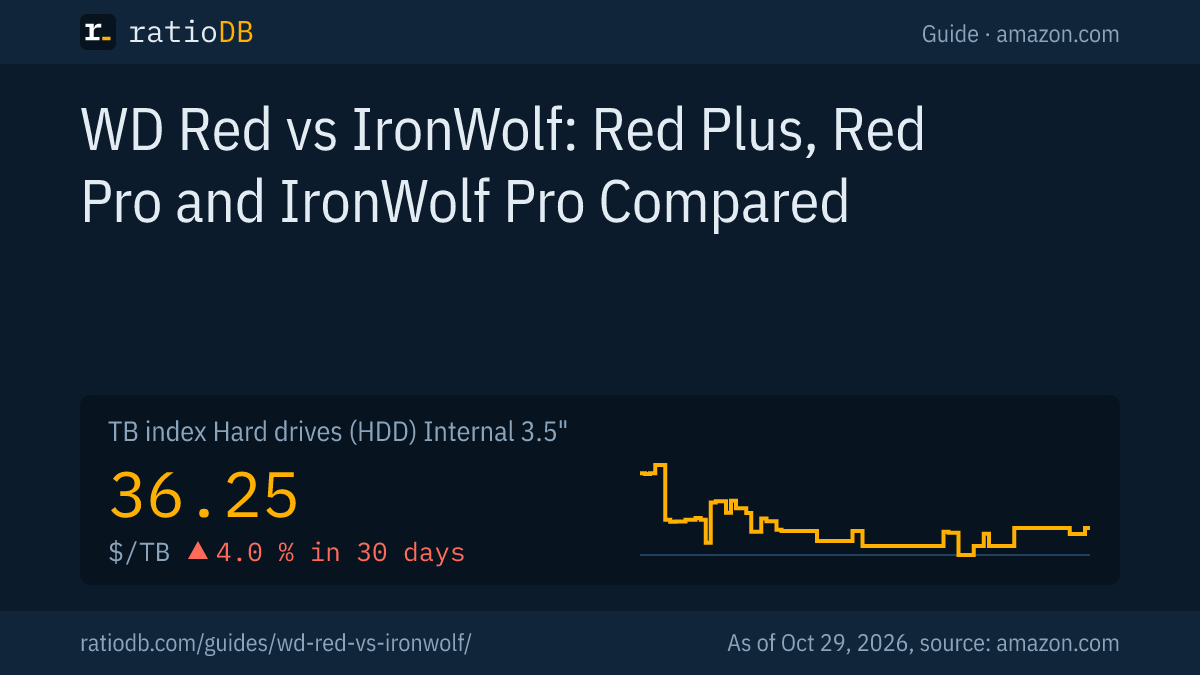
The table only counts new single drives sold under the manufacturer's name whose part number we can match to a data sheet. The recording column shows the value for the cheapest model in each line. A missing line had no new offer in our latest fetch. For comparison, the TB index for all internal 3.5-inch drives is $36.25 per TB. NAS lines usually cost a little more per TB than basic desktop drives.
Which is cheaper at the same capacity, WD Red or IronWolf?
amazon.com currently has new CMR offers from both brands at 1 capacities. WD Red is cheaper per TB at 1 of them, IronWolf at 0. Always compare at the size you need.
CMR WD Red vs IronWolf by capacity, new offers on amazon.com, as of Oct 29, 2026 at 1:17 AM UTC
| Capacity | Cheapest WD Red | Cheapest IronWolf | Cheaper per TB |
|---|---|---|---|
| 4 TB | WD Red Plus 4 TB: $47.50 | Seagate IronWolf 4 TB: $66.25 | WD (28.3%) |
The WD side counts WD Red Plus and WD Red Pro, the Seagate side IronWolf and IronWolf Pro, all CMR per data sheet. The plain WD Red is left out because its current models use SMR, which is not equivalent in RAID. Pro models are included because at some sizes they cost less per TB than the regular line. The percentage shows how much cheaper per TB the winning brand is.
WD Red Plus vs IronWolf: which is better for a small NAS?
For a NAS with 2 to 8 bays, WD Red Plus and IronWolf have the same data sheet ratings. On amazon.com the cheapest WD Red Plus costs $47.50 per TB right now, the cheapest IronWolf $52.67 per TB. At smaller sizes, spindle speed, cache and noise decide.
Typical models side by side:
| Model | Spindle speed | Cache | Operating power | Idle | Noise idle and seek |
|---|---|---|---|---|---|
| WD Red Plus 4 TB (WD40EFPX) | 5,400 rpm | 256 MB | 4.7 W | 3.1 W | 23 and 27 dBA |
| Seagate IronWolf 4 TB (ST4000VN006) | 5,400 rpm | 256 MB | 4.8 W | 3.96 W | 23 and 27 dBA |
| WD Red Plus 8 TB (WD80EFPX) | 5,640 rpm | 256 MB | 5.2 W | 3.4 W | 24 and 28 dBA |
| Seagate IronWolf 8 TB (ST8000VN002) | 5,400 rpm | 256 MB | 5.3 W | 4.0 W | 25 and 26 dBA |
| WD Red Plus 12 TB (WD120EFBX) | 7,200 rpm | 256 MB | 6.3 W | 2.9 W | 20 and 29 dBA |
| Seagate IronWolf 12 TB (ST12000VN0008) | 7,200 rpm | 256 MB | 7.3 W | 5.1 W | 28 and 30 dBA |
Values from the WD Red Plus (09/2025) and IronWolf (04/2024) data sheets. Western Digital lists average read and write power, Seagate average operating power. Makers measure differently, so treat the numbers as a rough guide. At 4 TB the 2 drives are nearly identical, at 8 TB the IronWolf is quieter when seeking.
The gap is largest at 12 TB: the helium WD120EFBX idles at 2.9 W, the IronWolf 12 TB at 5.1 W. In a NAS that runs around the clock with 4 drives, that adds up to about 77 kWh a year (2.2 W times 4 drives times 8,760 hours). Seagate leads on read errors instead: the larger IronWolf models are rated for at most 1 unrecoverable read error per 10^15 bits read, WD Red Plus for 1 per 10^14.
Western Digital notes a quirk itself: the WD120EFGX spins at 7,200 rpm according to its data sheet but may report 5,400 rpm to the system, a leftover from its former performance class label. So do not be surprised by what your NAS shows.
WD Red Pro vs IronWolf Pro: which is better for large systems?
WD Red Pro and IronWolf Pro are both rated for unlimited bays, 550 TB of workload per year and a 5-year warranty. On amazon.com the cheapest WD Red Pro costs $79.17 per TB right now, the cheapest IronWolf Pro $48.89 per TB. IronWolf Pro goes up to 32 TB, WD Red Pro up to 26 TB.
Both pro lines spin at 7,200 rpm at every size and include rotational vibration (RV) sensors, which help in packed enclosures with many drives. The large models compared:
| Model | Cache | Transfer rate per maker | Operating power | Idle | Noise idle and seek |
|---|---|---|---|---|---|
| WD Red Pro 24 TB (WD241KFGX) | 512 MB | up to 287 MB/s | 6.0 W | 3.6 W | 25 and 32 dBA |
| Seagate IronWolf Pro 24 TB (ST24000NT002) | 512 MB | up to 285 MB/s | 7.8 W | 6.3 W | 20 and 26 dBA |
| WD Red Pro 16 TB (WD161KFGX) | 512 MB | up to 259 MB/s | 6.1 W | 3.6 W | 20 and 36 dBA |
| Seagate IronWolf Pro 16 TB (ST16000NT001) | 256 MB | up to 270 MB/s | 7.6 W | 5.0 W | 20 and 26 dBA |
Values from the WD Red Pro (01/2025) and IronWolf Pro (11/2023) data sheets. It is a split decision: Western Digital quotes lower power, Seagate lower seek noise. Above 26 TB only Seagate is left: IronWolf Pro at 28, 30 and 32 TB has 512 MB of cache, up to 285 MB/s and 6.8 W at idle according to its data sheet. In a NAS with few bays, 1 large drive can cost less than 2 small ones. The cost per usable TB in RAID is worked out in our guide to the best NAS hard drive.
What about the plain WD Red?
The plain WD Red uses SMR in its current models WD20EFAX to WD60EFAX, according to Western Digital. That makes it the weaker choice for a RAID NAS. Western Digital itself positions it for light daily workloads in personal and home office NAS systems.
On amazon.com the WD Red is listed from $55.00 per TB right now (WD Red 4 TB). SMR (shingled magnetic recording, overlapping tracks) writes data in zones. When a drive has to reshuffle many small changes, speed collapses, and a RAID rebuild can take a very long time. Older WD Red models ending in EFRX sometimes appear in listings under the WD Red Plus name, including in our own database. Always check the part number. Why that matters and how to spot SMR is covered in our guide CMR vs SMR.
What do IronWolf Health Management, Rescue and NASware do?
IronWolf Health Management checks drive health inside the NAS and gives recommendations, Rescue is Seagate's 3-year data recovery service. NASware is Western Digital's NAS firmware tuning. The WD Red data sheets do not mention a data recovery service.
- IronWolf Health Management (IHM): Seagate describes it as protection with prevention, intervention and recovery recommendations. The data sheet says IHM is enabled on all leading NAS systems and suggests checking with your NAS vendor.
- Rescue Data Recovery Services: 3 years of recovery in Seagate's own facilities, with a 95% recovery rate according to Seagate. Rescue is not available in every country.
- NASware: Western Digital tunes firmware parameters for NAS workloads and adds dual-plane balance control on WD Red Plus to reduce vibration.
- RAID error handling: Both brands limit the time spent on error recovery so the NAS does not drop a drive from the array too early. Seagate calls it Error Recovery Control in the IronWolf data sheet, Western Digital RAID error recovery control in the WD Red product brief.
Data recovery is no substitute for a backup. RAID protects against a single drive failure, not against accidental deletion or ransomware. Keep a second copy on an external drive or in the cloud.
How reliable are WD Red and IronWolf?
Independent failure data for WD Red and IronWolf is scarce. Neither line appears in Backblaze's Q2 2026 Drive Stats, which mostly cover enterprise models. On their data sheets, both brands carry identical ratings within each class.
Backblaze analyzed 354,415 hard drives in Q2 2026 and reported an annualized failure rate of 1.73% (Backblaze, 09/29/2026). The list includes models from HGST, Seagate, Toshiba and Western Digital, but no WD Red and no IronWolf. If someone claims 1 of the 2 brands is proven to be more reliable, ask for the source.
What you can control: buy new from a seller with a clear warranty, stick to CMR and check the SMART values after installation. Used drives come with their own rules, see our guide to refurbished hard drives.
Should you buy WD Red or IronWolf?
Buy whichever line is cheaper per TB at your size, as long as it uses CMR. For 2 to 8 bays, WD Red Plus or IronWolf is enough. For 18 TB or more per drive, many bays, or a 5-year warranty, choose WD Red Pro or IronWolf Pro.
A quick decision in 4 steps:
- Pick the size: How much storage will you need in 3 to 5 years? Above 16 TB per drive, only the pro lines are left.
- Pick the class: Up to 8 bays and normal home use fit the 180 TB class. Team video editing or large backup jobs call for 550 TB.
- Compare price per TB: Use the tables above. A pro drive is often barely more expensive per TB, and sometimes cheaper.
- Weigh the extras: If bundled data recovery matters to you, that favors Seagate. If the NAS sits in your living room, check the noise figures for your exact size.
Matching drives in one NAS are convenient but not required. You can mix WD Red Plus and IronWolf of the same size, the array is sized by the smallest drive.
How does ratioDB compare WD Red and IronWolf?
ratioDB fetches the prices of all listed hard drives on amazon.com at regular intervals and converts them to price per TB, with 1 TB equal to 10^12 bytes. The mapping to WD Red, Red Plus, Red Pro, IronWolf and IronWolf Pro comes from the manufacturers' data sheets, by part number.
Store brands and offers without a matching part number are left out of the tables. Multipacks are divided by their total capacity. Used and refurbished offers appear in the list with their condition but are not part of the tables in this guide. We do not run our own measurements. All rules are on our methodology page, and every offer is listed under internal 3.5-inch hard drives.
WD Red and IronWolf FAQ
Is WD Red Pro better than IronWolf Pro?
Both are rated for unlimited bays, 550 TB of workload per year and a 5-year warranty. WD Red Pro quotes lower power draw at large sizes, IronWolf Pro lower seek noise, capacities up to 32 TB and 3 years of data recovery.
Is WD Red Plus or IronWolf better?
On paper they are equal: CMR, up to 8 bays, 180 TB of workload per year, 1 million hours MTBF and 3 years of warranty. IronWolf goes up to 16 TB and includes data recovery, WD Red Plus stops at 12 TB. Decide by price per TB at your size.
Is WD Red Pro CMR or SMR?
WD Red Pro uses CMR in every capacity from 2 to 26 TB, according to Western Digital's data sheet. The same goes for WD Red Plus. Only the plain WD Red models WD20EFAX to WD60EFAX use SMR.
Does Seagate IronWolf use SMR?
No. Seagate states in the IronWolf and IronWolf Pro data sheets that every model uses CMR.
Can I mix WD Red and IronWolf in one NAS?
Yes. A NAS works with drives from different brands. Matching sizes make sense because RAID usually sizes the array by the smallest drive. Both drives should use CMR.
How much does a WD Red or IronWolf cost per TB right now?
On amazon.com the cheapest CMR WD Red costs $47.50 per TB, the cheapest IronWolf $48.89 per TB (as of Oct 29, 2026 at 1:17 AM UTC). Prices change daily, and every table in this guide reflects our latest fetch.
Sources
- Western Digital: WD Red Plus data sheet (09/2025), WD Red Pro data sheet (01/2025), WD Red product brief
- Seagate: IronWolf data sheet (04/2024), IronWolf Pro data sheet up to 24 TB (11/2023), IronWolf Pro data sheet 28 to 32 TB (10/2025)
- Backblaze Drive Stats for Q2 2026 (09/29/2026)
- ratioDB: amazon.com prices, methodology