How Long Do Hard Drives Last? Real Failure Data, MTBF and Warning Signs
Most hard drives last many years: across 353,041 drives tracked by Backblaze, an average of 1.41% fail per year over their lifetime, as of June 2026. Backblaze's failure rate stays low for most of a drive's life and only peaks at 4.25% after about 10 years. How long your own drive lasts depends on its design, temperature, workload and some luck.
This guide explains what real failure data says, what MTBF and AFR mean, which warning signs to watch for and what a replacement costs right now. ratioDB does not run drives to failure. We use Backblaze's public data and manufacturers' data sheets and pair them with current amazon.com prices (as of Oct 29, 2026 at 1:17 AM UTC). SSDs wear out differently, which is covered in our guide to SSD lifespan.
How long do hard drives last on average?
A hard drive usually lasts many years. Backblaze sees a low and steady failure rate for most of a drive's life, under 1.30% in the first year, with the peak of 4.25% arriving only after 10 years and 3 months. There is no fixed age at which a drive dies.
Taking Backblaze's lifetime average of 1.41% per year, about 93% of drives would survive 5 years and about 87% would survive 10 years. That is simple math with a constant yearly rate (0.9859 to the power of 5 and 10), not a prediction for your drive. Some models fail far more often than others.
What that means in practice: if you run 10 drives, 1 failure within a few years is normal. If you run 1 drive, it may last 15 years or die in its first year. Whatever the lifespan, important data always needs a second copy.
What do Backblaze Drive Stats show?
Backblaze is a US cloud storage company that has published its drive failure data for more than 13 years. In Q2 2026 it reported an annualized failure rate of 1.73% across 354,415 drives, and 1.41% over the lifetime of all models it tracks.
Selected models from Backblaze Drive Stats, Q2 2026
| Model | Size | Drives | Average age | AFR quarter | AFR lifetime |
|---|---|---|---|---|---|
| Seagate ST8000DM002 | 8 TB | 6,903 | 114.8 months | 2.46% | 1.54% |
| Seagate ST8000NM0055 | 8 TB | 13,112 | 104.7 months | 3.44% | 1.98% |
| HGST HUH721212ALN604 | 12 TB | 9,694 | 83.8 months | 7.63% | 2.44% |
| Toshiba MG07ACA14TA | 14 TB | 37,171 | 67.1 months | 1.94% | 1.07% |
| WDC WUH721414ALE6L4 | 14 TB | 8,635 | 64.2 months | 1.07% | 0.54% |
| Seagate ST16000NM001G | 16 TB | 35,100 | 43.7 months | 0.65% | 0.68% |
| WDC WUH722222ALE6L4 | 22 TB | 45,665 | 19.1 months | 0.55% | 0.58% |
| Seagate ST24000NM002H | 24 TB | 9,631 | 12.2 months | 3.30% | 3.24% |
Source: Backblaze Drive Stats for Q2 2026 (09/29/2026). Quarterly rates are annualized.
3 takeaways. Even drives that are 9 years old on average (ST8000DM002) fail at only about 2.5% a year. Age alone explains little: the young 24 TB Seagate fails more often than the much older 16 TB Seagate. And the spread between models is wide, from 0.55% to 7.63% in the same quarter. Backblaze itself notes that it mostly sees variation from model to model.
Keep the context in mind: Backblaze runs its drives 24/7 in climate-controlled data centers, mostly enterprise models. A drive in your PC or NAS sees different temperatures, vibration and power. The numbers are still a useful guide.
Do hard drives fail more as they age?
For decades, the bathtub curve described drive failures: many early failures, a calm middle and many late failures. Backblaze's 2025 analysis shows few early failures, under 1.30% in the first year, and a peak of 4.25% only after 10 years and 3 months. In 2013 the peak was 13.73% after just over 3 years.
| Analysis | Peak failure rate | Reached after |
|---|---|---|
| Backblaze 2013 | 13.73% | about 3 years and 3 months |
| Backblaze 2021 | 14.24% | about 7 years and 9 months |
| Backblaze 2025 | 4.25% | about 10 years and 3 months |
Source: Backblaze, 10/15/2025. The 2025 analysis covered about 317,230 drives.
Backblaze's summary: hard drives are getting better and lasting longer. It also lists caveats. The company buys drives differently today, retires some healthy drives early for risk management and has a much larger fleet than in 2013. All of that shapes the curve. For you, a 3 or 4 year old drive is no reason to worry, while risk rises noticeably from around 8 to 10 years.
What do MTBF and AFR mean?
MTBF (mean time between failures) is a statistical figure in hours from the manufacturer's testing. AFR (annualized failure rate) is the expected share of drives that fail per year. An MTBF of 1 million hours equals an AFR of 0.87%, and 2.5 million hours equals 0.35%.
The conversion is: AFR equals 1 minus e to the power of (minus 8,760 divided by MTBF), with 8,760 being the hours in a year of 24/7 use. Seagate lists both values in its Exos data sheets, and they match this formula exactly.
| MTBF per data sheet | Typical lines | Resulting AFR |
|---|---|---|
| 1 million hours | WD Red Plus, Seagate IronWolf | 0.87% |
| 2 million hours | WD Red Pro up to 12 TB, Exos 7E8 and 7E10 | 0.44% |
| 2.5 million hours | WD Red Pro from 14 TB, IronWolf Pro from 12 TB, Exos from 12 TB | 0.35% |
Values from the data sheets for WD Red Plus, WD Red Pro, IronWolf, IronWolf Pro and Exos. AFR calculated with the formula.
An MTBF of 1 million hours does not mean a drive lasts 114 years. It means that in a large group of identical drives, 1 fails on average every 1 million drive hours. Western Digital states in the WD Red Plus data sheet that MTBF does not predict an individual drive's reliability and is not a warranty.
Why do drives fail more often than MTBF suggests?
MTBF only applies under the manufacturer's conditions. Western Digital rates WD Red Plus MTBF at 90 TB of workload per year and 40 °C, WD Red Pro at 220 TB and 40 °C, and derates it above those values. Backblaze measures 1.41% per year in the field, more than the 0.35 to 0.87% implied by data sheets.
The conditions sit in the footnotes. For WD Red Plus, Western Digital derates MTBF above 90 TB per year and 40 °C drive temperature, up to 65 °C. Seagate's IronWolf data sheet says sustained operation above 60 °C is not recommended because higher temperatures may affect drive health.
The gap between paper and practice is not a contradiction. Manufacturers estimate MTBF from sample populations with statistical methods and acceleration algorithms, while Backblaze counts real failures over years, including drives pulled early because SMART showed signs of failure. For planning, field data is the better guide.
Do NAS and enterprise drives last longer than desktop drives?
NAS and enterprise drives are rated for more power-on hours and more workload, and they carry longer warranties. Seagate rates BarraCuda for 2,400 power-on hours and at most 120 TB of workload per year, IronWolf for 8,760 hours and 180 TB, and IronWolf Pro for 550 TB.
| Class | Example | Power-on hours per year | Workload per year | Warranty |
|---|---|---|---|---|
| Desktop | Seagate BarraCuda | 2,400 | 55 to 120 TB | 2 years |
| Desktop | WD Blue | not listed | not listed | 2 years |
| NAS | Seagate IronWolf, WD Red Plus | 8,760 | 180 TB | 3 years |
| NAS pro | IronWolf Pro, WD Red Pro | 8,760 | 550 TB | 5 years |
| Enterprise | Seagate Exos | 8,760 | 550 TB for Exos 7E8 and 7E10 | 5 years |
Values from the data sheets for Seagate BarraCuda (01/2025), WD Blue, IronWolf, WD Red Plus, IronWolf Pro, WD Red Pro and Exos 7E10. Western Digital rates WD Blue for 300,000 head load/unload cycles, WD Red Plus and Red Pro for 600,000.
We know of no public study that compares NAS and desktop drives under identical conditions. What is certain: a desktop drive running 24/7 in a NAS works far beyond the 2,400 hours Seagate designs the BarraCuda for. For always-on use, choose a NAS or enterprise drive.
What a longer warranty costs right now: cheapest new model per class on amazon.com, as of Oct 29, 2026 at 1:17 AM UTC
| Class | Manufacturer warranty | Cheapest model | Price per TB | Per TB per warranty year |
|---|---|---|---|---|
| Desktop (BarraCuda, WD Blue) | 2 years | Seagate BarraCuda 8 TB | $33.63 | $16.81 |
| NAS (WD Red Plus, IronWolf) | 3 years | WD Red Plus 4 TB | $47.50 | $15.83 |
| NAS Pro (WD Red Pro, IronWolf Pro) | 5 years | Seagate IronWolf Pro 14 TB | $48.89 | $9.78 |
| Enterprise (Seagate Exos) | 5 years | Seagate Exos X18 18 TB | $39.56 | $7.91 |
The last column divides price per TB by the warranty years. The Enterprise (Seagate Exos) class is the cheapest right now at $7.91 per TB per warranty year. Manufacturer warranty applies to new drives; bulk or gray market sellers may differ.
What are the warning signs of a failing hard drive?
The most reliable warning signs are in a drive's SMART data. Backblaze replaces drives when any of 5 values turns bad: reallocated sectors (SMART 5), reported uncorrectable errors (187), command timeouts (188), pending sectors (197) and offline uncorrectable sectors (198).
SMART (Self-Monitoring, Analysis and Reporting Technology) is built into every hard drive. Tools such as CrystalDiskInfo on Windows, smartmontools on Linux and macOS, or your NAS's storage manager can read the values.
| SMART ID | Name | What it means |
|---|---|---|
| 5 | Reallocated Sector Count | sectors the drive had to replace |
| 187 | Reported Uncorrectable Errors | reads that hardware error correction could not fix |
| 188 | Command Timeout | commands that were not answered in time |
| 197 | Current Pending Sector Count | sectors waiting to be checked or remapped |
| 198 | Offline Uncorrectable | sectors that could not be read during the drive's self-scan |
Source: Backblaze, Hard Drive SMART Stats (11/12/2014). Backblaze says drives with zero uncorrectable errors (SMART 187) hardly ever fail, and schedules a replacement as soon as the value goes above zero. Manufacturers report many other SMART values inconsistently, which is why Backblaze relies on these 5.
Other warning signs: the drive is no longer detected, does not respond to commands, or your RAID reports that it cannot be read or written. That is exactly how Backblaze defines a failure. If 1 of the 5 values rises, back up your data right away and plan a replacement.
What shortens a hard drive's lifespan?
Heat, workloads above the rating and the wrong drive for the job shorten a drive's life. Western Digital derates MTBF above 40 °C, Seagate advises against sustained operation above 60 °C, and desktop drives are rated for far fewer power-on hours than NAS drives.
- Temperature: Keep drives below 40 °C where possible. Your NAS or SMART tool shows the temperature.
- Workload: Stay within the yearly workload on the data sheet. Western Digital counts all data transferred, read plus written, annualized to 8,760 hours.
- Duty cycle: For 24/7 use, pick a drive rated for 8,760 hours a year.
- Shock: Do not move a drive while it is running. External drives are most at risk during transport.
- Head parking: Every drive has a load/unload cycle rating, 300,000 for WD Blue and 600,000 for WD Red Plus.
Whether frequent power cycling hurts is not clear from public data. Backblaze found a correlation between power cycles and failures but says it cannot tell whether the cycling causes them.
When should you replace a hard drive?
Replace a drive as soon as 1 of the 5 critical SMART values rises, it reports read errors or becomes unusually slow. Without warning signs, there is no need to swap drives on a fixed schedule. Once the warranty ends, and at the latest after 8 to 10 years, keep a closer eye on it.
A sensible routine at home: check SMART values twice a year and after every crash. Replace NAS drives as needed. Backblaze notes that drives from the same batch can fail together when a model turns out to be weak, so mixing purchase dates helps. How old a used drive may be and how to turn power-on hours into years is covered in our guide to refurbished hard drives.
How much does a replacement hard drive cost?
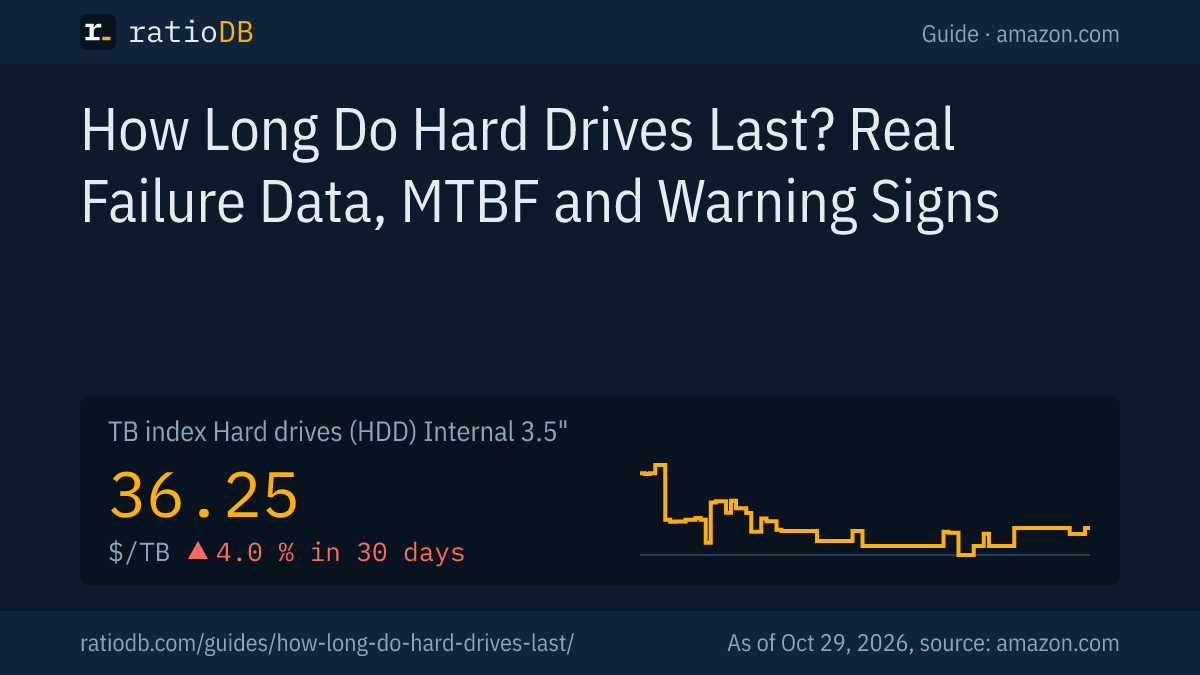
The cheapest new internal 3.5-inch drive with 4 TB costs $179.99 on amazon.com right now (WD Blue 4 TB). With 8 TB it is $269.00 (Seagate BarraCuda 8 TB). Larger drives are usually cheaper per TB than small ones. The TB index for internal 3.5-inch drives is $36.25 per TB.
Cheapest new replacement by size on amazon.com, as of Oct 29, 2026 at 1:17 AM UTC
| Capacity | Cheapest replacement (new) | Price | Price per TB |
|---|---|---|---|
| 4 TB | WD Blue 4 TB | $179.99 | $45.00 |
| 8 TB | Seagate BarraCuda 8 TB | $269.00 | $33.63 |
| 12 TB | Toshiba MG07ACA 12 TB | $469.99 | $39.17 |
| 16 TB | Synology Plus HAT3310 16 TB | $694.66 | $43.42 |
| 24 TB | WD Red Pro 24 TB | $1,899.99 | $79.17 |
The table shows the cheapest new single drive per size with a matching data sheet, from any class. For a NAS, replace a drive with a model from the same class. For the second copy of your data, an external drive is enough: the cheapest external 2.5-inch drive per TB is WD Elements 4 TB at $41.54 per TB ($166.14). Long-term prices are on our hard drive price history page, and the bigger picture is in our guide to hard drive prices.
Do SSDs last longer than hard drives?
An SSD has no moving parts but wears out as it writes. Its lifespan is described by TBW, the maximum amount of data the manufacturer allows to be written. For large archives, hard drives remain much cheaper per TB.
Which type suits you depends on size, speed and budget. The direct comparison is in our guide SSD vs HDD, and SSD endurance with TBW and DWPD is in our guide to SSD lifespan.
How does ratioDB assess hard drive lifespan?
ratioDB uses only Backblaze's published data for failure rates and the manufacturers' data sheets for MTBF, power-on hours, workload and warranty. Prices are fetched from amazon.com at regular intervals and converted to price per TB, with 1 TB equal to 10^12 bytes.
We do not run long-term tests ourselves. Drive classes in the tables are assigned by part number from the data sheets; store brands without a data sheet are left out. All rules are on our methodology page, and every offer is listed under internal 3.5-inch hard drives and external 2.5-inch hard drives.
Hard drive lifespan FAQ
How long do external hard drives last?
There is no large public failure study for external drives. Inside is a regular hard drive, so age, temperature and use matter in the same way. External drives also face extra risk from drops and bumps during transport.
How long does a hard drive last if it is not used?
There are no solid public figures for this. Store drives dry, at room temperature and free of vibration, connect them regularly and check their SMART values. Important data needs a second copy in another place.
What does an MTBF of 1 million hours mean?
In a large group of identical drives, 1 fails on average every 1 million drive hours. That equals a failure rate of about 0.87% per year. Western Digital states it is not a prediction for a single drive.
How do I know if my hard drive is failing?
Rising SMART values 5, 187, 188, 197 or 198, read errors, and a drive that is no longer detected. Backblaze replaces drives as soon as SMART 187 goes above zero.
How many years does a NAS hard drive last?
NAS drives are rated for 24/7 use at 8,760 hours a year and carry 3 or 5 years of warranty. At Backblaze, some models have run 24/7 for 8 to 9 years with lifetime failure rates of about 1.5 to 2% per year.
Do hard drives last longer than 5 years?
Usually yes. With Backblaze's lifetime average of 1.41% per year, about 93% of drives would still be running after 5 years. The failure rate only climbs noticeably after about 8 to 10 years.
Sources
- Backblaze: Drive Stats for Q2 2026 (09/29/2026), Are Hard Drives Getting Better? Let's Revisit the Bathtub Curve (10/15/2025), Hard Drive SMART Stats (11/12/2014)
- Seagate: BarraCuda data sheet (01/2025), IronWolf data sheet (04/2024), IronWolf Pro data sheet (11/2023), Exos data sheet (12/2025), Exos 7E10 data sheet (04/2021)
- Western Digital: WD Red Plus data sheet (09/2025), WD Red Pro data sheet (01/2025), WD Blue data sheet
- ratioDB: amazon.com prices, methodology