Hard Drive Docking Station: Swap, Clone and Back Up Drives
A hard drive docking station is an open device with a USB port and its own power adapter that takes bare 2.5-inch and 3.5-inch SATA drives without tools. Models like the ICY BOX Spade Base 388 support drives up to 30 TB according to the maker, and 2-bay docks such as the Inateck SA02002 can clone a drive without a computer. That makes a dock a good fit for data recovery, frequent drive swaps and backups that rotate several drives.
This guide covers when a dock pays off, how it differs from an enclosure, what to check before buying and how offline cloning works. We also use live prices from the ratioDB database to show what a backup rotation with bare drives costs on Amazon.com. ratioDB does not list docking stations, and we do not run our own hardware tests.
What is a hard drive docking station?
A hard drive docking station is a base with an open slot that takes an internal SATA hard drive or SATA SSD directly and connects it to your computer over USB. ICY BOX describes its tool-free design as letting you insert or swap drives in seconds.
Unlike a closed enclosure, the drive stays exposed in a dock and can be pulled out at any time. ICY BOX lists the Spade Base 388 with support for 2.5-inch and 3.5-inch SATA SSDs and hard drives, USB at up to 5 Gbps, UASP on compatible systems, its own power adapter and an LED for power and drive activity (ICY BOX). According to ICY BOX, it needs no drivers or software and works with Windows, macOS and Linux.
Docks with 2 or more bays hold several drives at once. The Inateck SA02002 has 2 bays for 2.5-inch and 3.5-inch SATA drives, USB 3.0, UASP and an offline clone function (Inateck). Sabrent sells docks with 1, 2, 4 and 5 bays (Sabrent).
When is a hard drive docking station worth it?
A hard drive docking station is worth it when you connect different bare drives often: to read old drives, to rotate backup drives and to clone. For 1 drive that stays external for good, a closed enclosure or a ready-made external drive is the better choice.
ICY BOX names data backups, drive management and data recovery as typical uses for the Spade Base 388 and recommends it for reading old hard drives and reusing spare SSDs (ICY BOX). The main uses at a glance:
- Read old drives: connect drives from old desktops and laptops without installing them and copy the files.
- Backup rotation: use 2 or more bare drives in turn, with one kept off site.
- Cloning: copy one drive to another with a 2-bay dock, on some models without a computer.
- Check and wipe drives: inspect used drives on your PC before selling or installing them.
- Archive on bare drives: store filled drives on a shelf and plug them in when needed.
Docking station or enclosure: which is better?
A docking station is better for swapping several drives often, an enclosure for 1 drive that stays external or travels with you. The dock leaves the drive exposed, the enclosure protects it. Both use the same SATA bridge technology and reach the same speed with hard drives.
| Feature | Docking station | Enclosure |
|---|---|---|
| Swapping drives | seconds, no tools | open the case, swap the drive |
| Drive protection | open, drive exposed | closed |
| Portability | awkward, needs a power adapter | 2.5" models run on USB power |
| Several drives at once | models with 2 to 5 bays | 1 drive per enclosure |
| Offline cloning | on some 2-bay models | not possible with 1 bay |
With hard drives, speed is the same in a dock and in an enclosure, because the drive is the bottleneck. Western Digital lists a 24 TB WD Red Pro at up to 287 MB/s (Western Digital), while USB 5Gbps allows 625 MB/s on paper. Choosing a closed enclosure and setting up a new drive in it is covered in Hard drive enclosure.
What should I look for in a hard drive docking station?
Check the number of bays, supported form factors, maximum capacity per bay, USB speed, UASP and whether it can clone. The capacity limit is the most common catch: Inateck lists 2 × 10 TB for the SA02002, ICY BOX up to 30 TB for the Spade Base 388.
| Feature | Inateck SA02002 | ICY BOX Spade Base 388 |
|---|---|---|
| Bays | 2 | 1 |
| Form factors | 2.5" and 3.5" SATA | 2.5" and 3.5" SATA |
| Max capacity per maker | 2 × 10 TB | up to 30 TB |
| USB | USB 3.0 (5 Gbit/s), UASP | up to 5 Gbps, UASP |
| Offline cloning | yes | no |
Table sources: Inateck, ICY BOX. Both models illustrate the range of manufacturer specs, ratioDB does not recommend a specific dock.
The checklist in detail:
- Capacity: Check the limit before you buy. A 20 TB drive will not work in a dock rated for 10 TB per bay.
- USB speed: USB 5Gbps is enough for hard drives. For SATA SSDs, UASP helps, and Inateck claims up to 70% more performance than classic USB 3.0, a manufacturer figure.
- Power: Docks for 3.5-inch drives have their own adapter, Inateck ships the SA02002 with a 12 V, 3 A unit.
- Sleep mode: Inateck says the SA02002 goes to sleep after 30 minutes without activity. Keep that in mind for backups that run overnight.
- Cloning: If you want to clone without a PC, pick a 2-bay dock with a copy button.
USB-IF, the group behind USB, recommends the consumer names USB 5Gbps up to USB 80Gbps (USB-IF, January 2024). Many docks still say USB 3.0, which equals USB 5Gbps.
How does offline cloning with a docking station work?
For offline cloning, you put the source and target drives into the 2 bays and hold the copy button for a few seconds until the LED flashes. The dock then copies the drive without the computer. Everything on the target drive gets overwritten.
Warning, data loss: Inateck warns that offline cloning overwrites all files on the target drive. Back up the target first and double-check which drive sits in which bay (Inateck).
This is how Inateck describes cloning with the SA02002:
- Back up the target: All data on the target drive will be lost.
- Insert both drives: Put the source and the target into their designated bays.
- Press the copy button: Hold "Copy" for a few seconds until the LED starts flashing, and copying begins.
- Watch the progress: The LED bar shows 25%, 50%, 75% and 100%.
- Wait until it finishes: Do not remove or insert a drive while one is working.
- Switch the dock off: Inateck says to turn the dock off before removing the drives.
Inateck adds one more condition: the drives should have no bad sectors, otherwise transfer errors, overheating or damage to the dock can follow. The minimum size of the target drive is listed in each dock's manual. Cloning on a PC with software, for example when moving to an SSD, is a separate topic with its own guide.
How do I use a docking station for backups?
A docking station lets you run a backup rotation with 2 or more bare drives: one sits in the dock for backups, the other is stored off site, and you swap them every week. That way you always have a copy in a 2nd location, as the 3-2-1 rule asks for.
The 3-2-1 rule means 3 copies of your data on 2 different types of media, with 1 copy off site. How to set it up is explained in 3-2-1 backup rule. A dock saves you an enclosure per drive: you buy 1 dock and as many bare drives as you need.
Backup rotation with 2 bare 3.5-inch drives versus 2 external drives of the same size on Amazon.com, as of Oct 28, 2026 at 9:17 PM UTC
| Capacity | Cheapest internal 3.5" drive | Price per TB | 2 drives for rotation | 2 external drives, same size |
|---|---|---|---|---|
| 4 TB | WD Blue 4 TB: $179.99 | $45.00 | $359.98 | $350.32 |
| 8 TB | Seagate BarraCuda 8 TB: $269.00 | $33.63 | $538.00 | $559.98 |
| 12 TB | Toshiba MG07ACA 12 TB: $469.99 | $39.17 | $939.98 | no offer |
| 16 TB | Synology Plus HAT3310 16 TB: $694.66 | $43.42 | $1,389.32 | no offer |
| 24 TB | WD Red Pro 24 TB: $1,899.99 | $79.17 | $3,799.98 | $2,759.98 |
The last column shows the cheapest new external offer from a known brand at the same size, times 2. The bare drives need a one-time dock on top. At 8 TB, 2 bare drives cost $538.00 right now, 2 external drives of the same size $559.98. The bare drives are cheaper there, so the dock starts saving money from the 2nd drive on.
For a rotation, price per TB matters most. The cheapest internal 3.5-inch drive per TB from 4 TB up is HGST Ultrastar He6 6 TB right now, 6 TB for $138.50 or $23.08 per TB. Current prices per size are on 8TB hard drive and 12TB hard drive and under internal 3.5" hard drives. The long-term US trend is on our hard drive price history page.
How do I connect a drive to a docking station?
Insert the drive straight into the slot with the dock switched off, turn the dock on and connect it to your computer over USB. A new drive then needs to be set up in Windows Disk Management. Before pulling a drive out, Inateck says to switch the dock off.
The everyday routine:
- Switch the dock off: To be safe, insert the drive while the dock is off.
- Insert the drive: Push it straight into the slot until it sits firmly on the SATA connector.
- Power on and connect: Turn the dock on and plug the USB cable into your computer.
- Set up a new drive: An empty drive only appears in File Explorer after it is initialized. Microsoft describes initializing in Disk Management, with GPT as the default partition style (Microsoft Learn). Initializing erases all data, so skip this step for drives that hold files.
- Switch off before removing: Inateck says to turn the dock off before taking the drives out (Inateck).
Drives larger than 2 TB need the GPT partition style in Windows. With the older MBR scheme, Microsoft says only about 2.2 TB are addressable (Microsoft Learn). If a drive does not show up at all, see External hard drive not showing up.
Which hard drives work best in a docking station?
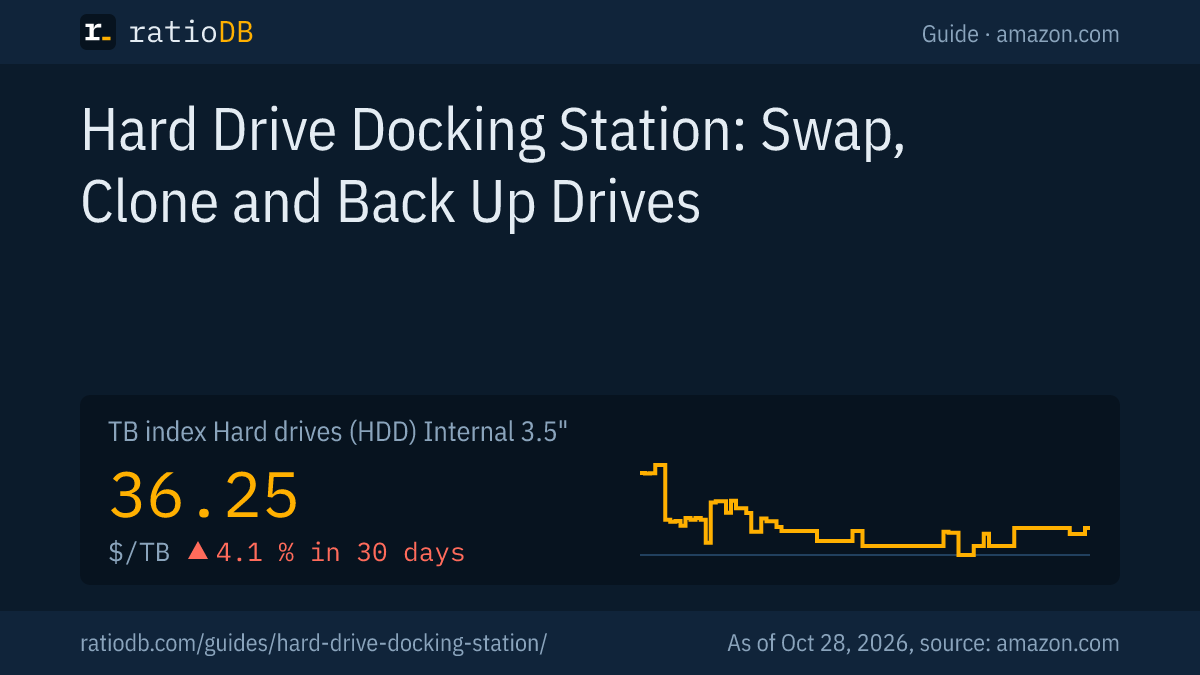
Any internal 2.5-inch or 3.5-inch SATA hard drive or SATA SSD works in a docking station up to the dock's capacity limit. For backups, 3.5-inch hard drives are the cheapest per TB: on Amazon.com they cost $35.00 per TB according to the TB index right now, +0.2% over 30 days.
Also look at the recording method of backup drives, CMR or SMR, as CMR vs SMR explains. Western Digital lists the WD Red Pro with CMR, a 5-year limited warranty and a workload rating of up to 550 TB per year (Western Digital).
For reading old laptop drives and small backups, 2.5-inch drives are enough. The cheapest new internal 2.5-inch drive with 1 TB is Toshiba MQ01ABD 1 TB at $53.89 right now, and with 2 TB Seagate BarraCuda 2 TB at $199.00. The TB index for internal 2.5-inch drives is at $55.62 per TB. How long drives last on the shelf and in use is covered in How long hard drives last.
Does a hard drive docking station work with SSDs?
Yes, a hard drive docking station takes 2.5-inch SATA SSDs just like hard drives, and ICY BOX and Inateck list both. M.2 SSDs only fit docks with their own M.2 slot. UASP is worth having for SSDs, because Inateck says it mainly speeds up SSDs.
2.5-inch SATA SSDs use the same connector as 2.5-inch hard drives, so they go into the same slot. Inateck writes that UASP only accelerates read and write speeds of SSDs (Inateck). With hard drives, UASP adds little, with SSDs it pays off.
M.2 SSDs need their own type of dock. Sabrent, for example, sells a USB-C docking station that takes M.2 PCIe/NVMe SSDs as well as 2.5-inch and 3.5-inch SATA drives (Sabrent). A regular SATA dock has no M.2 slot, so check the list of supported drives before you buy.
| Drive | Fits a SATA dock | Note |
|---|---|---|
| 3.5" hard drive | yes | dock with power adapter |
| 2.5" hard drive | yes | also in docks for both sizes |
| 2.5" SATA SSD | yes | UASP pays off |
| M.2 SSD | no | needs a dock with an M.2 slot |
Internal 2.5-inch SATA SSDs cost $122.93 per TB on Amazon.com according to the TB index right now, internal 3.5-inch hard drives $35.00 per TB. For large backups, the hard drive stays the cheaper choice, for fast transfers between computers the SSD. All SATA SSDs are listed under 2.5" SATA SSDs.
How does ratioDB compare drives for docking stations?
ratioDB pulls Amazon.com prices for every listed hard drive at regular intervals and converts them into price per TB, with 1 TB equal to 1,000,000,000,000 bytes. The TB index is the median of the 10 cheapest new offers per form factor.
For the rotation table, we take the cheapest new single drive per capacity under a hard drive maker's name and compare it with the cheapest new external offer from a known brand at the same size. We do not list docking stations, so their one-time cost comes on top. All rules are on our methodology page. The full lists are under hard drives, internal 3.5" drives and internal 2.5" drives.
Hard drive docking station FAQ
What does a hard drive docking station do?
A hard drive docking station connects bare internal SATA hard drives and SATA SSDs to your computer over USB. You drop the drive into the slot without tools. 2-bay models can often clone drives without a computer.
Is a docking station better than an enclosure?
For swapping several drives often, yes, because you change drives in seconds. For 1 drive you carry around or keep external for good, a closed enclosure is better because it protects the drive.
Can I clone a hard drive with a docking station?
Yes, with a 2-bay dock that has a clone function. Inateck describes the process: insert both drives and hold the copy button for a few seconds. Everything on the target drive gets overwritten.
What is the maximum drive size a docking station supports?
It depends on the model. Inateck lists 2 × 10 TB for the SA02002, ICY BOX up to 30 TB for the Spade Base 388. Check the spec before buying, especially for drives of 20 TB and up.
Can I pull a drive out of the dock while it is running?
Better not. Inateck advises against removing a drive while one is working and says to switch the dock off before taking drives out. That avoids data loss.
Does a docking station need drivers?
Usually not. ICY BOX and Inateck both say their docks need no drivers. The dock shows up like an external drive, and ICY BOX lists Windows, macOS and Linux.
Sources
- Docking stations: ICY BOX Spade Base 388, Inateck SA02002, Sabrent docking stations
- Microsoft Learn: Initialize new disks, Microsoft Learn: Windows support for hard disks larger than 2 TB
- USB-IF: USB Data Performance Language Usage Guidelines (January 2024)
- Western Digital: WD Red Pro
- ratioDB: Amazon.com prices, hard drive price history, methodology