PS5 external hard drive: what works, what it can do, what it costs
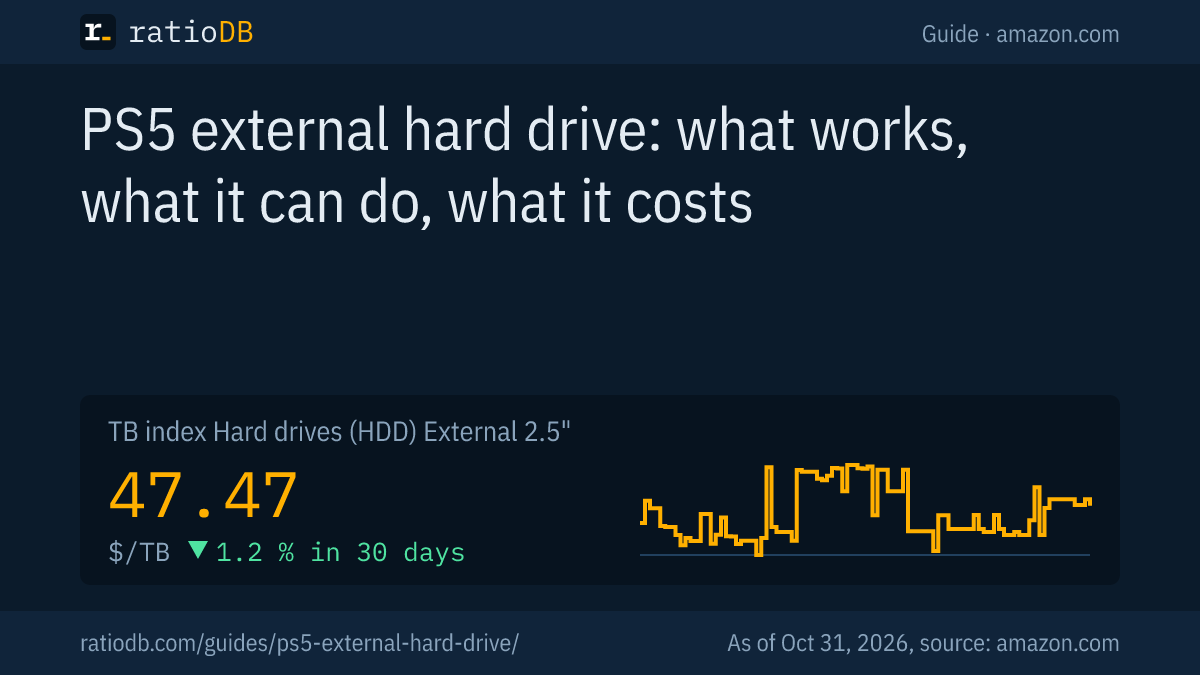
Any external hard drive or SSD with SuperSpeed USB at 5 Gbps or faster and 250 GB to 8 TB of capacity works with the PS5. Sony calls it USB extended storage: you can play PS4 games straight from it, but PS5 games can only be stored there and must be copied back to the internal SSD or an M.2 SSD to play. An external 2.5 inch hard drive currently costs $47.47 per TB on amazon.com (TB index, as of Oct 31, 2026 at 9:17 AM UTC).
The PS5's internal SSD fills up fast, and big games take a large share of it. An external hard drive is the cheapest way to keep games close at hand without downloading them again every time. This guide explains which drives Sony allows, which port to use, how to set the drive up and when an M.2 SSD is the better buy. All rules come from the PlayStation support pages we read for this guide. ratioDB does not test drives itself, we compare prices and spec sheets. What matching drives cost right now is shown below with live prices from amazon.com (as of Oct 31, 2026 at 9:17 AM UTC).
Which external hard drive can I use with a PS5?
Sony requires a drive with SuperSpeed USB at 5 Gbps or faster and 250 GB to 8 TB of capacity. This applies to hard drives and SSDs alike. The drive has to plug straight into the console, a USB hub is not allowed.
The requirements from the PlayStation support page at a glance:
| Item | Sony's requirement | What it means when buying |
|---|---|---|
| Connection | SuperSpeed USB at 5 Gbps or faster | USB 3.0 or newer, which nearly every current external drive offers |
| Capacity | at least 250 GB, at most 8 TB | larger drives cannot be used as extended storage |
| Connection type | straight into the console, no USB hub | use the drive's own cable, nothing in between |
| Number | several can be connected, only 1 is used as extended storage | 1 large drive is more practical than 2 small ones |
| Guarantee | Sony does not guarantee every device will work | a different cable or port often fixes problems |
Sony lists the supported connections one by one: 5 Gbps covers USB 3.0, USB 3.1 Gen 1 and USB 3.2 Gen 1. 10 Gbps covers USB 3.1 Gen 2, USB 3.2 Gen 2 and USB 3.2 Gen 1x2, with Gen 1x2 running on the PS5 as a single lane 5 Gbps connection. USB 3.2 Gen 2x2 at 20 Gbps runs on the PS5 as a single lane 10 Gbps connection. So the link tops out at 10 Gbps, even if the drive can do more. What the many USB names mean is explained in the guide USB 3.2 Gen 2 explained.
You can plug in a 10, 12 or 20 TB drive, but the PS5 only accepts drives up to 8 TB as extended storage for games. That is why an external drive with 2, 4 or 5 TB is the usual pick for the PS5.
Can I play PS5 games from an external hard drive?
No. According to Sony, PS5 games cannot be played directly from USB extended storage, you copy them back to console storage to play. PS4 games, on the other hand, run straight from the external drive, and you can even set it as the install location for PS4 games.
This is the key difference between the PS5's storage options:
PS5 storage options with the TB index on amazon.com, as of Oct 31, 2026 at 9:17 AM UTC
| Storage option | Plays PS5 games | Plays PS4 games | TB index |
|---|---|---|---|
| M.2 NVMe SSD in the expansion slot | yes | yes | $133.85 |
| External SSD (USB) | no, storage only | yes | $127.49 |
| External 2.5" hard drive (USB) | no, storage only | yes | $47.47 |
| External 3.5" hard drive (USB, power adapter) | no, storage only | yes | $43.75 |
For PS5 games, the external drive is a storage shelf. You move games there that you are not playing right now and bring them back when you want to play them again. According to Sony, copying them back works through the Game Library and saves you a new download. How fast it goes depends on the drive. An external SSD usually copies faster than a hard drive because it has no spinning platters.
PS4 games run from extended storage. If you play a lot of PS4 games on your PS5, this takes noticeable pressure off the internal SSD. Games you want to launch directly all the time belong on the internal SSD or on an extra M.2 SSD in the expansion slot.
External hard drive or external SSD for the PS5?
For a pure game library, an external hard drive is enough and costs much less per TB. An external SSD copies games back faster and handles bumps better, but costs several times as much per TB. You cannot play PS5 games from either. On amazon.com, the TB index of external SSDs is currently 2.7 times the index of external 2.5 inch hard drives (as of Oct 31, 2026 at 9:17 AM UTC).
The cheapest offers per size within the range Sony allows:
Cheapest new external drives and M.2 NVMe SSDs per size on amazon.com, known brands, as of Oct 31, 2026 at 9:17 AM UTC
| Capacity | External 2.5" hard drive | External SSD | For comparison: M.2 NVMe SSD |
|---|---|---|---|
| 1 TB | WD My Passport 1 TB: $122.98 ($122.98 per TB) | SanDisk 1 TB: $129.99 ($129.99 per TB) | Adata Legend 710 1 TB: $146.99 ($146.99 per TB) |
| 2 TB | WD Elements 2 TB: $127.00 ($63.50 per TB) | TeamGroup T-Force M200 2 TB: $249.99 ($125.00 per TB) | Crucial E100 2 TB: $249.99 ($125.00 per TB) |
| 4 TB | WD My Passport 4 TB: $189.77 ($47.44 per TB) | WD My Passport 4 TB: $719.99 ($180.00 per TB) | Crucial P3 Plus 4 TB: $669.71 ($167.43 per TB) |
| 5 TB | LaCie Rugged 5 TB: $207.90 ($41.58 per TB) | no offer | no offer |
| 8 TB | no offer | SanDisk Desk 8 TB: $899.99 ($112.50 per TB) | WD Black SN850X 8 TB: $2,114.58 ($264.32 per TB) |
How to decide:
- External 2.5 inch hard drive: powered over the USB cable, no power adapter needed, the cheapest per TB in this form factor. The cheapest per TB right now is LaCie Rugged 5 TB at $41.58 per TB (5 TB). Ideal as a big library next to the console.
- External 3.5 inch hard drive: needs its own power adapter and an outlet. The TB index is $43.75 per TB. Many 3.5 inch models hold more than 8 TB and fall outside Sony's range. Check the capacity before you buy.
- External SSD: quiet, small, copies faster. The cheapest per TB right now is SanDisk Desk 8 TB at $112.50 per TB (8 TB). Worth it if you shuffle games back and forth often.
A 2 TB drive is the usual starting point. The cheapest external 2.5 inch hard drive with 2 TB is currently WD Elements 2 TB for $127.00. At 4 TB, WD My Passport 4 TB costs $189.77 right now. All offers are listed under 2 TB external hard drives and 4 TB external hard drives.
How big should a PS5 external hard drive be?
A sensible size is at least as large as your PS5's internal SSD, so 1 to 2 TB. If you want to keep many games, go for 4 or 5 TB. The PS5 does not use more than 8 TB as extended storage.
For context, here is how much storage the consoles have:
| Model | Internal SSD | Source |
|---|---|---|
| PS5 (2020) | 825 GB, 667.2 GB usable | TechRadar, Nov 6, 2020 |
| PS5 Slim (2023) | 1 TB | Sony via Fox6, Oct 10, 2023 |
| PS5 Slim Digital Edition, newer revision | 825 GB | TechRadar, Sep 30, 2025 |
| PS5 Pro (2024) | 2 TB, 1.89 TB usable | Push Square, Nov 6, 2024 |
Our rule of thumb: the external drive should hold 2 to 4 times the internal SSD. Then your whole game collection fits on the drive, and the internal SSD only carries the games you are playing right now. This is a ratioDB recommendation, not a Sony requirement. Larger drives are usually cheaper per TB, the table above shows that in the price per TB for each size.
Keep in mind that a 4 TB drive shows up with less space on the console. Manufacturers count in decimal, many devices show binary values. The guide TB vs TiB does the math.
Which PS5 USB port should the drive use?
A port labeled SuperSpeed USB 10Gbps. On every model, that means the 2 USB A ports on the back and the front USB C port marked SuperSpeed. The other front port is Hi-Speed USB only and does not work for extended storage.
Sony describes the ports per model group like this:
| Model group | Front | Back |
|---|---|---|
| CFI-1000 (original PS5) | 1 USB A with Hi-Speed USB, 1 USB C with SuperSpeed USB 10Gbps | 2 USB A with SuperSpeed USB 10Gbps |
| CFI-2000 and CFI-7000 (PS5 Slim and PS5 Pro) | 1 USB C with Hi-Speed USB, 1 USB C with SuperSpeed USB 10Gbps | 2 USB A with SuperSpeed USB 10Gbps |
For a drive that stays connected, the back ports are the best choice. That keeps the front SuperSpeed port free, and Sony requires the PS VR2 to connect to exactly that port. PlayStation shows where to find your console's model number on a separate help page.
How do I set up an external hard drive on the PS5?
You format the drive once as USB extended storage: "Settings", "Storage", "USB Extended Storage", "Format as USB Extended Storage". This erases everything on the drive. A drive that was already used as extended storage on a PS4 or another PS5 does not need to be formatted again.
The steps from the PlayStation support page:
- Back up your data: If photos or documents are on the drive, copy them somewhere else first. Sony warns that erased data cannot be recovered.
- Connect: Plug the drive into a USB C or USB A port with SuperSpeed USB 10Gbps, without a hub.
- Format: Open "Settings", then "Storage". Select "USB Extended Storage", then "Format as USB Extended Storage".
- Pick the right drive: If several drives are connected, choose "Select Another USB Drive" to pick the right one.
- Wait: Do not turn off the console or unplug the drive while it formats.
After that, the drive shows up in the storage settings as USB extended storage. If you later want to use it as a normal drive on a PC again, go to the storage settings, select "USB Extended Storage", open the "... (More)" menu and choose "Format as exFAT". According to Sony, this also erases all game data. What exFAT is and when it fits is explained in the guide exFAT vs NTFS.
How do I move games to the external drive and back?
You move games in the Game Library: highlight the game, press the options button, choose "Move Games and Apps" and confirm with "Move". To bring a PS5 game back, go to the "Installed" tab, press the options button and choose "Copy".
Here is how:
- Move out: Open the Game Library, highlight the game, press the options button and select "Move Games and Apps". Confirm with "Move".
- With an M.2 SSD: If you also use an M.2 SSD, switch to the "Movable to USB Extended Storage" tab to see the right games.
- Bring back: In the "Installed" tab, highlight the game on the external drive, press the options button and select "Copy". It then runs from the internal SSD again.
- Install PS4 games directly: Under "Settings", "Installation Location" you can set USB extended storage as the install location for PS4 games.
- Clean up: Go to "Settings", "Storage", "USB Extended Storage", "Games and Apps", open the "Delete Content" tab, select what you no longer need and choose "Delete".
A practical tip: move out the big games you are not playing right now first. That keeps room on the internal SSD for new games and updates.
How do I safely disconnect the drive from the PS5?
While the console is on, use "Settings", "Storage", "USB Extended Storage", "Safely Remove from PS5". If the console is off, only unplug the drive once the power indicator is completely off. Sony warns that unplugging incorrectly can damage data, the drive or the console.
Most players simply leave the drive connected all the time. That is also the most convenient option, because games on extended storage only show up while the drive is plugged in. If you want to move the drive to another PS5, disconnect it as described and plug it in there. It does not need to be formatted again.
What if the PS5 does not recognize the drive?
First check Sony's 4 requirements: a SuperSpeed port, 250 GB to 8 TB, connected directly without a hub and only 1 drive active as extended storage. After that, a different cable, a different port on the back and restarting the console usually help.
The most common causes and what to do:
| Problem | Possible cause | What helps |
|---|---|---|
| Drive does not appear | plugged into the front Hi-Speed port | switch to a SuperSpeed port on the back |
| Drive is rejected | more than 8 TB or less than 250 GB | use a drive with a matching size |
| Drive is rejected | connected through a USB hub | plug it straight into the console |
| Formatting stops | loose contact or weak cable | use the included cable, try another port |
| Games missing from the library | drive was unplugged | plug the drive back in |
| Data lost after unplugging | drive was pulled while in use | use "Safely Remove from PS5" in future |
If a PC does not show the drive either, the problem is probably the drive itself. What to check then is covered in the guide External hard drive not showing up.
Is an M.2 SSD worth it instead of an external drive?
An M.2 SSD is worth it if you want more PS5 games ready to play at once, because PS5 games only run from the internal SSD and an M.2 SSD in the expansion slot. Per TB, though, it costs several times as much as an external hard drive. On amazon.com, the TB index for M.2 NVMe SSDs is currently 2.8 times the index of external 2.5 inch hard drives (as of Oct 31, 2026 at 9:17 AM UTC).
Many players combine both: an M.2 SSD for the games of the current weeks and an external hard drive as a big library. The cheapest 2 TB M.2 NVMe SSD in our list is currently Crucial E100 2 TB for $249.99. Whether a specific SSD fits the PS5 depends on speed, form factor and cooling. What Sony requires and which models fit is covered in the guide Best SSD for PS5.
Our take: if you only play 2 to 3 games at a time and keep the rest stored, the internal SSD plus an external hard drive works well. If you constantly switch between many PS5 games, an M.2 SSD saves you the copying back.
What does a PS5 external hard drive cost right now?
On amazon.com, the TB index is $47.47 per TB for external 2.5 inch hard drives, $43.75 for external 3.5 inch hard drives and $127.49 per TB for external SSDs (as of Oct 31, 2026 at 9:17 AM UTC). The 3 cheapest offers in the matching product types are shown here, all prices with date and source.
Check the capacity before you buy: the PS5 range is 250 GB to 8 TB. Used and refurbished offers are labeled in our lists. For a game library, a new drive with a manufacturer warranty is enough, and purchased games can be downloaded again if the drive fails. Advice on used drives is in the guide Refurbished hard drives.
What are the most common buying mistakes?
The most common mistakes are a drive larger than 8 TB, connecting through a USB hub and assuming PS5 games can run straight from the drive. All 3 are easy to avoid with a look at Sony's requirements.
| Mistake | Result | Better |
|---|---|---|
| Drive with more than 8 TB | PS5 does not use it as extended storage | pick 2 to 8 TB |
| Connected through a USB hub | drive is not accepted | plug straight into the console |
| Expecting to launch PS5 games from it | game has to be copied back first | keep current games on the internal SSD or an M.2 SSD |
| Front Hi-Speed port | too slow for extended storage | SuperSpeed port on the back |
| Important files on the drive | erased when formatting | back them up first |
| 3.5 inch drive with no outlet nearby | will not run without its power adapter | 2.5 inch drive powered over USB |
How does ratioDB compare external hard drives?
ratioDB regularly pulls the amazon.com prices of all listed external hard drives and SSDs and converts them to price per TB, with 1 TB equal to 1,000,000,000,000 bytes. The TB index is the median of the 10 cheapest new offers per product type.
External 2.5 inch hard drives, external 3.5 inch hard drives, external SSDs and M.2 NVMe SSDs are kept in separate lists with their own index. Used and refurbished offers are labeled and never count toward the index. The tables in this guide only show new single units from known brands and only sizes from 250 GB to 8 TB, which Sony allows for the PS5. ratioDB does not test drives or consoles itself. The PS5 rules come from the linked PlayStation support pages. All rules are on the methodology page, all hard drives under hard drive prices per TB.
PS5 external hard drive FAQ
Which external hard drive works with the PS5?
Any external hard drive or SSD with SuperSpeed USB at 5 Gbps or faster and 250 GB to 8 TB of capacity. Sony does not guarantee that every device works, though. You do not need a special PS5 edition.
Can I play PS5 games directly from an external hard drive?
No. According to Sony, you have to copy PS5 games back to console storage to play them. PS4 games run straight from the external drive.
How big can a PS5 external hard drive be?
At most 8 TB, at least 250 GB. The PS5 does not accept larger drives as extended storage.
Do I need to format the drive for the PS5?
Yes, once as USB extended storage under "Settings", "Storage". This erases all data. A drive that was already used as extended storage on a PS4 or another PS5 does not need to be formatted again.
Can I connect several external drives to the PS5?
You can connect several, but only 1 drive at a time is used as extended storage. Sony does not allow USB hubs.
Is an external SSD better than a hard drive for the PS5?
An external SSD copies games back faster and is more robust, but costs several times as much per TB. PS5 games run from neither. For pure storage, a hard drive is enough.
What does a PS5 external hard drive cost right now?
On amazon.com, the TB index is $47.47 per TB for external 2.5 inch hard drives and $127.49 per TB for external SSDs (as of Oct 31, 2026 at 9:17 AM UTC). The table above shows the cheapest offers per size.
Sources
- Sony: USB extended storage on PS5 consoles, USB ports guide for PS5 consoles, Find PS5 serial and model numbers
- Console storage: TechRadar (Nov 6, 2020), Fox6 (Oct 10, 2023), TechRadar (Sep 30, 2025), Push Square (Nov 6, 2024)
- ratioDB: amazon.com prices, methodology