Resizable BAR: What It Is and How to Enable It
Resizable BAR is a PCI Express feature that lets the processor access a graphics card's entire video memory (VRAM) instead of just a small window. NVIDIA has supported it on the GeForce RTX 30 series since March 30, 2021, AMD calls it Smart Access Memory, and Intel recommends it for Arc graphics cards.
This guide explains what Resizable BAR does, which requirements NVIDIA, AMD and Intel list, how to turn it on in the BIOS, how to check that it works, and what it brings according to the vendors. The facts come from pages by NVIDIA, AMD, Intel, Microsoft and TechPowerUp. ratioDB does not test hardware itself and does not list graphics cards. Live amazon.com prices for memory and SSDs are further down (as of Oct 29, 2026 at 3:17 PM UTC).
What is Resizable BAR?
Resizable BAR is an optional PCI Express interface technology. BAR stands for Base Address Register. According to NVIDIA, it lets the CPU efficiently access the entire frame buffer of the graphics card, so assets move in full instead of in many small transfers.
Microsoft describes the starting point: a discrete graphics card usually exposes only a small portion of its frame buffer over the PCI bus. For compatibility with 32-bit operating systems, discrete GPUs usually claim a 256 MB region for it. If the GPU supports a resizable BAR, Windows renegotiates its size after firmware initialization in the WDDM 2.0 driver model and later. When that works, Microsoft says the BAR is resized to its maximum size and the entire VRAM of the GPU is exposed.
The feature is defined in a specification by PCI-SIG, the group behind PCI Express. Intel describes Resizable BAR as a PCIe capability that lets a device such as a graphics card negotiate the BAR size to make better use of system resources.
How is it different from Smart Access Memory?
Smart Access Memory (SAM) is AMD's name for the same idea: according to AMD, a Ryzen processor gets full access to the graphics memory of a Radeon card. Intel writes that the BIOS option may also be called Re-Size BAR, Smart Access Memory or Clever Access Memory.
The names at a glance:
| Name | Who uses it | Where you find it |
|---|---|---|
| Resizable BAR | NVIDIA, Intel, PCI-SIG | driver, system information, specification |
| Re-Size BAR Support | motherboard vendors | BIOS |
| Smart Access Memory | AMD | BIOS of some boards, AMD Software |
| Clever Access Memory | another BIOS name per Intel | BIOS of some boards |
| Above 4G Decoding | motherboard vendors | BIOS, required for Resizable BAR |
What do I need for Resizable BAR?
You need a graphics card, CPU and motherboard that support Resizable BAR, an up-to-date BIOS, UEFI boot mode without CSM, and a suitable driver. NVIDIA, AMD and Intel each list which models qualify for their products.
What the vendors say:
| Vendor | Graphics card | CPU and motherboard | Also needed |
|---|---|---|---|
| NVIDIA (as of March 30, 2021) | GeForce RTX 30 with a supported VBIOS | AMD Ryzen 5000 (Zen 3) on 400 series boards with Zen 3 support and 500 series, Intel 10th Gen Core (Z490, H470, B460, H410) and 11th Gen | motherboard BIOS update, driver 465.89 or later |
| AMD | Radeon 6000 | Ryzen 5000 or 3000 (excluding Ryzen 5 3400G and Ryzen 3 3200G), 500 series motherboard | latest BIOS |
| Intel | Arc | motherboard firmware that supports Resizable BAR | CSM off, UEFI boot mode |
NVIDIA's list comes from its announcement of March 30, 2021; AMD's comes from a footnote on its AMD Smart Technologies page. Whether a newer model supports Resizable BAR is stated on the vendor's product page. According to NVIDIA's announcement, some RTX 30 cards needed a VBIOS (graphics card firmware) update first: the RTX 3060 shipped with support, while the RTX 3060 Ti, 3070, 3080 and 3090 may have required an update through NVIDIA's tool or the card maker's tool.
How do I enable Resizable BAR in the BIOS?
Open the BIOS with Del, disable CSM or Legacy Mode and enable UEFI boot, set Above 4G Decoding and Re-Size BAR Support to Enabled or Auto, and save. That's how Intel describes it. Then check in your graphics driver that the feature is active.
The steps per Intel, plus NVIDIA's note on the BIOS update:
- Update the BIOS: NVIDIA lists a motherboard BIOS update as a requirement, and Intel recommends the latest firmware that supports Resizable BAR. You'll find the file on your motherboard's support page.
- Open the BIOS: Press Del during startup. Intel notes that the key can differ by manufacturer.
- Turn off CSM: Disable the Compatibility Support Module (CSM) or Legacy Mode and enable UEFI boot mode.
- Turn on Above 4G Decoding: Set it to Enabled, or Auto if Enabled isn't offered.
- Turn on Re-Size BAR Support: Also Enabled or Auto. Intel says the option may be named Smart Access Memory or Clever Access Memory instead.
- Save and restart: Then check in the driver (see below).
Be careful when turning off CSM: if Windows was installed in the old BIOS mode on a disk with MBR partitioning, that doesn't match pure UEFI boot. Microsoft ships the MBR2GPT tool for this; according to Microsoft, it converts a disk from MBR to GPT without modifying or deleting data. After conversion, Microsoft says the firmware must be reconfigured to boot in UEFI mode. Back up your data first. How to do that is covered in the guide The 3-2-1 backup rule.
How do I check if Resizable BAR is enabled?
On NVIDIA, open the NVIDIA Control Panel, click System Information at the bottom left and look for Resizable BAR. If it says Yes, it's enabled. On AMD, Smart Access Memory is in AMD Software under Performance and Tuning. Intel recommends the Intel Driver and Support Assistant.
The options at a glance:
| Graphics card | Tool | Where to look |
|---|---|---|
| NVIDIA GeForce | NVIDIA Control Panel | System Information, Resizable BAR entry |
| AMD Radeon | AMD Software | Performance, Tuning, Smart Access Memory |
| Intel Arc | Intel Driver and Support Assistant | Resizable BAR status |
| all | GPU-Z (TechPowerUp) | main window, next to the multi-GPU status |
If NVIDIA shows No, NVIDIA says to make sure Resizable BAR is enabled in your motherboard's BIOS and reboot. According to TechPowerUp, GPU-Z shows the status in its main window since version 2.38.0 and reports whether Resizable BAR is supported and whether it's enabled.
What does Resizable BAR bring?
NVIDIA writes that some titles benefit by a few percent, up to 12%. Other games lose performance, so NVIDIA uses game profiles to turn the feature on only where it helps. Intel writes that Arc graphics cards need Resizable BAR for optimal performance.
The vendors' statements side by side:
| Vendor | Statement on the benefit |
|---|---|
| NVIDIA | some games a few percent faster, up to 12%, some lose performance, enabled per game profile |
| AMD | higher performance in select titles, no figures on its Smart Access Memory page |
| Intel | Arc works without Resizable BAR, but it must be enabled for optimal performance |
For you, that means Resizable BAR isn't a switch for across-the-board higher frame rates. On NVIDIA, the driver decides per game whether to use it. On Intel Arc, you should turn it on in any case, because Intel does not call performance optimal without it. ratioDB has no measurements of its own; the figures above are vendor statements.
Does Resizable BAR have anything to do with RAM and VRAM?
Yes, but it doesn't add memory. The video memory (VRAM) on the card and the system memory (RAM) in your PC stay the same size. Resizable BAR only changes how much of the VRAM the CPU can address at once: according to Microsoft, the entire VRAM instead of usually 256 MB.
How much VRAM you need for games depends on resolution and title, more in the guide How much VRAM do you need?. System memory follows its own rules: how much RAM a gaming PC needs is covered in the guide How much RAM do I need?, why 2 modules beat 1 in the guide Dual channel RAM.
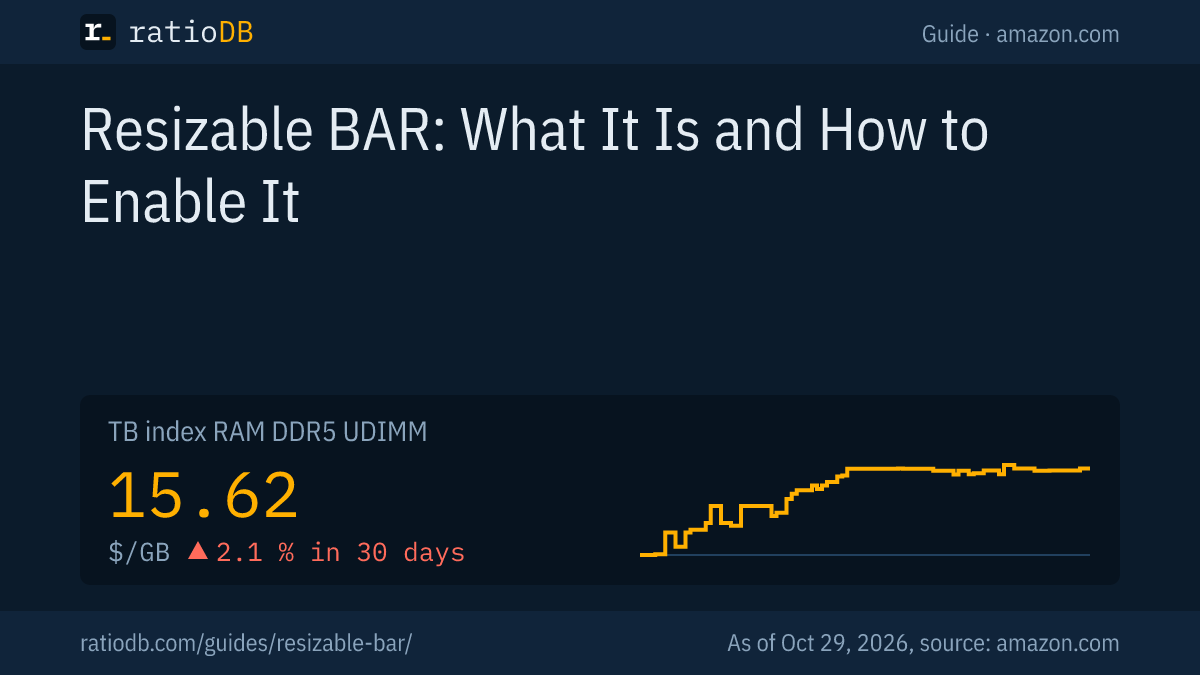
The DDR5 desktop RAM index on amazon.com is at $15.62 per GB. The cheapest 32 GB kit is Crucial Pro 2 × 16 GB for $459.99 (as of Oct 29, 2026 at 3:17 PM UTC).
Cheapest DDR5 desktop kits per capacity on amazon.com, as of Oct 29, 2026 at 3:17 PM UTC
| Capacity | Cheapest DDR5 kit | Modules | Speed per title | Price | Price per GB |
|---|---|---|---|---|---|
| 16 GB | A-Tech PC/Computer Upgrade 16 GB | 1 × 16 GB | 4,800 MT/s | $249.99 | $15.62 |
| 32 GB | Crucial Pro 2 × 16 GB | 2 × 16 GB | 6,000 MT/s | $459.99 | $14.37 |
| 64 GB | Crucial Pro 2 × 32 GB | 2 × 32 GB | 6,400 MT/s | $999.99 | $15.62 |
All kits are under DDR5 RAM for desktop PCs, 32 GB kits under DDR5 32 GB and 64 GB kits under DDR5 64 GB. To get your kit to its full speed, turn on the memory profile in the same BIOS, as shown in the guide How to enable XMP and EXPO.
Which SSD fits a gaming PC with Resizable BAR?
Resizable BAR concerns the link between CPU and graphics card. You choose the SSD independently, for a gaming PC usually an M.2 SSD with NVMe. The TB index for M.2 NVMe SSDs on amazon.com is at $133.85 per TB.
The graphics card and an M.2 SSD both connect via PCI Express. Which slots your motherboard wires how is in its manual. Which SSD makes sense for gaming is covered in the guide Gaming SSD, whether PCIe 5.0 is needed yet in the guide PCIe 5.0 SSD. All models are under M.2 NVMe SSDs.
Can I add Resizable BAR to an older PC?
Only if the graphics card, CPU and motherboard support it. NVIDIA lists a motherboard BIOS update and, for some cards, a VBIOS update as requirements. If the BIOS still offers no Re-Size BAR option after the update, your system lacks support.
How to go about it:
- Check the graphics card: Is your card on the vendor's list? According to NVIDIA's announcement, some RTX 30 cards needed a VBIOS update.
- Check CPU and motherboard: NVIDIA's and AMD's lists name CPUs and chipsets. For your motherboard, the vendor's support page helps.
- Update the BIOS: Afterward, the Re-Size BAR Support option appears if the board supports it.
- Check the boot mode: If Windows still runs in the old BIOS mode, you need a GPT disk before turning off CSM, see MBR2GPT above.
The effort is especially worthwhile with Intel Arc, because Intel only calls performance optimal with Resizable BAR. On NVIDIA, the driver decides per game anyway.
How does ratioDB help with upgrades?
ratioDB doesn't list graphics cards, but it compares memory per GB and SSDs per TB. amazon.com prices are pulled regularly, and each index is the median of the 10 cheapest new offers in a list. ratioDB does not test hardware itself.
Speed and capacity of RAM kits come from the listing titles. If a value is missing, the tables show "n/a". Used offers are labeled and never count toward the index. All rules are on the methodology page, all memory under RAM prices per GB and SSD prices per TB.
Resizable BAR FAQ
Should I enable Resizable BAR?
If your system supports it, yes. On NVIDIA, the driver only uses it in games that NVIDIA says benefit. On Intel Arc, Intel says it's needed for optimal performance.
What's the difference between Resizable BAR and Smart Access Memory?
Smart Access Memory is AMD's name for a Ryzen CPU's full access to a Radeon card's memory. In the BIOS, Intel says the option may be called Re-Size BAR, Smart Access Memory or Clever Access Memory.
Does CSM have to be off for Resizable BAR?
Yes. Intel writes that CSM or Legacy Mode must be disabled and UEFI boot mode enabled. If Windows is still on an MBR disk, Microsoft's MBR2GPT tool converts it to GPT without data loss.
How much does Resizable BAR help?
NVIDIA cites a few percent up to 12% more performance in some games, while other games lose. AMD cites higher performance in select titles without a figure. ratioDB has no measurements of its own.
How do I see if Resizable BAR is on?
On NVIDIA in the NVIDIA Control Panel under System Information, on AMD in AMD Software under Performance and Tuning, on Intel with the Intel Driver and Support Assistant. GPU-Z shows the status in its main window.
Do I need more RAM for Resizable BAR?
No. Resizable BAR only changes how much of the graphics memory the CPU can reach at once. System memory stays the same. How much RAM you need depends on your apps and games.
Does Intel Arc work without Resizable BAR?
Yes, according to Intel, Arc graphics cards also work without Resizable BAR. For optimal performance, though, Intel says it must be enabled.
Sources
- NVIDIA: GeForce RTX 30 Series with Resizable BAR, requirements, benefit and check, March 30, 2021
- AMD: AMD Smart Technologies with Smart Access Memory and requirements
- Intel: How to enable Resizable BAR, BIOS settings, Do you need Resizable BAR for Intel Arc?
- Microsoft: System and driver support for Resizable BAR, 256 MB and WDDM 2.0, MBR2GPT
- TechPowerUp: GPU-Z 2.38.0 shows Resizable BAR status
- PCWorld: Checking Smart Access Memory in AMD Software
- ratioDB: amazon.com prices, methodology