Unraid vs TrueNAS: Which NAS OS Is Right for You?
Unraid and TrueNAS are operating systems for a do-it-yourself NAS server (NAS: network attached storage). Unraid by Lime Technology stores data in an array with up to 2 parity drives and lets you mix drives of different sizes. TrueNAS Community Edition by iXsystems is free and built entirely on the ZFS file system, with pools made of equally sized drives.
This guide shows how both systems store data, what they cost, which hardware the vendors list and which hard drives belong in the server. The information comes from the Unraid, TrueNAS and OpenZFS documentation. ratioDB does not test software or drives itself. We compare prices and spec sheets. Live amazon.com prices are further down (as of Oct 29, 2026 at 3:17 PM UTC).
What is the difference between Unraid and TrueNAS?
Unraid writes each file to exactly 1 drive and protects the array with 1 or 2 parity drives. You can mix drive sizes and add drives 1 at a time. TrueNAS spreads data across all drives of a pool with ZFS, checks every block with checksums and is faster, but works best with equally sized drives.
The key differences at a glance:
| Feature | Unraid | TrueNAS Community Edition |
|---|---|---|
| Vendor | Lime Technology | iXsystems |
| Cost | license, one-time plus optional updates | free (open source) |
| Storage model | parity array, plus ZFS or Btrfs pools | ZFS pools made of vdevs |
| Mixed drive sizes | yes, none larger than the parity drive | possible, RAIDZ treats every drive as the smallest one |
| Expanding | add a single drive to the array, RAIDZ expansion in the web UI from Unraid 7.2 | add a single drive via RAIDZ expansion from TrueNAS 24.10 |
| Read speed | speed of a single drive in the array | drives in a vdev work together |
| Boot device | often a USB flash drive | SSD with at least 16 GB per the docs |
| Containers and VMs | Docker Manager and VM Manager | apps with Docker Compose since 24.10 |
The two systems have moved closer: according to the release notes, Unraid 7.0 from January 9, 2025 can run without any array, using only ZFS pools. TrueNAS can add single drives to an existing RAIDZ since version 24.10. The core difference remains: Unraid is designed around a flexible array of mixed drives, TrueNAS around ZFS.
How does Unraid store data in the array?
In the Unraid array, each file sits entirely on 1 data drive. The parity drive stores no files, it calculates a checksum across all data drives. If 1 data drive fails, Unraid rebuilds it from parity and the remaining drives. With 2 parity drives, the array survives 2 failures.
That leads to the rules in the Unraid documentation:
- Parity first: Use your largest drive for parity. Data drives can be the same size or smaller, never larger.
- Up to 2 parity drives: With dual parity, each parity drive must be at least as large as the largest data drive.
- Mixed sizes: Data drives can differ in size. Usable space is the sum of all data drives.
- SSDs belong in pools: Unraid calls SSDs in the array experimental because TRIM does not work reliably there. Pools are meant for SSDs, for example as a cache.
The upside: you can start with 3 drives and later add single drives of any size up to the parity size. If more drives fail than parity covers, only the files on the failed drives are lost, the remaining drives stay readable. The downside: Unraid reads a file from 1 drive only, so the array is as fast as a single hard drive. For fast access, many servers use a pool of NVMe SSDs as a cache.
How does TrueNAS store data with ZFS?
TrueNAS builds storage from pools that consist of 1 or more vdevs, which are groups of drives. In a RAIDZ vdev, ZFS spreads every file plus parity across all drives. ZFS checks every block with checksums and repairs bad blocks from redundancy.
RAIDZ1 survives 1 failed drive per vdev, RAIDZ2 survives 2, RAIDZ3 survives 3. According to the Unraid documentation on ZFS, ZFS treats every drive in a RAIDZ vdev as the size of the smallest one, so mixed sizes waste space. For a long time, an existing RAIDZ vdev could not be widened by 1 drive. You had to add another vdev or replace every drive with a larger one.
That has changed. With TrueNAS 24.10 "Electric Eel" from October 29, 2024, iXsystems says a RAIDZ can be expanded online, 1 drive at a time. The OpenZFS documentation for the zpool attach command explains the catch: old blocks keep their previous data-to-parity ratio, only new blocks use the new one. Reported free space can therefore be slightly lower than expected. Unraid offers RAIDZ expansion for its ZFS pools in the web UI from version 7.2, according to its docs.
How RAID levels differ in general is covered in the guide RAID levels.
How much do Unraid and TrueNAS cost?
TrueNAS Community Edition is free and open source, according to iXsystems. Unraid costs $49 (Starter, up to 6 storage devices), $109 (Unleashed) or $249 (Lifetime), each one-time, according to Lime Technology. Starter and Unleashed include 1 year of updates, then an optional $36 per year.
Unraid licenses at a glance (prices per Lime Technology, last confirmed June 30, 2026, checked October 29, 2026):
| License | Price | Storage devices | Updates |
|---|---|---|---|
| Starter | $49 | up to 6 attached devices | 1 year, then optional $36 per year |
| Unleashed | $109 | no license limit, array up to 30 devices | 1 year, then optional $36 per year |
| Lifetime | $249 | no license limit, array up to 30 devices | lifetime |
According to the Unraid licensing FAQ, the server keeps running after the update period ends, you just stop getting security patches. To try it, there is a 30-day trial with no device limit that can be extended twice by 15 days each. Every device attached before the array starts counts as a storage device, except 1 eMMC device and 1 USB device, the boot drive. Unleashed and Lifetime allow up to 30 devices in the array, 28 data drives and 2 parity drives.
TrueNAS Community Edition was called TrueNAS SCALE until version 25.04 "Fangtooth" from April 15, 2025. With 25.04, iXsystems merged the CORE and SCALE lines. With TrueNAS, you only pay for the hardware.
What hardware do Unraid and TrueNAS need?
The TrueNAS hardware guide for version 24.10 lists a 2-core 64-bit processor, 8 GB of RAM, a 16 GB SSD as boot device and 2 identically sized drives for a pool as the minimum. Unraid often boots from a USB flash drive and limits ZFS memory use on its own.
Here is what both vendors say about memory:
- TrueNAS: 8 GB of RAM for basic operation with up to 8 drives, plus 1 GB for each additional drive. Deduplication adds 5 GB per TB of storage.
- Unraid: ZFS automatically uses a portion of RAM, usually 1/8 of total memory. The Unraid docs call the old rule of thumb "1 GB of RAM per 1 TB of storage" outdated for most users.
- ECC RAM: The TrueNAS guide says many users strongly recommend ECC RAM (memory with error correction) and adds that many TrueNAS systems run without it. Your CPU and motherboard manual tells you whether ECC is supported. More in the guide ECC RAM.
A small SSD is enough as the TrueNAS boot device. The TB index for M.2 NVMe SSDs is currently $133.85 per TB (as of Oct 29, 2026 at 3:17 PM UTC), all offers under M.2 NVMe SSD. An NVMe SSD as a cache or for apps and VMs gives both systems a noticeable speed boost. What SSDs do in a NAS is explained in the guide SSD in a NAS.
Which hard drives work with Unraid and TrueNAS?
NAS hard drives with CMR recording suit both systems, for example Seagate IronWolf, WD Red Plus or Toshiba N300. According to the TrueNAS docs, iXsystems advises against SMR drives with TrueNAS and ZFS because of slow writes and risks during rebuilds (resilver).
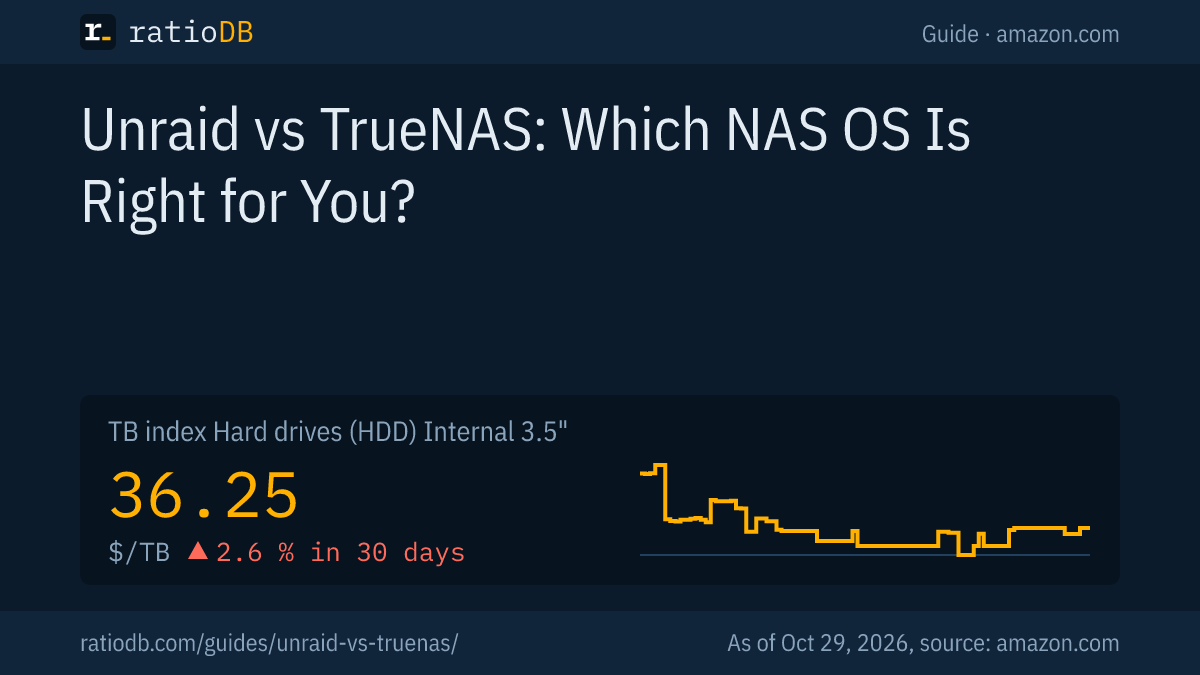
The cheapest new CMR NAS drive per TB on amazon.com is currently the Synology Plus HAT3310 16 TB at $43.42 per TB (16 TB). For comparison: the TB index for all internal 3.5" hard drives is $36.25 per TB (as of Oct 29, 2026 at 3:17 PM UTC).
CMR NAS hard drives on amazon.com by series, as of Oct 29, 2026 at 3:17 PM UTC
| NAS series | Offers | Cheapest model per TB | Price | Price per TB |
|---|---|---|---|---|
| WD Red Plus | 1 | WD Red Plus 4 TB | $189.99 | $47.50 |
| WD Red Pro | 1 | WD Red Pro 24 TB | $1,899.99 | $79.17 |
| IronWolf | 2 | Seagate IronWolf 6 TB | $310.00 | $51.67 |
| IronWolf Pro | 2 | Seagate IronWolf Pro 14 TB | $684.45 | $48.89 |
| N300 Pro | 1 | Toshiba N300 Pro 12 TB | $529.99 | $44.17 |
| Synology Plus HAT3300 | 1 | Synology Plus HAT3300 4 TB | $266.95 | $66.74 |
| Synology Plus HAT3310 | 1 | Synology Plus HAT3310 16 TB | $694.66 | $43.42 |
| Synology Plus HAT3320 | 1 | Synology Plus HAT3320 8 TB | $447.40 | $55.93 |
The cheapest WD Red Plus (WD Red Plus 4 TB, $47.50 per TB) is currently about 8.8% cheaper per TB than the cheapest IronWolf (Seagate IronWolf 6 TB, $51.67 per TB). How the 2 series differ otherwise is covered in the guide WD Red vs IronWolf, the Red, Red Plus and Red Pro lines in WD Red Plus vs Red Pro.
Watch out for bargains: among internal 3.5" hard drives on amazon.com we currently list 4 models with SMR per the data sheet. They are often cheap per TB, but the weaker choice for Unraid and TrueNAS. The difference between CMR and SMR is explained in the guide CMR vs SMR. For Unraid there is 1 more point: the parity drive writes along with every change in the array, so a fast CMR drive with the largest capacity belongs there.
How much does a server with 4 drives cost?
With 4 equally sized drives and 1 parity drive, Unraid leaves 3 drives usable, and TrueNAS with RAIDZ1 also leaves about 3. With 2 parity drives or RAIDZ2, about 2 drives remain. 4 NAS drives with 8 TB currently cost $1,789.60 together on amazon.com.
Example with 4 identical CMR NAS hard drives on amazon.com, as of Oct 29, 2026 at 3:17 PM UTC
| Drive size | Cheapest NAS drive (CMR) | Price per drive | 4 drives total | Usable with 1 parity | Usable with 2 parity |
|---|---|---|---|---|---|
| 4 TB | WD Red Plus 4 TB | $189.99 | $759.96 | 12 TB | 8 TB |
| 8 TB | Synology Plus HAT3320 8 TB | $447.40 | $1,789.60 | 24 TB | 16 TB |
| 12 TB | Toshiba N300 Pro 12 TB | $529.99 | $2,119.96 | 36 TB | 24 TB |
| 16 TB | Synology Plus HAT3310 16 TB | $694.66 | $2,778.64 | 48 TB | 32 TB |
Usable capacity is calculated before file system overhead and reserves. ZFS also uses some space for metadata. With Unraid you can add smaller drives as well, then the sum of the data drives counts. Parity does not replace a backup: deleted or encrypted files are gone on every drive. Plan a backup following the 3-2-1 rule, more in the guide 3-2-1 backup.
When is Unraid better, and when is TrueNAS better?
Unraid fits if you want to use existing drives of different sizes, expand the server step by step and manage many Docker containers or VMs with ease. TrueNAS fits if you do not want to pay for a license, buy equally sized drives and want the strongest protection through ZFS.
The choice by starting point:
| Starting point | Leans Unraid | Leans TrueNAS |
|---|---|---|
| Existing drives of different sizes | yes | only with lost space |
| New, equally sized drives | possible | yes |
| Add single drives later | yes, also larger ones up to parity size | yes, via RAIDZ expansion |
| No budget for software | trial, then a license | yes, free |
| High read speed for large files | with an SSD cache | yes, all drives in a vdev work together |
| Media server with many containers | yes | yes, apps with Docker |
Both systems run on regular PC hardware. If you want to try first, use the Unraid trial or install TrueNAS for free. Whether a DIY server or a ready-made NAS suits you better is covered in the guide NAS vs DAS, the drive choice for ready-made NAS units in the guide NAS hard drive.
How does ratioDB compare NAS hard drives?
ratioDB pulls amazon.com prices for all listed hard drives regularly and converts them to price per TB, with 1 TB equal to 1,000,000,000,000 bytes. We map series and recording to every model number from the manufacturer's data sheet. The TB index is the median of the 10 cheapest new offers.
The tables in this guide show only new single drives sold under the manufacturer's name that belong to a CMR NAS series per the data sheet. Used and refurbished offers are labeled and never count toward the index. ratioDB does not test Unraid, TrueNAS or hard drives itself. All rules are on the methodology page, all hard drives under hard drive prices per TB and internal 3.5" models under internal 3.5" hard drives.
Frequently asked questions about Unraid vs TrueNAS
Is TrueNAS free?
Yes. According to iXsystems, TrueNAS Community Edition is the free, open source version for everyone who does not need the enterprise edition. You only pay for the hardware.
How much does Unraid cost?
According to Lime Technology, Starter costs $49 for up to 6 storage devices, Unleashed $109 and Lifetime $249, each one-time. Starter and Unleashed include 1 year of updates, after that updates cost an optional $36 per year (checked October 29, 2026).
Can I mix hard drive sizes in Unraid?
Yes. Data drives in the array can differ in size, but none can be larger than the parity drive. Usable space is the sum of all data drives.
Can I add single drives in TrueNAS?
Yes, since TrueNAS 24.10 a RAIDZ vdev can be expanded by 1 drive at a time. Existing data keeps its previous data-to-parity ratio, so free space comes out slightly lower.
How much RAM does TrueNAS need?
According to the TrueNAS hardware guide, 8 GB for basic operation with up to 8 drives and 1 GB more for each additional drive. Deduplication adds 5 GB per TB of storage.
Do I need CMR drives for Unraid and TrueNAS?
For TrueNAS, iXsystems explicitly advises against SMR drives. For Unraid, CMR drives are the safe choice too, especially as the parity drive, since it writes along with every write to the array.
Does parity or RAIDZ replace a backup?
No. Parity and RAIDZ protect against single drive failures. Deleted, overwritten or encrypted files are still gone. A separate backup on another device is still needed.
Sources
- Unraid (Lime Technology): release notes 7.0.0, configure your array, ZFS storage, licensing FAQ, new license pricing, March 20, 2024, summer sale with regular prices, June 30, 2026
- TrueNAS (iXsystems): TrueNAS Community Edition 25.04, TrueNAS 24.10 Electric Eel, hardware guide 24.10
- OpenZFS: zpool attach with RAIDZ expansion
- ratioDB: amazon.com prices, series and recording from manufacturer data sheets, methodology