Homelab Storage: SSDs, Hard Drives and RAM for a Home Server
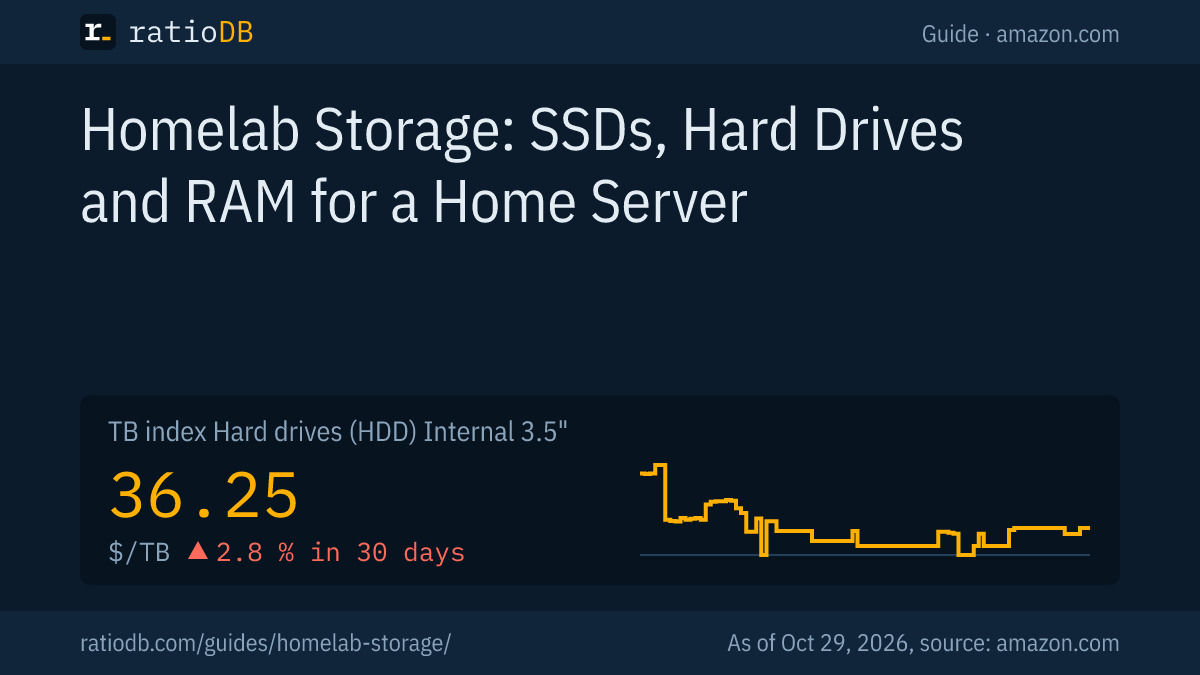
A homelab is a small server setup at home where you run your own services and try out technology, such as a media server, backups, smart home or virtual machines. Typical hardware is a mini PC, a used server or a NAS. You plan storage in 3 parts: SSDs for the system and VMs, hard drives for data, and RAM for everything that runs at the same time.
This guide shows which drives fit which job, how much memory virtualization with Proxmox VE needs according to its documentation and what the parts cost on amazon.com right now. The hardware information comes from the Proxmox VE documentation. ratioDB does not test hardware itself. We compare prices and spec sheets. Live prices are further down (as of Oct 29, 2026 at 3:17 PM UTC).
What is a homelab?
A homelab is a server environment in your own home. It is used for learning, testing and self-hosting services that would otherwise run in the cloud. It can be a single mini PC or a rack with several devices, networking and storage.
Typical homelab services:
- Files and backups: central storage for photos, documents and backups of every device in the house
- Media server: movies, shows and music for every device on the network
- Virtual machines and containers: several systems on 1 computer, for experiments or permanent services
- Network services: network-wide ad blocking, VPN for remote access, smart home hub
Many of these services run around the clock. That is why runtime, noise and power draw matter alongside price. The exact figures are in each device's data sheet.
What hardware works for a homelab?
A mini PC with an M.2 SSD and SO-DIMM RAM is often enough to start. If you need many hard drives, use a PC or a used server with room for 3.5" drives. A ready-made NAS is the easiest option for data, but offers less performance for many VMs.
| Hardware | Strengths | Limits | Typical storage |
|---|---|---|---|
| Mini PC | small, quiet, little space needed | usually only 1 to 2 M.2 slots, hardly any room for hard drives | M.2 SSD, SO-DIMM RAM |
| DIY PC | many SATA ports, room for hard drives, free choice of parts | larger than a mini PC | M.2 SSD, 3.5" hard drives, DIMM RAM |
| Used server | many drive bays, often ECC RAM, remote management | loud and large, check power draw in the data sheet | SAS or SATA drives, RDIMM RAM |
| Ready-made NAS | easy setup, built for data | limited performance for VMs | 3.5" hard drives, some with M.2 cache |
With mini PCs, check the data sheet: some models have soldered memory that cannot be upgraded. Laptop modules (SO-DIMM) and desktop modules (DIMM) are not interchangeable, the guide SODIMM vs DIMM explains the difference. Used servers often take registered memory (RDIMM), more in the guide RDIMM vs UDIMM. What used server drives are worth is covered in the guide used and refurbished hard drives.
How do I plan storage in a homelab?
A proven split has 3 layers: an SSD for the operating system and virtual machines, CMR hard drives for large amounts of data and a backup on a separate device. An extra SSD as a cache speeds up frequently used data.
| Job | Drive | What to look for |
|---|---|---|
| Operating system | M.2 NVMe or SATA SSD | small capacity is enough, ideally 2 drives mirrored |
| Virtual machines and containers | M.2 NVMe SSD | fast random access, enough capacity |
| Data, media, archives | 3.5" CMR hard drives | NAS series, built for 24/7 use, price per TB |
| Cache | NVMe SSD | speeds up frequently read data |
| Backup | external drive, another server or cloud | separate from the homelab, following the 3-2-1 rule |
SSDs and hard drives complement each other: on amazon.com, 1 TB of SSD (M.2 NVMe) currently costs about 3.7 times as much as 1 TB of hard drive, based on the TB index. For data that rarely changes, hard drives are the cheaper choice, for systems and VMs the SSD. How the 2 differ is explained in the guide SSD vs HDD.
The Proxmox VE documentation recommends fast and redundant storage for VMs, ideally SSDs. It recommends SSDs with power-loss protection and discourages consumer SSDs. Proxmox also states that ZFS and Ceph are not compatible with a hardware RAID controller. For a homelab, that means connecting hard drives and SSDs directly, without a RAID card in between. Which RAID level fits which job is covered in the guide RAID levels.
How much RAM does a homelab need?
According to the Proxmox VE documentation, at least 2 GB for the operating system and Proxmox services plus the memory you assign to virtual machines. ZFS and Ceph add about 1 GB per TB of used storage. The sum of all VMs plus headroom gives your total.
A rough way to calculate:
- Base: 2 GB for Proxmox VE itself, the recommended minimum per the docs. For testing only, Proxmox lists 1 GB.
- Guests: Add up the RAM of all VMs that run at the same time. Each VM gets its fixed share.
- ZFS storage: For ZFS, Proxmox counts about 1 GB per TB of used storage on top.
- Headroom: Leave room for more VMs, homelabs tend to grow.
An example: 3 VMs with 4 GB each, 2 GB for Proxmox and 4 TB of used ZFS storage add up to 12 plus 2 plus 4, about 18 GB. With 32 GB there is room to grow. DDR5 SO-DIMM for mini PCs currently costs $16.52 per GB according to the TB index (as of Oct 29, 2026 at 3:17 PM UTC). DDR4 SO-DIMM is at $6.05 per GB. How much RAM a regular PC needs is covered in the guide how much RAM, error correction in the guide ECC RAM.
What do SSDs, hard drives and RAM for a homelab cost right now?
M.2 NVMe SSDs currently cost $133.85 per TB on amazon.com according to the TB index. Internal 3.5" hard drives are at $36.25 per TB. The cheapest CMR NAS drive per TB is the Synology Plus HAT3310 16 TB at $43.42 per TB (16 TB), as of Oct 29, 2026 at 3:17 PM UTC.
TB index of homelab parts on amazon.com, as of Oct 29, 2026 at 3:17 PM UTC
| Product type | TB index (median of the 10 cheapest new offers) | Unit |
|---|---|---|
| Internal 3.5" hard drive | $36.25 | per TB |
| SSD M.2 NVMe | $133.85 | per TB |
| 2.5" SATA SSD | $123.73 | per TB |
| DDR4 SO-DIMM | $6.05 | per GB |
| DDR5 SO-DIMM | $16.52 | per GB |
| DDR5 DIMM | $15.62 | per GB |
Cheapest new parts on amazon.com, as of Oct 29, 2026 at 3:17 PM UTC
| Component | Cheapest offer | Size | Price |
|---|---|---|---|
| Boot drive M.2 NVMe 1 TB | Timetec High Read Speed 1 TB | 1 TB | $139.99 |
| VM drive M.2 NVMe 2 TB | KingSpec NX Series 2 TB | 2 TB | $246.99 |
| 2.5" SATA SSD 1 TB | SP Silicon Power A55 Boost 1 TB | 1 TB | $119.67 |
| NAS data drive (CMR) 8 TB | Synology Plus HAT3320 8 TB | 8 TB | $447.40 |
| RAM DDR4 SO-DIMM 32 GB | Puskill 2 × 16 GB | 2 × 16 GB | $179.97 |
| RAM DDR5 SO-DIMM 32 GB | Corsair Vengeance 2 × 16 GB | 2 × 16 GB | $479.99 |
| RAM DDR5 SO-DIMM 64 GB | Gigastone 2 × 32 GB | 2 × 32 GB | $888.99 |
The table shows the cheapest new offer per part, for hard drives only CMR NAS series per the data sheet, for RAM including kits of several modules. On top of that there are 37 used or refurbished internal 3.5" hard drives, the cheapest is the WD Ultrastar DC HC510 10 TB at $24.30 per TB (10 TB). All offers are under M.2 NVMe SSD, internal 3.5" hard drives, DDR4 SO-DIMM and DDR5 SO-DIMM.
Which operating system works for a homelab?
Proxmox VE is a common choice for virtual machines, the NAS systems Unraid and TrueNAS for data storage. Unraid lets you mix drive sizes, TrueNAS is built on the ZFS file system and is free. Both can also run containers with Docker.
Which system fits depends on your focus: if virtualization comes first, Proxmox VE is the usual starting point. If it is mainly about data and media, look at the NAS systems. The direct comparison with cost, hardware requirements and matching drives is in the guide Unraid vs TrueNAS. If you only need network storage and do not want to maintain your own system, the guide NAS hard drive lists drives for ready-made units.
Which hard drives belong in a homelab?
For data that must be available around the clock, CMR NAS hard drives such as Seagate IronWolf, WD Red Plus or Toshiba N300 fit well. They are built for 24/7 operation in multi-drive systems. Desktop hard drives are often rated for fewer operating hours per their data sheets.
An 8 TB NAS hard drive currently starts at $447.40 on amazon.com (Synology Plus HAT3320 8 TB, $55.93 per TB). Look for CMR, because SMR drives can slow down when a RAID or ZFS pool rebuilds, more in the guide CMR vs SMR. Which series is meant for which job is covered in the guide WD Red vs IronWolf.
The backup does not belong on the same drives. The 3-2-1 rule: 3 copies of your data, on 2 different media, 1 of them off-site. How that works in practice is explained in the guide 3-2-1 backup.
How does ratioDB compare homelab storage?
ratioDB pulls amazon.com prices for hard drives, SSDs and memory regularly and converts them to price per TB or per GB, with 1 TB equal to 1,000,000,000,000 bytes. The TB index is the median of the 10 cheapest new offers in a product type.
We map hard drive series and recording to every model number from the manufacturer's data sheet. Used and refurbished offers are labeled and never count toward the index. ratioDB does not test hardware itself. All rules are on the methodology page, all hard drives under hard drive prices per TB, all SSDs under SSD prices per TB.
Frequently asked questions about homelab storage
What do you need for a homelab?
To start, a computer that can run around the clock is enough, such as a mini PC or an old PC, with an SSD for the system and enough RAM for the planned services. For lots of data, add hard drives, and for safety a backup on a separate device.
How much RAM does Proxmox need?
According to the Proxmox VE documentation, at least 2 GB for the system and Proxmox services, plus RAM for all virtual machines. With ZFS or Ceph, add about 1 GB per TB of used storage.
Is a mini PC enough for a homelab?
For many services, yes, such as a media server, ad blocker or a few containers and VMs. The limits are usually the number of drives and the maximum memory. Check the data sheet for soldered RAM and the number of M.2 slots.
SSD or hard drive for a homelab?
Both. The SSD carries the system, VMs and containers because it is much faster at random access. Hard drives store large amounts of data at a lower price per TB.
Which SSD does Proxmox recommend?
The Proxmox VE documentation recommends SSDs with power-loss protection and discourages consumer SSDs. If you use a regular SSD anyway, check its wear regularly through the SMART values.
Do I need ECC RAM for a homelab?
Not necessarily. ECC detects and corrects memory errors and is often recommended for ZFS storage. The CPU and motherboard must support ECC, which the manual tells you.
Does RAID replace a backup?
No. RAID protects against single drive failures, not against deleted, overwritten or encrypted files. A backup following the 3-2-1 rule is still needed.
Sources
- Proxmox: Proxmox VE system requirements, requirements on proxmox.com, Proxmox VE installation guide
- Unraid and TrueNAS: sources in the guide Unraid vs TrueNAS
- ratioDB: amazon.com prices, series and recording from manufacturer data sheets, methodology