SSD Speed Test: How to Read CrystalDiskMark Results
The easiest way to test SSD speed on Windows is CrystalDiskMark, a free benchmark by Crystal Dew World. It measures reads and writes in MB/s, for example SEQ1M Q8T1 for large files and RND4K Q1T1 for small accesses. To judge your result, compare it with the data sheet and the limit of the interface: about 600 MB/s for SATA, or the limit of your PCIe generation.
This guide shows how to run the test, what the numbers mean, which results to expect per interface and why an SSD often tests slower than the box says. The information comes from Crystal Dew World, Microsoft, Apple, SATA-IO, Samsung and Sandisk data sheets and technical articles by Transcend and Advantech. ratioDB does not test SSDs itself. We compare prices and spec sheets. Live amazon.com prices are further down (as of Oct 29, 2026 at 1:17 PM UTC).
How do I test the speed of my SSD?
Download CrystalDiskMark from crystalmark.info, pick the drive in the drop-down list and click "All". The program writes a test file to the SSD and measures reads and writes one after another. Close other programs first so they do not skew the result.
Step by step:
- Download the program: CrystalDiskMark is available from Crystal Dew World. According to the developer, version 9.0.3 from May 24, 2026 runs on Windows XP through Windows 11 and on Windows Server, on x86, x64 and ARM64.
- Pick the drive: Select the drive in the list at the top, for example C: for your system drive or the letter of your new SSD.
- Close programs: Downloads, game updates and virus scans would otherwise access the SSD at the same time.
- Start the test: Clicking "All" runs all 4 tests in a row.
- Compare the result: Compare the top row with the read speed in the data sheet. The section on comparing results explains how.
Crystal Dew World points out 3 things itself: results from different major versions are not comparable, results depend on the size, position and fragmentation of the test file, and the test can shorten the life of SSDs and USB flash drives because it writes a lot of data. So test on purpose, for example after installing a drive, and do not leave it running all the time. How much writing an SSD can take is covered in the guide SSD lifespan.
What do SEQ1M Q8T1 and RND4K Q1T1 mean?
SEQ stands for sequential, meaning large files in one piece, and RND for random accesses. 1M and 4K are the block sizes of 1 MiB and 4 KiB. Q is the queue depth and T the number of threads. SEQ1M Q8T1 shows peak speed, RND4K Q1T1 shows everyday speed.
The 4 rows in CrystalDiskMark at a glance:
| Test | What it measures | What it matters for |
|---|---|---|
| SEQ1M Q8T1 | 1 MiB blocks in sequence, 8 requests at once, 1 thread | copying large files, installing games, video |
| SEQ1M Q1T1 | 1 MiB blocks in sequence, 1 request, 1 thread | single large files without a queue |
| RND4K Q32T1 | scattered 4 KiB blocks, 32 requests at once, 1 thread | many parallel accesses, for example virtual machines |
| RND4K Q1T1 | scattered 4 KiB blocks, 1 request, 1 thread | booting, opening programs, small files |
The SEQ1M Q8T1 row shows the highest numbers and is the closest match to the data sheet. RND4K Q1T1 numbers are much lower, even on very fast SSDs. That is normal, as the example in the next section shows. Digital Citizen still calls RND4K Q1T1 the most important row for most people, because it affects boot times, app launches and everyday responsiveness.
One note on units: according to Crystal Dew World, 1 MB/s in CrystalDiskMark means exactly 1,000,000 bytes per second, and 1 GB is 1,000 MB. Manufacturers usually use the same units in their data sheets, and Sandisk spells this out explicitly.
What is the difference between MB/s and IOPS?
MB/s tells you how much data flows per second. IOPS (input/output operations per second) counts accesses per second. MB/s matters for large files, IOPS for small accesses. Both are linked by the block size: IOPS times block size equals MB/s.
An example from the Samsung 870 EVO data sheet: for random 4 KB reads at queue depth 1, Samsung rates it at up to 13,000 IOPS, and up to 98,000 IOPS at queue depth 32. 13,000 accesses of 4,096 bytes each come to about 53 MB/s. That is why the RND4K number looks so small next to the 560 MB/s sequential read. Samsung rates the 990 PRO with PCIe 4.0 at up to 1,200,000 IOPS for random reads, measured at queue depth 32 with 16 threads. You only reach peak numbers like that with many parallel requests.
CrystalDiskMark shows MB/s by default. For random access, manufacturers usually give IOPS and list the queue depth. Always compare like with like.
What speeds are normal for SATA and NVMe?
A SATA SSD reads at most about 550 to 560 MB/s, because SATA III tops out at about 600 MB/s. NVMe SSDs with PCIe 3.0 read up to about 3,500 MB/s, with PCIe 4.0 up to about 7,450 MB/s and with PCIe 5.0 up to about 14,900 MB/s, each according to data sheets of current models.
Interface limits and data sheet examples:
| Interface | Transfer rate | Practical limit | Manufacturer example (read) |
|---|---|---|---|
| SATA III | 6 Gb/s | about 600 MB/s | Samsung 870 EVO: 560 MB/s |
| PCIe 3.0 x4 | 8 GT/s per lane | about 4 GB/s | Samsung 970 EVO Plus: 3,500 MB/s |
| PCIe 4.0 x4 | 16 GT/s per lane | about 8 GB/s | Samsung 990 PRO: 7,450 MB/s |
| PCIe 5.0 x4 | 32 GT/s per lane | about 16 GB/s | WD_BLACK SN8100: 14,900 MB/s |
SATA-IO, the group behind the SATA standard, gives a theoretical maximum of about 600 MB/s for SATA 6 Gb/s. For PCIe, Tom's Hardware lists 32, 64 and 128 GB/s for PCIe 3.0, 4.0 and 5.0 across 16 lanes in both directions combined. An M.2 SSD uses 4 lanes (x4), which works out to about 4, 8 and 16 GB/s in one direction. Top models come close to the limit. Cheaper lines of the same generation often list lower numbers in their data sheets, so always check the data sheet for your model.
Data sheet write speeds are usually a bit lower: 530 MB/s for the 870 EVO and 6,900 MB/s for the 990 PRO. How NVMe and SATA differ day to day is covered in the guide NVMe vs SATA, and what PCIe 5.0 brings in the guide PCIe 5.0 SSD.
How do I compare my result with the data sheet?
Compare the SEQ1M Q8T1 row with the sequential read and write speeds in the data sheet. If your number is close to the data sheet, everything is fine. If it is well below, check the slot, temperature and how full the drive is. Comparing RND4K is tricky because manufacturers list other queue depths.
Data sheets list peak values under ideal conditions. Samsung states that the 870 EVO sequential numbers were measured with CrystalDiskMark 5.0.2. For the 990 PRO, Samsung used IOmeter, a different benchmark. Sandisk bases the SN8100 numbers on its own testing and notes that performance may vary with the host device, usage and capacity. Small differences of a few percent are therefore normal.
Watch the capacity when you compare: some manufacturers list different numbers per capacity. The 990 PRO data sheet shows the same 7,450 MB/s for 1 TB and 2 TB, while the 870 EVO models differ in write speed after the cache. So read the row for your capacity in the data sheet.
Why is my SSD slower than advertised?
The most common reasons are a slot with an older PCIe generation or fewer lanes, a full SLC cache, heat, an almost full drive and background programs. On external SSDs, the USB port is often the bottleneck. You can check most of these yourself.
The causes in detail:
- Slot: A PCIe 4.0 SSD in a PCIe 3.0 slot runs at PCIe 3.0, so up to about 4 GB/s. Many motherboards have several M.2 slots with different connections. Your motherboard manual tells you which slot runs at which generation.
- SLC cache: SSDs first write to a fast buffer. Once it is full, speed drops. Samsung says the 250 GB and 500 GB 870 EVO models then fall to about 300 MB/s for writes, while the 1 TB and larger models hold 530 MB/s. More in the guide SSD cache.
- Fill level: With a dynamic SLC cache, Advantech says its size depends on free space. Larger and less full SSDs can therefore write more data at peak speed than smaller or almost full ones.
- Heat: When an SSD gets too hot, it slows itself down (thermal throttling). Transcend describes protection levels starting at 85, 95 and 100 °C for one of its PCIe SSDs. What is normal is covered in the guide SSD temperature, and what a heatsink does in the guide SSD heatsink.
- Test data: According to Crystal Dew World, some SSDs depend on whether the test data is random or all zeros. So test with the default settings.
- External SSD: On a USB port, the interface is often the limit. How fast each USB standard is, is covered in the guide USB speeds.
Also check that TRIM is active. How and why is explained in the guide SSD TRIM.
How much does a fast SSD cost per TB?
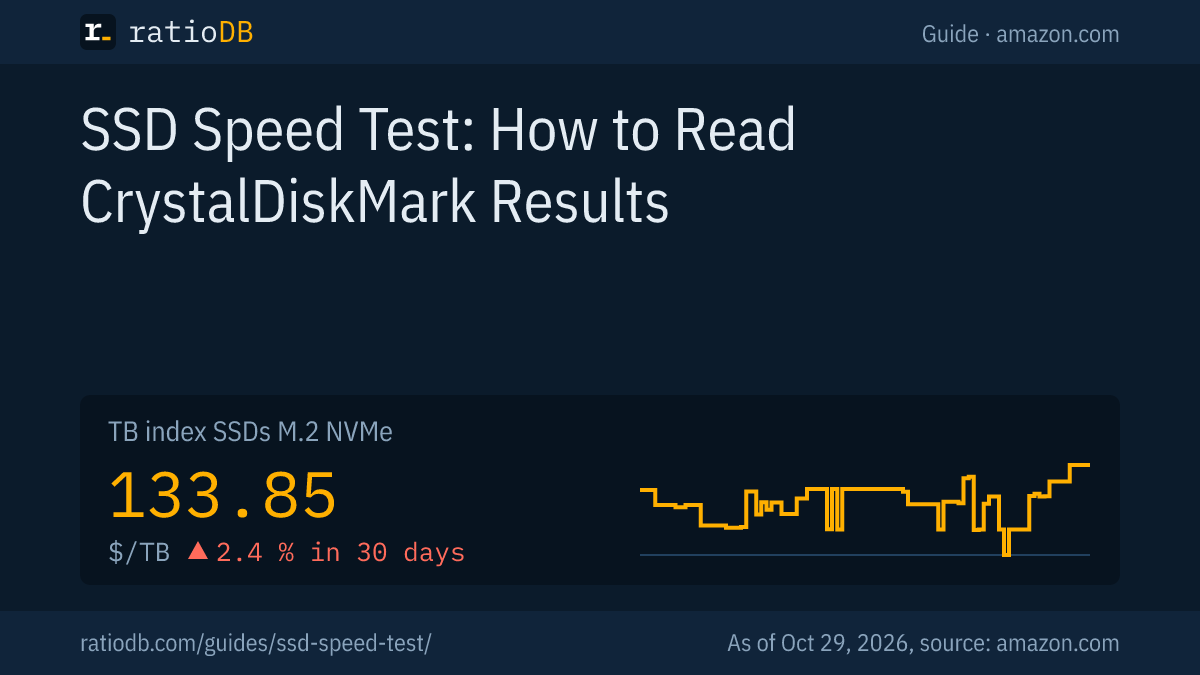
The cheapest PCIe 4.0 NVMe SSD on amazon.com currently costs $124.50 per TB (Crucial E100 2 TB). The cheapest 2.5 inch SATA SSD comes in at $117.49 per TB. The TB index for M.2 NVMe SSDs stands at $133.85 per TB (as of Oct 29, 2026 at 1:17 PM UTC).
New SSDs on amazon.com by interface, well-known brands, as of Oct 29, 2026 at 1:17 PM UTC
| Interface | Interface limit | New offers | Cheapest per TB | Price per TB | Median per TB |
|---|---|---|---|---|---|
| SATA, 2.5-inch | about 600 MB/s | 19 | SP Silicon Power A55 Boost 7mm 2 TB: $234.97 (2 TB) | $117.49 | $194.99 |
| M.2 SATA | about 600 MB/s | 5 | WD Blue SA510 2 TB: $269.98 (2 TB) | $134.99 | $311.05 |
| NVMe PCIe 3.0 x4 | about 4 GB/s | 7 | Adata Legend 710 1 TB: $146.99 (1 TB) | $146.99 | $181.58 |
| NVMe PCIe 4.0 x4 | about 8 GB/s | 35 | Crucial E100 2 TB: $249.00 (2 TB) | $124.50 | $200.00 |
| NVMe PCIe 5.0 x4 | about 16 GB/s | 10 | WD Black SN8100 4 TB: $699.99 (4 TB) | $175.00 | $206.48 |
We assign the generation based on the listing title. Models without a generation in the title are left out of the NVMe rows. At the median, a PCIe 4.0 NVMe SSD costs about 2.6% more per TB than a 2.5 inch SATA SSD ($200.00 vs $194.99). PCIe 5.0 costs another 3.2% or so more than PCIe 4.0 at the median ($206.48 vs $200.00).
At 1 TB, the cheapest SATA SSD currently costs $119.67 (SP Silicon Power A55 Boost 1 TB) and the cheapest PCIe 4.0 NVMe SSD $149.99 (Patriot P400 Lite 1 TB), the cheapest PCIe 5.0 model $208.45 (Crucial P510 1 TB). If your motherboard has a free M.2 slot, NVMe is usually the better choice. In older PCs and laptops with a 2.5 inch bay, SATA remains the right fit.
You can find all offers under M.2 NVMe SSDs, internal 2.5 inch SATA SSDs and M.2 SATA SSDs.
Are there alternatives to CrystalDiskMark?
Yes. On Windows, the built-in "winsat disk" command measures reads and writes, run from an elevated command prompt. On a Mac, there is the free Blackmagic Disk Speed Test from the App Store. Both give different numbers than CrystalDiskMark, so only compare results from the same program.
How to use the alternatives:
- winsat disk (Windows): Open the command prompt as administrator and enter, for example, winsat disk -seq -read -drive c. According to Microsoft, -seq measures sequential, -ran random, -read reads and -write writes. Write the drive letter without a colon.
- Blackmagic Disk Speed Test (Mac): The app by Blackmagic Design is free according to the App Store and requires macOS 10.13 or later. It writes large blocks of data to the drive, reads them back and shows read and write speed continuously. It is built for video work and helps check whether a drive is fast enough for high-quality video.
- Measure modes in CrystalDiskMark: According to Crystal Dew World, the program offers the modes Peak, Real World and Demo. Only compare results within the same mode.
Keep in mind with every program: a speed test tells you nothing about the health of the SSD. Check that with the SMART values, as described in the guide Check drive health.
Will I notice the difference between fast and very fast SSDs?
When copying large files, yes. Day to day, often less. According to Digital Citizen, booting and app launches depend mostly on small accesses, so on RND4K Q1T1, and those are far below the sequential numbers on every SSD. The biggest jump is going from a hard drive to an SSD.
For comparison: even the Seagate Exos 7E10 server hard drive reads at most 215 MB/s with SATA and 236 MB/s with SAS in sequence, according to its data sheet, less than half of a SATA SSD. Going from SATA to NVMe, you notice the difference mostly with large files, for example when installing games or editing video. Whether PCIe 5.0 is worth the extra cost is covered in the PCIe 5.0 SSD guide. Gamers will find tips in the guide Gaming SSD, and the difference between memory cell types is explained in the guide QLC vs TLC.
How does ratioDB compare SSDs?
ratioDB regularly pulls the amazon.com prices for every listed SSD and converts them to price per TB, with 1 TB equal to 1,000,000,000,000 bytes. The TB index is the median of the 10 cheapest new offers in a form factor.
The table in this guide only shows new single units from well-known brands. We take the PCIe generation from the listing title, and speed figures come from manufacturer data sheets. Used and refurbished offers are labeled and never count toward the index. ratioDB does not benchmark SSDs itself. All rules are on the Methodology page, all SSDs under SSD prices per TB.
Frequently asked questions about SSD speed tests
Which number in CrystalDiskMark matters most?
For peak speed, SEQ1M Q8T1 matters, and that is the number to compare with the data sheet. For everyday feel, meaning booting and opening programs, RND4K Q1T1 matters. That number is much lower on every SSD, which is normal.
Is CrystalDiskMark free?
Yes. According to Wikipedia, CrystalDiskMark is an open source program by Noriyuki Miyazaki and is available for free at crystalmark.info. It runs on Windows.
Does a speed test harm my SSD?
A single test does no harm. Crystal Dew World does point out that CrystalDiskMark can shorten the life of SSDs and USB flash drives, because every run writes data. So test on purpose and not constantly.
How fast is a good NVMe SSD?
With PCIe 4.0, current top models read up to about 7,450 MB/s, for example the Samsung 990 PRO according to its data sheet. With PCIe 5.0 it is up to 14,900 MB/s, for example the WD_BLACK SN8100 according to Sandisk. Cheaper models list lower numbers.
Why is my NVMe SSD only as fast as PCIe 3.0?
Usually it sits in a PCIe 3.0 slot or a slot with a narrower connection. Your motherboard manual tells you which M.2 slot runs at which generation. PCIe 3.0 x4 tops out at about 4 GB/s.
Why does my SSD suddenly write slower?
Most likely the SLC cache is full. On the 250 GB and 500 GB Samsung 870 EVO, write speed then drops to about 300 MB/s according to the data sheet. An almost full SSD often has a smaller cache.
Can I test speed without extra software?
Yes, on Windows with the winsat disk command in an elevated command prompt, for example winsat disk -seq -read -drive c. On a Mac, you need an app such as the free Blackmagic Disk Speed Test.
Sources
- Crystal Dew World: CrystalDiskMark, version, systems and notes
- Wikipedia: CrystalDiskMark, developer and license
- Digital Citizen: What the CrystalDiskMark numbers mean
- Microsoft: winsat disk, commands and permissions
- Apple App Store: Blackmagic Disk Speed Test
- SATA-IO: SATA 6Gb/s, theoretical maximum (PDF)
- Tom's Hardware: PCIe generations and bandwidth
- Samsung: 870 EVO data sheet (PDF), 990 PRO data sheet (PDF), 970 EVO Plus announcement, 2019
- Sandisk: WD_BLACK SN8100 announcement, 2025
- Transcend: Dynamic thermal throttling
- Advantech: SSD performance with SLC cache
- Seagate: Exos 7E10 data sheet (PDF)
- ratioDB: amazon.com prices, Methodology