Best Internal Hard Drive 2026: Which HDD Should You Buy?
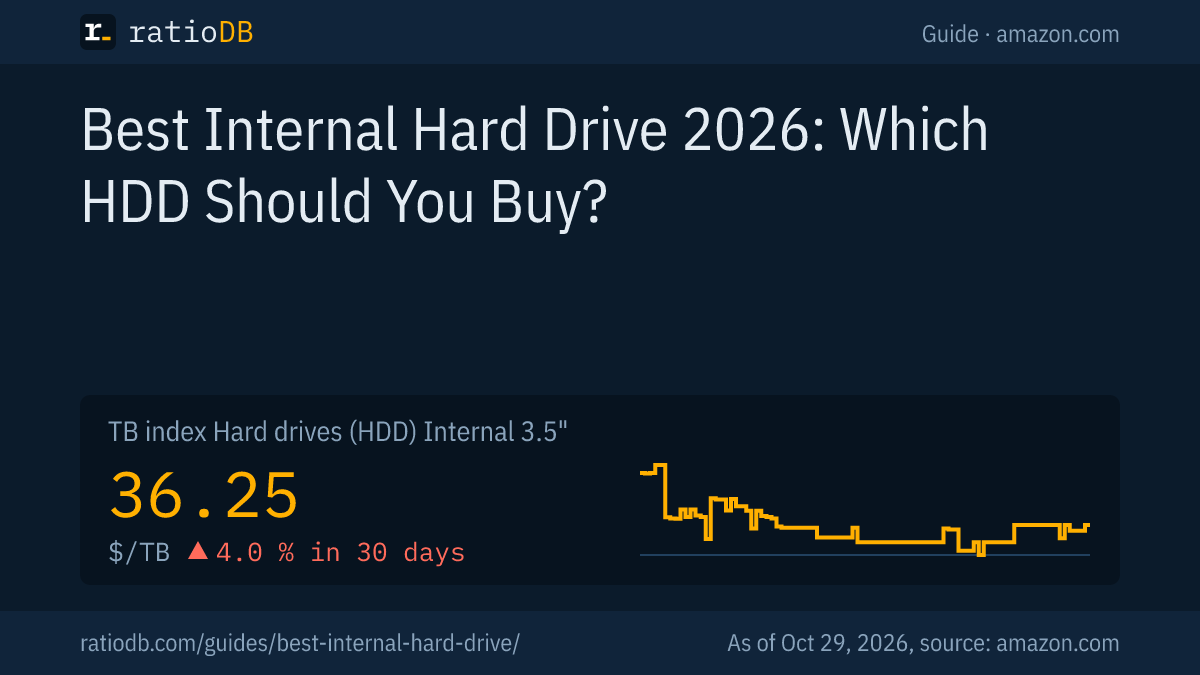
The best internal hard drive (HDD, hard disk drive) is the series built for your workload at the lowest price per TB. On amazon.com, internal 3.5-inch drives cost $36.25 per TB according to the ratioDB TB index (as of Oct 29, 2026 at 5:17 AM UTC). Seagate BarraCuda and WD Blue cover desktop PCs, WD Red Plus, Seagate IronWolf and Toshiba N300 cover NAS boxes.
This guide sorts the well-known Seagate, Western Digital and Toshiba series by use case. Every spec comes from the manufacturer's datasheet, every price live from the ratioDB database. ratioDB does not benchmark drives. We pair datasheets with price per TB so you can see how much storage your money buys.
What is the best internal hard drive to buy?
Buy the series designed for your use case, in the capacity with the lowest price per TB. A desktop series such as Seagate BarraCuda is enough for a PC. A NAS that runs around the clock needs a NAS series with CMR recording and a workload rating of at least 180 TB per year.
Four steps to the right internal hard drive:
- Pick the use case: desktop, NAS, video surveillance or server. Manufacturers rate each series for a number of power-on hours, desktop drives such as BarraCuda for 2,400 hours per year.
- Pick the capacity: plan for 3 to 5 years of data. Large drives usually cost less per TB than small ones.
- Read the datasheet: workload rate (data per year), warranty, spindle speed and CMR or SMR recording are listed per model.
- Compare price per TB: capacities within one series differ a lot per TB. ratioDB sorts every offer that way.
Among drives with a known datasheet series, the cheapest new internal 3.5-inch drive per TB on amazon.com right now is Seagate BarraCuda 8 TB at $33.63 per TB ($269.00 for 8 TB). The lowest price per TB does not always fit the job, so check the use case first.
Which hard drive series fits which use case?
Desktop series such as Seagate BarraCuda and WD Blue are built for PCs. NAS series such as WD Red Plus, Seagate IronWolf and Toshiba N300 are built for always-on network storage. Surveillance series such as SkyHawk and WD Purple record video streams, and enterprise drives such as Seagate Exos run in servers 24/7.
The table lists a datasheet reference value per use case and the cheapest new drive per TB that ratioDB tracks on amazon.com.
Internal 3.5-inch hard drives by use case, with manufacturer data and the cheapest new offer on amazon.com, as of Oct 29, 2026 at 5:17 AM UTC
| Use | Example per datasheet (workload per year, warranty) | Cheapest drive per TB | Price per TB |
|---|---|---|---|
| Desktop PC and games | BarraCuda: 55 to 120 TB, 2 years | Seagate BarraCuda 8 TB: $269.00 | $33.63 |
| NAS up to 8 bays | WD Red Plus: 180 TB, 3 years | Synology Plus HAT3310 16 TB: $694.66 | $43.42 |
| Pro NAS, 24/7 | IronWolf Pro: 550 TB, 5 years | Toshiba N300 Pro 12 TB: $529.99 | $44.17 |
| Surveillance | SkyHawk: 180 TB, 3 years | Seagate SkyHawk AI 14 TB: $635.00 | $45.36 |
| Server and enterprise | Exos X22: 24/7, 5 years | Toshiba MG07ACA 12 TB: $469.99 | $39.17 |
Western Digital defines the workload rate as the amount of user data transferred to or from the drive, annualized to a full year (WD Red Plus datasheet). Reads and writes both count. A drive that regularly runs above its rating leaves the range the manufacturer designed it for.
The series at a glance:
- Desktop and gaming: Seagate BarraCuda goes up to 24 TB with a 2-year warranty. WD Blue reaches 12 TB, also with 2 years. WD_BLACK offers up to 10 TB at 7,200 RPM with a 5-year warranty.
- NAS up to 8 bays: WD Red Plus, Seagate IronWolf and Toshiba N300 are rated for 180 TB per year with a 3-year warranty. Toshiba lists the N300 up to 22 TB.
- Pro NAS: WD Red Pro and Seagate IronWolf Pro are rated for 550 TB per year, unlimited bays and a 5-year warranty. WD lists the Red Pro up to 26 TB.
- Surveillance: Seagate SkyHawk and WD Purple are rated for 180 TB per year in 24/7 recording. Seagate says SkyHawk supports up to 64 cameras.
- Server: the Seagate Exos X22 offers 22 TB, helium sealing, a 2.5 million hour MTBF and a 5-year warranty at 8,760 power-on hours per year.
For a deeper look at NAS drives, see best NAS hard drive. The two big NAS lines go head to head in WD Red vs IronWolf, and Exos gets its own page in Seagate Exos vs IronWolf.
How much does an internal hard drive cost per TB right now?
Internal 3.5-inch hard drives cost $36.25 per TB on amazon.com according to the TB index, +4.0% over 30 days. The TB index is the median of the 10 cheapest new offers. Internal 2.5-inch drives sit at $55.62 per TB.
For a desktop PC, Seagate BarraCuda 8 TB is the cheapest desktop drive per TB at $33.63. In the NAS class up to 8 bays, Synology Plus HAT3310 16 TB leads at $43.42 per TB. Among the pro series, Toshiba N300 Pro 12 TB is cheapest at $44.17 per TB.
Hard drives have become more expensive since 2025. Trends, causes and analyst forecasts are covered in hard drive prices, and the hard drive price history chart shows the daily index. Every offer with price per TB is in the list Internal 3.5" hard drives.
Which capacity is cheapest per TB?
Mid and large capacities between 8 and 24 TB are usually the cheapest per TB. Small 4 TB drives often cost much more per TB because the case, motor and electronics cost about the same at every size.
Cheapest new internal 3.5-inch hard drive per capacity on amazon.com, as of Oct 29, 2026 at 5:17 AM UTC
| Capacity | Cheapest internal 3.5" drive | Price | Price per TB | Recording |
|---|---|---|---|---|
| 4 TB | WD Blue 4 TB | $179.99 | $45.00 | CMR |
| 8 TB | Seagate BarraCuda 8 TB | $269.00 | $33.63 | SMR |
| 12 TB | Toshiba MG07ACA 12 TB | $469.99 | $39.17 | CMR |
| 16 TB | Synology Plus HAT3310 16 TB | $694.66 | $43.42 | CMR |
| 24 TB | WD Red Pro 24 TB | $1,899.99 | $79.17 | CMR |
The recording column shows CMR or SMR from the datasheet of that exact model number, n/a means the datasheet does not say. One large drive is usually cheaper per TB than 2 small ones and needs only 1 bay and 1 power connector. All your data then sits on 1 drive, so a backup is a must either way.
Every offer of one size is on our size pages, for example 8TB hard drive. The very largest drives on sale are the subject of a separate guide to the largest hard drives.
What do workload rate, MTBF and warranty mean?
The workload rate is the yearly data volume a drive is designed for. MTBF (mean time between failures) is a statistical figure for a large population of drives. The warranty is the number of years the manufacturer replaces a failed drive.
Workload rate, MTBF and warranty of popular series per datasheet
| Series | Workload per year | MTBF | Warranty |
|---|---|---|---|
| Seagate BarraCuda 3.5" | 55 to 120 TB | not stated | 2 years |
| WD Blue | not stated | not stated | 2 years |
| WD Red Plus | 180 TB | 1 million hours | 3 years |
| Toshiba N300 | 180 TB | 1 to 1.2 million hours (MTTF) | 3 years |
| Seagate SkyHawk | 180 TB | 1 million hours | 3 years |
| Seagate IronWolf Pro | 550 TB | 2 to 2.5 million hours | 5 years |
| WD Red Pro | 550 TB | 2 to 2.5 million hours | 5 years |
| Seagate Exos X22 | not stated | 2.5 million hours | 5 years |
Sources: Seagate BarraCuda, WD Blue, WD Red Plus, Toshiba N300, Seagate SkyHawk, Seagate IronWolf Pro, WD Red Pro, Seagate Exos X22.
Western Digital states that MTBF does not predict an individual drive's reliability and does not constitute a warranty. WD bases the figure on 90 TB per year and a 40 °C drive temperature. How long drives last in practice is covered in how long do hard drives last.
The warranty is the most tangible number for a buying decision. 5 years instead of 2 means 3 more years of free replacement. You usually pay for that through a higher price per TB on the pro series, and the use case table above shows today's gap.
Is Seagate or WD more reliable?
Seagate and Western Digital publish nearly identical ratings for comparable series. WD Red Plus and Seagate IronWolf are both rated for 180 TB per year, 1 million hours MTBF and a 3-year warranty, WD Red Pro and IronWolf Pro both for 550 TB per year and 5 years.
The datasheets give no reason to prefer one brand over the other within the same class. The bigger difference lies between classes: a desktop drive rated for 2,400 power-on hours a year is not designed for a NAS that runs 8,760 hours. Toshiba sits at the same level with the N300 (180 TB per year, 3 years). If you want field data from thousands of drives instead of datasheet values, the hard drive lifespan guide summarizes the large published failure statistics.
Do I need CMR or is SMR fine?
CMR (conventional magnetic recording) writes tracks side by side, SMR (shingled magnetic recording) overlaps them like roof shingles. CMR is the safe choice for a NAS and for many small writes. SMR is often fine for a data drive in a desktop PC.
On Seagate BarraCuda, the recording method depends on capacity: per the datasheet, the 16, 20 and 24 TB models use CMR and the 1 to 8 TB models use SMR. On WD Blue, nearly every model number uses CMR, the 2 TB WD20EZBX uses SMR. Every NAS series in the table above uses CMR per the manufacturer.
The cheapest CMR drive per TB right now is Toshiba MG07ACA 12 TB at $39.17, the cheapest SMR drive is Seagate BarraCuda 8 TB at $33.63 per TB. CMR costs 16.5% more per TB. How SMR works and how to spot it is explained in CMR vs SMR.
Do spindle speed and cache matter?
Spindle speed sets how fast the platter passes under the read head. Drives at 7,200 RPM are faster than 5,400 RPM drives but draw more power. Cache is a small buffer of 64 to 512 MB that speeds up short bursts of access.
The Seagate BarraCuda datasheet shows the trade-off:
| Model | Spindle speed | Cache | Max sustained rate | Operating power |
|---|---|---|---|---|
| BarraCuda 4 TB (ST4000DMZ04) | 5,400 RPM | 256 MB | 190 MB/s | 3.7 W |
| BarraCuda 2 TB (ST2000DMZ08) | 7,200 RPM | 256 MB | 220 MB/s | 5.1 W |
| BarraCuda 24 TB (ST24000DM001) | 7,200 RPM | 512 MB | 190 MB/s | 8.9 W |
The sustained rate is a peak at the outer edge of the platter. For comparison, a SATA SSD such as the Samsung 870 EVO reads up to 560 MB/s per its datasheet over the same 6 Gb/s connection. Any spindle speed is fine for photos, video, backups and game libraries. The operating system belongs on an SSD, because a hard drive has to move its read head for every access. Seagate lists an average seek time below 8.5 to 9.5 milliseconds for its FireCuda 3.5-inch drives.
Power matters most in always-on systems. Per the datasheet, the 24 TB BarraCuda idles at 6.7 W and the 4 TB model at 2.5 W. In a PC that runs a few hours a day this barely shows. In a NAS running 24/7, a 4 W difference adds up to about 35 kWh per year.
Should I buy a 3.5-inch or a 2.5-inch internal drive?
Desktop PCs, NAS boxes and servers take internal 3.5-inch drives, older laptops take 2.5-inch drives. 3.5-inch models offer more capacity and cost much less per TB. 2.5-inch models are smaller and lighter.
Seagate lists the 2.5-inch BarraCuda up to 5 TB. The 3 to 5 TB models are 15 mm tall and do not fit many laptops, the models up to 2 TB are 7 mm tall. Every 2.5-inch BarraCuda uses SMR per the datasheet (BarraCuda 2.5-inch datasheet).
The cheapest new internal 2.5-inch drive per TB right now is Seagate BarraCuda 5 TB at $48.96 per TB. Internal 2.5-inch drives sit at $55.62 per TB on the TB index, internal 3.5-inch drives at $36.25. In a laptop, an SSD is almost always the better choice today. All models are in the list Internal 2.5" hard drives.
Is a NAS or enterprise drive worth it in a desktop PC?
A NAS or enterprise drive works in any PC with a SATA port. It is worth it when it costs no more per TB than a desktop drive, or when you want the longer warranty. Noise can be a downside, because many of these drives spin at 7,200 RPM.
Seagate rates the BarraCuda for 2,400 power-on hours per year and the IronWolf Pro for 8,760, so around the clock. A desktop rarely uses that headroom. A pro or enterprise drive can still be the smarter buy: the cheapest pro NAS drive costs $44.17 per TB right now, the cheapest desktop drive $33.63. When the gap is small, you get 5 years of warranty instead of 2 for little extra.
Enterprise drives with a SAS interface do not plug into a normal SATA port. They need a SAS controller, and ratioDB lists them separately under Internal SAS hard drives. With Exos and Ultrastar, look for SATA in the model number or datasheet.
Surveillance drives are tuned for many simultaneous video streams. The differences are explained in surveillance hard drive.
Internal hard drive or SSD: which makes more sense?
An SSD is the better choice for the operating system, programs and games, an internal hard drive for large amounts of data. 2.5-inch SATA SSDs cost $122.93 per TB on amazon.com according to the TB index, about 3.4 times as much as an internal 3.5-inch hard drive.
The most sensible split in a PC is an SSD for system and programs plus a hard drive for photos, video, music and backups. You get short load times and lots of storage at a low price per TB. The full comparison of speed, lifespan and power is in SSD vs HDD. Every 2.5-inch SATA SSD is in the list Internal SSD (2.5" SATA).
What do I need to do after installing a new hard drive?
A new internal hard drive only shows up in File Explorer after you initialize, partition and format it in Disk Management. GPT is the default partition style per Microsoft, and GPT supports volumes larger than 2 TB.
Microsoft Learn lists these steps for a new, empty disk:
- Open Disk Management: search the Start menu for Create and format hard disk partitions and run it as administrator.
- Bring the disk online: if the new disk shows Offline, right-click it and select Online.
- Initialize: right-click the disk, select Initialize Disk, confirm the correct disk is selected and keep the default GPT.
- Create a volume: right-click the unallocated space, select New Simple Volume, accept the full size, pick a drive letter and usually NTFS, then finish.
Warning: Microsoft notes that initialization erases all data on the disk. Never select a drive that already holds data, and check the size and disk number before you click OK (Microsoft Learn: Initialize new disks).
Separate guides cover partitioning and formatting a drive. If the drive stays invisible after installation, check the SATA data and power cables and the BIOS first. For external drives there is external hard drive not showing up.
What should I look for when buying an internal hard drive?
Check use case, capacity, price per TB, warranty and condition. In the datasheet, look at workload rate, CMR or SMR and the SATA interface. A drive sold without the manufacturer's warranty can end up costing more despite a low price if it fails.
The key points:
- Series and use case: desktop for a PC, NAS for 24/7, surveillance for video recorders, enterprise for servers.
- Capacity: 8 TB and up are often cheaper per TB than 4 TB.
- Warranty: 2 years on desktop series, 3 years on NAS and surveillance series, 5 years on pro and enterprise series per datasheet.
- Interface: SATA for PCs and NAS, SAS only with a matching controller.
- Condition: ratioDB labels new, refurbished and used offers. What to watch for is covered in refurbished hard drives.
- Reseller brands: this guide only shows drives sold under the manufacturer's name. Reseller brands without a datasheet stay in the list but not in the tables here.
After installation, check a new drive with the manufacturer's tool or its SMART values. A separate guide explains how to check hard drive health.
How does ratioDB compare internal hard drives?
ratioDB pulls amazon.com prices for every listed hard drive at regular intervals and converts them into price per TB, with 1 TB equal to 1,000,000,000,000 bytes. The TB index is the median of the 10 cheapest new offers per drive type.
Series, spindle speed, cache and CMR or SMR are matched per model number from the manufacturer's datasheet. Where the datasheet is silent, the table shows n/a. We do not run our own measurements. New, refurbished and used are never mixed in one calculation, and the TB index uses new offers only. Every rule is on the methodology page, every drive under Hard drive prices per TB.
Internal hard drive FAQ
What is the best internal hard drive?
The best internal hard drive is the series that matches your use case, at the lowest price per TB. A desktop series such as Seagate BarraCuda is enough for a PC. A NAS running 24/7 needs a CMR NAS series such as WD Red Plus, IronWolf or Toshiba N300.
How much does an internal hard drive cost?
On amazon.com the TB index for internal 3.5-inch hard drives is $36.25 per TB right now (as of Oct 29, 2026 at 5:17 AM UTC). An 8 TB drive therefore costs roughly 8 times that figure. Large drives are often cheaper per TB than small ones.
Which brand of internal hard drive is best?
Seagate, Western Digital and Toshiba publish very similar ratings for comparable series. WD Red Plus, IronWolf and N300 are all rated for 180 TB per year with 3 years of warranty. Series and price per TB matter more for your choice than the brand.
Which lasts longer, an SSD or an HDD?
Manufacturers do not publish a fixed lifespan for either. Hard drive warranties run 2 to 5 years depending on the series. SSDs list a TBW write limit as well. Our lifespan guides for hard drives and SSDs summarize the published field data.
Can I use a NAS drive in my PC?
Yes. NAS drives use the same SATA connection as desktop drives and work in any PC. They are built for 24/7 operation and often carry 3 or 5 years of warranty. If a NAS drive costs no more per TB, nothing speaks against it.
Why doesn't Windows show my new hard drive?
A new drive has to be initialized and formatted in Disk Management first, with GPT as the default partition style. Initialization erases all data, so only use it on new or empty drives.
Do I need 5,400 or 7,200 RPM?
5,400 RPM is enough for data storage, backups and media. 7,200 RPM is faster but louder and draws more power. For the operating system and programs, any SSD is faster than any hard drive.
Sources
- Seagate: BarraCuda 3.5-inch datasheet, BarraCuda 2.5-inch datasheet, IronWolf Pro datasheet, SkyHawk datasheet, Exos X22 datasheet, FireCuda 3.5-inch datasheet
- Western Digital: WD Blue datasheet, WD_BLACK datasheet, WD Red Plus datasheet, WD Red Pro datasheet, WD Purple datasheet
- Toshiba: N300 datasheet
- Samsung: 870 EVO datasheet
- Microsoft Learn: Initialize new disks
- ratioDB: amazon.com prices, methodology, hard drive price history