PCIe 5.0 SSD 2026: Speeds, Prices and Is It Worth It?
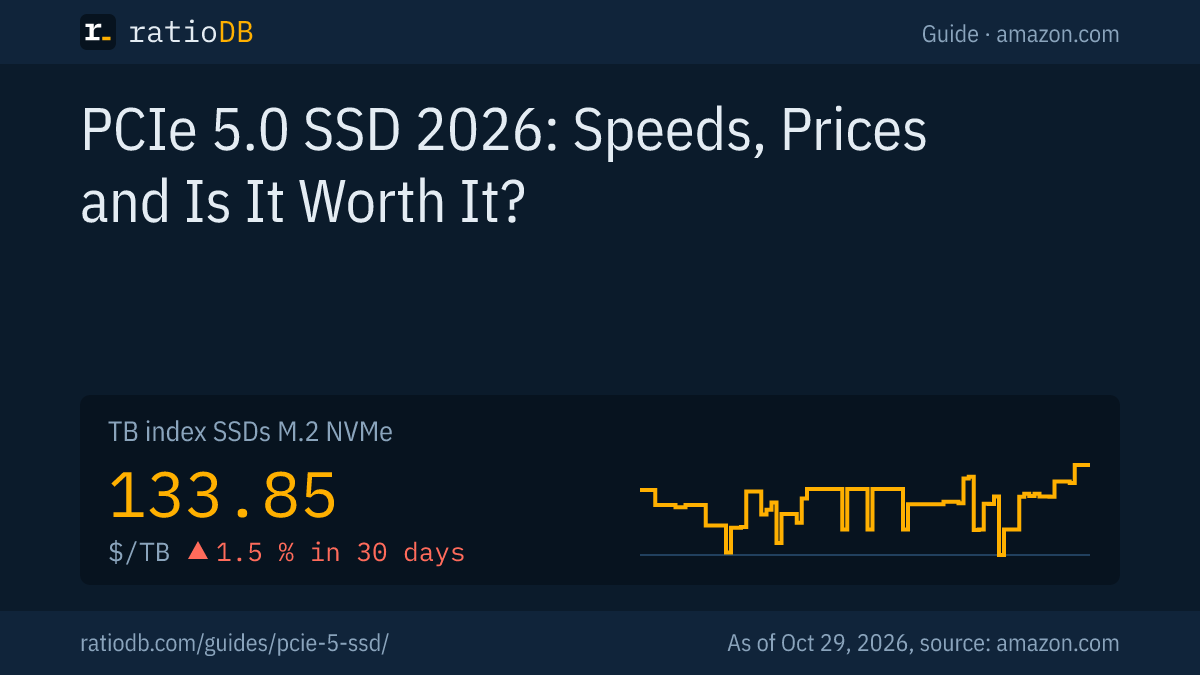
A PCIe 5.0 SSD is an M.2 NVMe drive connected over 4 lanes of the fifth PCI Express generation, rated at up to 14,900 MB/s reads by drives such as the WD_BLACK SN8100, Crucial T710 and Samsung 9100 PRO. ratioDB tracks 10 new PCIe 5.0 SSDs from established brands on amazon.com, and the cheapest per TB is WD Black SN8100 4 TB at $175.00 (as of Oct 29, 2026 at 11:17 AM UTC).
This guide covers how much faster PCIe 5.0 is on paper, which motherboards support it, what cooling and power it needs, and how big the premium over PCIe 4.0 is right now. Speed figures come from the manufacturers, prices live from the ratioDB database. ratioDB does not benchmark SSDs.
What is a PCIe 5.0 SSD?
A PCIe 5.0 SSD moves data over PCI Express 5.0, the fifth generation of the link between the processor and components. PCI-SIG released PCIe 5.0 in May 2019 at 32 GT/s per lane, double PCIe 4.0. An M.2 SSD uses 4 of those lanes.
PCI-SIG is the industry group that maintains the PCI Express standard. Its press release from May 29, 2019 lists a 32 GT/s (gigatransfers per second) raw bit rate, up to 128 GB/s over 16 lanes, and backwards compatibility with PCIe 4.0, 3.x, 2.x and 1.x (PCI-SIG via Design And Reuse). A 4-lane SSD gets a quarter of that on paper.
NVMe (Non-Volatile Memory Express) is the protocol the SSD uses to talk to the system over PCI Express. M.2 is the form factor, most often 2280, meaning 22 mm wide and 80 mm long. A PCIe 5.0 SSD is simply the newest generation of M.2 NVMe drive. How NVMe compares with SATA is covered in NVMe vs SATA.
How fast are PCIe 5.0 SSDs?
The fastest PCIe 5.0 SSDs are rated at up to 14,900 MB/s read and 14,000 MB/s write. That is roughly double the best PCIe 4.0 drives: Samsung rates its 9100 PRO at two times the sequential speed of its 990 PRO.
Popular PCIe 5.0 lines with manufacturer ratings and the cheapest new offer on amazon.com, as of Oct 29, 2026 at 11:17 AM UTC
| Line | Read and write per manufacturer | Cheapest offer | Price per TB |
|---|---|---|---|
| WD_BLACK SN8100 | up to 14,900 and 14,000 MB/s | WD Black SN8100 4 TB: $699.99 | $175.00 |
| Crucial T710 | up to 14,900 and 13,800 MB/s | Crucial T710 2 TB: $476.37 | $238.19 |
| Samsung 9100 PRO | up to 14,800 and 13,400 MB/s | Samsung 9100 PRO 2 TB: $409.00 | $204.50 |
| Kingston FURY Renegade G5 | up to 14,800 and 14,000 MB/s | Kingston FURY Renegade G5 8.2 TB: $2,428.77 | $296.48 |
| Lexar NM1090 PRO | up to 14,400 and 13,400 MB/s | Lexar NM1090 PRO 2 TB: $359.99 | $180.00 |
| Crucial P510 | up to 11,000 and 9,500 MB/s | Crucial P510 1 TB: $208.45 | $208.45 |
The read and write figures are each line's best rating per the manufacturer, smaller capacities often write slower. The cheapest offer prefers the 2 TB model. If a line is missing, it had no new offer on amazon.com at our last price check.
The ratings in detail:
- WD_BLACK SN8100: up to 14,900 MB/s read, up to 14,000 MB/s write at 2 and 4 TB, DRAM cache, 1,200 TBW at 2 TB and a 5-year warranty per manufacturer specs (StorageReview, May 13, 2025).
- Crucial T710: up to 14,900 MB/s read and 13,800 MB/s write, 5-year warranty (Crucial T710).
- Samsung 9100 PRO: up to 14,800 MB/s read and 13,400 MB/s write, 14,700 MB/s read at 2 TB, 2 GB LPDDR4X cache, 1,200 TBW and a 5-year warranty (Samsung 9100 PRO).
- Kingston FURY Renegade G5: up to 14,800 MB/s read and 14,000 MB/s write at 4 TB, Silicon Motion SM2508 controller, 2 PB TBW at 2 TB and a 5-year warranty (Kingston, May 12, 2025).
- Lexar NM1090 PRO: up to 14,000 MB/s read at 1 to 4 TB and 14,400 MB/s at 8 TB, 1,400 TBW at 2 TB and a 5-year warranty (Lexar).
- Crucial P510: up to 11,000 MB/s read and 9,500 MB/s write, 5-year warranty (Crucial P510).
Peak figures apply to large sequential transfers. For small random reads, Samsung rates the 9100 PRO at up to 2,200,000 IOPS (input/output operations per second). Day to day, you notice the jump over PCIe 4.0 mostly when copying very large files.
How much does a PCIe 5.0 SSD cost right now?
The cheapest new PCIe 5.0 SSD per TB on amazon.com right now is WD Black SN8100 4 TB at $175.00 per TB ($699.99 for 4 TB). The median across all PCIe 5.0 SSDs from established brands is $206.48 per TB, for PCIe 4.0 it is $200.00.
New M.2 NVMe SSDs from established brands by PCIe generation on amazon.com, as of Oct 29, 2026 at 11:17 AM UTC
| Generation | New offers | Cheapest per TB | Price per TB | Median per TB |
|---|---|---|---|---|
| PCIe 5.0 | 10 | WD Black SN8100 4 TB: $699.99 | $175.00 | $206.48 |
| PCIe 4.0 | 35 | Crucial E100 2 TB: $249.00 | $124.50 | $200.00 |
| PCIe 3.0 | 7 | Adata Legend 710 1 TB: $146.99 | $146.99 | $195.25 |
We read the generation from the listing title. Drives such as the Samsung 990 EVO that list PCIe 4.0 x4 or PCIe 5.0 x2 count as PCIe 4.0, because 2 lanes do not deliver more speed. The median is the middle value of all offers in a generation, so it moves more than an index built from many offers.
By median, PCIe 5.0 costs 3.2% more per TB than PCIe 4.0 right now. Every M.2 NVMe SSD is in the list M.2 NVMe SSDs, and the SSD price history chart shows how the index has moved.
How much more does PCIe 5.0 cost than PCIe 4.0?
At 2 TB, the cheapest PCIe 5.0 SSD costs $359.99 right now and the cheapest PCIe 4.0 SSD $249.00. That makes the PCIe 5.0 premium $110.99. The gap depends on capacity, and the table shows it for 1, 2 and 4 TB.
Cheapest new PCIe 5.0 and PCIe 4.0 SSD per capacity on amazon.com, as of Oct 29, 2026 at 11:17 AM UTC
| Capacity | Cheapest PCIe 5.0 SSD | Cheapest PCIe 4.0 SSD | PCIe 5.0 premium |
|---|---|---|---|
| 1 TB | Crucial P510 1 TB: $208.45 | Patriot P400 Lite 1 TB: $149.99 | +$58.46 |
| 2 TB | Lexar NM1090 PRO 2 TB: $359.99 | Crucial E100 2 TB: $249.00 | +$110.99 |
| 4 TB | WD Black SN8100 4 TB: $699.99 | Crucial P3 Plus 4 TB: $669.77 | +$30.22 |
The cheapest PCIe 4.0 drives are often DRAM-less models that are slower than flagship drives. Compare against fast PCIe 4.0 models such as the Samsung 990 PRO as well, and the list shows every price. Which PCIe 4.0 models offer the best value right now is covered in best SSD. Every 2 TB model is on the 2TB NVMe SSD page.
Which motherboards support PCIe 5.0 SSDs?
On AMD, the X870E, X870, B850, X670E and X670 chipsets support an M.2 slot with PCIe 5.0 x4 per AMD, while B840 stops at PCIe 4.0. On Intel, the PCIe 5.0 M.2 slot hangs off the processor, for example on Z890 boards for Core Ultra (Series 2). Your motherboard manual has the final word.
AM5 chipset PCIe support per AMD
| Chipset | NVMe per AMD | Graphics per AMD |
|---|---|---|
| X870E | 1 × 4-lane PCIe 5.0 plus more | PCIe 5.0 |
| X870 | 1 × 4-lane PCIe 5.0 plus more | PCIe 5.0 |
| B850 | 1 × 4-lane PCIe 5.0 | PCIe 4.0 |
| B840 | 1 × 4-lane PCIe 4.0 | PCIe 4.0 |
| X670E | 1 × 4-lane PCIe 5.0 plus more | PCIe 5.0 |
| X670 | 1 × 4-lane PCIe 5.0 plus more | PCIe 4.0 |
Source: AMD AM5 chipsets. AMD adds that PCIe 5.0 is available on select motherboards. The chipset allows PCIe 5.0, but the board maker decides which M.2 slot actually gets it.
An Intel example shows what that means in practice: on the ASUS PRIME Z890-P, only the M.2_1 slot supports PCIe 5.0 x4, and it is wired to the Intel Core Ultra (Series 2) processor (ASUS PRIME Z890-P). The other M.2 slots run slower. Put a PCIe 5.0 drive in the wrong slot and you give away its speed.
Does a PCIe 5.0 SSD work in a PCIe 4.0 slot?
Yes. PCIe 5.0 is backwards compatible, so a PCIe 5.0 SSD runs in a PCIe 4.0 or 3.0 slot at the older generation's speed. Samsung states that such a drive runs only at the maximum speed of the PCIe 4.0 standard.
Samsung explains that hardware automatically adapts to the lower standard (Samsung: PCIe 4.0 vs 5.0, German). Samsung rates its PCIe 4.0 flagship 990 PRO at up to 7,450 MB/s and calls that near the maximum performance of PCIe 4.0 (Samsung 990 PRO). A PCIe 5.0 drive in a PCIe 4.0 slot is therefore barely faster than a good PCIe 4.0 drive, yet it costs more.
Buying PCIe 5.0 for an older PC only pays off if you plan to move the drive to a new system later. Otherwise the same money buys more capacity on PCIe 4.0.
Is a PCIe 5.0 SSD worth it for gaming?
Usually not. Samsung itself calls PCIe 4.0 absolutely sufficient for gaming, everyday use and value builds. Games mostly need space, and the PCIe 5.0 premium buys more capacity on PCIe 4.0.
Samsung sees PCIe 5.0 benefits for fast gaming rigs mainly in professional work such as video and AI. Crucial cites an advantage for the T710 with Microsoft DirectStorage on graphics cards that decompress data themselves, based on its own internal tests. Crucial does not say how many games use it. Which SSD fits gaming and consoles is covered in a separate guide to gaming SSDs and in best SSD for PS5.
Do PCIe 5.0 SSDs need a heatsink?
For full performance, yes, at least according to Crucial: it states that non-heatsink T710 drives must be installed with a motherboard or alternate heatsink to achieve optimal performance. Check whether your motherboard ships an M.2 heatsink for the PCIe 5.0 slot.
PCIe 5.0 SSDs draw 6 to 8.25 W under load per the manufacturers, and that heat has to go somewhere. When a heatsink is required, whether the motherboard cooler is enough and what a heatsink model costs extra is covered in SSD heatsink. Before buying, check whether a drive with its own heatsink fits under your board's cooler. If your motherboard has one, the cheaper version without a heatsink is enough.
How much power does a PCIe 5.0 SSD use?
A PCIe 5.0 SSD draws roughly 6 to 8.25 W under load per the manufacturers. Samsung lists an average of 8.1 W reading and 7.9 W writing for the 2 TB 9100 PRO, and Crucial rates the T710 at 8.25 W versus 11.25 W for the older T705.
Power draw under load per manufacturer
| SSD | Read | Write | Idle or sleep |
|---|---|---|---|
| Samsung 9100 PRO 2 TB | 8.1 W | 7.9 W | 4.8 mW |
| WD_BLACK SN8100 2 TB | 6.5 W | 7.0 W | 5 mW |
| Crucial T710 | 8.25 W (not split) | 8.25 W (not split) | not stated |
Sources: Samsung 9100 PRO, StorageReview on the SN8100, Crucial T710.
At idle, every model drops to a few milliwatts. In a desktop the power bill barely changes, but the load figure decides how much heat has to be removed. Samsung claims up to 49% better efficiency in MB/s per watt for the 9100 PRO over the 990 PRO.
Are there PCIe 5.0 SSDs for laptops?
Yes, if the laptop has an M.2 slot with PCIe 5.0. Crucial markets the P510 as compatible with Gen5 laptops and desktops. Samsung lists the 9100 PRO without heatsink at a maximum of 2.38 mm thick in the M.2 2280 format.
Whether your laptop supports PCIe 5.0 is in the manufacturer's spec sheet or manual. In a PCIe 4.0 laptop, a PCIe 5.0 SSD runs at PCIe 4.0 speed, just as in a desktop. For most laptops an efficient PCIe 4.0 drive is the better buy. What matters for laptop SSDs is covered in a separate guide to the best SSD for laptops.
What is the best PCIe 5.0 SSD?
On paper, the fastest PCIe 5.0 SSDs are the WD_BLACK SN8100 and Crucial T710 at up to 14,900 MB/s, closely followed by the Samsung 9100 PRO and Kingston FURY Renegade G5 at 14,800 MB/s. The Crucial P510 is slower at 11,000 MB/s and often cheaper.
Speed is only one factor, endurance and price per TB count too:
| Line | TBW at 2 TB per manufacturer | Warranty | Note per manufacturer |
|---|---|---|---|
| Kingston FURY Renegade G5 | 2,000 TB | 5 years | highest TBW in this list |
| Lexar NM1090 PRO | 1,400 TB | 5 years | 8 TB announced |
| WD_BLACK SN8100 | 1,200 TB | 5 years | up to 14,900 MB/s read |
| Samsung 9100 PRO | 1,200 TB | 5 years | 2 GB LPDDR4X cache |
| Crucial T710 | not on product page | 5 years | optional heatsink |
| Crucial P510 | not on product page | 5 years | Gen5 laptop compatible |
TBW (terabytes written) is the write volume the manufacturer covers under warranty. A few hundred TB is plenty for typical users, and how long SSDs really last is covered in SSD lifespan. Which line is cheapest per TB right now is in the live price table further up.
Who should buy a PCIe 5.0 SSD?
A PCIe 5.0 SSD makes sense if your motherboard has a PCIe 5.0 M.2 slot and you regularly move large files, for example editing 4K or 8K video, 3D rendering or working with AI models. PCIe 4.0 is enough for games, office work and the operating system.
Samsung names video, AI, data analysis and workstations as PCIe 5.0 use cases and calls PCIe 4.0 sufficient for gaming and everyday use. Decide in 4 steps:
- Check the slot: does your motherboard have an M.2 slot with PCIe 5.0 x4? Without one, PCIe 5.0 is pointless.
- Check the workload: if you often copy files of many GB at once, you gain from the doubled speed.
- Check the premium: if the gap to PCIe 4.0 is small at your capacity, take PCIe 5.0. If it is large, spend the money on more capacity.
- Check the cooling: a heatsink on the motherboard or the drive is part of the package.
How does ratioDB identify PCIe 5.0 SSDs?
ratioDB reads the PCIe generation from the amazon.com listing title, such as Gen5 or PCIe 5.0. Prices are converted into price per TB, with 1 TB equal to 1,000,000,000,000 bytes. The TB index is the median of the 10 cheapest new offers per SSD type.
The tables in this guide only include new single drives from established brands. If a title does not name the generation, the offer is missing from the generation table but stays in the list. The boxes with the cheapest offers and current lows show all M.2 NVMe SSDs, PCIe 4.0 included. We do not run our own measurements. Every rule is on the methodology page, and where SSD prices are heading is covered in SSD prices.
PCIe 5.0 SSD FAQ
How fast is a PCIe 5.0 SSD?
The fastest PCIe 5.0 SSDs are rated at up to 14,900 MB/s read, such as the WD_BLACK SN8100 and Crucial T710. The Samsung 9100 PRO reads up to 14,800 MB/s. That is roughly double the fastest PCIe 4.0 SSDs.
Can I put a PCIe 5.0 SSD in a PCIe 4.0 slot?
Yes. PCIe 5.0 is backwards compatible. The drive works in a PCIe 4.0 slot but only at PCIe 4.0 speed, which makes it barely faster than a good PCIe 4.0 SSD.
Is PCIe 5.0 worth it for gaming?
Usually not. Samsung calls PCIe 4.0 sufficient for gaming and everyday use. Games mostly need space, and the PCIe 5.0 premium buys more capacity on PCIe 4.0.
Which motherboards have PCIe 5.0 M.2 slots?
On AMD, the X870E, X870, B850, X670E and X670 chipsets support a PCIe 5.0 x4 M.2 slot per AMD, B840 does not. On Intel, the slot is wired to the processor, for example on Z890 boards. Your motherboard manual is the final word.
Does a PCIe 5.0 SSD need a heatsink?
For full performance, yes. Crucial states that non-heatsink T710 drives need a motherboard or alternate heatsink to reach optimal performance. Check whether your motherboard ships an M.2 heatsink.
How much does a PCIe 5.0 SSD cost?
The cheapest new PCIe 5.0 SSD per TB on amazon.com right now is WD Black SN8100 4 TB at $175.00 per TB (as of Oct 29, 2026 at 11:17 AM UTC). The median across PCIe 5.0 SSDs is $206.48 per TB.
Sources
- PCI-SIG: PCIe 5.0 press release (May 29, 2019) via Design And Reuse
- Samsung: 990 PRO 2 TB, 9100 PRO 2 TB, PCI Express 4.0 vs 5.0 (German)
- Crucial: T710, P510
- Kingston: FURY Renegade G5 (May 12, 2025)
- Lexar: NM1090 PRO
- StorageReview on the WD_BLACK SN8100 (May 13, 2025)
- AMD: AM5 chipsets, ASUS: PRIME Z890-P specifications
- ratioDB: amazon.com prices, methodology, SSD price history