Best NVMe enclosure: turn an M.2 SSD into an external drive
An NVMe enclosure is an external case with a USB-C port that turns an M.2 SSD into a portable SSD. A bridge chip such as the Realtek RTL9210B, the Realtek RTL9220 or the ASMedia ASM2464PD translates PCIe to USB at 10, 20 or 40 Gbps. The enclosure, the cable and your computer's port set the speed, and the slowest link wins.
This guide covers which M.2 SSD fits which enclosure, what speed you can realistically expect, whether a USB4 enclosure works on a Mac and with Thunderbolt and whether building your own beats buying a ready-made external SSD. The technical details come from the USB Implementers Forum (USB-IF), the body behind the USB standard, from chip maker ASMedia and from the data sheets of accessory maker Delock. ratioDB does not list enclosures, but it compares live amazon.com prices for the SSD that goes inside and for ready-made external SSDs (as of Oct 30, 2026 at 1:17 AM UTC).
What is an NVMe enclosure?
An NVMe enclosure is a small metal or plastic case with an M.2 slot inside and a USB-C port outside. Its bridge chip translates the SSD's PCIe signal into USB, which turns an internal M.2 SSD into a USB drive for any computer.
NVMe (Non-Volatile Memory Express) is the protocol modern SSDs use to talk to the processor over PCIe (Peripheral Component Interconnect Express), the fast internal link inside a PC. M.2 is the form factor, a 22 mm wide card. USB does not speak NVMe natively, which is why every enclosure needs a bridge chip.
Common reasons to buy one:
- Reuse an old SSD: after upgrading to a bigger drive, the old one becomes an external drive for backups or games.
- Fast storage on the go: offload photos and video from a laptop, carry projects between machines.
- Read a pulled SSD: an SSD from a broken laptop can be read on another computer through the enclosure, as long as the SSD itself works. An encrypted SSD also needs its key.
Which M.2 SSD fits an NVMe enclosure?
An NVMe enclosure takes an M.2 SSD with an M key or B+M key in the length the enclosure lists, usually 2230 to 2280. According to Delock, the number gives width and length in millimeters, so 2280 means 22 mm wide and 80 mm long. SATA SSDs only fit combo enclosures.
The key is the notch in the SSD's connector, and it shows which signal the SSD uses:
| Key | Signal according to Delock | Typical SSD | Works in an NVMe-only enclosure? |
|---|---|---|---|
| M key | PCIe x2 or x4 | NVMe SSD | yes |
| B+M key | SATA or PCIe, depending on the SSD | mostly M.2 SATA SSDs | only if the SSD uses PCIe |
| B key | SATA only | older M.2 SATA SSDs | no |
Dell notes that SATA SSDs tend to use the B key and PCIe x4 SSDs use the M key only. An NVMe-only enclosure therefore cannot read an M.2 SATA SSD, even if it fits physically. Combo enclosures such as Delock's 42004 and 42633 with the Realtek RTL9210B detect automatically whether a SATA or an NVMe SSD is installed, according to the maker.
Length decides whether the SSD can be secured:
| Form factor | Width | Length | Typically found in |
|---|---|---|---|
| 2230 | 22 mm | 30 mm | handhelds, compact laptops |
| 2242 | 22 mm | 42 mm | older laptops |
| 2260 | 22 mm | 60 mm | rare |
| 2280 | 22 mm | 80 mm | desktops, most laptops and consoles |
Delock lists all 4 lengths from 2230 to 2280 for its combo enclosures but only 2280 for its USB4 enclosure. Check the component height too: for the 42004 and 42633, Delock allows parts up to 1.5 mm tall on the module and supports double-sided SSDs. An SSD with a big heatsink will not fit a slim enclosure, so remove the heatsink first if the maker allows it.
How fast is an NVMe enclosure?
An NVMe enclosure runs as fast as the slowest link of enclosure, cable and computer port allows. According to the USB-IF, USB 3.2 defines 5, 10 and 20 Gbps, and USB4 goes up to 80 Gbps. ASMedia quotes peak real-world throughput of about 3800 MB/s for 40 Gbps USB4.
| Enclosure class | USB name | Example chip | Raw data rate | Real-world figure from the chip maker |
|---|---|---|---|---|
| 10 Gbps | USB 3.2 Gen 2 | Realtek RTL9210B | 1250 MB/s | not stated |
| 20 Gbps | USB 3.2 Gen 2x2 | Realtek RTL9220 | 2500 MB/s | about 2000 MB/s (ASMedia on USB 3.2) |
| 40 Gbps | USB4 | ASMedia ASM2464PD | 5000 MB/s | about 3800 MB/s |
The raw data rate is the line rate divided by 8 bits per byte. Protocol and encoding overhead take a share, so real numbers land lower. The USB-IF explains that USB 3.2 reaches 20 Gbps with 2 lanes of 10 Gbps each, so your computer needs a port that explicitly supports Gen 2x2.
USB 3.2 products are backward compatible and run at the best speed both sides support, according to the USB-IF. A 40 Gbps enclosure on a 10 Gbps port therefore runs at 10 Gbps. If your SSD's rated read speed is higher than what the enclosure can move, the enclosure is the bottleneck. What the USB names mean in detail and which cable each speed needs is explained in the guide USB 3.2 Gen 2 explained.
Which chip should a good NVMe enclosure have?
The bridge chip sets speed and compatibility. Delock lists the Realtek RTL9210B as a 10 Gbps chip that handles both NVMe and SATA SSDs. ASMedia calls its ASM2464PD the first USB4 device chip certified by the USB-IF, and it also works with Thunderbolt 3.
| Chip | Host side | SSD side | NVMe and SATA | Source |
|---|---|---|---|---|
| Realtek RTL9210B | USB 3.2 Gen 2, 10 Gbps | PCIe or SATA | yes, auto detection | Delock |
| Realtek RTL9220 | USB 3.2 Gen 2x2, 20 Gbps | PCIe 3.0 x4 | not stated | MEV Elektronik |
| ASMedia ASM2464PD | USB4, 40 Gbps | PCIe Gen4 | NVMe only (Delock USB4 enclosure) | ASMedia, Delock |
ASMedia says the ASM2464PD replaces 6 chips that used to sit on a Thunderbolt 3 device's board. The USB-IF certified it on April 14, 2023. You will usually find the chip in the enclosure's data sheet or product description. If it is missing, the speed on the box is your only clue.
20 Gbps enclosures are a special case: they only beat 10 Gbps on computers with a Gen 2x2 port. Check your laptop's or motherboard's spec sheet for explicit Gen 2x2 support before paying extra.
Does a USB4 NVMe enclosure work with a Mac and Thunderbolt?
Yes. The USB-IF states that USB4 supports Thunderbolt 3 hosts and devices, and ASMedia calls the ASM2464PD compatible with USB4, Thunderbolt 3 and traditional USB devices. Delock describes its USB4 enclosure as Thunderbolt 3 and 4 compatible.
USB4 is based on the Thunderbolt protocol specification that Intel contributed to the USB-IF. A USB4 enclosure therefore also runs on Thunderbolt 3 ports, Macs included, and on a regular USB-C port at that port's USB speed.
Simple enclosures work on a Mac too. For the 42004, Delock lists macOS 10.15.7 or later, Windows 8.1 and 10, Linux kernel 5.4 or later, ChromeOS and Android, and it needs a free USB-C or Thunderbolt 3 port. To move files between Mac and Windows, format the SSD as exFAT. More on Macs, Time Machine and suitable drives is in the guide best external hard drive for Mac.
Does an SSD get too hot in an NVMe enclosure?
An NVMe SSD heats up during long copies, and the enclosure has to carry that heat away. Delock uses aluminum housings, and the 42004 adds cooling fins and a thermal pad that connects the SSD to the case.
A thermal pad is a soft cushion that fills the gap between the SSD's chips and the metal, so heat flows into the case. Place it as the manual shows and peel off the protective film. Delock says its aluminum housing keeps the SSD at an optimum temperature.
When and why an SSD throttles under heat, and what a heatsink does about it, is covered in the guide SSD heatsink.
NVMe SSD plus enclosure or ready-made external SSD: which is cheaper?
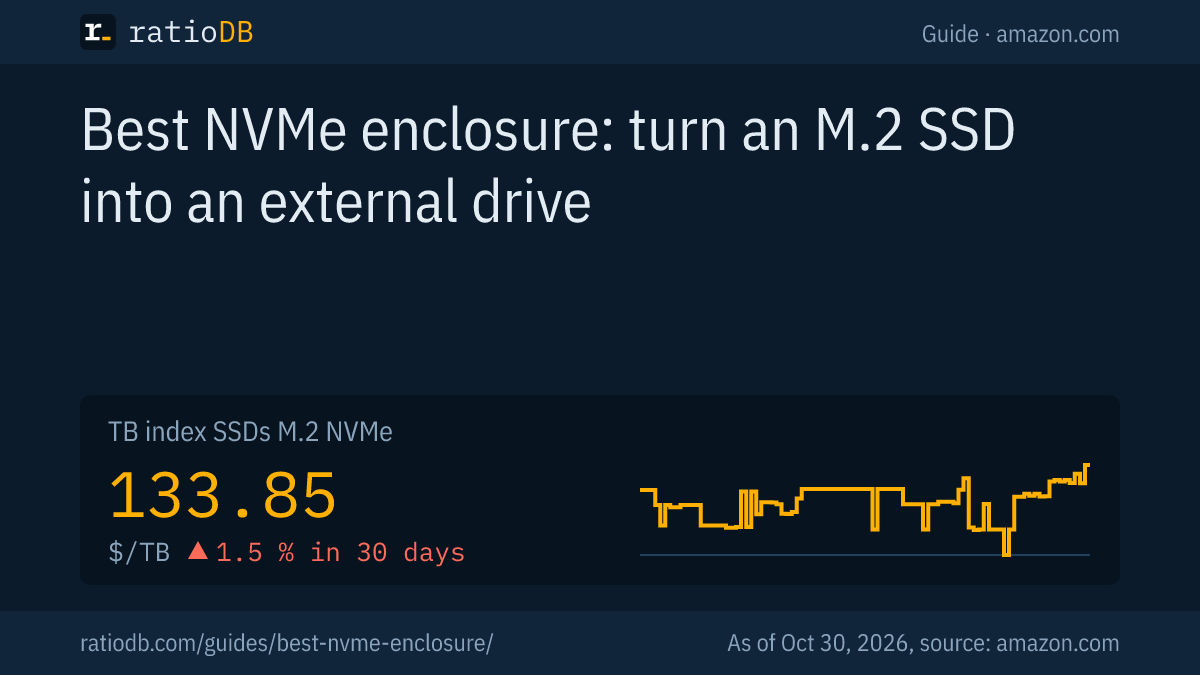
On amazon.com, an M.2 NVMe SSD currently costs $133.85 per TB according to the ratioDB TB index, a ready-made external SSD $123.49 per TB (as of Oct 30, 2026 at 1:17 AM UTC). External SSDs are even 7.7% cheaper, so building your own mostly pays off with an SSD you already own.
The table puts the cheapest new NVMe SSD next to the cheapest ready-made external SSD for each capacity. The last column shows how much money is left for the enclosure before DIY becomes the pricier option.
Cheapest NVMe SSD and ready-made external SSD by capacity on amazon.com, known brands, as of Oct 30, 2026 at 1:17 AM UTC
| Capacity | Cheapest NVMe SSD | Cheapest ready-made external SSD | Budget left for the enclosure |
|---|---|---|---|
| 500 GB | TeamGroup NV5000 500 GB: $89.99 | SanDisk Extreme 500 GB: $159.99 | $70.00 |
| 1 TB | KingSpec 1 TB: $145.97 | SanDisk 1 TB: $120.00 | external SSD $25.97 cheaper |
| 2 TB | KingSpec NX Series 2 TB: $246.99 | TeamGroup T-Force M200 2 TB: $249.99 | $3.00 |
| 4 TB | Crucial P3 Plus 4 TB: $669.77 | WD My Passport 4 TB: $719.99 | $50.22 |
Prices come live from the ratioDB database and cover new single drives from known brands. We do not track enclosure prices, so add the price of your enclosure yourself. At 2 TB, KingSpec NX Series 2 TB at $246.99 faces TeamGroup T-Force M200 2 TB at $249.99. If your enclosure costs less than $3.00, DIY is cheaper.
DIY has 2 advantages beyond price: you pick the SSD, for example a model with DRAM cache, and you can put it back into a PC later. A ready-made external SSD is ready to go with nothing to assemble. The cheapest NVMe SSD per TB right now is KingSpec NX Series 2 TB at $123.50 per TB (2 TB). Among ready-made external SSDs, SanDisk Desk 8 TB leads at $112.50 per TB (8 TB). For the long-term trend, see the SSD price history.
How do I install an SSD in an NVMe enclosure?
Installing takes a few minutes: open the case, slide the SSD into the M.2 slot at an angle, press it flat, secure it, add the thermal pad and close the case. For the 42633, Delock describes a tool-free design with a sliding lid and a rubber nub instead of a screw.
Step by step:
- Back up first: if the SSD holds files you need, copy them or make sure you will not format it later.
- Open the case: slide the lid off or remove the screws, depending on the model. Delock includes a screwdriver and mounting material with the 42004.
- Insert the SSD: slide the connector into the slot at an angle until it seats, then press it flat. The notch (key) shows which way it goes.
- Secure it: with a screw or holder, on the Delock 42633 with a rubber nub, according to the maker.
- Add the thermal pad: peel off the film and place the pad between the SSD and the lid.
- Close and connect: close the case and plug it in with the supplied cable. Delock ships its enclosures with a USB-C to USB-C cable.
A new, empty SSD usually shows up in Windows Disk Management as "Not Initialized". Only initialize it and create a new volume if the SSD is empty, because both steps make existing data inaccessible. What each status means is explained in the guide external hard drive not showing up.
What do I do with my old SSD after an upgrade?
In an NVMe enclosure, the old SSD becomes an external drive for backups, games or projects. An NVMe SSD needs an NVMe or combo enclosure, an M.2 SATA SSD needs a combo enclosure with SATA support, such as Delock's models with the Realtek RTL9210B.
Handle the old SSD like this:
- Check the form factor: read key and length, usually printed on the label or listed in the SSD's data sheet.
- Check the contents: if it was your old system drive, it still holds Windows and your files. Copy what you need before you reformat.
- Format: pick exFAT for use on both Windows and Mac, NTFS for Windows only.
How to install the new SSD in your PC or laptop is covered in the guide how to install an SSD. For compact enclosures with M.2 2230: the cheapest 2230 SSD per TB right now is Crucial P310 2 TB for $356.48 ($178.24 per TB).
What should I look for in an NVMe enclosure?
Check 5 things: supported interface (NVMe, SATA or both), SSD length, USB speed, your computer's port and a metal housing with a thermal pad. The enclosure's speed only helps if your computer can deliver it.
| Criterion | What to check | Why |
|---|---|---|
| Interface | NVMe, SATA or both | NVMe-only enclosures cannot read M.2 SATA SSDs |
| Length | 2230 to 2280 | USB4 enclosures often take 2280 only, per Delock |
| Speed | 10, 20 or 40 Gbps | the slowest link sets the pace |
| Computer port | USB-C with Gen 2, Gen 2x2, USB4 or Thunderbolt | 20 Gbps needs a Gen 2x2 port |
| Material | aluminum with thermal pad | carries the SSD's heat away |
Find drives for your enclosure under NVMe SSD and M.2 SATA, ready-made drives under external SSD. Sorted by size, there is 1 TB NVMe SSD, 2 TB NVMe SSD, 4 TB NVMe SSD and the SSD overview. Which ready-made external SSD costs the least per TB is compared in the guide best external SSD.
How does ratioDB compare SSDs?
ratioDB pulls amazon.com prices for every listed SSD at regular intervals and converts them to price per TB, with 1 TB equal to 1,000,000,000,000 bytes. The TB index is the median of the 10 cheapest new offers per product type.
M.2 NVMe SSDs, M.2 SATA SSDs and external SSDs sit in separate lists with their own index. Used offers are labeled and never count toward the index. ratioDB does not list enclosures, and the chip and enclosure details come from the linked data sheets. ratioDB does not test enclosures or SSDs. All rules are on the methodology page.
NVMe enclosure FAQ
Which SSD fits an NVMe enclosure?
An M.2 SSD with an M key or B+M key that uses NVMe, in the length the enclosure lists, usually 2230 to 2280. M.2 SATA SSDs only fit combo enclosures that explicitly support SATA.
How fast is a USB 3.2 Gen 2 NVMe enclosure?
USB 3.2 Gen 2 moves 10 Gbps according to the USB-IF, 1250 MB/s raw. Protocol and encoding overhead push the real number lower, so a faster SSD brings no gain on that port.
Does a USB4 enclosure work on a regular USB-C port?
Yes. The USB-IF says USB4 is compatible with USB 3.2 and USB 2.0 hosts. The enclosure then runs at the port's speed, so 10 Gbps on a Gen 2 port.
Do I need a driver for an NVMe enclosure?
Usually not. Delock calls its enclosures plug and play and lists Windows, macOS, Linux, ChromeOS and Android as supported. A new SSD still needs to be initialized and formatted once.
Can I boot from an SSD in an NVMe enclosure?
Delock lists its 42004 and 42633 enclosures as bootable. Whether your computer starts from a USB drive is up to its BIOS or UEFI, so check the boot order there.
Which cable do I need for an NVMe enclosure?
Use the cable that comes in the box. Delock ships its enclosures with a USB-C to USB-C cable. According to the USB-IF, USB4 reaches its top data rate only over cables certified for that speed, so a basic charging cable can hold the enclosure back.
Is an NVMe SSD plus enclosure cheaper than an external SSD?
On amazon.com, an NVMe SSD costs $133.85 per TB according to the TB index and a ready-made external SSD $123.49 per TB (as of Oct 30, 2026 at 1:17 AM UTC). The table above shows how much is left for the enclosure at each size.
Sources
- USB-IF: USB 3.2 Specification, USB4
- ASMedia via USB-IF: ASM2464PD USB4 device controller, first USB4 device certification (2023-05-17)
- Delock: data sheet combo enclosure 42004, data sheet combo enclosure 42633, The M.2 interface
- Dell: Differences between M.2 cards, slots, keys and sizes
- MEV Elektronik: Realtek USB to SATA and PCIe bridges (German)
- ratioDB: amazon.com prices, methodology