M-DISC: How long does it last and what does 1 TB cost?
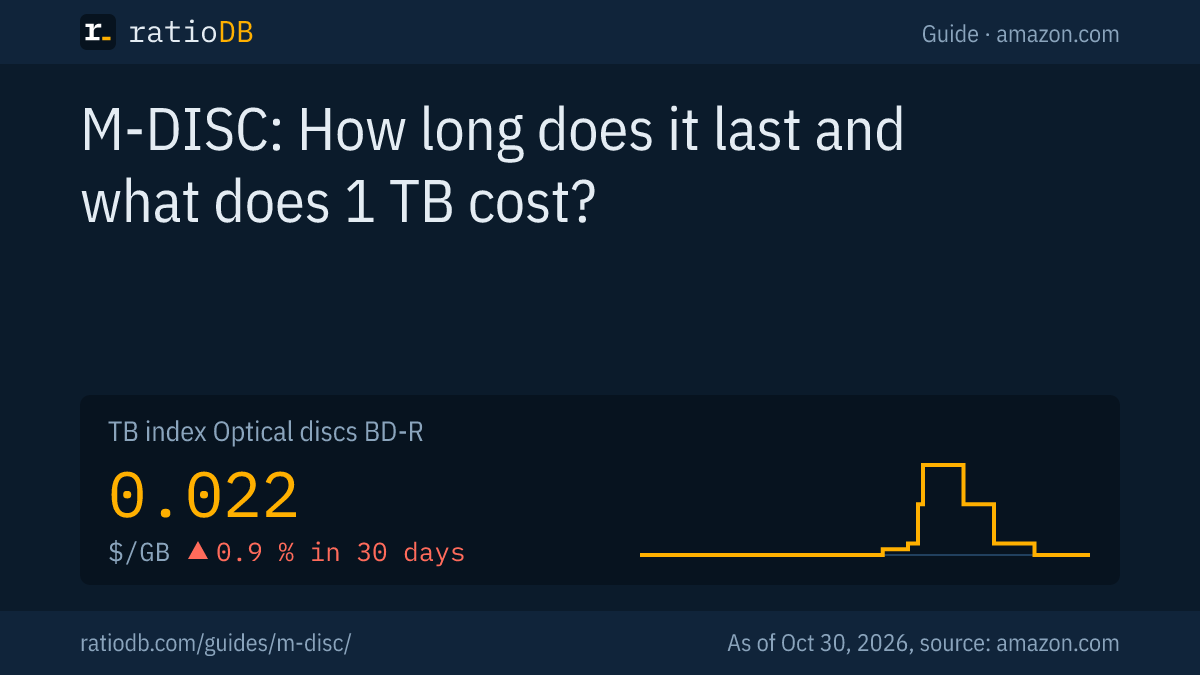
M-DISC is a write-once optical disc developed by Millenniata that uses no organic dye and is sold today by brands such as Verbatim as DVD, 25 GB and 50 GB BD-R and 100 GB BDXL. Millenniata reports a mean lifetime of 1,332 years for the M-DISC DVD from its own ISO/IEC 10995 testing. On amazon.com, BD-R discs currently cost $21.59 per TB according to the ratioDB index (as of Oct 30, 2026 at 1:17 AM UTC).
This guide covers how M-DISC works, what the lifespan claims are based on, which drives can write it and what an archive on Blu-ray costs compared to a hard drive. ratioDB does not run its own aging tests. We combine manufacturer statements and published test reports with real prices per TB from amazon.com.
What is an M-DISC?
An M-DISC is a write-once optical disc whose data layer, according to the manufacturer, is made of rock-like material that the burner physically engraves. According to Millenniata, standard recordable DVDs and Blu-rays use organic dye, which breaks down over time and causes data rot.
Millenniata created the M-DISC. Its FAQ states that the disc "contains no organic dyes" and that its data layer uses "rock-like materials known to last for centuries." Because the laser changes the layer physically, Millenniata calls the process engraving.
M-DISC comes in 3 formats:
| Format | Capacity per manufacturer | Drive required |
|---|---|---|
| M-DISC DVD | 4.7 GB | DVD burner with M-DISC support (M-READY) |
| M-DISC BD-R | 25 GB, 50 GB as dual layer | standard Blu-ray burner |
| M-DISC BDXL | 100 GB | Blu-ray burner with BDXL support |
Sources: mdisc.com FAQ, Verbatim Europe, MDISC.
BDXL is a Blu-ray format with 3 recording layers. Verbatim states that its 100 GB discs "require a BD-XL Blu-ray writer." Once written, an M-DISC cannot be changed or erased. Verbatim calls this "write once read many" and points out that the data cannot be deleted by accident. According to Verbatim, optical discs are also not affected by magnetic fields, unlike hard drives and tape.
How long does an M-DISC last?
The only standards-based lifetime figure covers the DVD version: Millenniata tested the M-DISC DVD to ISO/IEC 10995 and reports a mean expected lifetime of 1,332 years at 25 °C (77 °F) and 50% relative humidity. Millenniata did not publish its own figures for the Blu-ray version in 2013.
ISO/IEC 10995 is an international standard for estimating the expected life of optical media. Discs age artificially under high heat and humidity, and the time until failure is extrapolated to normal storage conditions. According to Millenniata's summary dated June 3, 2013, the discs went through 4 stress conditions:
| Run | Temperature | Relative humidity | Discs | Hours to completion |
|---|---|---|---|---|
| 1 | 85 °C | 85% | 20 | 650 |
| 2 | 85 °C | 70% | 20 | 1,150 |
| 3 | 65 °C | 85% | 30 | 2,100 |
| 4 | 70 °C | 75% | 20 | 2,500 |
Source: Millenniata, ISO/IEC 10995 summary report (June 3, 2013).
The report gives an "expected average lifetime of 1,332 years" at 25 °C and 50% humidity. Its own table shows how much storage matters: at 40 °C (104 °F) and 50% humidity the mean drops to 115 years, and at 40 °C and 70% humidity to 53 years.
2 caveats apply. Millenniata ran the test itself, and it covers the DVD only. StorageNewsletter quotes the announcement of June 10, 2013: the results "only apply specifically to the M-DISC DVD." Other archival DVDs in the same program reached an expected life of 2.7 to 3.0 years according to Millenniata (StorageNewsletter, June 10, 2013).
What do independent tests of M-DISC show?
The best known independent test comes from the US Navy's Naval Air Warfare Weapons Division at China Lake, California, in 2009. According to Computerworld, M-DISC DVDs showed no data degradation after accelerated aging, while discs from 5 other brands showed large increases in errors.
Computerworld reported on August 8, 2011, that the test compared M-DISC with DVDs from Delkin Devices, Mitsubishi, JVC, Verbatim and MAM-A. The result: "None of the Millenniata media suffered any data degradation at all." Many competing discs were damaged so badly that the analyzer no longer recognized them as DVDs (Computerworld, August 8, 2011).
This test also covered DVDs. In our research we found no complete published ISO/IEC 10995 report for M-DISC BD-R. Verbatim's European product page gives neither a number of years nor a standard and promises protection "for many lifetimes." Figures such as "1,000 years" on packaging and in store listings are therefore manufacturer promises. Such a figure has only been measured for the DVD and only as an average.
For your archive this means: M-DISC has published aging tests, while most consumer recordable discs have none. Still, nobody can guarantee that a specific Blu-ray will be readable in 100 years. A second location and a second copy on a different medium remain essential, as the 3-2-1 rule describes (see the guide 3-2-1 backup rule).
Which drives can burn an M-DISC?
According to Millenniata, standard Blu-ray burners write 25 GB and 50 GB M-DISC BD-R, and its testing showed compatibility with over 80% of Blu-ray drives made after about 2011. M-DISC DVDs need an M-READY burner, and 100 GB BDXL discs need a BDXL burner.
The rules at a glance:
- M-DISC BD-R and BD-R DL (25 and 50 GB): They meet the Blu-ray BD-R specification, says mdisc.com, with compatibility with "over 80% of Blu-ray drives made after about 2011."
- M-DISC BDXL (100 GB): Verbatim states these discs require a BD-XL writer. Older Blu-ray burners without BDXL will not recognize them.
- M-DISC DVD (4.7 GB): The rock-like layer needs more laser power, and "only an M-READY Drive can burn data to an M-Disc DVD." Most quality DVD drives can read them.
- Drives with the M-DISC logo: According to Millenniata they work with all M-DISC formats.
Computerworld named LG as the launch partner in 2011, with M-READY support in most of its DVD and Blu-ray drives. Before buying, check your burner's spec sheet for BDXL and M-DISC support to avoid failed burns.
How much does M-DISC cost per TB compared to regular BD-R?
The cheapest M-DISC BD-R on amazon.com currently costs $346.64 per TB, while the cheapest regular BD-R costs $18.00. The BD-R index is $21.59 per TB as of Oct 30, 2026 at 1:17 AM UTC.
The cheapest new BD-R offer per TB is Ridata BD-R 600 × 25 GB for $269.99, a pack of 600 discs at 25 GB each. That makes M-DISC 19.3 times as expensive per TB. Always compare price per TB: large spindles of 25 GB discs are often cheaper than single discs or packs of 50 and 100 GB discs.
Cheapest new offer per disc size on amazon.com, as of Oct 30, 2026 at 1:17 AM UTC
| Disc | Type | Cheapest offer | Pack | Price per TB |
|---|---|---|---|---|
| 25 GB | BD-R | Ridata BD-R 600 × 25 GB: $269.99 | 600 discs | $18.00 |
| 25 GB | M-DISC BD-R | Verbatim M-Disc BD-R 5 × 25 GB: $43.33 | 5 discs | $346.64 |
| 50 GB | BD-R | Ridata BD-R DL Dual Layer 100 × 50 GB: $152.99 | 100 discs | $30.60 |
| 100 GB | BD-R | Ritek BD-R XL BDXL 100 GB: $11.99 | 1 disc | $119.90 |
For discs, price per TB means pack price divided by capacity times disc count, with 1 TB equal to 1,000 GB. A spindle of 50 discs at 25 GB each holds 1.25 TB. All offers are listed under BD-R, rewritable discs under BD-RE.
Is M-DISC cheaper than a hard drive?
Per TB, the cheapest BD-R discs on amazon.com currently cost less than the cheapest external 2.5" hard drive from a known brand: $18.00 versus $41.58 per TB. M-DISC costs far more per TB than regular BD-R. As of Oct 30, 2026 at 1:17 AM UTC.
The math for a 1 TB archive on amazon.com, as of Oct 30, 2026 at 1:17 AM UTC:
| Medium | Cost per TB | For 1 TB you need |
|---|---|---|
| BD-R 25 to 100 GB (cheapest offer) | $18.00 | 40 discs of 25 GB |
| M-DISC BD-R (cheapest offer) | $346.64 | 40 discs of 25 GB |
| External 2.5" hard drive (TB index) | $47.50 | 1 drive |
| Internal 3.5" hard drive (TB index) | $36.25 | 1 drive |
The table counts media only. Blu-ray also needs a burner, while any PC reads a hard drive over USB. Time is the other difference: 40 discs have to be inserted, burned and verified individually, while a hard drive copies 1 TB in a single run. The cheapest external 2.5" drive from a known brand per TB is currently LaCie Rugged 5 TB.
The strength of M-DISC lies elsewhere: it is write-once and has no electronics and no moving parts. A hard drive can fail through a defect in its controller or motor. How long hard drives last and what to look for in external models is covered in the guide best external hard drive.
Who should use M-DISC?
M-DISC suits small, important archives that should stay unchanged for decades: family photos, contracts, tax records or a finished project. For several TB and more, hard drives and LTO tape cost less per TB and are much faster to write.
Typical cases compared:
| Use | Good fit | Why |
|---|---|---|
| Photos and documents up to 1 TB | M-DISC BD-R | write-once, no electronics, published aging tests |
| Ongoing PC backup | external hard drive | fast, rewritable, keeps versions |
| Video archive from 10 TB | hard drive or LTO tape | price per TB, fewer media |
| Records that must not be altered | M-DISC or tape with WORM | cannot be changed after writing |
WORM stands for "write once read many." Businesses with very large archives can use LTO tape, which can cost even less per TB than hard drives. When that pays off is calculated in the guide LTO tape. All cartridges are listed under Tape (LTO).
How should I store M-DISC?
Store M-DISCs upright, not touching other discs, in light-tight plastic or metal cases, somewhere cool and dry without large temperature swings. That is Millenniata's advice. According to the manufacturer, prolonged sunlight can make the plastic substrate brittle.
Millenniata's storage advice and what it means in practice:
- Upright and separate: Each disc in its own case, standing vertically. Nothing bends.
- Light-tight: Jewel cases inside a box or a metal tin protect the plastic from sunlight.
- Cool and dry: Normal room temperature and humidity are fine according to Millenniata. Damp basements and hot attics are poor choices.
- Labeling: Use a marker made for optical media, only on the printable side or the inner ring.
- Verification: Compare the burned data with your burning software's verify option, then spot-check a few discs every few years.
The 2013 report shows why location matters: at 25 °C and 50% humidity Millenniata calculates 1,332 years on average, at 40 °C and 70% only 53 years. Heat and humidity shorten the life of every storage medium, M-DISC included.
How do I recognize a genuine M-DISC?
A genuine M-DISC carries the M-DISC logo on the disc and the packaging and is sold, for example, as Verbatim M-DISC. Verbatim lists 25 GB BD-R, 50 GB BD-R DL and 100 GB BDXL M-DISC products.
On amazon.com, M-DISC listings often appear between regular BD-R. ratioDB counts an offer as M-DISC when its title says "M-DISC." Right now that applies to 1 new offers. With unbranded sellers, check the exact product name and the logo in the product photos.
How do I burn an archive to M-DISC?
An M-DISC archive takes 6 steps: select and organize the data, create checksums, split it into packages that fit a disc, burn with verification, label the discs and store a second copy somewhere else. That way you can still find your files in 20 years and detect read errors.
- Select: Only finished data belongs on a write-once disc, such as a year of photos or a completed project. Files that still change are better protected by an ongoing backup on a hard drive.
- Organize: Use clear folder names with year and topic, for example "2025 Photos Vacation", and add a text file listing the contents.
- Checksums: A checksum (for example SHA-256) is a short fingerprint of each file. Tools such as 7-Zip or the command line create them. If a checksum no longer matches later, the file is damaged.
- Split: A BD-R holds 25 GB, a BDXL 100 GB. Leave some headroom, because the disc's file system needs space too.
- Burn with verification: Choose the option in your burning software that compares the data after burning. A low burn speed is common practice for archival discs.
- Second copy: Burn the same disc 2 times and keep the second one with family, at the office or in a safe deposit box.
File formats matter as much as the medium. Open and widespread formats such as JPEG, PDF, TXT or MP4 will most likely still open in many years. Keep a JPEG next to your camera's raw files if you want every program to be able to read your photos.
How does ratioDB compare discs?
ratioDB regularly collects the amazon.com prices of all listed discs and converts them to price per TB and per GB, with 1 TB equal to 1,000,000,000,000 bytes. Packs are divided by total capacity. The BD-R index is the median of the 10 cheapest new offers.
The BD-R index is currently $0.022 per GB, which is $21.59 per TB, +0.9% over 30 days. Manufacturer data and test reports come from the linked sources, as of October 24, 2026. We do not run aging tests ourselves. All rules are on the methodology page, and all optical media are listed under optical discs.
M-DISC FAQ
Does an M-DISC really last 1,000 years?
The documented figure is a mean of 1,332 years for the M-DISC DVD from Millenniata's own ISO/IEC 10995 test at 25 °C and 50% humidity. We found no complete standards report for the Blu-ray version. 1,000 years remains a manufacturer claim without a guarantee.
Can any Blu-ray burner write an M-DISC?
For 25 GB and 50 GB M-DISC BD-R, Millenniata cites over 80% of Blu-ray drives made after about 2011. 100 GB BDXL discs need a BDXL burner, and M-DISC DVDs need an M-READY burner.
Can I read an M-DISC in any drive?
An M-DISC BD-R meets the Blu-ray BD-R specification according to Millenniata and works in standard Blu-ray drives. Most quality DVD drives read the DVD version. BDXL discs need a drive with BDXL support.
How much does 1 TB of M-DISC cost?
With the cheapest offer on amazon.com, currently $346.64 as of Oct 30, 2026 at 1:17 AM UTC. You need 40 discs of 25 GB or 10 discs of 100 GB for 1 TB.
Is M-DISC better than a hard drive?
For small archives that should stay unchanged, M-DISC has advantages: no electronics, cannot be erased, published aging tests. For large and ongoing backups a hard drive is faster and more convenient. The safest approach uses both.
How many M-DISCs do I need for 1 TB?
40 discs of 25 GB, 20 of 50 GB or 10 BDXL discs of 100 GB, counting 1 TB as 1,000 GB. Leave some headroom, because each disc's file system takes space too. For several TB, hard drives or LTO tape are more practical.
Can I still buy M-DISC?
Yes. Verbatim lists 25 GB BD-R, 50 GB BD-R DL and 100 GB BDXL M-DISC on its website. Offers on amazon.com change, and ratioDB shows the current state under BD-R.
Sources
- Millenniata: M-DISC FAQ, ISO/IEC 10995 summary report (June 3, 2013)
- Verbatim: MDISC (Europe)
- StorageNewsletter: Millenniata on ISO/IEC 10995 (June 10, 2013)
- Computerworld: China Lake test and launch (August 8, 2011)
- ratioDB: amazon.com prices, methodology