SD card write protected? How to remove write protection
An SD card is write protected when the lock switch on its side is pushed down, the card reader misreads that switch, Windows has set the read-only attribute, a Group Policy blocks removable storage or the card locks itself. According to Canon, you unlock the card by sliding the write protect switch up. Of the 5 causes in the table below, 4 can be fixed for free without losing a single file.
This guide works through the causes in the order that risks the least: switch and card reader first, then Windows and macOS, formatting or replacing the card last. The steps come from Microsoft, Apple and Canon support pages and from the specification published by the SD Association, the body that defines the SD standard. If the card itself has given up, ratioDB shows below what a new SD or microSD card costs per GB on amazon.com, with live prices as of Oct 29, 2026 at 7:17 PM UTC.
What does "write protected" mean on an SD card?
Write protected means you can read the files on the SD card but cannot change, delete or add any. Windows reports "The disk is write-protected", a Mac says the card "cannot be modified" and cameras show a message about the write protect switch.
The protection can come from 5 places, and each has its own fix:
| Where the lock sits | Typical sign | Fix | Data loss? |
|---|---|---|---|
| Lock switch on the card | camera and computer both refuse to write | slide the switch up | no |
| Card reader or adapter | switch is up, card stays locked | try another reader or adapter | no |
| Windows attribute | only one Windows PC reports it | diskpart: attributes disk clear readonly | no |
| Group Policy (work PC) | every removable drive is locked | ask your IT department | no |
| The card itself | locked in every device, switch or not | copy your files, replace the card | card is done |
The table sums up the cases that the Microsoft, Apple and Canon pages describe. Work through the rows from top to bottom, because the first 3 checks cost nothing and change nothing on the card.
How do I unlock the switch on an SD card?
To unlock the switch, eject the card, pull it out and slide the small lock tab on the side of the card up. Canon describes the lower position as locked and the upper position as unlocked. Then insert the card again.
Step by step:
- Eject safely: use "Safely Remove Hardware" in Windows or Eject on a Mac. Apple warns never to remove a card while the Mac is asleep.
- Find the tab: the slider sits on the side of a full-size SD card. Apple points to the card maker's instructions for its exact location.
- Slide it up: push the tab all the way up, away from "Lock". Canon calls the lower position locked.
- Reinsert: Apple says to insert the card with the metal contacts facing down and pointing toward the computer, and never to force it into the slot.
According to Cactus Technologies, a maker of industrial memory cards, the switch is just a piece of plastic with no electrical connection inside the card. The card reader senses where the tab sits and tells the computer. A loose tab can slide down as you push the card in, which makes the card look as if it locked itself. Set the tab firmly to the top before inserting and push the card in slowly and straight.
Does a microSD card have a write protect switch?
No. Cactus Technologies notes that miniSD and microSD cards do not define a switch. The lock tab only exists on the SD adapter that holds the microSD card. If the adapter's tab is down, the microSD card shows up as write protected in the reader.
With microSD cards, check the adapter first. Many cards ship with their own adapter, and an adapter with a loose tab can slip into the locked position. The fix is free:
- Take the microSD card out of the adapter.
- Slide the adapter's tab up.
- Put the card back or use a different adapter.
- If your computer has a microSD slot or a USB microSD reader, plug the card in there directly. Then the adapter is out of the picture.
If a phone, tablet or game console reports a microSD card as write protected, no switch can be involved. That leaves the device's software or the card itself. Which microSD card fits which device is covered in the guide microSD Express.
Why is my SD card write protected when the switch is unlocked?
When the tab is up and the card stays locked, the card reader is usually misreading the switch. Cactus Technologies explains that the switch only works if the host checks its position. A dirty or broken sensor in the reader can then report "locked" all the time.
Test the card in a second device: another card reader, another computer or a camera. Read the result like this:
| Result in the 2nd device | What it means | Next step |
|---|---|---|
| Card accepts writes | the 1st reader or adapter misreports | replace the reader, have the slot cleaned |
| Card is locked there too | the lock sits in Windows, the file system or the card | check diskpart |
| Card is not detected at all | contact or card failure | copy what you can, replace the card |
Cactus Technologies puts it bluntly: a device that honors the switch can protect the card, any reader that ignores it can overwrite the data. The switch is therefore no safe protection against accidental deletion once the card goes into somebody else's device.
How do I remove write protection with diskpart?
Diskpart clears the read-only attribute that Windows can put on a disk. Microsoft's steps take 6 commands: diskpart, list disk, select disk with the number of your card, attributes disk, attributes disk clear readonly and exit.
Diskpart is the Windows command line tool for disks. These commands do not touch the files on the card, but picking the wrong disk number changes the attribute of a different drive. Connect only the SD card and compare the size carefully.
How it works according to Microsoft:
- Open Command Prompt as administrator, type diskpart and press Enter.
- Type list disk. Windows lists every disk with number and size. A 64 GB card shows up as roughly 60 GB, because Windows counts in gibibytes.
- Type select disk 2, where 2 is your card's number. Microsoft notes that a disk must be selected before attributes disk can work.
- Type attributes disk to see the card's attributes.
- Type attributes disk clear readonly to clear the read-only attribute.
- Type exit, then unplug the card and plug it back in.
For a single partition (volume), Microsoft Learn lists the related command attributes volume. None of these commands delete files. Copy a small test file afterwards to see whether writing works again.
What if diskpart cannot clear the write protection?
If attributes disk shows "Current Read-only State: Yes" while "Read-only" says No, the device itself is locking the card. Microsoft support explains that only the second value is the Windows setting. The first one is the true state of the disk.
A Microsoft support escalation engineer describes the difference on the Windows support team's blog: the current read-only state is the real status of the disk, while the read-only value only shows whether Windows set the lock. A reply under the post adds that a lock at the hardware level cannot be fixed through diskpart. For an SD card that means the reader reports the switch as locked or the card refuses to write.
The SD specification lists, next to the mechanical switch, built-in write protection features, one permanent and one temporary, and it describes how a card is locked and unlocked. These features live inside the card. The plastic switch has nothing to do with them, because according to Cactus Technologies it is not connected to anything inside the card.
If the card stays locked in every reader and device:
- Copy your files: write protection blocks writing, reading still works. Copy everything to the computer while you can.
- Check the warranty: the terms are printed on the package or listed on the card maker's website.
- Replace the card: a card that locks itself should not hold important photos or videos anymore.
Can a work computer block writing to SD cards?
Yes. Microsoft documents how administrators use Group Policy to deny read or write access to removable storage. According to Microsoft this covers external drives connected over USB, both hard drives and flash memory. Depending on the policy, an SD card on a work laptop then shows up as write protected.
Microsoft notes that a policy set locally applies to that one computer only, while a policy from the company's Active Directory domain applies to every computer it targets. Changing it requires at least membership in the local Administrators group.
The pattern is easy to spot: the card works on your home PC, in the camera and on your phone, but on the work laptop every card and every USB flash drive is read-only. That lock is intentional. Ask your IT department instead of trying to change settings yourself.
What if only some files are read-only?
If only certain files refuse to change or delete, those files carry the read-only attribute. Microsoft's attrib -r command clears it, and adding /s applies it to subfolders too.
A quick test tells the cases apart: if you can copy a new file onto the card, the card is not locked and only the files are. Microsoft's example is attrib -r b:\public\*.* /s for every file in a folder and its subfolders. Swap in your card's drive letter and folder.
The Explorer route is easier: right-click the file, choose Properties, untick "Read-only". If you protected photos inside your camera, unlock them in the camera menu. The camera maker's manual shows where.
What do I do if my Mac says the SD card cannot be modified?
If your Mac says the SD card "cannot be modified", Apple says the card might be locked. Apple's fix: eject the card, take it out, move the lock slider to unlocked and insert it again.
Apple's support page for the Mac SD card slot adds these points:
- Insert correctly: metal contacts facing down and pointing toward the Mac, no force.
- Reinsert: if the card does not mount, take it out and put it back. Apple notes the card sometimes fails to mount if you insert it too slowly or too quickly.
- Small cards: use an adapter for miniSD and microSD cards. The slider sits on that adapter.
- Eject: drag the card to the Trash before removing it and never pull it while the Mac is asleep.
If the card stays locked with the slider up, check the format in Disk Utility. Apple recommends MS-DOS (FAT) for Windows volumes of 32 GB or less and ExFAT for larger ones. Both work on Windows PCs and Macs.
What does a camera show when the SD card is locked?
Cameras show their own lock message. Canon, for example, reports that the card's write protect switch is set to lock and that you cannot take or erase photos in that state. Canon's fix is to slide the switch up.
In a camera, the switch is the usual suspect, because it can slip every time you pull the card out and push it back in. If you swap cards often, glance at the tab before each insert. Which speed class your camera needs is explained in the guide best SD card for camera.
Does formatting remove write protection?
Formatting erases all data and removes none of the locks in this guide. The switch, the Windows attribute, a Group Policy and a lock inside the card all block formatting too, because formatting writes to the card.
Before you format, copy your files. A write protected card can usually still be read, so copying to the computer works. Only once the card accepts writes again is a fresh file system worth trying. If formatting fails with a message that the disk is write protected, go back to the sections on the switch, the card reader and diskpart.
Formatting is the only step in this guide that deletes data. Everything else, the switch, a second reader, diskpart, attrib and checking Group Policy, leaves your files alone.
When should I replace the SD card?
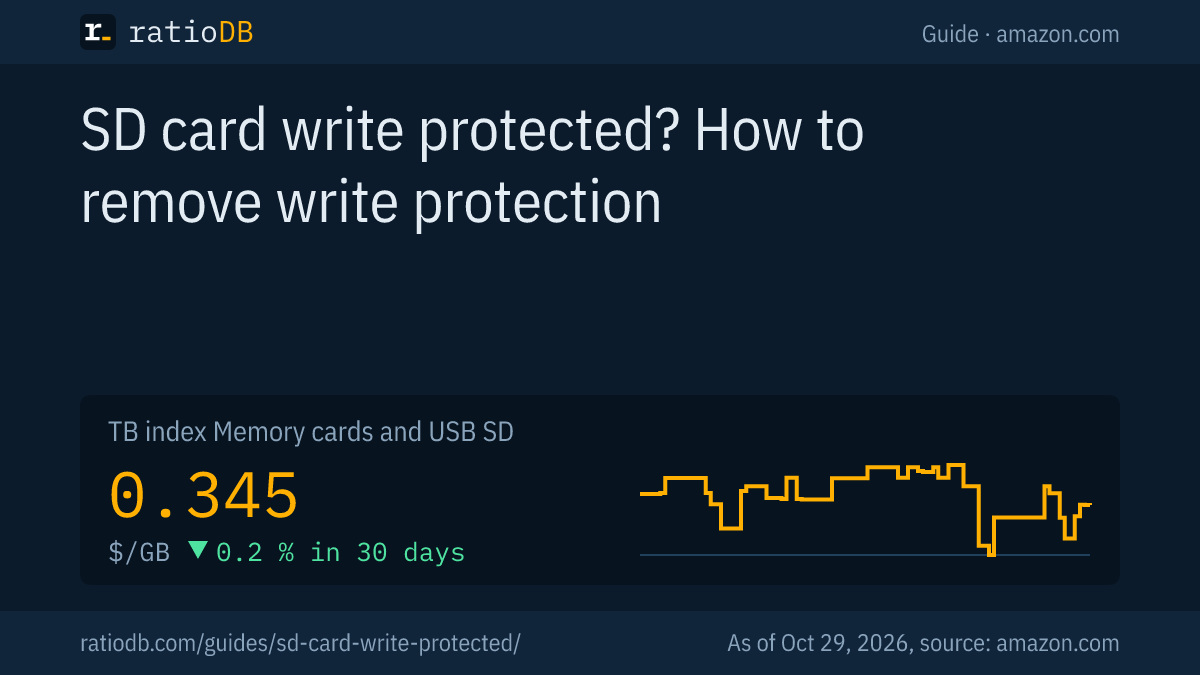
Replace the SD card when it stays locked in every reader, refuses to format or keeps throwing errors. On amazon.com, SD cards currently cost $0.345 per GB according to the ratioDB GB index, microSD cards $0.206 per GB (as of Oct 29, 2026 at 7:17 PM UTC).
Cheapest new SD and microSD cards by capacity on amazon.com, known brands, as of Oct 29, 2026 at 7:17 PM UTC
| Capacity | Cheapest SD card | Cheapest microSD card |
|---|---|---|
| 32 GB | SanDisk Standard 32 GB: $18.71 ($0.585 per GB) | Patriot LX Series Micro 32 GB: $12.29 ($0.384 per GB) |
| 64 GB | SanDisk Ultra 64 GB: $22.65 ($0.354 per GB) | SanDisk Ultra 64 GB: $21.99 ($0.344 per GB) |
| 128 GB | SanDisk Ultra 128 GB: $30.78 ($0.240 per GB) | SanDisk Made 128 GB: $25.10 ($0.196 per GB) |
| 256 GB | ProGrade Digital V90 Iridium 256 GB: $299.99 ($1.17 per GB) | SanDisk Extreme UHS 256 GB: $61.38 ($0.240 per GB) |
| 512 GB | SanDisk Extreme 512 GB: $136.69 ($0.267 per GB) | no offer |
| 1 TB | Transcend SDC300S 1 TB: $361.99 ($0.362 per GB) | no offer |
Prices come live from the ratioDB database and cover new single cards from known brands, microSD Express excluded. The cheapest SD card per GB right now is SanDisk Ultra 128 GB at $0.240 per GB (128 GB). Among microSD cards, SanDisk Made 128 GB leads at $0.196 per GB (128 GB). The GB index for SD cards moved -0.2% over the last 30 days.
SD card or microSD card with adapter as a replacement?
A microSD card with adapter fits every SD slot and also phones, tablets and consoles. A full-size SD card has the tab on the card itself and no adapter that can slip. In a camera, a full-size card removes the adapter as a weak point.
At 128 GB, the cheapest SD card costs $30.78 right now (SanDisk Ultra 128 GB), the cheapest microSD card $25.10 (SanDisk Made 128 GB). Compare both like this:
| Criterion | SD card | microSD card with adapter |
|---|---|---|
| Write protect switch | on the card | on the adapter only |
| Fits | cameras, card readers, Macs | phones, tablets, consoles, SD slots with adapter |
| Adapter as a weak point | none | tab and contacts of the adapter |
| GB index amazon.com | $0.345 per GB | $0.206 per GB |
Browse every offer under SD cards, microSD cards and the overview memory cards and USB. Sorted by size, try 128 GB microSD card and 256 GB microSD card. If you only move files between computers, a USB flash drive is often the better tool, see the guide best USB flash drive.
How do I protect photos on an SD card from loss?
The best protection for photos is a second copy on a different drive. The write protect switch only prevents accidental deletion in devices that honor it. According to Cactus Technologies, any reader that ignores the switch can overwrite the data.
3 habits that help:
- Copy right away: move photos to a computer or drive after every shoot. A memory card carries files, the archive belongs on a computer or backup drive.
- Eject safely: always use "Safely Remove Hardware" or Eject. Apple warns that removing a card while the Mac sleeps can cause data loss.
- Use the switch on purpose: lock full cards you no longer want to write to. Integral Memory, a card maker, calls the switch a good idea for cards with important data.
How a backup with 3 copies on 2 types of media works is covered in the guide 3-2-1 backup rule.
How does ratioDB compare memory cards?
ratioDB pulls amazon.com prices for every listed SD and microSD card at regular intervals and converts them to price per GB. The GB index is the median of the 10 cheapest new offers per product type.
SD cards and microSD cards sit in separate lists with their own index. Used offers are labeled and never count toward the index. Multipacks are divided by their total capacity. ratioDB does not test memory cards. The instructions in this guide come from the linked Microsoft, Apple and Canon support pages. All rules are on the methodology page.
Write protected SD card FAQ
How do I remove write protection from an SD card?
Eject the card, take it out and slide the tab on its side up. If the lock stays, try another card reader, then clear the read-only attribute in Windows with diskpart and attributes disk clear readonly.
Why did my SD card suddenly become write protected?
Usually the tab slipped while you inserted the card or the reader misreads it. Less often Windows set the read-only attribute, a Group Policy blocks removable drives or the card locked itself.
How do I unlock a microSD card?
A microSD card has no switch. Check the tab on the SD adapter and try a different adapter. If the lock stays in every device, it comes from Windows or from the card itself.
Does diskpart delete my files?
The command attributes disk clear readonly deletes nothing. The danger is a wrong disk number or the clean command, which wipes everything. Pick your card carefully by its size.
Can I still read a write protected SD card?
Yes. Write protection blocks writing and deleting, reading still works. Copy your files to the computer first, before you format or replace the card.
How much does a new SD card cost right now?
On amazon.com, the GB index for SD cards is $0.345 per GB and for microSD cards $0.206 per GB (as of Oct 29, 2026 at 7:17 PM UTC). The table above shows the cheapest card for each size.
Sources
- SD Association: Simplified Specifications, Physical Layer Simplified Specification 3.01, sections 2 and 4.3.7
- Microsoft Learn: attributes disk, attrib, Control Read or Write Access to Removable Devices or Media
- Microsoft: My Disk is Read-only, Help! (James Burrage, 2011-06-02)
- Apple: Use the SD and SDXC card slot on your Mac, File system formats in Disk Utility
- Canon: The card's write protect switch is set to lock
- Cactus Technologies: SD Write Protect Switch is a Dummy (Steve Larrivee, 2016-03-28)
- Integral Memory: My SD Card is write protected
- ratioDB: amazon.com prices, methodology