GoPro SD Card: Which microSD Works in Your GoPro?
A GoPro SD card is a microSD card with Video Speed Class V30 or UHS Speed Class 3 (U3). According to GoPro, the HERO13 Black and the HERO12 Black need a card rated V30, UHS-3 or higher and accept cards up to 1TB. The older HERO10 Black takes up to 512GB, per its manual.
This guide explains which microSD card fits which GoPro, what V30 and U3 mean, how much video fits on each size, how to format the card in the camera and what the SD ERR message means. The details come from GoPro's manuals, product pages and getting started pages. ratioDB does not test memory cards or cameras itself, we compare prices and manufacturer data. Live prices from amazon.com are further down (as of Oct 30, 2026 at 11:17 AM UTC).
Which SD card does a GoPro need?
A microSD card with Video Speed Class V30 or UHS Speed Class 3. For the HERO13 Black and HERO12 Black, GoPro lists microSD, microSDHC or microSDXC cards rated V30, UHS-3 or higher. Full-size SD cards do not fit, a GoPro has a microSD slot.
Requirements by GoPro model, according to GoPro:
| Camera | Card type | Minimum rating | Largest card | Source |
|---|---|---|---|---|
| HERO13 Black | microSD, microSDHC, microSDXC | V30, UHS-3 or higher | 1TB | GoPro, HERO13 Black Creator Edition getting started page |
| HERO12 Black | microSD, microSDHC, microSDXC | V30, UHS-3 or higher | 1TB | GoPro, HERO12 Black Creator Edition getting started page |
| HERO10 Black | microSD, microSDHC, microSDXC | V30, UHS-3 or higher | 512GB | GoPro, HERO10 Black user manual |
The exact figure for your model is always in its manual on gopro.com. GoPro also keeps its own list of recommended cards at gopro.com/microsdcards, which the manuals and product pages link to. According to the shop page, some HERO13 Black bundles include a 64GB SanDisk microSD card.
What do V30 and U3 on the card mean?
V30 and U3 stand for a guaranteed minimum write speed of 30 MB/s. V30 is the Video Speed Class, U3 the UHS Speed Class. GoPro explains the classes like this: V10, V30, V60 and V90 correspond to 10, 30, 60 and 90 MB/s, and U3 stands for 30 MB/s.
For an action camera, the guaranteed minimum write speed is what counts. GoPro says that when you shoot 4K, write speed matters as much as capacity. That is why GoPro requires at least V30 or UHS-3 for current models.
The classes at a glance, per GoPro:
| Marking | Minimum write speed | For a current GoPro |
|---|---|---|
| Class 10, U1, V10 | 10 MB/s | too slow |
| U3, V30 | 30 MB/s | yes, minimum rating |
| V60 | 60 MB/s | yes |
| V90 | 90 MB/s | yes |
Faster classes such as V60 or V90 meet the requirement too, GoPro explicitly says V30, UHS-3 or higher. More on the C10, U3, V30 and A2 markings is in the guide SD card speed classes.
How much video fits on a GoPro SD card?
It depends on the bit rate. According to the HERO10 Black manual, the camera records up to 100 Mbps with the Protune bit rate set to High. That works out to about 45GB per hour, or roughly 1 h 25 min on 64GB, 2 h 51 min on 128GB and 5 h 41 min on 256GB.
The math is simple: 100 Mbps times 3,600 seconds is 360,000 megabits, divided by 8 that is 45,000 MB or 45GB per hour. With the default Low setting, the bit rate is lower and more video fits on the card. Other models and settings record at other bit rates, the figures are in your model's manual.
That gives a rough guide to size:
| How you shoot | Size |
|---|---|
| Short vacation clips, photos | 64GB to 128GB |
| Long rides, skiing, cycling, diving | 256GB |
| Full days at high resolution without offloading | 512GB to 1TB, depending on the model |
Important: the largest card your model accepts is in the table above. According to its manual, the HERO10 Black takes up to 512GB.
What does a GoPro SD card cost right now?
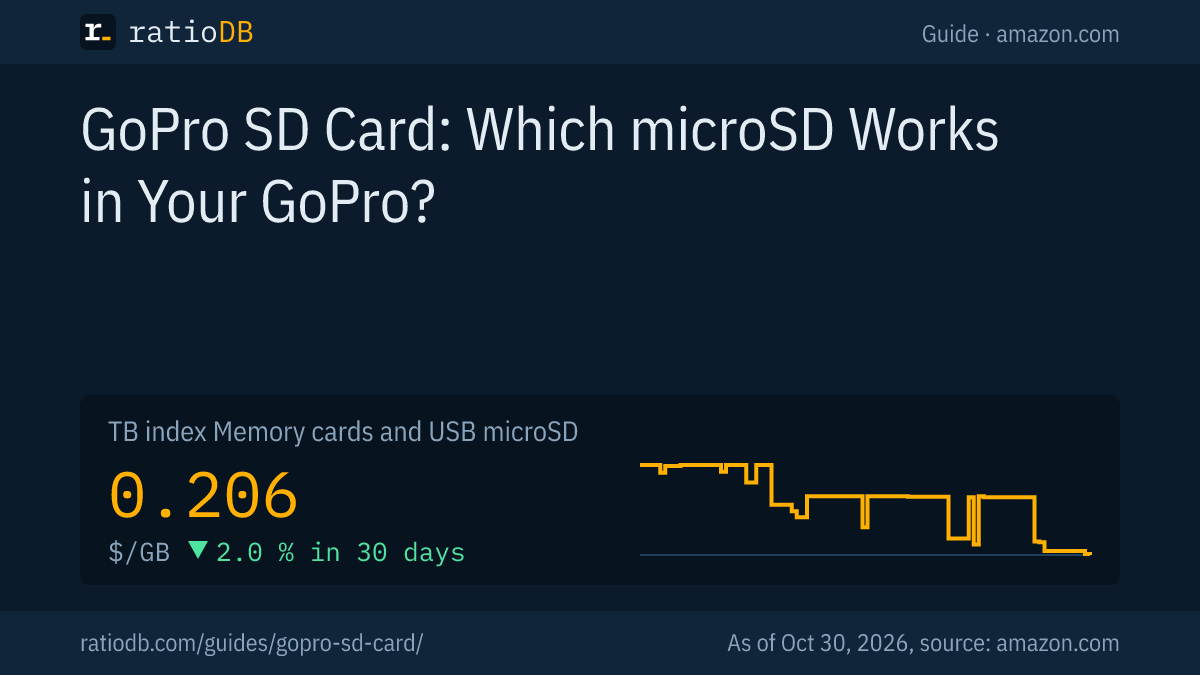
On amazon.com, the cheapest new microSD card with V30 or U3 in the listing title is currently Kootion Micro 512 GB at $91.99, which is $0.180 per GB (512 GB). The GB index for all microSD cards is at $0.206 per GB (as of Oct 30, 2026 at 11:17 AM UTC).
Cheapest new microSD card with V30 or U3 by size on amazon.com, as of Oct 30, 2026 at 11:17 AM UTC
| Capacity | Cheapest V30 or U3 card | Price | Price per GB | Video at 100 Mbps |
|---|---|---|---|---|
| 64 GB | SIX M100 64 GB | $19.99 | $0.312 | 1 h 25 min |
| 128 GB | Amazon Basics 128 GB | $35.14 | $0.275 | 2 h 51 min |
| 256 GB | SanDisk Extreme PRO 256 GB | $72.41 | $0.283 | 5 h 41 min |
| 512 GB | Kootion Micro 512 GB | $91.99 | $0.180 | 11 h 23 min |
The right column shows the calculated recording time at 100 Mbps, the highest Protune bit rate of the HERO10 Black per its manual.
ratioDB detects the class from the listing title. If V30 or U3 is not there, the card is missing from this table even if the card itself carries V30. Before you buy, check the marking in the product photo and compare the card with GoPro's list.
All cards are under microSD card prices per GB, single sizes under 128GB microSD card and 256GB microSD card.
How do I format the SD card in a GoPro?
According to the HERO10 Black manual, swipe down on the rear screen to open the Dashboard, swipe left and tap Preferences, Reset and Format SD Card. Formatting erases all footage on the card, so save it first.
The steps from the HERO10 Black manual:
- Open the Dashboard: Swipe down on the rear screen.
- Preferences: Swipe left and tap Preferences.
- Format: Choose Reset, then Format SD Card.
In the HERO manual, GoPro advises reformatting the card in the camera on a regular basis so it keeps recording reliably. If a card is unformatted or formatted the wrong way, the camera asks you to format it, according to the HERO manual. How to format a card on a computer if the camera does not take it is shown in the guide how to format an SD card.
What does SD ERR mean on a GoPro?
According to the GoPro HERO manual, SD ERR means the camera cannot read the card's formatting. GoPro then recommends reformatting the card in the camera. For the HERO10 Black, GoPro names electrostatic discharge as a possible cause of a card error.
What GoPro says about the messages:
| Message | Meaning per GoPro | What to do |
|---|---|---|
| SD ERR | camera cannot read the card's formatting (HERO manual) | save footage, format the card in the camera |
| NO SD | no card inserted (HERO manual) | insert a microSD card |
| SD card error | camera detected a problem with the card, can be caused by electrostatic discharge (HERO10 Black manual) | restart the camera, it tries to repair damaged files |
If the error stays after formatting, the card itself is often the cause. Check that it meets the minimum rating and that the size suits your model. If your computer does not see the card either, the guide SD card not showing up helps.
Which brands does GoPro recommend?
In the HERO manual, GoPro recommends brand-name memory cards for maximum reliability in high-vibration activities. GoPro keeps a current list of checked cards at gopro.com/microsdcards. For the HERO6, an older GoPro article named SanDisk Extreme, Extreme Plus and Extreme Pro.
2 things matter for an action camera: the card has to hold the minimum rating at all times, and it has to survive shocks and vibration on a bike, on skis or on a motorcycle. A card from a known brand with V30 printed on it is the safe choice. Be careful with very cheap cards of unknown origin: some report more storage than they really have. How to check a card's real size is in the guide microSD card.
How is a GoPro card different from dash cam and security camera cards?
An action camera records short, fast clips at a high bit rate, while a dash cam or security camera writes around the clock in a loop. For a GoPro, V30 is what matters most, for nonstop recording a high endurance card is the better fit.
If you need one card for several devices, look at the device with the highest requirements. The differences are explained in the guides best SD card for a dash cam, SD card for a security camera and SD card for your camera. For drones, see the guide DJI SD card.
How does ratioDB compare memory cards?
ratioDB regularly pulls amazon.com prices for all listed memory cards and converts them to price per GB. The GB index for microSD cards is the median of the 10 cheapest new offers. We detect cards with V30 or U3 from the listing title.
The table in this guide only shows new single cards, no multipacks. Used offers are labeled and never count toward the index. ratioDB does not test memory cards or measure speeds. All rules are on the methodology page, all memory cards under memory card prices per GB.
Both boxes show the cheapest microSD cards and the current 90-day lows for all microSD cards. They include cards without V30 too, for a GoPro the V30 or U3 marking is what counts.
GoPro SD card FAQ
Which SD card for the GoPro HERO13 Black?
A microSD, microSDHC or microSDXC card rated V30, UHS-3 or higher and no larger than 1TB. That is what GoPro's getting started page for the HERO13 Black Creator Edition says.
What is the largest card a GoPro takes?
According to GoPro, the HERO13 Black and HERO12 Black take cards up to 1TB, the HERO10 Black up to 512GB. For other models, the limit is in the manual.
Is a Class 10 card enough?
Not for current models. According to GoPro, Class 10 only guarantees 10 MB/s write speed, while the HERO13 Black, HERO12 Black and HERO10 Black require V30 or UHS-3, which is 30 MB/s.
How many hours of video fit on 128GB?
At 100 Mbps, the highest Protune bit rate of the HERO10 Black, about 2 h 51 min by calculation. More fits with the default setting.
What do I do about SD ERR?
Save your footage and reformat the card in the camera. According to the GoPro HERO manual, SD ERR means the camera cannot read the card's formatting.
Do I need a microSD card with A2?
No. A1 and A2 are classes for apps on smartphones. GoPro lists V30 or UHS-3 as the requirement.