Nintendo Switch SD Card: Which microSD Fits Switch, OLED and Lite?
The Nintendo Switch, Switch OLED and Switch Lite take microSD, microSDHC and microSDXC cards up to 2TB. Nintendo recommends UHS-I cards with a transfer speed of 60 to 95 MB/s. For microSDXC cards, the console needs a system update over the internet the first time you use one.
This guide explains which memory card fits the original Nintendo Switch and its OLED and Lite versions, how much storage the consoles have built in, what goes on the card and what stays in system memory, how to move to a bigger card and what microSD cards cost on amazon.com right now. The Switch 2 follows different rules, covered in the guide Switch 2 SD card. The facts come from Nintendo's tech specs and support pages. ratioDB does not test memory cards, we compare prices and manufacturer data. Live prices are further down (as of Oct 30, 2026 at 9:17 AM UTC).
Which SD card does the Nintendo Switch need?
The Nintendo Switch needs a microSD card. According to Nintendo, it takes microSD up to 2GB, microSDHC from 4 to 32GB and microSDXC from 64GB to 2TB. Nintendo recommends UHS-I cards with 60 to 95 MB/s. Full-size SD cards do not fit the slot.
According to Nintendo, this applies to all 3 models of the first generation: the Nintendo Switch, the Nintendo Switch OLED and the Nintendo Switch Lite. On the Switch and Switch OLED, the card slot sits under the stand. On the Switch Lite, it is behind a small slot cover. On speed, Nintendo says the higher the transfer speed, the better the gameplay experience. Nintendo only lists the card type and speed as requirements, a Nintendo license is not among them.
The key facts at a glance:
| Question | Answer according to Nintendo |
|---|---|
| Which cards work? | microSD, microSDHC, microSDXC |
| Maximum size | up to 2TB |
| Recommended speed | UHS-I, 60 to 95 MB/s |
| microSDXC | system update over the internet required |
| Save data | stays in system memory, never on the card |
| Several cards | Nintendo recommends 1 card per console |
| microSD Express | works, but only at the speed of a regular microSD card |
How much storage does the Switch have built in?
According to Nintendo's tech specs, the Nintendo Switch has 32GB built in, the Switch Lite also 32GB and the Switch OLED 64GB. Part of it is reserved for the system. A microSD card adds up to 2TB on all 3 models.
| Model | Built-in storage | microSD card |
|---|---|---|
| Nintendo Switch | 32GB | up to 2TB |
| Nintendo Switch Lite | 32GB | up to 2TB |
| Nintendo Switch OLED | 64GB | up to 2TB |
With 32GB built in and part of it taken by the system, downloaded games fill the console quickly. If you buy most of your games in the Nintendo eShop, you will almost certainly need a memory card. If you mostly play game cards from a store, you need less space, because the games run from the card. What lands on the console is mainly updates and add-on content.
What gets stored on the Switch SD card?
According to Nintendo, downloadable software, software updates, downloadable content (DLC), screenshots and captured videos go on the microSD card. Save data always stays in system memory. Nintendo says it cannot be copied or saved to a microSD card.
That has 2 consequences. First, you do not lose save data if the card breaks or you swap it. You simply download the games again from the Nintendo eShop. Second, copying the card does not back up your saves, because they are not on it in the first place.
According to Nintendo, screenshots and videos can be moved back and forth between system memory and the card. Downloadable software can too, as long as the console runs system version 10.0.0 or higher.
How fast should a Switch SD card be?
Nintendo recommends UHS-I (Ultra High Speed Phase I) cards with a transfer speed of 60 to 95 MB/s. According to Nintendo, the higher the transfer speed, the better the gameplay experience. Even a fast microSD Express card only runs at the speed of a regular microSD card in the original Switch.
Cards carry classes such as C10, U1, U3, V30 or A1 and A2. For the Switch, the UHS-I mark and the read speed stated by the manufacturer matter most. The guide SD card speed classes explains what each mark means.
A microSD Express card, the type the Switch 2 needs, also works in the original Switch according to Nintendo. There it only reads and writes as fast as a regular microSD card. That only pays off if you plan to move to the Switch 2 later.
How much does a Switch SD card cost right now?
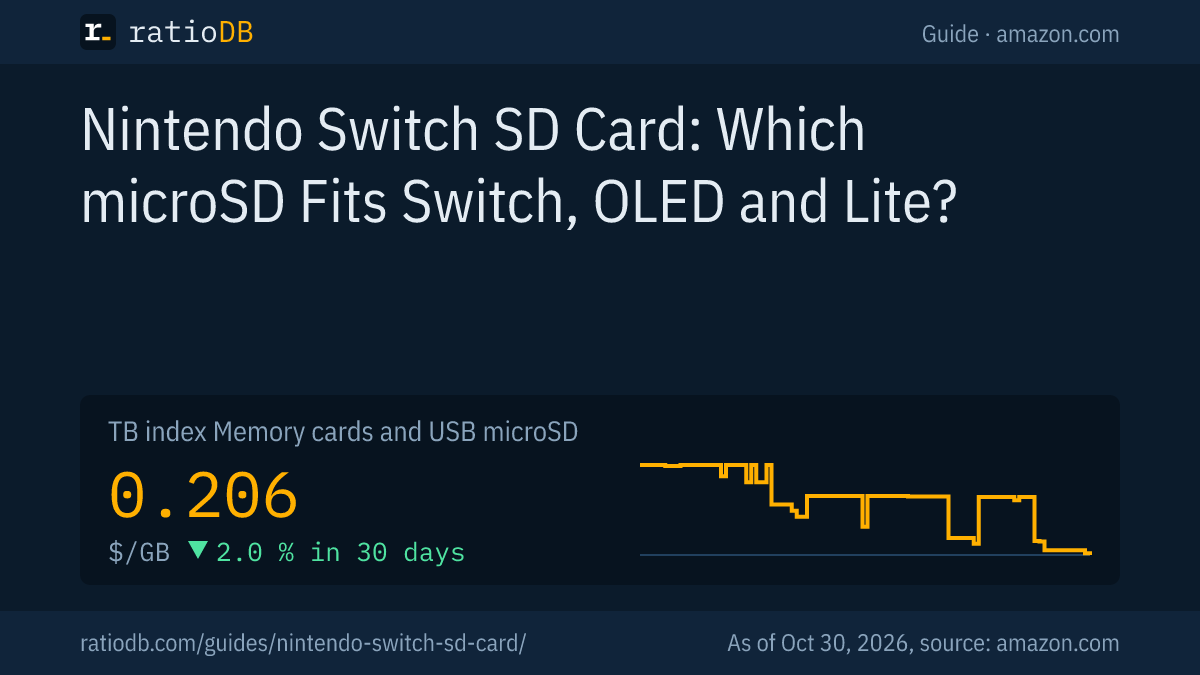
On amazon.com, the cheapest 256GB microSD card from a well-known brand costs $61.38 right now (SanDisk Extreme UHS 256 GB), which is $0.240 per GB. The GB index for all microSD cards is $0.206 per GB (as of Oct 30, 2026 at 9:17 AM UTC).
Cheapest new microSD card per size on amazon.com (well-known brands, no Express cards), as of Oct 30, 2026 at 9:17 AM UTC
| Capacity | Cheapest microSD card | Price | Price per GB |
|---|---|---|---|
| 128 GB | SanDisk Made 128 GB | $25.30 | $0.198 |
| 256 GB | SanDisk Extreme UHS 256 GB | $61.38 | $0.240 |
You can find all cards under microSD card prices per GB, single sizes under 256GB microSD card and 512GB microSD card.
What size Switch SD card should I get?
That depends on how many games you download. If you mostly play game cards, 128GB lasts a long time. If you buy a lot in the Nintendo eShop, plan for 256 or 512GB. Nintendo recommends 1 card per console, so going one size up is usually worth it.
The size of each game is listed on its page in the Nintendo eShop. Leave room for updates and add-on content. Nintendo advises using a single card: software saved across several cards cannot be combined onto one card later. The price per GB of microSD cards often drops as size goes up, check the table above.
| How you play | Suggestion |
|---|---|
| Mostly game cards from a store | 128GB is usually enough |
| Occasional eShop downloads | 256GB |
| Lots of downloads and DLC | 512GB |
| Large digital library | 1TB, up to 2TB possible according to Nintendo |
How do I set up an SD card in the Switch?
Power off the console, insert the card until it clicks into place and turn the console back on. A microSDXC card needs a system update the first time, so the Switch must be connected to the internet. After that, downloaded software is saved to the card automatically.
- Power off: According to Nintendo, power off the console before inserting the card.
- Insert: On the Switch and Switch OLED, swing the stand open. On the Switch Lite, open the slot cover. Insert the card with the label facing away from the console and push gently until it clicks.
- Update: For a microSDXC card, which means 64GB and up, the console downloads a system update. According to Nintendo, this is required for microSDXC.
- Format if asked: If the Switch asks you to format the card, do it. All data on the card is deleted.
According to Nintendo, you can also format the card yourself: select "System Settings" on the HOME Menu, then "System", then "Formatting Options" and "Format microSD Card". Back up screenshots and videos to a computer first, because Nintendo says formatted data cannot be recovered. The guide format an SD card shows how to format a card on a PC. If the Switch does not detect the card, see SD card not showing up.
How do I move to a bigger Switch SD card?
According to Nintendo, copy the full contents of the old card to the desktop of a Windows PC, format the new card in the Switch and copy the data onto it. Only erase the old card once the new one works. Nintendo warns that copying may not work correctly on a Mac.
You need a PC with a card reader or a USB card reader. This is how Nintendo describes it:
- Remove the old card and insert it into the card reader on the PC.
- Drag everything to the desktop: open the card in Windows Explorer and copy all of its contents to the desktop. Always copy the entire folder and never change or delete anything in it.
- Prepare the new card: format the new card in the Switch.
- Copy the data back: insert the new card into the card reader and drag the data from the desktop onto it.
- Insert the new card: put the card into the Switch. Any game that does not run can simply be downloaded again from the eShop.
Important according to Nintendo: downloaded software on a card only plays on the console it was downloaded on. Do not swap cards between several consoles.
How do other consoles handle extra storage?
Each console does it differently. The Switch 2 needs microSD Express, the Steam Deck takes regular UHS-I microSD cards, the PS5 an extra M.2 SSD and the Xbox Series X and S their own expansion cards. The original Switch works with a regular microSD card.
The guides Switch 2 SD card, Steam Deck SSD, PS5 SSD and Xbox storage expansion explain how to add storage to the other devices. The basics of microSD cards, including how to check a card's real size, are in the guide microSD card.
How does ratioDB compare memory cards?
ratioDB checks amazon.com prices for all listed memory cards regularly and converts them to price per GB. The GB index for microSD cards is the median of the 10 cheapest new offers. The tables show new single cards only, no multipacks.
Used offers are labeled and never count toward the index. ratioDB spots cards with Switch in the name by the word Switch in the listing title, and microSD Express cards by the word Express. ratioDB does not test memory cards or measure speeds. All rules are on the methodology page, and all memory cards are under memory card prices per GB.
The two boxes show the cheapest microSD cards and the current 90-day lows of all microSD cards.
Frequently asked questions about the Nintendo Switch SD card
What SD card fits the Nintendo Switch?
A microSD card. According to Nintendo, microSD, microSDHC and microSDXC up to 2TB fit, and UHS-I cards with 60 to 95 MB/s are recommended. Full-size SD cards do not fit the slot.
What is the biggest SD card the Switch supports?
According to Nintendo's tech specs, up to 2TB, on the Switch, Switch OLED and Switch Lite.
Are game saves stored on the Switch SD card?
No. According to Nintendo, save data stays in system memory and cannot be copied to the microSD card. The card holds eShop games, updates, add-on content, screenshots and videos.
Does the Switch Lite need a different SD card?
No. According to Nintendo, the Switch, Switch OLED and Switch Lite all take the same microSD cards up to 2TB. Only the slot on the Switch Lite sits behind its own cover.
Does it have to be a Nintendo-licensed card?
No. Nintendo only lists the card type (microSD, microSDHC or microSDXC up to 2TB) as a requirement and recommends UHS-I with 60 to 95 MB/s. A license is not among the requirements.
Can I use my Switch SD card in the Switch 2?
Only for screenshots and videos. According to Nintendo, the Switch 2 only uses microSD Express cards for games. From a regular microSD card, you can transfer screenshots and videos there.
Why does the Switch need an update for the SD card?
According to Nintendo, the console needs a system update for microSDXC cards, which means 64GB and up. The Switch has to be connected to the internet for it.