Hard drive clicking: what the noise means and what to do now
When a hard drive (HDD) clicks or grinds, Dell says the read/write head is typically struggling to find or access data, which is a sign of mechanical failure. Dell advises backing up immediately and not using the drive heavily, and Apple says a disk that is about to fail cannot be repaired and should be replaced. Quiet spinning and seek sounds, on the other hand, are normal, because every hard drive has moving parts.
This guide helps you place the sound and walks you through the steps that risk the least: save your data first, then check the drive, and only then decide between data recovery and a new drive. The guidance comes from computer maker Dell's support library and from Apple's Disk Utility help. ratioDB does not test drives, but it shows what a replacement costs per TB with live amazon.com prices (as of Oct 30, 2026 at 5:17 AM UTC).
Why is my hard drive clicking?
A hard drive clicks when the arm carrying the read/write head keeps moving without reaching the data cleanly. Dell names clicking or grinding as a typical sign that the head is struggling to find or access data, which points to mechanical failure.
According to Dell, hard drives store data on spinning platters coated with magnetic material, and a mechanical arm moves the read/write head across them. The arm's movement is audible as a soft rattle. When the head struggles to find or read data, as Dell puts it, that turns into a distinct click or grind.
Dell lists these symptoms of a drive in trouble:
| Symptom according to Dell | What it can mean | Urgency |
|---|---|---|
| Clicking, grinding or whining from inside the computer | mechanical failure, head struggles to reach data | back up now |
| Files take unusually long to open | HDD or SSD problem | back up, then check |
| "Hard Drive not Detected" or "No Hard Drive Detected" | drive is not recognized | run diagnostics |
| Errors such as "Data error Reading Drive" or "Seek error" | drive read errors | run diagnostics |
| Error comes and goes | failure may be starting | back up, then check |
Dell explicitly warns that drive failures, especially on HDDs, can happen with little warning. A clicking sound is therefore something to act on, even if the computer still boots.
Which hard drive sounds are normal and which are not?
A steady spinning hum and a soft, irregular rattle during reads and writes are normal, because Dell notes that hard drives make audible noise from their moving parts. Loud, repeating clicks, grinding or whining are listed by Dell as symptoms of a problem.
| Sound | When it happens | Verdict |
|---|---|---|
| Steady hum | whenever the drive spins | normal, platters are turning |
| Soft, irregular rattle | while reading and writing | normal, the arm is moving |
| Loud, regular clicking | again and again at the same pace, often with no activity | warning sign per Dell |
| Grinding or scraping | constant or during access | warning sign per Dell |
| Whining | constant | warning sign per Dell |
| Clicks at power on, then silence, drive missing | at startup | drive not detected, act now |
The pattern is the best rule of thumb: the normal rattle comes with disk activity and stops when nothing is happening. A sound that repeats evenly even when you are idle matches the warning signs Dell describes. If slow file access comes with it, Dell lists that as a symptom too.
A listening tip: close every program and hear whether the sound stays. If you have several drives, find the source by keeping only one busy, for example by opening a folder on that exact drive.
Can an SSD make a clicking noise?
No. According to Dell, SSDs have no moving parts and produce no noise. If you hear clicking from your computer, it comes from a hard drive, a fan or another component, never from an SSD's flash memory.
If your computer only has an SSD and something still clicks, check the fans, any optical drive and external hard drives on USB. Dell describes SSDs as silent and less susceptible to physical damage and data loss from shocks or drops.
What should I do right away if my hard drive is clicking?
Back up every important file right away, while the drive can still be read. Dell advises against continuing to use a clicking drive heavily, because that can worsen the damage. Copy the most important files first and the rest afterwards.
The right order:
- Irreplaceable files first: copy photos, documents and anything that exists only once to a second drive, an SSD or a USB flash drive. Large replaceable files like games or programs go last or not at all.
- Keep the load low: no defragmenting, no full-surface scans and no big downloads to this drive until your data is safe. Dell warns that heavy use can make the damage worse.
- Stop restarting: every boot spins the drive up again. Once your backup is done, shut the computer down until you know what comes next.
- Take notes: when does it click, at startup, during access, all the time? Do error messages show up? Support staff or a recovery lab will ask.
For the backup, Dell suggests Windows Backup to OneDrive or an external drive. For a quick emergency copy, dragging your folders to another drive in File Explorer is enough.
How do I check whether my hard drive is failing?
Check the drive with your computer maker's diagnostics or, on a Mac, with Disk Utility. Dell advises running its built-in hardware diagnostic before touching any hardware or settings. Apple's Disk Utility shows the S.M.A.R.T. status, which Apple describes as the disk's general working condition.
S.M.A.R.T. (Self-Monitoring, Analysis and Reporting Technology) is the drive's self-monitoring. It counts errors such as reallocated or unreadable sectors and reports an overall condition.
On a Windows PC: computer makers like Dell ship their own diagnostics. Dell describes 2 routes: the pre-boot assessment if Windows no longer starts, and the quick test in SupportAssist if it does. If a test fails, Dell says to note the error code, validation code and Service Tag and contact support. Dell also says not to attempt software fixes once a hardware problem has been detected.
On a Mac: Apple describes it like this:
- Open Disk Utility and choose View > Show All Devices.
- Select the disk in the sidebar and click the Info button in the toolbar. The S.M.A.R.T. status is listed there.
- To repair the file structure, run First Aid on each volume, then each container and finally on the device itself.
If Disk Utility says the disk is about to fail, Apple says to back up your data and replace the disk, because you cannot repair it. Apple also notes that Disk Utility cannot detect or repair every problem and that a disk that cannot be repaired may be physically damaged. With a clicking drive, save your data first and run First Aid afterwards.
How long hard drives last on average and which SMART values Backblaze's failure statistics watch most closely is explained in the guide how long do hard drives last.
What if my hard drive is clicking and not detected?
If the drive clicks and no longer shows up, turn off the computer and stop plugging it in again and again. Dell lists messages like "No Hard Drive Detected" as a symptom. If important files without a copy are on it, decide first whether a recovery lab should get the drive.
For drives that are not detected, Dell lists the messages "Hard Drive not Detected", "Hard Drive not Installed" and "No Hard Drive Detected". The drive may also be missing in BIOS, or the error comes and goes. For an internal drive, have the cable and connection checked or contact your computer maker's support. Dell says to turn off the computer and unplug it before opening the case.
For an external drive that clicks and is not detected, check cable, port and power adapter before assuming the drive is dead. The guide external hard drive not showing up walks through those checks and explains the Disk Management messages.
Can a clicking hard drive be fixed?
For home users, a clicking hard drive cannot be fixed in any useful way. Apple says a disk that Disk Utility reports as about to fail cannot be repaired and should be replaced. If problems persist, the disk may be physically damaged, according to Apple.
What that leaves in practice:
| Situation | What you do | What happens to the drive |
|---|---|---|
| Data backed up, drive still runs | replace the drive | no longer use it for important files |
| Data not backed up, drive readable | copy now, then replace | retire it after copying |
| Data not backed up, drive unreadable | power off, ask a recovery lab | stop connecting it |
| Computer under warranty | run diagnostics, contact support | swap through the maker |
Do not open the drive yourself. When the mechanics are damaged, recovery belongs in the hands of a specialist. Software that promises to fix the clicking cannot repair mechanical damage.
When is data recovery worth it?
Data recovery is worth it when the clicking drive holds one-of-a-kind files without a second copy, such as family photos, a thesis or business records. If your data is backed up or replaceable, a new drive is the cheaper choice.
Decide with 3 questions:
- Is there a copy? Then you do not need recovery. Replace the drive and restore the backup.
- What are the files worth? Ask the recovery lab for a fixed price or a written quote before you send the drive in.
- How often have you powered it on since? Dell warns that continued heavy use can worsen the damage. The sooner the drive reaches a specialist, the less extra wear it takes.
Timing matters: Dell's warning about heavy use applies to every extra attempt to get a damaged drive running. If you are unsure, power off and get advice before you keep trying.
How much does a replacement hard drive cost?
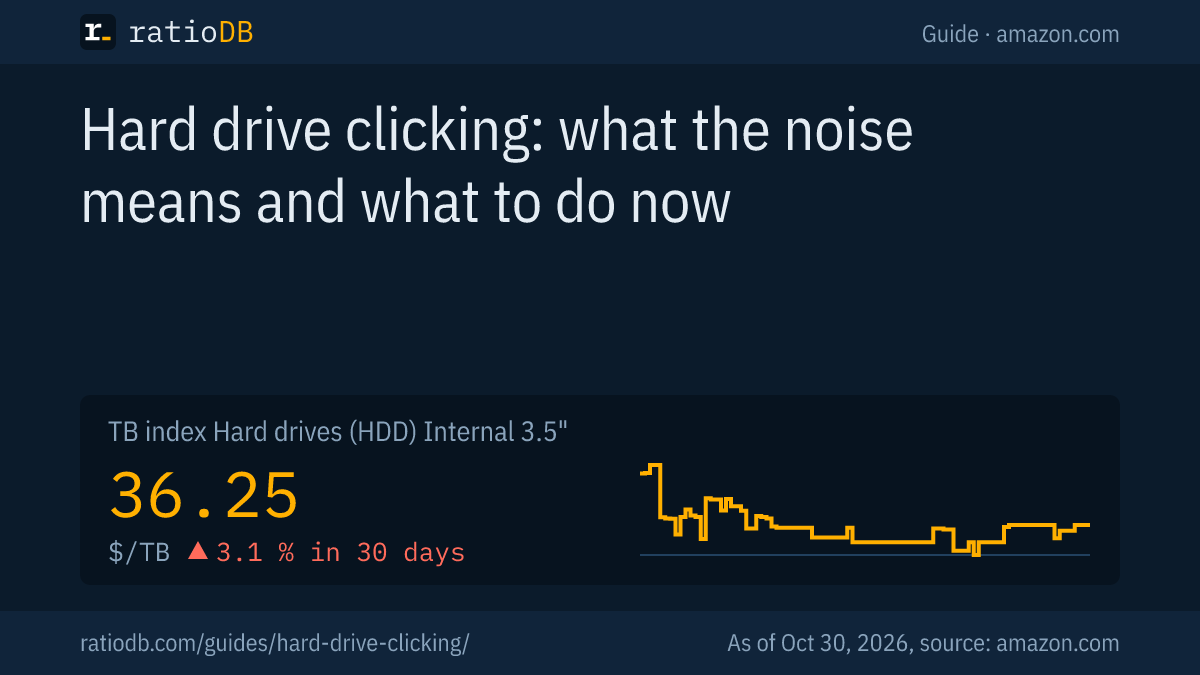
A new internal 3.5-inch hard drive currently costs $36.25 per TB on amazon.com according to the ratioDB TB index, +3.1% over 30 days (as of Oct 30, 2026 at 5:17 AM UTC).
Cheapest new internal 3.5" hard drive by capacity on amazon.com, maker-sold drives, as of Oct 30, 2026 at 5:17 AM UTC
| Capacity | Cheapest new 3.5" hard drive | Price | Price per TB |
|---|---|---|---|
| 2 TB | Seagate Desktop HDD 2 TB | $109.98 | $54.99 |
| 4 TB | WD Blue 4 TB | $179.99 | $45.00 |
| 8 TB | Seagate BarraCuda 8 TB | $275.04 | $34.38 |
| 12 TB | Toshiba MG07ACA 12 TB | $469.99 | $39.17 |
| 16 TB | Synology Plus HAT3310 16 TB | $694.66 | $43.42 |
| 24 TB | WD Red Pro 24 TB | $1,899.99 | $79.17 |
Prices come live from the ratioDB database and cover new single drives sold under the maker's name. The cheapest internal 3.5" drive per TB right now is WD HGST Ultrastar He8 Helium 6 TB at $28.08 per TB (6 TB). Buy at least the capacity of your old drive, so the backup fits back completely. For the long-term trend, see the hard drive price history.
Browse every offer under internal 3.5" hard drives and by size under 4 TB hard drive, 8 TB hard drive, hard drive prices per TB.
Hard drive or SSD as a replacement?
As the system drive in a PC or laptop, the best replacement for a clicking hard drive is an SSD: according to Dell it has no moving parts, runs silently and handles shocks better. For bulk storage, hard drives stay cheaper, since a 2.5-inch SATA SSD costs about 3.4 times as much per TB as a 3.5-inch hard drive.
For laptops with a 2.5-inch bay, the table shows both routes:
Cheapest 2.5" hard drive and 2.5" SATA SSD by capacity on amazon.com, as of Oct 30, 2026 at 5:17 AM UTC
| Capacity | Cheapest 2.5" hard drive | Cheapest 2.5" SATA SSD |
|---|---|---|
| 1 TB | Toshiba MQ01ABD 1 TB: $53.89 ($53.89 per TB) | SP Silicon Power A55 Boost 1 TB: $119.67 ($119.67 per TB) |
| 2 TB | Seagate BarraCuda 2 TB: $199.00 ($99.50 per TB) | SP Silicon Power A55 Boost 7mm 2 TB: $229.97 ($114.99 per TB) |
Dell notes that slow boots and apps that open with delay can mean a hard drive is struggling, and recommends upgrading to an SSD in that case. The TB index for 2.5-inch SATA SSDs is $123.73 per TB on amazon.com, for internal 2.5-inch hard drives $55.62 per TB. Browse internal 2.5" SATA SSDs and internal 2.5" hard drives. How to fit an SSD is covered in the guide how to install an SSD, the differences in detail in SSD vs HDD.
How do I protect myself from the next drive failure?
Protect yourself with regular backups to a second drive. Dell points out that hard drives can fail with little warning. A clicking sound can be the last warning, and a current copy makes it harmless.
3 habits that help:
- Back up automatically: Windows offers backups to an external drive or OneDrive, and on a Mac Time Machine does the job.
- Watch the drive's health: on a Mac, Disk Utility shows the S.M.A.R.T. status. PC makers ship their own diagnostics, Dell for example SupportAssist, which Dell says can spot early signs of drive issues.
- Listen: a new click, grind or whine is a reason to back up right away.
What a backup with 3 copies on 2 different types of media looks like is explained in the guide 3-2-1 backup rule. An external 2.5-inch hard drive as a backup target costs $47.50 per TB on amazon.com according to the TB index, listed under external 2.5" hard drives.
How does ratioDB compare hard drives?
ratioDB pulls amazon.com prices for every listed hard drive at regular intervals and converts them to price per TB, with 1 TB equal to 1,000,000,000,000 bytes. The TB index is the median of the 10 cheapest new offers per product type.
Internal 3.5-inch drives, internal 2.5-inch drives and SSDs sit in separate lists with their own index. Used and refurbished offers are labeled and never count toward the index. The tables in this guide only include drives sold under the maker's name. ratioDB does not test drives. The guidance on sounds and diagnostics comes from the linked Dell and Apple support pages. All rules are on the methodology page.
Hard drive clicking FAQ
Is it normal for a hard drive to click?
A soft, irregular rattle during access is normal, because the arm with the read/write head moves. Loud, regular clicking, grinding or whining is what Dell lists as a sign of a mechanical problem.
How long will a clicking hard drive last?
Nobody can predict that. Dell warns that drives can fail with little warning. Back up your files now and stop using the drive for anything important afterwards.
Can I fix a clicking hard drive myself?
No. Apple says a disk that is about to fail cannot be repaired, and that a disk whose problems cannot be fixed may be physically damaged. Do not open the drive yourself.
My hard drive is clicking and not detected: is my data gone?
Not necessarily. Turn the computer off and stop plugging the drive in again and again. If the files matter and there is no copy, ask a recovery lab for a fixed price.
Do SSDs make noise?
No. According to Dell, SSDs have no moving parts and run silently. If a computer with an SSD clicks, the sound comes from a hard drive, a fan or another component.
How much does an SSD cost instead of a hard drive?
A 2.5-inch SATA SSD costs $123.73 per TB on amazon.com according to the ratioDB TB index, about 3.4 times as much as an internal 3.5-inch hard drive (as of Oct 30, 2026 at 5:17 AM UTC). The SSD pays off as a system drive, while hard drives stay cheaper for bulk storage.
How much does a new hard drive cost right now?
On amazon.com, the TB index for internal 3.5-inch hard drives is $36.25 per TB (as of Oct 30, 2026 at 5:17 AM UTC). The table above shows the cheapest new drive for each size.