RDIMM vs UDIMM: Which Memory Does Your System Need?
RDIMM (registered DIMM) is memory with a register chip, the RCD, between the memory controller and the DRAM chips. UDIMM (unbuffered DIMM) connects the DRAM directly to the controller. Desktop CPUs such as the AMD Ryzen 9 9950X use UDIMM according to AMD, while workstation CPUs such as AMD Threadripper 9000 and Intel Xeon W-3500 require RDIMM. According to Kingston, DDR5 UDIMMs and RDIMMs are not socket compatible.
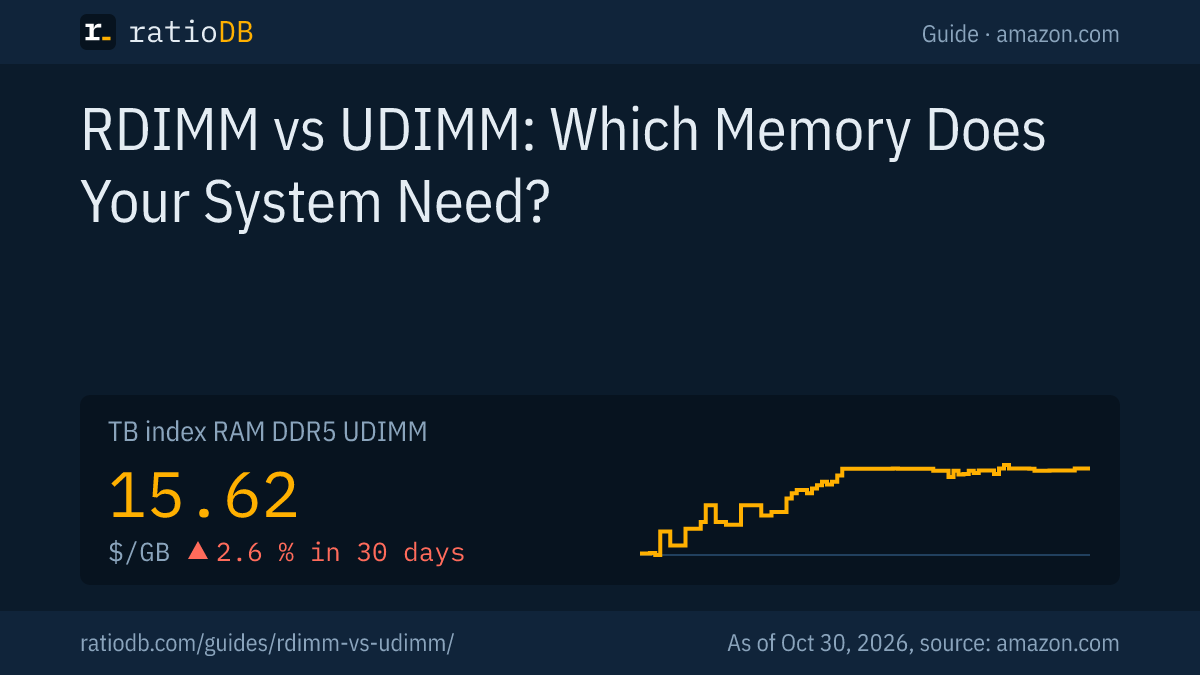
This guide explains what the register does, which platforms take which modules, and what the 2 types cost right now. On amazon.com, DDR5 desktop memory costs $15.62 per GB according to the ratioDB GB index (as of Oct 30, 2026 at 7:17 AM UTC). ratioDB does not benchmark memory. We combine manufacturer specs with price per GB from our database.
What is the difference between RDIMM and UDIMM?
The difference between RDIMM and UDIMM is the register. An RDIMM buffers the signals between memory controller and DRAM in an RCD chip, a UDIMM does not. According to Kingston, this lets RDIMMs scale to far higher capacities at the cost of slightly higher latency.
Kingston describes a UDIMM as a module that connects the DRAM directly with the memory controller, which gives a shorter signal path but limits capacity. An RDIMM places a Registered Clock Driver (RCD) between the controller and the DRAM as a small buffer. Micron puts it in one line: an RDIMM uses a register between the RAM chips and the system's memory controller.
Key differences according to Kingston, Rambus and Renesas
| Attribute | UDIMM | RDIMM |
|---|---|---|
| Buffer | none, DRAM wired to the controller | RCD register between controller and DRAM |
| Error correction (ECC) | 64-bit without ECC, 72-bit with ECC | sold as ECC RDIMM, 80-bit on DDR5 |
| Capacity | limited | much higher, up to 128 GB per DDR5 module at Kingston |
| Latency | slightly lower | slightly higher due to the register stage |
| Chips on DDR5 modules | PMIC and SPD hub | RCD, PMIC, SPD hub and 2 temperature sensors |
| Typical use | desktop PCs, mini PCs, small servers | workstations and servers |
ECC (error correction code) adds extra bits that let the memory controller detect and fix bit errors. Kingston describes 8 extra bits per rank, or per subchannel on DDR5, which is where the x72 and x80 module widths come from.
What is an RDIMM?
An RDIMM is a memory module with a register (RCD) that buffers the controller's signals before they reach the DRAM chips. According to Rambus, a DDR5 server RDIMM also carries its own power management IC (PMIC), an SPD hub and 2 discrete temperature sensors.
The RCD sits as a buffer between controller and DRAM. Kingston says this lets RDIMMs scale beyond UDIMM capacity, which is why workstations and servers with large amounts of memory use them. Rambus lists RCD chips for data rates of 6,400, 7,200, 8,000 and 9,600 MT/s (megatransfers per second). With the SPD hub's own sensor plus the 2 extra sensors, an RDIMM reports 3 temperature points.
Since DDR5, power regulation lives on the module. RDIMM PMICs are built for a higher input voltage. One example: Renesas specifies its P8910 PMIC for DDR5 RDIMMs with a bulk input range of 4.25 to 15 V, while its P8911 client PMIC for UDIMMs and SODIMMs accepts 4.25 to 5.5 V. That is one more reason a DDR5 RDIMM does not belong on a desktop motherboard.
Beyond the classic RDIMM, Kingston describes 2 more server designs:
- LRDIMM (load-reduced DIMM): adds data buffer chips so several physical ranks appear as fewer logical ranks, allowing more capacity. Kingston covers it for DDR3 and DDR4.
- MRDIMM (multiplexed rank DIMM): DDR5 only, lets 2 ranks work at once for up to 8,800 MT/s and beyond according to Kingston. The platform Kingston names is Intel Xeon 6.
What is a UDIMM?
A UDIMM is an unbuffered memory module for desktop PCs. The DRAM chips connect directly to the CPU's memory controller. UDIMMs come without ECC at 64 bits wide or as ECC UDIMMs at 72 bits, and the ECC version needs support from both CPU and motherboard.
Almost every DDR5 kit sold for gaming PCs is a non-ECC UDIMM, and listings often say "Unbuffered" or "Non-ECC" in the title. According to Rambus, a client DDR5 DIMM carries a PMIC and an SPD hub. Newer desktop modules with their own clock driver are called CUDIMMs, and Rambus says the clock driver appears at data rates starting at 6,400 MT/s. A CUDIMM is still unbuffered; its clock driver is not an RCD.
ECC UDIMMs are the middle ground for small servers and workstations built on desktop platforms. AMD lists ECC support for the Ryzen 9 9950X with the note that the motherboard must support it too. How ECC works in detail is a topic of its own. For the RDIMM vs UDIMM decision, one point matters: ECC alone does not turn a UDIMM into an RDIMM.
Can you mix RDIMM and UDIMM?
No. RDIMM and UDIMM cannot be mixed or swapped. Kingston states that DDR5 UDIMMs and RDIMMs are not socket compatible, and that a server with mixed memory types may not boot at all.
Kingston lists clear rules for servers and workstations:
- Do not mix types: UDIMM, RDIMM, LRDIMM and MRDIMM do not belong in the same system.
- Match the generation: DDR4 and DDR5 are not socket compatible.
- Match the speed: mixed speeds all run at the speed of the slowest module.
- Match the capacity: mismatched capacities may disable multichannel operation.
- Do not mix ECC and non-ECC: doing so may disable ECC or prevent booting.
Kingston's best practice is identical type, speed and capacity across all channels. Before you buy, check your motherboard's memory list or the CPU maker's spec page.
Which CPUs need RDIMM and which need UDIMM?
Desktop CPUs use UDIMM, while workstation CPUs such as Threadripper 9000 and Xeon W-3500 use RDIMM. AMD lists UDIMM for the Ryzen 9 9950X and RDIMM for the Threadripper 9980X and the Threadripper PRO 9985WX. Intel states that Xeon W-3500 and W-2500 support only ECC RDIMMs and 3DS RDIMMs.
Memory type according to the manufacturers (read 10/26/2026)
| CPU | Memory type | Channels | Notes |
|---|---|---|---|
| AMD Ryzen 9 9950X | DDR5 UDIMM | 2 | up to 256 GB, ECC with motherboard support |
| AMD Ryzen Threadripper 9980X | DDR5 RDIMM | 4 | up to 6,400 MT/s, ECC enabled by default |
| AMD Ryzen Threadripper PRO 9985WX | DDR5 RDIMM | 8 | up to 6,400 MT/s, ECC enabled by default |
| Intel Xeon W-3500 and W-2500 | ECC RDIMM and 3DS RDIMM only | n/a | ECC and non-ECC UDIMMs not supported |
AMD also lists an important limit for the Ryzen 9 9950X: DDR5-5600 with 2 DIMMs, but only DDR5-3600 with 4 DIMMs. Workstation platforms take a different approach: AMD lists 4 channels for the Threadripper 9980X and 8 for the Threadripper PRO 9985WX, each with RDIMMs at up to 6,400 MT/s.
A simple rule for the CPUs in the table: a Ryzen 9 9950X board takes UDIMM, a board for Threadripper 9000 or Xeon W-3500 and W-2500 takes RDIMM. Other platforms, including older used server boards, have their own lists, so the manual decides.
Is RDIMM slower than UDIMM?
According to Kingston, RDIMM has slightly higher latency because every signal passes through the extra register stage. In return it reaches far higher capacities. Workstation CPUs such as Threadripper 9000 also have 4 to 8 memory channels according to AMD, compared with 2 on the Ryzen 9 9950X.
Kingston does not put a clock-cycle number on the penalty. For its own DDR5 RDIMMs, Kingston lists CL52 at 6,400 MT/s and CL46 at 5,600 MT/s. What CL and the other timings mean is covered in DDR5 timings.
Gaming PCs use UDIMM because desktop CPUs require it. Simulations, large databases, virtual machines and rendering with huge datasets care about capacity and bandwidth. That is where RDIMM pays off, as soon as a desktop platform cannot hold enough memory.
How much capacity can an RDIMM hold?
A DDR5 RDIMM holds far more than a UDIMM. Kingston lists DDR5 RDIMMs at 6,400 MT/s in 16, 32, 64, 96 and 128 GB. Micron is sampling a 256 GB DDR5 RDIMM rated up to 9,200 MT/s. By contrast, AMD lists 256 GB as the maximum for the entire Ryzen 9 9950X.
The gap is easy to see: a Ryzen 9 9950X desktop tops out at 256 GB according to AMD, while an 8-channel Threadripper PRO workstation with RDIMMs can hold several times as much, depending on the board and module size. Micron adds a power argument for its 256 GB module: 11.1 W for 1 module versus 19.4 W for 2 modules of 128 GB, which Micron describes as more than 40% lower operating power.
DDR4 sizes are smaller. Kingston lists DDR4 RDIMMs at 3,200 MT/s in 16, 32 and 64 GB. How much memory you actually need for gaming, office work or video editing is covered in How much RAM do I need?.
What do ranks mean on RDIMMs and UDIMMs?
A rank is a group of DRAM chips on a module that the controller addresses together. Kingston lists single, dual, quad and octal rank modules. Kingston sells DDR5 RDIMMs as 1R and 2R, and notes that classic quad and octal rank RDIMMs lose performance.
More ranks mean more chips and therefore more capacity per module. According to Kingston, each rank carries its own 8 extra ECC bits, or 8 per subchannel on DDR5. Classic RDIMMs with 4 or 8 ranks paid for that capacity with latency. Kingston writes that the data buffers on DDR4 LRDIMMs and DDR5 MRDIMMs cancel out exactly that loss, which is why servers with huge memory pools use those designs.
What that means when you buy:
- Desktop with UDIMM: ranks matter mostly together with module count. AMD lists the same speeds for single and dual rank modules on the Ryzen 9 9950X, 5,600 MT/s with 2 DIMMs and 3,600 MT/s with 4.
- Workstation with RDIMM: follow the motherboard's memory list, which shows the approved rank combinations.
- Upgrades: buy the same model with the same rank count as your existing modules, in line with Kingston's advice to keep all channels identical.
How much does RDIMM cost compared to UDIMM?
At our last price check, amazon.com had no new RDIMM offer in the ratioDB database. DDR5 UDIMM costs $15.62 per GB in the GB index and DDR4 UDIMM $6.51 per GB (as of Oct 30, 2026 at 7:17 AM UTC).
New offers, GB index and cheapest kit per memory type on amazon.com, as of Oct 30, 2026 at 7:17 AM UTC
| RAM type | New offers | Index per GB | Cheapest kit per GB |
|---|---|---|---|
| DDR5 RDIMM (server) | 0 | n/a | no offer |
| DDR5 UDIMM (desktop) | 30 | $15.62 | Crucial Pro 2 × 16 GB: $14.37 |
| DDR4 RDIMM (server) | 0 | n/a | no offer |
| DDR4 UDIMM (desktop) | 42 | $6.51 | Timetec 4 × 16 GB: $5.94 |
The GB index is the median of the 10 cheapest new offers of a memory type. Without enough new offers there is no index.
Cheapest DDR5 kits by capacity on amazon.com, as of Oct 30, 2026 at 7:17 AM UTC
| Capacity | Cheapest DDR5 UDIMM kit | Cheapest DDR5 RDIMM kit |
|---|---|---|
| 32 GB | Crucial Pro 2 × 16 GB: $459.99 | no offer |
| 64 GB | Crucial Pro 2 × 32 GB: $999.99 | no offer |
A 64 GB DDR5 desktop kit currently starts at $999.99 (Crucial Pro 2 × 32 GB). The DDR5 desktop GB index moved +2.6% over 30 days. Why memory has become so expensive since 2025 is explained in Why are RAM prices so high?, and the RAM price history shows the daily index.
How do you tell RDIMM and UDIMM apart when buying?
Listings and data sheets usually name the type: RDIMM, "Registered" or "ECC Registered" for server memory, UDIMM, "Unbuffered" or "Non-ECC" for desktop memory. On DDR5 the data width helps too: x80 means ECC RDIMM, x72 means ECC UDIMM, x64 means non-ECC UDIMM.
Check these points in every listing:
- Module type: RDIMM or UDIMM, server memory sometimes shows "Reg ECC".
- ECC: "ECC" alone is not enough. ECC UDIMMs and ECC RDIMMs both exist.
- Generation: DDR4 or DDR5, neither fits the other's slot.
- Ranks: 1R or 2R (single or dual rank). Kingston offers DDR5 RDIMMs in both.
- Speed: check what your CPU supports, up to 6,400 MT/s for Threadripper 9000 according to AMD.
Look closely at cheap used server modules: if the listing says RDIMM or Registered, the module will not work in a desktop PC. ratioDB labels used and renewed offers on every row and never includes them in the index.
Which memory do you need for a desktop, workstation or home server?
Gaming, office and mini PCs with desktop CPUs need UDIMM. Workstations with Threadripper 9000 or Xeon W-3500 and W-2500 need RDIMM. For a home server the platform decides: a desktop board means UDIMM, ideally ECC UDIMM, and on a server board the memory list in the manual decides.
| Use | Typical platform | Memory type |
|---|---|---|
| Gaming and office PC | desktop CPU | non-ECC UDIMM |
| Laptop | laptop CPU | SODIMM or soldered memory |
| Small home server or DIY NAS | desktop CPU with ECC-capable board | ECC UDIMM |
| Rendering and simulation workstation | Threadripper 9000, Xeon W-3500 and W-2500 | RDIMM |
Laptops use their own smaller form factor, covered in Laptop RAM. Whether DDR5 or DDR4 suits a new desktop is compared in DDR5 vs DDR4.
Who should buy RDIMM?
RDIMM is worth it when you need more memory than a desktop platform can hold, or when your platform requires it. Typical cases are workstations for 3D rendering, scientific computing, large databases and many virtual machines. For gaming you do not need RDIMM.
The decision almost always happens at the CPU, not at the memory. Buy a Threadripper 9000 or a Xeon W-3500 and you buy RDIMM. Stay with a Ryzen or another desktop CPU and you buy UDIMM. 3 questions help:
- How much memory do you need? Up to 256 GB, a Ryzen 9 9950X is enough according to AMD. Beyond that you need a workstation.
- How many modules will you install? With 4 DIMMs, AMD lists a much lower speed on the Ryzen 9 9950X.
- Do you need ECC? On Threadripper 9000, AMD enables ECC by default. On desktop platforms you need ECC UDIMMs and a board that supports them.
How does ratioDB compare memory prices?
ratioDB checks the prices of all listed memory offers on amazon.com regularly and converts them to price per GB. Kits are divided by the total capacity of all modules. The GB index is the median of the 10 cheapest new offers per memory type.
We keep DDR5 and DDR4 apart, and split desktop (UDIMM), laptop (SODIMM) and server (RDIMM) memory into separate product types. Used and renewed offers appear with their condition in the list but never count toward the index. The manufacturer specs in this guide come from the linked sources, read on 10/26/2026. We do not run our own measurements. All rules are on the methodology page. The lists are at DDR5 desktop, DDR5 server, DDR4 desktop and DDR4 server, and every type is under RAM.
RDIMM vs UDIMM FAQ
Can I put an RDIMM in a regular desktop motherboard?
No. Desktop motherboards take UDIMM only. Kingston states that DDR5 UDIMMs and RDIMMs are not socket compatible, and the power management IC on the module is designed for a different input voltage.
Is ECC the same as RDIMM?
No. Kingston sells its RDIMMs as ECC RDIMMs, but ECC UDIMMs without a register also exist. According to Kingston, ECC UDIMMs are 72 bits wide and DDR5 ECC RDIMMs 80 bits. Your CPU and motherboard decide which one fits.
Is RDIMM faster than UDIMM?
Not per module. Kingston says RDIMM has slightly higher latency because of the register stage. Workstation CPUs such as Threadripper 9000 have 4 to 8 memory channels according to AMD, versus 2 on desktop CPUs such as the Ryzen 9 9950X.
What is an LRDIMM?
LRDIMM stands for load-reduced DIMM. Extra buffer chips take load off the controller, and several physical ranks appear as fewer logical ranks. Kingston says this allows more capacity than RDIMM and describes it for DDR3 and DDR4.
What is an MRDIMM?
MRDIMM stands for multiplexed rank DIMM, a DDR5-only server design. According to Kingston, 2 ranks work at the same time for up to 8,800 MT/s and beyond. The platform Kingston names is Intel Xeon 6. An MRDIMM does not fit a desktop PC.
What does DDR5 memory cost per GB right now?
On amazon.com the GB index for DDR5 desktop memory is $15.62 per GB and for DDR4 desktop memory $6.51 per GB (as of Oct 30, 2026 at 7:17 AM UTC). The index is the median of the 10 cheapest new offers.
Can I use used server RAM in a desktop?
Only if it is UDIMM. If the listing says RDIMM or Registered, the module only works in workstations and servers with RDIMM support. A desktop needs UDIMM of the same generation.
Sources
- Kingston: Different Types of Server Memory and How They Impact Performance
- Rambus: What are DDR5 DIMM Chipsets?
- Micron: DDR5 RDIMM
- Renesas: P8910 PMIC for DDR5 RDIMMs, P8911 client PMIC for UDIMMs and SODIMMs
- AMD: Ryzen 9 9950X, Ryzen Threadripper 9980X, Ryzen Threadripper PRO 9985WX
- Intel: Memory types supported by Xeon W-3500 and W-2500
- ratioDB: amazon.com prices, Methodology