DJI SD Card: Which microSD for Your Drone and Osmo?
A DJI SD card is a microSD card with UHS-I Speed Class 3 (U3), usually also rated Video Speed Class V30. DJI recommends cards with UHS-I Speed Class 3 or above for its drones. In the specs for the Mini 4 Pro, Air 3S, Avata 2 and Osmo Action 5 Pro, DJI lists cards from Lexar, Kingston, SanDisk and Samsung.
This guide explains which microSD card fits which DJI drone and Osmo camera, how much internal storage is already built in, how much video fits on each card size and how to format the card in the DJI Fly app. The details come from DJI's specs, FAQ pages and help articles. ratioDB does not test memory cards or drones itself, we compare prices and manufacturer data. Live prices from amazon.com are further down (as of Oct 30, 2026 at 11:17 AM UTC).
Which SD card does a DJI drone need?
A microSD card with UHS-I Speed Class 3 or above. DJI says so in its help article on card errors in drones. The specs for current models list almost only U3 and V30 cards, and for the Mini 4 Pro also V90 cards.
The specs give no minimum class as a number. They list recommended cards instead. Every card on it carries U3, most also V30. U3 and V30 each guarantee a minimum write speed of 30 MB/s. The list by model:
| Model | Recommended cards per DJI | Largest card on the list |
|---|---|---|
| DJI Mini 4 Pro | SanDisk Extreme PRO, Lexar 1066x, Kingston Canvas Go! Plus, Kingston Canvas React Plus (V90), Samsung EVO Plus | 512GB |
| DJI Air 3S | Lexar 1066x, Kingston Canvas Go! Plus | 512GB |
| DJI Avata 2 | Kingston Canvas Go! Plus, Lexar Professional 1066x | 512GB |
| Osmo Action 5 Pro | SanDisk Extreme PRO, Kingston Canvas Go! Plus, Lexar Professional 1066x | 1TB |
For the Mini 4 Pro, Air 3S and Avata 2, DJI's specs give no maximum card size, the largest card on the list is 512GB. For the Osmo Action 5 Pro, DJI explicitly lists microSD up to 1TB. Another card with U3 and V30 may work just as well, but DJI only recommends the cards on its list.
How much internal storage do DJI drones have?
It varies a lot. According to DJI, the Mini 4 Pro has 2GB built in, the Air 3S 42GB and the Avata 2 46GB. The Osmo Action 5 Pro has 64GB built in, 47GB of it usable. Without a card, the device records to this storage.
| Model | Internal storage per DJI | Video per DJI up to | Operating temperature per DJI |
|---|---|---|---|
| DJI Mini 4 Pro | 2GB | 150 Mbps | 14° to 104° F (-10° to 40° C) |
| DJI Air 3S | 42GB | 130 Mbps (4K at 120fps in D-Log M) | 14° to 104° F (-10° to 40° C) |
| DJI Avata 2 | 46GB | 130 Mbps | 14° to 104° F (-10° to 40° C) |
| Osmo Action 5 Pro | 64GB, 47GB usable | 120 Mbps | -4° to 113° F (-20° to 45° C) |
On the Mini 4 Pro, 2GB at 150 Mbps is enough for just under 2 minutes of video by calculation. For the Avata 2, DJI notes in its FAQ that the built-in storage may write more slowly after prolonged use. DJI then recommends transferring the data as prompted on the goggles screen and formatting the internal storage. On the Osmo Action 5 Pro, footage is saved either to the microSD card or to the built-in storage, according to DJI.
How much video fits on a DJI SD card?
It depends on the bit rate. According to DJI, the Mini 4 Pro records at up to 150 Mbps. That works out to about 67.5GB per hour, or roughly 57 min on 64GB, 1 h 54 min on 128GB and 3 h 48 min on 256GB.
The math: 150 Mbps times 3,600 seconds is 540,000 megabits, divided by 8 that is 67,500 MB or 67.5GB per hour. At a lower resolution or frame rate, the drone writes less data and more fits on the card. According to DJI, the Air 3S and Avata 2 reach up to 130 Mbps, the Osmo Action 5 Pro up to 120 Mbps.
A rough guide to size:
| How you fly | Size |
|---|---|
| Occasional flights, mostly photos | 64GB to 128GB |
| Several batteries a day in 4K | 256GB |
| Long trips without offloading | 512GB, up to 1TB on the Osmo Action 5 Pro |
What does a DJI SD card cost right now?
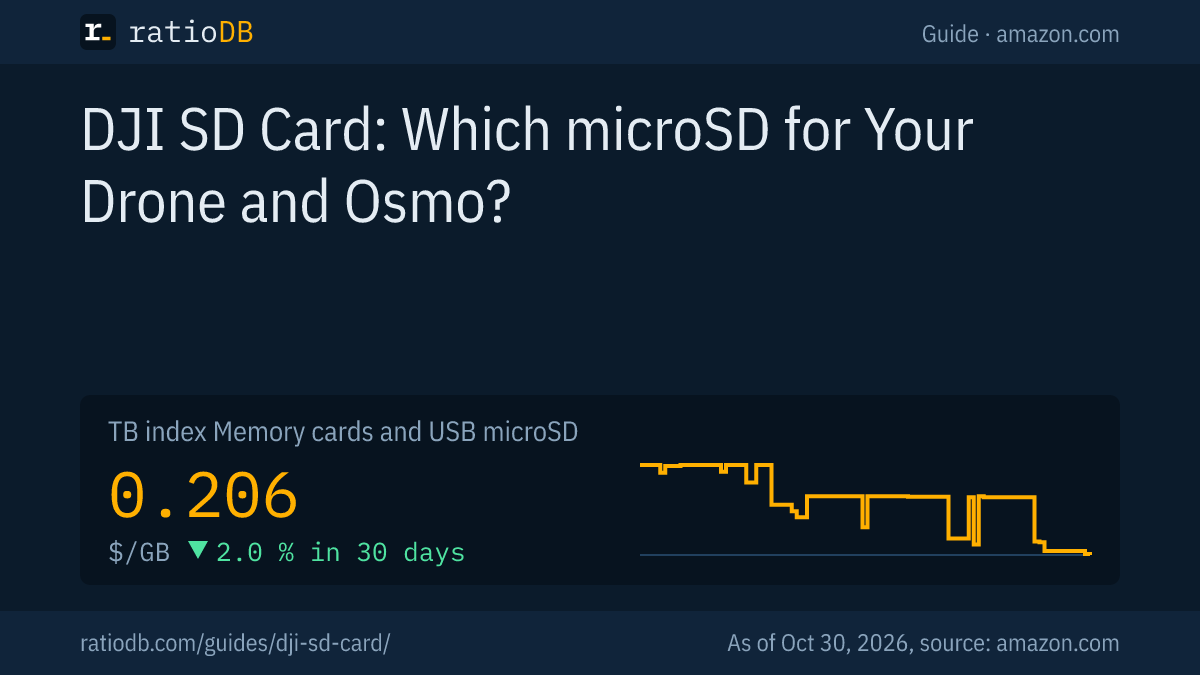
On amazon.com, the cheapest new microSD card with V30 or U3 in the listing title is currently Kootion Micro 512 GB at $91.99, which is $0.180 per GB (512 GB). The GB index for all microSD cards is at $0.206 per GB (as of Oct 30, 2026 at 11:17 AM UTC).
Cheapest new microSD card with V30 or U3 by size on amazon.com, as of Oct 30, 2026 at 11:17 AM UTC
| Capacity | Cheapest V30 or U3 card | Price | Price per GB | Video at 150 Mbps |
|---|---|---|---|---|
| 64 GB | SIX M100 64 GB | $19.99 | $0.312 | 57 min |
| 128 GB | Amazon Basics 128 GB | $35.14 | $0.275 | 1 h 54 min |
| 256 GB | SanDisk Extreme PRO 256 GB | $72.41 | $0.283 | 3 h 48 min |
| 512 GB | Kootion Micro 512 GB | $91.99 | $0.180 | 7 h 35 min |
The right column shows the calculated recording time at 150 Mbps, the highest bit rate of the Mini 4 Pro per DJI.
ratioDB detects the class from the listing title. If V30 or U3 is not there, the card is missing from this table even if the card itself carries V30. The cards on DJI's list are not always listed on amazon.com. Before you buy, check the marking in the product photo and compare it with the list in your drone's specs.
All cards are under microSD card prices per GB, single sizes under 256GB microSD card and 512GB microSD card.
How do I format the SD card for a DJI drone?
In the DJI Fly app: in the camera view, tap the System Settings icon in the upper right corner, open "Camera" and tap "Format". That is how DJI describes it in its help article on card errors. Save your footage first, formatting erases everything.
The steps per DJI:
- Back up: Copy your footage from the card to a phone or computer.
- Open settings: In DJI Fly, tap the System Settings icon in the upper right corner of the camera view.
- Format: Open "Camera" and tap "Format".
If the drone does not recognize a card, DJI advises backing up the data, formatting the card, resetting the camera parameters and reinserting the card. For the Avata 2, DJI lists exFAT as the file system. How to format a card on a computer is shown in the guide how to format an SD card.
What matters in cold weather and with vibration?
DJI rates the Mini 4 Pro, Air 3S and Avata 2 for operation from 14° to 104° F (-10° to 40° C), the Osmo Action 5 Pro from -4° to 113° F (-20° to 45° C). DJI gives no separate cold rating for the card. For devices with heavy vibration, GoPro recommends brand-name cards.
In the cold, the device's limits are what apply. According to DJI, the Osmo Action 5 Pro battery lasts up to 3.6 hours at -4° F (-20° C). For the card, the same applies as for action cameras: in the HERO manual, GoPro recommends brand-name cards because they are more reliable in high-vibration activities. A card from DJI's list for your model is the safest choice. What to look for with a GoPro is in the guide GoPro SD card.
What do U3, V30 and A2 on the card mean?
U3 and V30 guarantee a minimum write speed of 30 MB/s, the class DJI recommends for drones. A2 is a class for apps on smartphones, DJI does not list it as a requirement. V90 stands for at least 90 MB/s and is above the recommended minimum class.
All classes are explained in the guide SD card speed classes. For cameras with full-size SD cards, see the guide SD card for your camera, and for microSD basics the guide microSD card.
How does ratioDB compare memory cards?
ratioDB regularly pulls amazon.com prices for all listed memory cards and converts them to price per GB. The GB index for microSD cards is the median of the 10 cheapest new offers. We detect cards with V30 or U3 from the listing title.
The table in this guide only shows new single cards, no multipacks. Used offers are labeled and never count toward the index. ratioDB does not test memory cards or measure speeds. All rules are on the methodology page, all memory cards under memory card prices per GB.
Both boxes show the cheapest microSD cards and the current 90-day lows for all microSD cards. They include cards without U3 too, for a drone the U3 or V30 marking is what counts.
DJI SD card FAQ
Which SD card for the DJI Mini 4 Pro?
A microSD card with U3, for example Lexar 1066x, Kingston Canvas Go! Plus, SanDisk Extreme PRO or Samsung EVO Plus according to DJI's specs. The largest card on DJI's list is 512GB.
Can I fly without an SD card?
Yes, the drone then records to its internal storage. According to DJI, though, the Mini 4 Pro only has 2GB built in, the Air 3S 42GB and the Avata 2 46GB.
Which class does DJI recommend?
According to DJI, a microSD card with UHS-I Speed Class 3 or above. The recommended cards in the specs carry U3 and mostly V30.
How much drone video fits on 128GB?
At 150 Mbps, the Mini 4 Pro's highest bit rate, about 1 h 54 min by calculation. More fits at a lower resolution.
Which card for the Osmo Action 5 Pro?
A microSD card up to 1TB, for example Kingston Canvas Go! Plus or Lexar Professional 1066x with U3 and V30 according to DJI. It has 47GB of usable built-in storage.
How do I format the card in DJI Fly?
In the camera view, open System Settings in the upper right corner, choose "Camera" and tap "Format". Save your footage first.
Sources
- DJI: DJI Mini 4 Pro specs, DJI Air 3S specs, DJI Avata 2 specs, DJI Avata 2 FAQ
- DJI: Osmo Action 5 Pro specs, Osmo Action 5 Pro FAQ, Help: Aircraft MicroSD Card Recognition Error
- GoPro: HERO user manual (PDF)
- ratioDB: amazon.com prices, methodology