PCIe Lanes: Why M.2 Slots and Your Graphics Card Share Bandwidth
PCIe lanes are the individual data links of PCI Express that connect the graphics card, M.2 SSD and other cards to the processor and chipset. According to AMD, a Ryzen 7 9800X3D offers 24 usable lanes, and Intel lists 24 CPU lanes for the Core Ultra 200S. When several slots share lanes, one of them gets slower.
This guide explains what a lane is, how much bandwidth each PCIe generation delivers according to PCI-SIG, where the lanes in your PC come from, and why a second M.2 SSD sometimes disables SATA ports or drops the graphics card to x8. The facts come from PCI-SIG, AMD, Intel, ASUS, MSI and TechPowerUp. ratioDB does not test hardware itself, we compare prices and spec sheets. Live amazon.com prices for M.2 SSDs are further down (as of Oct 30, 2026 at 1:17 PM UTC).
What are PCIe lanes?
A lane is a single serial PCI Express link that can send and receive at the same time. Slots bundle several lanes: x1, x4, x8 or x16. An M.2 NVMe SSD usually uses 4 lanes, a graphics card 16. More lanes means more bandwidth.
The number after the x is the lane count. An x16 slot is the long slot for the graphics card, and an M.2 slot rated "PCIe 5.0 x4" connects the SSD with 4 lanes of generation 5.0. Keep the difference between physical size and wiring in mind: a slot can be x16 long and still be wired with only 4 lanes. The motherboard spec sheet tells you which.
The generation sets the speed per lane, the lane count sets the width of the link. By calculation, an SSD on PCIe 4.0 x4 has the same limit as one on PCIe 5.0 x2. With a graphics card and SSDs, both factors come together: the more devices need lanes, the more it matters how the motherboard splits them up.
How much bandwidth does a PCIe lane have?
According to PCI-SIG, PCIe 3.0 carries about 1 GB/s per lane and direction, and each new generation doubles the rate: 8 GT/s for 3.0, 16 GT/s for 4.0, 32 GT/s for 5.0, 64 GT/s for 6.0 and 128 GT/s for 7.0. For x16, PCI-SIG lists up to 128 GB/s on 5.0.
The generations at a glance. The x16 column shows PCI-SIG figures for both directions combined, the per-direction columns are calculated from them:
| Generation | Data rate per lane | x16 both directions (PCI-SIG) | x4 per direction (calculated) | x16 per direction (calculated) | Specification |
|---|---|---|---|---|---|
| PCIe 3.0 | 8 GT/s | almost 32 GB/s | about 4 GB/s | about 16 GB/s | 2010 |
| PCIe 4.0 | 16 GT/s | 64 GB/s | about 8 GB/s | about 32 GB/s | 2017 |
| PCIe 5.0 | 32 GT/s | 128 GB/s | about 16 GB/s | about 64 GB/s | 2019 |
| PCIe 6.0 | 64 GT/s | 256 GB/s | about 32 GB/s | about 128 GB/s | 2022 |
| PCIe 7.0 | 128 GT/s | 512 GB/s | about 64 GB/s | about 256 GB/s | 2025 |
GT/s stands for gigatransfers per second, the number of bits moved per lane. Since PCIe 3.0, PCI Express uses 128b/130b encoding according to PCI-SIG, so 8 GT/s delivers almost 1 GB/s per direction. Retail PCs today use generations 3.0, 4.0 and 5.0, while PCI-SIG aims 6.0 and 7.0 at data centers first. To measure whether your SSD reaches its limit, see the guide SSD speed test.
How many PCIe lanes do the CPU and chipset have?
According to AMD, a Ryzen 7 9800X3D has 28 PCIe 5.0 lanes, 24 of them usable. Intel says its Core Ultra 200S desktop processors have 20 PCIe 5.0 lanes and 4 PCIe 4.0 lanes on the CPU, and the 800 series chipset adds up to 24 more PCIe 4.0 lanes.
What the vendors list for current desktop platforms:
| Platform | CPU lanes | Chipset lanes | Source |
|---|---|---|---|
| AMD Ryzen 7 9800X3D (socket AM5) | 28 PCIe 5.0, 24 usable | depends on chipset and motherboard | AMD product page |
| Intel Core Ultra 200S (desktop) | 20 PCIe 5.0 and 4 PCIe 4.0 | up to 24 PCIe 4.0 (800 series) | Intel announcement, October 2024 |
CPU lanes are wired straight to the processor. They usually feed the graphics card slot and 1 or 2 M.2 slots. Further M.2 slots, SATA ports, USB and networking run through the chipset, which has its own link to the processor. The motherboard maker decides which slot hangs off which source, so 2 motherboards with the same chipset often differ a lot.
Why does an M.2 SSD disable SATA ports or drop the GPU to x8?
Because slots share the same lanes. MSI, for example, explains that a SATA port stops working once an M.2 SATA SSD sits in the M.2 slot. On some ASUS motherboards, the graphics card slot runs at x8 when certain M.2 slots are populated.
This is called lane sharing or bandwidth sharing. The motherboard maker spreads a fixed number of lanes across more slots than can be fully fed at the same time. If you populate a certain slot, the board disables another one or cuts it in half. Examples from vendor information:
| Motherboard | What is shared | Result per vendor |
|---|---|---|
| MSI PRO 20EX 8GL (MSI FAQ) | M.2 slot and SATA port 2 | SATA 2 is unavailable when an M.2 SATA SSD is installed in the M.2 slot |
| ASUS ROG Crosshair X870E Edition 20 (spec sheet) | M.2_2 and the USB4 ports | both run at up to x2, M.2_2 can be switched to x4 in BIOS, which turns the USB4 ports off |
| ASUS ROG Strix X870E-E Gaming WiFi (manual, quoted in the ASUS ROG forum) | M.2_2 and M.2_3 with the PCIEX16(G5) slot | with SSDs in M.2_2 and M.2_3, PCIEX16(G5) runs at x8 only |
Sharing is not a defect, the motherboard is designed that way. It is worth checking the manual before you buy a second SSD, though. There is often an M.2 slot without restrictions that suits the new SSD better. For the install itself, see the guide how to install an SSD.
How do I find out in the manual which slots share lanes?
Check the motherboard spec sheet under Expansion Slots and Storage. That is where the sharing footnotes are, such as "share bandwidth" or "will run x8". The manual usually repeats the same rules in the description of the M.2 slots.
Here is how to go about it:
- Identify the exact model: Name and revision are printed on the board, usually between the slots. Many motherboards come in several variants with different lane layouts.
- Open the spec sheet: On the vendor's site, read the Expansion Slots and Storage sections under Specifications. ASUS lists the rules as footnotes below the slot list.
- Download the manual: The support section of the motherboard has the manual as a PDF. Search for "M.2", "share" and "SATA".
- Write down the slots: Which M.2 slots hang off the CPU, which off the chipset, and which are shared with the graphics card slot or SATA.
- Check the BIOS: Some motherboards let you change the split in BIOS. ASUS, for example, says the bandwidth of the PCIe slots can be changed in BIOS.
If the SSD is already installed, HWiNFO or Device Manager in Windows shows how many lanes it is linked with. If you are planning a new PC, the guide how to build a PC helps.
How much performance does a graphics card lose at x8?
Little, as long as the generation is right. TechPowerUp tested a GeForce RTX 5090 at several link widths: on PCIe 5.0 x8, the same bandwidth as 4.0 x16, it lost about 1%. On PCIe 4.0 x8, the loss averaged 4% at 1080p and 1440p and about 2% at 4K.
TechPowerUp's RTX 5090 results at a glance:
| Link | Same bandwidth as | Loss per TechPowerUp |
|---|---|---|
| PCIe 5.0 x16 | full link | baseline |
| PCIe 5.0 x8 | PCIe 4.0 x16 | about 1% at all 3 resolutions |
| PCIe 4.0 x8 | PCIe 3.0 x16 | 4% on average at 1080p and 1440p, about 2% at 4K |
| PCIe 4.0 x4 | chipset slot | 11% at 1080p, 10% at 1440p, 6% at 4K |
What this means for you: if a second M.2 SSD drops the graphics card slot to PCIe 5.0 x8, a PCIe 5.0 card barely notices according to this test. A PCIe 4.0 card at x8, on the other hand, has half its bandwidth, the level of PCIe 3.0 x16. These figures are for 1 graphics card in 1 test, other cards and games can differ. ratioDB does not measure anything itself. How the graphics card reaches its full video memory is explained in the guide Resizable BAR.
Is a PCIe 5.0 SSD worth it when lanes are tight?
Only if the slot offers PCIe 5.0 x4 from the CPU and no other slot slows down because of it. On amazon.com, a PCIe 5.0 M.2 SSD costs 1.7% more per TB at the median than a PCIe 4.0 one (as of Oct 30, 2026 at 1:17 PM UTC).
M.2 NVMe SSDs by PCIe generation on amazon.com, as of Oct 30, 2026 at 1:17 PM UTC
| Generation | Limit per direction (calculated) | New offers | Cheapest per TB | Median per TB | Cheapest 2 TB |
|---|---|---|---|---|---|
| PCIe 3.0 x4 | about 4 GB/s | 7 | Adata Legend 710 1 TB: $146.99 | $181.58 | n/a |
| PCIe 4.0 x4 | about 8 GB/s | 36 | Crucial E100 2 TB: $125.00 | $202.49 | Crucial E100 2 TB: $249.99 |
| PCIe 5.0 x4 | about 16 GB/s | 10 | WD Black SN8100 4 TB: $175.00 | $205.98 | Lexar NM1090 PRO 2 TB: $358.90 |
The generation comes from the maker's listing title, counted are 65 single SSDs from known brands. The per-direction limit is calculated from PCI-SIG figures, real SSDs stay somewhat below it.
The median per TB is $202.49 for PCIe 4.0 and $205.98 for PCIe 5.0. PCIe 4.0 costs 11.5% more per TB at the median than PCIe 3.0. The cheapest PCIe 4.0 SSD per TB right now is Crucial E100 2 TB at $125.00 per TB. On PCIe 5.0 it is WD Black SN8100 4 TB at $175.00 per TB.
If the new SSD goes into a slot shared with the graphics card slot, a PCIe 4.0 SSD in another slot can be the better choice. Whether PCIe 5.0 pays off at all is covered in the guide PCIe 5.0 SSD, the difference to SATA in the guide NVMe vs SATA. All models are listed under M.2 NVMe SSD.
What happens with several M.2 SSDs in RAID?
Each SSD needs its own lanes. For 2 PCIe 4.0 x4 SSDs in RAID 0, the motherboard needs 8 lanes. If both hang off the chipset, they also share its link to the processor. A RAID with SSDs on CPU lanes is fastest.
Add-in cards for several M.2 SSDs in a graphics card slot need bifurcation for this, which splits an x16 slot into 4 times x4. For the Crosshair X870E Edition 20, for example, ASUS lists the modes x16, x8/x8, x8/x4/x4 and x4/x4/x4/x4. Whether your motherboard supports it is in the spec sheet. More on this in the guide NVMe RAID. Small SSDs for handhelds and laptops are covered in the guide M.2 2230.
How does ratioDB help you buy an SSD?
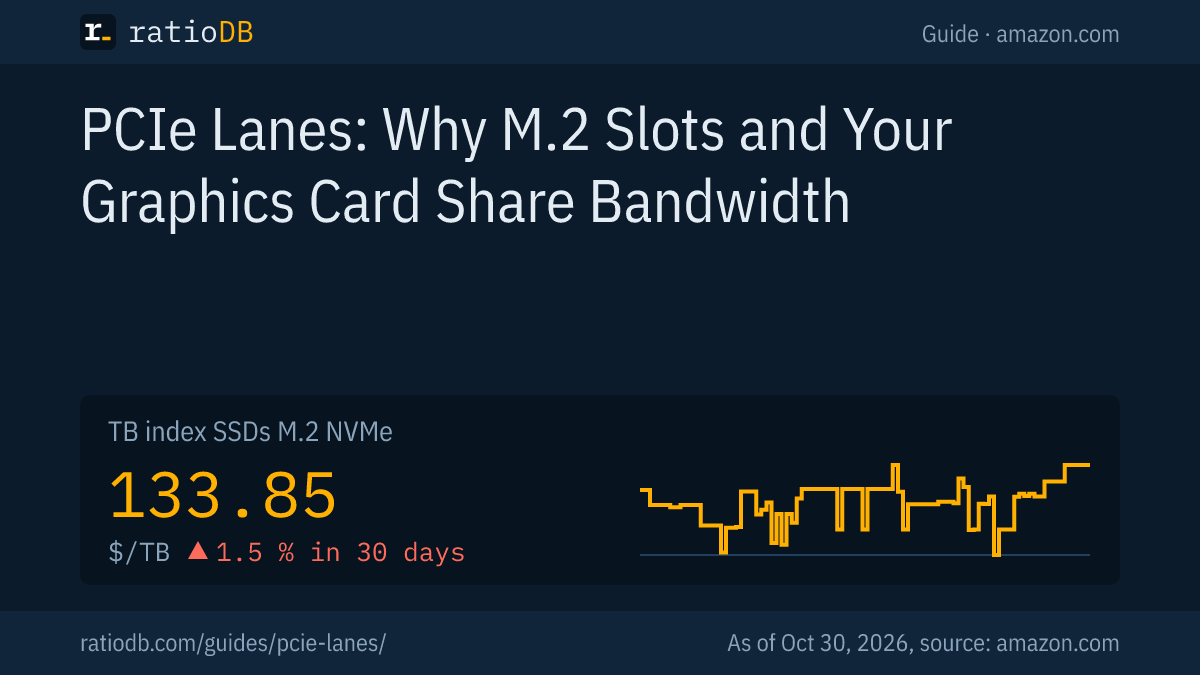
ratioDB compares M.2 SSDs per TB. amazon.com prices are pulled regularly, and the TB index is the median of the 10 cheapest new offers in a list. For M.2 NVMe SSDs it is currently $133.85 per TB. ratioDB does not test hardware itself.
The PCIe generation comes from the listing titles. If a title does not state it, the SSD is not counted in the table above. Used offers are labeled and never count toward the index. All rules are on the methodology page, all SSDs under SSD prices per TB, M.2 SATA SSDs under M.2 SATA SSD.
PCIe lanes FAQ
What do x4, x8 and x16 mean?
The number is the lane count of a slot. An M.2 NVMe SSD usually uses x4, a graphics card x16. On PCIe 4.0, x4 delivers about 8 GB/s per direction by calculation, x16 about 32 GB/s.
How many PCIe lanes does my CPU have?
The vendor's product page lists it. According to AMD, a Ryzen 7 9800X3D has 28 lanes, 24 of them usable. According to Intel, the Core Ultra 200S have 20 PCIe 5.0 lanes and 4 PCIe 4.0 lanes.
Why did my SATA port disappear after installing an M.2 SSD?
Because the M.2 slot and the SATA port share lanes. MSI gives an example: with an M.2 SATA SSD in the M.2 slot, SATA 2 is unavailable. Your motherboard manual tells you which ports are affected.
Does x8 slow down my graphics card?
Barely, if both card and slot support PCIe 5.0. TechPowerUp measured about 1% loss on an RTX 5090 at PCIe 5.0 x8, and 4% on average at 1080p and 1440p at PCIe 4.0 x8.
Is PCIe 5.0 backward compatible?
Yes. A PCIe 5.0 SSD also works in a PCIe 4.0 slot, at that slot's speed. The other way around, a PCIe 4.0 SSD in a PCIe 5.0 slot runs at its own speed.
What is bifurcation?
Bifurcation splits a 16-lane slot into smaller groups, such as 4 times x4. That way, one add-in card can hold several M.2 SSDs. The motherboard has to support it in BIOS, ASUS lists modes such as x8/x8 or x4/x4/x4/x4.
Where can I see how many lanes my SSD runs on?
Tools such as HWiNFO show the generation and lane count of the current link. If a PCIe 4.0 x4 SSD only runs at x2, it is often sitting in a shared slot.
Sources
- PCI-SIG: PCIe 3.0 at 8 GT/s, November 19, 2010, PCIe 5.0 at 32 GT/s and up to 128 GB/s on x16, May 29, 2019, PCIe 6.0 at 64 GT/s and up to 256 GB/s on x16
- HotHardware: PCIe 4.0 at 16 GT/s and 64 GB/s on x16, June 9, 2017
- CNX Software: PCIe 7.0 at 128 GT/s and 512 GB/s on x16, June 12, 2025
- AMD: Ryzen 7 9800X3D, PCIe 5.0 lanes
- Intel: Core Ultra 200S desktop processors, CPU lanes and 800 series chipset, October 2024
- ASUS: ROG Crosshair X870E Edition 20 spec sheet, ROG forum with an excerpt from the ROG Strix X870E-E manual
- MSI: FAQ on why SATA is unavailable after installing an M.2 SATA SSD
- TechPowerUp: GeForce RTX 5090 PCI-Express scaling
- ratioDB: amazon.com prices, methodology