CompactFlash Cards: Types, Speeds, CFast and Price per GB
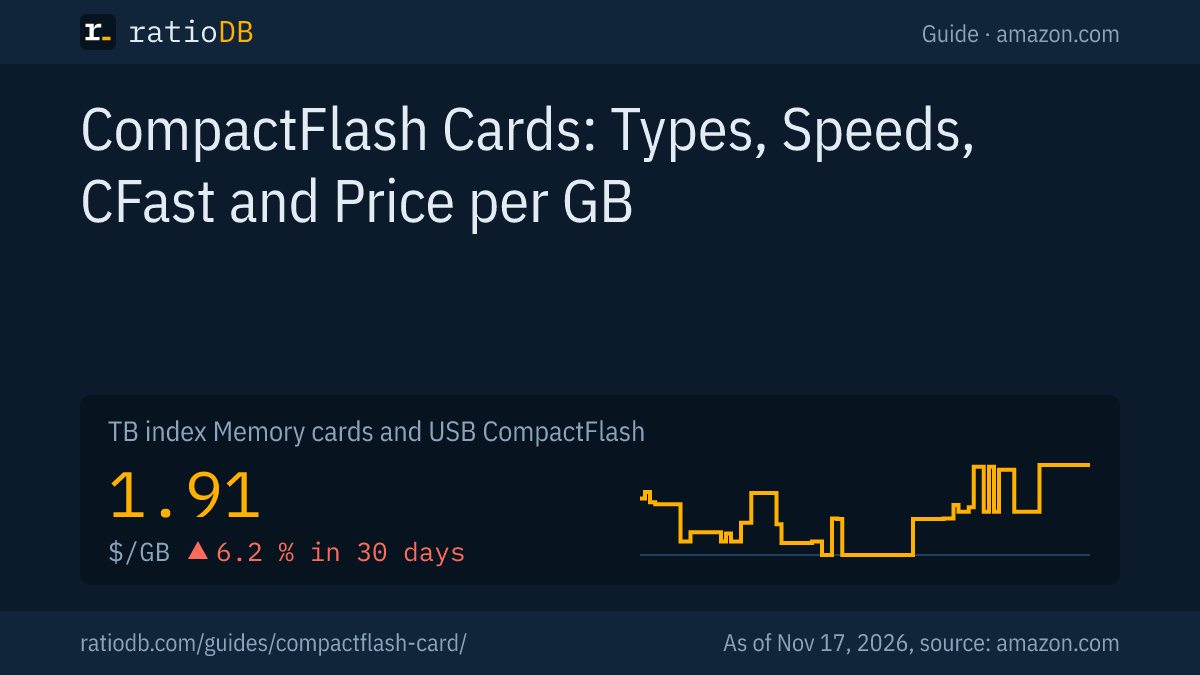
A CompactFlash card (CF card) is a 43 × 36 mm memory card that SanDisk introduced in 1994. It uses the Parallel ATA interface of hard drives and reaches up to 167 MB/s with the CF 6.0 standard and UDMA 7. CFast looks similar but uses SATA and does not fit a CF slot. On amazon.com, CompactFlash currently costs $1.91 per GB according to the ratioDB GB index (as of Nov 17, 2026 at 4:17 PM UTC).
Typical devices with a CF slot are older DSLRs such as the Canon EOS 5D Mark IV and industrial PCs, for which makers like Delkin build their own cards. New pro cameras such as the Canon EOS R5 or the Nikon Z9 use CFexpress. If you still shoot with a CF camera, you need the right cards and want to know which markings matter. This guide explains Type I and Type II, UDMA modes, the VPG video guarantee and how CF differs from CFast and CFexpress. ratioDB does not test memory cards. We compare prices and spec sheets. The figures on the standards come from the linked sources, the prices live from amazon.com.
What is a CompactFlash card?
CompactFlash is a memory card format with 50 contacts that works electrically like a small hard drive with an IDE interface. SanDisk specified the format in 1994 and built the first cards. Today the CompactFlash Association (CFA), a group of camera and storage makers, maintains the standard.
The key facts at a glance:
| Feature | Value | Source |
|---|---|---|
| Size | 43 × 36 mm | Wikipedia |
| Thickness Type I | 3.3 mm | Delkin, Wikipedia |
| Thickness Type II | 5 mm | Delkin, Wikipedia |
| Contacts | 50, a subset of the 68-pin PCMCIA connector | Delkin |
| Interface | Parallel ATA (PATA), electrically like IDE | Delkin |
| Top speed | 167 MB/s with UDMA 7 (CF 6.0) | CompactFlash Association |
| Addressing | LBA-48 since CF 5.0 | Delkin |
Delkin describes the card's True IDE mode as physically smaller than, but electrically identical to, the PATA and IDE interface of hard drives. That is why a CF card can act as a drive in devices with an IDE connector, such as industrial PCs. Cameras care about something else: write speed for bursts and video. More on that below.
What is the difference between CF Type I and Type II?
CF Type I is 3.3 mm thick, CF Type II is 5 mm. Electrically both are the same apart from the allowed current draw. According to Delkin, the thicker Type II slot is mainly used by miniature hard drives (Microdrives) and some specialty cameras.
Delkin, a maker of industrial and camera cards, describes the Type II slot as less common. For you this means: check your camera manual. If it says "CF Type I", only the thin 3.3 mm cards fit. Canon, for example, explicitly lists Type I CF cards with UDMA 7 for the EOS 5D Mark IV. Microdrives are miniature hard drives in the CF format and therefore a different class of device from the flash cards this guide is about.
What do UDMA 7 and VPG mean on a CF card?
UDMA 7 is the fastest transfer mode of the CF 6.0 standard at up to 167 MB/s. VPG stands for Video Performance Guarantee, a guaranteed minimum write rate for video: VPG-20 guarantees 20 MB/s, VPG-65 guarantees 65 MB/s.
UDMA stands for Ultra Direct Memory Access, a method in which the card moves data without a detour through the processor. The CompactFlash Association introduced UDMA 7 with the CF 6.0 standard in November 2010. The fastest mode before that reached 90 MB/s. CF 6.0 also added a command for a full erase (Sanitize), guidelines for TRIM and an optional temperature report from the card.
When buying, check whether the MB/s figure on the card refers to read or write speed. Delkin gives data rates of up to 145 MB/s for modern UDMA 7 cards. For video, the guaranteed write speed is what counts, and that is exactly what the VPG class tells you:
| Marking | Meaning | When it matters |
|---|---|---|
| UDMA 7 | transfer mode up to 167 MB/s per CF 6.0 | camera must support UDMA 7 |
| VPG-20 | at least 20 MB/s write for video | video at low bitrates |
| VPG-65 | at least 65 MB/s write for video | video at high bitrates |
| Read speed (for example 160 MB/s) | manufacturer figure, not a minimum | copying to a computer |
A camera only uses the fastest mode it supports itself. A UDMA 7 card in an older camera therefore brings no extra speed, while an old card slows down a fast camera. In its card list for the EOS 5D Mark IV, Canon names CF cards with UDMA 7 and 100 MB/s or more as the fastest tier. Before shooting video, Canon advises formatting the card in the camera.
What is the difference between CompactFlash and CFast?
CFast is the successor to CompactFlash with a SATA interface. CFast 2.0 uses SATA-3 and reaches up to 600 MB/s, a CF card at most 167 MB/s. Both are almost the same size but neither physically nor electrically compatible: a CFast card does not fit a CF slot and vice versa.
The CompactFlash Association presented CFast 2.0 as a draft in September 2012. According to the association, CFast 2.0 also includes a video guarantee and targets professional video and cinema. The card measures 42.8 × 36.4 × 3.6 mm, almost the same as a CF card. Instead of 50 pins it has a 7-pin SATA data connector and a 17-pin power connector.
| Feature | CompactFlash | CFast 2.0 |
|---|---|---|
| Interface | Parallel ATA (PATA) | SATA-3 |
| Top speed per spec | 167 MB/s (UDMA 7) | 600 MB/s |
| Connector | 50 pin sockets | 7 plus 17 contacts |
| Fits a CF slot | yes | no |
| Typical devices | older DSLRs, industrial | cinema and video cameras |
On amazon.com, CFast currently costs $1.47 per GB and CompactFlash $1.91 per GB (as of Nov 17, 2026 at 4:17 PM UTC). That makes CFast no more expensive per GB than CompactFlash. Canon, for example, built both slots into the EOS-1D X Mark II: one for CF Type I with UDMA 7 and one for CFast 2.0. Read product names carefully, because the two cards look very similar in online listings.
Is CFexpress the successor to CompactFlash?
Yes, CFexpress replaces CompactFlash and CFast in new pro cameras. CFexpress uses PCIe and NVMe like a modern SSD and is not compatible with CF or CFast. The Canon EOS R5, Canon EOS R3 and Nikon Z9, for example, use CFexpress cards for 8K video.
The path of the formats in short: CFast was announced in 2008 as a successor to CF, the CompactFlash Association announced XQD in December 2011 and CFexpress in September 2016. XQD cards fit neither CF nor CFast slots. All that matters for you is what your camera takes. If it has a CF slot, you buy CF. If it has CFexpress Type B, the guide CFexpress Type B helps.
GB index of the card types on amazon.com, as of Nov 17, 2026 at 4:17 PM UTC
| Card type | Interface per spec | GB index |
|---|---|---|
| CompactFlash | Parallel ATA (PATA), UDMA 7 up to 167 MB/s | $1.91 |
| CFast | SATA, CFast 2.0 up to 600 MB/s | $1.47 |
| CFexpress | PCIe/NVMe | $1.02 |
| SD card | SD bus, UHS-I up to 104 MB/s | $0.309 |
CompactFlash therefore costs about 6.2 times as much per GB as an SD card. If your camera has both a CF and an SD slot, like the EOS 5D Mark IV, large amounts of data are cheaper to store on SD. Which SD card works for that is covered in the guide Best SD card for camera.
Which cameras use CompactFlash cards?
CompactFlash is mainly used by DSLRs, often with a 2nd slot for another format, for example the Canon EOS 5D Mark IV with CF Type I (UDMA 7) and SD (UHS-I) or the Canon EOS-1D X Mark II with CF and CFast 2.0. New pro cameras such as the Canon EOS R5 use CFexpress.
The details from Canon's spec sheets:
| Camera | Slot 1 | Slot 2 | Source |
|---|---|---|---|
| Canon EOS 5D Mark IV | CF Type I, UDMA 7 | SD, SDHC, SDXC with UHS-I | Canon |
| Canon EOS-1D X Mark II | CF Type I, UDMA 7 | CFast 2.0 | Canon |
For the EOS 5D Mark IV, Canon states that SDHC and SDXC cards must be UHS-I and that UHS-II cards are not supported. As with every camera, the list of approved cards is in the manual and on the maker's support page. If your model is not in the table, look there. A look inside the card door also shows which format it takes.
How much does a CompactFlash card cost right now?
CompactFlash currently costs $1.91 per GB on amazon.com according to the ratioDB GB index, about $1,906 per TB (as of Nov 17, 2026 at 4:17 PM UTC). The cheapest per GB among well-known brands is SanDisk Extreme CompactFlash 64 GB at $1.09 per GB (64 GB).
The table shows only new single cards from brands with their own spec sheets, such as SanDisk, Transcend, Lexar or Delkin. We leave out cheap cards from unknown seller brands because they often lack UDMA and VPG details.
Cheapest CompactFlash and CFast card by size on amazon.com, well-known brands, as of Nov 17, 2026 at 4:17 PM UTC
| Capacity | Cheapest CompactFlash card | Cheapest CFast card |
|---|---|---|
| 64 GB | SanDisk Extreme CompactFlash 64 GB: $69.99 ($1.09 per GB) | no offer |
| 128 GB | SanDisk Extreme PRO CompactFlash 128 GB: $199.99 ($1.56 per GB) | no offer |
| 256 GB | no offer | SanDisk Extreme PRO CFast 256 GB: $379.25 ($1.48 per GB) |
| 512 GB | no offer | SanDisk Extreme Pro 512 GB: $729.95 ($1.43 per GB) |
| 1 TB | no offer | Delkin Devices CFast VPG130 1 TB: $837.99 ($0.838 per GB) |
For CFast, Delkin Devices CFast VPG130 1 TB leads at $0.838 per GB (1 TB). Before buying a large card, check which sizes your camera accepts according to the manual.
All offers are on CompactFlash cards and CFast cards, plus CFexpress cards, SD cards and every format on memory cards and USB.
What should I look for when buying a CF card?
Make sure it is CF and not CFast, Type I, matches your camera's UDMA mode, carries VPG if you shoot video and has a size your camera accepts according to the manual. Buy well-known brands, because according to TP-Link the most common fake reports more storage than it has.
The checklist in 6 points:
- Check the format: CompactFlash or CFast? The camera manual says so clearly.
- Type I or Type II: Cameras like the EOS 5D Mark IV take Type I at 3.3 mm. Type II at 5 mm mostly concerns specialty devices, according to Delkin.
- UDMA mode: For cameras with UDMA 7, a UDMA 7 card makes sense. Older cameras work with fast cards but do not use the extra speed.
- VPG for video: If you shoot video, look for VPG-20 or VPG-65. That is the guaranteed write speed.
- Size: Your camera manual lists the card sizes it accepts.
- Seller: TP-Link lists a smaller real capacity, slow speed and missing details on the packaging as signs of fake cards. You can check the capacity with tools like H2testw (Windows) or F3 (Mac).
For industrial PCs and machine controls, the temperature range and how long a model stays available also count. With CF 6.0 the CompactFlash Association introduced an optional temperature report from the card for this. The prices in this list cover cards for cameras and home use.
How do I take care of a CompactFlash card?
Format the CF card in the camera before use, remove it only when the access light is off and insert it the right way round without force. The pins in a camera's CF slot bend easily, and according to the Wex Photo Video repair team a single bent pin can make the camera's card reader unusable.
The most fragile part of a CF camera is the slot. The Wex Photo Video repair team warns that a CF card can almost fit back to front or even sideways. Blocked or damaged holes on the card's connector side can bend the pins as well. Their advice: inspect cards before inserting them, check the orientation and replace cards with damaged holes.
More rules that apply to other memory cards too:
- Format in the camera: Canon advises formatting the card in the camera before shooting video. That sets up the file system the way the camera expects.
- Don't remove it while recording: Only take the card out once the access light is off.
- Back up your photos: Copy the images to a hard drive promptly. A memory card is not an archive.
- Erasing before you sell it: CF 6.0 includes a Sanitize command for a full erase. Whether your camera or card reader uses it depends on the device. When in doubt, keep the card.
To get files onto a computer you need a card reader with a CF slot. If your laptop only has an SD slot, use a USB card reader with a CF slot. For fast UDMA 7 cards, a reader with USB 3 makes sense.
How does ratioDB compare CompactFlash cards?
ratioDB regularly pulls the amazon.com prices of all listed CF, CFast and CFexpress cards and converts them into price per GB. The GB index is the median of the 10 cheapest new offers per product type.
CompactFlash, CFast and CFexpress have separate lists with their own index because they do not fit the same devices. Used offers are labeled and never count toward the index. The tables in this guide show only new single cards from well-known brands. ratioDB does not test cards itself. The details on standards and cameras come from the linked sources from the CompactFlash Association, Canon and Delkin. All rules are on the methodology page.
Frequently asked questions about CompactFlash cards
Does a CFast card fit in a CF slot?
No. CFast uses SATA, CompactFlash uses Parallel ATA. The connectors differ and the cards are neither physically nor electrically compatible. Buy exactly the format your camera manual lists.
How fast is the fastest CF card?
The CF 6.0 standard allows up to 167 MB/s with UDMA 7. Delkin gives data rates of up to 145 MB/s for modern UDMA 7 cards. How fast it runs in your camera also depends on the camera's UDMA mode.
What does VPG-65 mean on a CF card?
VPG stands for Video Performance Guarantee. VPG-65 guarantees a minimum write speed of 65 MB/s for video, VPG-20 guarantees 20 MB/s. For photos the value matters less, for video it is the key figure.
Are CompactFlash cards still made?
Yes, brands like SanDisk and Transcend still sell CF cards, and ratioDB lists them with live prices. According to Wikipedia, CompactFlash's market share is shrinking, and new pro cameras use CFexpress.
Is CompactFlash more expensive than SD?
Yes, CompactFlash currently costs $1.91 per GB on amazon.com and an SD card $0.309 per GB (as of Nov 17, 2026 at 4:17 PM UTC).
Can I use an SD card with an adapter in a CF camera?
SD to CF adapters exist. Whether they run reliably in your camera and how fast depends on the adapter and the camera. For important shoots, a real CF card is the safer choice.
How do I read a CF card on a computer?
With a card reader that has a CF slot. If your computer only has an SD slot, use a USB card reader with a CF slot. For fast UDMA 7 cards, a reader with USB 3 makes sense.
Sources
- CompactFlash Association via PhotoReview: New CF 6.0 standard with UDMA 7 and 167 MB/s, 19.11.2010
- CompactFlash Association via Engadget: CFast 2.0 with SATA-3 and up to 600 MB/s, 19.09.2012
- CompactFlash Association via DIReporter: CFast 2.0 draft with VPG video guarantee
- Delkin Devices: Technical guide to CompactFlash and SD cards
- Canon: Compatible cards for the EOS 5D Mark IV, EOS-1D X Mark II specifications
- Wex Photo Video: Take care with memory cards, bent CF pins
- TP-Link VIGI: How to spot and test a fake microSD card
- Wikipedia: CompactFlash, dimensions, VPG, CFast and successors
- ratioDB: amazon.com prices, methodology