CD-R vs CD-RW: Differences, Capacity and Prices
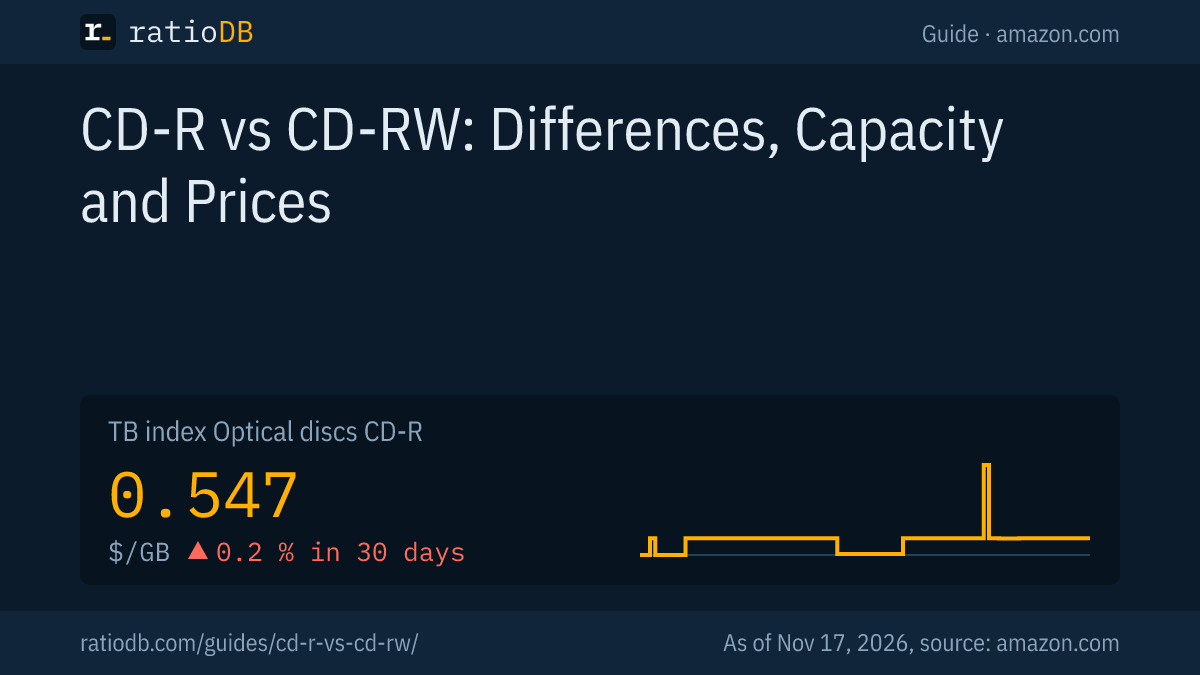
Blank CDs come as CD-R, which you write once, and CD-RW, which you can erase and rewrite, both with 80 minutes of music or about 700 MB of data. Philips and Sony defined the formats in the Orange Book, and Ecma International published them as ECMA-394 and ECMA-395. A burned CD-RW reflects less light, so according to the standard it plays only in CD-RW enabled players. On amazon.com the ratioDB index for CD-R currently sits at $0.547 per GB (as of Nov 17, 2026 at 4:17 PM UTC).
This guide explains when to use CD-R and when CD-RW, what fits on a CD, what to watch for when burning audio CDs, how long burned CDs last according to research and what a blank disc costs right now. ratioDB does not burn discs itself. We combine the Ecma standards, a study by the Canadian Conservation Institute, Apple's help pages and English Wikipedia overviews with real amazon.com prices.
What are blank CDs?
Blank CDs are empty 12 cm discs that a CD burner writes with a laser of about 780 nm. According to Wikipedia, the CD-R was originally called CD-WO (write once), and Taiyo Yuden brought the first blank discs to market in 1988.
The formats are defined in the Philips and Sony standards known as the Orange Book after the color of their cover. Part II covers CD-R, part III covers CD-RW. In 2010, Ecma International published the fast versions as ECMA-394 (CD-R Multi-Speed) and ECMA-395 (CD-RW Ultra-Speed). Among other things, they state that the burner writes with a laser between 780 and 792 nm and that the disc has a slightly wobbled groove the burner follows.
The two discs at a glance:
| Feature | CD-R | CD-RW |
|---|---|---|
| Writable | once | many times, more than 1,000 overwrites per the standard |
| Standard | Orange Book part II, ECMA-394 | Orange Book part III, ECMA-395 |
| Capacity | 80 minutes of audio, about 700 MB of data | 80 minutes of audio, about 700 MB of data |
| Speed per standard | disc types up to 48x (ECMA-394) | 1x to 4x, 4x to 10x, 8x to 24x, 8x to 32x |
| Playback | almost all CD players and drives | CD-RW enabled players only per ECMA-395 |
| Good for | audio CDs, archives, handing out | data that changes often |
Sources: ECMA-394 (PDF), ECMA-395 (PDF).
CD-R vs CD-RW: what is the difference?
You write a CD-R once, after which it stays as it is. A CD-RW can be erased and rewritten, and the standard requires that more than 1,000 overwrites are possible. In exchange, a CD-RW reflects less light than a regular CD and plays only in players that explicitly support CD-RW.
The ECMA-395 standard states that a recorded CD-RW has a lower reflectivity than a "Red Book compatible" disc and must therefore be played on "CD-RW enabled CD-players". Red Book is the standard for pressed audio CDs. Such a player then reads CD-RW, CD-R and pressed CDs. Older car stereos and home stereos can fail with a CD-RW even though they play a CD-R without trouble.
With a CD-RW, the laser changes the reflectivity of the recording layer: according to ECMA-395, writing lowers it, erasing raises it again and overwriting lowers or raises it depending on the spot. The minimum of more than 1,000 overwrites (direct overwrite cycles) is a requirement the standard places on the disc. How many cycles a given disc actually manages also depends on the burner and on storage.
For speed, ECMA-395 distinguishes 4 CD-RW types: 1x to 4x, 4x to 10x (High Speed), 8x to 24x and 8x to 32x (both Ultra Speed). An older burner may not be able to write a faster CD-RW type. For US32 discs the standard even requires their own logo, because they are not write compatible with the earlier version.
How much fits on a CD?
A regular CD-R holds 80 minutes of music or about 700 MB of data. Older 74 minute discs hold about 650 MB. According to Wikipedia, 90 and 99 minute discs depart from the Orange Book and need the "overburn" option in your burning software.
The ECMA-394 standard sets the latest start of the lead-out area at the end of the disc at 79:59:74, just under 80 minutes. Anything beyond that is outside the standard. The common sizes:
| Disc | Playing time | Data | Note |
|---|---|---|---|
| CD-R 74 | 74 minutes | about 650 MB | older size |
| CD-R 80 | 80 minutes | about 700 MB | standard today |
| CD-R 90 | 90 minutes | about 790 MB | outside the standard, overburn needed |
| CD-R 99 | 99 minutes | about 870 MB | outside the standard, overburn needed |
Source for playing times and data sizes: Wikipedia, CD-R.
Windows shows a 700 MB CD-R slightly smaller because it counts in binary. The guide TB vs TiB explains the difference.
For comparison: a DVD holds 4.7 GB, almost 7 times as much, and a single-layer Blu-ray 25 GB. More on DVDs is in the guide DVD-R vs DVD+R. The guide blank Blu-ray discs covers Blu-rays.
How much do blank CDs cost right now?
CD-R discs in a 50 spindle cost only a few cents each. The cheapest CD-R offer per GB on amazon.com is currently MyEco CD-R CDR 100 × 700 MB with 100 discs for $18.49, which works out to $0.18 per disc (as of Nov 17, 2026 at 4:17 PM UTC). A CD-RW currently costs 3.8 times as much per disc. Per GB, CD-R costs far more than DVD-R and BD-R because only 700 MB fit on it.
The table shows the cheapest new offer per GB for CD-R and CD-RW, plus DVD-R and BD-R for comparison. ratioDB calculates the price per disc from the pack price divided by the number of discs.
Cheapest blank disc per GB by medium on amazon.com, as of Nov 17, 2026 at 4:17 PM UTC
| Medium | Cheapest offer per GB | Price per disc | Price per GB |
|---|---|---|---|
| CD-R 700 MB | MyEco CD-R CDR 100 × 700 MB (100 discs) | $0.18 | $0.264 |
| CD-RW 700 MB | Verbatim CD-RW 25 × 700 MB (25 discs) | $0.69 | $0.991 |
| DVD-R 4.7 GB | Smartbuy DVD-R White Inkjet Hub 3000 × 4.7 GB (3,000 discs) | $0.18 | $0.038 |
| BD-R 25 GB | Ridata BD-R 600 × 25 GB (600 discs) | $0.46 | $0.018 |
Our list currently has 13 CD-R and 5 CD-RW offers in stock. All offers with price per GB are in the lists CD-R and CD-RW, all optical media under Optical discs.
Is the big spindle worth it?
Yes, if you will use up the discs. The price per CD-R drops as the pack gets bigger. On amazon.com a 700 MB CD-R currently costs $1.40 per disc in the smallest pack group and $0.18 in the largest (as of Nov 17, 2026 at 4:17 PM UTC).
A spindle is the round tub where discs sit stacked on a center post without sleeves. Jewel cases (individual plastic cases) and slim cases cost extra but are handier for audio CDs you give away.
Cheapest 700 MB CD-R per GB by pack size on amazon.com, as of Nov 17, 2026 at 4:17 PM UTC
| Pack size | Cheapest offer per GB | Pack price | Price per disc | Price per GB |
|---|---|---|---|---|
| 1 to 9 discs | Cellet CD-R 5 × 700 MB (5 discs) | $6.99 | $1.40 | $2.00 |
| 10 to 19 discs | Verbatim CD-R 10 × 700 MB (10 discs) | $7.87 | $0.79 | $1.12 |
| 20 to 39 discs (often a 25 spindle) | Verbatim Audio CD-R 25 × 700 MB (25 discs) | $11.99 | $0.48 | $0.685 |
| 40 to 99 discs (often a 50 spindle) | Verbatim CD-R 50 × 700 MB (50 discs) | $13.56 | $0.27 | $0.387 |
| 100 discs or more | MyEco CD-R CDR 100 × 700 MB (100 discs) | $18.49 | $0.18 | $0.264 |
Our advice: if you only burn the occasional audio CD for the car, a 10 pack lasts a long time. For archives and regular burning, the 25 or 50 spindle is cheaper. Buy a small pack of an unfamiliar brand first and test it in your burner and player.
How do I burn an audio CD?
For an audio CD, choose the "Audio CD" mode in your burning program so that every CD player can play the disc. Use a CD-R, not a CD-RW. Regular data discs work on a computer, while standalone consumer CD recorders need special music discs according to Wikipedia.
The difference between an audio CD and a data CD: an audio CD follows the Red Book for music CDs and plays in every CD player, including car stereos. A data CD with MP3 files holds much more music but plays only on devices with MP3 support. The 80 minutes on the pack apply to the audio CD.
According to the English Wikipedia, standalone consumer CD recorders, such as those built into home stereos, write only discs with a special flag. In the United States these are sold as "Music" or "Audio" CD-R, and their price includes a royalty. You do not need them on a computer, where regular CD-R work. In our amazon.com list, 6 CD-R offers currently carry such a label in their name.
How to do it on a computer:
- Insert a CD-R: not a CD-RW if the CD should play in older players or in the car.
- Open your burning program: on macOS, according to Apple, the Music app does this directly via File > Burn Playlist to Disc. On Windows, use the burning program of your choice.
- Choose the Audio CD mode: according to Apple, an audio CD plays on any standard CD player, an MP3 CD only on players with MP3 support.
- Add tracks: at most 80 minutes for an 80 minute disc.
- Choose the speed and burn: Apple offers a Preferred Speed option, gaps between songs and CD Text, which some car stereos display. If you cancel burning a CD-R, the disc can no longer be used, according to Apple.
About speed: according to Wikipedia, burners above 20x use a technique where the full speed is reached only at the outer edge of the disc. The 52x printed on many packs is therefore a peak, not an average. The ECMA-394 standard describes discs up to 48x. Higher ratings on the pack are manufacturer claims.
How long do burned CDs last?
It depends on the dye and the metal layer. The Canadian Conservation Institute estimates more than 100 years for CD-R with phthalocyanine dye and a gold layer, 50 to 100 years with phthalocyanine and a silver alloy and 20 to 50 years with cyanine or azo dye and a silver alloy. For CD-RW the CCI gives 20 to 50 years.
The CCI is the Government of Canada's conservation institute. In CCI Notes 19/1 (revised 2019, author Joe Iraci), it estimated lifespan from accelerated aging tests. The figures cover temperature and humidity only. According to the CCI, pollutants shorten them further, especially without a gold layer.
| Blank CD | Estimated lifespan per CCI |
|---|---|
| CD-R, phthalocyanine, gold layer | more than 100 years |
| CD-R, phthalocyanine, silver alloy | 50 to 100 years |
| CD-R, cyanine or azo, silver alloy | 20 to 50 years |
| CD-RW | 20 to 50 years |
Source: Canadian Conservation Institute, CCI Notes 19/1.
The CCI calls the CD-R with phthalocyanine dye and a gold layer the most stable recordable medium in the study, while noting that cost and capacity may limit its use. Cyanine, phthalocyanine and azo are dyes used in the recording layer. According to Wikipedia, you cannot reliably tell the dye from the disc's color, because manufacturers have also changed the coloring. If the pack does not name the dye, it stays unknown.
What helps, according to the CCI citing ISO 18925:2013: 20 to 50 percent humidity, between minus 10 °C (14 °F) and 23 °C (73 °F), upright in jewel cases, labeled with a water-based permanent marker on the clear inner hub, no adhesive labels. Spot-check archives every 5 to 10 years and keep several copies on different media, as the guide 3-2-1 backup rule describes.
CD, DVD or USB flash drive: which fits what?
Today the CD mostly makes sense for audio CDs, for devices that read only CDs and for small archives nobody should change. For data it costs much more per GB than DVD and Blu-ray. The index for USB flash drives on amazon.com currently sits at $0.106 per GB (as of Nov 17, 2026 at 4:17 PM UTC).
| Job | Matching medium | Why |
|---|---|---|
| Music for the car stereo or home stereo | CD-R as audio CD | plays in every CD player |
| Music as MP3 in the car | USB flash drive or MP3 CD | many more tracks, the device must support it |
| Photos for the family | DVD-R or USB flash drive | more space per disc or drive |
| Archive nobody should change | CD-R, DVD-R or BD-R | write once, unchangeable |
| Large amounts of data | BD-R or hard drive | cheaper per GB |
| Data that changes often | USB flash drive or CD-RW | rewritable |
A USB flash drive is more convenient and rewritable, but a mistake on the computer or malware can change it. A burned CD-R stays as it is. Which flash drive is worth it is covered in the guide best USB flash drive, and all drives with price per GB are under USB flash drives.
What should I look for when buying blank CDs?
Look at the type (CD-R or CD-RW), the 80 minute playing time and a pack size you will use up. For archives, the dye matters if the manufacturer names it. For audio CDs on a computer, regular CD-R are enough.
| Feature | What to check | Note |
|---|---|---|
| Type | CD-R for music and archives, CD-RW for rewriting | CD-RW plays only in CD-RW enabled players |
| Playing time | 80 minutes, 700 MB | 90 and 99 minutes are outside the standard |
| Speed | 48x or 52x per the pack | peak at the outer edge of the disc |
| CD-RW type | 4x, 10x, 24x or 32x | older burners cannot write fast types |
| Dye | phthalocyanine, azo or cyanine | matters for lifespan per the CCI |
| Surface | logo top, printable (inkjet) or thermal | printable only with a matching printer |
| Pack | spindle or individual case | spindles are the cheapest per disc |
| Music CD-R | only for standalone CD recorders | not needed on a computer |
Which mistakes happen most when burning CDs?
Typical mistakes are a CD-RW in an old car stereo, the wrong burn mode, too much music for the disc and adhesive labels. With the right disc and the verify option you avoid most of them.
| Mistake | Result | Better |
|---|---|---|
| CD-RW in an old car stereo | the CD does not play | use a CD-R |
| Data CD instead of audio CD | the player shows no tracks | choose the Audio CD mode |
| More than 80 minutes of music | burning stops | split the tracks or burn an MP3 CD |
| 800 MB disc without overburn | the burner rejects the disc | use a 700 MB disc or test overburn |
| Adhesive label | imbalance, label comes loose | marker on the inner hub per the CCI |
| Storage in the car in summer | heat damages the recording layer | store cool and dark |
How does ratioDB compare blank CDs?
ratioDB pulls amazon.com prices for all listed discs regularly and converts them into price per GB, with 1 GB equal to 1,000,000,000 bytes. For packs we divide the price by capacity times the number of discs. The index is the median of the 10 cheapest new offers per product type.
CD-R and CD-RW sit in separate lists with their own index. Used offers are labeled and never count toward the index. For the tables we take the cheapest new offer per GB for each product. We leave out offers whose price per GB is more than 6 times the median of their product type, because the disc count in those listing titles is often not clearly readable. ratioDB does not test discs itself. All rules are on the methodology page.
Frequently asked questions about CD-R and CD-RW
What is the difference between CD-R and CD-RW?
You write a CD-R once, while a CD-RW can be erased and rewritten, more than 1,000 times per the standard. A recorded CD-RW reflects less light and therefore plays only in CD-RW enabled players.
How much fits on a blank CD?
80 minutes of music or about 700 MB of data on a regular CD-R. Older 74 minute discs hold about 650 MB. Larger 90 or 99 minute discs are outside the standard.
Can I burn an audio CD on a CD-RW?
Yes, but it plays only in players with CD-RW support. For car stereos and older home stereos, a CD-R is the better choice.
Do I need music CD-R to burn on a computer?
No. According to Wikipedia, only standalone consumer CD recorders need these special discs. Regular CD-R work on a computer.
How long do burned CDs last?
According to the Canadian Conservation Institute, more than 100 years for phthalocyanine with a gold layer, 50 to 100 years for phthalocyanine with a silver alloy and 20 to 50 years for cyanine or azo with a silver alloy. Stored cool, dark and dry, they last longer.
What does 52x on the pack mean?
The maximum burn speed according to the manufacturer. According to Wikipedia, burners above 20x reach full speed only at the outer edge of the disc. The ECMA-394 standard describes discs up to 48x.
How much does a blank CD cost right now?
The cheapest CD-R per GB currently costs $0.18 per disc on amazon.com in the pack of 100 discs (as of Nov 17, 2026 at 4:17 PM UTC). The cheapest CD-RW costs $0.69 per disc. Small packs cost more per disc.
Sources
- Ecma International: ECMA-394, CD-R Multi-Speed (PDF), ECMA-395, CD-RW Ultra-Speed (PDF), overview of optical disc standards
- Canadian Conservation Institute: CCI Notes 19/1, Longevity of Recordable CDs, DVDs and Blu-rays
- Apple: Create CDs and DVDs in Music on Mac
- Wikipedia: CD-R
- ratioDB: amazon.com prices, methodology