DVD-R vs DVD+R: Differences, Compatibility and Prices
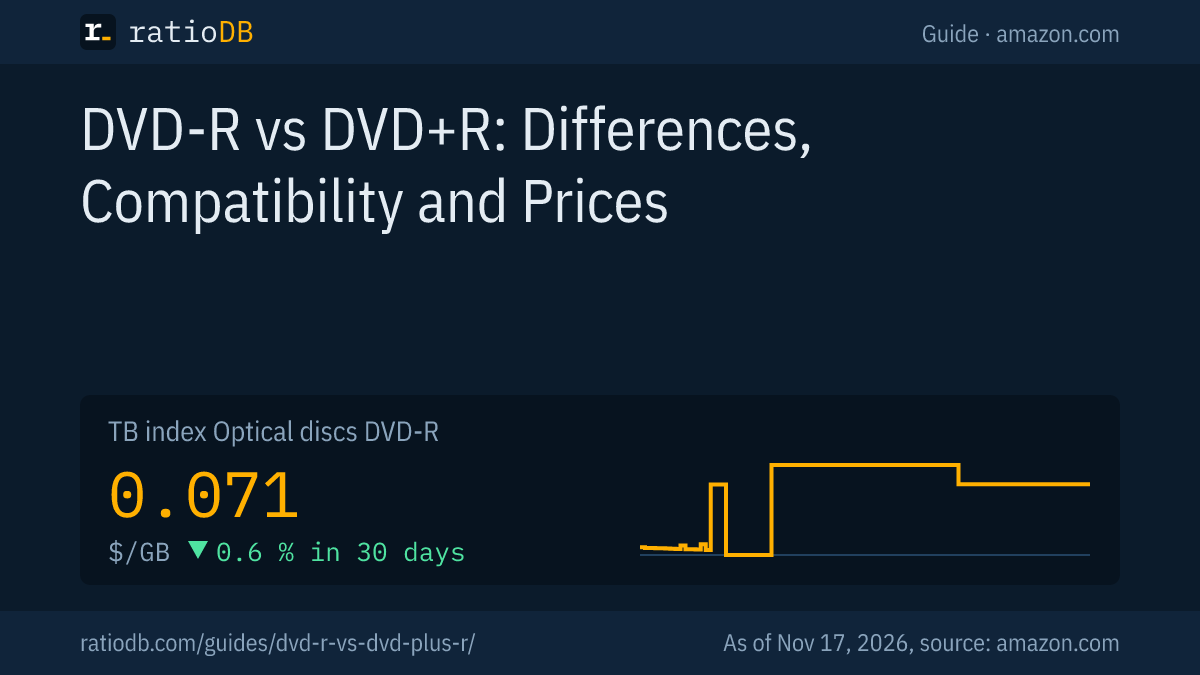
DVD-R and DVD+R both hold 4.7 GB per side according to their Ecma standards, and both are write once. The difference lies in the track the burner follows: DVD-R uses so-called land pre-pits, DVD+R stores the address in the wobbled groove (ADIP). Any current burner marked DVD±RW handles both. On amazon.com the ratioDB index for DVD-R currently sits at $0.071 per GB (as of Nov 17, 2026 at 4:17 PM UTC).
This guide explains the technology behind the plus and the minus, which version fits which burner and player, what DVD-RW, DVD+RW and dual layer mean, how long burned DVDs last according to research and what a disc costs right now. ratioDB does not burn discs itself. We combine the Ecma standards, a study by the Canadian Conservation Institute and English Wikipedia overviews with real amazon.com prices.
What is the difference between DVD-R and DVD+R?
DVD-R and DVD+R are 2 competing formats for write-once DVDs with the same capacity. According to Wikipedia, DVD-R comes from Pioneer (1997) and was approved by the DVD Forum, while DVD+R arrived in mid-2002 from the DVD+RW Alliance. Technically they differ in how the burner finds its position on the disc.
Every recordable DVD has a pre-formed track that is slightly wavy (the wobble). The burner follows this track and reads from it where it is writing. The two formats solve this differently:
- DVD-R: the ECMA-359 standard describes small marks between the tracks, the land pre-pits. The burner reads the address from them together with the wobble.
- DVD+R: the ECMA-349 standard puts the address directly into the wobble of the groove as phase modulation. The standard calls this ADIP (Address in Pre-groove).
According to the English Wikipedia, ADIP is less prone to interference and more accurate at high speeds. DVD+R also has a larger area for calibrating laser power. In everyday use you notice little of this as long as burner and disc match.
The two formats at a glance:
| Feature | DVD-R | DVD+R |
|---|---|---|
| Developed by | Pioneer, approved by the DVD Forum | DVD+RW Alliance |
| Standard | ECMA-359 (ISO/IEC 23912) | ECMA-349 (ISO/IEC 17344) |
| Capacity, 12 cm disc | 4.7 GB per side | 4.7 GB per side |
| Capacity, 8 cm disc | 1.46 GB per side | 1.46 GB per side |
| Burn speed | up to 16x in stores | up to 16x per ECMA-349 |
| Address in the track | land pre-pits | ADIP in the wobble |
| Dual layer | DVD-R DL, 8.54 GB (ECMA-382) | DVD+R DL, 8.55 GB (ECMA-364) |
| Rewritable version | DVD-RW (ECMA-338) | DVD+RW (ECMA-337, ECMA-371) |
Sources: Ecma International, optical disc standards, ECMA-359 (PDF), ECMA-349 (PDF).
A detail from history: the first DVD-R standard, ECMA-279 from 1998, specified only 3.95 GB per side. ECMA-359 from 2004 describes today's 4.7 GB. The standard sets the DVD-R laser at a 650 nm wavelength.
Which one should I buy?
For data on a computer it usually does not matter, because almost every burner writes both formats. What counts is your playback device: an older DVD player or recorder may read only one of the two. Its manual lists which media it supports.
According to the English Wikipedia, manufacturers answered the format war with drives that read and write both formats. They carry the DVD±RW mark (plus and minus) or "Multi", where Multi also means DVD-RAM. As early as 2006, Wikipedia notes, it was hard to find a new drive that wrote only 1 format.
How to choose:
| Your situation | Recommendation | Why |
|---|---|---|
| Burner with DVD±RW or Multi | either, pick by price and brand | the burner writes both formats |
| Older burner with DVD-RW only | DVD-R | it cannot write plus discs |
| Older burner with DVD+RW only | DVD+R | it cannot write minus discs |
| Playback on an old DVD player | per the player's manual | some older devices read only 1 format reliably |
| Video DVD for family and friends | the version their devices read | if in doubt, burn 1 test disc |
| Archive on a computer | either, mind lifespan research | lifespan differences see below |
One advantage of DVD+R, according to Wikipedia, is bitsetting: some burners can set the book type of a DVD+R to DVD-ROM so that older players treat the disc like a pressed DVD. This works in one direction only and not with every burner. Whether yours can do it is shown in its software or spec sheet.
What do DVD-RW, DVD+RW and dual layer mean?
DVD-RW and DVD+RW are the rewritable versions, also with 4.7 GB. Dual layer (DL) means 2 layers on 1 side with 8.54 GB for DVD-R DL and 8.55 GB for DVD+R DL according to the Ecma standards. Rewritable discs burn slower and cost more per GB.
The rewritable versions in detail:
- DVD-RW: standardized in ECMA-338 with 4.7 GB per side. According to Wikipedia, discs exist for 2x, 4x and 6x, and Pioneer cites about 1,000 writes before a disc should be replaced.
- DVD+RW: standardized in ECMA-337 up to 4x and in a faster version, ECMA-371, at 8x. According to Wikipedia, a DVD+RW can be rewritten at any location that has been written in sequence once.
- Dual layer: DVD-R DL (ECMA-382) and DVD+R DL (ECMA-364) hold almost twice as much. A DVD+RW with 2 layers was announced, according to Wikipedia, but never reached stores.
| Disc | Capacity per standard | Writable | Speed |
|---|---|---|---|
| DVD-R | 4.7 GB | once | up to 16x in stores |
| DVD+R | 4.7 GB | once | up to 16x per ECMA-349 |
| DVD-R DL | 8.54 GB | once | per disc rating |
| DVD+R DL | 8.55 GB | once | per disc rating |
| DVD-RW | 4.7 GB | many times | 2x, 4x or 6x per Wikipedia |
| DVD+RW | 4.7 GB | many times | up to 4x (ECMA-337), 8x (ECMA-371) |
A rewritable disc is handy for data you pass on briefly or replace regularly. For an archive, use write-once discs, because they cannot be overwritten by accident.
How much do blank DVDs cost right now?
Blank DVDs cost only a few cents per disc in large spindles. The cheapest DVD-R offer per GB on amazon.com is currently Smartbuy DVD-R White Inkjet Hub 3000 × 4.7 GB with 3,000 discs for $539.99, which works out to $0.18 per disc and $0.038 per GB (as of Nov 17, 2026 at 4:17 PM UTC). Rewritable DVD-RW currently costs 14.5 times as much per GB.
The table shows the cheapest new offer per GB for DVD-R and DVD-RW, plus the cheapest 25 GB BD-R for comparison. ratioDB calculates the price per disc from the pack price divided by the number of discs.
Cheapest DVD-R, DVD-RW and BD-R per GB on amazon.com, as of Nov 17, 2026 at 4:17 PM UTC
| Disc | Cheapest offer per GB | Price per disc | Price per GB |
|---|---|---|---|
| DVD-R 4.7 GB | Smartbuy DVD-R White Inkjet Hub 3000 × 4.7 GB (3,000 discs) | $0.18 | $0.038 |
| DVD-RW 4.7 GB | Maxell DVD-RW Rewritable 5 × 4.7 GB (5 discs) | $2.61 | $0.555 |
| BD-R 25 GB | Ridata BD-R 600 × 25 GB (600 discs) | $0.46 | $0.018 |
Important: our list currently covers only DVD-R and DVD-RW, with 14 DVD-R and 2 DVD-RW offers in stock. We have not added DVD+R and DVD+RW yet, so we show no prices for them. The DVD-R offers currently come from 9 brands: Cellet, CMCpro, Imation, Maxell, Memorex, PNY, Smartbuy, Verbatim, XtremPro. All offers with price per GB are in the lists DVD-R and DVD-RW, all optical media under Optical discs.
How much does a big spindle save?
With blank DVDs the price per disc drops as the pack gets bigger. On amazon.com a DVD-R currently costs $1.60 per disc in the smallest pack group and $0.18 in the largest (as of Nov 17, 2026 at 4:17 PM UTC). If you need only a few discs, you pay more per disc.
A spindle is the round tub where discs sit stacked on a center post without sleeves. Jewel cases (individual plastic cases) and slim cases cost extra but protect each disc. The table shows the cheapest offer per GB for each pack size.
Cheapest DVD-R per GB by pack size on amazon.com, as of Nov 17, 2026 at 4:17 PM UTC
| Pack size | Cheapest offer per GB | Pack price | Price per disc | Price per GB |
|---|---|---|---|---|
| 1 to 9 discs | Cellet DVD-R 5 × 4.7 GB (5 discs) | $7.99 | $1.60 | $0.340 |
| 10 to 19 discs | PNY Memorex 15 × 4.7 GB (15 discs) | $12.95 | $0.86 | $0.184 |
| 20 to 39 discs (often a 25 spindle) | Imation Memorex 5706 Dvd Media 25 × 4.7 GB (25 discs) | $18.95 | $0.76 | $0.161 |
| 40 to 99 discs (often a 50 spindle) | Verbatim DataLifePlus DVD-R 50 × 4.7 GB (50 discs) | $16.99 | $0.34 | $0.072 |
| 100 discs or more | Smartbuy DVD-R White Inkjet Hub 3000 × 4.7 GB (3,000 discs) | $539.99 | $0.18 | $0.038 |
Our advice: for 3 or 4 video DVDs, a 10 pack is enough. If you burn regularly, take the 25 or 50 spindle. A 100 spindle only pays off if you really use up the discs over the next few years. Before a big purchase, burn 1 test disc in your burner and verify it.
How long do burned DVDs last?
Lifespan depends heavily on the metal layer and the format. The Canadian Conservation Institute estimates 50 to 100 years for DVD-R with a gold layer, 10 to 20 years for DVD-R with a silver alloy and 20 to 50 years for DVD+R with a silver alloy. Among rewritables, DVD+RW at 20 to 50 years does better than DVD-RW at 5 to 10 years.
The CCI is the Government of Canada's conservation institute. In CCI Notes 19/1 (revised 2019, author Joe Iraci), it estimated lifespan from accelerated aging tests, based on temperature and humidity only. According to the CCI, pollutants in the air shorten it further, especially without a gold layer.
| DVD disc | Estimated lifespan per CCI |
|---|---|
| DVD-R with gold layer | 50 to 100 years |
| DVD-R with silver alloy | 10 to 20 years |
| DVD+R with silver alloy | 20 to 50 years |
| DVD-RW | 5 to 10 years |
| DVD+RW | 20 to 50 years |
Source: Canadian Conservation Institute, CCI Notes 19/1.
Regular retail discs rarely say on the pack which metal they use. Gold DVD-R are special archival discs that cost much more. For a long-term archive there is also the M-DISC DVD with an inorganic recording layer, more in the guide M-DISC.
Citing ISO 18925:2013, the CCI recommends storage at 20 to 50 percent humidity and between minus 10 °C (14 °F) and 23 °C (73 °F), upright in jewel cases, labeled with a water-based permanent marker on the clear inner hub. Spot-check archives every 5 to 10 years and keep 3 copies on at least 2 media, as the guide 3-2-1 backup rule describes.
DVD or Blu-ray: which is cheaper per GB?
Per GB, the cheapest 25 GB BD-R on amazon.com is currently cheaper than the cheapest DVD-R: $0.018 versus $0.038 per GB (as of Nov 17, 2026 at 4:17 PM UTC). A 25 GB Blu-ray replaces just over 5 DVDs but needs a Blu-ray burner.
The math in detail: 25 GB divided by 4.7 GB gives 5.3 DVDs for the content of a single Blu-ray. For large amounts of data, Blu-ray saves discs, shelf space and burning time. For small amounts, such as a video DVD for the grandparents, the DVD stays more practical because most DVD and Blu-ray players read it.
| Question | DVD | Blu-ray |
|---|---|---|
| Capacity per disc | 4.7 GB, 8.5 GB as DL | 25 GB, 50 GB as DL, 100 or 128 GB as BDXL |
| Burner | DVD burner or Blu-ray burner | Blu-ray burner only |
| Playback | most DVD and Blu-ray players | Blu-ray players and Blu-ray drives only |
| For 100 GB you need | 22 discs | 4 discs of 25 GB |
| Good for | video for every device, small amounts of data | archives, large video projects |
More on BD-R, BD-RE and BDXL is in the guide blank Blu-ray discs. All BD-R with price per GB are under BD-R, blank CDs under CD-R.
What should I look for when buying blank DVDs?
Check first which format your burner and player support. After that, pack size, surface and brand decide. A 16x rating is common for write-once DVDs, and the 120 minutes on the pack refers to video playing time.
The shopping checklist:
| Feature | What to check | Note |
|---|---|---|
| Format | DVD-R or DVD+R | check the mark on burner and player |
| Capacity | 4.7 GB or dual layer 8.5 GB | DL needs a burner with DL support listed |
| Speed | 16x per the pack | RW discs are slower |
| Playing time | "120 min" on the pack | refers to video, for data the 4.7 GB count |
| Surface | logo top, printable (inkjet) or thermal | printable only with a matching printer |
| Pack | spindle or individual case | spindles are the cheapest per disc |
| Archive | gold layer or M-DISC | much longer lifespan than silver per the CCI |
Packs rarely state which dye or metal a disc uses. The CCI estimates distinguish DVDs by metal layer and format, so a disc with a gold layer is the one to look for if lifespan matters most.
Which mistakes happen most when burning DVDs?
Typical mistakes are a disc the player cannot read, adhesive labels, burning without verification and storage in heat and light. With 1 test disc and the verify option in your burning program you avoid most of them.
| Mistake | Result | Better |
|---|---|---|
| Wrong format for the old player | disc is not recognized | check the player's manual, burn 1 test disc |
| Dual layer in a burner without DL | burning fails | look for DL support in the spec sheet |
| Adhesive label on the disc | imbalance, label comes loose | marker on the inner hub per the CCI |
| Burning without verification | errors show up later | turn on "verify data after burning" |
| Storage by a window or in the car | light and heat damage the recording layer | store cool, dark and dry |
| Only 1 copy in the archive | aging costs all the data | 2nd copy on another medium |
How does ratioDB compare blank DVDs?
ratioDB pulls amazon.com prices for all listed discs regularly and converts them into price per GB, with 1 GB equal to 1,000,000,000 bytes. For packs we divide the price by capacity times the number of discs. The index is the median of the 10 cheapest new offers per product type.
DVD-R and DVD-RW sit in separate lists with their own index. Used offers are labeled and never count toward the index. For the tables we take the cheapest new offer per GB for each product. We leave out offers whose price per GB is more than 6 times the median of their product type, because the disc count in those listing titles is often not clearly readable. ratioDB does not test discs itself. All rules are on the methodology page.
Frequently asked questions about DVD-R and DVD+R
Which is better, DVD-R or DVD+R?
Neither is better across the board. Both hold 4.7 GB and burn at up to 16x. According to Wikipedia, DVD+R is more accurate at high speeds, and in the CCI estimates DVD+R with a silver alloy outlasts DVD-R with a silver alloy. What matters is what your player reads.
Can I burn DVD+R in a DVD-R burner?
Only if the burner supports both formats. Burners marked DVD±RW or Multi write DVD-R and DVD+R. A very old burner that supports only DVD-RW cannot write plus discs.
How much does a DVD-R hold?
4.7 GB on a 12 cm single-layer disc, per the ECMA-359 standard. With 2 layers (DVD-R DL) it is 8.54 GB. Windows shows a bit less because it counts in binary.
What do the 120 minutes on the pack mean?
Manufacturers print the video playing time on the pack. For data, the 4.7 GB capacity counts. How much video actually fits depends on the quality your burning program uses.
How often can I rewrite a DVD-RW?
According to Wikipedia, Pioneer cites about 1,000 writes. For archives, DVD-RW is a weaker choice per the CCI: its estimated lifespan is 5 to 10 years, versus 20 to 50 years for DVD+RW.
How long do burned DVDs last?
Per the CCI, 10 to 20 years for DVD-R with a silver alloy, 20 to 50 years for DVD+R with a silver alloy and 50 to 100 years for DVD-R with a gold layer. Stored cool, dark and dry, they last longer.
How much does a blank DVD cost right now?
The cheapest DVD-R per GB currently costs $0.18 per disc on amazon.com in the pack of 3,000 discs (as of Nov 17, 2026 at 4:17 PM UTC). The DVD-R index sits at $0.071 per GB. Small packs cost more per disc.
Sources
- Ecma International: overview of optical disc standards, ECMA-349, DVD+R
- ECMA-359, DVD-R with land pre-pits: standard, 1st edition December 2004 (PDF)
- ECMA-349, DVD+R with ADIP: standard, 4th edition June 2008 (PDF)
- ECMA-382, DVD-R DL: standard, 1st edition June 2008 (PDF)
- Canadian Conservation Institute: CCI Notes 19/1, Longevity of Recordable CDs, DVDs and Blu-rays
- Wikipedia: DVD recordable
- ratioDB: amazon.com prices, methodology