How much storage do I need? SSD size for laptop, PC, photos and games
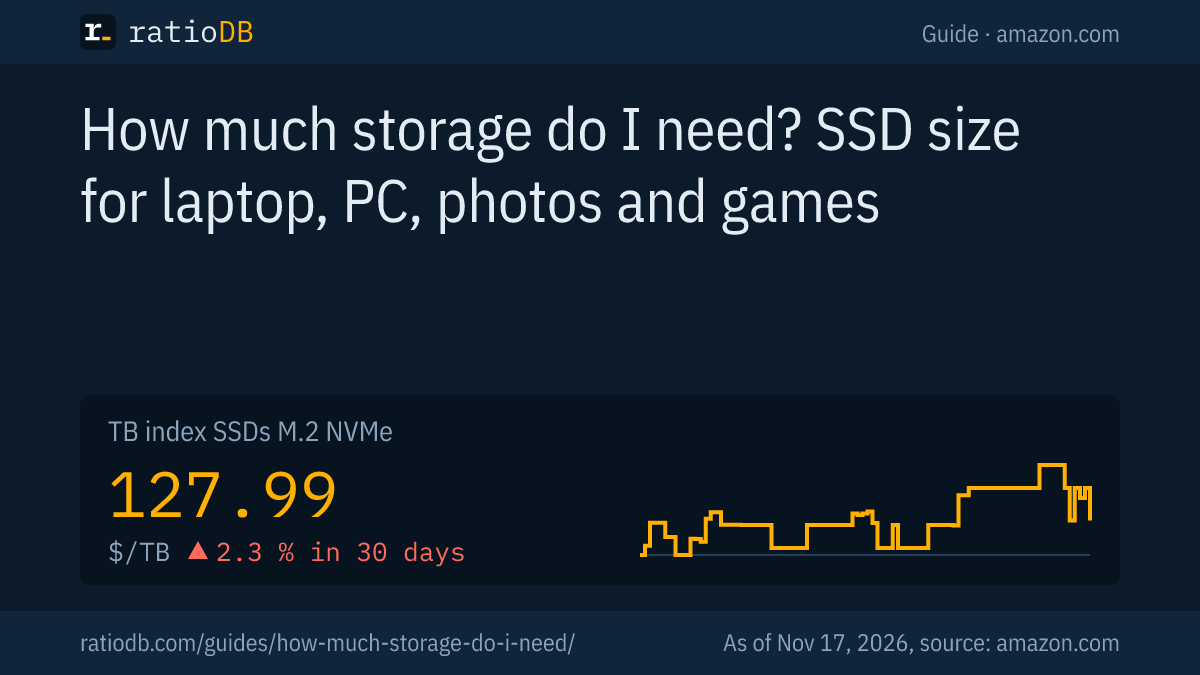
For a laptop used for work and browsing, 512 GB is usually enough, 1 TB is comfortable for photos and everyday use, and 2 TB or more makes sense for a gaming PC or video editing. According to Microsoft, Windows 11 needs at least 64 GB plus free space for updates, and a 48 megapixel ProRAW photo takes up about 75 MB according to Apple. An M.2 NVMe SSD currently costs $127.99 per TB on amazon.com (TB index, as of Nov 17, 2026 at 4:17 PM UTC).
The right storage size depends on what you store, how long the device should last and whether you can move data elsewhere. Too small means constant cleanup, too large means paying for space you never use. This guide gives rules of thumb for each use, works out how much fits on 1 TB and shows how to measure your own needs. It is about data storage such as SSDs and hard drives. How much memory a PC needs is covered in the guide How much RAM do I need. ratioDB does not test drives itself, we compare prices and spec sheets. What each size costs right now is shown below with live prices from amazon.com (as of Nov 17, 2026 at 4:17 PM UTC).
How much storage do I need for my use?
As a rule of thumb: 512 GB for office work and browsing, 1 TB for photos, school and mixed use, 2 TB for gaming, 2 to 4 TB plus an archive drive for video editing. For backups you also need a 2nd drive at least as large as your data.
ratioDB's recommendations per use:
| Use | Recommended size | Why |
|---|---|---|
| Office, browsing, streaming | 512 GB SSD | Windows, Office and a browser take little space, movies and music mostly stream |
| School, everyday use, phone photos | 1 TB SSD | room for photos, documents and some programs with headroom |
| Gaming PC | 2 TB NVMe SSD | big games fill space fast, keep a few installed at once |
| Photography with RAW files | 1 to 2 TB SSD plus external hard drive | current projects on the SSD, archive on the hard drive |
| 4K video editing | 2 to 4 TB SSD plus archive drive | raw footage is large, finished projects move to the archive |
| Backup | at least as large as your data | better with headroom for several versions |
These are ratioDB recommendations, not manufacturer figures. They assume you move large data such as movie collections and finished projects to an external hard drive or the cloud. If you want everything on one drive, go one step up.
A look at prices shows why stepping up often pays off. The cheapest 1 TB M.2 NVMe SSD on amazon.com currently costs $147.99 ($147.99 per TB), the cheapest 2 TB one $199.60 ($99.80 per TB). Doubling the capacity costs $51.61 more (as of Nov 17, 2026 at 4:17 PM UTC). The price per TB differs by size, so it pays to compare before you buy.
How much storage does Windows need?
According to Microsoft, Windows 11 needs a storage device of at least 64 GB. On top of that comes free space for updates, and Microsoft says the amount depends on installed apps and previous Windows versions. 64 GB is the absolute floor, and in our view 256 GB is the minimum with some room for programs.
Microsoft states explicitly that enough free storage for updates is important and that Windows tries to free up space automatically during updates. A drive that is full to the brim makes even the next update difficult. Programs such as Office, photo editing or developer tools add to that. Games can take up a lot of space.
Our rule of thumb: plan about 150 to 250 GB for Windows, updates and programs. What is left is your space for files and games. On a 512 GB SSD, that leaves roughly half free, on 1 TB correspondingly more. This is a ratioDB estimate that varies a lot with the programs you use.
How many photos fit on 1 TB?
With 48 megapixel ProRAW photos, which Apple puts at about 75 MB, about 13,300 photos fit on 1 TB. With 12 megapixel ProRAW at about 25 MB, it is about 40,000. Regular HEIF or JPEG photos are 10 to 12 times smaller than ProRAW according to Apple, so correspondingly more fit.
The math with 1 TB equal to 1,000,000 MB:
| File type | Size per file | Files on 1 TB | Source of the file size |
|---|---|---|---|
| ProRAW, 48 megapixels | about 75 MB | about 13,300 | Apple |
| ProRAW, 12 megapixels | about 25 MB | about 40,000 | Apple |
| HEIF or JPEG | a tenth to a twelfth of ProRAW | many times more | Apple |
The counts are calculated by ratioDB, the file sizes come from Apple. Apple notes that ProRAW files are 10 to 12 times larger than HEIF or JPEG files. If you shoot regular photos with your phone, a great many fit on 1 TB. If you shoot RAW, with a phone or a camera, storage fills up much faster.
Video drives the need up the most. Apple says ProRes files are up to 30 times larger than HEVC files and requires at least 10 percent free storage on the iPhone for ProRes recording. If you film a lot, think in TB instead of GB.
How much storage do I need for gaming?
For a gaming PC, 2 TB is a good starting point, so several big games can stay installed at once. Consoles show the scale: the original PS5 has 825 GB, of which 667.2 GB is usable. If you need more, you expand with an M.2 SSD or an external drive.
Games vary a lot in size, and updates add to that. That is why we do not give a fixed number per game. Check the storage requirement on the game's store page, publishers list the space needed there.
For consoles: according to Sony, the PS5 also takes an M.2 SSD in the expansion slot and external USB drives from 250 GB to 8 TB. From external drives it only runs PS4 games directly. What that means for your choice is explained in the guides Best SSD for PS5 and PS5 external hard drive. For PCs, the guide Best SSD for gaming helps you pick a model.
What do 512 GB, 1 TB, 2 TB and 4 TB cost right now?
The price per TB differs by size, and hard drives cost only a fraction of an SSD per TB. On amazon.com, the TB index for M.2 NVMe SSDs is currently 3.7 times the index of internal 3.5 inch hard drives (as of Nov 17, 2026 at 4:17 PM UTC).
The cheapest offers per size:
Cheapest new drives per size on amazon.com, known brands, as of Nov 17, 2026 at 4:17 PM UTC
| Capacity | Cheapest M.2 NVMe SSD | Cheapest external SSD | Cheapest external 2.5" hard drive |
|---|---|---|---|
| 500 GB | Patriot P320 512 GB: $83.99 | Lexar ES3 512 GB: $129.99 | no offer |
| 1 TB | Adata Legend 710 1 TB: $147.99 | Crucial X8 1 TB: $99.99 | WD My Passport 1 TB: $126.47 |
| 2 TB | Crucial P5 Plus 2 TB: $199.60 | SanDisk Extreme 2 TB: $274.00 | Seagate 2 TB: $129.99 |
| 4 TB | Crucial P3 Plus 4 TB: $640.66 | Samsung T5 EVO 4 TB: $568.75 | WD Elements 4 TB: $184.95 |
The table shows 3 options: an internal M.2 NVMe SSD as the main drive, an external SSD for on the go and an external hard drive as a cheap archive. The indexes per product type: M.2 NVMe SSDs $127.99, internal 2.5 inch SATA SSDs $120.49, external SSDs $123.49 and external 2.5 inch hard drives $43.45 per TB (as of Nov 17, 2026 at 4:17 PM UTC).
All offers per size are on the pages 1 TB NVMe SSDs, 2 TB NVMe SSDs and 4 TB NVMe SSDs.
How do I measure how much storage I really use?
On a Windows PC, File Explorer under "This PC" shows how much is used and free on each drive. Take the used space, add your expected growth for the next few years and plan headroom for updates. The result is your minimum size.
Here is how:
- Read the current state: Note the used space on your current drive.
- Estimate growth: Think about what will be added over the next 3 to 5 years: new games, more photos, video projects.
- Subtract what you can move: Take off what can go to an external hard drive or the cloud, such as finished projects and old photos.
- Plan headroom: Leave room for updates and new programs. According to Microsoft, a full drive makes even updates difficult.
- Round up to the next common size: 512 GB, 1 TB, 2 TB or 4 TB.
An example: your old laptop has 380 GB in use, you expect 150 GB more and want 100 GB of headroom. That makes 630 GB, so a 1 TB SSD. How to move from the old SSD to the new one without reinstalling everything is explained in the guide Clone HDD to SSD.
Keep in mind that a 1 TB drive shows up in Windows as about 931 GB. Manufacturers count in decimal, Windows in binary. The guide TB vs TiB does the math.
SSD or hard drive: where does which data go?
The operating system, programs, games and current projects belong on the SSD, because they start fast there. Large archives, movie collections and backups belong on a hard drive, because it is much cheaper per TB. If you combine both, a smaller SSD is enough.
The split at a glance:
| Data | Best on | Reason |
|---|---|---|
| Windows, macOS, programs | SSD | starts fast, needs little space |
| Games | SSD | shorter load times |
| Current photo and video projects | SSD | smooth work |
| Photo archive, movie collection | hard drive | lots of space per dollar |
| Backups | external hard drive | cheap, can be stored away from the PC |
A typical pair: a 1 TB M.2 NVMe SSD, for example Adata Legend 710 1 TB for $147.99, plus an external hard drive for archive and backup. The differences between the two drive types are explained in the guide SSD vs HDD.
Add storage internally or externally?
If your device has a free slot, an internal SSD is usually the faster and more convenient solution. If the device has no room left, such as a laptop with soldered storage or a console with a full slot, an external SSD or hard drive is the easy route. On amazon.com, the TB index of external SSDs is $123.49 per TB and that of internal M.2 NVMe SSDs $127.99 per TB (as of Nov 17, 2026 at 4:17 PM UTC).
How to decide:
- Swap or add an internal SSD: makes sense if your PC or laptop has a free M.2 slot or you can swap the existing SSD for a larger one. How that works is explained in the guide How to install an SSD.
- External SSD: makes sense for laptops without a free slot and for data you carry between devices. Models are compared in the guide Best external SSD.
- External hard drive: makes sense for archives and backups where speed does not matter. Per TB, it is the cheapest option.
Our take: a drive that is too small inside the device can be relieved well with an external hard drive, as long as you only move archive data. Programs and games are most convenient on the internal drive.
How much storage do I need for backups?
A backup needs at least as much space as the data you want to back up. If you want to keep several older versions, plan for much more. The 3-2-1 rule has proven itself: 3 copies on 2 media, 1 of them off site.
To back up a laptop with a 1 TB SSD, an external hard drive with 2 TB or more makes sense, so there is room for several versions. This is a ratioDB recommendation. How the 3-2-1 rule works in practice is explained in the guide 3-2-1 backup rule. For a Mac with Time Machine, the guide Best external hard drive for Mac gives the right size. Whether the cloud or your own drive is cheaper is compared in the guide Cloud storage vs hard drive.
What does storage cost per TB right now?
On amazon.com, the TB index is $127.99 for M.2 NVMe SSDs, $123.49 for external SSDs and $43.45 per TB for external 2.5 inch hard drives (as of Nov 17, 2026 at 4:17 PM UTC). The 3 cheapest offers in the matching product types are shown here, all prices with date and source.
Used and refurbished offers are labeled in our lists and never count toward the index.
What are the most common mistakes when picking a storage size?
The most common mistakes are a drive that is too tight with no headroom, an expensive large SSD for data that would fit on a hard drive and no backup at all. A quick needs estimate avoids all 3.
| Mistake | Result | Better |
|---|---|---|
| Drive with no headroom | updates fail, constant cleanup | factor in growth and headroom |
| Everything on one expensive SSD | a lot of money per TB for archive data | archive on a hard drive |
| No backup | data loss when a drive fails | 2nd drive for backups |
| Comparing the box label with what Windows shows | storage seems to be missing | tell decimal from binary |
| Phone video without a plan | storage full within days | think in GB per minute, move footage in time |
| Picking a size by total price only | price per TB overlooked | compare prices per TB for each size |
How does ratioDB compare storage?
ratioDB regularly pulls the amazon.com prices of all listed SSDs and hard drives and converts them to price per TB, with 1 TB equal to 1,000,000,000,000 bytes. The TB index is the median of the 10 cheapest new offers per product type.
M.2 NVMe SSDs, 2.5 inch SATA SSDs, external SSDs and hard drives are kept in separate lists with their own index. Used and refurbished offers are labeled and never count toward the index. The tables in this guide only show new single units from known brands. The size recommendations are ratioDB rules of thumb, the file sizes and requirements come from the linked Microsoft, Apple and Sony pages. All rules are on the methodology page, all SSDs under SSD prices per TB.
Storage size FAQ
Is 512 GB enough for a laptop?
For office work, browsing and streaming, usually yes. According to Microsoft, Windows 11 needs at least 64 GB plus room for updates. If you store a lot of photos, games or videos, 1 TB is the better choice.
Is 1 TB or 2 TB better for a gaming PC?
2 TB is the better starting point, because several big games can stay installed at once. Compare the price per TB for each size before you buy. 1 TB is enough if you only play a few games at a time.
How many photos fit on 1 TB?
With 48 megapixel ProRAW at about 75 MB per photo according to Apple, about 13,300, with 12 megapixels at about 25 MB about 40,000. HEIF or JPEG photos are 10 to 12 times smaller according to Apple, so correspondingly more fit.
Why does Windows show only 931 GB for a 1 TB drive?
Manufacturers count in decimal, Windows shows binary values. 1 TB with 1,000,000,000,000 bytes therefore appears as about 931 GB. No storage is missing.
How much storage do I need for backups?
At least as much as the data you want to back up, better more for several versions. For a laptop with a 1 TB SSD, an external hard drive with 2 TB or more makes sense.
Is it worth buying the bigger SSD right away?
Often yes, because swapping later takes time and the price per TB is often lower at the next size up. Check this against current prices. On amazon.com, going from the cheapest 1 TB to the cheapest 2 TB NVMe SSD currently costs $51.61 more (as of Nov 17, 2026 at 4:17 PM UTC).
What does 1 TB of SSD storage cost right now?
On amazon.com, the TB index for M.2 NVMe SSDs is $127.99 per TB (as of Nov 17, 2026 at 4:17 PM UTC). The table above shows the cheapest offers per size.
Sources
- Microsoft: Windows 11 specifications and system requirements
- Apple: About Apple ProRAW, About Apple ProRes on iPhone
- Sony: USB extended storage on PS5 consoles, Install an M.2 SSD in a PS5, PS5 storage per TechRadar (Nov 6, 2020)
- ratioDB: amazon.com prices, methodology