External SSD for iPhone: ProRes, USB-C and the Right Size
An external SSD on an iPhone needs an iPhone with USB-C. For ProRes video, Apple requires an SSD with at least 220 MB/s, a maximum power draw of 4.5 W, exFAT format and a USB 3 cable rated at 10 Gbps. According to Apple, only Pro models from iPhone 15 Pro on can record straight to the SSD. A 1 TB external SSD currently starts at $99.99 on amazon.com (as of Nov 17, 2026 at 4:17 PM UTC). For storing and moving photos and files, the SSD works on any iPhone with USB-C.
This guide explains how fast each iPhone works with an external SSD, what Apple requires for ProRes recording, which SSD size makes sense and what external SSDs cost right now. The requirements come from Apple's support pages, the details on Samsung SSDs from Samsung itself. ratioDB does not test devices, we compare prices and data sheets.
Which iPhones support an external SSD?
All iPhones with USB-C recognize external storage, that is every model from iPhone 15 on. Only the Pro models from iPhone 15 Pro on and the iPhone Duo are fast, with USB 3 at up to 10 Gbps according to Apple. The other models transfer over USB 2, up to 480 Mbps according to heise.
Apple's support page on the USB-C connector lists the models with USB 3.2 Gen 2 at up to 10 Gbps. The models without Pro use USB 2. For the iPhone 17 and iPhone Air, heise quotes Apple's spec "USB 2 (up to 480 Mbit/s)", and MacRumors reports the same for the iPhone 16.
| iPhone | USB speed | ProRes straight to SSD per Apple |
|---|---|---|
| iPhone 15 Pro, 15 Pro Max | USB 3, up to 10 Gbps | yes, up to 4K at 60 frames per second |
| iPhone 16 Pro, 16 Pro Max | USB 3, up to 10 Gbps | yes, up to 4K at 120 frames per second |
| iPhone 17 Pro, 17 Pro Max | USB 3, up to 10 Gbps | yes, up to 4K at 120 frames per second |
| iPhone 18 Pro, iPhone Duo | USB 3, up to 10 Gbps per Apple | per Apple up to 4K at 60 frames per second |
| iPhone 16, iPhone 17, iPhone Air | USB 2, up to 480 Mbps | no |
| iPhone 14 and older | Lightning | no |
On paper, USB 2 at 480 Mbps moves at most 60 MB/s, USB 3 at 10 Gbps at most 1,250 MB/s. Copying a 10 GB video takes seconds on a Pro model and minutes on a USB 2 model. What the USB names mean is explained in the guide USB 3.2 Gen 2 explained.
What does Apple require for ProRes on an external SSD?
For ProRes recording to external storage, Apple requires at least 220 MB/s, a maximum power draw of 4.5 W, exFAT format and a USB 3 cable rated at 10 Gbps or faster. 4K at 120 frames per second needs 440 MB/s. Apple does not support password-encrypted drives.
ProRes is a high-quality Apple video format for editing. According to Apple, ProRes files are up to 30 times larger than HEVC files. According to Apple, the highest settings, 4K at 60 and at 120 frames per second, are only available with external storage. The requirements at a glance:
| Apple requirement | Value | What it means for you |
|---|---|---|
| Speed for 4K at 60 frames per second | at least 220 MB/s | any current external SSD with USB 3.2 Gen 2 |
| Speed for 4K at 120 frames per second | at least 440 MB/s | SSD with high sustained speed, check the data sheet |
| Power draw | 4.5 W maximum | power comes from the iPhone, check the data sheet |
| Format | exFAT | format before the first recording |
| Encryption | password-encrypted drives not supported | turn off the SSD's password protection |
| Cable | USB 3 at 10 Gbps or faster | the cable included with the iPhone only does USB 2 |
| Connection | USB-C | SSD with USB-C plug or a matching cable |
| 4K at 120 frames per second | reformat before each recording session | back up data first |
If the SSD is too slow, Apple says the iPhone shows a Slow Recording Speed message. Apple also requires at least 10 percent of the device's storage to be free to record in ProRes. The difference between exFAT and other formats is explained in the guide exFAT vs NTFS.
Which external SSD works for ProRes?
Compact external SSDs with USB 3.2 Gen 2 and low power draw work for ProRes. Samsung names its Portable SSDs T7, T7 Shield and T9 as suitable for ProRes recording on the iPhone 15 Pro, with no compatibility issues or performance drops in its own testing.
Samsung lists up to 1,050 MB/s read and 1,000 MB/s write for the T7 and T7 Shield, and up to 2,000 MB/s for the T9. The T9 uses USB 3.2 Gen 2x2 at 20 Gbps. On an iPhone that brings nothing extra, because the iPhone tops out at 10 Gbps. Prices for these lines from our database:
Samsung SSDs suitable for ProRes per Samsung and cheapest listing per TB on amazon.com, as of Nov 17, 2026 at 4:17 PM UTC
| Series | Interface per Samsung | Read / write per Samsung | Cheapest offer per TB |
|---|---|---|---|
| Samsung T7 | USB 3.2 Gen 2 (10 Gbit/s) | 1,050 / 1,000 MB/s | Samsung T7 1 TB: $224.99 per TB (1 TB) |
| Samsung T7 Shield | USB 3.2 Gen 2 (10 Gbit/s) | 1,050 / 1,000 MB/s | Samsung T7 Shield 1 TB: $271.30 per TB (1 TB) |
| Samsung T9 | USB 3.2 Gen 2x2 (20 Gbit/s) | 2,000 / 2,000 MB/s | Samsung T9 2 TB: $213.50 per TB (2 TB) |
Other brands work too if they meet Apple's requirements. 2 data sheet values matter: sustained write speed and power draw. If the data sheet does not state the power draw, ask the manufacturer or choose a line the maker approves for the iPhone. An overview of all lines is in the guide Best external SSD.
What size SSD should I get for my iPhone?
For occasional ProRes clips, 1 TB is enough, if you shoot 4K regularly take 2 TB or more. Since ProRes needs up to 30 times the space of HEVC according to Apple, the SSD fills up fast. For photos and files, the smallest size is often enough.
Apple's ProRes page does not give a fixed number of minutes per TB. ratioDB's rule of thumb is therefore: size the SSD for your shooting day and expect 30 times the data of regular video. After the shoot, copy the clips to your computer or a NAS and reformat the SSD for the next session.
Cheapest new external SSD from known brands by size on amazon.com, as of Nov 17, 2026 at 4:17 PM UTC
| Capacity | Cheapest external SSD from known brands |
|---|---|
| 1 TB | Crucial X8 1 TB: $99.99 ($99.99 per TB) |
| 2 TB | SanDisk Extreme 2 TB: $274.00 ($137.00 per TB) |
| 4 TB | Samsung T5 EVO 4 TB: $568.75 ($142.19 per TB) |
At 1 TB, the Crucial X8 1 TB is currently the cheapest external SSD from a known brand at $99.99. At 2 TB, the SanDisk Extreme 2 TB leads at $274.00. The cheapest per TB right now is the Crucial X8 1 TB at $99.99 per TB (1 TB), though a model that large is usually more than an iPhone needs. Whether the cheapest SSD meets Apple's ProRes requirements is something you check in the manufacturer's data sheet.
How do I connect an SSD to an iPhone?
Connect the SSD with a USB-C cable that supports USB 3 at 10 Gbps and open the Files app, where the SSD shows up as its own location. For ProRes, format it as exFAT first and choose recording to external storage in the camera.
Here is how:
- Check the cable: According to Apple, the cable that comes with the iPhone supports only USB 2. For full speed you need a USB 3 cable rated at 10 Gbps, Apple also names the Thunderbolt 4 (USB-C) Pro Cable as compatible.
- Connect the SSD: Plug the SSD into the USB-C port, it draws power from the iPhone.
- Open the Files app: According to Apple, that is where you use files stored on USB storage devices and SD cards.
- Format for ProRes: Format the SSD as exFAT, on a computer or on the iPhone. Back up all data first.
- Turn on ProRes: According to Apple, open Settings, tap Camera, then Formats, and turn on Apple ProRes under Video Capture. For 4K at 120 frames per second, Apple says to reformat the SSD before each session.
- Record internally again: To record to the iPhone itself, Apple says to disconnect the external storage device first.
Keep the SSD firmly attached to the iPhone while filming, for example with a mount on a grip or rig. A loose cable can interrupt the recording.
What if the iPhone does not recognize the SSD or it is too slow?
Check cable, format and power first. With the cable included with the iPhone, the SSD runs at USB 2 only. For ProRes it must be formatted as exFAT, have no password protection and draw no more than 4.5 W. If the camera reports a slow recording speed, the SSD is too slow for the chosen setting.
The most common causes and what to do:
| Symptom | Possible cause | What you can do |
|---|---|---|
| SSD does not appear in the Files app | cable or adapter without data lines, unknown format | try another USB-C cable, check and reformat the SSD on a computer |
| Copying takes very long | USB 2 cable or USB 2 iPhone | use a USB 3 cable at 10 Gbps, check your model in the table above |
| Camera offers no recording to external storage | non-Pro iPhone, ProRes off, wrong format | check the model, turn on ProRes in Formats, use exFAT |
| Slow Recording Speed message | SSD below 220 MB/s, below 440 MB/s for 4K120 | use a faster SSD or choose a lower setting |
| Password-protected SSD not used for ProRes | not supported per Apple | turn off password protection in the maker's software |
If the SSD stays invisible on a computer too, the fault usually lies with the SSD itself or the cable. The steps for that case are in the guide External hard drive not showing up.
Does an external hard drive or a flash drive work with an iPhone?
For photos and documents yes, for ProRes hardly. Apple requires at least 220 MB/s and a maximum power draw of 4.5 W for ProRes, which many hard drives and basic flash drives do not reach. Per TB, though, the hard drive is much cheaper.
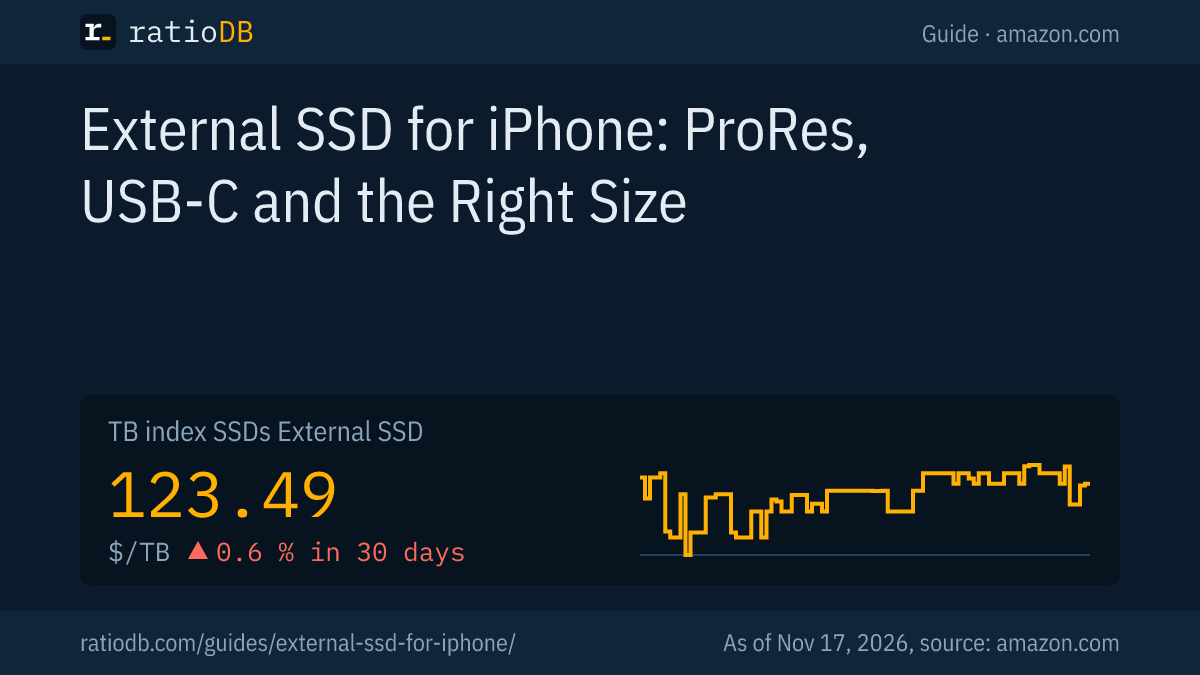
An external 2.5" hard drive currently costs $43.45 per TB on amazon.com according to the TB index, an external SSD $123.49 per TB (as of Nov 17, 2026 at 4:17 PM UTC). The SSD costs about 2.8 times as much per TB. For archiving your photos at home, the hard drive is therefore the cheaper choice, ideally attached to a computer or NAS. On the go, the SSD is more robust because it has no moving parts.
A USB-C flash drive works for quick transfers of small files. For video, sustained speed is what counts, and it is low on many flash drives. What to look for in a flash drive is covered in the guide Best USB flash drive. Which hard drive works as an archive is shown in the guide Best external hard drive.
Can an SSD expand my iPhone's storage?
Only indirectly. Apple describes the external SSD as a location in the Files app and as a destination for ProRes recording. Apps still install to internal storage. You free up space by recording large videos straight to the SSD or moving them there.
A typical workflow for frequent shooters: record ProRes straight to the SSD, connect the SSD to a Mac or PC and edit the clips there. The internal storage stays free. Photos and videos from the library can be exported to the Files app and saved on the SSD. That only counts as a backup if you keep a second copy in another place. How that works is explained in the guide 3-2-1 backup rule.
If you collect lots of data from several devices at home, the guide NAS vs DAS compares network storage with directly attached drives.
What should I look for when buying an SSD for my iPhone?
Look for USB-C, USB 3.2 Gen 2 at 10 Gbps, write speed above 220 MB/s, power draw up to 4.5 W, a compact build and the price per TB. For 4K at 120 frames per second, sustained speed must reach 440 MB/s according to Apple.
| Item | Recommendation | Reason |
|---|---|---|
| Connector | USB-C | plugs straight into the iPhone |
| Interface | USB 3.2 Gen 2 (10 Gbps) | the iPhone does not use more |
| Write speed | above 220 MB/s, above 440 MB/s for 4K120 | Apple's ProRes requirement |
| Power draw | 4.5 W maximum | Apple's ProRes requirement |
| Format | exFAT | Apple's ProRes requirement |
| Build | compact, light | hangs off the iPhone while filming |
| Cable | USB 3 at 10 Gbps included or bought separately | the included iPhone cable only does USB 2 |
| Price per TB | ratioDB compares live | sizes differ a lot |
All listings by size are on the pages 1 TB external SSD, 2 TB external SSD, all models under external SSDs, plus external 2.5" drives and USB flash drives.
How does ratioDB compare external SSDs?
ratioDB checks amazon.com prices for all listed external SSDs regularly and converts them to price per TB, with 1 TB equal to 1,000,000,000,000 bytes. The TB index is the median of the 10 cheapest new listings per product type.
External SSDs, external 2.5" hard drives and USB flash drives sit in separate lists with their own index. Used and renewed listings are labeled and never count toward the index. The tables in this guide show new single drives from known brands only, currently 44 models. ratioDB does not check whether an SSD meets Apple's ProRes requirements, that information comes from Apple and Samsung. All rules are on the methodology page, all SSDs under SSD prices per TB.
External SSD for iPhone FAQ
Which iPhone can record to an external SSD?
According to Apple, the Pro models from iPhone 15 Pro on. The iPhone 15 Pro records ProRes to external storage up to 4K at 60 frames per second, the iPhone 16 Pro and iPhone 17 Pro up to 4K at 120 frames per second.
Does an external SSD work with a regular iPhone 16 or 17?
Yes, for files and photos via the Files app. These models only transfer over USB 2 at up to 480 Mbps, and according to Apple they do not offer ProRes recording to external storage.
What format does the SSD need on an iPhone?
For ProRes recording, Apple requires exFAT and does not support password-encrypted drives. Format the SSD first and back up any existing data.
How fast does an SSD need to be for ProRes?
According to Apple, at least 220 MB/s for 4K at 60 frames per second and 440 MB/s for 4K at 120 frames per second. On top of that, power draw must stay at 4.5 W or below and you need a USB 3 cable rated at 10 Gbps.
Does the Samsung T7 work with an iPhone?
Yes. Samsung names the T7, T7 Shield and T9 as suitable for ProRes recording on the iPhone 15 Pro. Samsung lists the T7 at up to 1,050 MB/s read and up to 1,000 MB/s write.
Do I need a special cable?
For full speed, yes. According to Apple, the cable included with the iPhone supports only USB 2. For USB 3 you need a cable rated at 10 Gbps, and many SSDs include one.
How much does an external SSD for iPhone cost?
On amazon.com, a 1 TB external SSD from a known brand currently starts at $99.99. The TB index for external SSDs is at $123.49 per TB (as of Nov 17, 2026 at 4:17 PM UTC). The table above shows the cheapest listings by size.
Sources
- Apple: About Apple ProRes on iPhone, Charge and connect with the USB-C connector on your iPhone, External storage devices on iPhone
- Samsung: ProRes video capture made possible with Samsung Portable SSDs (December 26, 2023)
- heise: iPhone Air and iPhone 17 remain with USB 2.0 (German)
- MacRumors: iPhone 16 USB-C still limited to USB 2 (September 9, 2024)
- ratioDB: amazon.com prices, methodology