Thunderbolt SSD: Speed, Compatibility and Whether It Pays Off
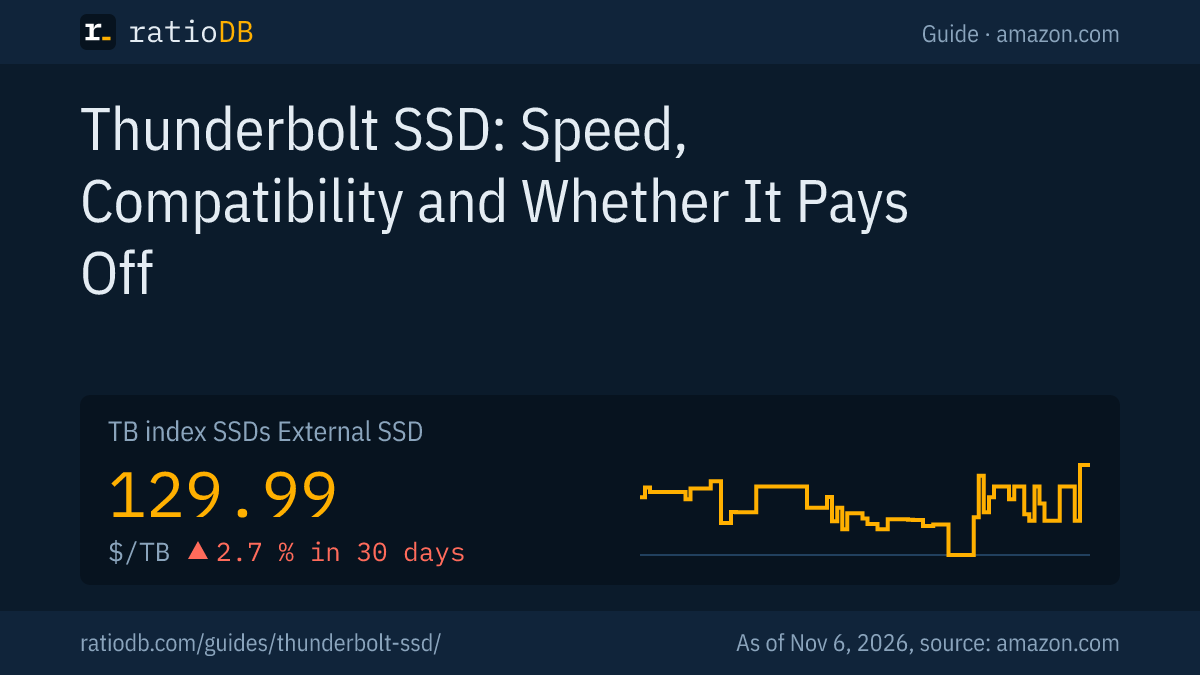
A Thunderbolt SSD is an external SSD that connects over Thunderbolt through a USB-C plug. According to Intel, Thunderbolt 3 and 4 carry 40 Gbit/s and Thunderbolt 5 carries 80 Gbit/s. For PCIe data, Intel guarantees at least 32 Gbit/s on Thunderbolt 4 and 64 Gbit/s on Thunderbolt 5. Makers rate Thunderbolt and USB4 SSDs at about 2,700 to more than 6,000 MB/s read, versus about 1,050 MB/s for an SSD with USB 3.2 Gen 2. External SSDs cost $129.99 per TB on amazon.com according to the ratioDB TB index (as of Nov 6, 2026 at 10:17 AM UTC).
This guide explains how a Thunderbolt SSD differs from a regular external SSD, how fast it really is, whether it works on every USB-C port and when the premium pays off. The technical facts come from Intel, the USB Implementers Forum (USB-IF) and the makers SanDisk, Sabrent, OWC and Samsung. ratioDB does not test drives itself. We combine these facts with live prices from amazon.com, as of Nov 6, 2026 at 10:17 AM UTC.
What is a Thunderbolt SSD?
A Thunderbolt SSD is an external SSD with a bridge chip for Thunderbolt or USB4. This connection also carries PCIe data, the same path NVMe SSDs use inside a PC. Intel introduced Thunderbolt 3 in 2015 with a USB-C connector and 40 Gbit/s, and according to the USB-IF, USB4 is built on the Thunderbolt specification.
The difference from a regular external SSD lies in the outside connection: with a USB 3.2 SSD, the USB tier limits speed to 10 or 20 Gbit/s. Thunderbolt 4 guarantees at least 32 Gbit/s for PCIe data alone according to Intel, Thunderbolt 5 64 Gbit/s. That makes these SSDs faster, but also more dependent on the port on your computer.
The tiers at a glance:
| Standard | Bandwidth per Intel or USB-IF | Of which PCIe data | Theoretical maximum for an SSD |
|---|---|---|---|
| USB 3.2 Gen 2 | 10 Gbit/s | no PCIe | 1,250 MB/s |
| USB 3.2 Gen 2x2 | 20 Gbit/s | no PCIe | 2,500 MB/s |
| Thunderbolt 3 | 40 Gbit/s | no minimum listed here | not stated |
| USB4 (40Gbps) | 40 Gbit/s | depends on the device | not stated |
| Thunderbolt 4 | 40 Gbit/s | 32 Gbit/s | 4,000 MB/s |
| Thunderbolt 5 | 80 Gbit/s, up to 120 Gbit/s with Bandwidth Boost | 64 Gbit/s | 8,000 MB/s |
The theoretical maximum is the data bandwidth divided by 8, real transfers are lower. Sources: Intel: Thunderbolt 5 Technology Brief, USB-IF: USB4. All USB names from USB 3.0 to USB4 are explained in the guide USB 3.2 Gen 2 explained.
How fast is a Thunderbolt SSD really?
Makers rate Thunderbolt 3 SSDs at about 2,700 to 2,800 MB/s read, USB4 SSDs at 40 Gbit/s at about 3,800 MB/s and Thunderbolt 5 SSDs at more than 6,000 MB/s. Measured, part of that remains: Macworld got about 3,400 MB/s with the SanDisk Extreme PRO with USB4 on a MacBook Pro with Thunderbolt 4.
Maker specs for a few lines:
| External SSD | Interface | Read per maker | Write per maker | Source |
|---|---|---|---|---|
| Samsung Portable SSD X5 (2018) | Thunderbolt 3 | up to 2,800 MB/s | up to 2,300 MB/s | Samsung via VentureBeat |
| Sabrent Rocket Nano XTRM | Thunderbolt 3, plus USB 3.2 Gen 2 | up to 2,700 MB/s, up to 900 MB/s over USB | not checked | Sabrent |
| SanDisk Extreme PRO with USB4 | USB4 at 40 Gbit/s, Thunderbolt 4 | up to 3,800 MB/s | up to 3,700 MB/s | SanDisk data sheet |
| OWC Envoy Ultra | Thunderbolt 5 | more than 6,000 MB/s | not checked | OWC |
Why does an SSD on Thunderbolt 4 stay below 4,000 MB/s? Intel guarantees at least 32 Gbit/s for PCIe data on Thunderbolt 4, which works out to 4,000 MB/s gross, and real transfers are lower. That is why Macworld's 3,400 MB/s is a realistic value for fast SSDs on Thunderbolt 4. Only Thunderbolt 5 with 64 Gbit/s for PCIe raises this limit to a theoretical 8,000 MB/s.
For comparison: the Samsung T7 with USB 3.2 Gen 2 reads up to 1,050 MB/s according to Samsung, the T9 with Gen 2x2 up to 2,000 MB/s. How these lines compare is shown in the guide Best external SSD.
What is the difference between Thunderbolt and USB4?
Thunderbolt is Intel's technology with fixed minimums and certification, USB4 is the open USB-IF standard based on the Thunderbolt specification. According to Intel, Thunderbolt 4 and 5 require compliance with the USB4 specification. A USB4 SSD therefore also works on Thunderbolt ports.
3 points matter for buyers:
- Minimums: According to Intel, Thunderbolt 4 guarantees 40 Gbit/s and 32 Gbit/s for PCIe. The USB-IF naming scheme for USB4 also includes slower tiers. With USB4, look for 40Gbps or 80Gbps on the label.
- Compatibility: According to the USB-IF, USB4 is compatible with Thunderbolt 3 devices and computers. Chip maker ASMedia describes its USB4 bridge chip ASM2464PD as compatible with USB4, Thunderbolt 3 and legacy USB devices.
- Labeling: One example is the SanDisk Extreme PRO with USB4, which also supports Thunderbolt 4 according to its data sheet.
What this means for you: a USB4 SSD at 40 Gbit/s plays in the same class as a Thunderbolt SSD on a Thunderbolt 4 port. Macworld measured the SanDisk Extreme PRO with USB4 at about 3,400 MB/s on exactly such a port.
Does a Thunderbolt SSD work on every USB-C port?
Not every one. Pure Thunderbolt 3 SSDs like the Samsung X5 are not backward compatible with standard USB ports, according to Samsung. Newer models fall back to USB: Sabrent rates the Rocket Nano XTRM at up to 900 MB/s over USB, and SanDisk lists USB 3.2 and USB 2.0 support for the Extreme PRO with USB4.
Check which ports you use before you buy:
| Port on the computer | Thunderbolt 3 SSD without USB mode | SSD with USB4 or USB fallback |
|---|---|---|
| Thunderbolt 5 | works | works |
| Thunderbolt 4 or 3 | works | works |
| USB4 | works with Thunderbolt 3 devices per USB-IF | works |
| USB-C with USB 3.2 | does not work on the X5 per Samsung | works at USB speed |
| USB-A | does not work | works with a suitable cable, at USB speed |
The USB-C connector says nothing about speed. Whether your port supports Thunderbolt is usually shown by a lightning bolt symbol next to it or in your computer's spec sheet. OWC writes that its Thunderbolt 5 Envoy Ultra gets the most speed possible from machines with Thunderbolt 3, Thunderbolt 4 and USB4, and lists Macs, Windows PCs, iPad Pros, Chromebooks and Surface devices.
Which Thunderbolt and USB4 SSDs are available on amazon.com right now?
ratioDB currently lists 4 new external SSDs from known brands on amazon.com whose title mentions Thunderbolt or USB4, out of 31 external SSDs in total. The cheapest per TB is Sabrent Rocket Nano XTRM 4 TB at $150.00 per TB (4 TB). As of Nov 6, 2026 at 10:17 AM UTC.
External SSDs with Thunderbolt or USB4 on amazon.com, sorted by price per TB, as of Nov 6, 2026 at 10:17 AM UTC
| External SSD | Interface | Read speed per offer title | Capacity | Price | Price per TB |
|---|---|---|---|---|---|
| Sabrent Rocket Nano XTRM 4 TB | Thunderbolt 3, 4 or USB4 (40 Gbit/s) | 2,700 MB/s | 4 TB | $599.99 | $150.00 |
| Sabrent Rocket XTRM 4 TB | Thunderbolt 5 | not stated | 4 TB | $799.99 | $200.00 |
| OWC Envoy Ultra Thunderbolt 5 8 TB | Thunderbolt 5 | not stated | 8 TB | $2,499.99 | $312.50 |
| Oyen Digital Bolt+ 8 TB | USB4 at 80 Gbit/s | 6,000 MB/s | 8 TB | $2,999.00 | $374.88 |
We read the interface and the read speed from the offer title. If the title gives no speed, we write "not stated". The table only shows what ratioDB finds on amazon.com right now. Makers also sell more models on their own websites.
How much more does Thunderbolt cost than USB?
External SSDs with Thunderbolt or USB4 currently have a median of $256.25 per TB on amazon.com, SSDs with USB 3.2 Gen 2 $240.44 per TB. The faster interface costs a premium of about 6.6%. As of Nov 6, 2026 at 10:17 AM UTC.
The table sorts all external SSDs from known brands by the interface named in the offer title. Offers without a clear interface are left out.
External SSDs by interface on amazon.com, new single drives from known brands, as of Nov 6, 2026 at 10:17 AM UTC
| Interface per offer title | Bandwidth per standard | New offers | Cheapest per TB | Median per TB |
|---|---|---|---|---|
| Thunderbolt 5 | 80 Gbit/s, 64 Gbit/s for PCIe | 2 | Sabrent Rocket XTRM 4 TB: $200.00 | $256.25 |
| USB4 at 80 Gbit/s | 80 Gbit/s | 1 | Oyen Digital Bolt+ 8 TB: $374.88 | $374.88 |
| Thunderbolt 3, 4 or USB4 (40 Gbit/s) | 40 Gbit/s, Thunderbolt 4 at least 32 Gbit/s for PCIe | 1 | Sabrent Rocket Nano XTRM 4 TB: $150.00 | $150.00 |
| USB 3.2 Gen 2x2 | 20 Gbit/s | 6 | TeamGroup T-Force M200 2 TB: $135.00 | $219.25 |
| USB 3.2 Gen 2 | 10 Gbit/s | 6 | SanDisk Extreme 2 TB: $145.00 | $240.44 |
Small groups swing a lot: a single high-capacity offer can shift the median. The cheapest SSD with USB 3.2 Gen 2 per TB right now is SanDisk Extreme 2 TB at $145.00 per TB. The TB index for all external SSDs, the median of the 10 cheapest new offers, is $129.99 per TB.
Is a Thunderbolt SSD worth it?
A Thunderbolt SSD pays off if your computer has Thunderbolt or USB4 and you regularly move large files, such as video footage or big projects. For backups, photos and documents, an SSD with USB 3.2 Gen 2 is enough and usually cheaper per TB.
Convert the benefit into time. 100 GB of video takes about 100 seconds at 1,000 MB/s and about 30 seconds at 3,400 MB/s. If you back up once a week, you will hardly notice. If you edit camera footage every day or work directly from the external SSD, you save minutes every day.
| Use | Recommendation | Why |
|---|---|---|
| Backups, photos, documents | USB 3.2 Gen 2 | speed is enough, cheaper per TB |
| Storing games | USB 3.2 Gen 2 or Gen 2x2 | load times depend heavily on the game |
| Video editing straight from the SSD | Thunderbolt 4, USB4 or Thunderbolt 5 | high data rates over long periods |
| Mac with Thunderbolt | USB4 or Thunderbolt | Macs do not support USB 3.2 Gen 2x2 per Macworld |
| Windows PC without Thunderbolt | USB 3.2 Gen 2 or Gen 2x2 | Thunderbolt speed does not reach the PC |
The recommendations are ratioDB's assessment based on maker specs. We did not measure anything. For backups under the 3-2-1 rule, a second copy matters more than speed, more in the guide 3-2-1 backup rule.
What should I know about using it with a Mac?
Current Macs have Thunderbolt 5, Thunderbolt 4 or Thunderbolt with USB4 ports, and according to Apple they also work with regular USB-C devices. According to Macworld, Macs do not support USB 3.2 Gen 2x2, so such an SSD runs at 10 Gbit/s there. For high speed on a Mac, an SSD with USB4 or Thunderbolt is the right choice.
Apple shows which ports your Mac has on a dedicated support page. Format the SSD with APFS for Mac only, or with exFAT to share it with Windows. The differences between file systems are explained in the guide exFAT vs NTFS, Time Machine and suitable drives in Best external hard drive for Mac.
Can I build my own Thunderbolt SSD?
Yes, with a USB4 or Thunderbolt enclosure and an M.2 NVMe SSD. According to ASMedia, its ASM2464PD bridge chip was the first USB4 device chip certified by the USB-IF and also works with Thunderbolt 3. Check the length: Delock lists only M.2 2280 for its USB4 enclosure.
Building your own can pay off when internal NVMe SSDs cost less per TB than ready-made fast external SSDs. The TB index for M.2 NVMe SSDs on amazon.com is currently $136.49 per TB, for external SSDs $129.99 per TB. A 2 TB NVMe SSD for the enclosure starts at $249.00 (Crucial E100 2 TB), 4 TB at $669.45 (Crucial P3 Plus 4 TB). Add the price of the enclosure, which ratioDB does not track.
Pay attention to cooling when you build your own, more on heat in M.2 SSDs is in the guide SSD heatsink. Which SSD fits which enclosure and how fast it really gets is explained in the guide NVMe enclosure. Short 2230 SSDs do not fit every enclosure, more in the guide M.2 2230 SSD.
Which cable do I need for a Thunderbolt SSD?
For full speed you need a Thunderbolt or USB4 cable of the right tier, the easiest being the cable in the box. For 80 Gbit/s, the USB-IF requires a cable certified for 80 Gbit/s. A simple USB-C charging cable slows the SSD down.
Sabrent, for example, includes a Thunderbolt 3 cable and a USB-C to USB-A cable for USB mode with the Rocket Nano XTRM. If you need a longer cable, look for the Thunderbolt symbol or the 40Gbps or 80Gbps label on the plug or the packaging.
How does ratioDB compare external SSDs?
ratioDB checks the amazon.com prices of all listed external SSDs regularly and converts them to price per TB, with 1 TB equal to 1,000,000,000,000 bytes. We read the interface from the offer title. The TB index is the median of the 10 cheapest new offers per product type.
For the tables we take the cheapest new single drive per product from known brands. Used and refurbished offers are labeled in the lists and never count toward the index or the medians. The live boxes show all external SSDs because they cannot be filtered by interface. We do not run our own measurements, speeds and interfaces are maker specs, the 3,400 MB/s measurement comes from Macworld. All rules are on the methodology page, all external SSDs under External SSD.
Frequently asked questions about Thunderbolt SSDs
What is the difference between Thunderbolt 3 and Thunderbolt 4 for SSDs?
Both carry 40 Gbit/s. According to Intel, Thunderbolt 4 also guarantees at least 32 Gbit/s for PCIe data, a theoretical 4,000 MB/s for an SSD. In practice, fast SSDs on Thunderbolt 4 reach about 3,400 MB/s, as Macworld measured.
Does a Thunderbolt SSD work on a regular USB-C port?
It depends on the model. According to Samsung, the Thunderbolt 3 Samsung X5 is not compatible with standard USB ports. SSDs with USB4 or a USB mode, such as the SanDisk Extreme PRO with USB4 or the Sabrent Rocket Nano XTRM, work there at USB speed.
Is USB4 as fast as Thunderbolt?
USB4 at 40 Gbit/s is on the level of Thunderbolt 3 and 4, USB4 Version 2.0 at 80 Gbit/s on the level of Thunderbolt 5. With USB4, look for 40Gbps or 80Gbps on the label, because the naming scheme also includes slower tiers.
How fast is a Thunderbolt 5 SSD?
OWC rates its Thunderbolt 5 Envoy Ultra at more than 6,000 MB/s. In theory, Thunderbolt 5 with 64 Gbit/s for PCIe data allows up to 8,000 MB/s. You only get full speed on a computer with Thunderbolt 5.
Is a Thunderbolt SSD worth it for backups?
Usually not. For backups, an SSD with USB 3.2 Gen 2 is enough, such as the Samsung T7 rated at up to 1,050 MB/s read, and it is usually cheaper per TB. Thunderbolt pays off for video editing and large projects.
Do I need a special cable for a Thunderbolt SSD?
Yes, for full speed a Thunderbolt or USB4 cable of the right tier. The cable in the box is the safest choice. A simple USB-C charging cable slows the SSD down.
How much does a Thunderbolt or USB4 SSD cost right now?
The cheapest new external SSD with Thunderbolt or USB4 per TB on amazon.com right now is Sabrent Rocket Nano XTRM 4 TB at $599.99 ($150.00 per TB, as of Nov 6, 2026 at 10:17 AM UTC).
Sources
- Intel: Thunderbolt 5 Technology Brief (09/2023), Thunderbolt overview, Thunderbolt 3 per audioXpress (06/03/2015)
- USB-IF: USB4, USB4 Version 2.0 and USB 80Gbps (10/18/2022, PDF), ASMedia via USB-IF: ASM2464PD (05/17/2023, PDF)
- Makers: SanDisk Extreme PRO with USB4 data sheet (PDF), Sabrent Rocket Nano XTRM, OWC Envoy Ultra 8 TB (01/05/2026), Samsung T7, Samsung X5 per VentureBeat (08/28/2018)
- Measurement: Macworld on the SanDisk Extreme PRO with USB4
- Apple: Mac ports, Delock: The M.2 interface
- ratioDB: amazon.com prices, methodology