WD Red Plus vs Red Pro vs WD Red: What Is the Difference?
The WD Red Plus is Western Digital's NAS hard drive for systems with up to 8 bays. According to the data sheet, it uses CMR at every capacity, is rated for 180 TB of workload per year and carries a 3 year warranty. The WD Red Pro goes up to 26 TB, has no bay limit, a 550 TB workload rating and a 5 year warranty. The plain WD Red uses SMR.
This guide explains how Western Digital's 3 Red lines differ, which Red Plus spins at which speed, how much more the Red Pro costs per TB and which line fits your NAS. Every technical figure comes from Western Digital data sheets that we read for this guide. ratioDB does not test drives itself. We compare prices and spec sheets. Live amazon.com prices are further down (as of Nov 3, 2026 at 11:17 AM UTC).
What is the WD Red Plus?
The WD Red Plus is a 3.5 inch hard drive with CMR for always-on network attached storage (NAS). Western Digital names home offices, power users and small to medium businesses with NAS systems of up to 8 bays as its target group.
A NAS is a small server on your home network that serves files, photos and backups to every device. It runs around the clock, often with several drives in a RAID array. For that job Western Digital builds the Red family with its NASware tuning, which according to the manufacturer adjusts the drive's parameters to typical NAS workloads. Within the family, the Red Plus sits between the WD Red and the WD Red Pro.
The name dates back to June 2020. Back then, Western Digital renamed its WD Red models with CMR to WD Red Plus. Since then "WD Red" stands for the SMR models and "WD Red Plus" for CMR. The story behind the dispute over SMR in NAS drives is covered in our guide CMR vs SMR.
What is the difference between WD Red, Red Plus and Red Pro?
The WD Red uses SMR and comes in 2 to 6 TB. The Red Plus uses CMR, comes in 2 to 12 TB according to the data sheet and is meant for up to 8 bays. The Red Pro uses CMR, always spins at 7,200 RPM, goes up to 26 TB, has no bay limit and carries a 5 year warranty.
The 3 lines according to Western Digital's current data sheets:
| Feature | WD Red | WD Red Plus | WD Red Pro |
|---|---|---|---|
| Recording | SMR | CMR | CMR |
| Capacities per data sheet | 2 to 6 TB | 2 to 12 TB | 2 to 26 TB |
| NAS bays | up to 8 | up to 8 | unlimited |
| Spindle speed | 5,400 RPM class | 5,400, 5,640 or 7,200 by model | 7,200 |
| Workload per year | 180 TB | 180 TB | 550 TB |
| MTBF | 1 million hours | 1 million hours | 2 to 2.5 million hours |
| Non-recoverable read errors | under 1 per 10^14 bits | under 1 per 10^14 bits | under 1 per 10^15 bits |
| Vibration sensors | n/a | n/a | yes (RV sensors) |
| Warranty | 3 years | 3 years | 5 years |
MTBF (mean time between failures) is a statistical value for a large population of drives. Western Digital states explicitly in the data sheet that it does not predict the reliability of an individual drive. For the Red Plus it applies at a workload of 90 TB per year and 40 °C (104 °F), for the Red Pro at 220 TB and 40 °C.
According to Western Digital, workload is the amount of data transferred to or from the drive per year, so reads and writes count together. 180 TB per year is about 490 GB a day. For a NAS with photos, documents and backups, that is usually plenty. The 550 TB of the Red Pro is aimed at systems that many users access at the same time.
Which WD Red Plus spins at which speed?
According to the data sheet, the 2, 4 and 6 TB (WD60EFPX) Red Plus spin at 5,400 RPM, the 8 TB models and the WD60EFZX at 5,640 RPM, and the 10 and 12 TB models at 7,200 RPM. The air filled 7,200 RPM models are the loudest per the data sheet.
The models from the WD Red Plus data sheet:
| Model | Capacity | Spindle speed (RPM) | Cache | Fill | Idle power | Idle noise | Seek noise |
|---|---|---|---|---|---|---|---|
| WD120EFGX | 12 TB | 7,200 | 512 MB | air | 6.1 W | 34 dBA | 39 dBA |
| WD120EFBX | 12 TB | 7,200 | 256 MB | helium | 2.9 W | 20 dBA | 29 dBA |
| WD100EFGX | 10 TB | 7,200 | 512 MB | air | 6.1 W | 34 dBA | 39 dBA |
| WD101EFBX | 10 TB | 7,200 | 256 MB | air | 4.6 W | 34 dBA | 38 dBA |
| WD80EFPX | 8 TB | 5,640 | 256 MB | air | 3.4 W | 24 dBA | 28 dBA |
| WD80EFZZ | 8 TB | 5,640 | 128 MB | air | 4.1 W | 25 dBA | 30 dBA |
| WD60EFPX | 6 TB | 5,400 | 256 MB | air | 3.1 W | 23 dBA | 27 dBA |
| WD60EFZX | 6 TB | 5,640 | 128 MB | air | 4.1 W | 25 dBA | 30 dBA |
| WD40EFZZ | 4 TB | 5,400 | 128 MB | air | 2.9 W | 24 dBA | 27 dBA |
| WD40EFPX | 4 TB | 5,400 | 256 MB | air | 3.1 W | 23 dBA | 27 dBA |
| WD20EFPX | 2 TB | 5,400 | 64 MB | air | 2.4 W | 21 dBA | 26 dBA |
With 2 models of the same capacity, check the suffix: the helium filled WD120EFBX is 14 dBA quieter at idle than the WD120EFGX according to the data sheet, and draws less than half the idle power. For a NAS in a living room or home office, that makes a real difference. For the WD120EFGX, Western Digital notes that it actually spins at 7,200 RPM even though the device may report itself as 5,400 RPM class. Western Digital also lists the 1 TB WD10EFRX on its Red Plus product page.
Cheapest new WD Red Plus per capacity on amazon.com, as of Nov 3, 2026 at 11:17 AM UTC
| Capacity | Cheapest WD Red Plus | Spindle speed (RPM) | Cache | Price | Price per TB |
|---|---|---|---|---|---|
| 4 TB | WD Red Plus 4 TB | 5,400 | 128 MB | $194.99 | $48.75 |
Spindle speed and cache in this table come from the data sheet for the model number in the listing. At 4 TB the cheapest Red Plus currently costs $194.99 (WD Red Plus 4 TB, 5,400 RPM).
How much do WD Red, Red Plus and Red Pro cost per TB right now?
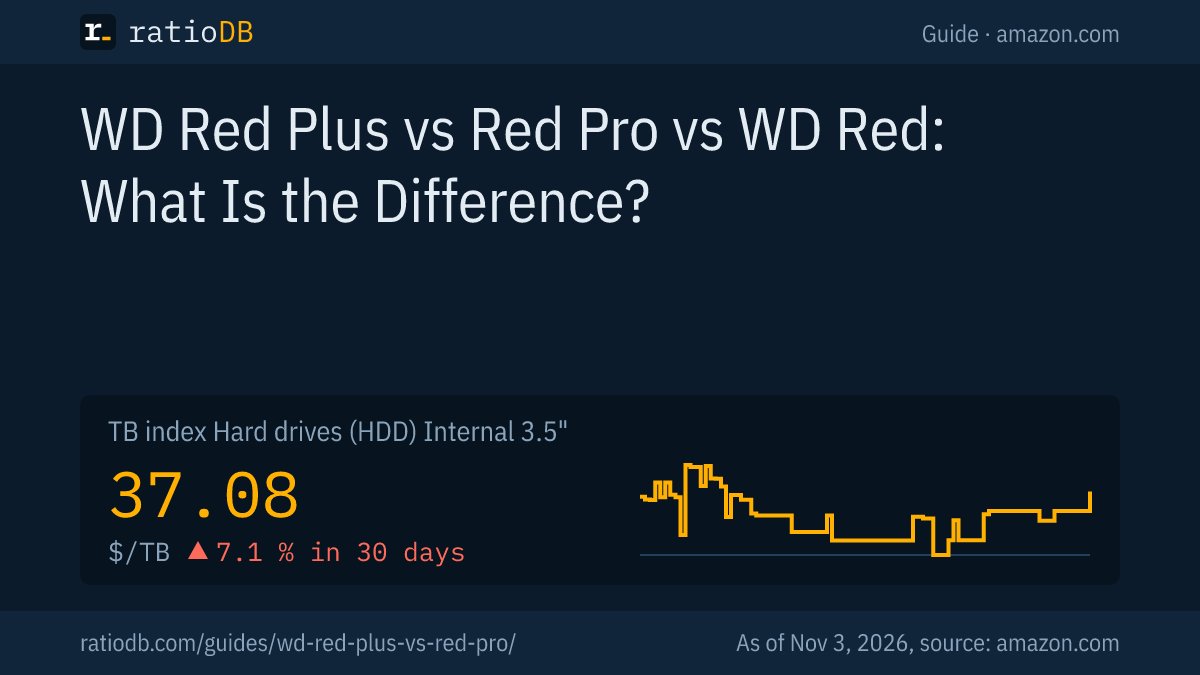
The cheapest WD Red Plus per TB on amazon.com right now is the WD Red Plus 4 TB at $48.75 per TB (4 TB). The TB index for all internal 3.5 inch hard drives stands at $37.08 per TB (as of Nov 3, 2026 at 11:17 AM UTC).
WD Red, Red Plus and Red Pro on amazon.com, cheapest new model per TB in each line, as of Nov 3, 2026 at 11:17 AM UTC
| Series | Offers | Cheapest model per TB | Recording | Price | Price per TB |
|---|---|---|---|---|---|
| WD Red (SMR) | 1 | WD Red 6 TB | SMR | $409.90 | $68.32 |
| WD Red, older CMR models (EFRX, WD80EFAX) | 1 | WD Red 4 TB | CMR | $229.99 | $57.50 |
| WD Red Plus | 1 | WD Red Plus 4 TB | CMR | $194.99 | $48.75 |
The table splits the WD Red into 2 rows. Models ending in EFAX (2, 3, 4 and 6 TB) use SMR according to a list Western Digital published in July 2020. Older models ending in EFRX date from before the rename and use CMR according to the same list, which names every other capacity as CMR. Western Digital lists the WD10EFRX as a Red Plus today. In stores such models are sometimes still called WD Red and sometimes already Red Plus. The older EFRX currently costs more per TB than the cheapest Red Plus, so there is no reason to hunt for one.
How much more does the Red Pro cost than the Red Plus?
We currently find no capacity on amazon.com that both lines offer, so there is no direct comparison here. According to the data sheet, the Red Pro brings 7,200 RPM, 3 times the workload rating and 2 more years of warranty.
Convert the premium into warranty years: the Red Plus has 3 years, the Red Pro 5 years. If the Red Pro costs less than about 66.7% more, it is cheaper per year of warranty. A warranty is no promise about lifespan, but it shows how long the manufacturer stands behind a failure. How long hard drives last on average is covered in our guide How long hard drives last.
Which WD Red do I need for my NAS?
For a NAS with 2 to 8 bays at home or in a small office, the WD Red Plus fits. With more than 8 bays, many users at once or if you want a 5 year warranty, the Red Pro fits. The WD Red with SMR is a poorer fit for a NAS with RAID, because SMR slows down during long writes.
The decision by use case:
| Use | Matching line | Reason per data sheet |
|---|---|---|
| NAS with 2 to 4 bays at home | Red Plus | CMR, 180 TB workload, quiet 5,400 RPM models |
| NAS with 5 to 8 bays in an office | Red Plus or Red Pro | Red Plus up to 8 bays, Red Pro with more workload |
| NAS with more than 8 bays | Red Pro | no bay limit, RV sensors |
| Many users, video editing over the network | Red Pro | 550 TB workload, 7,200 RPM |
| Backup drive that rarely runs | Red Plus | cheap per TB, CMR |
| Quiet NAS in a living space | Red Plus at 5,400 RPM | 21 to 24 dBA at idle per data sheet |
On capacity: a mirrored RAID needs twice as much raw storage as you want to use. How much space each RAID level leaves is worked out in our guide RAID levels explained. Which lines from other brands suit a NAS is shown in our guide Best NAS hard drive.
Is the plain WD Red still a good choice?
For a NAS with RAID, the WD Red with SMR is the poorer choice, because SMR can slow down during a RAID rebuild and large copies. Since 2020 Western Digital has set the CMR models apart as Red Plus. For a NAS with 1 drive and light writing, the WD Red is enough.
The cheapest WD Red with SMR is currently the WD Red 6 TB at $68.32 per TB (6 TB). The cheapest Red Plus sits at $48.75 per TB. If the Red Plus costs barely more per TB than the WD Red, or even less, there is no reason to pick the SMR version. According to the data sheets both lines share the 180 TB workload rating, the same MTBF and a 3 year warranty. The difference is the recording method. You can spot the WD Red with SMR by the EFAX suffix in its model number.
WD Red Plus or Seagate IronWolf?
Both are NAS drives with CMR for up to 8 bays, 180 TB of workload per year and a 3 year warranty, according to the data sheets from Western Digital and Seagate. Per TB, the Red Plus currently leads by about 8.3%.
The cheapest IronWolf per TB is currently the Seagate IronWolf 6 TB at $53.17 per TB. With matching specs, the price at your capacity usually decides. According to its data sheet, Seagate adds 3 years of its Rescue data recovery service to the IronWolf, while Western Digital relies on NASware. The detailed comparison by capacity and the differences between the Pro lines are in our guide WD Red vs IronWolf.
Can I use a WD Red Plus in a desktop PC?
Yes. The Red Plus is a regular 3.5 inch SATA hard drive and works in any PC with a SATA port. Compared with desktop lines such as the WD Blue or the Seagate BarraCuda, it brings CMR at every capacity, a 180 TB workload rating and 3 instead of 2 years of warranty.
In a PC the Red Plus makes sense if it does not cost much more per TB than a desktop drive, or if you write a lot of data and want CMR. The BarraCuda desktop line almost always uses SMR up to 8 TB, as our guide Seagate BarraCuda shows. The Red Pro fits a PC just as well, but at 7,200 RPM and up to 39 dBA during seeks according to its data sheet it is louder. Which line suits which PC is explained in our guide Best internal hard drive.
How do I identify the line by its model number?
The model number starts with WD, followed by the capacity. According to the data sheets, Red Plus numbers end in EFPX, EFZZ, EFZX, EFGX or EFBX, Red Pro numbers in FFBX, FFSX, KFGX or KFBX, and the SMR WD Red in EFAX.
Examples from the data sheets:
- WD40EFPX: WD Red Plus with 4 TB, CMR, 5,400 RPM, 256 MB of cache.
- WD40EFAX: WD Red with 4 TB, SMR according to Western Digital's list.
- WD4005FFBX: WD Red Pro with 4 TB, CMR, 7,200 RPM, 256 MB of cache.
- WD240KFGX: WD Red Pro with 24 TB, CMR, helium filled, OptiNAND.
In stores the letter code is often followed by an extra string such as "-SPCPAN0" or "-68CPAN0". For the recording method and the line, the part before it is what counts. OptiNAND on the 22, 24 and 26 TB Red Pro means, according to Western Digital, built-in flash memory that handles housekeeping tasks for the drive. A 4 TB Red Plus showing only about 3.63 TB in Windows comes down to unit conversion. Our guide TB vs TiB walks through the math.
How does ratioDB compare WD Red drives?
ratioDB regularly pulls the amazon.com prices for every listed hard drive and converts them to price per TB, with 1 TB equal to 1,000,000,000,000 bytes. The TB index is the median of the 10 cheapest new offers per product type.
We match series, recording method, spindle speed and cache to every model number using the manufacturer's data sheet. The tables in this guide only show new single drives sold under the manufacturer's name. Used and refurbished offers are labeled and never count toward the index. ratioDB does not test drives itself. All rules are on the Methodology page, and every drive is listed under Internal 3.5" hard drives and Hard drive prices per TB.
Frequently asked questions about WD Red Plus and Red Pro
Is the WD Red Plus CMR?
Yes. According to the data sheet, every WD Red Plus uses CMR. SMR is used by the plain WD Red in the models WD20EFAX, WD30EFAX, WD40EFAX and WD60EFAX.
What is the difference between WD Red Plus and Red Pro?
The Red Pro always spins at 7,200 RPM, goes up to 26 TB, is rated for any number of bays and 550 TB of workload per year and has a 5 year warranty. According to the data sheet, the Red Plus goes up to 12 TB, is meant for up to 8 bays and 180 TB and has a 3 year warranty.
How loud is a WD Red Plus?
According to the data sheet, 20 to 34 dBA at idle and 26 to 39 dBA during seeks, depending on the model. The 5,400 RPM models and the helium filled WD120EFBX are among the quietest.
How many drives can a NAS with WD Red Plus have?
Western Digital names NAS systems with up to 8 bays for the Red Plus. Larger systems are what the Red Pro is for, with no bay limit from Western Digital.
What warranty does the WD Red Plus have?
3 years according to the data sheet, with regional details on Western Digital's warranty page. The Red Pro has 5 years.
Is the WD Red Plus the same as the old WD Red EFRX?
In June 2020 Western Digital renamed its WD Red models with CMR to Red Plus. Western Digital lists the WD10EFRX as a Red Plus today. The EFRX models use CMR according to Western Digital's SMR list.
How much does a WD Red Plus cost per TB?
On amazon.com the cheapest Red Plus currently costs $48.75 per TB (4 TB). The TB index for internal 3.5 inch hard drives stands at $37.08 per TB (as of Nov 3, 2026 at 11:17 AM UTC).
Sources
- Western Digital: WD Red Plus data sheet (PDF), WD Red Pro data sheet (PDF), WD Red product brief (PDF)
- Western Digital: List of SMR models, July 2020 (PDF), WD Red Plus product page with WD10EFRX
- ComputerBase: WD Red now only as Plus or Pro without SMR, June 24, 2020 (German)
- Seagate: IronWolf data sheet (PDF)
- ratioDB: amazon.com prices, Methodology