SAS vs SATA Hard Drives: What Is the Difference?
A SAS hard drive uses the Serial Attached SCSI interface and is built for servers and storage systems. According to Seagate's data sheet, the SAS version of an Exos transfers up to 12 Gb/s over 2 ports (dual port), while the SATA version of the same drive transfers up to 6 Gb/s over 1 port. SATA drives work on most SAS controllers, but SAS drives do not work on a regular SATA port.
This guide explains how SAS differs from SATA, when SAS is worth it, what you need to connect a SAS drive and what SAS drives cost per TB right now. The information comes from Seagate data sheets, announcements by the SCSI Trade Association, which drives the SAS standard, and an overview by Intel. ratioDB does not test drives itself. We compare prices and spec sheets. Live amazon.com prices are further down (as of Nov 1, 2026 at 5:17 PM UTC).
What is a SAS hard drive?
SAS stands for Serial Attached SCSI. The interface comes from the server world and is the serial successor to the older parallel SCSI. SAS drives sit in servers, storage systems and backplanes, the boards with bays for many drives. You will rarely find one in a regular desktop PC.
SATA (Serial ATA) is the interface in almost every PC, laptop and home NAS. Both interfaces are serial and use similar connectors. The difference lies in what they bring for always-on operation in large systems: 2 ports per drive, sending and receiving at the same time, higher transfer rates and extra data integrity checks.
One thing to keep in mind: the interface says nothing about the storage technology. A SAS device can be a hard drive with spinning platters or an SSD. This guide is about hard drives. SSDs with SAS or NVMe in the U.2 form factor are covered in our guide U.2 vs M.2.
What is the difference between SAS and SATA?
SAS transfers up to 12 Gb/s (SAS-3) or 22.5 Gb/s (24G SAS), SATA up to 6 Gb/s. SAS drives have 2 ports, send and receive at the same time and add data checks along the way. SATA drives have 1 port and are far more common.
The key differences at a glance:
| Feature | SAS | SATA |
|---|---|---|
| Transfer rate | 12 Gb/s (SAS-3), 22.5 Gb/s (24G SAS) | 6 Gb/s (SATA III) |
| Ports on the drive | 2 (dual port) | 1 (single port) |
| Data direction | both directions at once (full duplex) | one direction at a time (half duplex) |
| Compatibility | SAS controller also accepts SATA drives | SATA controller does not accept SAS drives |
| Typical use | servers, storage systems, data centers | PCs, laptops, home NAS, servers |
| Controller in a desktop PC | usually missing, add-in card needed | on almost every motherboard |
The transfer rates of the SAS generations: SAS-1 at 3 Gb/s, SAS-2 at 6 Gb/s, SAS-3 at 12 Gb/s and SAS-4 at 22.5 Gb/s, marketed as "24G SAS". According to the SCSI Trade Association, 24G SAS doubles the effective bandwidth of 12 Gb/s SAS and stays backward compatible with 12 Gb/s and 6 Gb/s SAS. For a single hard drive, though, the interface is rarely the bottleneck: even the SAS version of an Exos 7E10 reads at most 236 MB/s according to its data sheet, which is about 1.9 Gb/s.
What does the data sheet say when the same drive comes in SAS and SATA?
Seagate builds the Exos 7E10 in both versions. According to the data sheet, SAS and SATA share the same spindle speed, the same cache, the same MTBF of 2 million hours and a 5 year warranty. The SAS version adds a 2nd port, 12 Gb/s, T10 DIF protection information and slightly faster reads.
The direct comparison of the 6 TB models from the Exos 7E10 data sheet:
| Data sheet value | Exos 7E10 SATA (ST6000NM000B) | Exos 7E10 SAS (ST6000NM001B) |
|---|---|---|
| Interface | 6.0, 3.0, 1.5 Gb/s | 12.0, 6.0, 3.0 Gb/s |
| Ports | 1 (single) | 2 (dual) |
| T10 DIF protection information | no | yes |
| Max sustained transfer rate, outer diameter | 215 MB/s | 236 MB/s |
| Spindle speed | 7,200 RPM | 7,200 RPM |
| Cache | 256 MB | 256 MB |
| MTBF | 2,000,000 hours | 2,000,000 hours |
| Annualized failure rate (AFR) at 24x7 | 0.44% | 0.44% |
| Power-on hours per year | 8,760 | 8,760 |
| Warranty | 5 years | 5 years |
| Idle power | 7.06 W | 7.24 W |
| Power, random read | 11.03 W | 11.34 W |
The takeaway: the mechanics are the same, and so are the reliability figures on the data sheet. SAS adds the 2nd connection, the faster interface and T10 DIF (Data Integrity Field), a checksum that catches errors on the way between controller and drive. In return the SAS version draws a few tenths of a watt more on the data sheet. Seagate states the workload rating of 550 TB per year for the line as a whole.
What does dual port do on a SAS drive?
With dual port, a SAS drive is connected to the system over 2 paths. If a controller, a cable or a backplane fails, the drive stays reachable over the 2nd path. This is called multipath or dual domain and needs a system with 2 controllers or 2 backplanes.
In a home server with 1 controller the 2nd port does nothing, because there is no 2nd path. Dual port shows its strength in storage systems that must keep running when a part fails. The same goes for full duplex: SAS can send and receive at the same time. For a single drive, the everyday benefit is limited.
In an older overview for server boards with the Intel C602 chipset, Intel listed more differences: according to that table, a SAS drive typically gives up error recovery on a bad sector after 7 to 15 seconds, a SATA drive only after up to 30 seconds. Intel compared enterprise SAS with desktop SATA there and notes itself that the information may be dated. NAS drives with SATA bring their own RAID features too. Western Digital, for example, lists RAID error recovery control for the WD Red.
Can I connect a SAS drive to a SATA port?
No. SAS drives do not work on a plain SATA port or a SATA backplane. The other way round works: SATA drives run on most SAS controllers and SAS backplanes. The SCSI Trade Association states that SAS remains compatible with SATA.
To run a SAS drive you therefore need a SAS controller. That can be a controller on a server motherboard or a PCI Express add-in card, either a host bus adapter (HBA) or a RAID controller. Desktop motherboards usually only offer SATA and M.2. For the reverse direction, SATA drives on a SAS controller, SAS uses its own protocol for SATA devices, the SATA Tunneling Protocol (STP).
Here is how to check before you buy whether a SAS drive will work for you:
- Check the controller: Does the manual of your server or motherboard list a SAS controller, or do you have a SAS add-in card? Plain SATA ports are not enough.
- Check the backplane: Many servers have bays with their own board. The manual says whether it supports SAS or only SATA.
- Match the generation: A 12 Gb/s SAS drive runs on a 6 Gb/s controller, at 6 Gb/s. According to the Exos data sheet, the SAS version supports 12, 6 and 3 Gb/s.
- Plan the cables: You need the right SAS cable between controller and drive. The controller manual tells you which one.
- Mind the sector format: Drives with 4Kn sectors need a controller and a system that support this format. What 512e and 4Kn mean is explained in our guide Seagate Exos vs IronWolf.
How much does a SAS hard drive cost right now?
The cheapest new SAS hard drive per TB on amazon.com right now is the Seagate Constellation ES.2 3 TB at $31.11 per TB (3 TB). For comparison, the TB index for all internal 3.5 inch SATA hard drives stands at $36.25 per TB (as of Nov 1, 2026 at 5:17 PM UTC).
New SAS hard drives on amazon.com, sorted by price per TB, as of Nov 1, 2026 at 5:17 PM UTC
| SAS drive | Series per data sheet | Capacity | Spindle speed (RPM) | Price | Price per TB |
|---|---|---|---|---|---|
| Seagate Constellation ES.2 3 TB | Constellation ES.2 | 3 TB | 7,200 | $93.33 | $31.11 |
| Dell 10K SAS 12G 1.2 TB | n/a | 1.2 TB | n/a | $85.00 | $70.83 |
| Seagate 10K SAS Model 1.2 TB | Enterprise Performance 10K v8 | 1.2 TB | 10,000 | $85.00 | $70.83 |
| Seagate Constellation ES.3 1 TB | Constellation ES.3 | 1 TB | 7,200 | $85.00 | $85.00 |
| Seagate 10K SAS Model 1.2 TB | n/a | 1.2 TB | n/a | $125.00 | $104.17 |
| 10K SAS FITS DELL 600 GB | n/a | 600 GB | n/a | $79.00 | $131.67 |
| Dell 15K 600 GB | n/a | 600 GB | n/a | $107.00 | $178.33 |
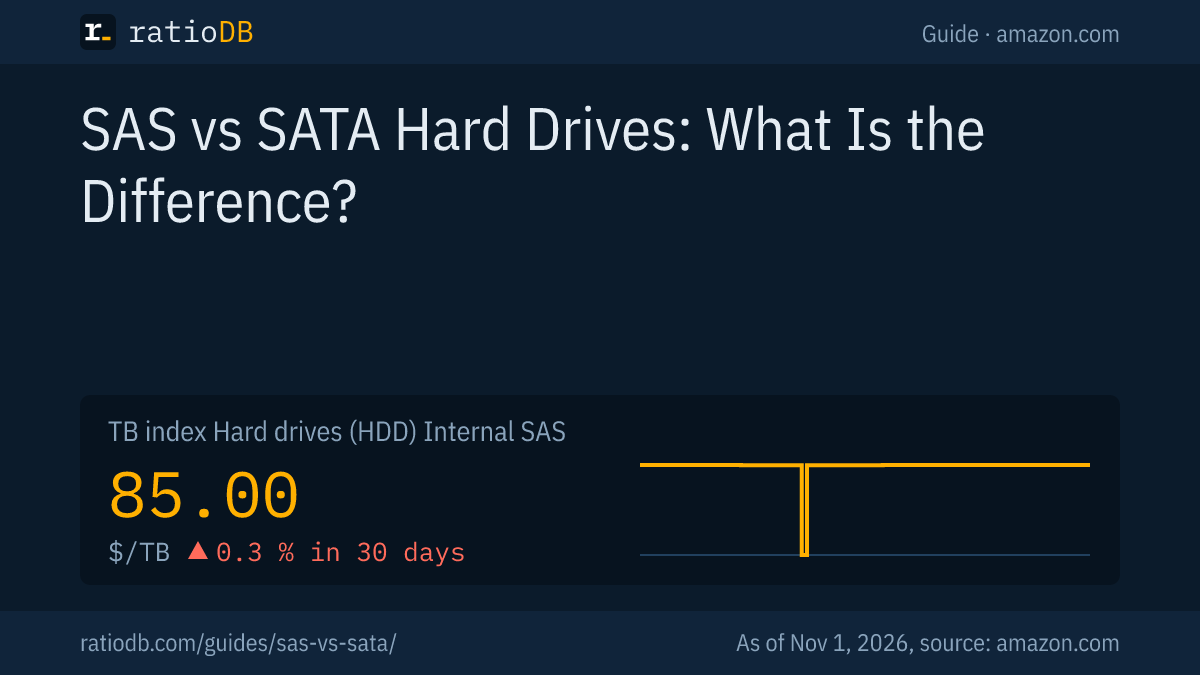
We currently find 7 new SAS hard drives on amazon.com that are sold under the manufacturer's name. The selection is much smaller than for SATA. That makes the cheapest SAS drive about 21.4% cheaper per TB than the cheapest Exos with SATA (Seagate Exos X18 18 TB, $39.56 per TB, 18 TB). The TB index for SAS hard drives stands at $85.00 per TB.
On top of that come 5 used or refurbished SAS drives. The cheapest of them is the Seagate Constellation ES.2 3 TB at $16.00 per TB (3 TB). Used SAS drives can come from retired servers. For such offers, check the condition, the power-on hours and the seller's warranty. What matters there is covered in our guide Refurbished hard drives.
You will find every offer under SAS hard drives, and the SATA models under Internal 3.5" hard drives and Internal 2.5" hard drives.
When is SAS worth it over SATA?
SAS is worth it if you run a server or storage system with a SAS controller and SAS backplane, need 2 paths to each drive or hang many drives off one controller. For a PC, a home NAS or a small home server, SATA is the simpler choice.
The decision by use case:
| Use | Recommendation | Reason |
|---|---|---|
| Desktop PC | SATA | no SAS controller on board, much larger selection |
| Home NAS | SATA | NAS lines such as IronWolf and WD Red Plus come with SATA |
| Home server with SAS HBA | either | SATA drives run on the SAS controller, price decides |
| Server with SAS backplane | SAS or SATA | SAS for 2 paths and T10 DIF, SATA for the larger selection |
| Storage system with 2 controllers | SAS | dual port keeps it running when a part fails |
| Used server bought cheaply | used SAS | used SAS drives can be cheap, check condition |
In a home server with a SAS controller you can just as well use SATA drives. The SAS standard provides for that compatibility, and the selection of SATA drives is much larger. According to its data sheet, the Exos 7E10 comes in both versions. The cheapest Exos with SATA right now is the Seagate Exos X18 18 TB at $39.56 per TB. For a classic NAS, the NAS lines with CMR are the ones built for the job. Our guide Best NAS hard drive shows the options.
Are SAS hard drives faster than SATA hard drives?
With the same mechanics, only slightly. According to the data sheet, the SAS version of the Exos 7E10 reads 236 MB/s and the SATA version 215 MB/s. Faster on random access are SAS drives with 10,000 RPM, such as the Seagate Enterprise Performance 10K, at the cost of small capacities.
A hard drive's speed mostly depends on spindle speed, areal density and cache. The interface only becomes a bottleneck when many drives share one link or an SSD is attached. One example is the Seagate Enterprise Performance 10K with 10,000 RPM and SAS. Its ST1200MM0088 has 1.2 TB according to the data sheet. Drives like this usually cost a lot more per TB than large 7,200 RPM drives. For fast random access, an SSD is the alternative today. How SSDs and hard drives differ is explained in our guide SSD vs HDD.
Are SAS hard drives more reliable?
Not automatically. For the Exos 7E10, Seagate states the same MTBF of 2 million hours, the same annualized failure rate of 0.44% and the same 5 year warranty for SAS and SATA. SAS adds protection on the transfer, with T10 DIF and 2 paths to the drive.
Reliability mostly depends on the product line. An enterprise drive like the Exos is built for always-on operation with both SAS and SATA. A desktop drive like the BarraCuda is rated for only 2,400 power-on hours per year according to its data sheet. A SAS vs SATA comparison is therefore often an enterprise vs desktop comparison, and the difference comes from the line. If reliability matters to you, compare workload, power-on hours and warranty on the data sheet. How long hard drives last on average is shown in our guide How long hard drives last, and what a desktop drive is rated for in Seagate BarraCuda.
What about SAS for SSDs and NVMe?
SAS also exists for SSDs, mostly in the 2.5 inch form factor. Next to them are server SSDs with NVMe, connected directly over PCI Express, often in the U.2 form factor. For hard drives, SAS and SATA are the common interfaces.
According to the SCSI Trade Association, the 24G SAS specification was completed in 2017. In July 2024 it presented the next step, 24G+ SAS, and stressed compatibility with SATA. For you as a buyer this means: a SAS controller today accepts SAS and SATA drives, and a new controller works with older SAS drives. If you are looking for server SSDs, you will find U.2 models with NVMe under U.2 and U.3 SSDs.
How do I recognize a SAS hard drive?
By the data sheet and the model number: Seagate lists the interface as "12Gb/s SAS" or "SATA 6Gb/s". For the 6 TB Exos 7E10, the SAS version is the ST6000NM001B and the SATA version the ST6000NM000B. Listing titles usually include "SAS" and "12Gb/s".
With used server drives, also watch for these points:
- Part number from a server maker: Some listings show a server maker's part number, such as Dell's, instead of the drive maker's model number. Whether such a drive works in your system is in your controller manual.
- Form factor: SAS drives come in 3.5 and 2.5 inch. Check which size your bays take.
- Sector format: 512n, 512e or 4Kn has to match your controller and system.
- Warranty: Ask the seller about the warranty before you buy.
You check the condition of a used drive after installing it with its SMART values. How that works is explained in our guide Check hard drive health.
How does ratioDB compare SAS hard drives?
ratioDB regularly pulls the amazon.com prices for every listed hard drive and converts them to price per TB, with 1 TB equal to 1,000,000,000,000 bytes. SAS hard drives have their own list with their own TB index, the median of the 10 cheapest new offers.
We match series, spindle speed and recording method to every model number using the manufacturer's data sheet. Where the data sheet does not say, the tables show "n/a". The tables in this guide only show new single drives sold under the manufacturer's name. Used and refurbished offers are labeled and never count toward the index. ratioDB does not test drives itself. All rules are on the Methodology page, and every hard drive is listed under Hard drive prices per TB.
Frequently asked questions about SAS vs SATA
Which is better, SAS or SATA?
For a PC or home NAS, SATA is better, because there is no SAS controller and the selection of SATA drives is much larger. For servers with a SAS backplane and storage systems with 2 controllers, SAS is better thanks to dual port, the faster interface and T10 DIF.
Can I use SATA drives on a SAS controller?
Yes, most SAS controllers and SAS backplanes also run SATA drives. The SCSI Trade Association states that SAS remains compatible with SATA. The reverse does not work: a SAS drive will not run on a plain SATA port.
How fast is SAS?
SAS-3 transfers up to 12 Gb/s, 24G SAS up to 22.5 Gb/s. SATA III manages 6 Gb/s. A single hard drive only uses part of that: according to the data sheet, the SAS version of the Exos 7E10 reads at most 236 MB/s.
Do I need a special controller for SAS?
Yes. You need a SAS controller, either on a server motherboard or as a PCI Express add-in card (HBA or RAID controller). Desktop motherboards usually only have SATA and M.2 ports.
Are SAS hard drives more expensive than SATA drives?
It depends on the individual offer. On amazon.com the cheapest new SAS drive currently costs $31.11 per TB, the cheapest Exos with SATA $39.56 per TB (as of Nov 1, 2026 at 5:17 PM UTC). Used SAS drives from servers can be cheap, and then condition is what counts.
What does dual port mean?
Dual port means the drive has 2 ports and can be connected to the system over 2 paths. If a controller or cable fails, it stays reachable. According to Seagate's data sheet, the SAS versions of the Exos 7E10 are dual port and the SATA versions single port.
Is a SAS hard drive more reliable?
Not automatically. For the Exos 7E10, Seagate states the same MTBF, failure rate and warranty for both versions. The bigger difference lies between desktop and enterprise lines.
Sources
- Seagate: Exos 7E10 data sheet with SATA and SAS versions (PDF), Enterprise Performance 10K data sheet (PDF), BarraCuda 3.5 inch data sheet (PDF)
- Western Digital: WD Red product brief with RAID error recovery control (PDF)
- SCSI Trade Association (SNIA): 24G SAS specification complete, 2017, 24G+ SAS unveiled, 2024
- Intel: Comparing SAS and SATA, enterprise and desktop hard drives
- Wikipedia: Serial Attached SCSI, generations and compatibility
- ratioDB: amazon.com prices, Methodology