Seagate BarraCuda: Models, CMR or SMR, and Price per TB
The Seagate BarraCuda is Seagate's hard drive line for desktop PCs, home servers and simple external enclosures. According to the data sheet, the 3.5 inch drives range from 1 TB to 24 TB with a 2 year warranty and a workload rating of 55 TB per year on the small models and 120 TB on the large ones. The models from 1 TB to 8 TB almost all use SMR, while the 16, 20 and 24 TB drives use CMR.
This guide shows which BarraCuda uses which recording method, how to spot it in the model number, what the data sheet values mean and which jobs the line suits. Every technical figure comes from Seagate data sheets that we read for this guide. ratioDB does not test drives itself. We compare prices and spec sheets. Further down you will find what a BarraCuda costs right now, with live amazon.com prices (as of Oct 31, 2026 at 7:17 PM UTC).
What is the Seagate BarraCuda?
The BarraCuda is Seagate's entry line for computers that are not on around the clock. In the data sheet, Seagate lists desktop and all-in-one PCs, home servers and entry-level direct attached storage (DAS) as best-fit applications.
The line comes in 2 form factors. The 3.5 inch drives go into desktop PCs, the 2.5 inch drives are meant for laptops and slim systems. For network attached storage (NAS) Seagate builds the IronWolf, for servers and data centers the Exos, for video surveillance the SkyHawk. Compared with IronWolf and Exos, the BarraCuda has the tightest limits in its data sheet: fewer power-on hours per year, a lower workload rating and a 2 year warranty.
How the lines from the big brands relate to each other and which one fits which job is covered in our guide Best internal hard drive. This guide is only about the BarraCuda.
Which BarraCuda models are there?
Seagate's current data sheet (2025) lists 8 BarraCuda models in 3.5 inch with 1, 2, 4, 6, 8, 16, 20 and 24 TB. The 16 to 24 TB drives spin at 7,200 RPM with 512 MB of cache and CMR. The 4 to 8 TB drives spin at 5,400 RPM and use SMR.
Here is the overview from the 2 data sheets that cover the models you see in stores most often:
| Model | Capacity | Recording | Spindle speed (RPM) | Cache | Workload per year | Data sheet |
|---|---|---|---|---|---|---|
| ST24000DM001 | 24 TB | CMR | 7,200 | 512 MB | 120 TB | 2025 |
| ST20000DM001 | 20 TB | CMR | 7,200 | 512 MB | 120 TB | 2025 |
| ST16000DM001 | 16 TB | CMR | 7,200 | 512 MB | 120 TB | 2025 |
| ST8000DMZ04 | 8 TB | SMR | 5,400 | 256 MB | 55 TB | 2025 |
| ST6000DMZ03 | 6 TB | SMR | 5,400 | 256 MB | 55 TB | 2025 |
| ST4000DMZ04 | 4 TB | SMR | 5,400 | 256 MB | 55 TB | 2025 |
| ST2000DMZ08 | 2 TB | SMR | 7,200 | 256 MB | 55 TB | 2025 |
| ST1000DMZ14 | 1 TB | SMR | 7,200 | 256 MB | 55 TB | 2025 |
| ST8000DM004 | 8 TB | SMR | 5,400 | 256 MB | 55 TB | 2020 |
| ST4000DM004 | 4 TB | SMR | 5,400 | 256 MB | 55 TB | 2020 |
| ST2000DM008 | 2 TB | SMR | 7,200 | 256 MB | 55 TB | 2020 |
| ST1000DM010 | 1 TB | CMR | 7,200 | 64 MB | 55 TB | 2020 |
| ST500DM009 | 500 GB | CMR | 7,200 | 32 MB | 55 TB | 2020 |
Every model in both data sheets comes with a 2 year warranty and a rating of 2,400 power-on hours per year. Model numbers with a "Z" (such as ST8000DMZ04) appear in the newer 2025 data sheet, the numbers without a "Z" (such as ST8000DM004) in the 2020 data sheet. You will find both in stores side by side. The older 2020 data sheet also lists 6 TB (ST6000DM003), 3 TB (ST3000DM007) and a 2 TB version at 5,400 RPM (ST2000DM005), all with SMR.
Which BarraCuda drives use CMR and which use SMR?
According to the data sheets, the 16, 20 and 24 TB BarraCuda use CMR, as do the older ST1000DM010 (1 TB) and ST500DM009 (500 GB). All other models from 1 TB to 8 TB use SMR, including the new 1 TB ST1000DMZ14. Capacity alone does not tell you the recording method. The model number does.
With SMR (shingled magnetic recording) the tracks on the platter overlap like roof shingles. That fits more data onto the same area, but rewriting data means the drive has to rewrite whole bands. During large, long writes the speed drops. CMR (conventional magnetic recording) writes tracks side by side and avoids this. For a PC that stores games, photos and videos and only writes large amounts now and then, SMR is usually fine. How both methods work and when SMR slows down is explained in our guide CMR vs SMR.
Seagate also keeps a list of all lines with CMR and SMR. It shows the 3.5 inch BarraCuda with CMR at 12, 16, 20 and 24 TB, partly with the new HAMR based Mozaic platform, and with SMR at 4 and 8 TB. The 2.5 inch BarraCuda is listed with SMR at 2 and 4 TB. The list only names capacities, without model numbers, so the data sheet for the exact model number is the reliable source. What HAMR is, is covered in our guide HAMR hard drive.
ratioDB shows the recording method for every BarraCuda offer whenever the data sheet names it for that model number. Of the 7 3.5 inch BarraCuda models we currently find new on amazon.com, 2 use SMR according to the data sheet.
How much does a BarraCuda cost per TB right now?
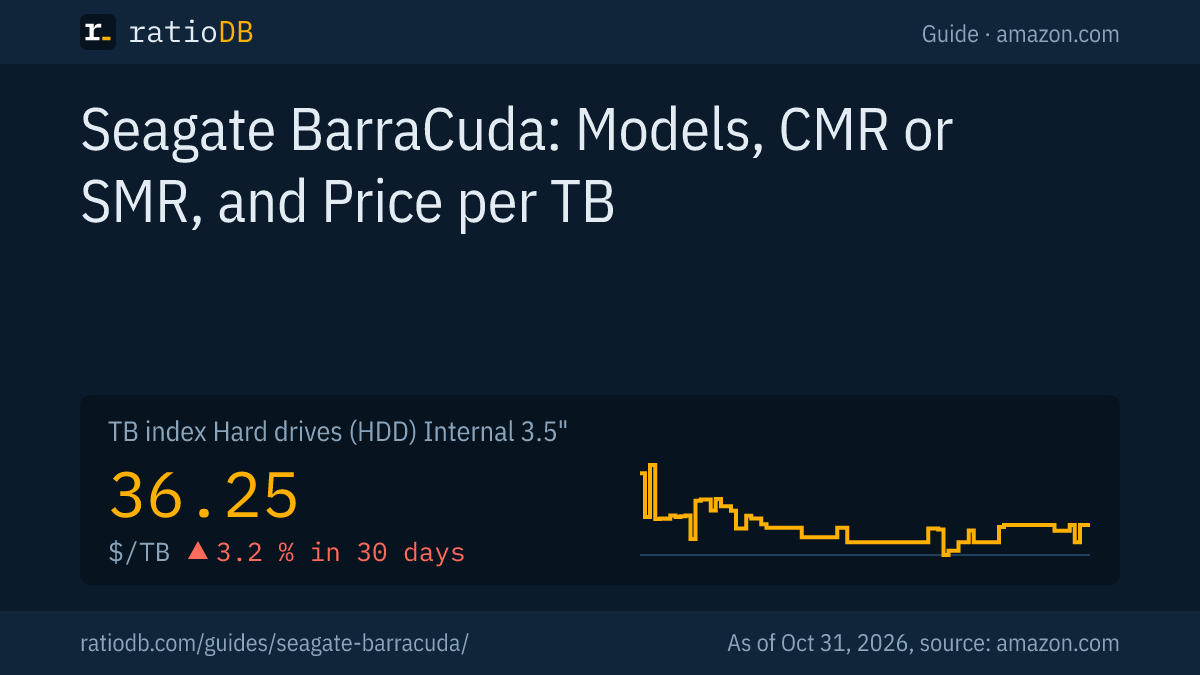
The cheapest BarraCuda per TB on amazon.com right now is the Seagate BarraCuda 8 TB at $31.25 per TB (8 TB, SMR). The TB index for all internal 3.5 inch hard drives stands at $36.25 per TB (as of Oct 31, 2026 at 7:17 PM UTC).
Cheapest new BarraCuda per capacity on amazon.com, as of Oct 31, 2026 at 7:17 PM UTC
| Capacity | Cheapest model | Recording | Spindle speed (RPM) | Price | Price per TB |
|---|---|---|---|---|---|
| 500 GB | Seagate BarraCuda 500 GB | CMR | 7,200 | $59.00 | $118.00 |
| 1 TB | Seagate BarraCuda 1 TB | CMR | 7,200 | $94.77 | $94.77 |
| 2 TB | Seagate BarraCuda 2 TB | n/a | 7,200 | $216.90 | $108.45 |
| 3 TB | Seagate BarraCuda 3 TB | n/a | n/a | $124.99 | $41.66 |
| 8 TB | Seagate BarraCuda 8 TB | SMR | 5,400 | $249.99 | $31.25 |
The table shows the cheapest new single drive per capacity, regardless of which generation of model number it belongs to. The recording column comes from the data sheet for that model number. Where the data sheet does not say, the table shows "n/a". The cheapest BarraCuda with CMR is currently the Seagate BarraCuda 1 TB at $94.77 per TB (1 TB), the cheapest with SMR is the Seagate BarraCuda 8 TB at $31.25 per TB (8 TB). The table also shows how much the price per TB depends on capacity: small 1 or 2 TB drives usually cost a lot more per TB than larger ones.
That puts the cheapest BarraCuda below the TB index for all internal 3.5 inch hard drives. The cheapest 8 TB BarraCuda currently costs $249.99 (Seagate BarraCuda 8 TB, SMR). You will find every offer by size under 4 TB hard drives, 8 TB hard drives, and all models under Internal 3.5" hard drives.
BarraCuda or WD Blue: which is cheaper?
The WD Blue from Western Digital is the BarraCuda's direct rival: also a desktop line with a 2 year warranty. Across 2 capacities we currently find from both lines on amazon.com, the BarraCuda is cheaper per TB 2 times and the WD Blue 0 times.
BarraCuda vs WD Blue at the same capacity on amazon.com, as of Oct 31, 2026 at 7:17 PM UTC
| Capacity | Cheapest BarraCuda | Cheapest WD Blue | Cheaper per TB |
|---|---|---|---|
| 500 GB | Seagate BarraCuda 500 GB: $118.00 (CMR) | WD Blue 500 GB: $134.00 (CMR) | BarraCuda (11.9%) |
| 1 TB | Seagate BarraCuda 1 TB: $94.77 (CMR) | WD Blue 1 TB: $94.99 (CMR) | BarraCuda (0.2%) |
One difference is the recording method. The current WD Blue PC data sheet lists only CMR models from 1 TB to 12 TB, with the single exception of the 2 TB WD20EZBX. Most BarraCuda models up to 8 TB use SMR. If you want a desktop data drive up to 8 TB with CMR, you are more likely to find it in the WD Blue line. Watch out: older WD Blue models such as the WD20EZAZ and WD60EZAZ use SMR according to a 2020 list from Western Digital. Here too, the model number decides.
The cheapest WD Blue per TB is currently the WD Blue 4 TB at $45.00 per TB (CMR). The WD Blue data sheet does not state a workload rating. The BarraCuda states 55 or 120 TB per year. On spindle speed and cache the lines are similar: both have 5,400 and 7,200 RPM models, and the large models carry 512 MB of cache.
What do workload and power-on hours mean for the BarraCuda?
Workload is the amount of data the manufacturer expects to be written to and read from the drive per year. For the BarraCuda that is 55 TB, and 120 TB for the large CMR models. On top of that comes a rating of 2,400 power-on hours per year, roughly 6.6 hours a day.
Together these figures show what Seagate built the line for: a PC that gets switched on in the morning and off at night. A year has 8,760 hours. A NAS or home server that runs around the clock therefore reaches more than 3.6 times the power-on hours in the BarraCuda data sheet. For comparison, here are the other Seagate lines according to their data sheets:
| Line | Use case per Seagate | Power-on hours per year | Workload per year | Warranty |
|---|---|---|---|---|
| BarraCuda (1 to 8 TB) | Desktop, home server, DAS | 2,400 | 55 TB | 2 years |
| BarraCuda (16 to 24 TB) | Desktop, home server, DAS | 2,400 | 120 TB | 2 years |
| BarraCuda Pro | Creative pro and desktop systems, always on | 8,760 | 300 TB | 5 years |
| IronWolf | NAS with 1 to 8 bays | 8,760 | 180 TB | 3 years |
| Exos 7E10 | Data center | 8,760 | 550 TB | 5 years |
Seagate itself writes in the Exos 7E10 data sheet that 550 TB per year is 10 times the workload of desktop hard drives. Western Digital defines workload in its WD Red Plus data sheet as the amount of data transferred to or from the drive, so reads and writes count together. Moving 150 GB a day adds up to roughly 55 TB a year. Your own daily data volume tells you whether that is enough for you. What workload, MTBF and warranty mean on a data sheet is explained in our guide Best internal hard drive, and how long hard drives last on average in How long hard drives last.
Can I use a BarraCuda in a NAS?
The data sheet does not position the BarraCuda for an always-on NAS: Seagate rates it for 2,400 power-on hours per year, and a NAS runs 8,760. Most models up to 8 TB also use SMR, which can slow down during long writes such as a RAID rebuild. For NAS use Seagate builds the IronWolf with CMR.
According to its data sheet, every IronWolf uses CMR and is rated for 1 to 8 bays, 180 TB of workload per year and 8,760 power-on hours, with a 3 year warranty.
The large 16, 20 and 24 TB BarraCuda are a special case. They use CMR and 7,200 RPM, which puts them technically closer to the NAS lines. Their data sheet still states 2,400 power-on hours per year and a 2 year warranty. If you want to run a BarraCuda in a NAS that is only on for a few hours a day, you stay within the data sheet as long as the power-on hours fit. Which lines are built for NAS use and how they differ is covered in our guides Best NAS hard drive and WD Red vs IronWolf.
Which BarraCuda fits in a laptop?
For thin laptops Seagate names the 7 mm BarraCuda, which according to the data sheet are the 500 GB, 1 TB and 2 TB models. The 3, 4 and 5 TB models are 15 mm tall, and Seagate names them for external storage and slim all-in-one PCs. Every 2.5 inch BarraCuda uses SMR.
The figures from the 2.5 inch BarraCuda data sheet (May 2020):
| Model | Capacity | Height | Spindle speed (RPM) | Recording | Warranty |
|---|---|---|---|---|---|
| ST5000LM000 | 5 TB | 15 mm | 5,400 | SMR | 2 years |
| ST4000LM024 | 4 TB | 15 mm | 5,400 | SMR | 2 years |
| ST3000LM024 | 3 TB | 15 mm | 5,400 | SMR | 2 years |
| ST2000LM015 | 2 TB | 7 mm | 5,400 | SMR | 2 years |
| ST1000LM049 | 1 TB | 7 mm | 7,200 | SMR | 5 years |
| ST1000LM048 | 1 TB | 7 mm | 5,400 | SMR | 2 years |
Cheapest new 2.5 inch BarraCuda on amazon.com, as of Oct 31, 2026 at 7:17 PM UTC
| Capacity | Model | Recording | Price | Price per TB |
|---|---|---|---|---|
| 2 TB | Seagate BarraCuda 2 TB | SMR | $199.00 | $99.50 |
| 4 TB | Seagate BarraCuda 4 TB | SMR | $213.99 | $53.50 |
| 5 TB | Seagate BarraCuda 5 TB | SMR | $244.79 | $48.96 |
The TB index for internal 2.5 inch hard drives currently stands at $55.50 per TB. In a laptop an SSD is usually the better choice today, because it is faster, quieter and handles bumps better. Which SSD fits which laptop is covered in our guide Best SSD for laptop. The 15 mm models with 4 and 5 TB are popular as a large drive inside an external 2.5 inch enclosure.
What about the BarraCuda Pro?
The BarraCuda Pro is the version for creative pro systems that stay on. According to its data sheet it uses CMR and 7,200 RPM, is rated for 8,760 power-on hours and 300 TB of workload per year and carries a 5 year warranty, with capacities up to 14 TB.
The Pro no longer appears in the current 2025 data sheet for the regular BarraCuda. You can still find remaining stock in stores. If you want a drive with these ratings today, look at the IronWolf Pro or the Exos. The Exos is built for data centers and is often surprisingly cheap per TB. Whether it is too loud for your home is covered in our guide Seagate Exos vs IronWolf.
How much power does a BarraCuda use?
According to the data sheet, the 4 TB BarraCuda typically draws 3.7 watts in operation and 2.5 watts at idle. The large 16 to 24 TB models draw 8.9 watts in operation and 6.7 watts at idle. In standby it is 0.25 to 1.2 watts.
The values from the 2025 data sheet:
| Model | Operating, typical | Idle | Standby |
|---|---|---|---|
| 16 to 24 TB (CMR, 7,200 RPM) | 8.9 W | 6.7 W | 1.2 W |
| 6 and 8 TB (SMR, 5,400 RPM) | 5.3 W | 3.4 W | 0.25 W |
| 4 TB (SMR, 5,400 RPM) | 3.7 W | 2.5 W | 0.25 W |
| 1 and 2 TB (SMR, 7,200 RPM) | 5.1 W | 3.9 W | 0.3 W |
According to the table, the 4 TB version is the most frugal. Seagate does not state noise levels in the BarraCuda data sheet. The data sheet requires an ambient temperature of at least 10 °C (50 °F) for the large models and 0 °C (32 °F) for the small ones. The drive case may reach at most 60 °C (140 °F) on every model.
How do I identify the right BarraCuda by its model number?
The model number is printed on the drive label and usually appears in the listing title. For every BarraCuda in the data sheets, the number after "ST" equals the capacity in GB, and "DM" appears on every 3.5 inch model. Models with "DMZ" come from the newer 2025 data sheet.
Here is how to read the number, using 3 examples:
- ST8000DM004: 8,000 GB, so 8 TB, SMR at 5,400 RPM according to the 2020 data sheet.
- ST8000DMZ04: the same capacity from the 2025 data sheet, also SMR at 5,400 RPM.
- ST24000DM001: 24,000 GB, so 24 TB, CMR at 7,200 RPM with 512 MB of cache according to the 2025 data sheet.
If a listing does not show the model number, ask the seller or check the label after you buy. Windows shows the model in Device Manager, macOS in System Information. How to check the health of a new or used drive is covered in our guide Check hard drive health. An 8 TB BarraCuda showing only about 7.27 TB in Windows comes down to unit conversion. The data sheet states that 1 TB equals 1 trillion bytes. Our guide TB vs TiB walks through the math.
Who should buy a BarraCuda?
A BarraCuda makes sense as an affordable data drive in a desktop PC for games, photos and videos, as a drive in an external enclosure for backups and for a home server that is not on around the clock. For an always-on NAS, large RAID arrays and heavy writing, IronWolf or Exos are the better fit.
The decision in short:
| Use | Matching BarraCuda | Note |
|---|---|---|
| Data drive in a PC for games and media | 4 to 8 TB with SMR | cheap per TB, fine for occasional writes |
| Heavy writing, video editing, large copies | 16 to 24 TB with CMR | CMR keeps its speed during long writes |
| Backup drive in an external enclosure | any capacity | plan a 2nd copy on another drive |
| Always-on NAS | no BarraCuda | IronWolf or WD Red Plus with CMR and 8,760 hours |
| Laptop | 2.5 inch at 7 mm | an SSD usually makes more sense |
For backups, one drive alone is not a backup yet. How to spread your data across 3 copies is shown in our guide 3-2-1 backup rule. Enclosures for a 3.5 inch BarraCuda are compared in our guide Hard drive enclosure.
How does ratioDB compare BarraCuda drives?
ratioDB regularly pulls the amazon.com prices for every listed hard drive and converts them to price per TB, with 1 TB equal to 1,000,000,000,000 bytes. The TB index is the median of the 10 cheapest new offers per product type.
We match series, recording method, spindle speed and cache to every model number using the manufacturer's data sheet. The tables in this guide only show new single drives sold under the manufacturer's name. Used and refurbished offers are labeled on ratioDB and never count toward the index. ratioDB does not test drives itself. All rules are on the Methodology page, and every hard drive is listed under Hard drive prices per TB.
Frequently asked questions about the Seagate BarraCuda
Is the Seagate BarraCuda CMR or SMR?
It depends on the model. According to the data sheets, the 16, 20 and 24 TB BarraCuda use CMR, as do the older ST1000DM010 (1 TB) and ST500DM009 (500 GB). All other models from 1 TB to 8 TB use SMR, including the new 1 TB ST1000DMZ14. Every 2.5 inch BarraCuda uses SMR.
What warranty does a BarraCuda have?
According to the data sheet, 2 years for every 3.5 inch BarraCuda. The 2.5 inch models have 2 years, the 7,200 RPM versions (ST1000LM049 and ST500LM034) have 5 years. The BarraCuda Pro has 5 years.
Can I use a BarraCuda in a NAS?
Seagate rates the BarraCuda for 2,400 power-on hours per year, while a NAS runs 8,760 hours. Most models up to 8 TB also use SMR. For an always-on NAS, IronWolf, WD Red Plus or WD Red Pro with CMR are the lines built for the job.
Is the BarraCuda good for gaming?
As a data drive for a large game library it works, because games are mostly read. Load times are much shorter on an SSD. Many gamers keep current games on an SSD and the archive on a BarraCuda.
What do DM and DMZ in the model number mean?
DM appears on every 3.5 inch BarraCuda model in both data sheets. Model numbers with DMZ, such as ST8000DMZ04, are listed in the newer 2025 data sheet. At the same capacity their specs largely match the older DM models. The recording method can still change, as with 1 TB: the ST1000DM010 uses CMR, the ST1000DMZ14 uses SMR.
Which is better, BarraCuda or WD Blue?
Both are desktop lines with a 2 year warranty. According to its current data sheet the WD Blue uses CMR at almost every capacity, while the BarraCuda mostly uses SMR up to 8 TB. On price per TB the winner changes by capacity. The table above shows the numbers as of Oct 31, 2026 at 7:17 PM UTC.
How much does a BarraCuda cost per TB?
The cheapest BarraCuda on amazon.com currently costs $31.25 per TB (8 TB). The TB index for internal 3.5 inch hard drives stands at $36.25 per TB (as of Oct 31, 2026 at 7:17 PM UTC).
Sources
- Seagate: BarraCuda 3.5 inch data sheet, 2025 (PDF), BarraCuda 3.5 inch data sheet, 2020 (PDF), BarraCuda 2.5 inch data sheet (PDF), BarraCuda Pro data sheet (PDF)
- Seagate: CMR and SMR hard drive list, IronWolf data sheet (PDF), Exos 7E10 data sheet (PDF)
- Western Digital: WD Blue PC data sheet (PDF), 2020 list of SMR models (PDF), WD Red Plus data sheet with workload definition (PDF)
- ratioDB: amazon.com prices, Methodology