SSD TRIM: What It Does and How to Check It
TRIM is a command the operating system uses to tell an SSD which blocks became free after files were deleted. On Windows with NTFS, Microsoft says TRIM is on by default, and you can check it with fsutil behavior query DisableDeleteNotify: a value of 0 means TRIM is enabled. On NVMe SSDs the same mechanism is called Deallocate, on SATA SSDs it is ATA TRIM.
This guide explains why an SSD needs that message, how to check and enable TRIM on Windows, macOS and Linux, what changes for external SSDs on USB, and what TRIM means for deleted files. The commands and rules come from Microsoft's documentation, the support pages of Plugable and Transcend, and the Fedora and Rocky Linux docs. ratioDB does not test drives itself, we compare prices and data sheets. What an SSD costs right now is shown further down with live prices from amazon.com (as of Oct 31, 2026 at 3:17 PM UTC).
What is TRIM on an SSD?
TRIM is a message from the operating system to the SSD: these blocks belong to deleted files and are no longer needed. Microsoft calls it a delete notification and describes it as a feature that tells the storage device which clusters were freed by a file delete operation.
Without that message the SSD knows nothing about the delete. The file system only marks a deleted file as free in its own records, the data stays on the flash cells. To the SSD those blocks still look used. TRIM is what tells it that the old contents no longer need to be kept.
The names differ by interface, the idea is the same:
| Term | Where you see it | Meaning |
|---|---|---|
| TRIM | SATA SSDs, general use | ATA TRIM command from the SATA command set |
| Deallocate | NVMe SSDs | attribute of the Dataset Management command, frees blocks |
| UNMAP | SCSI, USB with UASP, network storage | the SCSI counterpart |
| Delete notification | Windows | Microsoft's umbrella term for TRIM and UNMAP |
| Discard | Linux | the Linux kernel term, tool fstrim |
The Samsung data sheets for the 990 PRO, the 9100 PRO and the 870 EVO list TRIM as a supported feature, with the note that the operating system must support it. That is what this guide is about: the SSD can handle TRIM, but the system has to send the command.
Why does an SSD need TRIM?
An SSD cannot simply overwrite data. It writes new data into free areas and cleans up old areas later in the background, a process called garbage collection. TRIM tells it which old data it can throw away during that cleanup and which data it has to copy along.
Flash memory is written in pages but erased only in larger blocks made of many pages. Before the SSD can erase a block that still holds valid pages, it has to copy those pages somewhere else. Without TRIM it also treats the pages of deleted files as valid and copies them. That costs time and creates extra writes.
With TRIM the SSD knows which pages are worthless. It copies less, keeps more free blocks ready for new data and writes less to the cells overall. Fedora puts it this way in its description of fstrim: the hinting can make wear leveling and block erasure more efficient. How many writes an SSD can take and what TBW means is covered in the guide SSD lifespan.
TRIM does not guarantee a specific behavior. Microsoft describes the NVMe Dataset Management command as advisory: a compliant controller may choose to take no action on it. What the SSD does with the hint is up to its firmware.
Is TRIM enabled on Windows?
On Windows 10 and 11, TRIM is on by default for NTFS unless an administrator turns it off. Check it with fsutil behavior query DisableDeleteNotify in Command Prompt: NTFS DisableDeleteNotify = 0 means TRIM is on, a value of 1 means TRIM is off.
How to check:
- Open the Start menu, type cmd and start Command Prompt. Plugable opens it as administrator for the check, which always works.
- Type fsutil behavior query DisableDeleteNotify and press Enter.
- Read the result: a 0 next to NTFS means TRIM is active. A 1 means it is disabled.
- The ReFS line only matters for drives formatted with ReFS, which is rare on regular PCs. Microsoft notes that TRIM is off by default on ReFS v2 and on by default on ReFS v1.
The values at a glance:
| Output | Meaning | What to do |
|---|---|---|
| NTFS DisableDeleteNotify = 0 | TRIM is on | nothing, this is the normal state |
| NTFS DisableDeleteNotify = 1 | TRIM is off | turn it on unless a device has problems with it |
| ReFS DisableDeleteNotify is not currently set | the ReFS default applies | only relevant if you use ReFS |
The double negative trips people up: DisableDeleteNotify literally means "disable delete notification". So a 0 disables nothing, and TRIM stays on.
How do I enable TRIM on Windows?
Open Command Prompt as administrator and run fsutil behavior set disabledeletenotify 0. Microsoft says the change needs no restart and takes effect with the next unmap command. For ReFS the command is fsutil behavior set disabledeletenotify ReFS 0.
Step by step:
- Open the Start menu, type cmd, right-click and choose "Run as administrator". Without admin rights Windows rejects the change.
- Type fsutil behavior set disabledeletenotify 0 and press Enter.
- Run fsutil behavior query DisableDeleteNotify again and confirm it now shows 0.
- Run the optimization once by hand (next section) so Windows reports all free space again.
For a normal SSD in a desktop or laptop there is no reason to turn TRIM off.
What does "Optimize Drives" do on an SSD?
On an SSD with TRIM support, Windows optimization sends a retrim, meaning TRIM hints for all currently unused areas. A hard drive gets analyzed and defragmented instead. Microsoft documents this in the Optimize-Volume command that runs behind the optimization.
Microsoft lists this default behavior for Optimize-Volume without extra parameters:
| Drive | What Windows does by default |
|---|---|
| SSD with TRIM support | retrim, reports all unused sectors |
| SSD without TRIM support, removable FAT, unknown | nothing |
| Hard drive (HDD), fixed virtual disk, Storage Space | analyze and defragment |
So defragmenting an SSD is off the table, Windows recognizes the drive type and only trims. To start it by hand:
- Type optimize in the Start menu and open Defragment and Optimize Drives.
- Select the SSD and click Optimize.
- Use "Change settings" to decide whether and how often Windows does this on a schedule.
In PowerShell the command is Optimize-Volume -DriveLetter C -ReTrim -Verbose, with C as the drive letter. Microsoft's example uses drive H and describes the command as useful on SSD media and thinly provisioned storage. Why defragmenting an SSD brings nothing is covered in the guide Should you defrag an SSD?.
Does TRIM work on external SSDs over USB?
Over USB, TRIM only reaches the drive on Windows if it supports UASP (USB Attached SCSI Protocol). Plugable notes that some early USB 3 host controllers may not support UASP or TRIM correctly. Ready-made external SSDs and NVMe enclosures differ here.
The problem is translation. An external SSD does not speak SATA or NVMe directly over USB, a bridge chip in the enclosure translates the commands. Only when that bridge supports UASP and passes TRIM through does the command reach the SSD. Plugable lists NVMe DEALLOCATE and SATA ATA_TRIM as supported on Windows, each with NTFS or ReFS.
| Setup | Does TRIM arrive? | Basis |
|---|---|---|
| Internal SATA or NVMe SSD on Windows | yes, directly | Microsoft: TRIM on by default for NTFS |
| External SSD or enclosure with UASP on Windows | yes, if the bridge passes TRIM through | Plugable: TRIM over USB with UASP |
| Enclosure without UASP or early USB 3 controller | often not | Plugable: not every controller handles UASP or TRIM |
| External SSD on a Mac | only with APFS and trimforce | Plugable: on by default for internal Apple SSDs only |
External SSDs on amazon.com cost $127.49 per TB according to the TB index right now, internal M.2 NVMe SSDs $133.85 per TB (as of Oct 31, 2026 at 3:17 PM UTC). If you put an internal SSD into an enclosure, look for UASP when buying. What else matters in an enclosure is covered in the guide Best NVMe enclosure.
How do I enable TRIM on a Mac?
According to Plugable, macOS enables TRIM by default only for internal Apple SSDs. For SSDs from other makers there is the Terminal command sudo trimforce enable since OS X 10.10.4. Transcend says macOS asks for confirmation twice and then restarts.
Here is how:
- Open Terminal (Applications > Utilities > Terminal).
- Type sudo trimforce enable and enter the administrator password.
- Read the warning and confirm twice. The Mac restarts afterwards.
Plugable writes that advanced users can also enable TRIM for USB SSDs with APFS partitions. To turn it off, use the command sudo trimforce disable. Take the warning macOS shows before enabling seriously: Apple does not validate third-party SSDs for TRIM, so you take responsibility for the combination of SSD and enclosure.
How does TRIM work on Linux?
On Linux the fstrim.timer schedule from the util-linux package usually handles trimming. According to Fedora it runs weekly, on Mondays at 00:00 local time, and trims all file systems listed in fstab. Fedora enables it by default since version 32 per its change plan, Rocky Linux since version 10.
The key commands per the Rocky Linux docs:
| Command | Purpose |
|---|---|
| lsblk -D | shows whether a drive supports discard: non-zero DISC-GRAN and DISC-MAX mean yes |
| sudo fstrim -v / | trims the root file system right away and reports the amount |
| sudo systemctl enable --now fstrim.timer | turns on the weekly schedule |
| discard mount option | trims immediately on every delete |
Rocky Linux advises against continuous trimming with the discard mount option for most workloads: on many devices each discard can stall the I/O queue, causing latency spikes on busy systems. The weekly timer collects the freed blocks and sends them in one batch. If fstrim reports that discard is not supported, the Rocky docs say a layer in between blocks the command, such as LVM or a virtual disk.
Can I recover deleted files after TRIM?
Often not. Once the SSD has deallocated an area after TRIM, Microsoft says a read may return all zeros, all ones or the last data written. Recovery tools therefore usually find only empty areas on a trimmed SSD.
On hard drives, deleted files stay in place until new data overwrites them. Many recovery tools rely on that. On an SSD with active TRIM it is different: the operating system reports the free areas, and the SSD can erase them in the background at any time. Microsoft describes for NVMe that reading a deallocated range returns only zeros, only ones or the last data. Which variant a drive uses is up to its maker.
Two rules follow from that:
- Back up first: On an SSD, a backup is the most reliable way back. How a backup following the 3-2-1 rule looks is shown in the guide 3-2-1 backup rule.
- Stop right away: If you deleted something by mistake, write nothing more to the drive and try recovery immediately, ideally from another system. What is possible and when a lab can help is in the guide Hard drive data recovery.
TRIM is also no secure erase. If you want to sell an SSD, use the maker's erase function or the secure erase command. How that works is described in the guide How to wipe a hard drive.
What does an SSD cost right now?
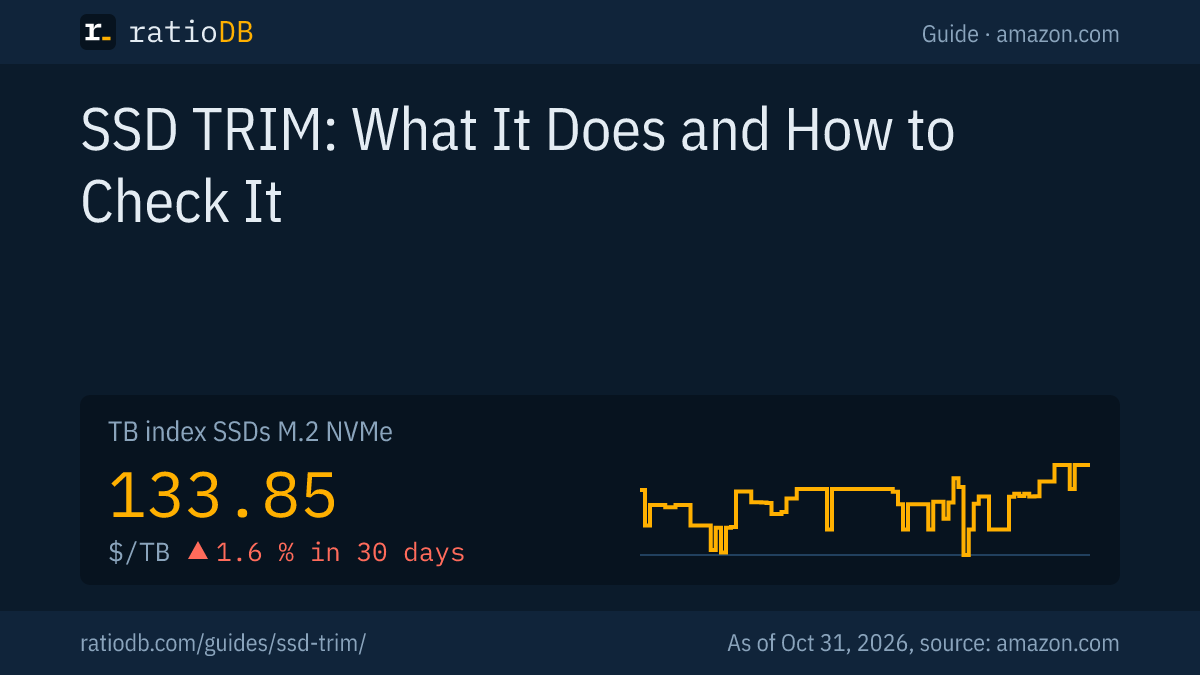
TRIM is part of the SATA command set, NVMe calls the command Deallocate, and Samsung lists it explicitly in its data sheets. An M.2 NVMe SSD costs $133.85 per TB on amazon.com according to the TB index, a 2.5" SATA SSD $123.73 per TB (as of Oct 31, 2026 at 3:17 PM UTC).
That makes NVMe about 8.2% more expensive per TB than SATA. The cheapest NVMe SSD per TB right now is Crucial E100 2 TB at $125.00 per TB (2 TB). For SATA, SP Silicon Power A55 Boost 7mm 2 TB leads at $117.49 per TB (2 TB). M.2 SATA SSDs sit at $257.73 per TB according to the index.
TRIM by interface and TB index per SSD type on amazon.com, as of Oct 31, 2026 at 3:17 PM UTC
| SSD type | Command | TRIM on Windows 10 and 11 | TB index |
|---|---|---|---|
| M.2 NVMe | NVMe Deallocate (Dataset Management) | yes, out of the box | $133.85 |
| 2.5" SATA | ATA TRIM | yes, out of the box | $123.73 |
| M.2 SATA | ATA TRIM | yes, out of the box | $257.73 |
| External SSD (USB) | over USB only with UASP | only if enclosure and controller support UASP | $127.49 |
Cheapest new SSD per capacity on amazon.com, known brands, as of Oct 31, 2026 at 3:17 PM UTC
| Capacity | Cheapest M.2 NVMe SSD | Cheapest 2.5" SATA SSD |
|---|---|---|
| 500 GB | Patriot P320 512 GB: $84.99 ($166.00 per TB) | Patriot Burst Elite 480 GB: $64.99 ($135.40 per TB) |
| 1 TB | Adata Legend 710 1 TB: $146.99 ($146.99 per TB) | SP Silicon Power A55 Boost 1 TB: $119.67 ($119.67 per TB) |
| 2 TB | Crucial E100 2 TB: $249.99 ($125.00 per TB) | SP Silicon Power A55 Boost 7mm 2 TB: $234.97 ($117.49 per TB) |
| 4 TB | Crucial P3 Plus 4 TB: $669.75 ($167.44 per TB) | Samsung 870 EVO 4 TB: $1,148.95 ($287.24 per TB) |
Which form factor fits your PC is explained in the guide NVMe vs SATA, picks based on data sheets are in the guide Best SSD. Whether an SSD has a DRAM cache does not matter for TRIM, but it does matter for performance: more in the guide DRAM vs DRAM-less SSD.
All offers by capacity are on the pages 1 TB NVMe SSD, 2 TB NVMe SSD, 1 TB SSD, by form factor under M.2 NVMe SSD, 2.5" SATA SSD, M.2 SATA SSD and external SSD.
What are the most common TRIM mistakes?
The most common mistakes are misreading the fsutil value, a disabled optimization schedule, a USB enclosure without UASP and the belief that TRIM securely erases data. You can check all of them with the commands in this guide.
| Mistake | Result | How to avoid it |
|---|---|---|
| Reading 0 as "off" | TRIM gets changed for no reason | 0 means on, 1 means off |
| Optimization turned off | free space is reported less often | check the schedule in Optimize Drives |
| Enclosure without UASP | external SSD gets no TRIM | look for UASP when buying |
| trimforce without a backup | risk with an untested SSD on a Mac | back up first, read the warning |
| discard mount option on servers | latency spikes under load | use fstrim.timer |
| TRIM as an erase method | data not securely removed | use the maker's secure erase |
| Forcing a defrag | needless writes | Windows trims SSDs automatically |
How does ratioDB compare SSDs?
ratioDB pulls amazon.com prices for all listed SSDs regularly and converts them to price per TB, with 1 TB equal to 1,000,000,000,000 bytes. The TB index is the median of the 10 cheapest new offers per product type.
M.2 NVMe SSDs, 2.5" SATA SSDs, M.2 SATA SSDs and external SSDs sit in separate lists with their own index. Used and renewed offers are labeled and never count toward the index. The tables in this guide show only new single drives from known brands. ratioDB does not test SSDs itself. The commands come from the linked documentation and support pages. All rules are on the methodology page, all SSDs under SSD prices per TB.
SSD TRIM FAQ
Do I need to enable TRIM on a new SSD?
On Windows 10 and 11, usually not. Microsoft says TRIM is on by default for NTFS unless an administrator disables it. Check it with fsutil behavior query DisableDeleteNotify, a 0 means TRIM is on.
What does DisableDeleteNotify = 1 mean?
A value of 1 means delete notifications, and with them TRIM, are turned off. Enable them as administrator with fsutil behavior set disabledeletenotify 0. Microsoft says no restart is needed.
How often does Windows trim an SSD?
You set that in Defragment and Optimize Drives under "Change settings". With delete notifications on, Windows also reports freed space as files are deleted. A manual run starts with Optimize or with Optimize-Volume -ReTrim.
Does TRIM harm an SSD?
No, TRIM is information and not an extra write. According to Fedora it makes wear leveling and block erasure more efficient.
Does TRIM work on an external SSD?
On Windows only if the drive and port support UASP, Plugable says. On a Mac only with APFS and the trimforce command. With enclosures without UASP or early USB 3 controllers, the command often does not arrive.
Does a hard drive need TRIM?
No. Hard drives can overwrite data in place and need no report about free space. Windows defragments hard drives instead, as Microsoft describes for Optimize-Volume. Drives that report no TRIM support get no TRIM notifications, according to Microsoft.
Can I recover files deleted after TRIM?
Often not. After TRIM the SSD may erase deallocated areas and return zeros on reads. That makes a current backup especially important for SSDs.
What does an SSD cost right now?
On amazon.com the TB index for M.2 NVMe SSDs is $133.85 per TB and for 2.5" SATA SSDs $123.73 per TB (as of Oct 31, 2026 at 3:17 PM UTC). The table above shows the cheapest offers per capacity.
Sources
- Microsoft: fsutil behavior with DisableDeleteNotify, Optimize-Volume with ReTrim, NVMe Dataset Management, Deallocate attribute
- Eleven Forum: Check, enable or disable TRIM in Windows 11
- Plugable: TRIM on Windows, including USB with UASP, TRIM on macOS
- Transcend: trimforce since OS X 10.10.4
- Fedora: fstrim.timer enabled by default
- Rocky Linux: Configuring TRIM
- Samsung: 990 PRO data sheet (PDF), 9100 PRO data sheet (PDF), 870 EVO data sheet (PDF)
- ratioDB: amazon.com prices, methodology