SD Card Not Showing Up? Fixes for PC, Mac and Android
When an SD or microSD card does not show up, the cause almost always sits in one of 5 places: the contact between card and reader, a device that cannot read the card class (for example SDXC in an SDHC-only device), a missing drive letter, the card reader driver, or a card that a phone set up as internal storage. Only when the card shows up in no device at all is it likely dead.
This guide goes through the causes in the order that risks the least: card and reader first, then Windows, Mac and Android, and formatting or replacing the card only at the end. Every step comes from support pages by the SD Association (the body that sets the SD standard), Apple, Dell, Microsoft and Google that we read for this guide. ratioDB does not test cards itself. We compare prices and spec sheets. If the card is finished, the live amazon.com prices further down (as of Nov 1, 2026 at 7:17 AM UTC) show what a new SD or microSD card costs per GB.
Why is my SD card not showing up?
An SD card does not show up when the contacts are dirty, it sits crooked in the reader, the device does not support its card class, Windows gives it no drive letter, the reader driver is outdated or a phone has encrypted it as internal storage. Dell names an outdated driver as one of the most common causes.
Use this table to sort your symptom:
| Symptom | Likely cause | Continue in section |
|---|---|---|
| Nothing happens when you insert the card | contacts, adapter, reader or driver | Card and reader |
| New large card fails, old small one works | device cannot read SDXC | Card class |
| Card in Disk Management but not in File Explorer | no drive letter | Windows |
| Card reader missing in Device Manager | driver, or turned off in BIOS | Driver |
| Mac does not mount the card | card inserted too fast or too slow, file system | Mac |
| Phone sees the card, PC does not | card set up as internal storage | Android |
| Card reports write protection | lock switch or attribute | separate guide |
If the card only reports write protection, it is being recognized. That case has its own guide: SD card write protected. USB flash drives are covered in USB drive not showing up.
What should I check first on the card, adapter and reader?
First check whether the reader supports the card type, whether the card is inserted the right way and whether the contacts are clean. Dell recommends cleaning the reader with compressed air and the card contacts with isopropyl alcohol or contact cleaner, then testing the card in a 2nd device.
These checks cost nothing and change no data:
- Does the reader fit? Dell says to first confirm that the reader supports the card format. Dell warns that forcing or incorrectly inserting a card can damage both card and reader.
- Insert it the right way: for the SD slot on a Mac, Apple describes the metal contacts facing down and pointing toward the computer. Never force it in.
- Clean the contacts: according to Dell, dust and dirt cause poor contact between card and reader.
- Swap the adapter: microSD cards sit in an adapter in a full-size SD slot. Apple names the adapter as the way to use miniSD and microSD cards. A worn adapter is a common and cheap source of trouble, and a 2nd adapter settles it right away.
- 2nd device: Dell recommends trying the card in another compatible device to rule out a damaged reader slot. That can be a camera, another computer or a USB card reader.
If the card appears in another device, the problem sits with the first reader or its driver. If it appears nowhere, check next whether your devices can read the card class at all.
Can my device read the SD card at all?
Not every device reads every card. According to the SD Association, SDHC devices read only SD and SDHC cards, while SDXC devices also read SDXC cards. An SDXC card (over 32 GB up to 2 TB) stays invisible in an SDHC-only device. Transcend adds that SDXC is not backward compatible with such devices.
The card class depends on capacity. Transcend lists 4 GB to 32 GB for SDHC and over 32 GB up to 2 TB for SDXC, and SDXC cards ship with exFAT. The SD Association sums up which card works in which device:
| Device (host) | Reads these cards per the SD Association |
|---|---|
| SD device | SD only |
| SDHC device | SD and SDHC |
| SDXC device | SD, SDHC and SDXC |
| SDUC device | SD, SDHC, SDXC and SDUC |
This mostly affects older cameras, GPS units, photo frames and older USB card readers. If an old 16 GB card works but a new 128 GB card does not, this is the likely reason. According to Transcend, you can tell whether your device supports SDXC by the SDXC logo on device and card or in the manual.
Card class per capacity, which devices read it and the cheapest card on amazon.com, known brands, as of Nov 1, 2026 at 7:17 AM UTC
| Capacity | Card class | Works in | Cheapest SD card | Cheapest microSD card |
|---|---|---|---|---|
| 32 GB | SDHC | SDHC, SDXC or SDUC devices | SanDisk Standard 32 GB: $18.75 ($0.586 per GB) | Patriot LX Series Micro 32 GB: $12.29 ($0.384 per GB) |
| 64 GB | SDXC | SDXC or SDUC devices only | SanDisk Ultra 64 GB: $22.65 ($0.354 per GB) | SanDisk Ultra 64 GB: $21.99 ($0.344 per GB) |
| 128 GB | SDXC | SDXC or SDUC devices only | SanDisk Ultra 128 GB: $30.90 ($0.241 per GB) | SanDisk Made 128 GB: $24.50 ($0.191 per GB) |
| 256 GB | SDXC | SDXC or SDUC devices only | ProGrade Digital V90 Iridium 256 GB: $299.99 ($1.17 per GB) | SanDisk Extreme UHS 256 GB: $61.38 ($0.240 per GB) |
| 512 GB | SDXC | SDXC or SDUC devices only | SanDisk Extreme 512 GB: $136.69 ($0.267 per GB) | Samsung P9 Express 512 GB: $99.00 ($0.193 per GB) |
| 1 TB | SDXC | SDXC or SDUC devices only | Transcend SDC300S 1 TB: $361.99 ($0.362 per GB) | no offer |
Prices come live from the ratioDB database and cover new single units from known brands. If your device only supports SDHC, a 32 GB card is the largest it can read.
How do I find the SD card in Windows?
Disk Management shows every card the reader reports, including cards without a drive letter. Microsoft's advice: remove the card, insert it again and choose Action > Rescan Disks. If only the letter is missing, Dell says to assign one with Change Drive Letter and Paths.
Open Disk Management by right-clicking the Start button or with Windows plus R and the command diskmgmt.msc. Then:
- Rescan: remove the card, insert it again, then choose Action > Rescan Disks.
- Assign a letter: if the card has no letter, right-click its partition, choose "Change Drive Letter and Paths", then "Add" and a free letter. This does not change any data.
- Read the status: fix "Offline" with a right-click and "Online". For "RAW" or "Unallocated", Microsoft warns: do not format or create a volume if you want to recover files.
Microsoft also writes that there are many reasons a disk or memory card might be missing or fail to initialize, and that the most common reason is a failing disk. If the card holds important photos without a copy, write nothing more to it until they are safe.
Does a new card reader driver help?
Often, yes. Dell names an incorrect or outdated card reader driver as one of the most common causes of an unrecognized SD card and recommends updating the driver and the BIOS. Built-in card readers can also be turned off in the BIOS.
Here is how:
- Turn on the reader in the BIOS: Dell recommends looking in the BIOS or UEFI settings for an entry such as "Secure Digital (SD) card", "Card Reader" or "SD Reader", enabling it, saving and restarting.
- Update the driver: the card reader driver is on the support page of your laptop or motherboard maker. Dell recommends updating the BIOS at the same time.
- Let Windows detect it again: in Device Manager select the card reader or an entry with a yellow warning sign, choose "Uninstall device" and then Action > "Scan for hardware changes". This is how Microsoft describes it for drives that do not appear.
- Cross-check with a USB card reader: an external reader on a USB port bypasses the built-in reader and its driver. If the card shows up there, the built-in reader is at fault.
Open Device Manager by right-clicking the Start button. Where the card reader sits depends on the model, usually under the storage devices or the USB controllers.
What should I do if my Mac does not recognize the SD card?
On a Mac, take the card out and insert it again. Apple writes that an SD card sometimes does not mount properly if you insert it too slowly or too quickly. If that does not help, check it in Disk Utility. As a last step, Apple says you may need to reformat the card.
Apple lists these rules for the SD slot on a Mac:
- Supported cards: according to Apple the slot reads MMC as well as Default Speed, High Speed, UHS-I and UHS-II cards. It uses UHS-II only on certain models, for example Mac Studio from 2022 and MacBook Pro from 2021.
- Small cards: insert miniSD and microSD cards with an adapter.
- Not supported: SDIO cards. Apple warns that cards thicker than 2.1 mm can damage the slot.
- Inserting: metal contacts down, pointing toward the computer, no force.
- Ejecting: eject the card before pulling it and do not remove it while the Mac is asleep. Apple warns that this could lead to data loss.
If the card does not appear in Finder, open Disk Utility and choose View > Show All Devices. If the card shows up there, check it with First Aid. Apple recommends a current backup first. If your Mac has no slot, Apple says a connected card reader gives you access to the card. If the Mac cannot write to the card, check the lock switch on the side of the card. Apple names the message "cannot be modified" as a sign of a locked card.
What should I do if my phone does not recognize the SD card?
Check under Settings > Storage whether Android sees the card. The Files by Google help suggests removing and reinserting the card if it is missing there. If Android sees the card but the Files app does not, it may be formatted as internal storage.
According to Google, Android offers 2 ways to set up an SD card:
| Setup | What it stores | Readable in other devices? |
|---|---|---|
| Portable storage | photos, videos, files | yes, the card can move between devices |
| Internal storage | also apps, adds to device storage | no, per Google it cannot be moved to another device |
A card set up as internal storage is therefore not recognized as a normal card by your computer. The data can only be read in the phone. First copy important photos on the phone to device storage or the cloud. Only then format the card as portable storage under Settings > Storage. Google warns that formatting permanently deletes the data on the card.
With a new card, Android shows a notification saying an SD card was detected, according to Google. Tap it to set up the card. The Files by Google help names Settings > Device maintenance > Storage as the path. Exact menu names differ by phone maker.
What should I do if Windows wants to format the card?
If Windows asks to format the card, it cannot read the file system. That happens with cards from cameras or phones using an unfamiliar file system and with damaged cards. If the card holds photos without a copy, cancel. Dell and Microsoft both warn that formatting erases all data.
How to decide:
- Photos backed up or unimportant? Then format. The SD Association recommends its SD Memory Card Formatter over the operating system's own tools. How to do it is in the guide How to format an SD card.
- Photos important and irreplaceable? Then format nothing and take no new photos on the card. Microsoft offers the Windows File Recovery app. For FAT and exFAT drives, which includes SD cards, Microsoft recommends extensive mode (/extensive). Microsoft states that the source and destination drives must be different.
- Card from a camera? Put it back in the camera. If the camera reads the photos, copy them to the computer by cable from the camera.
How to get data back from cards, flash drives and hard drives step by step is covered in the guide Hard drive data recovery.
How can I tell if the SD card is dead?
An SD card is likely dead when it shows up nowhere, in several devices, with different adapters and card readers. Microsoft names a failing disk as the most common reason memory cards go missing.
Other signs:
- Wrong size: the card shows 0 bytes or far less than printed on it, in every device.
- Errors with lots of data: if photos get lost once the card is half full, the capacity may be fake. How to spot and test fakes is in the guide Best microSD card.
- Visible damage: cracks, bent cards or missing contacts. Never force a damaged card into the slot.
If the card is dead and the photos are safe, replace it. For cameras, the guide Best SD card for your camera explains which speed class you need.
How much does a new SD card cost right now?
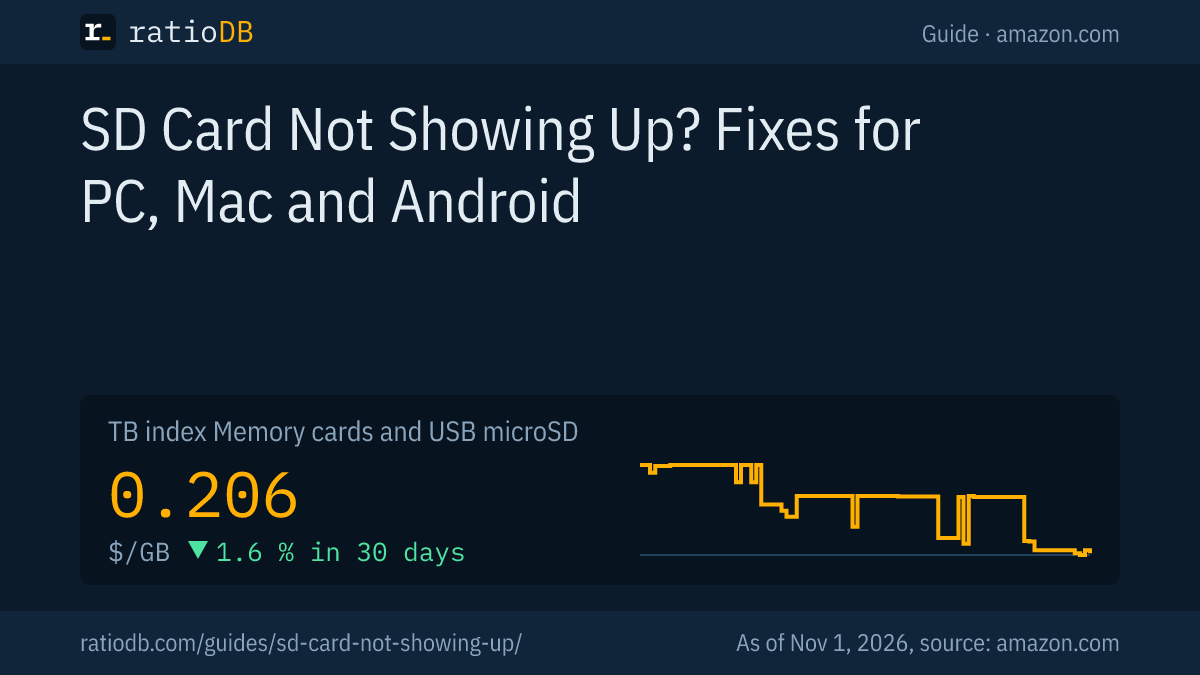
A microSD card costs $0.206 per GB on amazon.com according to the ratioDB GB index, an SD card $0.345 per GB (as of Nov 1, 2026 at 7:17 AM UTC). The cheapest microSD card per GB right now is SanDisk Made 128 GB at $0.191 per GB (128 GB).
That makes microSD cards cheaper per GB than SD cards on amazon.com right now. With an adapter, a microSD card fits any SD slot. A 128 GB microSD card currently starts at $24.50 (SanDisk Made 128 GB). A 128 GB SD card starts at $30.90 (SanDisk Ultra 128 GB). The cheapest SD card per GB right now is SanDisk Ultra 128 GB at $0.241 per GB (128 GB).
Prices come live from the ratioDB database and cover new single units from known brands. The table further up shows the cheapest card per capacity.
All offers by size are on 128 GB microSD card, 256 GB microSD card, 512 GB microSD card, and by card type on microSD cards, SD cards and USB flash drives.
Which mistakes most often keep an SD card from showing up?
The most common mistakes are an SDXC card in an SDHC-only device, dirty contacts, a worn microSD adapter, an outdated driver, a card reader turned off in the BIOS and a phone card set up as internal storage.
| Mistake | Result | Fix per source |
|---|---|---|
| SDXC card in an SDHC device | card invisible | SD Association: use an SDXC device |
| Dirty contacts | no contact | Dell: clean reader with compressed air, card with isopropyl alcohol |
| Card reader off in BIOS | reader missing entirely | Dell: enable it in the BIOS or UEFI |
| Outdated driver | card not read | Dell: update driver and BIOS |
| No drive letter | missing in File Explorer | Dell: assign a letter in Disk Management |
| Card inserted too fast or too slow | Mac does not mount it | Apple: remove and reinsert the card |
| Card set up as internal Android storage | readable only in the phone | Google: back up data, format as portable storage |
| Formatting despite important photos | photos gone | Microsoft: do not format RAW if you want to recover files |
How does ratioDB compare memory cards?
ratioDB pulls amazon.com prices for every listed SD and microSD card on a regular schedule and converts them to price per GB. The GB index is the median of the 10 cheapest new offers per product type.
SD cards, microSD cards and USB flash drives sit in separate lists with their own index. Used and renewed offers are labeled and never count toward the index. ratioDB does not test cards itself. The steps in this guide come from the linked support pages. All rules are on the Methodology page, all cards under Memory cards and USB drives.
Frequently asked questions when an SD card is not showing up
Why is my SD card suddenly not recognized anymore?
Usually it is dirty contacts, a worn adapter, a missing drive letter or the card reader driver. First test the card in a 2nd device to rule out the reader.
Why does my camera not recognize my new 128 GB card?
A 128 GB card is an SDXC card. According to the SD Association, SDHC-only devices cannot read SDXC cards. Check your camera manual for SDXC support.
Why does my PC not recognize the SD card from my phone?
The phone most likely set the card up as internal storage. According to Google, such a card cannot be moved to another device. Back up the data on the phone, then format the card as portable storage.
Can I format the SD card when Windows asks me to?
Only if there are no important photos on it or you have a backup. Formatting erases all data. The SD Association recommends its SD Memory Card Formatter for the job.
What should I do if my Mac does not mount the SD card?
Take the card out and insert it again. Apple writes that cards sometimes do not mount properly if they are inserted too slowly or too quickly. If that does not help, check the card in Disk Utility.
Is my SD card broken if it is not recognized?
Not necessarily. Only when it shows up nowhere, in several devices, with another adapter and another reader, is it likely dead.
How much does a new SD card cost right now?
On amazon.com the GB index is $0.206 per GB for microSD cards and $0.345 per GB for SD cards (as of Nov 1, 2026 at 7:17 AM UTC). The table above shows the cheapest card per capacity.
Sources
- SD Association: SD, SDHC, SDXC and SDUC card capacity choices
- Transcend: What is SDXC?
- Apple: Use the SD and SDXC card slot on your Mac, Repair a storage device with Disk Utility, Connect and use storage devices with Mac
- Dell: How to fix SD card not showing up or card reader not working
- Microsoft: Troubleshoot Disk Management, Windows File Recovery
- Google: Get started with an SD card on Android, Files by Google: SD card not found (Dutch)
- ratioDB: amazon.com prices, Methodology