Blank Blu-ray Discs: BD-R vs BD-RE vs BDXL, With Live Prices
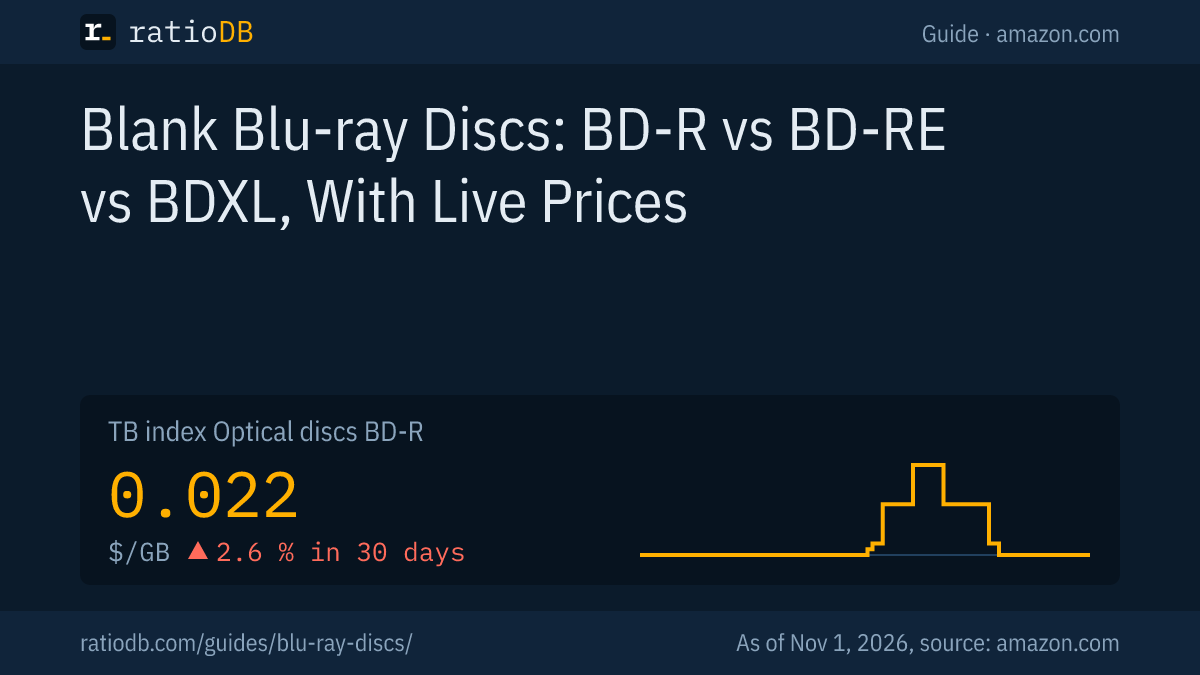
Blank Blu-ray discs come as BD-R, which you write once, and BD-RE, which you can erase and rewrite, with 25 GB on 1 layer, 50 GB on 2 layers and as BDXL with 100 or 128 GB. The Blu-ray Disc Association finalized BDXL in June 2010, and the 128 GB disc exists only as BD-R. On amazon.com the ratioDB index for BD-R currently sits at $0.022 per GB (as of Nov 1, 2026 at 9:17 PM UTC).
This guide explains which disc fits which job, which burner writes which disc, what aging research says about lifespan and how much 1 GB on Blu-ray costs compared with a hard drive. ratioDB does not burn discs itself. We combine standards, manufacturer data and a study by the Canadian Conservation Institute with real amazon.com prices, converted into price per GB and price per disc.
What are blank Blu-ray discs?
Blank Blu-ray discs are empty 12 cm Blu-ray discs that a Blu-ray burner writes with a blue-violet laser. According to the announcement by the 9 founding companies on February 19, 2002, the format uses a 405 nm wavelength, a lens with a numerical aperture of 0.85 and a protective cover layer only 0.1 mm thick.
The numerical aperture describes how tightly the lens focuses the laser. The shorter the wavelength and the tighter the focus, the smaller the light spot on the disc and the denser the data. That is why a Blu-ray holds several times more than a DVD even though both are the same size. According to Hitachi, the founders were Hitachi, LG Electronics, Matsushita (now Panasonic), Pioneer, Philips, Samsung, Sharp, Sony and Thomson.
How the 3 generations of recordable discs compare:
| Medium | Laser per standard or format | Capacity per side | Source |
|---|---|---|---|
| CD-R | 780 nm | 80 minutes of audio, about 700 MB of data | ECMA-394, Wikipedia |
| DVD-R and DVD+R | 650 nm | 4.7 GB, 8.5 GB as dual layer | ECMA-359, ECMA-349, ECMA-382 |
| BD-R and BD-RE | 405 nm | 25 GB, 50 GB as dual layer | Hitachi 2002, Sony |
| BDXL (BD-R XL, BD-RE XL) | 405 nm | 100 GB, also 128 GB as BD-R | Blu-ray Disc Association 2010 |
You will find 3 abbreviations on every pack of blank Blu-rays:
- BD-R (Blu-ray Disc Recordable): write once. What you burn stays and cannot be erased.
- BD-RE (Blu-ray Disc Rewritable): rewritable. You can erase the disc and write it again.
- DL, TL, QL or XL: 2 layers (dual layer), 3 layers (triple layer), 4 layers (quadruple layer) or the BDXL format with 3 or 4 layers.
How much do blank Blu-ray discs hold?
Blank Blu-ray discs hold 25 GB on 1 layer and 50 GB on 2 layers, as BD-R and as BD-RE. The BDXL format of the Blu-ray Disc Association adds 100 GB on 3 layers as BD-R and BD-RE, plus 128 GB on 4 layers as BD-R only.
The Blu-ray Disc Association (BDA) is the body that defines the Blu-ray formats. In its announcement of the final BDXL specification in June 2010, it lists "triple layer 100GB RE (rewritable) and R (write-once) discs and quadruple layer 128GB R discs."
| Disc | Layers | Capacity | As BD-R | As BD-RE |
|---|---|---|---|---|
| Single layer (SL) | 1 | 25 GB | yes | yes |
| Dual layer (DL) | 2 | 50 GB | yes | yes |
| BDXL triple layer (TL) | 3 | 100 GB | yes | yes |
| BDXL quadruple layer (QL) | 4 | 128 GB | yes | no |
Sources: Sony, Blu-ray media, BDA on the BDXL specification (MacTech, June 25, 2010).
Manufacturers count 1 GB as 1 billion bytes, as Panasonic states explicitly in its spec sheets. Windows therefore shows a 25 GB disc as roughly 23.3 GB because it counts in binary. That is not a defect. The guide TB vs TiB walks through the math. For scale: Sony writes that a 25 GB Blu-ray holds more than 5 DVDs and a 50 GB Blu-ray more than 10.
BD-R vs BD-RE: what is the difference?
You write a BD-R exactly once, after which the data can be neither changed nor erased. A BD-RE can be erased and written again, much like a USB flash drive. The BD-R is meant for archives that nobody should overwrite by accident, the BD-RE for data that changes often.
Technically, a BD-RE uses a metal alloy layer that the laser switches between 2 states (phase change). Sony advertises its BD-RE with a recording layer that is very durable under repeated rewrites but gives no number. We found no fixed number of rewrite cycles in the freely available manufacturer sources.
BD-R comes in 2 designs. The original design uses a layer whose reflectivity drops during burning (High to Low, HTL for short). There are also BD-R discs with an organic dye whose reflectivity rises during burning (Low to High, LTH for short). According to the English Wikipedia overview, older players needed a firmware update to read LTH discs. The pack usually says whether a disc is LTH. If it says nothing, it is usually an HTL disc.
Which disc fits which job:
| Job | Matching disc | Why |
|---|---|---|
| Archive photos and documents for good | BD-R | cannot be changed after burning, no accidental deletion |
| Weekly backup that gets replaced again and again | BD-RE | can be erased and rewritten |
| Hand out movies or video projects | BD-R | cheaper per GB, read by every Blu-ray drive |
| Large archives on few discs | BD-R DL or BDXL | 50 to 128 GB per disc, needs a matching burner |
| Archive for decades | M-DISC BD-R | inorganic recording layer per the manufacturer |
You can see the premium for rewriting in the live prices: the cheapest 25 GB BD-RE on amazon.com currently costs $0.044 per GB, the cheapest 25 GB BD-R $0.018 per GB. That is 2.4 times as much (as of Nov 1, 2026 at 9:17 PM UTC).
How much do blank Blu-ray discs cost right now?
The cheapest per GB are usually 25 GB BD-R discs in large packs. The cheapest offer per GB on amazon.com is currently Ridata BD-R 600 × 25 GB with 600 discs for $269.99, which works out to $0.45 per disc and $0.018 per GB (as of Nov 1, 2026 at 9:17 PM UTC). Dual layer discs currently cost more per GB.
The table shows the cheapest new offer per GB for each disc type. ratioDB calculates the price per disc from the pack price divided by the number of discs.
Cheapest blank Blu-ray disc per GB by type on amazon.com, as of Nov 1, 2026 at 9:17 PM UTC
| Disc | Capacity | Cheapest offer per GB | Pack | Price per disc | Price per GB |
|---|---|---|---|---|---|
| BD-R | 25 GB (1 layer) | Ridata BD-R 600 × 25 GB: $269.99 | 600 discs | $0.45 | $0.018 |
| BD-R DL | 50 GB (2 layers) | Ridata BD-R DL Dual Layer 100 × 50 GB: $152.99 | 100 discs | $1.53 | $0.031 |
| BD-R XL | 100 GB (3 layers) | Ritek BD-R XL BDXL 100 GB: $11.99 | 1 disc | $11.99 | $0.120 |
| BD-RE | 25 GB (1 layer) | Smartbuy Blue BD-RE Rewritable Logo 100 × 25 GB: $109.99 | 100 discs | $1.10 | $0.044 |
| BD-RE DL | 50 GB (2 layers) | Verbatim Japan Repeated Recording BD-RE 20 × 50 GB: $94.51 | 20 discs | $4.73 | $0.095 |
More layers cost extra: the cheapest 50 GB BD-R DL comes in at $0.031 per GB, 1.7 times the cheapest 25 GB disc. A disc with more layers still makes sense when an archive should fit on as few discs as possible or when a single file is larger than 25 GB, such as a big video project. All offers with price per GB are in the lists BD-R and BD-RE, all optical media under Optical discs.
Is the big spindle worth it?
Usually yes, if you will use up the discs. With blank Blu-rays the price per disc drops as the pack gets bigger. On amazon.com a 25 GB BD-R currently costs $0.50 per disc in the smallest pack group and $0.45 in the largest (as of Nov 1, 2026 at 9:17 PM UTC).
A spindle is the round tub where discs sit stacked on a center post without individual sleeves. Jewel cases (individual plastic cases) and slim cases protect each disc on its own but cost more. For discs that go on a shelf, the Canadian Conservation Institute (CCI) recommends the opposite of the spindle: stored upright in standard jewel cases.
Cheapest 25 GB BD-R per GB by pack size on amazon.com, as of Nov 1, 2026 at 9:17 PM UTC
| Pack size | Cheapest offer per GB | Pack price | Price per disc | Price per GB |
|---|---|---|---|---|
| 40 to 99 discs (often a 50 spindle) | Smartbuy Myeco Bd-r BDR 50 × 25 GB (50 discs) | $24.99 | $0.50 | $0.020 |
| 100 discs or more | Ridata BD-R 600 × 25 GB (600 discs) | $269.99 | $0.45 | $0.018 |
Our advice: for a one-time archive with a few discs, a 10 or 25 pack is enough. If you burn regularly, the 50 spindle saves money. Burn a test disc before you buy a big stock of an unfamiliar brand. You cannot see the quality of a batch on the pack.
Which burner writes which Blu-ray?
Every Blu-ray burner writes 25 GB and 50 GB BD-R and BD-RE. For 100 or 128 GB BDXL you need a burner that the manufacturer explicitly lists as BDXL capable. A DVD burner can neither write nor read a Blu-ray.
In its 2010 BDXL announcement, the BDA wrote that newly designed hardware will play back and record BDXL media. Older drives are not covered. The English Wikipedia sums it up: Blu-ray drives made before mid-2010 do not support BDXL, and later drives only do if the manufacturer says so. Look for "BDXL", "BD-R XL", "BD-R TL" or "BD-R QL" in your burner's spec sheet.
Blu-ray speed is given as a multiple of 1x. According to Panasonic, 1x equals a data rate of 36 Mbit/s and 6x equals 216 Mbit/s. In stores, BD-R discs usually carry a 4x, 6x or 16x rating and BDXL discs usually 4x. These are manufacturer ratings, and the actual speed also depends on the burner. BD-RE discs in our list are mostly rated at 2x.
What you need for each disc:
| Disc | Burner | Playback |
|---|---|---|
| BD-R and BD-RE 25 GB | any Blu-ray burner | Blu-ray drives and most Blu-ray players |
| BD-R DL and BD-RE DL 50 GB | any Blu-ray burner | Blu-ray drives and most Blu-ray players |
| BDXL 100 GB (BD-R and BD-RE) | burner with BDXL support listed | only devices with BDXL support listed |
| BDXL 128 GB (BD-R only) | burner with BDXL support for 4 layers | only devices with BDXL support listed |
| M-DISC BD-R | Blu-ray burner, usually no extra feature needed per the manufacturer | like a regular BD-R |
Whether your Blu-ray player plays burned discs is listed under supported media in its manual. For data on a computer, a Blu-ray drive usually also reads DVDs and CDs. More about the archival version with an inorganic recording layer is in the guide M-DISC.
How long do blank Blu-ray discs last?
How long a burned disc lasts depends heavily on its design and on storage. The Canadian Conservation Institute estimates 5 to 10 years for BD-R with or without dye, 10 to 20 years for non-dye BD-R with a gold layer and 20 to 50 years for BD-RE. Panasonic rated its now discontinued archival BD-R at more than 50 years.
The CCI is the Government of Canada's conservation institute. In CCI Notes 19/1 (revised 2019, author Joe Iraci), it estimated the lifespan of recordable CDs, DVDs and Blu-rays from accelerated aging tests. The figures cover temperature and humidity only. According to the CCI, pollutants in the air shorten lifespan further, especially for discs without a gold layer.
| Blu-ray disc | Estimated lifespan per CCI |
|---|---|
| BD-R with or without dye, 1 or 2 layers | 5 to 10 years |
| BD-R without dye with gold layer | 10 to 20 years |
| BD-RE | 20 to 50 years |
Source: Canadian Conservation Institute, CCI Notes 19/1.
Manufacturer figures are often longer. Panasonic rated its archival BD-R LM-BRS2MQB25 (25 GB) and LM-BRS5MQB25 (50 GB) at an estimated life of more than 50 years at 25 °C (77 °F) and 80 percent humidity, determined with the Arrhenius method and accelerated aging. Panasonic lists both products as discontinued. Figures like these are lab estimates and no guarantee for any single disc.
What extends lifespan, according to the CCI citing the standard ISO 18925:2013:
- Store cool and dry: 20 to 50 percent relative humidity, never below 10 percent. Temperature between minus 10 °C (14 °F) and 23 °C (73 °F), never above 32 °C (90 °F).
- Store upright in jewel cases: no extra material inside the case, protected from light and pollutants.
- Label correctly: with a water-based permanent marker on the clear inner hub. No adhesive labels.
- Check regularly: test samples for playability and error rate every 5 to 10 years, more often if storage is poor.
- Keep several copies: ideally 3 copies on at least 2 different media, 1 of them off-site.
The last point matches the 3-2-1 rule explained in the guide 3-2-1 backup rule. A Blu-ray makes a good 2nd medium next to a hard drive: a burned BD-R on a shelf is not connected to any computer, so neither ransomware nor an operating mistake can change it.
Blu-ray or hard drive: which is cheaper for a backup?
Per TB, the cheapest blank Blu-ray is currently cheaper than an external hard drive, but you need many discs and time to burn them. With the cheapest disc per GB, Ridata BD-R 600 × 25 GB, 1 TB on amazon.com currently costs $18.00 and takes 40 discs (as of Nov 1, 2026 at 9:17 PM UTC).
Cost of 1 TB on Blu-ray and hard drive on amazon.com, as of Nov 1, 2026 at 9:17 PM UTC
| Medium | Cost per TB | For 1 TB you need |
|---|---|---|
| BD-R 25 GB (cheapest offer per GB) | $18.00 | 40 discs |
| BD-RE 25 GB (cheapest offer per GB) | $44.00 | 40 discs |
| External 2.5" hard drive (TB index) | $45.52 | 1 drive |
That puts the cheapest BD-R below the index for external 2.5" hard drives of $45.52 per TB. Add a one-time Blu-ray burner, which many computers no longer have built in.
The math has catches that the price does not show:
- Time: 1 TB on 25 GB discs means about 40 burns with verification. You fill a hard drive in one go.
- Bookkeeping: you need to know which file is on which disc. A table of contents on paper or in a file is part of the job.
- Unchangeable: neither malware nor an operating mistake can alter a burned BD-R. That is a real advantage over a hard drive that is always connected to the computer.
- Failure mode: when a hard drive fails, often everything is gone. With discs, a defect usually affects only that one disc.
For large archives of several TB, look at LTO tape, and for the comparison with online storage see the guide cloud storage vs hard drive. External hard drives with price per TB are listed under external 2.5" hard drives.
What should I look for when buying blank Blu-ray discs?
Look first at the type (BD-R or BD-RE) and at the capacity your burner supports. After that, pack size, surface and whether you want an M-DISC for an archive decide. The speed on the pack hardly matters for most people.
The shopping checklist:
| Feature | What to check | Note |
|---|---|---|
| Type | BD-R for archives, BD-RE for rewriting | BD-RE costs more per GB and is rarer |
| Capacity | 25 GB, 50 GB, 100 GB or 128 GB | 100 GB and up only with a BDXL burner |
| Burner | check the spec sheet | BDXL, BD-R TL or BD-R QL must be listed |
| Speed | 4x, 6x or 16x per the pack | manufacturer rating, the burner sets limits too |
| Surface | logo top, white printable (inkjet) or thermal | printable only with a matching printer |
| Pack | spindle or individual case | spindles save money, cases protect better |
| Design | HTL or LTH | LTH uses dye, usually printed on the pack |
| Archive | M-DISC or regular BD-R | M-DISC costs more per GB |
Our amazon.com list currently has no M-DISC offer in stock. Prices and background are in the guide M-DISC.
Which mistakes happen most when burning Blu-rays?
The most common mistakes are a BDXL disc in the wrong burner, adhesive labels on the disc, storage in sunlight and an archive without a 2nd copy. All of them are easy to avoid.
| Mistake | Result | Better |
|---|---|---|
| BDXL in a burner without BDXL support | disc is not recognized | check the spec sheet, otherwise use 25 or 50 GB |
| Adhesive label on the disc | imbalance, label can come loose | marker on the inner hub per the CCI |
| Burning without verification | errors show up years later | use the "verify data after burning" option |
| Storage by a window or in the car | light and heat damage the recording layer | store cool, dark and dry |
| Only 1 copy | a scratch or aging costs all the data | 2nd copy on another medium |
| Huge stock of an unknown brand | a bad batch affects every disc | burn and verify a test disc first |
Most burning programs offer a verification step after burning that compares every file with the original. The extra time is always worth it for archives.
How does ratioDB compare blank Blu-ray discs?
ratioDB pulls amazon.com prices for all listed discs regularly and converts them into price per GB, with 1 GB equal to 1,000,000,000 bytes. For packs we divide the price by capacity times the number of discs. The index is the median of the 10 cheapest new offers per product type.
BD-R and BD-RE sit in separate lists with their own index. Used offers are labeled and never count toward the index. For the tables in this guide we take the cheapest new offer per GB for each product. We leave out offers whose price per GB is more than 6 times the median of their product type, because the disc count in those listing titles is often not clearly readable. ratioDB does not test discs itself. All rules are on the methodology page.
Frequently asked questions about blank Blu-ray discs
How much does a blank Blu-ray hold?
25 GB on 1 layer, 50 GB on 2 layers, 100 GB on 3 layers and 128 GB on 4 layers. According to the Blu-ray Disc Association, the 128 GB disc exists only as BD-R. Windows shows a bit less because it counts in binary.
What is the difference between BD-R and BD-RE?
You write a BD-R once, after which the data cannot be changed. A BD-RE can be erased and rewritten. BD-RE discs cost more per GB and are rarer in stores.
Can every Blu-ray burner write BDXL?
No. For 100 and 128 GB you need a burner that the manufacturer explicitly lists as BDXL capable. According to the English Wikipedia overview, drives made before mid-2010 cannot handle BDXL. Every Blu-ray burner writes 25 and 50 GB discs.
How long do burned Blu-rays last?
The Canadian Conservation Institute estimates 5 to 10 years for regular BD-R, 10 to 20 years for non-dye BD-R with a gold layer and 20 to 50 years for BD-RE. Cool, dry and dark storage extends lifespan. Check archives every 5 to 10 years.
Can a DVD burner burn Blu-rays?
No. Blu-ray uses a 405 nm laser, DVD uses 650 nm. A DVD drive can neither write nor read Blu-rays. The other way round, a Blu-ray drive usually also reads DVDs and CDs.
Are blank Blu-rays cheaper than a hard drive?
It depends on the pack size, and big spindles are the cheapest per TB. 1 TB on the cheapest BD-R currently costs $18.00 on amazon.com (as of Nov 1, 2026 at 9:17 PM UTC). The index for external 2.5" hard drives sits at $45.52 per TB. Add the burner and plenty of time for burning.
Is M-DISC worth it for an archive?
If you want to keep data for decades, the M-DISC gives you a disc with an inorganic recording layer and published aging tests for the DVD version. It costs more per GB than a regular BD-R. It does not replace a 2nd copy on another medium.
Sources
- Hitachi: Blu-ray format announcement of February 19, 2002
- Blu-ray Disc Association: final BDXL specification, announcement of June 25, 2010 at MacTech, overview of format books
- Panasonic: archival Blu-ray LM-BRS2MQB25 and LM-BRS5MQB25
- Sony: Blu-ray media BD-R and BD-RE
- Canadian Conservation Institute: CCI Notes 19/1, Longevity of Recordable CDs, DVDs and Blu-rays
- Ecma International: overview of optical disc standards
- Wikipedia: Blu-ray Disc recordable
- ratioDB: amazon.com prices, methodology