Hard Drive Data Recovery: What You Can Do Yourself and When to Call a Lab
To recover data from a hard drive, stop writing to the drive immediately and work out whether the files were only deleted or the drive itself is damaged. Deleted files come back from the Recycle Bin, a backup or Windows File Recovery onto a 2nd drive. If the drive clicks, does not spin up or was dropped, switch it off and ask a data recovery lab. Every further attempt on a damaged drive can make recovery impossible.
This guide sorts the options by situation, from an accidentally deleted folder to a drive that no longer spins up. Every step comes from support pages by Microsoft and Apple, the manual of the free rescue tool GNU ddrescue and Western Digital, all of which we read for this guide. ratioDB does not recover data or test drives. We compare prices and spec sheets. No data recovery comes with a guarantee. You need a 2nd drive for the recovered files, and the live amazon.com prices further down (as of Nov 2, 2026 at 7:17 AM UTC) show what one costs.
How do I recover data from a hard drive?
The right path depends on what happened. Deleted means the drive is fine and the files are only marked as free space. Damaged means the drive itself or its file system has a fault. The table shows the 1st step for each situation.
| Situation | 1st step | Tool per source | Do it yourself? |
|---|---|---|---|
| File just deleted | open the Recycle Bin or Trash | Windows, macOS | yes |
| File overwritten or deleted, backup exists | restore from the backup | File History, Time Machine | yes |
| File deleted, no backup | stop using the drive | Windows File Recovery onto a 2nd drive | yes, no guarantee |
| Drive shows as RAW or "Not Initialized" | format nothing | recovery app or disk image | with care |
| Read errors, drive gets slow | copy it right away | disk image with GNU ddrescue | for experienced users |
| Clicking, dropped, does not spin up | switch it off | data recovery lab | no |
Order matters: always start with the path that writes nothing to the drive. The Recycle Bin and a backup leave the affected drive untouched. A recovery app only reads from it, as long as you write the recovered files to another drive.
What should I do right away when data is missing?
Stop using the affected drive immediately. Microsoft writes that to increase your chances of recovering a file, you should minimize or avoid using your computer. Deleted files sit in space marked as free, and any new file can overwrite it.
The key rules for the first minutes:
- Save nothing: no downloads, no updates, no new photos on the affected drive. If it is the system drive inside the computer, shut the computer down until you know how to proceed.
- Do not install software on the drive: a recovery app belongs on another drive. For Windows File Recovery, Microsoft states explicitly that the source and destination drives must be different.
- Do not format or initialize: for the Unallocated and RAW statuses in Disk Management, Microsoft warns: do not do this step if you are trying to recover files.
- No repairs on a drive with read errors: the GNU ddrescue manual warns never to try to repair a file system on a drive with I/O errors, because you will probably lose even more data. It advises making a copy first and repairing the copy.
- Take noises seriously: if the drive clicks, grinds or does not spin up, switch it off. What the noises mean is in the guide Hard drive clicking.
The GNU ddrescue manual explains the urgency: every time a physically damaged drive powers up, it may be the very last time.
How do I get deleted files back from the Recycle Bin and backups?
Check the Recycle Bin first, then your backup. On Windows you restore folders with File History via right-click and "Restore previous versions". On a Mac you bring files back with Time Machine. Both only work if the backup was set up before the loss.
The Recycle Bin is the fastest path. Microsoft describes Windows File Recovery as being for files that cannot be restored from the Recycle Bin. Only when the Recycle Bin is empty is the next step worth it.
Windows, File History. Microsoft describes the restore like this:
- In File Explorer, open the folder that held the file.
- Right-click the folder and choose "Restore previous versions". If the folder sat at the top level of a drive, right-click the drive instead.
- On the "Previous Versions" tab, select the version you want.
- Use "Restore to" to put it in a different location. Microsoft warns that "Restore" replaces the current version and cannot be undone.
Mac, Time Machine. For single files, Apple describes: open a Finder window for the folder that held the file, open Time Machine, use the arrows to move through your backups, select the file and click "Restore". The file goes back to its original location. If the whole startup disk is damaged, Apple describes the route through macOS Recovery: reinstall macOS, then transfer from the Time Machine backup with Migration Assistant.
How do I use Windows File Recovery?
Windows File Recovery is a free command line app from Microsoft that you install from the Microsoft Store. It searches internal drives, external drives and USB devices for deleted files and writes what it finds to a new folder on a different drive.
Microsoft recommends the mode by file system and situation. The file system is the way data is organized on the drive. According to Microsoft, NTFS is used by computers, external hard drives and flash drives over 4 GB, while FAT and exFAT are used by SD cards and small flash drives.
| File system | Situation | Mode per Microsoft |
|---|---|---|
| NTFS | deleted recently | /regular |
| NTFS | deleted a while ago | /extensive |
| NTFS | after formatting | /extensive |
| NTFS | corrupted disk | /extensive |
| FAT, exFAT | any | /extensive |
Microsoft's advice: if you are not sure, start with /regular. File systems other than NTFS are only supported by /extensive. Here is how it works:
- Install: install Windows File Recovery from the Microsoft Store, ideally before disaster strikes. Never install it on the drive you want to recover from.
- Start: search for "Windows File Recovery", open it and choose Yes when asked to allow changes to your device.
- Enter the command: the syntax is winfr source-drive: destination-drive: /mode /switches. Microsoft's example for PDF and Word files from drive C: to E: is: winfr C: E: /regular /n *.pdf /n *.docx
- Check the result: according to Microsoft, recovered files land in an automatically created folder named Recovery_ plus date and time on the destination drive. Press Ctrl plus C to stop.
Source and destination must be different. If your computer has only one drive, Microsoft says to use a USB drive or external drive as the destination. According to Microsoft, cloud storage and network file shares are not supported.
Why is recovering data from an SSD harder?
On SSDs, the chance of recovering deleted files is lower. Microsoft writes that the free space may have been overwritten, especially on a solid-state drive. TRIM offers an explanation: Windows tells the SSD which areas it can clean up while idle.
Microsoft describes optimizing an SSD as trimming: Windows tells the drive which areas it can safely clean up while idle. What happens in detail is explained in the guide SSD TRIM. For recovery this means: the longer an SSD keeps running after the deletion, the lower the chance. With SSDs, the rule is even stricter: switch off or unplug right away when important files are missing.
On SSDs, a backup is therefore the most important protection against data loss. How long SSDs last is covered in the guide SSD lifespan.
What should I do if the drive shows as RAW or does not appear at all?
If Windows reports the drive as RAW, "Not Initialized" or "Unknown", it cannot read the file system or the disk signature. The data may still be there. For RAW and Unallocated, Microsoft explicitly advises not to format or create a volume if you want to recover files.
| Status | Meaning per Microsoft | With important data |
|---|---|---|
| Offline | Windows has taken the disk offline | right-click, "Online": changes no data |
| Not Initialized | no valid disk signature | do not initialize, recover first |
| Unknown | boot sector corrupted or setup not completed | do not initialize, recover first |
| Unallocated | space without a partition | do not create a new volume |
| RAW | partition without a recognized file system | do not format |
Microsoft also writes that there are many reasons a disk might be missing or fail to initialize, and that the most common reason is a failing disk. A drive that worked yesterday and shows RAW today is a warning sign. Check the cable and port first. If the drive does not appear at all, the guide External hard drive not showing up walks you through it. For flash drives and cards there are the guides USB drive not showing up and SD card not showing up.
On a Mac, Apple recommends a current backup before any repair with First Aid in Disk Utility, in case First Aid finds errors it cannot fix. If you have no backup of the important data, recover it first and repair afterwards.
When should I make a disk image first?
A disk image (a complete copy of every sector) makes sense when the drive shows read errors, gets slow or reports SMART errors. The GNU ddrescue manual advises making a copy of the failing drive and then repairing the copy instead of working on the original.
GNU ddrescue is a free command line tool from the GNU Project that copies data from damaged drives to another drive or to an image file. It is meant for experienced users. The key rules from the manual:
- Always use a mapfile: without this log file, the manual says ddrescue cannot resume an interrupted rescue, only start it over.
- The destination gets overwritten: if you use a drive or partition as the destination, all data on it is overwritten. Never mix up source and destination.
- Do not mount the source: the manual says it is best not to mount the drive being rescued at all, not even read-only, and never to rescue a partition mounted read-write.
- Plan for space: the destination must hold the whole source. For a 2 TB drive you need a drive with at least 2 TB of free space.
If you are not comfortable with this, leave the drive switched off and ask a lab. A wrong command can wipe the destination or damage the source further. Which SMART values point to an imminent failure is in the guide Check hard drive health.
When do I need a data recovery lab?
You need a lab when the drive clicks, grinds, does not spin up, was dropped or got wet and the data matters. In those cases the mechanics are often damaged, and every further power-up can make the damage worse. A recovery app does not help here.
Here is how to proceed:
- Switch off and unplug: do not keep reconnecting it, do not shake it and do not open the drive enclosure yourself.
- Check warranty and maker: Western Digital refers data recovery to partner companies and states that the agreement with the recovery provider is between you and that provider.
- Ask for a quote: ask up front for a diagnosis, a fixed price or a quote, and what you pay if recovery fails. Prices depend on the damage, which is why ratioDB gives no amounts.
- Settle the destination drive: ask which drive you get the recovered data back on and whether you can supply your own. What one costs is in the table further down.
There is no guarantee of success in a lab either. Ask which files are readable after the diagnosis, before you commission the job.
How much does a drive for the recovered data cost?
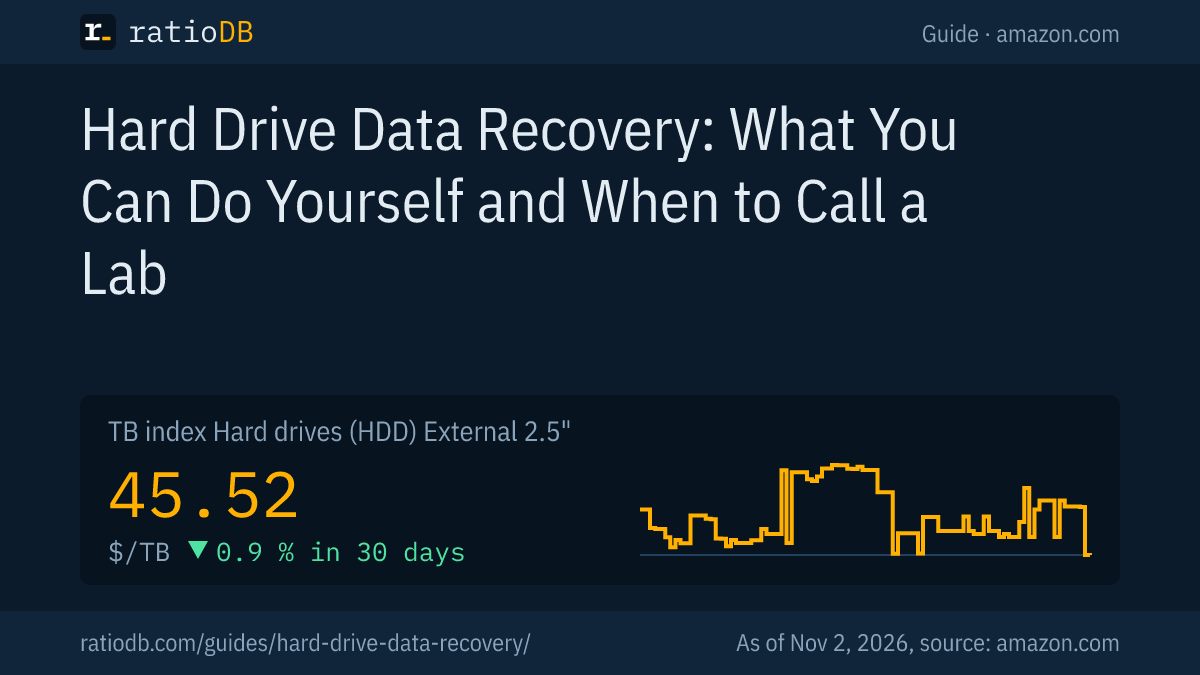
An external 2.5" hard drive costs $45.52 per TB on amazon.com according to the ratioDB TB index, an external 3.5" hard drive with power adapter $43.50 per TB and an external SSD $127.49 per TB (as of Nov 2, 2026 at 7:17 AM UTC). The destination drive needs at least as much space as the recovered data, and as much as the whole source for a disk image.
Cheapest new external drive per capacity on amazon.com, known brands, as of Nov 2, 2026 at 7:17 AM UTC
| Capacity | External 2.5" hard drive | External 3.5" hard drive with power adapter | External SSD |
|---|---|---|---|
| 1 TB | WD My Passport 1 TB: $122.98 ($122.98 per TB) | no offer | SanDisk 1 TB: $129.99 ($129.99 per TB) |
| 2 TB | WD Elements 2 TB: $127.00 ($63.50 per TB) | no offer | TeamGroup T-Force M200 2 TB: $249.99 ($125.00 per TB) |
| 4 TB | WD Elements 4 TB: $166.14 ($41.54 per TB) | Seagate Expansion 4 TB: $173.99 ($43.50 per TB) | WD My Passport 4 TB: $719.99 ($180.00 per TB) |
| 8 TB | no offer | Seagate Expansion 8 TB: $279.99 ($35.00 per TB) | SanDisk Desk 8 TB: $899.99 ($112.50 per TB) |
Prices come live from the ratioDB database and cover new single units from known brands. The cheapest portable hard drive per TB right now is WD Elements 4 TB at $41.54 per TB (4 TB). Among large 3.5" drives with a power adapter, Seagate Expansion 8 TB leads at $35.00 per TB (8 TB). An external SSD costs about 2.8 times as much per TB as a portable hard drive.
After the recovery, the drive has a 2nd job: as a backup, so the next failure stays harmless. So size it generously. Which external hard drive fits which job is in the guide Best external hard drive.
All offers by size are on 2 TB external hard drive, 4 TB external hard drive, 8 TB external hard drive, and by form factor on External 2.5" hard drives, External 3.5" hard drives and External SSD.
How do I prevent the next data loss?
With a backup that runs automatically. On Windows you set up File History with an external drive, on a Mac Time Machine. The 3-2-1 rule makes sure a fire or theft does not hit every copy.
Microsoft describes setting up File History: connect an external drive, open Control Panel, choose "Save backup copies of your files with File History" under "System and Security" and click "Turn on". If no drive is preselected, pick one with "Select drive".
The 3-2-1 rule: 3 copies of your data on 2 different types of storage, 1 of them off site. How to set it up with little effort is in the guide 3-2-1 backup rule. Whether the cloud works as the 3rd copy is covered in Cloud storage vs hard drive.
Which mistakes most often make data recovery impossible?
The most common mistakes are working on with the drive, installing a recovery app on the same drive, formatting or initializing when Windows asks, repairing a drive with read errors and powering up a clicking drive again and again.
| Mistake | Result | Right way per source |
|---|---|---|
| Keep working on the drive | deleted areas get overwritten | Microsoft: minimize or avoid using the computer |
| Recovery app on the same drive | app overwrites data | Microsoft: source and destination different |
| Formatting a RAW drive | new file system, harder recovery | Microsoft: do not format RAW |
| Initializing a "Not Initialized" disk | new partition table | Microsoft: recover first |
| Repairing a drive with read errors | more data loss | GNU ddrescue: copy first, repair the copy |
| Powering up a clicking drive again and again | damage grows | switch off, ask a lab |
| Keep using an SSD after deleting | deleted areas get cleaned up | Microsoft: free space especially on SSDs overwritten |
How does ratioDB compare external hard drives and SSDs?
ratioDB pulls amazon.com prices for every listed external hard drive and SSD on a regular schedule and converts them to price per TB, with 1 TB equal to 1,000,000,000,000 bytes. The TB index is the median of the 10 cheapest new offers per product type.
External 2.5" hard drives, external 3.5" hard drives and external SSDs sit in separate lists with their own index. Used and renewed offers are labeled and never count toward the index. ratioDB does not recover data or test drives. The steps in this guide come from the linked sources. All rules are on the Methodology page, all hard drives under Hard drive prices per TB.
Frequently asked questions about hard drive data recovery
Can I recover deleted files from a hard drive?
Often yes, as long as the space has not been overwritten. Check the Recycle Bin and your backup first. Without a backup, Microsoft's Windows File Recovery writes what it finds to another drive. There is no guarantee.
What should I avoid when I want to recover data?
Do not save anything to the drive, do not install a recovery app on it, do not format or initialize it and do not repair a drive with read errors. Microsoft and the GNU ddrescue manual warn against exactly these steps.
Can I recover data from an SSD?
It is harder than from a hard drive. Microsoft writes that free space may have been overwritten, especially on SSDs. TRIM, which lets the SSD clean up deleted areas while idle, is one explanation. Switch the SSD off right away when important files are missing.
Which Windows File Recovery mode should I use?
For recently deleted files on NTFS, Microsoft recommends /regular. For older deletions, formatted or corrupted drives, /extensive. SD cards and small flash drives with FAT or exFAT only work with /extensive.
When does a drive need to go to a lab?
When it clicks, grinds, does not spin up, was dropped or got wet and the data matters. The mechanics are often damaged then. Switch it off and get a quote before anything else.
How large does the destination drive need to be?
At least as large as the data you want to recover. A full disk image needs room for the whole source, so a 2 TB drive needs at least 2 TB.
How much does an external drive for recovered data cost?
On amazon.com the TB index for external 2.5" hard drives is $45.52 per TB (as of Nov 2, 2026 at 7:17 AM UTC). The table above shows the cheapest drive per capacity.
Sources
- Microsoft: Windows File Recovery, Back up and restore with File History, Troubleshoot Disk Management, Defragment and optimize your drives
- Apple: Restore files with Time Machine, Restore all your files from a Time Machine backup, Repair a storage device with Disk Utility
- GNU: GNU ddrescue manual
- Western Digital: Data recovery through partners
- ratioDB: amazon.com prices, Methodology