SO-DIMM vs DIMM: Differences, Pin Counts and Price per GB
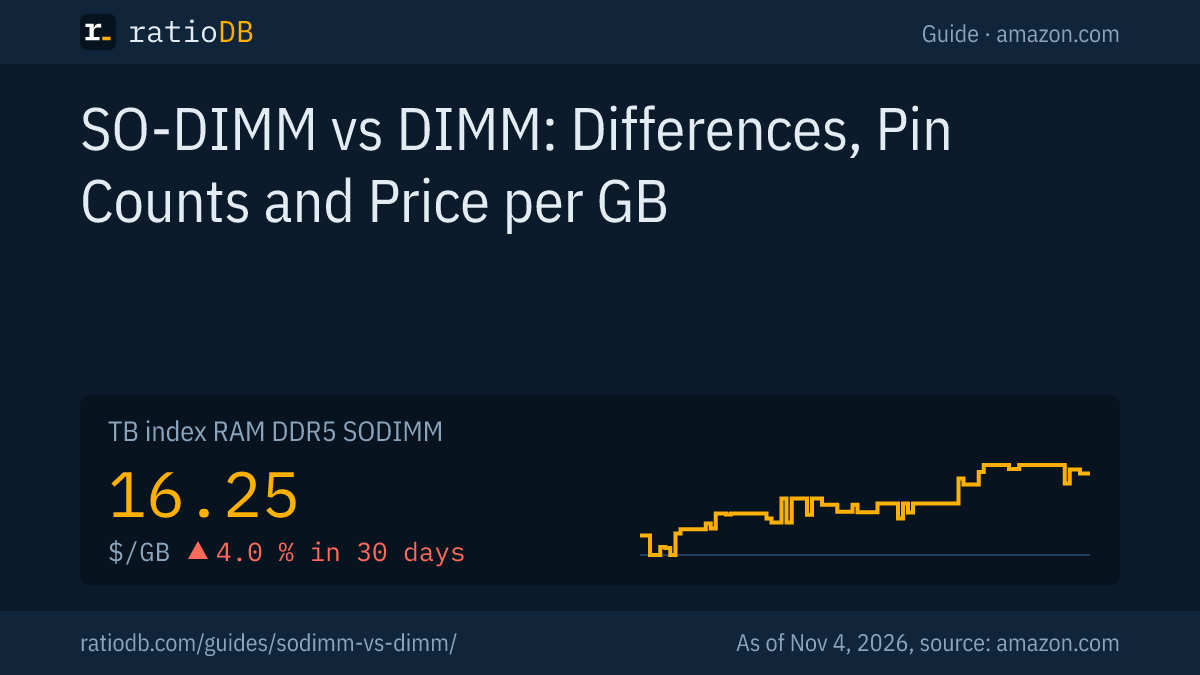
SO-DIMM is the short memory module for laptops, mini PCs and many NAS units, DIMM is the long module for desktop PCs. For DDR5, JEDEC specifies 262 pins on a SO-DIMM and 288 pins on a DIMM. The 2 never fit the same slot. DDR5 SO-DIMMs currently cost $16.25 per GB on amazon.com, DDR5 DIMMs $15.62 per GB (as of Nov 4, 2026 at 2:17 PM UTC). Which one you need is decided by your device alone.
This guide explains the differences between SO-DIMM and DIMM using the documents of the standards body JEDEC, shows which devices use which module and compares 135 DDR5 and DDR4 listings by price per GB. ratioDB does not test modules. We combine data sheets from JEDEC, Lexar, ASUS and Synology with live prices from our database.
What is the difference between SO-DIMM and DIMM?
SO-DIMM (Small Outline Dual Inline Memory Module) is the small form factor, DIMM (Dual Inline Memory Module) the large one. Lexar lists its DDR5 SO-DIMM at 69.6 mm long and its DDR5 DIMM at 133.35 mm. The memory technology and generation are the same, the pin count and size differ.
Both modules carry the same memory chips of a generation, for example DDR5. The difference is the circuit board: the SO-DIMM is about half as long and has fewer pins so it fits slim cases. The key traits at a glance:
| Trait | SO-DIMM | DIMM (UDIMM) |
|---|---|---|
| Typical devices | laptops, mini PCs, many NAS units | desktop PCs, workstations |
| DDR5 pins per JEDEC | 262 | 288 |
| DDR4 pins per JEDEC | 260 | 288 |
| DDR5 size per Lexar | 69.6 × 30 mm | 133.35 × 31.25 mm |
| DDR5 voltage per JEDEC | 1.1 V | 1.1 V |
| DDR4 voltage per ASUS data sheet | 1.2 V | 1.2 V |
UDIMM stands for Unbuffered DIMM, a desktop module without a buffer chip. Servers use RDIMMs with a register chip instead. The guide RDIMM vs UDIMM explains that difference. In this guide, DIMM always means the regular desktop module.
How many pins do SO-DIMM and DIMM have according to JEDEC?
According to JEDEC, a DDR5 DIMM has 288 pins and a DDR5 SO-DIMM 262. For DDR4 it is 288 pins on the DIMM and 260 on the SO-DIMM. Form factors and generations are not interchangeable.
JEDEC (Joint Electron Device Engineering Council) defines how memory modules are built. Its documents list these pin counts:
| Generation and form factor | Pins | JEDEC document |
|---|---|---|
| DDR5 DIMM (UDIMM) | 288 | JESD308B, February 2025, 1.1 V |
| DDR5 SO-DIMM | 262 | design file PC5-5600 SODIMM, June 2022 |
| DDR5 CSODIMM (with clock driver) | 262 | JESD324B, February 2026, 1.1 V |
| DDR4 DIMM (UDIMM) | 288 | design file PC4-3200 Unbuffered DIMM, December 2019 |
| DDR4 SO-DIMM | 260 | design file PC4-3200 Unbuffered SODIMM, February 2022 |
Note that DDR4 and DDR5 DIMMs both have 288 pins. The generations are still not interchangeable. The Wikipedia overview of DIMMs sums it up: modules of different generations differ in pin count, notch position or both. A motherboard supports exactly one generation. What DDR5 adds over DDR4 is covered in the guide DDR5 vs DDR4.
You do not need to count pins when you shop. The pin count comes with the form factor: buy "DDR5 SO-DIMM" and you get 262 pins. Many sellers still put the number in the title, such as "260-Pin" on DDR4 laptop memory.
Can I use a SO-DIMM in a desktop PC?
Not directly, because a desktop motherboard slot is built for 288 pins. Adapter boards exist that put a DDR5 SO-DIMM into a DIMM slot. According to Tom's Hardware they are meant for vendors testing SO-DIMMs and cost performance.
Tom's Hardware reported on the JET-5669AA adapter on February 9, 2022, at about $25 each. The facts from the report:
- Purpose: The adapter is meant for testing DDR5 SO-DIMMs in DIMM slots, it can serve as a stopgap in a PC.
- DDR5 only: The report covers DDR5 SO-DIMMs only, a DDR4 version does not appear.
- Speed: According to the report, you likely won't get the best DDR5 performance that regular DIMMs offer.
- Selection: The range of compatible SO-DIMMs is limited, the report says.
- Durability: The adapter is rated for more than 600 insertion cycles.
Our take: an adapter only makes sense if you want to use an existing SO-DIMM in a desktop for a while. For a new PC, buy DIMMs right away, they are often cheaper per GB anyway (prices below). For beginners, tinkering with adapters is rarely worth it.
Can I use a DIMM in a laptop?
No. At 133.35 mm a DIMM is almost twice as long as a SO-DIMM and has 288 pins, the SO-DIMM 262. It fits neither the laptop slot nor the case. There is no adapter for this direction.
Laptops therefore always need SO-DIMMs if their memory is upgradeable. Many thin models have no slot at all, their memory is LPDDR5 or LPDDR5X soldered to the board. How to check whether your laptop is upgradeable and what CAMM2 is are covered in the guide Laptop RAM upgrade, along with the installation steps.
Which devices use SO-DIMM?
SO-DIMMs sit in upgradeable laptops, mini PCs such as the NUC line, all-in-one PCs and many NAS units. For the NUC 13 Pro, for example, ASUS lists 2 slots for 260-pin DDR4 SO-DIMMs at 1.2 V and up to 64 GB.
Wherever space is tight, you find the small form factor. Examples from manufacturer documents:
| Device | Memory per manufacturer | Source |
|---|---|---|
| ASUS NUC 13 Pro (mini PC) | 2 × DDR4 SO-DIMM, 260 pins, 1.2 V, 2400 to 3200, up to 64 GB, non-ECC | ASUS support |
| Lexar DDR5 SO-DIMM | marketed for laptops, all-in-one PCs and Intel NUC mini PCs | Lexar |
| Synology NAS | own DDR4 SO-DIMMs with and without ECC, plus UDIMM and RDIMM for larger models | Synology |
| Desktop PC with ATX motherboard | DIMM (UDIMM) with 288 pins | JEDEC |
A mini PC is often the case where laptop memory sits in a desktop-style box. For the NUC 13 Pro, ASUS also states that only 1.2 V JEDEC memory and non-ECC modules (no error correction) are supported. Details like these are in every device's data sheet and matter more than the form factor alone.
Do I need an ECC SO-DIMM in my NAS?
Many compact NAS units use SO-DIMMs, some of them with ECC (Error Correcting Code). Synology sells its own DDR4 SO-DIMMs with ECC such as the D4ES02-8G and without ECC such as the D4NS01-4G. The NAS model decides which module fits.
Synology's DDR4 memory page lists all 3 form factors: SO-DIMM, UDIMM and RDIMM, each with capacities and whether ECC is on board. Synology also warns that non-Synology memory can lead to system instability or boot failures, and that Synology will not provide complete product warranty or technical support in that case. The manufacturer recommends authentic Synology modules.
JEDEC also covers ECC on SO-DIMMs: the design file PC4-3200 Unbuffered SODIMM describes a 260-pin DDR4 SO-DIMM with ECC. What error correction does and when it pays off is explained in the guide ECC RAM. Which hard drives belong in a NAS is shown in the guide Best NAS hard drive.
How much does SO-DIMM cost per GB compared to DIMM?
On amazon.com, DDR5 laptop memory (SO-DIMM) currently costs $16.25 per GB according to the ratioDB index, DDR5 desktop memory (DIMM) $15.62 per GB. For DDR4, SO-DIMMs are at $6.05 and DIMMs at $6.39 per GB. As of Nov 4, 2026 at 2:17 PM UTC.
Price per GB by form factor and generation on amazon.com, ratioDB index, as of Nov 4, 2026 at 2:17 PM UTC
| Generation | Laptop module (SO-DIMM) per GB | Desktop module (DIMM) per GB | SO-DIMM compared |
|---|---|---|---|
| DDR5 | $16.25 | $15.62 | +4.0% |
| DDR4 | $6.05 | $6.39 | -5.4% |
For DDR5, the small form factor costs about 4.0% more per GB than desktop memory. For DDR4, the SO-DIMM is about 5.4% cheaper per GB than the DIMM. The gaps move with supply and demand, which is why ratioDB updates the index with every price check.
For your decision, the price gap plays a minor role: your device sets the form factor. It does help with 2 questions: when buying a mini PC, where choosing the device also chooses the form factor, and when deciding whether an adapter for existing SO-DIMMs is worth it. Why memory is so expensive overall in 2026 is explained in the guide Why are RAM prices so high?.
The cheapest DDR5 SO-DIMM per GB right now is Crucial 2 × 32 GB at $12.97 per GB (2 × 32 GB). Among DDR5 DIMMs, Crucial Pro 2 × 16 GB leads at $14.37 per GB (2 × 16 GB).
How much does an upgrade with SO-DIMM or DIMM cost?
The 2 tables show the cheapest listings per total capacity. Kits of 2 modules count with their total capacity, so a 2 × 16 GB kit sits at 32 GB. All prices come from amazon.com, as of Nov 4, 2026 at 2:17 PM UTC.
DDR5: cheapest new SO-DIMM and DIMM per total capacity on amazon.com, as of Nov 4, 2026 at 2:17 PM UTC
| Total capacity | Cheapest SO-DIMM | Cheapest DIMM |
|---|---|---|
| 16 GB | Acer SD200 Single 16 GB: $249.99 (1 × 16 GB) | A-Tech PC/Computer Upgrade 16 GB: $249.99 (1 × 16 GB) |
| 32 GB | Corsair Vengeance 2 × 16 GB: $479.99 (2 × 16 GB) | Crucial Pro 2 × 16 GB: $459.99 (2 × 16 GB) |
| 64 GB | Crucial 2 × 32 GB: $829.95 (2 × 32 GB) | Crucial Pro 2 × 32 GB: $999.99 (2 × 32 GB) |
DDR4: cheapest new SO-DIMM and DIMM per total capacity on amazon.com, as of Nov 4, 2026 at 2:17 PM UTC
| Total capacity | Cheapest SO-DIMM | Cheapest DIMM |
|---|---|---|
| 8 GB | Crucial 8 GB: $53.99 (1 × 8 GB) | Timetec Advanced 8 GB: $58.99 (1 × 8 GB) |
| 16 GB | A-Tech 16 GB: $88.64 (1 × 16 GB) | Timetec 16 GB: $103.99 (1 × 16 GB) |
| 32 GB | Puskill 2 × 16 GB: $179.97 (2 × 16 GB) | Puskill 2 × 16 GB: $189.97 (2 × 16 GB) |
Whether 1 large module or a kit of 2 is better depends on your device. 2 identical modules run in dual channel with 2 parallel memory channels, which mainly helps integrated graphics. More in the guide Dual channel RAM. How much memory you actually need is worked out in the guide How much RAM do I need?.
All listings by size are on the pages 16 GB DDR5 RAM, 32 GB DDR5 RAM, 16 GB DDR4 RAM, and by form factor under DDR5 laptop, DDR5 desktop, DDR4 laptop and DDR4 desktop.
Is SO-DIMM slower than DIMM?
The form factor alone does not make memory slower. Speed, latency and generation set performance, and they exist in the same form on SO-DIMM and DIMM. In practice, desktop motherboards often allow higher speeds than laptops.
A DDR5 SO-DIMM at 5,600 MT/s (million transfers per second) moves as much data as a DDR5 DIMM at 5,600 MT/s. Lexar lists 5,600 MT/s and 1.1 V for both its DDR5 SO-DIMM and its DDR5 DIMM. Differences come from the device: laptops and mini PCs usually support only the standard speeds in their data sheet, while desktop motherboards often allow overclocking with profiles such as EXPO or XMP.
For very high DDR5 speeds, both form factors have a variant with its own clock driver: the CUDIMM for desktops and the CSODIMM for laptops. JEDEC describes the CSODIMM in JESD324B with 262 pins and 1.1 V. What is behind it and which processors support it is covered in the guide CUDIMM. How speed and latency relate is explained in the guide DDR5 timings.
How do I know whether I need SO-DIMM or DIMM?
The device tells you fastest: laptops and mini PCs use SO-DIMM, desktop PCs with an ATX or Micro ATX motherboard use DIMM. To be sure, check the data sheet, the motherboard manual or the Windows Task Manager, which shows the form factor.
Here is how:
- Check the device type: A laptop, mini PC or compact NAS points to SO-DIMM. A tower PC points to DIMM.
- Read the data sheet: Look for "SO-DIMM" or "UDIMM", the generation (DDR4 or DDR5), the supported speed and the maximum size per slot.
- Open Task Manager: Under Performance and Memory, Windows shows the form factor and the slots in use (Windows Central).
- Look at the installed module: The label shows size, generation and speed. The length gives away the form factor: about 7 cm for SO-DIMM, a little over 13 cm for DIMM.
- Check special needs: Does the device require ECC, like some NAS units, or only standard-voltage memory, like the NUC 13 Pro according to ASUS?
After installing new memory, run a memory test to make sure it works without errors. The guide How to test RAM shows how.
Can I mix SO-DIMMs from different brands?
Modules of the same generation and form factor usually run together, but nobody guarantees it. Lexar states that its specifications do not apply if a module is paired with other manufacturers' modules. A kit of 2 identical modules is the safe choice.
Mixed modules run at most at the values both can handle, and dual channel works most reliably with 2 identical modules. NAS units are stricter: Synology explicitly warns that non-Synology memory can lead to instability or boot failures. If you want to add to an existing module, buy the same model or replace both with a new kit.
What should I look for when buying SO-DIMM or DIMM?
Check form factor, generation, speed, size per module, ECC and price per GB. Form factor and generation must match your device exactly. The data sheet gives the speed and maximum size, ratioDB shows the price per GB for every listing.
The checklist:
| Item | What to check | Where to find it |
|---|---|---|
| Form factor | SO-DIMM or DIMM (UDIMM) | data sheet, Task Manager |
| Generation | DDR4 or DDR5, never mix | data sheet, label |
| Speed | the value your device supports, such as 5,600 MT/s | data sheet |
| Size per module | maximum size per slot | data sheet |
| ECC | only if the device requires or supports it | data sheet, NAS maker's list |
| Kit or single module | 2 identical modules for dual channel | listing title |
| Price per GB | divide a kit by its total size | ratioDB does it automatically |
For DDR5 desktop PCs, the guide Best DDR5 RAM lists suitable kits, for older systems the guide Best DDR4 RAM.
How does ratioDB compare SO-DIMM and DIMM?
ratioDB checks amazon.com prices for all listed memory modules regularly and converts them to price per GB. We divide kits by the total size of all modules. The index is the median of the 10 cheapest new listings per memory type.
DDR5 SO-DIMM, DDR5 DIMM, DDR4 SO-DIMM and DDR4 DIMM sit in separate lists with their own index. Used and renewed listings are labeled and never count toward the index. The tables in this guide show new listings only. The technical data comes from the linked pages of JEDEC, Lexar, ASUS, Synology, Tom's Hardware and Wikipedia, as of October 28, 2026. We do not run our own measurements. All rules are on the methodology page, all memory types under RAM.
SO-DIMM and DIMM FAQ
What does SO-DIMM mean?
SO-DIMM stands for Small Outline Dual Inline Memory Module, a small memory module with contacts on both sides. It is the form factor for laptops, mini PCs and many NAS units. Desktop PCs use the larger DIMM.
How many pins does a DDR5 SO-DIMM have?
According to JEDEC, a DDR5 SO-DIMM has 262 pins, a DDR5 DIMM for desktop PCs 288. For DDR4 it is 260 pins on the SO-DIMM and 288 on the DIMM.
Can I use laptop RAM in a desktop PC?
Only with an adapter board, and Tom's Hardware reports those for DDR5. They are meant for testing, cost performance and fit a limited range of modules. For a desktop PC, DIMMs are the better choice.
Can I use desktop RAM in a laptop?
No. At 133.35 mm a DIMM is almost twice as long as a SO-DIMM and has more pins. It fits neither the slot nor the case of a laptop.
Is SO-DIMM more expensive than DIMM?
For DDR5, laptop memory currently costs $16.25 per GB on amazon.com and desktop memory $15.62 per GB (as of Nov 4, 2026 at 2:17 PM UTC). For DDR4 the values are $6.05 and $6.39 per GB. The gaps move, the table above shows the current state.
Is SO-DIMM slower than DIMM?
At the same speed and latency, both perform the same. Desktop motherboards often allow higher speeds and overclocking, laptops usually stay at the standard speed from the data sheet.
Do I need an ECC SO-DIMM for my NAS?
That depends on the model. Synology sells DDR4 SO-DIMMs with and without ECC and warns against non-Synology memory. The NAS maker's list tells you which modules fit your NAS.
Sources
- JEDEC: DDR5 UDIMM Common Standard JESD308B (February 2025), PC5-5600 SODIMM, 262 pins (June 2022), CSODIMM standard JESD324B (February 2026), PC4-3200 Unbuffered DIMM, 288 pins, PC4-3200 Unbuffered SODIMM, 260 pins
- Lexar: DDR5 SODIMM laptop memory, DDR5 UDIMM desktop memory
- ASUS: System memory for the NUC 13 Pro
- Synology: DDR4 memory modules for NAS
- Tom's Hardware: DDR5 SO-DIMM adapter (February 9, 2022), Wikipedia: DIMM, Windows Central: memory in Task Manager
- ratioDB: amazon.com prices, methodology