PS4 external hard drive: requirements, setup and prices
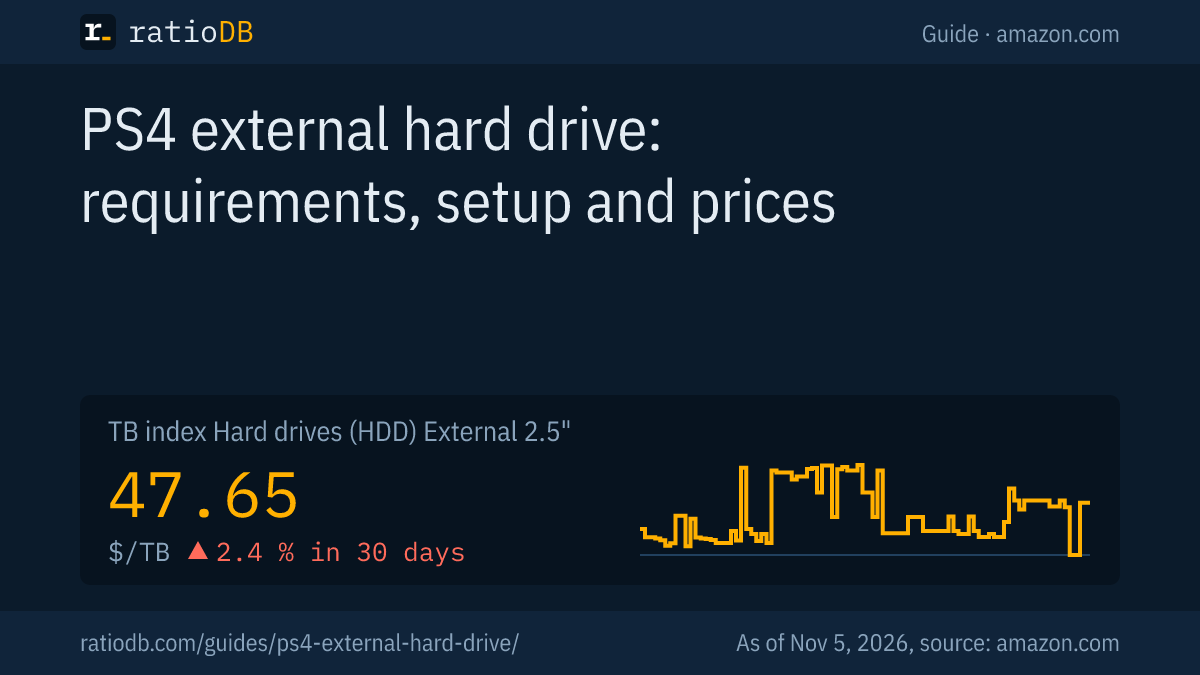
Any external hard drive with SuperSpeed USB at 5 Gbps or faster, which means USB 3.0 or newer, and 250 GB to 8 TB of capacity works with the PS4. The console needs system software 4.50 or later. Games and add-ons run straight from the external drive, while saved data, themes, screenshots and video clips stay on system storage, according to Sony. An external 2.5 inch hard drive currently costs $47.65 per TB on amazon.com (TB index, as of Nov 5, 2026 at 2:17 PM UTC).
The PS4 shipped with a 500 GB or 1 TB hard drive, the PS4 Pro with 1 TB. Today that fits only a few big games. An external drive doubles or quadruples the space in a few minutes, without opening the console. This guide shows which drives Sony allows, how to set them up, how to move games and what the error codes mean. All rules come from the PlayStation support pages we read for this guide. ratioDB does not test drives itself, we compare prices and spec sheets. What matching drives cost right now is shown below with live prices from amazon.com (as of Nov 5, 2026 at 2:17 PM UTC).
Which external hard drive works with a PS4?
Sony requires an external hard drive with SuperSpeed USB at 5 Gbps or faster and 250 GB to 8 TB of capacity. The console needs system software 4.50 or later. The drive has to plug straight into the PS4, Sony does not support USB hubs.
The requirements from the PlayStation support page:
| Item | Sony's requirement | What it means when buying |
|---|---|---|
| System software | version 4.50 or later | current consoles meet this, otherwise update first |
| Connection | SuperSpeed USB at 5 Gbps or faster | USB 3.0 or newer, which nearly every current drive has |
| Capacity | 250 GB to 8 TB | larger drives cannot be used as extended storage |
| Connection type | straight into the console, no hub | the drive's own cable is enough |
| Number | only 1 extended storage drive active at a time | 1 large drive instead of several small ones |
| Guarantee | not every model is guaranteed to work | try another cable or port if there are problems |
Sony lists the supported connections as USB 3.0, USB 3.1 Gen 1 and USB 3.2 Gen 1 at 5 Gbps, USB 3.1 Gen 2, USB 3.2 Gen 2 and USB 3.2 Gen 1x2 at 10 Gbps and USB 3.2 Gen 2x2 at 20 Gbps. What the names mean is explained in the guide USB 3.2 Gen 2 explained. The support page talks specifically about external hard drives. An external SSD with USB 3.0 meets the same values and is set up the same way on the PS4.
What can I store on a PS4 external hard drive?
According to Sony, only applications and add-ons, which means games, apps and expansions. Saved data and other app data, themes, screenshots and video clips cannot be stored on extended storage. Updates go to whichever storage the game is installed on.
At a glance:
| Content | Allowed on extended storage? | Note from Sony |
|---|---|---|
| Games and apps | yes | launch straight from the drive |
| Add-ons | yes | even if the game is on system storage |
| Updates | yes | go where the game is installed |
| Saved data and app data | no | stays on system storage |
| Themes | no | stay on system storage |
| Screenshots and video clips | no | stay on system storage |
That is practical: the games themselves move to the big external drive, the small saves stay in the console. If you unplug the drive, the games stay visible in the content area. If you start one, the PS4 shows an error message until the drive is connected again.
How do I set up an external hard drive on the PS4?
You format the drive once as extended storage: "Settings", "Devices", "USB Storage Devices", select the drive and choose "Format as Extended Storage". This erases all data on the drive.
The steps from the PlayStation support page:
- Check the system software: The PS4 needs version 4.50 or later. If it is older, update the console first.
- Back up your data: If photos or documents are on the drive, copy them somewhere else first.
- Connect: Plug the drive straight into a USB port on the PS4, without a hub.
- Format: Open "Settings", "Devices", "USB Storage Devices", select the drive and choose "Format as Extended Storage".
- Set the install location: Under "Settings", "Storage", press the OPTIONS button and choose "Application Install Location" and "Extended Storage". New games then go to the external drive automatically. According to Sony, the install location cannot be changed while a download is in progress.
Do not unplug the drive while the console shuts down or enters rest mode. Sony names this specifically as a cause of problems.
How do I move PS4 games to the external drive?
Under "Settings", "Storage", select the storage that holds the game and then "Applications". Press OPTIONS, choose "Move to Extended Storage", tick the games and confirm with "Move". Moving back works the same way with "Move to System Storage".
Here is how:
- Open "Settings" and then "Storage".
- Select the storage the game is on, then "Applications".
- Press the OPTIONS button and choose "Move to Extended Storage" or "Move to System Storage".
- Tick the games you want to move and select "Move".
If a game exists on both storage types, Sony says you have to delete one of the copies before using the drive.
External hard drive or external SSD for the PS4?
For the PS4, an external hard drive is the usual choice, it costs only a fraction of an SSD per TB. An external SSD with USB 3.0 also meets the requirements, but costs several times as much per TB. On amazon.com, the TB index of external SSDs is currently 2.7 times the index of external 2.5 inch hard drives (as of Nov 5, 2026 at 2:17 PM UTC).
The cheapest offers per size within the range Sony allows:
Cheapest new external drives per size on amazon.com, known brands, 250 GB to 8 TB, as of Nov 5, 2026 at 2:17 PM UTC
| Capacity | External 2.5" hard drive | External 3.5" hard drive | External SSD |
|---|---|---|---|
| 1 TB | WD My Passport 1 TB: $122.98 ($122.98 per TB) | no offer | SanDisk 1 TB: $129.99 ($129.99 per TB) |
| 2 TB | WD Elements 2 TB: $127.00 ($63.50 per TB) | no offer | TeamGroup T-Force M200 2 TB: $269.99 ($135.00 per TB) |
| 4 TB | WD My Passport 4 TB: $187.75 ($46.94 per TB) | Seagate Expansion 4 TB: $173.99 ($43.50 per TB) | WD My Passport 4 TB: $719.99 ($180.00 per TB) |
| 5 TB | WD My Passport 5 TB: $208.00 ($41.60 per TB) | no offer | no offer |
| 8 TB | no offer | Seagate Expansion 8 TB: $279.99 ($35.00 per TB) | SanDisk Desk 8 TB: $899.99 ($112.50 per TB) |
How to decide:
- External 2.5 inch hard drive: powered over the USB cable, no power adapter, small enough for the spot next to the console. The cheapest per TB right now is WD My Passport 5 TB at $41.60 per TB (5 TB).
- External 3.5 inch hard drive: needs a power adapter and an outlet. Its TB index is $43.50 per TB, 8.7% below the 2.5 inch models. Watch the 8 TB limit.
- External SSD: quiet, small and without moving parts. The cheapest 1 TB external SSD is currently SanDisk 1 TB for $129.99.
For most PS4 owners 2 TB is enough, and the cheapest 2 TB external 2.5 inch hard drive costs $127.00 right now (WD Elements 2 TB). All offers are listed under 2 TB external hard drives.
How big should a PS4 external hard drive be?
2 TB is a good size for most PS4 owners, that is 2 to 4 times the internal drive. If you want your whole game collection installed, go for 4 or 5 TB. The PS4 does not use more than 8 TB as extended storage.
The internal drive sizes for context:
| Model | Internal hard drive | Source |
|---|---|---|
| PS4 (2016, slim design) | 500 GB, later also 1 TB | Sony via Worthplaying, Sep 7, 2016 |
| PS4 Pro (2016) | 1 TB | Sony via Worthplaying, Sep 7, 2016 |
Our rule of thumb: 2 TB for a PS4 with 500 GB, 4 TB for a PS4 Pro with many big games. This is a ratioDB recommendation, not a Sony requirement. Larger drives are usually cheaper per TB, the table above shows that per size.
If you plan to move to a PS5, a 4 TB drive pays off twice: according to Sony, a drive that was used as extended storage on a PS4 does not need to be formatted again on a PS5, and PS4 games run straight from it there. What else applies on the PS5 is covered in the guide PS5 external hard drive.
How do I safely disconnect the drive from the PS4?
Through the quick menu with "Sound/Devices" and "Stop Using Extended Storage", or through "Settings", "Devices", "USB Storage Devices" and "Stop Using This Extended Storage". After that you can unplug the drive.
According to Sony, the message that the drive needs to be repaired is usually caused by unsafe removal. If you leave the drive connected all the time, you avoid this problem. If the drive interferes with the console's Wi-Fi or Bluetooth, Sony recommends placing it further away from the PS4.
What do the external drive error codes mean?
Most error codes come down to the basic rules: wrong size, no USB 3.0 or a hub in between. Sony gives a separate fix for each code.
The error codes from the PlayStation support page:
| Error code | Meaning according to Sony | What helps |
|---|---|---|
| CE-41901-5 | capacity outside 250 GB to 8 TB | use a drive with a matching size |
| CE-41902-6 | device is not USB 3.0 or later | plug a USB 3.0 drive in quickly and firmly, but carefully |
| CE-41899-1 | device is not connected directly to the console | connect it directly, without a hub |
| CE-30002-5 | formatting failed | format again |
| CE-30022-7 | formatting failed | format again, otherwise restart the console and format once more |
| CE-30006-9 | file system error | repair the file system, then format again, otherwise use a different drive |
If the PS4 shows a transfer speed warning, Sony recommends a different drive. If a PC does not recognize the drive either, the guide External hard drive not showing up helps further.
Can I replace the PS4's internal hard drive?
Yes, Sony provides for replacing the internal hard drive. Afterwards you have to reinstall the system software, according to the manual in the same or a later version. The external drive is the easier route, because you do not open anything or reinstall anything.
The PS4 uses a 2.5 inch notebook drive, and Tom's Hardware names a height limit of 9.5 mm. Matching drives exist as hard drives and as SSDs. Back up your saves first, because the new drive is empty. The exact steps for your model are in the console's manual. What internal 2.5 inch drives cost right now:
Cheapest new internal 2.5 inch drives on amazon.com, as of Nov 5, 2026 at 2:17 PM UTC
| Capacity | Internal 2.5" hard drive | Internal 2.5" SATA SSD |
|---|---|---|
| 1 TB | Toshiba MQ01ABD 1 TB: $53.89 ($53.89 per TB) | SP Silicon Power A55 Boost 1 TB: $119.67 ($119.67 per TB) |
| 2 TB | Seagate BarraCuda 2 TB: $199.00 ($99.50 per TB) | SP Silicon Power A55 Boost 7mm 2 TB: $234.97 ($117.49 per TB) |
How to install an SSD and what to watch for is explained in the guide How to install an SSD. On the PS4, the manual has you reinstall the system software after the swap and restore your backed up data.
What does a PS4 external hard drive cost right now?
On amazon.com, the TB index is $47.65 per TB for external 2.5 inch hard drives, $43.50 for external 3.5 inch hard drives and $129.99 per TB for external SSDs (as of Nov 5, 2026 at 2:17 PM UTC). The 3 cheapest offers in the matching product types are shown here, all prices with date and source.
Check before you buy that the drive is between 250 GB and 8 TB. Used and refurbished offers are labeled in our lists. Advice on them is in the guide Refurbished hard drives.
What are the most common buying mistakes?
The most common mistakes are a drive larger than 8 TB, an old drive with USB 2.0 and connecting through a hub. All 3 mean the PS4 will not accept the drive as extended storage.
| Mistake | Result | Better |
|---|---|---|
| Drive with more than 8 TB | error code CE-41901-5 | pick 2 to 8 TB |
| Old drive with USB 2.0 | error code CE-41902-6 | drive with USB 3.0 or newer |
| Connected through a USB hub | error code CE-41899-1 | plug straight into the console |
| Expecting saves on the drive | saves stay in the console | back up saves separately |
| Unplugged during rest mode | drive needs to be repaired | disconnect safely first |
| 3.5 inch drive with no outlet nearby | will not run without its power adapter | 2.5 inch drive powered over USB |
How does ratioDB compare external hard drives?
ratioDB regularly pulls the amazon.com prices of all listed external hard drives and SSDs and converts them to price per TB, with 1 TB equal to 1,000,000,000,000 bytes. The TB index is the median of the 10 cheapest new offers per product type.
External 2.5 inch hard drives, external 3.5 inch hard drives, external SSDs and internal drives are kept in separate lists with their own index. Used and refurbished offers are labeled and never count toward the index. The tables on external drives only show new single units from known brands and only sizes from 250 GB to 8 TB, which Sony allows for the PS4. ratioDB does not test drives or consoles itself. The PS4 rules come from the linked Sony support pages and manuals. All rules are on the methodology page, all hard drives under hard drive prices per TB.
PS4 external hard drive FAQ
Which external hard drive works with the PS4?
Any external hard drive with SuperSpeed USB at 5 Gbps or faster and 250 GB to 8 TB of capacity. The PS4 needs system software 4.50 or later. Sony does not guarantee that every model works.
Can I play PS4 games directly from an external hard drive?
Yes. Games, apps and add-ons run straight from extended storage. Only saved data, themes, screenshots and video clips stay on system storage.
How big can a PS4 external hard drive be?
At least 250 GB and at most 8 TB. With larger drives, the PS4 shows error code CE-41901-5.
Does an external SSD work with the PS4?
An external SSD with USB 3.0 meets Sony's requirements and is set up as extended storage the same way. It costs several times as much per TB as a hard drive, though.
Can I use my PS4 drive on a PS5 later?
Yes. According to Sony, a drive that was used as extended storage on a PS4 does not need to be formatted again on a PS5. PS4 games run straight from it there.
Does setting up the drive erase my files?
Yes. Formatting as extended storage erases all data on the drive. Back up photos and documents to another drive first.
What does a PS4 external hard drive cost right now?
On amazon.com, the TB index for external 2.5 inch hard drives is $47.65 per TB (as of Nov 5, 2026 at 2:17 PM UTC). The table above shows the cheapest offers per size from 1 to 8 TB.
Sources
- Sony: USB extended storage on PS4 consoles, USB extended storage on PS5 consoles, PS4 Pro user manual, system software after replacing the hard drive (on ManualsLib)
- Console storage: Worthplaying, Sony confirms PS4 Pro and slim PS4 (Sep 7, 2016), Tom's Hardware, upgrading the PS4 hard drive (Mar 13, 2014)
- ratioDB: amazon.com prices, methodology