SSD Temperature: What Is Normal and When It Gets Too Hot
Most SSDs are rated for an operating temperature of 0 to 70 °C in their data sheets, including the Samsung 990 PRO, 9100 PRO, 990 EVO Plus and 870 EVO and the Kingston NV3. Samsung measures this value through the SSD's S.M.A.R.T. temperature and recommends proper airflow. If it gets too hot, the SSD throttles its speed to protect itself.
This guide shows which temperatures are normal, when an SSD throttles, how to read the temperature in Windows 11 and how to cool a hot SSD. The limits come from Samsung and Kingston data sheets, the explanation of NVMe temperature values from Microsoft's documentation, and measurements from a CDRLabs review. ratioDB does not test drives itself, we compare prices and data sheets. What SSDs with and without a heatsink cost right now is shown further down with live prices from amazon.com (as of Nov 17, 2026 at 4:17 PM UTC).
What SSD temperature is normal?
Anything within the operating temperature in the data sheet is normal, 0 to 70 °C for the lines checked here. In the CDRLabs review, a 2 TB Samsung 990 PRO sat at about 37 °C at idle and reached up to 69 °C under heavy load without slowing down.
An SSD heats up mainly while writing and reading large amounts of data. At idle and during normal office work it stays much cooler than under sustained load. How warm it gets depends on the form factor, the interface, the case and the cooling.
A rough guide for SSDs rated 0 to 70 °C:
| Range | Rating | What to do |
|---|---|---|
| below 0 °C | outside the operating range | let the SSD reach room temperature first |
| idle, well below the limit | normal | nothing |
| under load, below 70 °C | normal, the SSD is working | nothing, as long as performance holds |
| constantly near 70 °C | tight | improve airflow, check the heatsink |
| above the data sheet limit | too hot | add cooling, throttling is likely |
Every maker states the limit in its data sheet. It applies to the temperature the SSD reports itself, not to the air in the case. Samsung notes for the 990 PRO and the 9100 PRO that the value is measured via the S.M.A.R.T. temperature.
When is an SSD too hot?
An SSD is too hot when it runs above the operating temperature in its data sheet or crosses the warning threshold it reports itself. According to Microsoft, NVMe SSDs have a warning threshold (WCTEMP) and a critical threshold (CCTEMP) and count the minutes spent above them.
Every NVMe SSD reports a composite temperature for controller and memory. Microsoft describes in its documentation of the NVMe health log (SMART/Health Information) that this value is given in Kelvin and that the SSD keeps 2 counters:
| Value in the NVMe log | Meaning per Microsoft |
|---|---|
| Composite Temperature | overall temperature of controller and memory in Kelvin |
| Warning Composite Temperature Time | minutes in operation between warning and critical threshold |
| Critical Composite Temperature Time | minutes in operation above the critical threshold |
| Temperature Sensor 1 to 8 | individual sensors, if the SSD reports them |
| Available Spare | remaining spare capacity in percent |
The maker sets the thresholds inside the SSD, they sit in the controller's Identify data. If they are set to 0, Microsoft says the SSD keeps no minute count. For you that means: if a tool shows minutes above the warning threshold, the SSD has run too hot in the past. A single short spike is no reason to worry, regular minutes above the threshold are.
Tools such as CrystalDiskInfo show the temperature in °C. If you read raw values from the NVMe log, subtract 273 from Kelvin to get °C, so 343 Kelvin is 70 °C.
What happens when an SSD gets too hot?
When an SSD gets too hot, it throttles its speed until the temperature drops again. Samsung calls this Dynamic Thermal Guard: according to CDRLabs, the technology monitors the drive's temperature and reduces performance once it reaches a certain point.
Thermal throttling protects the controller and the memory cells. You notice it like this: a large copy starts fast and slows down noticeably after a while, without the SSD being full. Once the SSD cools down, full speed returns.
How severe it can be shows an older example: CDRLabs writes that the Samsung 950 PRO throttled so quickly that even basic benchmarks triggered it, and the reviewer had to place an 8 cm fan over the drive. On the 990 PRO, CDRLabs says Samsung uses a copper heat spreader in the label and a nickel-coated controller to delay throttling. In the review it ran without any performance loss.
One distinction matters: if write speed drops during large copies, a full SLC cache can also be the cause. With heat the temperature rises before the drop, with a full cache it stays normal. How the SLC cache works is explained in the guide DRAM vs DRAM-less SSD.
How do I check SSD temperature in Windows?
In Windows 11, the Settings app shows the temperature of NVMe SSDs: System > Storage > Advanced storage settings > Disks & volumes, then Properties for the SSD. For SATA SSDs and hard drives you need a tool such as CrystalDiskInfo, according to Pureinfotech.
Step by step:
- Open Settings (Windows key and I).
- Choose System, then Storage.
- Expand Advanced storage settings and choose Disks & volumes.
- Click Properties for the SSD.
- The Drive health section shows temperature, estimated remaining life and available space.
Pureinfotech notes that this view is only available for NVMe SSDs. Other options:
| Tool | Which drives | What it shows |
|---|---|---|
| Windows 11 Settings | NVMe SSDs | temperature, remaining life, available space |
| CrystalDiskInfo | SATA, NVMe, hard drives | temperature and S.M.A.R.T. values |
| Maker software | SSDs of that brand | varies by maker, Western Digital for example lists operating temperature in its Dashboard |
Western Digital describes in the data sheet of its older WD Black NVMe SSD that the WD SSD Dashboard monitors capacity, operating temperature and S.M.A.R.T. attributes. Which tools belong to which brand is listed in the guide SSD firmware update. How to check the overall health of an SSD or hard drive is shown in the guide Check hard drive health.
Which values should I check besides temperature?
Besides temperature, 2 values in the NVMe health log show how an SSD is doing: the percentage of life used (Percentage Used) and the remaining spare capacity (Available Spare). Microsoft describes both in its NVMe documentation.
What the values mean:
| Value | Meaning per Microsoft | What to watch for |
|---|---|---|
| Percentage Used | maker's estimate of how much of the life is used | 100 means estimated endurance reached, not necessarily a failure |
| Available Spare | remaining spare in percent from 0 to 100 | if the spare drops sharply, back up your data |
| Warning Composite Temperature Time | minutes between warning and critical threshold | if it grows, improve cooling |
| Critical Composite Temperature Time | minutes above the critical threshold | any increase is a warning sign |
Microsoft writes that a Percentage Used value of 100 marks the estimated endurance but does not necessarily mean a failure, and that the value may go above 100. It updates once per power-on hour. Windows 11 also shows an estimated remaining life in the properties of an NVMe SSD. If the temperature keeps rising for no clear reason while the spare drops, back up your data and keep an eye on the drive. How to set up a backup is shown in the guide 3-2-1 backup rule.
Which temperatures do makers specify?
Samsung specifies an operating temperature of 0 to 70 °C for the 9100 PRO, 990 PRO, 990 EVO Plus and 870 EVO, and Kingston also states 0 to 70 °C for the NV3. The table shows these lines with the cheapest new offer on amazon.com.
SSD lines with operating temperature per data sheet and the cheapest new offer on amazon.com, as of Nov 17, 2026 at 4:17 PM UTC
| Line | Interface | Operating temperature | Source | Cheapest offer | Price per TB |
|---|---|---|---|---|---|
| Samsung 9100 PRO | PCIe 5.0 x4 | 0 to 70 °C | Samsung data sheet | Samsung 9100 PRO 2 TB: $399.95 (2 TB) | $199.98 |
| Samsung 990 PRO | PCIe 4.0 x4 | 0 to 70 °C | Samsung data sheet | Samsung 990 PRO 2 TB: $389.99 (2 TB) | $195.00 |
| Samsung 870 EVO | SATA | 0 to 70 °C | Samsung data sheet | Samsung 870 EVO 4 TB: $1,199.99 (4 TB) | $300.00 |
| Kingston NV3 | PCIe 4.0 x4 | 0 to 70 °C | Kingston data sheet | Kingston NV3 1 TB: $156.00 (1 TB) | $156.00 |
We only include lines whose operating temperature we read in the maker's data sheet. Lines without a current offer drop out automatically. Other makers list their limits on product pages or in manuals we did not check for this guide. So when buying, check the data sheet of the specific SSD, especially for fast PCIe 5.0 models. What PCIe 5.0 brings and when it pays off is explained in the guide PCIe 5.0 SSD.
How do I cool an SSD properly?
You cool an SSD with airflow in the case and a heatsink on the M.2 module. Samsung explicitly recommends proper airflow in the data sheets of the 990 PRO and the 9100 PRO. Many motherboards come with their own heatsinks for the M.2 slots.
The key steps:
- Use the motherboard heatsink: If your motherboard has a cover for the M.2 slot, put it on the SSD with its thermal pad. Peel off the protective film on the pad first.
- Make sure there is airflow: A case fan that moves air over the SSD area lowers its temperature. Samsung recommends proper airflow.
- Buy an SSD with a heatsink: Many lines come in a version with a factory heatsink, such as the Samsung 990 PRO with Heatsink, which has its own data sheet.
- Check the space: A heatsink needs height. In laptops and consoles space is tight, often only flat solutions fit.
- Do not remove the label: According to CDRLabs, the 990 PRO has a copper heat spreader in its label. Peeling it off removes that part of the cooling.
Which heatsinks exist and what to watch for when adding one is covered in the guide SSD heatsink. For the PlayStation 5, Sony has its own cooling requirements, they are in the guide Best SSD for PS5. For laptops, the guide Best SSD for laptop helps you choose.
What does an SSD with a heatsink cost right now?
The cheapest M.2 NVMe SSD with a factory heatsink costs $99.80 per TB on amazon.com right now, the cheapest without one $125.00 per TB (as of Nov 17, 2026 at 4:17 PM UTC). Here the heatsink version is even about 20.2% cheaper per TB.
With a heatsink, Crucial P5 Plus 2 TB leads right now (2 TB, $99.80 per TB). Without a heatsink, Crucial E100 2 TB is cheapest (2 TB, $125.00 per TB). In our selection of known brands, 15 of 74 M.2 NVMe SSDs mention a heatsink in the product title. An add-on heatsink can cost less than the factory premium if your motherboard does not include one.
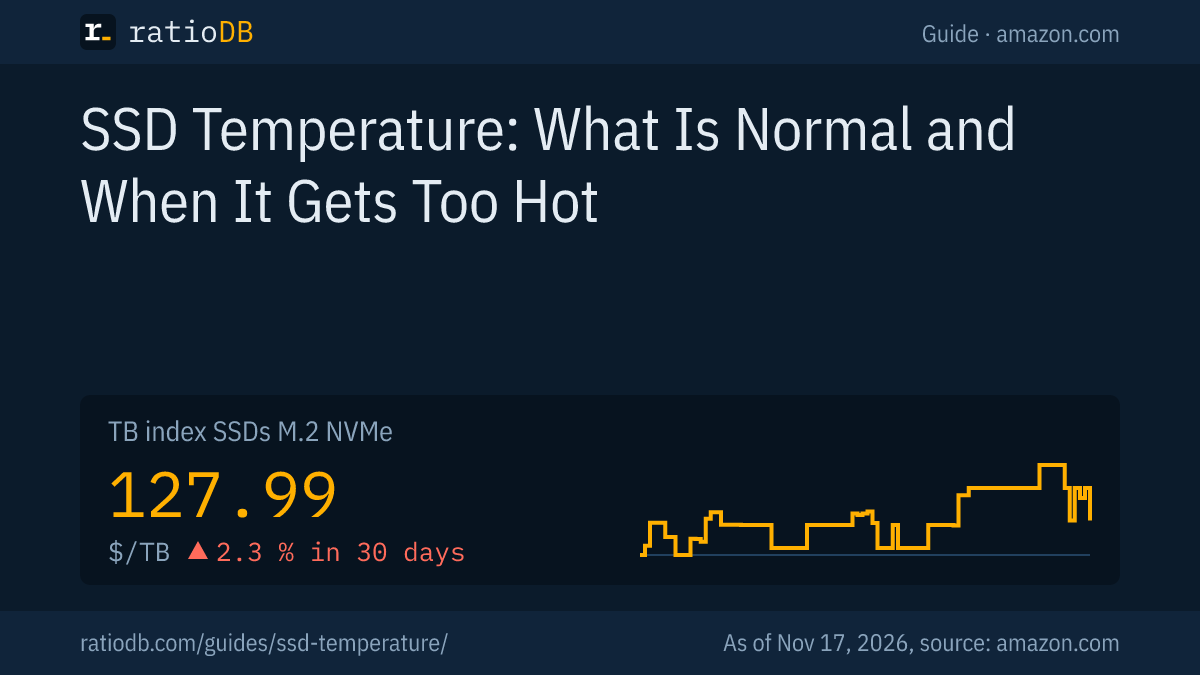
For comparison: the TB index is $127.99 per TB for M.2 NVMe SSDs, $120.49 per TB for 2.5" SATA SSDs and $123.49 per TB for external SSDs. Which form factor fits your computer is explained in the guide NVMe vs SATA.
All offers by capacity are on the pages 1 TB NVMe SSD, 2 TB NVMe SSD, by form factor under M.2 NVMe SSD, 2.5" SATA SSD and external SSD.
What are common myths about SSD temperature?
The most common myths are that every warm SSD is about to fail, that cold never hurts an SSD, that the label blocks cooling and that every slowdown comes from heat. The table puts the claims next to the sources.
| Myth | What the sources say |
|---|---|
| 60 °C under load is dangerous | Samsung: operation up to 70 °C, CDRLabs measured up to 69 °C on the 990 PRO without throttling |
| Cold never hurts | data sheets list 0 °C as the lower operating limit |
| The label has to come off | CDRLabs: the 990 PRO has a copper heat spreader in its label |
| Every slowdown comes from heat | a full SLC cache also lowers write speed |
| Windows shows no SSD temperature | Pureinfotech: Windows 11 shows it for NVMe SSDs in Settings |
| Case air temperature is the SSD temperature | Samsung measures the limit via the SSD's S.M.A.R.T. temperature |
How long an SSD lasts and which values point to wear is explained in the guide SSD lifespan.
How does ratioDB compare SSDs?
ratioDB pulls amazon.com prices for all listed SSDs regularly and converts them to price per TB, with 1 TB equal to 1,000,000,000,000 bytes. The TB index is the median of the 10 cheapest new offers per product type.
M.2 NVMe SSDs, 2.5" SATA SSDs and external SSDs sit in separate lists with their own index. Used and renewed offers are labeled and never count toward the index. The tables in this guide show only new single drives from known brands, SSDs with a heatsink are identified by the product title. ratioDB does not measure temperatures itself. All rules are on the methodology page, all SSDs under SSD prices per TB.
SSD temperature FAQ
How hot can an SSD get?
As hot as the operating temperature in its data sheet allows. Samsung specifies 0 to 70 °C for the 990 PRO, 9100 PRO, 990 EVO Plus and 870 EVO, Kingston also 0 to 70 °C for the NV3.
Is 50 °C too hot for an SSD?
For SSDs rated up to 70 °C, 50 °C is within the allowed range. In the CDRLabs review, a Samsung 990 PRO reached up to 69 °C under heavy load and ran without throttling.
What is thermal throttling on an SSD?
Thermal throttling means the SSD lowers its speed when it gets hot to protect itself. Samsung calls its technology Dynamic Thermal Guard. Once the temperature drops, full speed returns.
How do I see SSD temperature in Windows 11?
In Settings under System > Storage > Advanced storage settings > Disks & volumes, then Properties for the SSD. According to Pureinfotech this only works for NVMe SSDs, for SATA SSDs CrystalDiskInfo helps.
Do I need a heatsink for my SSD?
For fast NVMe SSDs under sustained load, a heatsink helps keep the temperature below the limit. Samsung recommends proper airflow. Many motherboards include a heatsink for the M.2 slot, then you do not need a second one.
Why does my tool show the temperature in Kelvin?
According to Microsoft, the NVMe log stores the temperature in Kelvin. Subtract 273 to get °C. 343 Kelvin equals 70 °C.
Can an SSD be too cold?
Yes, data sheets list 0 °C as the lower limit of the operating temperature. An SSD that comes in from the cold should reach room temperature before you power it on.
What does an SSD with a heatsink cost right now?
The cheapest M.2 NVMe SSD with a heatsink costs $99.80 per TB on amazon.com, the cheapest without $125.00 per TB (as of Nov 17, 2026 at 4:17 PM UTC). The tables above show more offers.
Sources
- Samsung: 990 PRO data sheet (PDF), 990 PRO with Heatsink data sheet (PDF), 9100 PRO data sheet (PDF), 990 EVO Plus data sheet (PDF), 870 EVO data sheet (PDF)
- Kingston: NV3 data sheet (copy at manuals.plus)
- Western Digital: WD Black NVMe SSD data sheet with WD SSD Dashboard (PDF)
- Microsoft: NVMe health log with temperature values
- Pureinfotech: How to check SSD temperature on Windows 11
- CDRLabs: Samsung 990 PRO 2 TB review with Dynamic Thermal Guard
- ratioDB: amazon.com prices, methodology