DRAM vs DRAM-less SSD: DRAM, HMB and SLC Cache Explained
An SSD often has 2 different buffers: a DRAM chip that mainly holds the mapping table of where data lives, and an SLC cache, a part of the flash memory that is written especially fast. NVMe SSDs without DRAM borrow a little system memory from the PC through the Host Memory Buffer (HMB), a feature Phison says arrived with the NVMe 1.2 specification. The terms sound alike but describe 3 different things.
This guide explains what DRAM, HMB and the SLC cache each do, how to tell which SSD has what, when the DRAM premium is worth it and what the drive lines cost right now. The facts come from Samsung data sheets, the SSD database and reviews of TechPowerUp, and articles from controller maker Phison. ratioDB does not test drives itself, we compare prices and data sheets. The table of drive lines with live prices from amazon.com is further down (as of Nov 17, 2026 at 4:17 PM UTC).
What is the cache on an SSD?
On SSDs, cache means 2 things: the DRAM cache, a dedicated memory chip on the SSD, and the SLC cache, a fast area inside the flash memory itself. SSDs without DRAM replace the chip with a buffer in the PC's system memory (HMB) or with small memory inside the controller.
The 3 terms at a glance:
| Term | What it is | What it is for | Where it sits |
|---|---|---|---|
| DRAM cache | memory chip on the SSD | holds the mapping table, buffers writes | on the SSD's circuit board |
| HMB (Host Memory Buffer) | borrowed system memory | holds part of the mapping table | in the computer's RAM |
| SLC cache | part of the flash run in fast 1-bit mode | accepts writes quickly | in the SSD's flash chips |
One thing helps understand all of this: an SSD does not always store data in the same place. The controller spreads it across the flash cells and keeps a table of which logical address lives where. Phison describes the DRAM as a digital map that tracks where each bit is stored. The faster the controller can look things up in that map, the faster it finds the data.
What does the DRAM cache on an SSD do?
The DRAM cache mainly holds the mapping table the controller uses to find every file on the flash cells. Phison says DRAM is about 100 times faster than flash memory. Samsung puts 1 GB of DRAM per TB of capacity on the 990 PRO and the 9100 PRO.
Phison names 3 jobs for the DRAM: write buffer, storage for metadata and the mapping table, and an interface layer between SSD and host. Samsung's data sheets show how much DRAM is on board:
| Line | Capacity | DRAM per Samsung data sheet |
|---|---|---|
| Samsung 9100 PRO | 1 TB, 2 TB, 4 TB, 8 TB | 1 GB, 2 GB, 4 GB, 8 GB LPDDR4X |
| Samsung 990 PRO | 1 TB, 2 TB | 1 GB, 2 GB LPDDR4 |
| Samsung 870 EVO (SATA) | 250 GB to 4 TB | 512 MB to 4 GB LPDDR4 |
| Samsung 990 EVO Plus | 1 TB to 4 TB | no DRAM, HMB |
The ratio of about 1 GB of DRAM per TB follows directly from the data sheets of both NVMe lines. Phison also names the downside: DRAM needs power, and SSDs with DRAM consume more than DRAM-less SSDs. In a laptop that can matter for battery life.
How does a DRAM-less SSD work?
A DRAM-less SSD keeps its mapping table in flash memory and holds only part of it ready, either in the controller's small SRAM or via HMB in the PC's system memory. Phison says both the drive and the operating system must support HMB, and Windows has supported it since Windows 10 version 1703.
The Host Memory Buffer is a slice of regular system memory the computer hands to the SSD. Phison describes it as DRAM that sits on the host instead of on the SSD. The path is longer than to a chip right next to the controller, so HMB is slower than onboard DRAM, but much faster than constantly looking things up in flash. The SSD tells the system how much buffer it needs at minimum, and the system decides how much it gets.
According to the TechPowerUp SSD database, the WD_BLACK SN7100, the Crucial P310 and the Kingston NV3 each use 64 MB of HMB. The Samsung 990 EVO Plus data sheet lists HMB as its cache memory without a size.
3 points to keep in mind:
- NVMe only: HMB is a feature of the NVMe specification. DRAM-less SATA SSDs do not have this option and work with the controller's own memory only.
- The OS has to cooperate: Phison says drive and system must both support HMB. Microsoft lists HMB among the NVMe features of its StorNVMe driver.
- Firmware matters: With Windows 11 version 24H2, Microsoft changed how HMB is allocated, according to heise. Some DRAM-less Western Digital SSDs then crashed with blue screens until new firmware arrived. How to update your SSD's firmware is shown in the guide SSD firmware update.
According to heise, these firmware versions fixed the problem: 731130WD for the WD Black SN770, SN770M and Sandisk Extreme M.2, 281050WD for the WD Blue SN580 and 291020WD for the WD Blue SN5000.
What is the SLC cache on an SSD?
The SLC cache is a part of the flash memory that the SSD temporarily writes with just 1 bit per cell. That lets it accept data much faster. Once that area is full, the drive writes directly in its normal mode with 3 or 4 bits per cell, and write speed drops.
Modern SSDs store 3 bits (TLC) or 4 bits (QLC) per cell. That is cheap, but writing takes longer. So makers run part of the cells in SLC mode with 1 bit. Samsung calls its version Intelligent TurboWrite and states in the 990 PRO and 870 EVO data sheets that it only works within a specific data transfer size. The write speeds in those data sheets are measured with TurboWrite active.
Measurements and data sheets show how big the gap is:
| SSD | SLC cache | Writing inside the cache | Writing after the cache | Source |
|---|---|---|---|---|
| Crucial T500 2 TB | about 700 GB | over 4 GB/s | 500 MB/s | TechPowerUp review |
| WD_BLACK SN850X 2 TB | about 600 GB (576 GB dynamic, 24 GB static) | not stated | not stated | TechPowerUp SSD database |
| Samsung 870 EVO 1 TB to 4 TB | not stated | measured with TurboWrite | 530 MB/s | Samsung data sheet |
| Samsung 870 EVO 250 GB and 500 GB | not stated | measured with TurboWrite | 300 MB/s | Samsung data sheet |
Cache size often depends on free space. With a dynamic cache, the SSD uses free cells as its SLC area, so the cache shrinks as the drive fills up. For everyday use: if you rarely copy more than a few dozen GB at once, you will not notice the end of the cache. If you write large video projects or whole game libraries in one go, look at the write speed after the cache. How TLC and QLC differ there is compared in the guide QLC vs TLC.
Which SSDs have DRAM and which do not?
Whether an SSD has DRAM is stated in the maker's data sheet or in SSD databases such as TechPowerUp's. In our selection the Samsung 9100 PRO, 990 PRO and 870 EVO, the WD_BLACK SN850X and the Crucial T500 have DRAM. The Samsung 990 EVO Plus, the WD_BLACK SN7100, the Crucial P310 and the Kingston NV3 are DRAM-less.
SSD lines with cache data and the cheapest new offer on amazon.com, as of Nov 17, 2026 at 4:17 PM UTC
| Line | Interface | Cache | Source of cache data | Cheapest offer | Price per TB |
|---|---|---|---|---|---|
| Samsung 9100 PRO | PCIe 5.0 x4 | DRAM (LPDDR4X) | Samsung data sheet | Samsung 9100 PRO 2 TB: $399.95 (2 TB) | $199.98 |
| Samsung 990 PRO | PCIe 4.0 x4 | DRAM (LPDDR4) | Samsung data sheet | Samsung 990 PRO 2 TB: $389.99 (2 TB) | $195.00 |
| Samsung 870 EVO | SATA | DRAM (LPDDR4) | Samsung data sheet | Samsung 870 EVO 4 TB: $1,199.99 (4 TB) | $300.00 |
| Kingston NV3 | PCIe 4.0 x4 | DRAM-less, HMB 64 MB | TechPowerUp SSD database | Kingston NV3 1 TB: $156.00 (1 TB) | $156.00 |
| WD_BLACK SN850X | PCIe 4.0 x4 | DRAM (DDR4) | TechPowerUp SSD database | WD Black SN850X 4 TB: $782.07 (4 TB) | $195.52 |
| WD_BLACK SN7100 | PCIe 4.0 x4 | DRAM-less, HMB 64 MB | TechPowerUp SSD database | WD Black 2 TB: $349.00 (2 TB) | $174.50 |
| Crucial P310 | PCIe 4.0 x4 | DRAM-less, HMB 64 MB | TechPowerUp SSD database | Crucial P310 2 TB: $308.95 (2 TB) | $154.48 |
| Crucial T500 | PCIe 4.0 x4 | DRAM (LPDDR4) | TechPowerUp SSD database | Crucial T500 4 TB: $778.50 (4 TB) | $194.63 |
The table shows 8 lines that are currently on sale on amazon.com. Lines without a current offer drop out automatically. Cache data comes from data sheets for Samsung and from the TechPowerUp SSD database for the other makers, because the makers' product pages often stay silent on it. TechPowerUp notes for the Kingston NV3 that Kingston sells the line with different components. With such lines, a later unit may be built differently.
A tip for reading data sheets: if the cache is listed as "HMB" or "Host Memory Buffer", the SSD has no DRAM of its own. A heatsink or a high read speed says nothing about the cache, the 990 EVO Plus reads at up to 7,250 MB/s according to Samsung and still has no DRAM.
When is an SSD with DRAM worth it?
DRAM pays off mainly with heavy write loads, very full SSDs and lots of small random accesses, for example as the system drive of a workstation. For browsing, office work and games, Phison says a DRAM-less SSD is often enough, and it uses less power.
A decision guide by use:
| Use | Recommendation | Reason |
|---|---|---|
| Office, browsing, school | DRAM-less is enough | Phison: no ultra-high performance needed |
| Laptop on battery | DRAM-less often makes sense | Phison: lower power consumption |
| Gaming | either works | loading is mostly reading |
| Video editing, large copies | look for a large SLC cache and the speed after it | the end of the cache slows things down |
| System drive with heavy writes | with DRAM | mapping table always at hand |
| SATA SSD | with DRAM | SATA has no HMB |
| SSD usually very full | with DRAM and enough free space | dynamic SLC cache shrinks |
Phison puts the price gap between SSDs with and without DRAM at about $15 to $35 per drive. That figure comes from a controller maker that sells DRAM-less controllers itself. What the gap really is on amazon.com right now is shown in the next section with live prices. Which SSD fits a PlayStation 5 and what Sony requires is in the guide Best SSD for PS5.
What does an SSD with DRAM cost right now?
The cheapest NVMe SSD with DRAM in our table costs $194.63 per TB on amazon.com right now, the cheapest DRAM-less one $154.48 per TB (as of Nov 17, 2026 at 4:17 PM UTC). That puts the DRAM premium at about 26.0% per TB.
With DRAM, Crucial T500 4 TB leads right now (4 TB, $194.63 per TB). Without DRAM, Crucial P310 2 TB is cheapest (2 TB, $154.48 per TB). The comparison only uses the 4 NVMe lines with DRAM and 3 DRAM-less NVMe lines in our table that currently have an offer. Other brands and lines may be cheaper, but we have not checked their cache.
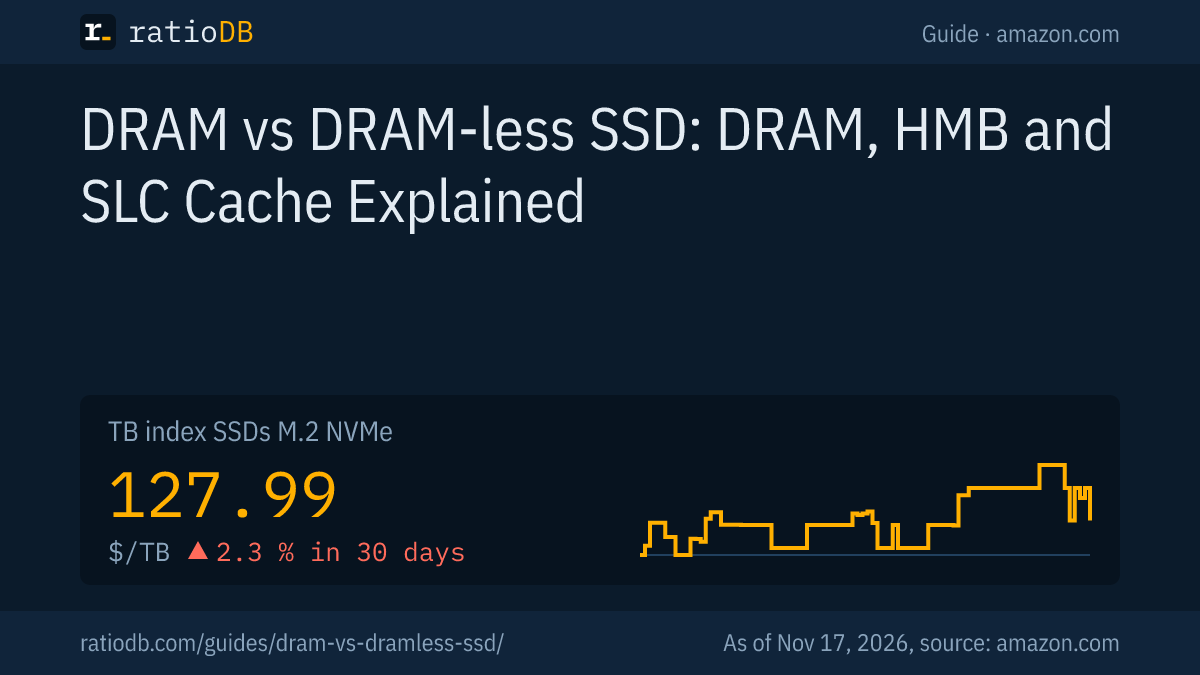
For comparison: the TB index for all M.2 NVMe SSDs is $127.99 per TB, for 2.5" SATA SSDs $120.49 per TB. The index includes all new offers regardless of cache. Which lines we recommend based on data sheets is in the guide Best SSD, interface differences in the guide NVMe vs SATA.
All offers by capacity are on the pages 1 TB NVMe SSD, 2 TB NVMe SSD, 4 TB NVMe SSD, by form factor under M.2 NVMe SSD, 2.5" SATA SSD and M.2 SATA SSD.
How can I tell the SLC cache is full?
You can tell the SLC cache is full when write speed drops sharply after a while during a large copy and then stays low. On the 2 TB Crucial T500, TechPowerUp measured over 4 GB/s until about 700 GB had been written, then 500 MB/s.
How to check it yourself:
- Copy a large file: Copy a file or folder of many GB from a fast drive to the SSD and watch the Windows copy dialog. The graph shows when the speed drops.
- Mind the free space: A dynamic cache is larger on an empty SSD than on a full one. Test at the fill level you actually use.
- Take a break: Many SSDs move the contents of the SLC area to normal mode during idle time. So repeat the test only after a break.
- Check the source: If the source drive is slower than the cache, you see its limit, not the SSD's.
If write speed collapses even with small files, something else is usually going on, such as heat. When SSDs throttle because of heat is explained in the guide SSD temperature, heatsinks are compared in the guide SSD heatsink.
What are common myths about SSD cache?
The most common myths are that DRAM makes games load faster, that DRAM-less SSDs fail quickly, that the SLC cache always has the same size and that HMB works on SATA too. The table puts the claims next to the sources.
| Myth | What the sources say |
|---|---|
| DRAM-less SSDs are always slow | Phison: often enough for browsing and office work, HMB closes part of the gap |
| DRAM is a big store for files | Phison: DRAM mainly holds the mapping table and buffers |
| The SLC cache always has the same size | TechPowerUp: on the 2 TB SN850X, 576 of about 600 GB are dynamic |
| HMB works everywhere | Phison: drive and OS must support it, and it is an NVMe feature |
| Firmware does not matter | heise: DRAM-less Western Digital SSDs needed new firmware for Windows 11 24H2 |
| DRAM-less SSDs wear out sooner | the maker states endurance as TBW in the data sheet |
How long an SSD lasts and what TBW means is explained in the guide SSD lifespan.
How does ratioDB compare SSDs?
ratioDB pulls amazon.com prices for all listed SSDs regularly and converts them to price per TB, with 1 TB equal to 1,000,000,000,000 bytes. The TB index is the median of the 10 cheapest new offers per product type.
M.2 NVMe SSDs, 2.5" SATA SSDs and M.2 SATA SSDs sit in separate lists with their own index. Used and renewed offers are labeled and never count toward the index. The tables in this guide show only new single drives from known brands, matched by the line name in the product title. ratioDB does not test SSDs itself. All rules are on the methodology page, all SSDs under SSD prices per TB.
DRAM vs DRAM-less SSD FAQ
Is an SSD with or without DRAM better?
With DRAM, an SSD has the edge under heavy writes and many small accesses, because the controller has the mapping table right at hand. For browsing, office work and games, Phison says a DRAM-less SSD is often enough, and it uses less power and costs less.
What does HMB mean on an SSD?
HMB stands for Host Memory Buffer. An NVMe SSD without its own DRAM borrows some of the computer's memory for part of its mapping table. Phison says the feature dates back to the NVMe 1.2 specification, and Windows has supported it since Windows 10 version 1703.
How much HMB does an SSD use?
The SSD requests an amount, and the system decides how much it gets. According to the TechPowerUp SSD database, the WD_BLACK SN7100, the Crucial P310 and the Kingston NV3 each use 64 MB.
What happens when the SLC cache is full?
The SSD then writes directly in its normal TLC or QLC mode, and write speed drops. On the 2 TB Crucial T500, TechPowerUp measured 500 MB/s instead of over 4 GB/s after about 700 GB. Many SSDs empty the cache again during idle time.
Do SATA SSDs have a DRAM cache?
Many do. The Samsung 870 EVO has 512 MB to 4 GB of LPDDR4 depending on capacity, per its data sheet. DRAM-less SATA SSDs cannot use HMB, because HMB is a feature of the NVMe specification.
Does DRAM make games load faster?
Loading games is mostly reading, so the DRAM advantage is smaller there than for writing. Phison says DRAM-less SSDs are slower mainly on writes. Capacity and the right interface matter more for games.
How do I spot a DRAM-less SSD?
Check the maker's data sheet or SSD database entries. If they list HMB or Host Memory Buffer, the SSD has no DRAM of its own. With lines sold with changing components, the hardware can change.
What does an SSD with DRAM cost right now?
The cheapest NVMe SSD with DRAM in our table costs $194.63 per TB on amazon.com, the cheapest DRAM-less one $154.48 per TB (as of Nov 17, 2026 at 4:17 PM UTC). The table above shows all lines.
Sources
- Samsung: 9100 PRO data sheet (PDF), 990 PRO data sheet (PDF), 990 EVO Plus data sheet (PDF), 870 EVO data sheet (PDF)
- TechPowerUp SSD database: WD_BLACK SN7100, WD_BLACK SN850X, Crucial P310, Kingston NV3
- TechPowerUp: Crucial T500 2 TB review with SLC cache test
- Phison: DRAM or not, Host Memory Buffer
- Microsoft: NVMe features supported by StorNVMe
- heise: Firmware updates against blue screens on Western Digital SSDs
- ratioDB: amazon.com prices, methodology