How to Check RAM Speed: Reading MT/s and MHz Correctly
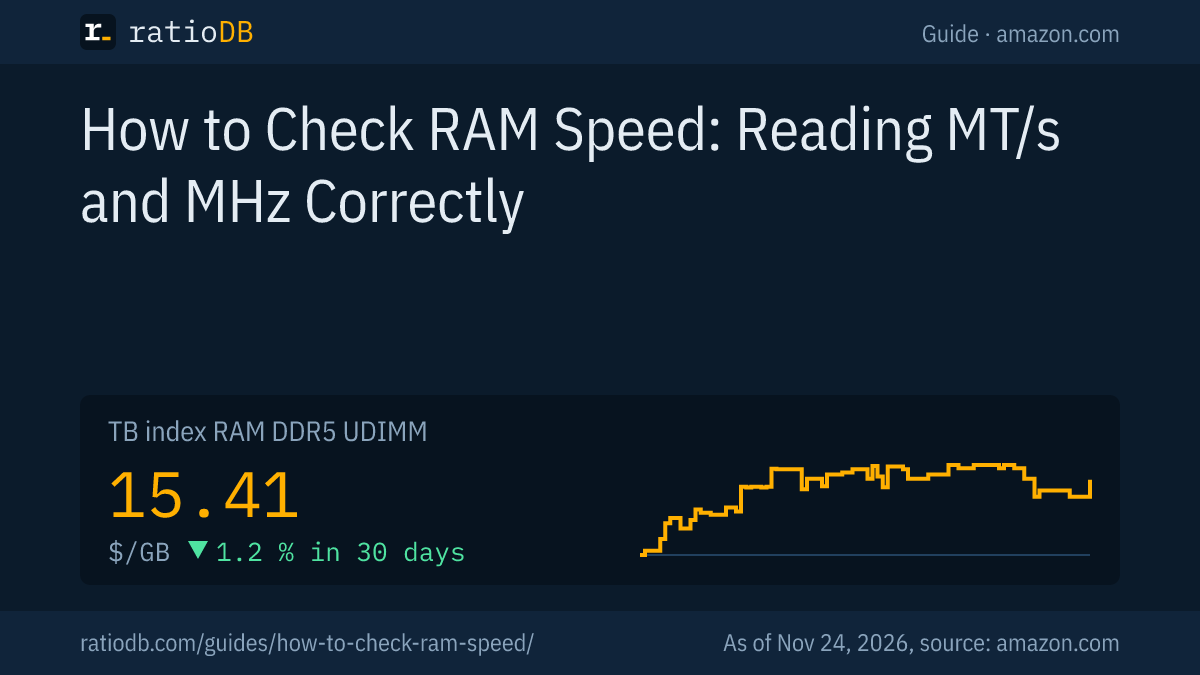
The fastest way to check RAM speed in Windows is Task Manager: press Ctrl + Shift + Esc, open Performance, pick Memory and read the value next to Speed. It shows the speed the memory is running at right now. If it is lower than the number on the box, the XMP or EXPO profile in the BIOS is usually still off. On amazon.com, DDR5 memory currently costs $15.41 per GB according to the ratioDB GB index (as of Nov 24, 2026 at 12:18 PM UTC).
Plenty of people install a fast memory kit and never notice it runs at the slower default. Guiding Tech gives the typical example of a DDR5 kit that runs at DDR5-4800 until a profile is turned on. This guide shows 4 ways to read the speed, explains MT/s versus MHz and what to do when the number is off. ratioDB does not test modules, we compare prices and spec sheets.
How do you check RAM speed in Task Manager?
Open Task Manager with Ctrl + Shift + Esc, go to Performance and pick Memory on the left. The current speed sits next to Speed on the right. Windows also shows the capacity and how many slots are in use.
Step by step:
- Press Ctrl + Shift + Esc, or right-click the taskbar and choose Task Manager.
- Click Performance on the left. If the window is compact, click More details first.
- Pick Memory in the list.
- Read the value next to Speed.
According to Elevenforum, Microsoft switched the unit from MHz to MT/s starting with Windows 11 build 22635.3570 (Beta) and 26100.1297. Older versions say MHz but show the same figure as the box, such as 6000 for a DDR5-6000 kit. Guiding Tech points out that Task Manager only shows the running speed, never the rated one. A kit stuck at 4800 looks perfectly normal there unless you know it should say 6000.
How do you check RAM speed with PowerShell?
PowerShell reads the values from the Windows class Win32_PhysicalMemory, one line per module. According to Microsoft, ConfiguredClockSpeed is the module's configured speed, while Speed is what the module reports. If the first number is lower, your memory runs below what it can do.
Open PowerShell or Terminal and enter these 2 commands. Each returns one line per module:
- (Get-CimInstance Win32_PhysicalMemory).ConfiguredClockSpeed
- (Get-CimInstance Win32_PhysicalMemory).Speed
Microsoft describes ConfiguredClockSpeed as the configured clock speed of the memory device, or 0 if the speed is unknown. Guiding Tech suggests comparing the two: if ConfiguredClockSpeed is lower than Speed, you can raise it. Dell notes that Task Manager on Windows Server 2019 can show a wrong speed, while ConfiguredClockSpeed matches the BIOS. Many older guides still use wmic memorychip, but according to Tech Insider WMIC is deprecated and no longer installed by default on recent Windows 11 builds.
What is the difference between MT/s and MHz?
MT/s means million transfers per second and is the number on the box, such as 6000 for DDR5-6000. DDR memory transfers twice per clock, so the real clock in MHz is half. CPU-Z shows the real clock, about 3000 MHz for DDR5-6000.
This is where most confusion starts. One program says 3000 MHz, the box says 6000, and both are right. Tech Insider lists which tool uses which unit:
| Tool | Shows | Unit |
|---|---|---|
| Task Manager (recent Windows 11) | running speed | MT/s |
| Task Manager (older versions) | running speed | MHz, same figure as MT/s |
| PowerShell ConfiguredClockSpeed | configured speed | usually MT/s |
| CPU-Z Memory tab | running speed | MHz, real clock (half) |
| CPU-Z SPD tab | module profiles | MHz and MT/s |
To compare a CPU-Z reading with the box, multiply it by 2. How latency relates to speed is covered in DDR5 timings.
How do you check RAM speed in CPU-Z and the BIOS?
CPU-Z is a free Windows tool. Its Memory tab shows type, speed and latency, its SPD tab shows each slot's module with its stored profiles. In the BIOS, memory speed usually sits on the first page, and that is also where you turn on XMP or EXPO.
CPU-Z is the most precise option, because the SPD tab shows what a module is rated for and the Memory tab what it is actually doing. Guiding Tech recommends checking the BIOS when the configured speed is below the profile you expect. Most motherboards show memory speed right on the first screen.
Why does RAM run slower than the box says?
Because the XMP (Intel) or EXPO (AMD) profile is still off. Without a profile, memory runs at a safe default, about 4800 MT/s for DDR5 according to Guiding Tech. Other reasons are 4 modules instead of 2, mixed modules or a CPU that does not support the speed.
The number on the box is a profile the maker stores in the module. The motherboard only uses it once you turn it on. How to do that is in XMP and EXPO.
| Cause | How you spot it | What to do |
|---|---|---|
| Profile off | DDR5 runs at 4800 | turn on XMP or EXPO in the BIOS |
| 4 modules instead of 2 | profile not stable | lower the speed or use 2 larger modules |
| Mixed modules | all run at the slowest speed | use matching modules |
| CPU limit | speed above the CPU spec | check the CPU spec sheet |
Intel says the maximum supported speed may be lower with multiple modules per channel. Crucial stresses that all modules run at the speed of the slowest one, see Can you mix RAM?. To check that memory stays stable once the profile is on, run a test, see How to test RAM.
Is your RAM running in dual channel?
CPU-Z shows the number of channels in the Channel field on the Memory tab. If it says Single, the modules usually sit in the wrong slots or only 1 module is installed.
Speed is not everything. Even a fast kit loses a lot of bandwidth if both modules hang off the same channel. Which slots to use is covered in How to install RAM and Dual channel memory.
What does fast RAM cost per GB right now?
On amazon.com, the ratioDB GB index for desktop DDR5 memory stands at $15.41 per GB (as of Nov 24, 2026 at 12:18 PM UTC). The cheapest new single module from a known brand per GB is currently SP Silicon Power 16 GB with 16 GB for $104.25.
The table shows the cheapest new single desktop module from a known brand at each size, DDR5 or DDR4. Speed is in the listing titles, ratioDB sorts by price per GB.
Cheapest desktop single module by size on amazon.com, as of Nov 24, 2026 at 12:18 PM UTC
| Capacity | Cheapest offer | Price | Price per GB |
|---|---|---|---|
| 16 GB | SP Silicon Power 16 GB | $104.25 | $6.52 |
All offers are under DDR5 for desktop PCs and DDR4 for desktop PCs, all types under Memory. Which generation pays off for you is in DDR5 vs DDR4.
How does ratioDB compare memory?
ratioDB pulls the amazon.com prices of every listed RAM module regularly and converts them to price per GB. The GB index is the median of the 10 cheapest new offers per product type.
Kits with several modules are divided by their total capacity. Used offers are labeled and never count toward the index. ratioDB does not test modules. The ways to check come from the linked sources by Microsoft, Dell, Guiding Tech, Elevenforum and Tech Insider. All rules are on the Methodology page.
Frequently asked questions about RAM speed
Why does CPU-Z show only half my RAM speed?
CPU-Z shows the real clock in MHz. DDR memory transfers twice per clock, so the MT/s figure on the box is double. 3000 MHz in CPU-Z equals DDR5-6000.
Why does my DDR5 RAM only run at 4800?
Usually the XMP or EXPO profile in the BIOS is off. Without a profile, the board uses a safe default. See XMP and EXPO.
Where do I see RAM speed in Windows 11?
In Task Manager under Performance and Memory, next to Speed. Recent Windows 11 versions show it in MT/s.
Is the Task Manager value the maximum speed?
No. Task Manager only shows the speed the memory runs at right now. What the module is rated for is in CPU-Z's SPD tab or the Speed value in PowerShell.
Does wmic memorychip still work?
According to Tech Insider, recent Windows 11 builds no longer install WMIC by default. Use Get-CimInstance Win32_PhysicalMemory in PowerShell instead.
What does DDR5 RAM cost right now?
On amazon.com, the GB index for desktop DDR5 memory is $15.41 per GB (as of Nov 24, 2026 at 12:18 PM UTC). The table above shows the cheapest module at each size.
Sources
- Microsoft: Win32_PhysicalMemory class with ConfiguredClockSpeed
- Dell: Memory speed in Task Manager does not match BIOS
- Guiding Tech: 4 different ways to test RAM speed
- Elevenforum: Find system memory size, speed and type in Windows 11
- Tech Insider: How to check RAM speed, tools and units
- Crucial: Memory speeds and compatibility
- Intel: Memory channels and speed
- ratioDB: amazon.com prices, Methodology