JBOD Explained: Combining Several Hard Drives Without RAID
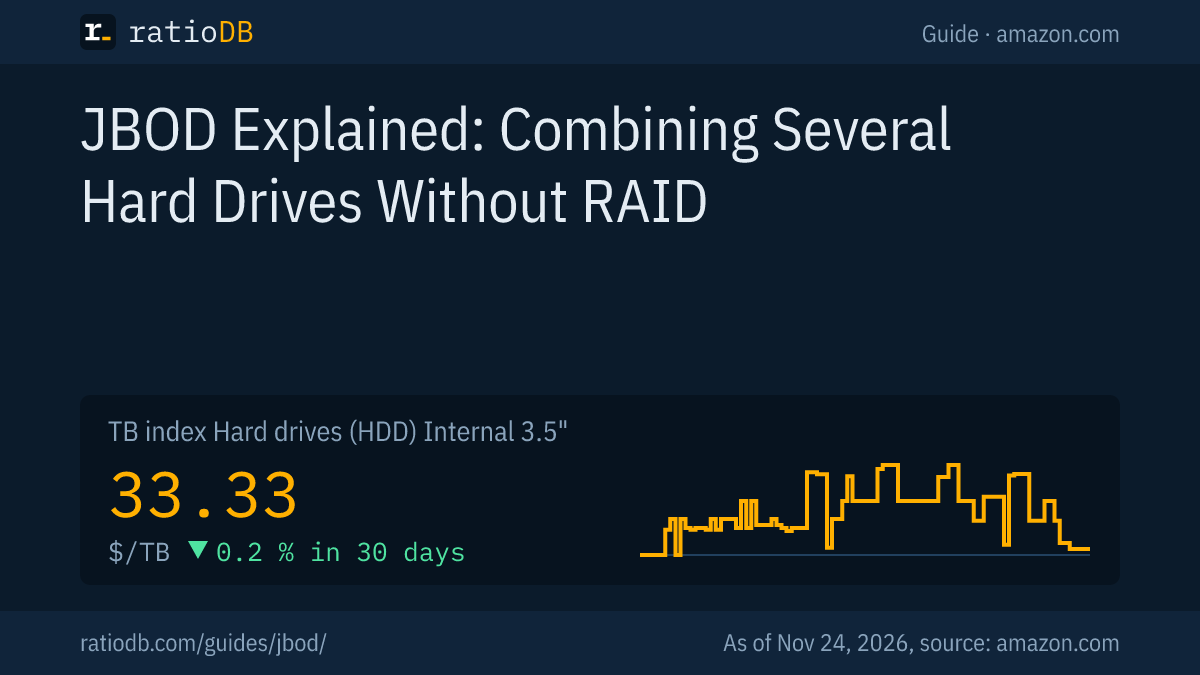
JBOD (Just a Bunch of Disks) combines several hard drives without protection. According to TechTarget, data is written to the drives one after another, and there is no redundancy (extra data for protection). If a drive fails, its data is gone for good. On amazon.com the TB index for internal 3.5-inch hard drives currently stands at $33.33 per TB according to ratioDB (as of Nov 24, 2026 at 12:18 PM UTC).
The appeal of JBOD is simple: you use every terabyte you paid for, and you can mix drives of different sizes. In return you get no protection. This guide explains the 2 forms of JBOD, how it differs from RAID, when JBOD makes sense and what it costs per TB. ratioDB does not test devices, we compare prices and spec sheets.
What is JBOD?
According to TechTarget, JBOD is a collection of drives in a computer or enclosure that are combined as 1 logical volume. JBOD is not a RAID level. The drives either work independently or are chained together without RAID logic.
Nakivo distinguishes 2 forms. With spanning (also called concatenation), several drives are joined into 1 large volume: drives of 2 TB, 4 TB and 1 TB appear as 1 volume of 7 TB. With independent use, every drive stays its own volume. According to iBoysoft, the other drives keep working when one fails in independent use, because each runs on its own.
Important before setting up: iBoysoft warns that drives cannot be concatenated without erasing them. Back up your data first. How to do that is in the guide 3-2-1 backup.
How does JBOD differ from RAID?
RAID spreads, mirrors or checks data across several drives to gain speed or protection. According to Stellar, JBOD stores data on the drives one after another (spanning) and offers neither a speed gain nor protection against failure.
RAID 0 also has no protection. Horizon Technology therefore sees the core of the difference in how data is written: JBOD fills one drive after the other, RAID spreads the data across all of them. According to Horizon Technology, JBOD's advantage is better use of capacity and the option to mix drives of different kinds and sizes.
| Feature | JBOD | RAID 5 | RAID 1 |
|---|---|---|---|
| Protection from failure | none | 1 drive | 1 drive |
| Usable capacity | all drives combined | n minus 1 | 1 drive |
| Mixing drives | possible | varies by system | varies by system |
| Minimum drives | 2 | 3 | 2 |
The figures for RAID and JBOD come from Western Digital's overview. The RAID calculator runs your own scenarios, and the guide RAID levels explained covers the levels in detail.
When does JBOD make sense?
JBOD fits data you have already backed up elsewhere, such as second copies, media archives or download folders. Because of its performance, TechTarget sees JBOD as better suited for secondary storage than for primary storage.
iBoysoft names many idle drives of different sizes as a typical case, which JBOD merges into 1 volume. The risk remains: with spanning, data rarely stays neatly on a single drive, according to Nakivo. If one fails, the loss can therefore reach beyond the files of that one drive.
- Fits: second copies and archives whose original lives elsewhere, and mixed leftover drives.
- Does not fit: the only copy of important data, working data that must run without interruption.
If you want protection and capacity together, look at RAID. The choice between a NAS and directly attached storage is explained in the guide NAS or DAS.
What does JBOD cost per TB?
With JBOD you pay the normal price per TB of the drives, because no capacity goes to protection. Every TB is usable. In RAID 5 with 4 drives you pay 1.33 times as much, in RAID 10 2 times.
At a TB index of $33.33 per TB (as of Nov 24, 2026 at 12:18 PM UTC), 1 usable TB in JBOD therefore costs roughly that value. The price of protection is missing, though: anyone who cannot afford to lose data needs a backup, and that costs extra.
Cheapest internal 3.5-inch drive per size on amazon.com, as of Nov 24, 2026 at 12:18 PM UTC
| Capacity | Cheapest offer | Price | Price per TB |
|---|---|---|---|
| 4 TB | WD Se 4 TB | $160.00 | $40.00 |
| 8 TB | Seagate BarraCuda 8 TB | $249.99 | $31.25 |
| 12 TB | Seagate Exos 12 TB | $459.00 | $38.25 |
| 16 TB | Synology 16 TB | $692.94 | $43.31 |
Used and refurbished offers are not included in the table. The 3 cheapest new drives per TB:
All offers are under Internal 3.5-inch hard drives, all types under Hard drives.
How does ratioDB compare hard drives?
ratioDB regularly pulls the amazon.com prices of all listed hard drives and converts them to price per TB, with 1 TB equal to 10^12 bytes. The TB index is the median of the 10 cheapest new offers per product type.
ratioDB divides multipacks by capacity times piece count. Used and refurbished offers are labeled and never count toward the index. All rules are on the Methodology page.
Frequently asked questions about JBOD
What does JBOD stand for?
Just a Bunch of Disks. It describes several drives used together without RAID logic.
Is JBOD a RAID?
No. Nakivo writes that JBOD is not a RAID level. The drives work independently or are chained together without RAID logic.
What happens if a drive fails in JBOD?
According to TechTarget, its data is permanently lost, because there is no copy. With independently used drives the others keep running. With a spanned volume more can be affected.
Can I mix drives of different sizes in JBOD?
Yes. That is one of the advantages of JBOD. Nakivo gives the example of drives with 2 TB, 4 TB and 1 TB that together form 1 volume of 7 TB.
Is JBOD faster than a single drive?
No. According to iBoysoft, JBOD brings no performance improvement like RAID does. TechTarget says RAID usually performs better by comparison.
Do I need a backup with JBOD?
Yes, absolutely, because there is no protection against failure. The rule for it is in the guide 3-2-1 backup.
Sources
- TechTarget: What is JBOD, JBOD compared with RAID
- Nakivo: RAID vs JBOD
- iBoysoft: Everything about JBOD
- Stellar: JBOD vs RAID
- Horizon Technology: JBOD setup and tips
- Western Digital: RAID levels and JBOD
- ratioDB: amazon.com prices, Methodology