M.2 Slot Explained: Keys, Lengths, PCIe or SATA
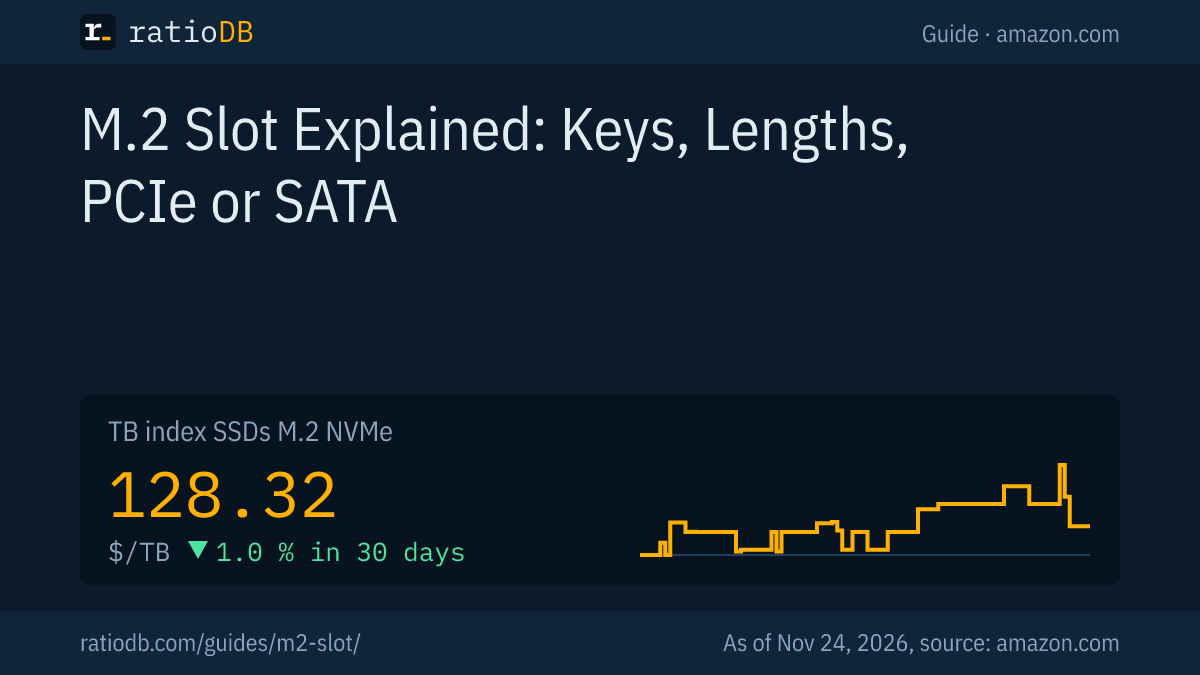
An M.2 slot is a flat connector on the motherboard or in a laptop for cards in the M.2 format, mainly SSDs. According to SanDisk, M.2 only describes the form factor. Whether an SSD runs over PCIe (NVMe) or over SATA depends on the slot and the SSD. Whether it fits is decided by key, length and interface. M.2 NVMe SSDs currently cost $128.32 per TB on amazon.com according to the ratioDB index (as of Nov 24, 2026 at 12:18 PM UTC).
If you add an SSD, the manual shows specs like "M key, 2242/2280, PCIe 4.0 x4". This guide explains what each of these specs means, how to check your slot and what a matching SSD costs. ratioDB does not test devices, we compare spec sheets and real prices.
What is an M.2 slot?
An M.2 slot is a socket into which an M.2 card is inserted at an angle and then screwed down flat. According to Dell, all motherboard M.2 slots are 22 mm wide. Besides SSDs, Wi-Fi and Bluetooth cards also use the M.2 format, then with a different key.
Western Digital describes M.2 as a form factor for internal cards that can use PCI Express, SATA and USB. A single slot does not support all of them, though. Which SSD it accepts is in the motherboard or laptop manual. The differences between NVMe and SATA are in the guide NVMe vs SATA.
What do B key and M key mean?
The key is a notch in the edge connector that prevents wrong insertion. According to ASUS, an M.2 SSD has a B, M or B+M key, while a slot only ever has 1 key. The M key allows up to 4 PCIe lanes, the B key up to 2.
Fast NVMe SSDs with 4 lanes use the M key, according to Dell, because only it supports PCIe x4. M.2 SATA SSDs mostly use the B key, according to Dell. Cards with both notches (B+M) fit slots with a B key and with an M key, according to ASUS. A fitting notch does not yet mean the SSD will work, though: a B+M SATA SSD goes into an M key slot but is only detected if the slot supports SATA.
| Key | Typical use per Dell | Interface |
|---|---|---|
| M | SSD | PCIe x4 or SATA |
| B | SSD, cellular modem | PCIe x2, SATA, USB |
| B+M (on the card only) | SATA SSD, older PCIe x2 SSD | fits B and M |
| A and E | Wi-Fi, Bluetooth | no SSD |
Which length fits my M.2 slot?
The 4 or 5 digits after M.2 give width and length in millimeters. A 2280 SSD is 22 mm wide and 80 mm long according to Dell, a 2242 SSD is 22 mm wide and 42 mm long.
According to Western Digital, M.2 SSDs on the market are 22 mm wide, with lengths of 30, 42, 60, 80 and 110 mm. Many motherboards have several holes for the retaining screw and then accept different lengths. If the manual only lists 2280, a shorter SSD usually does not fit without an adapter. The very short form factor for the Steam Deck and similar devices is explained in the guide M.2 2230.
Does my M.2 slot run PCIe or SATA?
The manual tells you: it says something like "PCIe 4.0 x4" or "SATA". Some slots support both, some only one. According to Dell, SATA SSDs always run at SATA speed regardless of form factor, and PCIe is faster than SATA.
The PCIe generation matters too. According to Crucial, a PCIe 4.0 SSD works in an older PCIe 3.0 slot, but only at that slot's speed. An SSD newer than the slot often costs more without you using its speed. How many lanes the motherboard and CPU provide is in the guide PCIe lanes, the fastest generation in the guide PCIe 5.0 SSD.
On many motherboards, M.2 slots share lanes with other ports. Crucial gives the example of an ASUS board on which full x4 mode in the slot disables 2 SATA ports. Read the table in the manual before installing if you run many drives on SATA ports.
How do I find out which M.2 slot I have?
The safest source is the motherboard manual or the laptop spec sheet. It lists key, supported lengths, interface and PCIe generation for each slot. Crucial also offers a System Scanner that lists matching SSDs for your device.
- Find the model name of the motherboard or laptop, on Windows for example with the System Information app.
- Open the manual on the maker's site and read the specs for each M.2 slot.
- Note key, length and PCIe generation and choose the SSD to match.
- Watch for notes on lanes shared with SATA ports or PCIe slots.
Installation step by step is in the guide installing an SSD. Whether your slot needs a heatsink is in the guide SSD heatsink.
What does an M.2 SSD cost per TB?
M.2 NVMe SSDs currently cost $128.32 per TB on amazon.com according to the ratioDB index (as of Nov 24, 2026 at 12:18 PM UTC). The cheapest new offer from a known brand in our data for M.2 SSDs with NVMe or SATA is the Crucial E100 2 TB with 2 TB for $249.99, which is $125.00 per TB.
The index only counts NVMe SSDs. The table below shows the cheapest M.2 SSD per capacity, with NVMe or SATA. Before you buy, check that the SSD matches the key and interface of your slot.
Cheapest M.2 SSD per capacity on amazon.com, NVMe and SATA, as of Nov 24, 2026 at 12:18 PM UTC
| Capacity | Cheapest offer | Price | Price per TB |
|---|---|---|---|
| 500 GB | Patriot P320 512 GB | $83.99 | $164.04 |
| 1 TB | Kingston NV3 1 TB | $139.99 | $139.99 |
| 2 TB | Crucial E100 2 TB | $249.99 | $125.00 |
| 4 TB | Crucial P3 Plus 4 TB | $639.27 | $159.82 |
Used and refurbished offers are not included in the table. The 3 cheapest new M.2 SSDs per TB:
All offers are under M.2 NVMe SSDs and M.2 SATA SSDs, all types under SSDs.
How does ratioDB compare SSDs?
ratioDB fetches amazon.com prices of all listed SSDs regularly and converts them into price per TB, with 1 TB equal to 10^12 bytes. The TB index is the median of the 10 cheapest new offers per product type.
ratioDB divides multipacks by capacity times count. Used and refurbished offers are labeled and never count toward the index. All rules are on the Methodology page.
Frequently asked questions about the M.2 slot
Does every M.2 SSD fit every M.2 slot?
No. Key, length and interface must match. A B+M SATA SSD also goes into an M key slot according to ASUS, but only works there if the slot supports SATA.
What does M.2 2280 mean?
22 mm wide and 80 mm long. According to Dell, the first 2 digits give the width, the following ones the length in millimeters.
Is M.2 the same as NVMe?
No. According to SanDisk, M.2 is only the form factor. NVMe is the protocol over PCIe. An M.2 SSD can run with NVMe or with the slower SATA.
Can I put a PCIe 4.0 SSD in a PCIe 3.0 slot?
Yes. According to Crucial, the SSDs are backward compatible, but then only run at the older slot's speed.
Does a populated M.2 slot disable SATA ports?
On some motherboards, yes. Crucial shows an example where full x4 mode disables 2 SATA ports. Which ones are affected on your board is in the manual.
What does M key mean?
The notch sits at position M. According to ASUS, the M key allows up to 4 PCIe lanes, and it is the usual key for fast NVMe SSDs.
Sources
- Dell: Differences between M.2 cards, slots, keys and sizes
- ASUS ROG: Buying an M.2 SSD, how to tell which is which
- Western Digital: M.2 sizes and keys
- SanDisk: Types of SSDs explained
- Crucial: PCIe speeds and limitations, BIOS settings for M.2 SSDs
- ratioDB: amazon.com prices, Methodology