USB-C Flash Drive Buying Guide: Speed, Dual Connectors and Price per GB
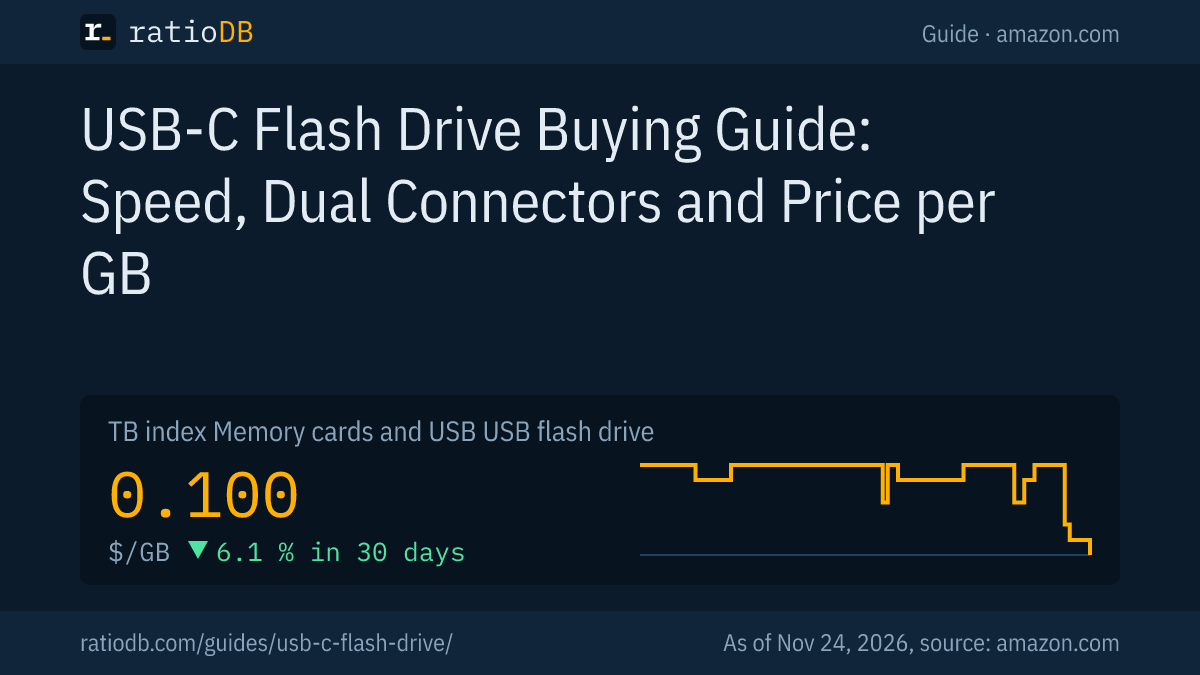
A USB-C flash drive is a flash drive with the round, reversible USB Type-C connector. According to PCWorld, the connector says nothing about speed, the USB version does: USB 3.2 Gen 1 reaches 5 Gbps, USB 3.2 Gen 2 reaches 10 Gbps. Fast models such as the SanDisk Extreme PRO Dual Drive read up to 1,000 MB/s according to the maker. USB flash drives currently cost $0.100 per GB on amazon.com according to the ratioDB index (as of Nov 24, 2026 at 12:18 PM UTC).
USB-C is now in almost every new smartphone, tablet and laptop. A USB-C flash drive saves you the adapter there. This guide explains how to spot the speed, when a drive with 2 connectors makes sense, what works on iPhone and Android and what 1 GB costs. ratioDB does not test flash drives, we compare maker spec sheets and real prices.
What is a USB-C flash drive?
A USB-C flash drive is pocket-sized flash storage with a USB Type-C connector. There are pure USB-C drives and dual drives with USB-C on one end and USB-A on the other. Both store data without a cable and without their own power supply.
Samsung, for example, offers the Type-C Flash Drive with a single USB-C connector. SanDisk sells the Ultra Dual Drive Luxe with both connectors so the drive can move between a tablet, a Mac and an older USB-A computer, according to the maker. Which design fits depends on your devices: if your oldest computer only has USB-A, pick a dual drive.
The general buying guide for all connectors is in the guide buying a USB flash drive.
How fast is a USB-C flash drive?
Speed depends on the USB version and the memory inside the drive, the connector plays no part. USB 3.2 Gen 1 allows 5 Gbps, USB 3.2 Gen 2 allows 10 Gbps. If the spec sheet lists no generation, it usually means Gen 1, according to Tom's Hardware.
The names have changed several times. USB 3.0, USB 3.1 Gen 1 and USB 3.2 Gen 1 all mean the same 5 Gbps, according to Tom's Hardware. What matters to you is the read speed in MB/s on the spec sheet, and many drives write much more slowly than they read.
| Model per maker | Connector | USB version | Read up to |
|---|---|---|---|
| Samsung Type-C Flash Drive | USB-C | USB 3.2 Gen 1 | 400 MB/s |
| SanDisk Ultra Dual Drive Luxe | USB-C and USB-A | USB 3.2 Gen 1 | 400 MB/s |
| SanDisk Extreme PRO Dual Drive | USB-C and USB-A | USB 3.2 Gen 2 | 1,000 MB/s |
At Samsung, the 128 GB and 256 GB sizes reach 400 MB/s according to the spec sheet, the 64 GB version reads up to 300 MB/s. For the SanDisk Extreme PRO Dual Drive, the maker also lists up to 900 MB/s write. What the USB tiers mean in detail is in the guide USB speeds explained.
Does a USB-C flash drive work with iPhone and Android?
Yes. According to Apple, iPhones with USB-C support external storage. The Pro models from iPhone 15 Pro reach USB 3.2 Gen 2 with up to 10 Gbps, but only with a suitable USB 3 cable. Android phones need USB-C and On-The-Go support (OTG, connecting accessories to the phone), according to SanDisk.
A drive that plugs straight into the port needs no cable. On the iPhone the files show up in the Files app. According to MacRumors, the Pro models from iPhone 15 Pro can even record ProRes video directly to external storage. For files that large an external SSD fits better, more on that in the next section.
The file system matters. For phone, Mac and Windows to read the drive and for files over 4 GB to fit, format it as exFAT. The difference to NTFS is in the guide exFAT or NTFS, the steps are in the guide formatting a USB flash drive.
When is an external SSD better than a USB-C flash drive?
An external SSD pays off if you often write large files, such as videos, backups or whole photo libraries. Many USB-C flash drives read fast and write much more slowly. For documents, music and swapping files between devices, a flash drive is enough.
The flash drive is smaller and needs no cable. The SSD usually writes large files faster and comes in larger capacities. The direct comparison is in the guide SSD or USB flash drive. The SSD for the iPhone is covered in the guide SSD for iPhone.
- Flash drive fits: swapping files between phone and laptop, music in the car, documents on the go, install media.
- SSD fits better: video recording, regular backups, files of many GB.
What does a USB-C flash drive cost per GB?
USB flash drives currently cost $0.100 per GB on amazon.com according to the ratioDB index (as of Nov 24, 2026 at 12:18 PM UTC). The cheapest new offer from a known brand in our data is the PNY Attaché Gen 1 256 GB with 256 GB for $25.49, which is $0.100 per GB.
The index covers all USB flash drives in our data, with USB-A, USB-C or both. Whether a drive has USB-C is in the product name. Check carefully before you buy, because pure USB-A drives often look similar in lists.
Cheapest USB flash drive per capacity on amazon.com, all connectors, as of Nov 24, 2026 at 12:18 PM UTC
| Capacity | Cheapest offer | Price | Price per GB |
|---|---|---|---|
| 64 GB | Lexar E31 64 GB | $16.99 | $0.265 |
| 128 GB | SanDisk Ultra Flair 128 GB | $21.99 | $0.172 |
| 256 GB | PNY Attaché Gen 1 256 GB | $25.49 | $0.100 |
| 512 GB | SanDisk Ultra Dual Go 512 GB | $86.06 | $0.168 |
Used and refurbished offers are not included in the table. The 3 cheapest new USB flash drives per GB:
All offers are under USB flash drives, all types under Memory cards and USB.
How does ratioDB compare USB flash drives?
ratioDB fetches amazon.com prices of all listed USB flash drives regularly and converts them into price per GB, with 1 GB equal to 10^9 bytes. The index is the median of the 10 cheapest new offers of the product type.
ratioDB divides multipacks by capacity times count. Used and refurbished offers are labeled and never count toward the index. All rules are on the Methodology page.
Frequently asked questions about USB-C flash drives
Is a USB-C flash drive faster than a USB-A drive?
Not automatically. According to PCWorld, speed comes from the USB version, the connector says nothing about it. USB 3.2 Gen 1 and Gen 2 exist with USB-A and with USB-C.
Which USB-C flash drive works with the iPhone?
Any USB-C drive the iPhone recognizes, usually formatted as exFAT. According to Apple, iPhones with USB-C support external storage, the Pro models from iPhone 15 Pro at up to 10 Gbps.
What is a dual drive?
A drive with 2 connectors, usually USB-C and USB-A. SanDisk builds the Ultra Dual Drive Luxe and the Extreme PRO Dual Drive this way, so the same drive fits new and old devices.
Does my Android phone need an app for a USB-C flash drive?
Usually not, you open the files in the file manager. SanDisk lists USB-C and OTG support on the phone as requirements. Makers offer their own apps for automatic backups.
What does USB 3.2 Gen 1 mean?
It is the 5 Gbps tier, formerly called USB 3.0 or USB 3.1 Gen 1. USB 3.2 Gen 2 reaches 10 Gbps. According to Tom's Hardware, a missing generation usually means Gen 1.
How do I format a USB-C flash drive for Mac, Windows and phone?
As exFAT, then all 3 systems read the drive and files over 4 GB fit. The steps are in the guide formatting a USB flash drive.
Sources
- PCWorld: USB 3.2 and its names
- Tom's Hardware: USB 3.2 Gen 1, Gen 2 and Gen 2x2 explained
- Apple: Charge and connect with the USB-C connector on your iPhone
- MacRumors: USB-C on the iPhone 15
- Samsung: Type-C Flash Drive spec sheet
- SanDisk: Ultra Dual Drive Luxe, Extreme PRO Dual Drive
- ratioDB: amazon.com prices, Methodology