SSD vs Flash Drive: Which Is Better and Which Is Cheaper?
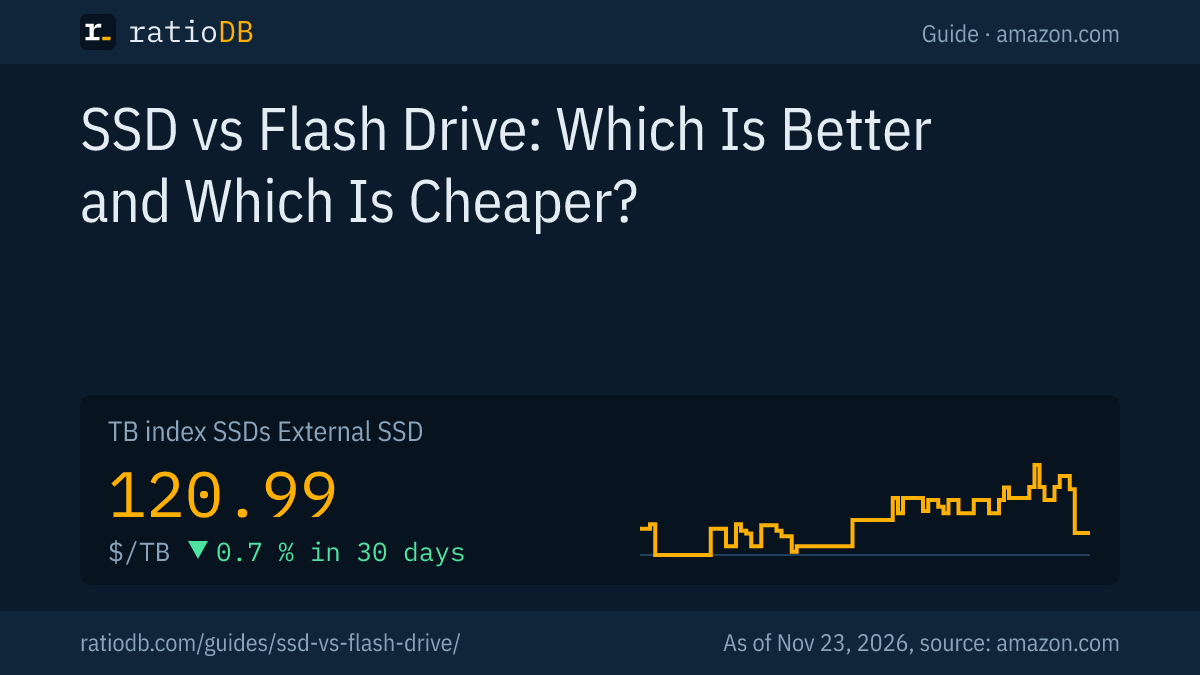
A USB flash drive is small flash storage with a built-in USB plug, an external SSD is a separate drive with a cable and usually much higher speed. Common flash drives like the SanDisk Ultra Dual Drive Go or the Samsung BAR Plus read up to 400 MB/s according to their makers, fast flash drives up to 1,000 MB/s. External SSDs read from about 1,050 MB/s, with USB4 up to 3,800 MB/s. Per TB, the external SSD currently costs about 1.2 times as much as the flash drive on amazon.com, according to the ratioDB index. As of Nov 23, 2026 at 10:17 AM UTC.
This guide compares USB flash drives and external SSDs on speed, size, use cases and price, shows when a flash drive is enough and when an SSD pays off, and checks with live prices from amazon.com what drives of the same size cost. The technical facts come from SanDisk and Samsung data sheets and from Microsoft. ratioDB does not test drives itself, prices as of Nov 23, 2026 at 10:17 AM UTC.
What is the difference between a flash drive and an SSD?
A flash drive plugs straight into the USB port and is built for small to medium amounts of data. An external SSD usually connects with a cable, is generally faster, especially when writing, and offers larger capacities. Both store data on flash chips, but they differ in connection, speed and design.
| Feature | USB flash drive | External SSD |
|---|---|---|
| Design | plug on the housing | own housing with a cable |
| Connectors | USB-A, USB-C or both | USB-C, some with a cable to USB-A |
| Read per maker | 150 to 400 MB/s, fast drives up to 1,000 MB/s | 1,050 MB/s (Gen 2) to 3,800 MB/s (USB4) |
| Write per maker | often not stated | usually stated, for example 1,000 MB/s on the Samsung T7 |
| Warranty per maker | 5 years on the SanDisk Ultra Dual Drive Go and Samsung BAR Plus | 3 years on the Samsung T7, 5 years on the T9 |
Sources: SanDisk Ultra Dual Drive Go, SanDisk Extreme PRO Dual Drive, Samsung BAR Plus, Samsung T7, Samsung T9 (10/03/2023), SanDisk Extreme PRO with USB4.
How fast is a flash drive compared with an SSD?
A typical flash drive with USB 3.2 Gen 1 reads up to 400 MB/s according to SanDisk and Samsung, an external SSD with USB 3.2 Gen 2 like the Samsung T7 reads up to 1,050 MB/s and writes up to 1,000 MB/s. The gap is often bigger for writing, because the two standard flash drives in the table give no fixed write speed. For the BAR Plus, Samsung only says that write speed is lower than read speed.
The maker specs at a glance:
| Model | Type | Interface | Read | Write |
|---|---|---|---|---|
| SanDisk Ultra Dual Drive Go | flash drive | USB 3.2 Gen 1 | up to 400 MB/s from 128 GB, 150 MB/s at 32 GB | not stated |
| Samsung BAR Plus | flash drive | USB 3.1 Gen 1 | up to 400 MB/s from 128 GB | "lower than read speed" |
| SanDisk Extreme PRO Dual Drive | flash drive | USB 3.2 Gen 2 | up to 1,000 MB/s | up to 900 MB/s |
| Samsung T7 | external SSD | USB 3.2 Gen 2 | up to 1,050 MB/s | up to 1,000 MB/s |
| Samsung T9 | external SSD | USB 3.2 Gen 2x2 | up to 2,000 MB/s | up to 1,950 MB/s, 4 TB up to 2,000 MB/s |
| SanDisk Extreme PRO with USB4 | external SSD | USB4 at 40 Gbit/s | up to 3,800 MB/s | up to 3,700 MB/s |
Notice that the fastest flash drive in this list is almost on par with a USB 3.2 Gen 2 SSD for reading. Small flash drives are often much slower, SanDisk lists only 150 MB/s for the Ultra Dual Drive Go at 32 GB. And all these values only apply if the port on your computer can keep up. Which USB tier is how fast is explained in the guide USB 3.2 Gen 2 explained.
Samsung names another condition for the T7: maximum speed is only reached if device and cable support USB 3.2 Gen 2 and UASP is enabled. UASP (USB Attached SCSI Protocol) is a transfer method for USB drives. On an old USB 2.0 port, flash drive and SSD both drop to USB 2.0 speed, and the SSD loses its advantage.
Convert the difference into time: 50 GB of photos take about 2 minutes at 400 MB/s and about 50 seconds at 1,000 MB/s. When writing, that is when you save to the drive, the flash drive can take much longer, because makers give no value or a lower one for writing.
Which is cheaper per TB: flash drive or external SSD?
USB flash drives currently cost $0.102 per GB on amazon.com according to the index, or about $102 per TB. External SSDs cost $120.99 per TB according to the TB index. As of Nov 23, 2026 at 10:17 AM UTC. Which is cheaper at your size is shown by comparing drives of the same capacity.
The index is the median of the 10 cheapest new offers of a product type. The fairer comparison is at the same size, because flash drives mostly come small and SSDs mostly large:
Flash drive vs external SSD of the same size on amazon.com, new single drives from known brands, as of Nov 23, 2026 at 10:17 AM UTC
| Capacity | Cheapest USB flash drive | Cheapest external SSD | SSD premium |
|---|---|---|---|
| 128 GB | SanDisk Ultra Flair 128 GB: $21.99 | no offer | no comparison |
| 256 GB | PNY Attaché Gen 1 256 GB: $25.49 | Lexar Dual D500 256 GB: $59.99 | +$34.50 |
| 512 GB | SanDisk Ultra Dual Go 512 GB: $86.06 | Lexar ES3 512 GB: $99.99 | +$13.93 |
| 1 TB | no offer | SanDisk 1 TB: $124.99 | no comparison |
| 2 TB | no offer | Seagate One Touch 2 TB: $239.99 | no comparison |
At 512 GB, the largest capacity with offers in both columns, the flash drive costs $86.06 and the SSD $99.99. The cheapest flash drive per GB right now is PNY Attaché Gen 1 256 GB at $0.100 per GB (256 GB). Among external SSDs, SanDisk Desk 8 TB leads at $112.38 per TB (8 TB).
Besides price per TB, what you really need matters. A 128 GB flash drive for documents costs little, while a 1 TB SSD for backups can be cheaper per TB than several flash drives, and the table shows the current numbers. All flash drives are under USB flash drives, all external SSDs under External SSD, by size for example 1 TB external SSD and 2 TB external SSD.
When is a flash drive enough?
A flash drive is enough for documents, presentations, music in the car, sharing files and installation media. Microsoft requires at least 8 GB for a Windows installation drive. For single files over 4 GB you need exFAT or NTFS, because FAT32 allows at most 4 GiB per file according to Microsoft.
Typical uses for a flash drive:
- Documents and presentations: Small, fits on a key ring, 32 to 64 GB is enough.
- Installation media: At least 8 GB for Windows according to Microsoft. Recovery images such as Valve's for the Steam Deck also go on a flash drive.
- Music in the car and on the TV: If your car stereo or TV has a USB port, a flash drive is the simplest solution. Which file system the device reads is in its manual.
- Handing over data: A cheap flash drive is easier to give away than an SSD.
A 128 GB flash drive currently starts at $21.99 on amazon.com (SanDisk Ultra Flair 128 GB). How to format a flash drive correctly is shown in the guide Format USB to FAT32, which file system fits which use is explained in exFAT vs NTFS. Specific models with data sheets are compared in Best USB flash drive.
When is an external SSD better?
An external SSD is better for backing up whole computers, for photo and video archives, for large game libraries and for anything you write regularly. It offers more capacity and a stated write speed. Whether it is cheaper per TB than a flash drive is shown in the table above for each size.
| Use | Recommendation | Why |
|---|---|---|
| Documents, presentations | flash drive | small, cheap, speed is enough |
| Installation media | flash drive | Microsoft requires at least 8 GB |
| Backing up the whole computer | external SSD or hard drive | lots of space, high write speed |
| Photos and videos on the go | external SSD | faster when writing large files |
| Video editing straight from the drive | external SSD with Gen 2x2, USB4 or Thunderbolt | high data rates over long periods |
| Music in the car | flash drive | plugs straight into the car stereo's USB port |
The table is ratioDB's assessment based on maker specs. Which external SSD suits your computer is compared in the guide Best external SSD. For very high speed on a Mac or PC with Thunderbolt, see Thunderbolt SSD.
A 1 TB external SSD currently starts at $124.99 on amazon.com (SanDisk 1 TB).
USB-A or USB-C: which connector fits?
Pick the connector your devices have, and if in doubt a model with both. Flash drives like the SanDisk Ultra Dual Drive Go and the SanDisk Extreme PRO Dual Drive have USB-A and USB-C on one housing according to SanDisk. Newer Macs only have USB-C or Thunderbolt, so older USB-A drives need a cable or adapter there.
This overview helps in daily use:
| Device | Matching flash drive | Matching external SSD |
|---|---|---|
| Older Windows PC with USB-A | flash drive with USB-A | SSD with a USB-C to USB-A cable |
| New laptop with USB-C | flash drive with USB-C or dual drive | SSD with a USB-C cable |
| Mac with USB-C or Thunderbolt | flash drive with USB-C or dual drive | SSD with USB-C, USB4 or Thunderbolt for speed |
| Car stereo, TV | flash drive with USB-A | rarely needed |
| Several devices in turn | dual drive with USB-A and USB-C | SSD with both cables |
Watch the USB tier of adapters: a simple adapter or an old USB 2.0 cable slows any drive down to USB 2.0 speed. More on Mac ports is in the guide Best external hard drive for Mac.
Is a flash drive good for backups?
Not as your only backup, but yes as an extra copy of a few important files. A flash drive is easy to lose and offers little space for a full backup. The 3-2-1 rule says to keep important data in 3 copies on 2 different media, with 1 copy off site.
A flash drive works well as the off-site copy, for example for tax records or password files that you keep encrypted at the office or with family. For backing up the whole computer, an external SSD or hard drive is more practical because it has room for the whole system. What a 3-2-1 backup looks like is shown in the guide 3-2-1 backup rule. Whether the cloud is an alternative is worked out in Cloud storage vs hard drive.
Keep this in mind for any flash storage: a drive that is no longer detected is a problem without a second copy, whether flash drive or SSD. How long SSDs last and what TBW means is explained in the guide SSD lifespan.
What should I check before buying?
Check 5 things: your computer's port, the stated read and write speed, the capacity, the warranty and the price per TB. A drive rated at about 1,000 MB/s only reaches that speed on a port with at least 10 Gbit/s, which means USB 3.2 Gen 2.
- Port: USB-A or USB-C, and which USB tier your computer has. The USB-C connector alone says nothing about speed.
- Speed: Look at read and write. If no write speed is given, expect slower writes, as Samsung states explicitly for the BAR Plus.
- Capacity: Small flash drives usually cost more per GB, and SanDisk lists lower read speeds for small sizes. Plan for headroom.
- Warranty: SanDisk gives 5 years on the Ultra Dual Drive Go, Samsung 5 years on the BAR Plus, 3 years on the T7 and 5 years on the T9.
- Price per TB: Compare drives of the same size, the table above shows current values.
If a flash drive does not show up on your computer, the cause is often the port, the drive letter or the file system. The fixes are collected in the guide USB drive not showing up.
How do flash drives, SSDs and microSD cards differ?
A microSD card is the third option for small devices with a card reader. It is smaller than a flash drive, but needs a card reader on a computer. Per GB it currently costs $0.194 on amazon.com according to the index. A flash drive costs $0.102 per GB.
For laptops without a card reader, a flash drive is more convenient, for cameras, handhelds and smartphones the card. If you need a lot of space on a device with built-in storage, the options are in the guide eMMC vs SSD. Current card prices are under microSD cards, all cards and flash drives under memory cards and USB.
How does ratioDB compare flash drives and SSDs?
ratioDB checks the amazon.com prices of all listed USB flash drives and external SSDs regularly and converts them to price per GB or TB, with 1 TB equal to 1,000,000,000,000 bytes. The index is the median of the 10 cheapest new offers per product type.
For the tables we take the cheapest new single item per product from known brands, and a deviation of at most 5% counts as the same size. Used and refurbished offers are labeled in the lists and never count toward the index. The live boxes show external SSDs. We do not run our own measurements, speeds, interfaces and warranties are maker specs. All rules are on the methodology page.
Frequently asked questions about flash drives and SSDs
Is an SSD faster than a flash drive?
Usually yes. Typical flash drives read up to 400 MB/s according to SanDisk and Samsung, an external SSD like the Samsung T7 up to 1,050 MB/s. Fast flash drives like the SanDisk Extreme PRO Dual Drive reach up to 1,000 MB/s for reading.
Is a flash drive cheaper than an SSD?
At small sizes usually yes. At 512 GB, the cheapest flash drive on amazon.com currently costs $86.06 and the cheapest external SSD $99.99 (as of Nov 23, 2026 at 10:17 AM UTC). For larger capacities the table above shows the current comparison.
Can I use a flash drive like an SSD?
For documents and occasional files, yes. For constant writing, backups and large files, an SSD is better, because makers state write speed and offer larger capacities.
What size flash drive do I need?
At least 8 GB for a Windows installation drive according to Microsoft, 32 to 64 GB for documents and 128 GB or more for photos and videos. For very large amounts of data an external SSD is the more practical choice.
Why does my flash drive show less space than advertised?
Windows counts in binary, makers in decimal. A 64 GB flash drive therefore shows about 59.6 GB. The file system also takes up some space.
Can I copy files over 4 GB to a flash drive?
Yes, if the drive is formatted with exFAT or NTFS. FAT32 allows at most 4 GiB per file according to Microsoft. Windows shows which file system your drive uses in the drive's properties.
How much does a 1 TB external SSD cost right now?
The cheapest new 1 TB external SSD from a known brand currently costs $124.99 on amazon.com (as of Nov 23, 2026 at 10:17 AM UTC).
Sources
- SanDisk: Ultra Dual Drive Go data sheet (PDF), Extreme PRO Dual Drive data sheet (PDF), Extreme PRO with USB4 data sheet (PDF)
- Samsung: BAR Plus 256 GB, Portable SSD T7, Portable SSD T9 (10/03/2023)
- Microsoft: Create installation media for Windows, File system functionality comparison
- ratioDB: amazon.com prices, methodology