Best SD Card for Dashcam: U3, Endurance, Size and Prices
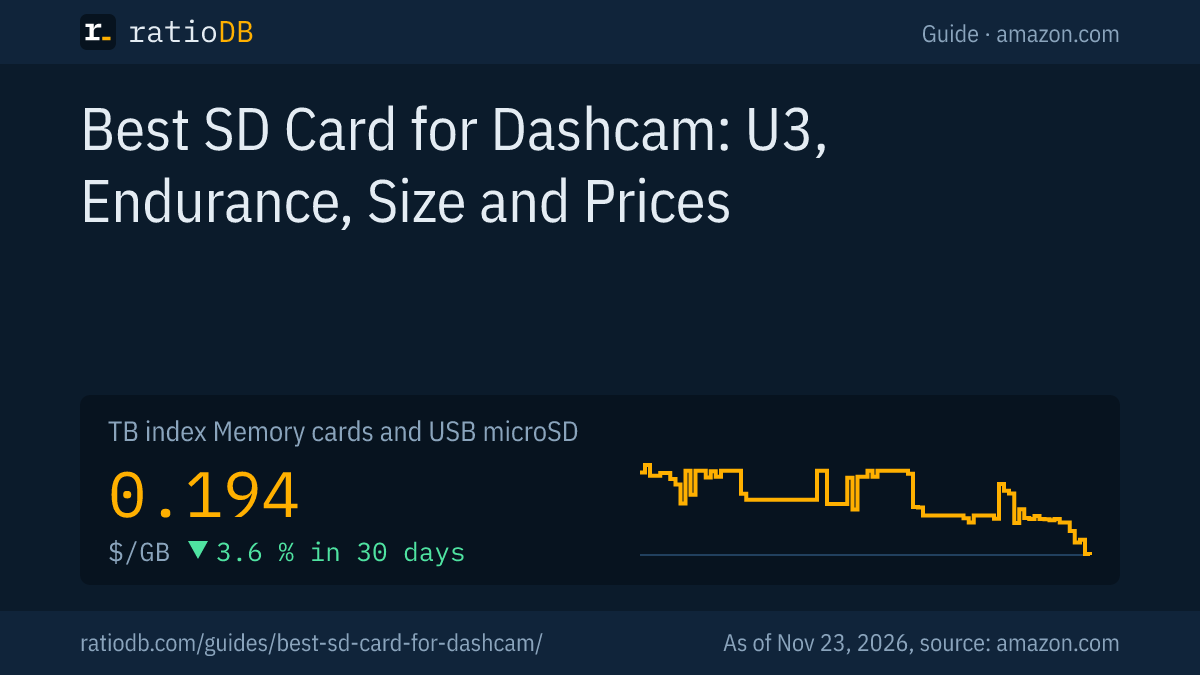
A dash cam needs a microSD card built for continuous recording with at least U3, meaning a minimum write speed of 30 MB/s. Nextbase writes that the card needs to be a high-endurance card, otherwise it may develop faults after a period of time. Garmin lists microSD cards from 8 to 512 GB with at least Class 10 for the Dash Cam Live. On amazon.com, a microSD card currently costs $0.194 per GB according to the ratioDB GB index (as of Nov 23, 2026 at 10:17 AM UTC).
A dash cam records on every drive and overwrites old clips in a loop. On top of that come summer heat and winter cold. For a regular phone card that is a tough environment. This guide explains which class and size your dash cam needs, what endurance cards can take according to their makers, how often you should format and what to keep in mind about recording on the road. ratioDB does not test memory cards. We compare prices and spec sheets. The details come from the linked sources from Nextbase, Garmin, SanDisk and Samsung.
Why does a dash cam need a special memory card?
Because the dash cam writes non-stop on every drive and overwrites the card in a loop again and again. Nextbase calls this a high-intensity environment in which most non-Nextbase cards struggle. The results are missing footage, gaps in the video or a camera that stops responding.
Nextbase describes the signs of an overloaded card precisely: the dash cam freezes, chunks of video are missing, buttons stop responding. According to Nextbase, failure usually comes after prolonged use, which could be days, weeks or months. The dangerous part is that you often only notice when you need a recording.
The 3 requirements for a dash cam card:
- Speed: The card has to write the video without a break. Nextbase recommends U3 with at least 30 MB/s.
- Endurance: The card has to survive constant overwriting. Endurance cards with stated recording hours are built for that.
- Size: The card has to fit your dash cam and hold enough driving time before the loop overwrites.
Which speed class does a dash cam memory card need?
Nextbase recommends U3, meaning at least 30 MB/s when writing. According to Nextbase, read speed matters less because the camera mainly writes. Garmin requires at least Class 10, meaning 10 MB/s, for the Dash Cam Live. Your dash cam manual always has the final say.
The classes on the card are guaranteed minimum write speeds: Class 10 and U1 stand for 10 MB/s, U3 and V30 for 30 MB/s. A U3 card therefore also meets a Class 10 requirement. What every symbol on the card means is covered in the guide SD card speed classes.
The makers' requirements at a glance:
| Maker | Class | Size | File system | Note |
|---|---|---|---|---|
| Nextbase | U3 | up to 128 GB | per camera | high-endurance card required |
| Garmin Dash Cam Live | Class 10 or higher | 8 to 512 GB | exFAT | list of recommended cards at Garmin |
Garmin keeps a list of cards it recommends at garmin.com/dashcamcards. Check the manual or support page of your dash cam for such a list. A card the maker names itself is the surest route to a card that runs reliably.
What can endurance cards take according to their makers?
SanDisk rates the High Endurance 128 GB for up to 10,000 hours of Full HD video and the MAX ENDURANCE 128 GB for up to 60,000 hours. Samsung rates the PRO Endurance 128 GB for up to 70,080 hours. Samsung explicitly launched the PRO Endurance for surveillance and dash cams.
| Card | 32 GB | 64 GB | 128 GB | 256 GB | Warranty | Class |
|---|---|---|---|---|---|---|
| SanDisk High Endurance | 2,500 h | 5,000 h | 10,000 h | 20,000 h | 2 years | C10, U3, V30 |
| SanDisk MAX ENDURANCE | 15,000 h | 30,000 h | 60,000 h | 120,000 h | 10 years | C10, U3, V30 |
| Samsung PRO Endurance | 17,520 h | 35,040 h | 70,080 h | 140,160 h | 2 to 5 years | C10, U1 to U3 |
The hours apply to Full HD video. SanDisk notes the total is lower for 4K video, and Samsung bases its figures on Full HD at 26 Mbps. With Samsung, the 32 and 64 GB sizes carry U1 and V10, from 128 GB U3 and V30. If you want to meet Nextbase's U3 requirement, go for at least 128 GB with Samsung.
For perspective: if you drive 1 hour a day, you record about 365 hours a year. Even the 2,500 hours of the smallest High Endurance card add up to several years if the camera only records while driving. With parking mode, where the camera also records in a parked car, the hours climb quickly.
One more point favors endurance cards in a car: SanDisk gives an operating temperature range of -13 to 185°F for the High Endurance. For a car in summer sun and winter frost, that is an important spec.
What size memory card does a dash cam need?
For HD recording without a rear camera, Nextbase gives about 4 hours on 32 GB, 8 hours on 64 GB and 16 hours on 128 GB, half that with a rear camera. 128 GB is the largest card Nextbase supports. Garmin lists up to 512 GB for the Dash Cam Live.
Nextbase's figures for HD recording before the camera overwrites:
| Card | Without rear camera | With rear camera |
|---|---|---|
| 32 GB U3 | about 4 hours | about 2 hours |
| 64 GB U3 | 8 hours | 4 hours |
| 128 GB U3 | 16 hours | 8 hours |
A simple question helps with the size: how many hours of driving do you want to be able to look back? If you stop and save the clip right after an incident, a few hours are enough. If you drive with front and rear cameras, record at a higher resolution or use parking mode, you need more. Before buying a large card, check your dash cam's limit: a card above the limit is at best not recognized.
Nextbase dash cams also create protected files that the loop does not overwrite. According to Nextbase, they can only be removed by formatting. Protected clips therefore fill the card over time, another reason for some headroom.
How often should I format a dash cam card?
Nextbase recommends formatting the card in the camera every 2 to 3 weeks, and once a week for heavy users such as taxi and delivery drivers. That is the only way to remove the protected files the camera creates.
Always format the card in the dash cam itself. That way the camera sets up the file system it expects. Garmin lists exFAT as the file system for the Dash Cam Live. Save any clips you want to keep first, because formatting erases everything. If the camera won't accept the card and you need to format on a computer, the guide How to format an SD card explains the steps.
A small routine in 4 steps:
- Save clips: Copy important recordings to your phone or computer.
- Format in the camera: In the dash cam menu or the app.
- Quick test: After formatting, drive off once and check that recording runs.
- Set a reminder: For the next round in 2 to 3 weeks.
How much does a dash cam memory card cost right now?
The cheapest endurance card per GB on amazon.com right now is SanDisk High Endurance Video 128 GB at $0.305 per GB (128 GB). The GB index for all microSD cards is $0.194 per GB (as of Nov 23, 2026 at 10:17 AM UTC). Per GB, endurance cards cost about 2.4 times as much as a standard card of the same size (median across sizes).
In this list, an endurance card is any new microSD card its maker sells as an endurance card by name, such as High Endurance, MAX ENDURANCE or PRO Endurance. Standard cards are new microSD cards from well-known brands without that label.
Cheapest endurance card and standard microSD card by size on amazon.com, as of Nov 23, 2026 at 10:17 AM UTC
| Capacity | Cheapest endurance card | Cheapest standard microSD card |
|---|---|---|
| 32 GB | SanDisk MAX Endurance 32 GB: $32.99 ($1.03 per GB) | Patriot LX Series Micro 32 GB: $11.49 ($0.359 per GB) |
| 64 GB | no offer | SanDisk Ultra 64 GB: $22.30 ($0.348 per GB) |
| 128 GB | SanDisk High Endurance Video 128 GB: $38.99 ($0.305 per GB) | SanDisk Made 128 GB: $24.80 ($0.194 per GB) |
| 256 GB | Samsung PRO Endurance 256 GB: $149.37 ($0.583 per GB) | SanDisk Extreme UHS 256 GB: $61.27 ($0.239 per GB) |
| 512 GB | Viofo Industrial Grade High Endurance 512 GB: $229.99 ($0.449 per GB) | Samsung P9 Express 512 GB: $94.99 ($0.186 per GB) |
At 128 GB, the largest card for Nextbase, SanDisk High Endurance Video 128 GB currently costs $38.99. A standard 128 GB card, SanDisk Made 128 GB, costs $24.80. With a dash cam, the premium for an endurance card is money well spent: a card that failed to record at the crucial moment is worthless.
All endurance cards on amazon.com, as of Nov 23, 2026 at 10:17 AM UTC
| Endurance card | Capacity | Price | Price per GB |
|---|---|---|---|
| SanDisk MAX Endurance 32 GB | 32 GB | $32.99 | $1.03 |
| SanDisk High Endurance Video 128 GB | 128 GB | $38.99 | $0.305 |
| Samsung PRO Endurance 128 GB | 128 GB | $62.34 | $0.487 |
| Viofo Industrial Grade High Endurance 128 GB | 128 GB | $72.99 | $0.570 |
| Samsung PRO Endurance 256 GB | 256 GB | $149.37 | $0.583 |
| Viofo Industrial Grade High Endurance 512 GB | 512 GB | $229.99 | $0.449 |
All offers are on microSD cards, by size on 128 GB microSD, 256 GB microSD, and every card type on memory cards and USB.
Is it legal to use a dash cam?
Dash cam rules differ by country and, in the US, also by state. This guide covers the memory card. For the legal side, ask a lawyer. Check the rules where you drive.
From a storage point of view, one habit helps in every case: let the loop overwrite old footage and save single clips right after an incident. That keeps exactly the recording you need and nothing more. If you drive abroad, check the rules there before the trip.
When should I replace a dash cam card?
At the latest when the dash cam reports card errors, freezes or shows gaps in the video even though you freshly formatted the card. Nextbase gives no fixed date, and according to Nextbase failure comes after days, weeks or months. TP-Link generally advises replacing cards every few years.
The maker's warranty is a good guide. It shows how long the maker itself stands behind the card:
| Card | Warranty per maker | Recording hours at 128 GB |
|---|---|---|
| SanDisk High Endurance | 2 years | up to 10,000 |
| SanDisk MAX ENDURANCE | 10 years | up to 60,000 |
| Samsung PRO Endurance 128 GB | 5 years | up to 70,080 |
The steps when the dash cam reports problems:
- Save clips: Copy everything you need first.
- Format in the camera: That also deletes protected files, which according to Nextbase only disappear this way.
- Check the requirements: U3 for Nextbase, Class 10 and 8 to 512 GB for the Garmin Dash Cam Live.
- Test for fakes: TP-Link names cards with a smaller real capacity as the most common fake. H2testw (Windows) or F3 (Mac) check that.
- Replace: If the errors persist, a new endurance card goes into the camera.
If the card suddenly turns write protected, the dash cam can no longer record. microSD cards have no write-protect switch under the SD standard, so the cause is either the camera software or the card itself, more in the guide SD card write protected.
How does ratioDB compare memory cards for dash cams?
ratioDB regularly pulls the amazon.com prices of all listed microSD cards and converts them into price per GB. The GB index is the median of the 10 cheapest new offers per product type.
ratioDB recognizes endurance cards by the line's name in the listing title. Used offers are labeled and never count toward the index. The tables in this guide show only new single cards. ratioDB does not test cards itself. The recording hours and classes come from the linked spec sheets from SanDisk and Samsung, the dash cam requirements from Nextbase and Garmin. All rules are on the methodology page.
Frequently asked questions about SD cards for dash cams
Which microSD card is best for a dash cam?
An endurance card with at least U3, such as SanDisk High Endurance, SanDisk MAX ENDURANCE or Samsung PRO Endurance from 128 GB, in a size your dash cam accepts. Nextbase writes that the card needs to be a high-endurance card.
How many GB does a dash cam need?
For HD without a rear camera, Nextbase gives about 4 hours on 32 GB, 8 hours on 64 GB and 16 hours on 128 GB. With a rear camera the time halves. The upper limit is in your dash cam manual.
How often should I format my dash cam card?
Nextbase recommends every 2 to 3 weeks, and once a week for heavy users. Always format in the camera and save important clips first.
Why does my dash cam stop recording?
One possible cause is the card. Nextbase lists freezing, gaps in the video and unresponsive buttons as signs of an overloaded card. Formatting helps, otherwise a new endurance card is due.
Can I use a regular microSD card?
It works at first but is not built for constant overwriting. Nextbase warns that such cards may develop faults after a period of time.
Does a dash cam card need V30?
Not necessarily. Nextbase asks for U3, which guarantees the same 30 MB/s as V30, and Garmin asks for Class 10. Many endurance cards carry both U3 and V30.
How much does an endurance card for a dash cam cost?
The cheapest per GB on amazon.com right now is SanDisk High Endurance Video 128 GB at $0.305 per GB (as of Nov 23, 2026 at 10:17 AM UTC). The table above shows the cheapest card by size.
What size for front and rear cameras?
With a rear camera, Nextbase says recording time halves: about 2 hours on 32 GB, 4 hours on 64 GB and 8 hours on 128 GB in HD. If you film front and rear, you are better off with the largest card your dash cam accepts.
Sources
- Nextbase: Which SD card do I use in my dash cam?, Do I need to format my SD card?
- Garmin: Memory card specifications, Dash Cam Live (German page)
- SanDisk: High Endurance microSD
- SanDisk via Adorama: MAX ENDURANCE microSD
- Samsung: PRO Endurance launch, 03.05.2022
- Kingston: Memory card speed classes
- ratioDB: amazon.com prices, methodology