SSD Firmware Update: How to Update Your SSD Safely
Firmware is the software running in the SSD's controller, and every major maker offers its own update tool: Samsung Magician, the Sandisk Dashboard for WD and Sandisk SSDs, Crucial Storage Executive and Kingston SSD Manager. Before any update, a backup and a stable power supply are a must, Samsung and Crucial agree on that. An update can fix bugs that would otherwise cause crashes or wrong health values.
This guide shows when a firmware update makes sense, which tool belongs to which brand, how to prepare, how to update without Windows and which known cases there were. The steps come from the support pages of Samsung, Crucial and Kingston, reports by heise and The FPS Review, and documentation from Microsoft and the Gentoo wiki. ratioDB does not test drives itself, we compare prices and data sheets. What SSDs from each brand cost right now is shown further down with live prices from amazon.com (as of Nov 23, 2026 at 10:17 AM UTC).
What is SSD firmware?
Firmware is the program that runs in the SSD's controller. It spreads data across the memory cells, maintains the mapping table, controls caching, garbage collection and thermal protection, and answers the computer's commands. Samsung notes in its data sheets that performance may vary based on the firmware version.
Unlike a driver on your computer, firmware lives inside the SSD itself. It stays when you change the operating system or move the drive to another PC. An update replaces it with a new version provided by the maker.
According to Samsung, firmware updates bring stability and performance improvements. In practice they often fix specific bugs, as the cases further down show. That firmware also affects features such as the Host Memory Buffer is explained in the guide DRAM vs DRAM-less SSD.
Do I need to update my SSD firmware?
You do not have to install every new version right away, but you should check regularly. An update is urgent when the maker confirms a bug affecting data, health values or stability, as with the Samsung 990 PRO in 2023 or Western Digital SSDs under Windows 11 24H2 in 2024.
A decision guide:
| Situation | Recommendation | Reason |
|---|---|---|
| Maker reports a critical bug for your line | update right away | the bug may affect data or health values |
| Crashes or blue screens after a Windows update | check the maker's support page | the Windows 11 24H2 case with WD |
| New SSD installed | check once | updates also appear after purchase |
| Everything runs, no notice | check now and then | Samsung advises keeping firmware current |
| Right before important work, no backup | wait | back up first, then update |
Samsung states that firmware cannot be downgraded. Each version is tested, and there is no need to go back, Samsung says. So an update is a one-way street. That makes the release notes Samsung, Crucial and Kingston show in their tools all the more important.
Which tool belongs to which SSD?
Every brand has its own tool, and it only updates SSDs of that brand. Samsung says Magician does not support non-Samsung SSDs. The tools from Sandisk, Crucial and Kingston run on Windows, for other systems there are bootable ISO files in some cases.
Firmware tool per brand and the cheapest SSD of the brand per TB on amazon.com, as of Nov 23, 2026 at 10:17 AM UTC
| Brand | Tool | Operating system | Without Windows | Cheapest SSD of the brand per TB |
|---|---|---|---|---|
| Samsung | Samsung Magician | Windows, macOS | bootable ISO file for many models | Samsung 980 PRO 2 TB: $175.00 per TB |
| WD, WD_BLACK, Sandisk | Sandisk Dashboard (formerly Western Digital Dashboard) | Windows | no tools for macOS and Linux | WD Blue SA510 2 TB: $134.97 per TB |
| Crucial | Crucial Storage Executive | Windows | bootable ISO file, legacy mode only | Crucial E100 2 TB: $125.00 per TB |
| Kingston | Kingston SSD Manager | Windows, run as administrator | otherwise Kingston support | Kingston NV3 1 TB: $139.99 per TB |
What the makers say about their tools:
- Samsung Magician: Samsung names Magician (or the software for Samsung portable SSDs) as the way to update firmware on Windows and macOS. When a new version is available, a "New Version" note with the version number appears next to the Update button. Magician supports Samsung SSDs only.
- Dashboard for WD and Sandisk: According to heise, Western Digital distributes firmware updates only through the Windows tool Dashboard, which detects, downloads and installs them. There are no tools for macOS or Linux, heise says. Sandisk now offers the tool as Sandisk Dashboard.
- Crucial Storage Executive: Crucial names Storage Executive as the preferred method. The tool checks for new firmware, shows release notes and restarts the PC into its own environment for the update. An internet connection is required.
- Kingston SSD Manager: Kingston names SSD Manager for Windows, which must be run as administrator. It shows applicable updates with release notes. Kingston gives no method without Windows and refers you to technical support instead.
The cheapest Samsung SSD per TB in our list right now is Samsung 980 PRO 2 TB at $175.00 per TB. For WD and Sandisk, WD Blue SA510 2 TB leads at $134.97 per TB. If easy updates matter to you, check before buying whether the brand's tool runs on your operating system.
How do I prepare a firmware update?
Back up your data, close all other programs and make sure the power supply is stable. Samsung strongly recommends a backup even though the update should not affect stored data, and warns against cutting power during the update. Crucial asks for a full backup and a stable power supply.
Preparation step by step:
- Make a backup: Samsung says an update should not affect stored data, but still strongly recommends a backup. Crucial calls for a full system backup before any update. What a good backup looks like is shown in the guide 3-2-1 backup rule.
- Secure power: Plug a laptop into its charger, and on a desktop leave the power strip and supply alone. Samsung explicitly warns against turning off power during the update.
- Close programs: Samsung advises closing all running applications except Magician. Crucial recommends saving files and closing other programs.
- Update the tool: Samsung also advises keeping Magician itself current. The button for that sits at the bottom left of Magician's main screen.
- Read the release notes: Crucial and Kingston show what the new version changes before you update. If it lists a bug you have, the update matters.
- Mind all matching SSDs: Crucial writes that the update applies to all compatible SSDs in the system.
Kingston provides firmware "as is" according to its support page, and the update is at your own risk. Crucial calls data loss from an interrupted update extremely rare, but also says the update is done at your own risk.
How does a firmware update work?
You open the maker's tool, select the SSD, read the release notes and start the update. Depending on the maker, it runs inside Windows or after a restart in its own environment. Afterwards the tool shows the new version.
The steps in Crucial Storage Executive, per Crucial:
- Launch Storage Executive.
- On the System Information screen, check the SSD for available updates and choose the update via the orange button or the firmware update menu.
- Review the version, date and release notes and start the update.
- The PC restarts into a Storage Executive environment, updates the SSD and then returns to the normal operating system.
The steps in Kingston SSD Manager, per Kingston:
- Install Kingston SSD Manager and run it as administrator.
- Check whether an update is shown for the SSD and read the release notes.
- Select the SSD.
- Click the firmware update button.
In Samsung Magician, the new version appears next to the Update button. For Samsung portable SSDs, Samsung says you must reconnect the drive after the update, and its firmware cannot be updated while it is connected to an iPhone 15 series device.
Under the hood, Microsoft says the Windows NVMe driver supports downloading and activating new firmware, on suitable SSDs even without a reset. Whether your tool uses that is up to the maker.
How do I update firmware without Windows?
Without Windows, the usual route is an ISO file you boot the computer from. Crucial offers such ISO files, and Crucial says they boot only in legacy or compatibility mode, not via UEFI. For Samsung, the Gentoo wiki describes the official route: write the ISO for your model to a USB stick and boot from it.
The ISO route at Crucial, per its guide:
- Identify the SSD's model and current firmware.
- Download the matching ISO file from Crucial's site. Crucial notes that some firmware variants are incompatible with each other, so check the product's page.
- Burn the ISO to a CD-R or create a bootable USB stick.
- Boot the computer from it. Crucial says you may need to disable drive passwords, change the boot order and temporarily switch to legacy or compatibility mode.
- After the update, remove the boot media and restart normally.
Crucial calls this route more complicated and more prone to user error than Storage Executive. For Samsung, the Gentoo wiki also describes an unofficial route on Linux, but warns that Samsung does not approve it and that data loss may result. For WD and Sandisk SSDs there are no tools for macOS and Linux according to heise, and Kingston names no route without Windows.
Which known firmware cases were there?
2 cases stand out: in February 2023 Samsung confirmed a firmware bug on the 990 PRO that produced wrong health values, and in 2024 Western Digital released new firmware against blue screens under Windows 11 24H2. In both cases only the update helped.
| Case | Affected | Fix | Source |
|---|---|---|---|
| Health value drops unusually fast | Samsung 990 PRO | firmware update of 13.02.2023 | Samsung via The FPS Review |
| Blue screens after Windows 11 24H2 | WD Black SN770 and SN770M, Sandisk Extreme M.2 | firmware 731130WD | heise |
| Blue screens after Windows 11 24H2 | WD Blue SN580 | firmware 281050WD | heise |
| Blue screens after Windows 11 24H2 | WD Blue SN5000 | firmware 291020WD | heise |
On the 990 PRO, Samsung said according to The FPS Review that the anomalies in the S.M.A.R.T. data were caused by the firmware and that the update fixes them. Values that had already dropped are not restored by the update, Samsung said. On the Western Digital SSDs, heise says the cause was the Host Memory Buffer: Windows 11 changed its allocation with 24H2, and the DRAM-less SSDs could not handle that at first.
The Samsung 990 PRO is still on sale, the cheapest new offer in our list right now is Samsung 990 PRO 2 TB for $387.95 ($193.98 per TB). With a new 990 PRO it is still worth a look in Magician after installing it. The WD Black SN770 is also still around, for example WD Black SN770M 2 TB. If you buy one and use Windows 11, check the firmware in the Dashboard.
What does an SSD cost right now?
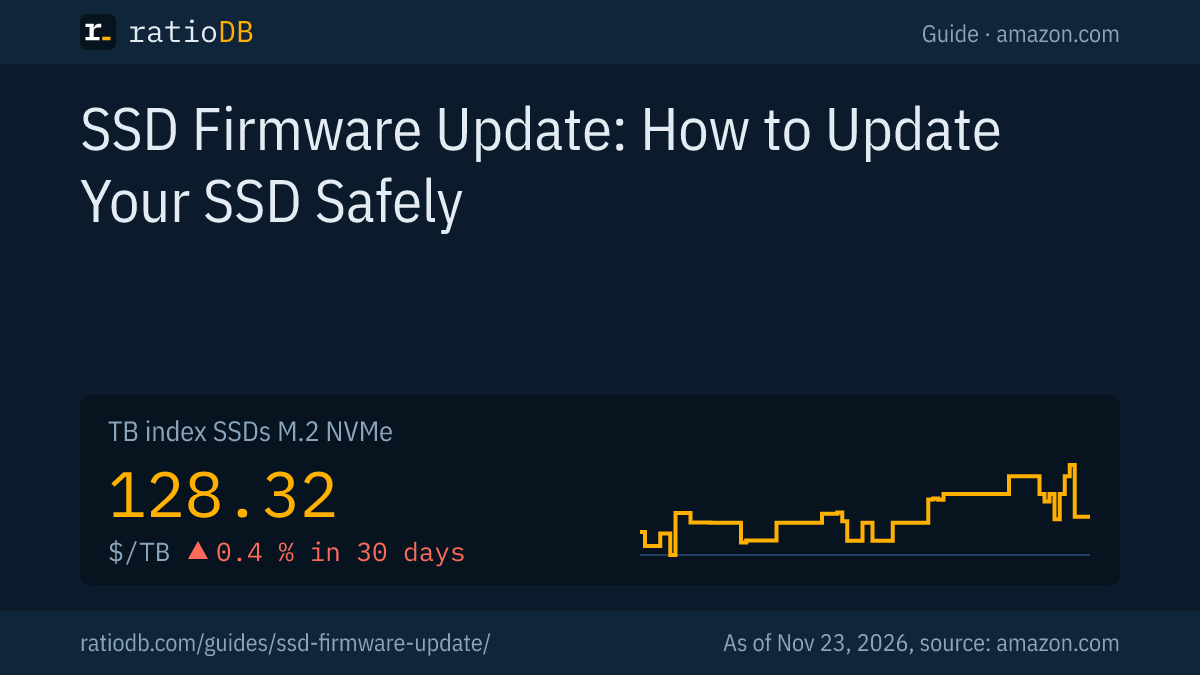
An M.2 NVMe SSD costs $128.32 per TB on amazon.com according to the TB index, a 2.5" SATA SSD $111.46 per TB (as of Nov 23, 2026 at 10:17 AM UTC). The table above shows the cheapest SSD per brand with its own firmware tool.
Your choice of brand also decides which tool you use for firmware later. Samsung also names macOS for firmware updates. Linux users need a brand with an ISO file or a Windows computer for updates. Picks based on data sheets are in the guide Best SSD, which form factor fits is explained in the guide NVMe vs SATA.
All offers by capacity are on the pages 1 TB NVMe SSD, 2 TB NVMe SSD, by form factor under M.2 NVMe SSD, 2.5" SATA SSD, M.2 SATA SSD and external SSD.
What are the most common firmware update mistakes?
The most common mistakes are updating without a backup, a laptop on battery, the wrong tool for the brand, a mismatched ISO file and turning the computer off during the update. All of them appear as warnings in the makers' guides.
| Mistake | Result | How to avoid it |
|---|---|---|
| no backup | no way back if something fails | back up first, as Samsung and Crucial advise |
| power cut | update aborts | plug in the charger, Samsung warns against turning power off |
| wrong tool | SSD is not detected | use your brand's tool |
| wrong ISO file | update fails | check model and firmware variant on Crucial's page |
| ISO does not boot | no update possible | switch to legacy or compatibility mode temporarily |
| programs keep running | interference during the update | close all other programs first |
| planning to roll back | not possible | Samsung does not allow downgrades |
If something does not work after an update, the guide SSD not showing up often helps. How to check an SSD's health is shown in the guide Check hard drive health.
How does ratioDB compare SSDs?
ratioDB pulls amazon.com prices for all listed SSDs regularly and converts them to price per TB, with 1 TB equal to 1,000,000,000,000 bytes. The TB index is the median of the 10 cheapest new offers per product type.
M.2 NVMe SSDs, 2.5" SATA SSDs and M.2 SATA SSDs sit in separate lists with their own index. Used and renewed offers are labeled and never count toward the index. The tables in this guide show only new single drives from known brands, with the brand taken from the offer data. ratioDB does not test firmware itself. The instructions come from the linked support pages. All rules are on the methodology page, all SSDs under SSD prices per TB.
SSD firmware update FAQ
Does a firmware update erase data?
Normally not. Samsung says the update should not affect stored data and still strongly recommends a backup. Crucial calls data loss from an interrupted update extremely rare.
How do I find my SSD's firmware version?
The maker's tool shows it, such as Samsung Magician, Crucial Storage Executive or Kingston SSD Manager. Crucial also describes how to find model and firmware in the drive's properties in Windows.
Can I roll back the firmware?
Not with Samsung. Samsung says firmware cannot be downgraded because each version is tested. So read the release notes before updating.
Can I update an SSD on a Mac?
For Samsung yes, via Magician or the portable SSD software on macOS, according to Samsung. For WD and Sandisk SSDs there are no macOS tools, heise says. Then a Windows computer is the way.
What do I do if the update fails?
Do not turn the computer off and follow the maker's guide. Crucial calls data loss from an interrupted update extremely rare. If the PC then starts without the SSD, the maker's support can help.
Does a firmware update fix blue screens?
Sometimes. According to heise, Western Digital released new firmware in 2024 for the WD Black SN770, SN770M, WD Blue SN580, SN5000 and Sandisk Extreme M.2 that fixed blue screens under Windows 11 24H2.
Does Windows Update update SSD firmware?
The makers name their own tools in their guides. Microsoft describes that the Windows NVMe driver technically supports firmware updates. For your SSD, rely on the maker's tool.
What does an SSD cost right now?
On amazon.com the TB index for M.2 NVMe SSDs is $128.32 per TB and for 2.5" SATA SSDs $111.46 per TB (as of Nov 23, 2026 at 10:17 AM UTC). The table above shows the cheapest SSD per brand.
Sources
- Samsung: Firmware and software for SSDs, 990 PRO data sheet (PDF)
- Crucial: Firmware update guide for Crucial SSDs (French, PDF)
- Kingston: SSD firmware update with Kingston SSD Manager
- heise: Firmware updates against blue screens on Western Digital SSDs
- The FPS Review: Samsung releases 990 PRO firmware update
- Gentoo wiki: Samsung SSD firmware on Linux
- Microsoft: NVMe features supported by StorNVMe
- ratioDB: amazon.com prices, methodology