How to Install RAM: Fit Memory in Your PC the Right Way
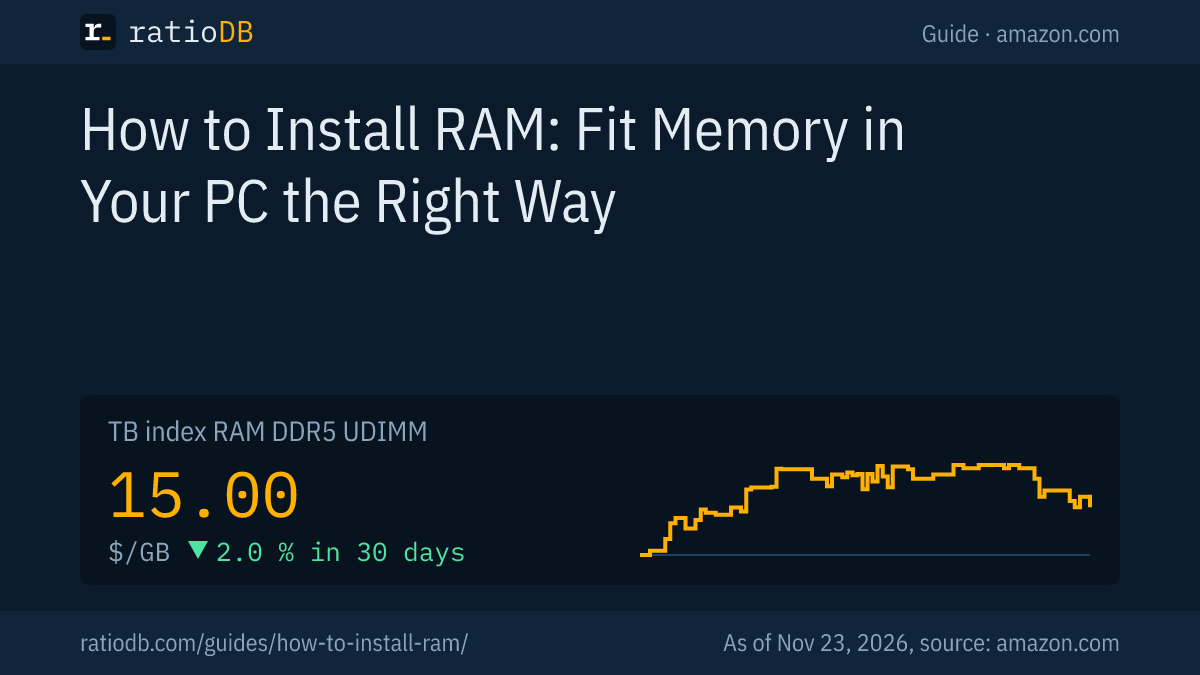
Installing RAM takes a few minutes: shut down and unplug the PC, open the case, push open the clips on the slot, line the module's notch up with the slot and press it straight down until both clips snap shut. With 2 modules on a board with 4 slots, Crucial says they usually go in slots 1 and 3 or 2 and 4 so dual channel works. On amazon.com, DDR5 memory currently costs $15.00 per GB according to the ratioDB GB index (as of Nov 23, 2026 at 10:17 AM UTC).
More memory is one of the simplest PC upgrades. According to Crucial, your files are not affected, because they live on your SSD or hard drive, not in RAM. This guide walks through the install in a desktop PC step by step, explains which slots to pick and what to check after the first boot. Laptops have their own guide, Upgrade laptop RAM. ratioDB does not test modules, we compare prices and spec sheets.
What do you need to install RAM?
You need compatible modules, a screwdriver for the case and the manual of your motherboard or PC. Compatible means the same generation as the slot (DDR4 or DDR5) and the right form factor: DIMM for desktop PCs, SO-DIMM for laptops.
Crucial lists the computer, the memory, a screwdriver and the owner's manual. The manual matters because it says which slots to fill first and the maximum capacity the board supports. DDR4 and DDR5 do not fit the same slot, the notch sits in a different place. The guide DDR5 vs DDR4 explains the generations, and SO-DIMM vs DIMM the form factors.
| Item | Purpose | Note |
|---|---|---|
| RAM modules | memory | same generation as the motherboard |
| Screwdriver | open the case | not needed for some cases |
| Manual | slot order and maximum capacity | usually a PDF from the maker |
| Clear, dry table | workspace | no plastic bags nearby |
How much memory makes sense for gaming, office work or video editing is covered in How much RAM do I need?.
How do you install RAM step by step?
In 8 steps: shut down, unplug, open the case, ground yourself, remove old modules if needed, pick the slots from the manual, seat the new modules until they click, close the case and boot.
- Shut down: turn the PC fully off, not just to sleep.
- Unplug: pull the power cable.
- Open the case: remove the side panel as described in the case manual.
- Avoid static: Crucial warns that static electricity can damage components. Touch an unpainted metal part of the case before handling the modules. Hold each module by its edges and do not touch the gold pins or the chips.
- Remove old modules: according to Crucial, press down on the clips on each side of the slot, the module lifts and you can pull it out.
- Pick the slots: fill the slots the manual names for your number of modules. More on this below.
- Seat the modules: open the clips, line the notch up with the key in the slot, set the module straight down and press evenly with both thumbs until the clips snap shut. It takes more force than most people expect.
- Close and boot: close the case, plug in, power on.
Which slots should the RAM go in?
With 2 modules and 4 slots, Crucial says slots 1 and 3 or 2 and 4. Many motherboard makers label these A2 and B2. The slots are often color coded, but your motherboard manual has the final say.
The reason is dual channel. According to Tom's Hardware, modern boards use 2 memory channels of 64 bits each instead of one. For both to work, half the memory has to sit on channel A and half on channel B. If both modules sit on the same channel, the PC still runs, but on one channel. Crucial notes that some desktops require modules in matched pairs, and the slots are then labeled accordingly.
| Modules | Slots on a 4-slot board | Mode |
|---|---|---|
| 1 | per manual, often A2 | single channel |
| 2 | usually A2 and B2 (slots 2 and 4) | dual channel |
| 4 | all 4 | dual channel, 2 modules per channel |
What dual channel does and how to check it is in Dual channel memory. Worth knowing for 4 modules: Intel says the maximum supported speed may be lower with multiple modules per channel.
What should you check after installing RAM?
After the first boot, check that Windows sees the full capacity and at which speed the RAM runs. Task Manager shows both under Performance and Memory, along with how many slots are in use.
Crucial suggests reading the installed memory in the system properties. It should match what you put in. Kingston points out that the Performance tab in Task Manager also shows used and free slots. If the memory runs slower than the box says, the XMP or EXPO profile in the BIOS is usually still off. How to turn it on is in XMP and EXPO. How to read the speed exactly is in How to check RAM speed.
To make sure the new modules work without errors, run a memory test. The tools are listed in How to test RAM.
What if the PC won't start after installing RAM?
Most often a module is not fully seated. Press each module down again until both clips are shut. If that does not help, boot with a single module and test them one at a time. Crucial also notes that a BIOS update may be needed, because older BIOS versions may not support newer modules.
Here is how to work through it if the screen stays black or memory is missing:
| Symptom | Possible cause | What to do |
|---|---|---|
| No picture, fans spin | module not clicked in | reseat all modules |
| Still no picture | faulty or incompatible module | boot with 1 module, test one by one |
| Less RAM than installed | slot or module not detected | check slots against the manual |
| Crashes under load | profile too fast or mixed modules | turn the profile off, use matching modules |
| New module not detected | old BIOS | update the BIOS |
How to update the BIOS safely is in BIOS update. If you plan to use old and new modules together, read Can you mix RAM? first.
What does RAM cost per GB right now?
On amazon.com, the ratioDB GB index for desktop DDR5 memory stands at $15.00 per GB (as of Nov 23, 2026 at 10:17 AM UTC). The cheapest new single module from a known brand per GB is currently PNY 8 GB with 8 GB for $119.99.
The table shows the cheapest new single module from a known brand at each size, desktop and laptop DDR5 (DIMM and SO-DIMM). ratioDB converts kits with several modules to price per GB, but only single modules count here.
Cheapest DDR5 single module by size on amazon.com, as of Nov 23, 2026 at 10:17 AM UTC
| Capacity | Cheapest offer | Price | Price per GB |
|---|---|---|---|
| 16 GB | Patriot Viper Elite 5 16 GB | $239.99 | $15.00 |
| 32 GB | G.skill Ripjaws Series 32 GB | $519.99 | $16.25 |
All offers are under DDR5 for desktop PCs and DDR5 for laptops, all types under Memory. Whether now is a good time to buy is covered in Why RAM prices are so high.
How does ratioDB compare memory?
ratioDB pulls the amazon.com prices of every listed RAM module regularly and converts them to price per GB. The GB index is the median of the 10 cheapest new offers per product type.
Kits with 2 or 4 modules are divided by their total capacity, so they compare with single modules. Used offers are labeled and never count toward the index. ratioDB does not test modules. The install steps come from the linked guides by Crucial, Kingston and Tom's Hardware. All rules are on the Methodology page.
Frequently asked questions about installing RAM
Will installing RAM delete my data?
No. According to Crucial, your files live on the SSD or hard drive. RAM only holds data while the PC is running, so swapping it does not touch your files.
Which slots do I use for 2 RAM sticks?
On a 4-slot board, usually slots 2 and 4, often labeled A2 and B2. Crucial's rule is 1 and 3 or 2 and 4. Your motherboard manual says which applies.
How hard do I press the RAM module?
Until both clips snap shut. It takes noticeable force. Press straight and evenly with both thumbs, never at an angle.
Do I need to change settings after installing RAM?
Often yes. Without XMP or EXPO, memory runs at a slower default. You turn the profile on in the BIOS, see XMP and EXPO.
Does laptop RAM fit a desktop PC?
No. Laptops use the shorter SO-DIMM modules, desktops the longer DIMM modules. The slots are different.
What does RAM cost right now?
On amazon.com, the GB index for desktop DDR5 memory is $15.00 per GB (as of Nov 23, 2026 at 10:17 AM UTC). The table above shows the cheapest module at each size.
Sources
- Crucial: How to upgrade desktop memory, 10 easy steps to upgrade RAM on a PC, DDR5 installation guide
- Kingston: How to upgrade your PC with RAM
- Tom's Hardware: How to install RAM in a PC
- Intel: Memory channels and speed with multiple modules per channel
- ratioDB: amazon.com prices, Methodology