SD Card Speed Classes Explained: C10, U3, V30, A2 and UHS
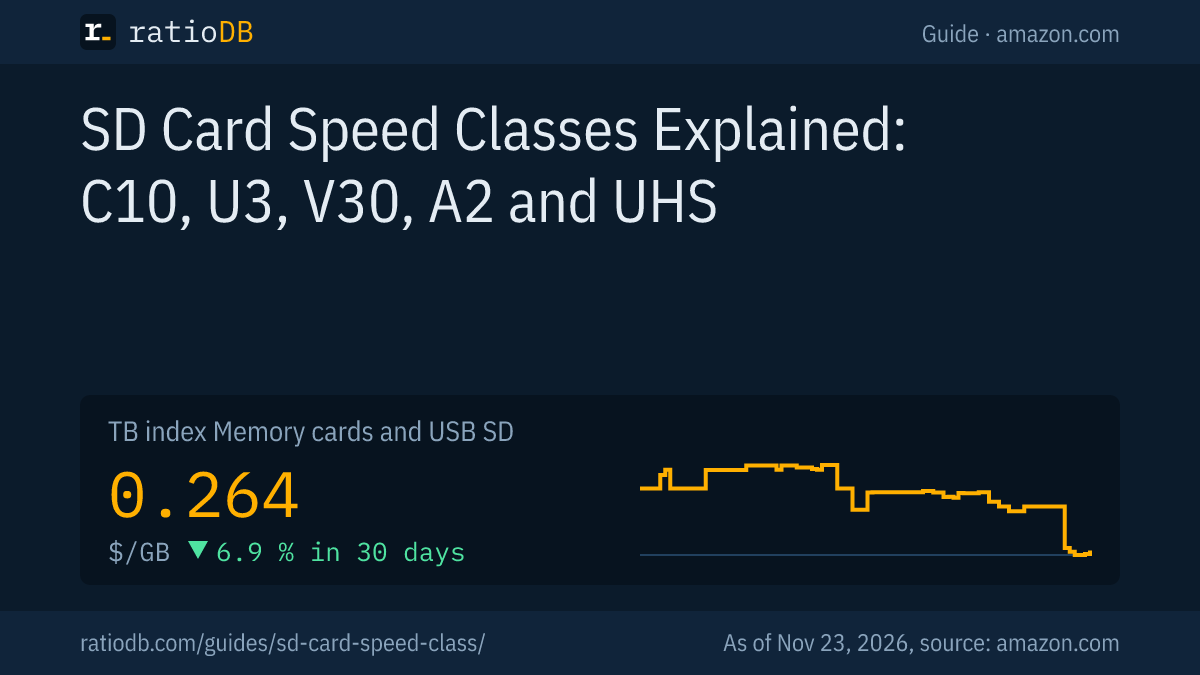
The classes on an SD card state a guaranteed minimum write speed: C10, U1 and V10 stand for 10 MB/s, U3 and V30 for 30 MB/s, V60 for 60 MB/s and V90 for 90 MB/s. A1 and A2 guarantee a minimum number of small, random accesses for apps. UHS-I, UHS-II and SD Express, on the other hand, describe the interface, meaning the top speed. On amazon.com, an SD card currently costs $0.264 per GB according to the ratioDB GB index (as of Nov 23, 2026 at 10:17 AM UTC).
A single SD card often carries 5 or more symbols: a C with a 10 inside, a U with a 3, a V30, an A2, a Roman I or II and SDXC on top. Each symbol says something different, and for buying only what your device asks for matters. This guide explains every class from the SD Association, the body behind the SD standard, maps them to devices and shows with live prices what each class costs per GB. ratioDB does not test memory cards. We compare prices and spec sheets.
Which speed classes exist on SD cards?
The SD Association defines 4 kinds of speed classes: Speed Class (C2 to C10), UHS Speed Class (U1 and U3), Video Speed Class (V6 to V90) and SD Express Speed Class (E150 to E600). On top come the application performance classes A1 and A2, the interface (UHS-I, UHS-II, UHS-III, SD Express) and the capacity class (SDHC, SDXC, SDUC).
All classes with their guaranteed minimum write speed:
| Class | Symbols | Minimum write speed | Applies to interface |
|---|---|---|---|
| Speed Class | C2, C4, C6, C10 | 2, 4, 6 and 10 MB/s | C10: High Speed and faster |
| UHS Speed Class | U1, U3 | 10 and 30 MB/s | UHS |
| Video Speed Class | V6, V10 | 6 and 10 MB/s | High Speed and UHS |
| Video Speed Class | V30 | 30 MB/s | UHS |
| Video Speed Class | V60, V90 | 60 and 90 MB/s | UHS-II and UHS-III |
| SD Express Speed Class | E150, E300, E450, E600 | 150, 300, 450 and 600 MB/s | SD Express |
Kingston gives the values for C, U and V, and the mapping to interfaces comes from the SD Association. For the E classes, the SD Association gives the values as minimum read and write speed. The key word is minimum: the class guarantees what the card achieves at least when writing continuously. It says nothing about the top speed. That is exactly what a camera recording video without a break needs.
What do C10, U1 and U3 mean?
C10 means Speed Class 10 and guarantees 10 MB/s when writing. U1 and U3 are the UHS Speed Classes for cards with a UHS interface and guarantee 10 and 30 MB/s. So C10 and U1 both state 10 MB/s, U3 three times as much.
The Speed Class is the oldest class. Kingston calls C10 the usual minimum requirement of most devices today. The UHS Speed Class came with the faster UHS interface. As a rule of thumb, Kingston writes that cameras that record 4K usually require at least a U3 card.
How to read the symbols:
- C10: a C with a 10 inside. At least 10 MB/s.
- U1: a U with a 1 inside. At least 10 MB/s, only for cards with a UHS interface.
- U3: a U with a 3 inside. At least 30 MB/s.
According to the SD Association, C10 and U1 both stand for 10 MB/s but apply to different interfaces. If the device carries a different marking than the card, the expected speed is not assured.
What do V30, V60 and V90 mean?
V30, V60 and V90 are Video Speed Classes and guarantee 30, 60 and 90 MB/s when writing. The SD Association created them for high-resolution video up to 4K and 8K. V60 and V90 only apply to cards with UHS-II or UHS-III, while V30 already exists with UHS-I.
For cameras, drones and action cams, the Video Speed Class is the marking to look for. Kingston writes that it supports video up to 8K in drones, 360-degree cameras, action cams and VR cameras. The SD Association also built a function into this class that lets the card pause and resume continuous writing (Suspend and Resume), which makes better use of the memory.
Which video class you need is in your camera manual. A few examples from manufacturer requirements:
| Device | Manufacturer requirement | Source |
|---|---|---|
| Nextbase dash cams | U3, so at least 30 MB/s | Nextbase |
| TP-Link Tapo security cameras | at least Class 10 (U1 or V10) | TP-Link |
| Reolink security cameras | Class 10 or higher, V30 for 4K | Reolink |
| Raspberry Pi (official card) | C10, U3, V30 and A2 | Raspberry Pi |
| Canon EOS 5D Mark IV | UHS-I only, UHS-II not supported | Canon |
For the camera itself: which class it needs for its highest video quality is in the manual. More on camera cards is in the guide Best SD card for camera.
What do A1 and A2 mean?
A1 and A2 are application performance classes for cards that run apps, for example in a phone, a console or a Raspberry Pi. A1 guarantees at least 1,500 random reads and 500 random writes per second, A2 at least 4,000 and 2,000. Both guarantee 10 MB/s sustained writing.
With apps, what counts most is how many small, scattered accesses the card manages per second. That number is called IOPS. The SD Association introduced A1 with the SD 5.1 standard and added A2 with the SD 6.0 standard in February 2017. A2 comes with a condition: card and device must support command queueing and cache, and the device must flush the cache before powering down. A device without these functions does not use the extra abilities of A2.
| Class | Random reads per second | Random writes per second | Sustained write |
|---|---|---|---|
| A1 | at least 1,500 | at least 500 | 10 MB/s |
| A2 | at least 4,000 | at least 2,000 | 10 MB/s |
One example of a device that uses A2 is the Raspberry Pi 5. More on that in the guide Best SD card for Raspberry Pi.
What do UHS-I, UHS-II and SD Express mean?
UHS-I, UHS-II, UHS-III and SD Express describe the card's interface, meaning how fast data can flow at most. UHS-I reaches up to 104 MB/s, UHS-II up to 312 MB/s, UHS-III up to 624 MB/s. SD Express uses PCIe and NVMe and reaches up to 4 GB/s according to the SD Association, microSD Express up to 2 GB/s.
You recognize the interface by the Roman numeral I, II or III on the card. It is a top speed, while the speed classes above are minimums. So a UHS-II card may be faster than its class requires. Only the minimum speed of the class is guaranteed.
| Interface | Top speed per SD Association | Stated on |
|---|---|---|
| UHS-I | 104 MB/s | 22.02.2017 |
| UHS-II | 312 MB/s | 22.02.2017 |
| UHS-III | 624 MB/s | 22.02.2017 |
| SD Express (SD 9.1) | up to 4 GB/s | 27.10.2023 |
| microSD Express | up to 2 GB/s | 27.10.2023 |
A faster interface only helps if the device has it too. For the EOS 5D Mark IV, Canon explicitly states that SDHC and SDXC cards must be UHS-I and that UHS-II cards are not supported. So before buying an expensive UHS-II card, check whether your camera supports UHS-II. More on microSD Express is in the guide microSD Express.
What do SDHC, SDXC and SDUC mean?
SDHC, SDXC and SDUC are capacity classes and say nothing about speed. SDHC cards hold up to 32 GB and use FAT32, SDXC cards hold more than 32 GB up to 2 TB and use exFAT. SDUC cards go beyond 2 TB up to 128 TB.
The capacity class still matters when buying, because a device that only knows SDHC does not recognize an SDXC card. The SD Association introduced SDXC in January 2009 and specified exFAT for it. How to set up a card with the right file system is covered in the guide How to format an SD card.
What does each class cost per GB?
On amazon.com, an SD card currently costs $0.264 per GB according to the ratioDB GB index, a microSD card $0.194 per GB (as of Nov 23, 2026 at 10:17 AM UTC). At the same capacity, a V90 SD card currently costs about 3.3 times as much per GB as a V30 card.
The table shows the cheapest new single card from a well-known brand per GB for each class. ratioDB reads the class from the listing title, and the strictest class named counts. If the title names no class, the card does not appear here.
Cheapest SD and microSD card per GB by class on amazon.com, well-known brands, as of Nov 23, 2026 at 10:17 AM UTC
| Class per listing | Minimum write speed | Cheapest SD card per GB | Cheapest microSD card per GB |
|---|---|---|---|
| V90 | 90 MB/s | Lexar 256 GB (256 GB): $1.06 per GB | no offer |
| V60 | 60 MB/s | Lexar Professional 128 GB (128 GB): $0.703 per GB | no offer |
| V30 / U3 | 30 MB/s | Transcend SDC300S 1 TB (1 TB): $0.177 per GB | SanDisk Extreme 512 GB (512 GB): $0.223 per GB |
| U1 / V10 / Class 10 | 10 MB/s | SanDisk Ultra 128 GB (128 GB): $0.249 per GB | SanDisk Ultra 10 128 GB (128 GB): $0.194 per GB |
With V30, Transcend SDC300S 1 TB is currently the cheapest SD card per GB at $0.177. With V90, Lexar 256 GB leads at $1.06 per GB. The cheapest SD card with UHS-II in the title is Lexar Professional 128 GB at $0.703 per GB. microSD cards are currently cheaper per GB than SD cards. With an adapter they fit any SD slot, and the classes apply the same way.
The buying math: buy the class your device asks for and no more. A V90 card in a camera that only needs V30 costs more and adds nothing while recording. When copying to a computer it can be faster if both the card reader and the card support UHS-II.
All offers are on SD cards, microSD cards and CFexpress cards for pro cameras, and every format on memory cards and USB.
What mistakes happen when buying by class?
The most common mistakes are a class too slow for video, UHS-II for a UHS-I device, reading mixed symbols as a guarantee and fake cards. The SD Association states explicitly that a combination of different class symbols on device and card does not ensure the expected speed.
| Mistake | Result | How to avoid it |
|---|---|---|
| Class below the device's requirement | recording stops, missing footage | use the class from the manual |
| UHS-II card for a UHS-I device | premium without benefit | check the device's interface |
| Device asks for a V class, card only has a C class | speed not guaranteed | pick the same kind of class or higher |
| Comparing top speed instead of class | card writes slower than expected | look for C, U or V |
| Fake card | wrong capacity, too slow | buy from reputable sellers, test it |
The SD Association advises choosing the same kind of class as the device or a higher tier. The classes also come with a condition: the guaranteed speed applies to free, unfragmented areas of the card. A card freshly formatted in the device offers such free areas. TP-Link lists a class like V30 printed on a card that cannot reach that speed as one of the signs of a fake. With tools like H2testw (Windows) or F3 (Mac) you check capacity and speed yourself.
Does the class say anything about endurance?
No. Speed Class, UHS Speed Class and Video Speed Class guarantee a minimum speed, not a lifespan. How much constant load a card can take is stated by makers of endurance cards in recording hours, for example SanDisk with up to 120,000 hours for the MAX ENDURANCE 256 GB.
Endurance becomes important with devices that record non-stop and overwrite old clips, such as dash cams and security cameras. There, makers like Nextbase and TP-Link explicitly recommend endurance cards. According to SanDisk, both of its lines, High Endurance and MAX ENDURANCE, carry the classes C10, U3 and V30. So the class tells you how fast the card writes at minimum, the hours tell you how long it keeps that up in constant use.
| Card | Class per maker | Recording hours at 128 GB |
|---|---|---|
| SanDisk High Endurance | C10, U3, V30 | up to 10,000 |
| SanDisk MAX ENDURANCE | C10, U3, V30 | up to 60,000 |
| Samsung PRO Endurance | C10, U3, V30 | up to 70,080 |
Which card suits constant recording is covered in the guides Best SD card for dashcam and SD card for security camera.
How does ratioDB compare SD cards by class?
ratioDB regularly pulls the amazon.com prices of all listed SD and microSD cards and converts them into price per GB. The GB index is the median of the 10 cheapest new offers per product type.
SD cards and microSD cards have separate lists with their own index. ratioDB takes a card's class from the listing title. Used offers are labeled and never count toward the index. The tables in this guide show only new single cards from well-known brands. ratioDB does not test cards itself. The classes and values come from the linked sources from the SD Association, Kingston and Transcend. All rules are on the methodology page.
Frequently asked questions about SD card speed classes
Which is better, U3 or V30?
Both guarantee 30 MB/s when writing. V30 is the Video Speed Class with extra functions for video recording, U3 the UHS Speed Class. Many cards carry both symbols. If your camera asks for V30, pick a card with V30.
Is Class 10 fast enough for 4K?
Usually not. As a rule of thumb, Kingston writes that 4K cameras usually require at least U3, and Reolink recommends V30 for 4K. Class 10 only guarantees 10 MB/s.
What does the Roman I or II on an SD card mean?
It stands for the UHS-I or UHS-II interface. According to the SD Association, UHS-I reaches up to 104 MB/s and UHS-II up to 312 MB/s. That is a top speed, not a guaranteed minimum.
Do I need A2 for my phone or console?
A2 only helps if the device supports command queueing and cache. Otherwise A1 is enough. Both classes guarantee a minimum number of random accesses, which matters for apps.
Does a UHS-II card work in a UHS-I device?
That depends on the device. For the EOS 5D Mark IV, Canon states that UHS-II cards are not supported. Check your device manual before buying a UHS-II card.
Which class for a dash cam?
Nextbase recommends U3, so at least 30 MB/s, plus a card built for continuous recording. More is in the guide Best SD card for dashcam.
How much does an SD card cost right now?
On amazon.com, the GB index for SD cards is $0.264 per GB and for microSD cards $0.194 per GB (as of Nov 23, 2026 at 10:17 AM UTC). The table above shows the cheapest card by class.
What does E600 mean on an SD card?
E600 is an SD Express Speed Class. The SD Association introduced the classes E150, E300, E450 and E600 with the SD 9.1 standard in October 2023. E600 guarantees at least 600 MB/s and only applies to cards and devices with SD Express.
What is the difference between SDHC and SDXC?
Capacity and file system. SDHC cards hold up to 32 GB and use FAT32, SDXC cards hold more than 32 GB up to 2 TB and use exFAT. A device that only knows SDHC does not recognize an SDXC card. None of this has to do with speed.
Sources
- SD Association: Speed Class, UHS Speed Class, Video Speed Class and SD Express Speed Class, Application performance class A2, 24.03.2017, SD 9.1 with E classes, 27.10.2023, UHS-III at 624 MB/s, 22.02.2017 (PDF), SDXC with exFAT announced, 07.01.2009 (PDF), SD Ultra Capacity up to 128 TB
- Kingston: Memory card speed classes
- Transcend: Application performance classes A1 and A2
- Device makers: Nextbase SD card for dash cams, TP-Link microSD for Tapo and Kasa, Reolink microSD card guide, Raspberry Pi SD cards, Canon EOS 5D Mark IV compatible cards
- TP-Link VIGI: How to spot and test a fake microSD card
- ratioDB: amazon.com prices, methodology